# WDK Documentation *** *** Base URL: https://docs.wdk.tether.io *** Raw markdown is available by appending `.md` to any documentation page URL. *** *** ## Welcome to WDK URL: https://docs.wdk.tether.io/ Description: >- The **Wallet Development Kit _by Tether_ (WDK)** is Tether's open-source toolkit that empowers humans, machines and AI agents alike to build, deploy and use secure, multi-chain, self-custodial wallets that can be integrated anywhere from the smallest embedded device to any mobile, desktop and server operating system. WDK enables trillions of self-custodial wallets. WDK provides a set of core libraries that give you the highest level of control and a wide range of user-interface templates and widgets to maximize your development and deployment speed. *** ### Discover WDK Understand WDK core features and design principles Discover our philosophy and idea for the future wallets Learn foundational concepts and terminology *** ### Start Building Get started with WDK in a Node.js environment Build mobile wallets with React Native Expo Connect AI assistants to WDK docs and tools Explore our React Native UI Kit with pre-built components *** ### Get Involved *** ## Agent Skills URL: https://docs.wdk.tether.io/ai/agent-skills Description: Give any AI agent self-custodial wallet capabilities with WDK agent skills WDK provides agent skills: structured instruction sets that teach AI agents how to create wallets, send transactions, swap tokens, bridge assets, and interact with DeFi protocols across 20+ blockchains. All operations are self-custodial. Keys stay on your machine, with no third-party custody dependency. **Skill vs MCP Toolkit vs WDK CLI**: Use an **agent skill** when your agent platform works with file-based instructions (e.g., OpenClaw, Cursor). Use the [MCP Toolkit](/ai/mcp-toolkit/) when you are building a custom MCP server in code. Use [WDK CLI](/cli/) when you want a ready-made local wallet CLI, daemon, and MCP server. ## What Are Agent Skills? An agent skill is a structured set of instructions and reference documentation that teaches an AI agent to use a specific tool or SDK. Skills follow the [AgentSkills specification](https://agentskills.io/specification). Each skill is a `SKILL.md` file with frontmatter metadata and detailed instructions that any compatible agent can load and execute. WDK publishes a skill that covers the full SDK surface: wallet modules, swidge, swap, bridge, lending, fiat on/off-ramps, and the indexer. When an agent loads the skill, it learns WDK's APIs so you don't need blockchain expertise to get started. You can view the full skill file on [GitHub](https://github.com/tetherto/wdk-docs/blob/main/skills/wdk/SKILL.md). ## Capabilities Once an agent loads the WDK skill, it can: | Category | Operations | | --- | --- | | **Wallets** | Create and recover wallets across EVM chains, Bitcoin, Solana, Spark, TON, and Tron | | **Transactions** | Send native tokens and token transfers (ERC-20, SPL, Jetton, TRC-20) | | **Swaps and routes** | DEX swaps via Velora and Swidge routes through providers such as Orchestra | | **Bridges** | Cross-chain bridges with USDT0 via LayerZero | | **Lending** | Supply, borrow, repay, and withdraw via Aave V3 | | **Fiat** | Buy and sell crypto via MoonPay on/off-ramps | | **Gasless** | Fee-free transfers on TON (via paymaster) and Tron (via gas-free service), and ERC-4337 account abstraction on EVM | All write operations require explicit human confirmation. The skill instructs agents to estimate fees before sending and includes prompt injection protection guidance. ## How It Works 1. **Install the skill** by cloning the skill repository or installing from a skill registry like [ClawHub](https://clawhub.ai/HumanRupert/tether-wallet-development-kit) 2. **Agent loads the skill** and reads `SKILL.md` along with per-module reference files to learn WDK's API surface 3. **Agent executes operations** when you ask it to create a wallet or send a transaction, generating the correct WDK code 4. **You confirm** before any write operation (transactions, swaps, bridges) goes through The skill includes security guidance: pre-transaction validation checklists, prompt injection detection rules, and mandatory key cleanup patterns. ## Self-Custodial vs Hosted WDK's agent skills use a self-custodial model where your agent controls its own keys locally. This differs from hosted solutions where a third party manages your keys. | Feature | WDK | Coinbase Agentic Wallet | Privy Server Wallets | | --- | --- | --- | --- | | Custody model | Self-custodial | Coinbase-hosted | Privy-hosted (server) | | Multi-chain | Yes (EVM, Bitcoin, Solana, TON, Tron, Spark + more) | EVM + Solana | EVM + Solana + Bitcoin + more | | Open source | Yes (SDK + skills) | CLI/skills open, infra closed | Skills open, API closed | | MCP support | Yes ([MCP Toolkit](/ai/mcp-toolkit/)) | Via skills | Via skills | | OpenClaw support | Yes ([ClawHub skill](https://clawhub.ai/HumanRupert/tether-wallet-development-kit)) | Yes (npx skills) | Yes (ClawHub skill) | | x402 payments | Via [community extensions](#community-projects) | Yes (native) | No | | Key management | Local / self-managed | Coinbase infrastructure | Privy infrastructure | ## Use With Agent Platforms | Platform | How to Use | | --- | --- | | **OpenClaw** | Install from [ClawHub](/ai/openclaw/) or clone to workspace. See [OpenClaw Integration](/ai/openclaw/) | | **Claude** | Upload `SKILL.md` as project knowledge, or paste into conversation | | **Cursor / Windsurf** | Clone to `.cursor/skills/wdk` or `.windsurf/skills/wdk` | | **Any MCP-compatible agent** | Use [WDK CLI](/cli/guides/use-mcp-server/) for a ready-made local daemon, or the [MCP Toolkit](/ai/mcp-toolkit/) for a custom MCP server | | **Any local CLI-capable agent** | Use [WDK CLI](/cli/) with `--json` output | | **Any other agent** | Copy `SKILL.md` into system prompt or conversation context | ## Community Projects Community-built projects using WDK's agentic capabilities: | Project | Description | | --- | --- | | [wdk-wallet-evm-x402-facilitator](https://github.com/SemanticPay/wdk-wallet-evm-x402-facilitator) | Agent-to-agent payments using the x402 HTTP payment protocol | | [x402-usdt0](https://github.com/baghdadgherras/x402-usdt0) | Reference implementation of x402 on Plasma with USDT0 | | [Novanet zkML Guardrails](https://github.com/hshadab/tether) | Zero-knowledge ML safety checks for wallet operations | ## Resources - [WDK SKILL.md on GitHub](https://github.com/tetherto/wdk-docs/blob/main/skills/wdk/SKILL.md) - The full skill file agents consume - [WDK Skill on ClawHub](https://clawhub.ai/HumanRupert/tether-wallet-development-kit) - Install the skill - [AgentSkills Specification](https://agentskills.io/specification) - The skill format standard - [WDK CLI](/cli/) - Local CLI, daemon, and MCP server for AI agents - [WDK MCP Toolkit](https://github.com/tetherto/wdk-mcp-toolkit) - MCP server for structured tool calling - [WDK Core](https://github.com/tetherto/wdk-core) - The core SDK *** ## Need Help? *** ## MCP Toolkit URL: https://docs.wdk.tether.io/ai/mcp-toolkit Description: Build MCP servers that give AI agents self-custodial WDK wallets The MCP Toolkit lets AI agents interact with self-custodial WDK wallets. It creates an [MCP server](https://modelcontextprotocol.io/) that exposes wallet operations (checking balances, sending transactions, swapping tokens, bridging assets, and more) as structured tools that any MCP-compatible AI client can call. Powered by [`@tetherto/wdk-mcp-toolkit`](https://github.com/tetherto/wdk-mcp-toolkit). **Beta** - This package is in active development (`v1.0.0-beta.1`). APIs may change between releases. ## Features - **MCP Server Extension** - Extends the official `@modelcontextprotocol/sdk` McpServer with WDK-specific capabilities - **Multi-Chain** - Support for 13 blockchains out of the box, including EVM chains, Bitcoin, Solana, Spark, TON, and Tron - **35 Built-in Tools** - Ready-to-use tools for wallets, pricing, indexer queries, swaps, bridges, lending, and fiat on/off-ramps - **Human Confirmation** - All write operations use MCP elicitations to require explicit user approval before broadcasting transactions - **Extensible** - Register custom tools alongside built-in ones using standard MCP SDK patterns - **Secure by Design** - Seed phrases stay local, `close()` wipes keys from memory, and read/write tool separation lets you control access ## Supported Chains | Chain | Identifier | | --- | --- | | Ethereum | `ethereum` | | Polygon | `polygon` | | Arbitrum | `arbitrum` | | Optimism | `optimism` | | Base | `base` | | Avalanche | `avalanche` | | BNB Chain | `bnb` | | Plasma | `plasma` | | Bitcoin | `bitcoin` | | Solana | `solana` | | Spark | `spark` | | TON | `ton` | | Tron | `tron` | You can register **any** blockchain name - the `CHAINS` constants are for convenience only. For custom chains, register tokens manually with `registerToken()`. Install and run your first MCP server in minutes Wallets, capabilities, tokens, protocols, and custom tools All 35 built-in MCP tools and the WdkMcpServer class Use WDK tools in LangChain agents via the serve CLI Use a ready-made local wallet CLI, daemon, and MCP server when you do not need to build a custom MCP server *** ## Need Help? *** ## API Reference URL: https://docs.wdk.tether.io/ai/mcp-toolkit/api-reference Description: WdkMcpServer class and all 35 built-in MCP tools ## WdkMcpServer The `WdkMcpServer` class extends `McpServer` from `@modelcontextprotocol/sdk` with WDK-specific wallet, pricing, indexer, and protocol capabilities. ### Constructor ```javascript const server = new WdkMcpServer(name: string, version: string) ``` | Parameter | Type | Description | | --- | --- | --- | | `name` | `string` | Server name (shown to AI clients) | | `version` | `string` | Server version string | ### Core Methods #### `useWdk(config)` Initializes the WDK wallet engine. Must be called before `registerWallet()` or `registerProtocol()`. ```typescript server.useWdk(config: WdkConfig): WdkMcpServer ``` | Parameter | Type | Required | Description | | --- | --- | --- | --- | | `config.seed` | `string` | Yes | BIP-39 mnemonic seed phrase | **Returns:** `WdkMcpServer` (for chaining) --- #### `registerWallet(blockchain, WalletManager, config)` Registers a wallet module for a specific blockchain. ```typescript server.registerWallet( blockchain: string, WalletManager: W, config: ConstructorParameters[1] ): WdkMcpServer ``` | Parameter | Type | Required | Description | | --- | --- | --- | --- | | `blockchain` | `string` | Yes | Chain name (e.g., `'ethereum'`, `'bitcoin'`) | | `WalletManager` | `class` | Yes | Wallet module class (e.g., `WalletManagerEvm`) | | `config` | `object` | Yes | Module-specific config (see each wallet module's docs) | **Requires:** `useWdk()` called first --- #### `registerProtocol(chain, label, Protocol, config?)` Registers a DeFi protocol (swap, bridge, lending, or fiat) for a chain. ```typescript server.registerProtocol

( chain: string, label: string, Protocol: P, config?: ConstructorParameters

[1] ): WdkMcpServer ``` | Parameter | Type | Required | Description | | --- | --- | --- | --- | | `chain` | `string` | Yes | Chain name (must have a wallet registered) | | `label` | `string` | Yes | Protocol identifier (e.g., `'velora'`, `'aave'`) | | `Protocol` | `class` | Yes | Protocol module class | | `config` | `object` | No | Protocol-specific config | **Requires:** `useWdk()` called first --- #### `useIndexer(config)` Enables the WDK Indexer client for querying token balances and transfer history. ```typescript server.useIndexer(config: { apiKey: string }): WdkMcpServer ``` | Parameter | Type | Required | Description | | --- | --- | --- | --- | | `config.apiKey` | `string` | Yes | WDK Indexer API key | --- #### `usePricing()` Enables the Bitfinex pricing client for current and historical prices. ```typescript server.usePricing(): WdkMcpServer ``` --- #### `registerTools(tools)` Registers multiple MCP tools at once. ```typescript server.registerTools(tools: ToolFunction[]): WdkMcpServer ``` --- #### `registerToken(chain, symbol, token)` Registers a custom token for a chain. ```typescript server.registerToken(chain: string, symbol: string, token: TokenInfo): WdkMcpServer ``` | Parameter | Type | Description | | --- | --- | --- | | `chain` | `string` | Chain name | | `symbol` | `string` | Token symbol (e.g., `'USDC'`) | | `token.address` | `string` | Token contract address | | `token.decimals` | `number` | Token decimal places | --- #### `close()` Disposes the WDK instance and clears seed material from memory. Call this when shutting down the server. ```typescript server.close(): void ``` ### Query Methods | Method | Returns | Description | | --- | --- | --- | | `getChains()` | `string[]` | Registered blockchain names | | `getTokenInfo(chain, symbol)` | `TokenInfo \| undefined` | Token address and decimals | | `getRegisteredTokens(chain)` | `string[]` | Registered token symbols for a chain | | `getSwapChains()` | `string[]` | Chains with swap protocols | | `getSwapProtocols(chain)` | `string[]` | Swap protocol labels for a chain | | `getBridgeChains()` | `string[]` | Chains with bridge protocols | | `getBridgeProtocols(chain)` | `string[]` | Bridge protocol labels for a chain | | `getLendingChains()` | `string[]` | Chains with lending protocols | | `getLendingProtocols(chain)` | `string[]` | Lending protocol labels for a chain | | `getFiatChains()` | `string[]` | Chains with fiat protocols | | `getFiatProtocols(chain)` | `string[]` | Fiat protocol labels for a chain | ### Getters | Getter | Type | Description | | --- | --- | --- | | `server.wdk` | `WalletKit` | WDK instance (after `useWdk()`) | | `server.indexerClient` | `WdkIndexerClient` | Indexer client (after `useIndexer()`) | | `server.pricingClient` | `WdkPricingClient` | Pricing client (after `usePricing()`) | *** ## Types ```typescript type WdkConfig = { seed?: string } type TokenInfo = { address: string decimals: number } type ToolFunction = (server: WdkMcpServer) => void ``` *** ## Built-in MCP Tools All tools use [Zod](https://zod.dev/) for input/output validation and include [MCP tool annotations](https://modelcontextprotocol.io/docs/concepts/tools#tool-annotations) that describe their behavior to AI clients. ### MCP Annotations Every tool declares these annotations: | Annotation | Type | Meaning | | --- | --- | --- | | `readOnlyHint` | `boolean` | Tool does not modify state | | `destructiveHint` | `boolean` | Tool may spend funds or make irreversible changes | | `idempotentHint` | `boolean` | Calling multiple times produces the same result | | `openWorldHint` | `boolean` | Tool interacts with external systems | **Human Confirmation** - All tools where `destructiveHint: true` use MCP [elicitations](https://modelcontextprotocol.io/docs/concepts/elicitation) to show a confirmation dialog before broadcasting. The user must explicitly approve each transaction. *** ## Wallet Tools _Requires: `useWdk()` + `registerWallet()`_ ### `getAddress` Get the wallet address for a blockchain. **Read-only.** **Input:** | Parameter | Type | Required | Description | | --- | --- | --- | --- | | `chain` | `enum` | Yes | The blockchain to get the address for | **Output:** | Field | Type | Description | | --- | --- | --- | | `address` | `string` | The wallet address | --- ### `getBalance` Get the native token balance for a blockchain (ETH, BTC, SOL, etc.). **Read-only.** **Input:** | Parameter | Type | Required | Description | | --- | --- | --- | --- | | `chain` | `enum` | Yes | The blockchain to query | **Output:** | Field | Type | Description | | --- | --- | --- | | `balance` | `string` | Balance in base units (wei, satoshis, etc.) | --- ### `getTokenBalance` Get the balance of a registered token (USDT, USDC, etc.). **Read-only.** **Input:** | Parameter | Type | Required | Description | | --- | --- | --- | --- | | `chain` | `enum` | Yes | The blockchain to query | | `token` | `string` | Yes | Token symbol (e.g., `"USDT"`) | **Output:** | Field | Type | Description | | --- | --- | --- | | `balance` | `string` | Human-readable token balance | | `balanceBaseUnits` | `string` | Balance in smallest unit | --- ### `getFeeRates` Get current network fee rates. **Read-only.** **Input:** | Parameter | Type | Required | Description | | --- | --- | --- | --- | | `chain` | `enum` | Yes | The blockchain to query | **Output:** | Field | Type | Description | | --- | --- | --- | | `normal` | `string` | Normal fee rate (balanced speed) | | `fast` | `string` | Fast fee rate (higher cost, faster confirmation) | Fee units vary by chain: satoshis/byte (Bitcoin), wei (Ethereum), or chain-specific units. --- ### `getMaxSpendableBtc` Get the maximum spendable Bitcoin amount after fees. **Read-only.** Bitcoin-only. **Input:** None **Output:** | Field | Type | Description | | --- | --- | --- | | `amount` | `string` | Maximum spendable amount (satoshis) | | `fee` | `string` | Estimated transaction fee (satoshis) | | `changeValue` | `string` | Expected change output (satoshis) | --- ### `quoteSendTransaction` Estimate the fee for sending native currency. **Read-only.** Does not broadcast. **Input:** | Parameter | Type | Required | Description | | --- | --- | --- | --- | | `chain` | `enum` | Yes | The blockchain | | `to` | `string` | Yes | Recipient address | | `value` | `string` | Yes | Amount in **base units** (wei, satoshis) | **Output:** | Field | Type | Description | | --- | --- | --- | | `fee` | `string` | Estimated transaction fee in base units | --- ### `quoteTransfer` Estimate the fee for transferring a token. **Read-only.** Does not broadcast. **Input:** | Parameter | Type | Required | Description | | --- | --- | --- | --- | | `chain` | `enum` | Yes | The blockchain | | `token` | `string` | Yes | Token symbol (e.g., `"USDT"`) | | `recipient` | `string` | Yes | Recipient address | | `amount` | `string` | Yes | Amount in **human-readable** format (e.g., `"10"`) | **Output:** | Field | Type | Description | | --- | --- | --- | | `fee` | `string` | Estimated transaction fee in base units | --- ### `sendTransaction` Send native currency (ETH, BTC, etc.). **Destructive** - requires user confirmation. **Input:** | Parameter | Type | Required | Description | | --- | --- | --- | --- | | `chain` | `enum` | Yes | The blockchain | | `to` | `string` | Yes | Recipient address | | `value` | `string` | Yes | Amount in **base units** (wei, satoshis) | **Output:** | Field | Type | Description | | --- | --- | --- | | `hash` | `string` | Transaction hash | | `fee` | `string` | Actual fee paid | This tool shows a confirmation dialog with transaction details before broadcasting. The user must approve the transaction explicitly. --- ### `transfer` Transfer a registered token. **Destructive** - requires user confirmation. **Input:** | Parameter | Type | Required | Description | | --- | --- | --- | --- | | `chain` | `enum` | Yes | The blockchain | | `token` | `string` | Yes | Token symbol (e.g., `"USDT"`) | | `to` | `string` | Yes | Recipient address | | `amount` | `string` | Yes | Amount in **human-readable** format (e.g., `"100"`) | **Output:** | Field | Type | Description | | --- | --- | --- | | `hash` | `string` | Transaction hash | | `fee` | `string` | Actual fee paid | This tool shows a confirmation dialog with transaction details before broadcasting. The user must approve the transaction explicitly. --- ### `sign` Sign an arbitrary message with the wallet's private key. **Does not reveal the private key.** **Input:** | Parameter | Type | Required | Description | | --- | --- | --- | --- | | `chain` | `enum` | Yes | The blockchain | | `message` | `string` | Yes | Message to sign | **Output:** | Field | Type | Description | | --- | --- | --- | | `signature` | `string` | Cryptographic signature | --- ### `verify` Verify that a signature is valid for a given message. **Read-only.** **Input:** | Parameter | Type | Required | Description | | --- | --- | --- | --- | | `chain` | `enum` | Yes | The blockchain | | `message` | `string` | Yes | Original message | | `signature` | `string` | Yes | Signature to verify | **Output:** | Field | Type | Description | | --- | --- | --- | | `valid` | `boolean` | Whether the signature is valid | *** ## Pricing Tools _Requires: `usePricing()`_ ### `getCurrentPrice` Get the current spot price from Bitfinex. **Read-only.** **Input:** | Parameter | Type | Required | Description | | --- | --- | --- | --- | | `base` | `string` | Yes | Base currency (e.g., `"BTC"`, `"ETH"`) | | `quote` | `string` | Yes | Quote currency (e.g., `"USD"`, `"USDT"`) | **Output:** | Field | Type | Description | | --- | --- | --- | | `base` | `string` | Base currency | | `quote` | `string` | Quote currency | | `price` | `number` | Current spot price | --- ### `getHistoricalPrice` Get historical price data (OHLCV candles) from Bitfinex. **Read-only.** **Input:** | Parameter | Type | Required | Description | | --- | --- | --- | --- | | `from` | `string` | Yes | Base currency (e.g., `"BTC"`) | | `to` | `string` | Yes | Quote currency (e.g., `"USD"`) | | `start` | `number` | No | Start timestamp (ms, unix epoch) | | `end` | `number` | No | End timestamp (ms, unix epoch) | **Output:** | Field | Type | Description | | --- | --- | --- | | `from` | `string` | Base currency | | `to` | `string` | Quote currency | | `start` | `number` | Start timestamp (if provided) | | `end` | `number` | End timestamp (if provided) | | `points` | `number[][]` | Array of `[timestamp, open, close, high, low, volume]` | Long time ranges are automatically downscaled to ≤100 data points. *** ## Indexer Tools _Requires: `useIndexer()`_ ### `getIndexerTokenBalance` Get token balance for **any** address via the WDK Indexer API. **Read-only.** **Input:** | Parameter | Type | Required | Description | | --- | --- | --- | --- | | `blockchain` | `enum` | Yes | Blockchain to query | | `token` | `enum` | Yes | Token (e.g., `"usdt"`, `"xaut"`, `"btc"`) | | `address` | `string` | Yes | Wallet address | **Output:** | Field | Type | Description | | --- | --- | --- | | `tokenBalance.blockchain` | `string` | Blockchain name | | `tokenBalance.token` | `string` | Token name | | `tokenBalance.amount` | `string` | Token balance | This queries the **indexed** balance, which may have slight delay compared to real-time blockchain state. For your own wallet's balance, use `getBalance` or `getTokenBalance` instead. --- ### `getTokenTransfers` Get token transfer history for an address. **Read-only.** **Input:** | Parameter | Type | Required | Description | | --- | --- | --- | --- | | `blockchain` | `enum` | Yes | Blockchain to query | | `token` | `enum` | Yes | Token (e.g., `"usdt"`, `"xaut"`, `"btc"`) | | `address` | `string` | Yes | Wallet address | | `limit` | `number` | No | Results per page (1–1000, default: 10) | | `fromTs` | `number` | No | Start timestamp (unix seconds) | | `toTs` | `number` | No | End timestamp (unix seconds) | | `sort` | `enum` | No | `"asc"` or `"desc"` (default: `"desc"`) | **Output:** | Field | Type | Description | | --- | --- | --- | | `transfers` | `object[]` | Array of transfer records | | `transfers[].blockchain` | `string` | Blockchain | | `transfers[].blockNumber` | `number` | Block number | | `transfers[].transactionHash` | `string` | Transaction hash | | `transfers[].token` | `string` | Token | | `transfers[].amount` | `string` | Transfer amount | | `transfers[].timestamp` | `number` | Unix timestamp | | `transfers[].from` | `string` | Sender address | | `transfers[].to` | `string` | Recipient address | *** ## Swap Tools _Requires: `registerProtocol()` with a swap protocol_ ### `quoteSwap` Get a swap quote without executing. **Read-only.** **Input:** | Parameter | Type | Required | Description | | --- | --- | --- | --- | | `chain` | `enum` | Yes | Blockchain with swap protocol | | `tokenIn` | `string` | Yes | Token to sell (e.g., `"USDT"`) | | `tokenOut` | `string` | Yes | Token to buy (e.g., `"USDC"`) | | `amount` | `string` | Yes | Amount in human-readable units | | `side` | `enum` | Yes | `"sell"` or `"buy"` | **Output:** | Field | Type | Description | | --- | --- | --- | | `protocol` | `string` | DEX protocol used | | `tokenIn` | `string` | Input token symbol | | `tokenOut` | `string` | Output token symbol | | `tokenInAmount` | `string` | Input amount (human-readable) | | `tokenOutAmount` | `string` | Output amount (human-readable) | | `fee` | `string` | Estimated fee | --- ### `swap` Execute a token swap. **Destructive** - requires user confirmation. **Input:** | Parameter | Type | Required | Description | | --- | --- | --- | --- | | `chain` | `enum` | Yes | Blockchain with swap protocol | | `tokenIn` | `string` | Yes | Token to sell | | `tokenOut` | `string` | Yes | Token to buy | | `amount` | `string` | Yes | Amount in human-readable units | | `side` | `enum` | Yes | `"sell"` or `"buy"` | | `to` | `string` | No | Recipient address (defaults to wallet) | **Output:** | Field | Type | Description | | --- | --- | --- | | `success` | `boolean` | Whether the swap succeeded | | `protocol` | `string` | DEX protocol used | | `hash` | `string` | Transaction hash | | `tokenIn` | `string` | Input token symbol | | `tokenOut` | `string` | Output token symbol | | `tokenInAmount` | `string` | Actual input amount | | `tokenOutAmount` | `string` | Actual output amount | | `fee` | `string` | Fee paid | This tool quotes the swap first, then shows a confirmation dialog before broadcasting. *** ## Bridge Tools _Requires: `registerProtocol()` with a bridge protocol_ ### `quoteBridge` Get a bridge quote without executing. **Read-only.** **Input:** | Parameter | Type | Required | Description | | --- | --- | --- | --- | | `chain` | `enum` | Yes | Source blockchain | | `targetChain` | `string` | Yes | Destination blockchain | | `token` | `string` | Yes | Token to bridge (e.g., `"USDT"`) | | `amount` | `string` | Yes | Amount in human-readable units | | `recipient` | `string` | No | Recipient on target chain (defaults to wallet) | **Output:** | Field | Type | Description | | --- | --- | --- | | `protocol` | `string` | Bridge protocol used | | `sourceChain` | `string` | Source blockchain | | `targetChain` | `string` | Destination blockchain | | `token` | `string` | Token symbol | | `amount` | `string` | Amount to bridge | | `fee` | `string` | Estimated gas fee | | `bridgeFee` | `string` | Bridge protocol fee | --- ### `bridge` Execute a cross-chain bridge. **Destructive** - requires user confirmation. **Input:** | Parameter | Type | Required | Description | | --- | --- | --- | --- | | `chain` | `enum` | Yes | Source blockchain | | `targetChain` | `string` | Yes | Destination blockchain | | `token` | `string` | Yes | Token to bridge | | `amount` | `string` | Yes | Amount in human-readable units | | `recipient` | `string` | No | Recipient on target chain (defaults to wallet) | **Output:** | Field | Type | Description | | --- | --- | --- | | `success` | `boolean` | Whether the bridge succeeded | | `protocol` | `string` | Bridge protocol used | | `hash` | `string` | Transaction hash | | `sourceChain` | `string` | Source blockchain | | `targetChain` | `string` | Destination blockchain | | `token` | `string` | Token symbol | | `amount` | `string` | Amount bridged | | `fee` | `string` | Gas fee paid | | `bridgeFee` | `string` | Bridge protocol fee paid | Bridge finality varies by target chain - tokens may take minutes to hours to arrive. *** ## Lending Tools _Requires: `registerProtocol()` with a lending protocol_ ### `quoteSupply` Get a fee estimate for supplying tokens to a lending pool. **Read-only.** **Input:** | Parameter | Type | Required | Description | | --- | --- | --- | --- | | `chain` | `enum` | Yes | Blockchain with lending protocol | | `token` | `string` | Yes | Token to supply | | `amount` | `string` | Yes | Amount in human-readable units | | `onBehalfOf` | `string` | No | Address to receive aTokens (defaults to wallet) | **Output:** | Field | Type | Description | | --- | --- | --- | | `protocol` | `string` | Lending protocol used | | `chain` | `string` | Blockchain | | `token` | `string` | Token symbol | | `amount` | `string` | Amount to supply | | `fee` | `string` | Estimated gas fee | --- ### `supply` Supply tokens to a lending pool. **Destructive** - requires user confirmation. Same input as `quoteSupply`. Output includes `success`, `protocol`, `hash`, `token`, `amount`, and `fee`. --- ### `quoteWithdraw` Estimate fee for withdrawing from a lending pool. **Read-only.** **Input:** | Parameter | Type | Required | Description | | --- | --- | --- | --- | | `chain` | `enum` | Yes | Blockchain | | `token` | `string` | Yes | Token to withdraw | | `amount` | `string` | Yes | Amount in human-readable units | **Output:** Same structure as `quoteSupply`. --- ### `withdraw` Withdraw tokens from a lending pool. **Destructive** - requires user confirmation. Same input as `quoteWithdraw`. Output includes `success`, `protocol`, `hash`, `token`, `amount`, and `fee`. --- ### `quoteBorrow` Estimate fee for borrowing from a lending pool. **Read-only.** **Input:** | Parameter | Type | Required | Description | | --- | --- | --- | --- | | `chain` | `enum` | Yes | Blockchain | | `token` | `string` | Yes | Token to borrow | | `amount` | `string` | Yes | Amount in human-readable units | **Output:** Same structure as `quoteSupply`. --- ### `borrow` Borrow tokens from a lending pool. **Destructive** - requires user confirmation. Same input as `quoteBorrow`. Output includes `success`, `protocol`, `hash`, `token`, `amount`, and `fee`. --- ### `quoteRepay` Estimate fee for repaying a loan. **Read-only.** **Input:** | Parameter | Type | Required | Description | | --- | --- | --- | --- | | `chain` | `enum` | Yes | Blockchain | | `token` | `string` | Yes | Token to repay | | `amount` | `string` | Yes | Amount in human-readable units | **Output:** Same structure as `quoteSupply`. --- ### `repay` Repay borrowed tokens. **Destructive** - requires user confirmation. Same input as `quoteRepay`. Output includes `success`, `protocol`, `hash`, `token`, `amount`, and `fee`. *** ## Fiat Tools _Requires: `registerProtocol()` with a fiat protocol_ ### `quoteBuy` Get a quote for purchasing crypto with fiat. **Read-only.** **Input:** | Parameter | Type | Required | Description | | --- | --- | --- | --- | | `chain` | `enum` | Yes | Blockchain for the fiat protocol | | `cryptoAsset` | `string` | Yes | Crypto asset code (e.g., `"eth"`, `"btc"`) | | `fiatCurrency` | `string` | Yes | Fiat currency code (e.g., `"USD"`, `"EUR"`) | | `amount` | `string` | Yes | Amount to quote | | `amountType` | `enum` | Yes | `"crypto"` or `"fiat"` | **Output:** | Field | Type | Description | | --- | --- | --- | | `protocol` | `string` | Fiat protocol used | | `cryptoAsset` | `string` | Crypto asset code | | `fiatCurrency` | `string` | Fiat currency code | | `cryptoAmount` | `string` | Crypto amount (base units) | | `fiatAmount` | `string` | Fiat amount (smallest units, e.g., cents) | | `fee` | `string` | Total fee (fiat smallest units) | | `rate` | `string` | Exchange rate | --- ### `buy` Execute a fiat-to-crypto purchase. **Destructive** - requires user confirmation. Same input as `quoteBuy`. Output includes `success`, `protocol`, redirect URL or transaction details. --- ### `quoteSell` Get a quote for selling crypto to fiat. **Read-only.** Same input structure as `quoteBuy`. Same output structure. --- ### `sell` Execute a crypto-to-fiat sale. **Destructive** - requires user confirmation. Same input as `quoteSell`. Output includes `success`, `protocol`, and transaction details. --- ### `getTransactionDetail` Get details of a fiat transaction by ID. **Read-only.** **Input:** | Parameter | Type | Required | Description | | --- | --- | --- | --- | | `chain` | `enum` | Yes | Blockchain | | `transactionId` | `string` | Yes | Transaction ID from the fiat provider | --- ### `getSupportedCryptoAssets` List crypto assets supported by the fiat provider. **Read-only.** **Input:** | Parameter | Type | Required | Description | | --- | --- | --- | --- | | `chain` | `enum` | Yes | Blockchain | --- ### `getSupportedFiatCurrencies` List fiat currencies supported by the fiat provider. **Read-only.** **Input:** | Parameter | Type | Required | Description | | --- | --- | --- | --- | | `chain` | `enum` | Yes | Blockchain | --- ### `getSupportedCountries` List countries supported by the fiat provider. **Read-only.** **Input:** | Parameter | Type | Required | Description | | --- | --- | --- | --- | | `chain` | `enum` | Yes | Blockchain | *** ## Utility Exports Utility functions for converting between human-readable amounts and blockchain base units: ```javascript import { parseAmountToBaseUnits, formatBaseUnitsToAmount, AmountParseError, AMOUNT_ERROR_CODES } from '@tetherto/wdk-mcp-toolkit' ``` ### `parseAmountToBaseUnits(amount, decimals)` Converts a human-readable amount string to `BigInt` base units without floating-point errors. ```javascript parseAmountToBaseUnits('2.01', 6) // → 2010000n parseAmountToBaseUnits('100', 18) // → 100000000000000000000n parseAmountToBaseUnits('1,000.50', 6) // → 1000500000n ``` ### `formatBaseUnitsToAmount(baseUnits, decimals)` Converts `BigInt` base units to a human-readable string. ```javascript formatBaseUnitsToAmount(2010000n, 6) // → '2.01' formatBaseUnitsToAmount(100000000000000000000n, 18) // → '100' ``` ### `AmountParseError` Custom error class with a `code` property for programmatic handling: | Error Code | Description | | --- | --- | | `EMPTY_STRING` | Empty amount string | | `INVALID_FORMAT` | Not a valid number | | `NEGATIVE_AMOUNT` | Negative amounts not allowed | | `EXCESSIVE_PRECISION` | More decimal places than token supports | | `INVALID_DECIMALS` | Decimals value out of range | | `SCIENTIFIC_NOTATION_PRECISION` | Scientific notation exceeds precision | *** ## Need Help? *** ## Configuration URL: https://docs.wdk.tether.io/ai/mcp-toolkit/configuration Description: Configure wallets, capabilities, tokens, protocols, and custom tools ## Server Setup Create a server with a name and version: ```javascript import { WdkMcpServer } from '@tetherto/wdk-mcp-toolkit' const server = new WdkMcpServer('my-server', '1.0.0') ``` The `WdkMcpServer` extends `McpServer` from the official [`@modelcontextprotocol/sdk`](https://github.com/modelcontextprotocol/typescript-sdk) with WDK-specific capabilities. All standard MCP server features are available. *** ## Wallet Configuration ### Enable WDK ```javascript server.useWdk({ seed: process.env.WDK_SEED }) ``` The `seed` is a BIP-39 mnemonic phrase used for key derivation across all registered blockchains. **Never hardcode seed phrases in source code.** Use environment variables or a secrets manager. The setup wizard generates a gitignored `.vscode/mcp.json` for local development. ### Register Wallets Register a wallet module for each blockchain you want to support: ```javascript import WalletManagerEvm from '@tetherto/wdk-wallet-evm' import WalletManagerBtc from '@tetherto/wdk-wallet-btc' import WalletManagerSolana from '@tetherto/wdk-wallet-solana' // EVM chains - one module handles all EVM networks server.registerWallet('ethereum', WalletManagerEvm, { provider: 'https://eth-mainnet.g.alchemy.com/v2/KEY' }) server.registerWallet('polygon', WalletManagerEvm, { provider: 'https://polygon-rpc.com' }) // Bitcoin server.registerWallet('bitcoin', WalletManagerBtc, { network: 'bitcoin', host: 'electrum.blockstream.info', port: 50001 }) // Solana server.registerWallet('solana', WalletManagerSolana, { provider: 'https://api.mainnet-beta.solana.com' }) ``` Each `registerWallet()` call registers the chain name and makes it available to all wallet tools. For configuration details of each wallet module, see the [Wallet Modules](/sdk/wallet-modules/) documentation. *** ## Capabilities Enable optional capabilities before registering their tools: | Capability | Method | Requirement | Unlocks | | --- | --- | --- | --- | | **Pricing** | `server.usePricing()` | None | `PRICING_TOOLS` (2 tools) | | **Indexer** | `server.useIndexer({ apiKey })` | [WDK API key](/tools/indexer-api/get-started/#request-api-key) | `INDEXER_TOOLS` (2 tools) | | **Swap** | `server.registerProtocol(chain, label, SwapProtocol)` | Swap module installed | `SWAP_TOOLS` (2 tools) | | **Bridge** | `server.registerProtocol(chain, label, BridgeProtocol)` | Bridge module installed | `BRIDGE_TOOLS` (2 tools) | | **Lending** | `server.registerProtocol(chain, label, LendingProtocol)` | Lending module installed | `LENDING_TOOLS` (8 tools) | | **Fiat** | `server.registerProtocol(chain, label, FiatProtocol, config)` | Fiat module installed | `FIAT_TOOLS` (8 tools) | ### Pricing Fetches live prices from Bitfinex. No API key needed. ```javascript server.usePricing() ``` ### Indexer Enables querying token balances and transfer history for **any** address. Requires an API key. ```javascript server.useIndexer({ apiKey: process.env.WDK_INDEXER_API_KEY }) ``` ### Protocols DeFi protocols are registered per-chain: ```javascript import VeloraProtocolEvm from '@tetherto/wdk-protocol-swap-velora-evm' import Usdt0ProtocolEvm from '@tetherto/wdk-protocol-bridge-usdt0-evm' import AaveProtocolEvm from '@tetherto/wdk-protocol-lending-aave-evm' import MoonPayProtocol from '@tetherto/wdk-protocol-fiat-moonpay' server.registerProtocol('ethereum', 'velora', VeloraProtocolEvm) server.registerProtocol('ethereum', 'usdt0', Usdt0ProtocolEvm) server.registerProtocol('ethereum', 'aave', AaveProtocolEvm) server.registerProtocol('ethereum', 'moonpay', MoonPayProtocol, { apiKey: process.env.MOONPAY_API_KEY }) ``` *** ## Token Management ### Default Tokens USDT is auto-registered for supported chains via `DEFAULT_TOKENS`. You can query what's available: ```javascript server.getRegisteredTokens('ethereum') // ['USDT'] ``` ### Custom Tokens Register additional tokens with `registerToken()`: ```javascript server.registerToken('ethereum', 'DAI', { address: '0x6B175474E89094C44Da98b954EedeAC495271d0F', decimals: 18 }) ``` Registered tokens are available to all tools that accept a `token` parameter (`getTokenBalance`, `transfer`, `quoteTransfer`, `swap`, etc.). *** ## Tool Registration ### Built-in Tool Arrays Each category exports three arrays for fine-grained control: | Export | Contents | | --- | --- | | `WALLET_TOOLS` | All 11 wallet tools | | `WALLET_READ_TOOLS` | 7 read-only wallet tools | | `WALLET_WRITE_TOOLS` | 4 wallet tools that modify state | | `PRICING_TOOLS` | All 2 pricing tools | | `INDEXER_TOOLS` | All 2 indexer tools | | `SWAP_TOOLS` | All 2 swap tools | | `SWAP_READ_TOOLS` | 1 read-only swap tool | | `SWAP_WRITE_TOOLS` | 1 swap tool that modifies state | | `BRIDGE_TOOLS` | All 2 bridge tools | | `BRIDGE_READ_TOOLS` | 1 read-only bridge tool | | `BRIDGE_WRITE_TOOLS` | 1 bridge tool that modifies state | | `LENDING_TOOLS` | All 8 lending tools | | `LENDING_READ_TOOLS` | 4 read-only lending tools | | `LENDING_WRITE_TOOLS` | 4 lending tools that modify state | | `FIAT_TOOLS` | All 8 fiat tools | | `FIAT_READ_TOOLS` | 6 read-only fiat tools | | `FIAT_WRITE_TOOLS` | 2 fiat tools that modify state | ### Read-Only Mode To allow an AI agent to query data without the ability to make transactions: ```javascript import { WALLET_READ_TOOLS, PRICING_TOOLS, INDEXER_TOOLS, SWAP_READ_TOOLS } from '@tetherto/wdk-mcp-toolkit' server.registerTools([ ...WALLET_READ_TOOLS, ...PRICING_TOOLS, ...INDEXER_TOOLS, ...SWAP_READ_TOOLS ]) ``` ### Individual Tool Registration You can also import and register tools individually: ```javascript import { getAddress, getBalance, getCurrentPrice } from '@tetherto/wdk-mcp-toolkit' server.registerTools([getAddress, getBalance, getCurrentPrice]) ``` ### Custom Tools Add your own MCP tools alongside the built-in ones using the standard `registerTool()` method (inherited from `McpServer`). See the [MCP SDK tools documentation](https://ts.sdk.modelcontextprotocol.io/v2/servers/tools) for full details. ```javascript server.registerTool( 'myCustomTool', { title: 'My Custom Tool', description: 'Description of what this tool does', inputSchema: z.object({ param: z.string().describe('A required parameter') }), outputSchema: z.object({ result: z.string() }), annotations: { readOnlyHint: true, destructiveHint: false, idempotentHint: true, openWorldHint: false } }, async ({ param }) => { return { content: [{ type: 'text', text: `Result: ${param}` }], structuredContent: { result: param } } } ) ``` *** ## Environment Variables | Variable | Required | Description | | --- | --- | --- | | `WDK_SEED` | Yes | BIP-39 mnemonic for wallet key derivation | | `WDK_INDEXER_API_KEY` | No | API key for WDK Indexer | | `MOONPAY_API_KEY` | No | API key for MoonPay fiat on/off-ramp | *** ## Security Checklist **Self-custodial wallets require careful key management.** Follow these guidelines to protect user funds. - [ ] **Use a dedicated development wallet** - Never use production wallets with real funds for testing - [ ] **Never hardcode seed phrases** - Always use environment variables or `.vscode/mcp.json` (gitignored) - [ ] **Use `WALLET_READ_TOOLS` for untrusted agents** - Only register write tools when user confirmation is available - [ ] **Call `server.close()` on shutdown** - This disposes the WDK instance and wipes keys from memory - [ ] **Use `stdio` transport** - The default transport communicates only with the local AI client process - [ ] **Review MCP annotations** - Tools declare `readOnlyHint` and `destructiveHint` so clients can warn users appropriately - [ ] **Keep `.vscode/mcp.json` gitignored** - The setup wizard handles this automatically *** ## Need Help? *** ## Get Started URL: https://docs.wdk.tether.io/ai/mcp-toolkit/get-started Description: Install the MCP Toolkit and run your first AI-powered wallet server **Building a LangChain agent?** The `serve` command provides zero-config MCP server startup -- no server script needed. See [LangChain Integration](/ai/mcp-toolkit/langchain/). ## Setup Wizard The fastest way to get running. Clone the repository and let the wizard configure everything: ```bash title="Terminal" git clone https://github.com/tetherto/wdk-mcp-toolkit.git cd wdk-mcp-toolkit npm install npm run setup ``` The wizard will: 1. Prompt for your seed phrase (required) 2. Ask for optional API keys (WDK Indexer, MoonPay) 3. Generate `.vscode/mcp.json` with your credentials 4. Install required dependencies automatically Once complete, open the project in VS Code, start the MCP server from `.vscode/mcp.json`, and open the chatbot with **Cmd + Shift + I** (or run **Chat: Open Agent** from the Command Palette on non-Mac). **Security** - Your seed phrase is stored locally in `.vscode/mcp.json`, which is gitignored. Always use a **dedicated development wallet** with limited funds. *** ## Manual Setup If you prefer to set things up yourself or want to integrate the toolkit into an existing project: #### Install the toolkit Install the MCP Toolkit and the wallet modules you need: ```bash title="Terminal" npm install @tetherto/wdk-mcp-toolkit @modelcontextprotocol/sdk # Wallet modules (add any combination) npm install @tetherto/wdk-wallet-evm # Ethereum, Polygon, Arbitrum, etc. npm install @tetherto/wdk-wallet-btc # Bitcoin ``` #### Create your MCP server Create `index.js` with a basic multi-chain server: ```javascript title="index.js" import { WdkMcpServer, CHAINS, WALLET_TOOLS, PRICING_TOOLS } from '@tetherto/wdk-mcp-toolkit' import WalletManagerEvm from '@tetherto/wdk-wallet-evm' import WalletManagerBtc from '@tetherto/wdk-wallet-btc' const server = new WdkMcpServer('my-wallet-server', '1.0.0') // 1. Enable WDK with your seed phrase server.useWdk({ seed: process.env.WDK_SEED }) // 2. Register wallet modules server.registerWallet('ethereum', WalletManagerEvm, { provider: 'https://eth.drpc.org' }) server.registerWallet('bitcoin', WalletManagerBtc, { network: 'bitcoin', host: 'electrum.blockstream.info', port: 50001 }) // 3. Enable pricing server.usePricing() // 4. Register tools and start server.registerTools([...WALLET_TOOLS, ...PRICING_TOOLS]) ``` #### Connect your AI client Add the MCP server to your AI tool's configuration: **Config path:** `.vscode/mcp.json` (project-level) ```json title=".vscode/mcp.json" { "servers": { "wdk": { "type": "stdio", "command": "node", "args": ["index.js"], "env": { "WDK_SEED": "your twelve word seed phrase here" } } } } ``` Then in VS Code: 1. Open `.vscode/mcp.json` and click **Start** above the server config 2. Open GitHub Copilot Chat and select **Agent mode** 3. Click **Tools** to verify the MCP tools are available → [VS Code MCP documentation](https://code.visualstudio.com/docs/copilot/chat/mcp-servers) **Config path:** `.cursor/mcp.json` (project-level) ```json { "mcpServers": { "wdk": { "command": "node", "args": ["index.js"], "env": { "WDK_SEED": "your twelve word seed phrase here" } } } } ``` → [Cursor MCP documentation](https://cursor.com/docs/context/mcp) Run this command from your project directory: ```bash claude mcp add wdk -- node index.js ``` Set the environment variable separately: ```bash export WDK_SEED="your twelve word seed phrase here" ``` → [Claude Code MCP documentation](https://docs.anthropic.com/en/docs/claude-code/tutorials#set-up-model-context-protocol-mcp) **Config path:** `~/.codeium/windsurf/mcp_config.json` ```json { "mcpServers": { "wdk": { "command": "node", "args": ["index.js"], "env": { "WDK_SEED": "your twelve word seed phrase here" } } } } ``` → [Windsurf MCP documentation](https://docs.windsurf.com/windsurf/cascade/mcp) Add via Cline's MCP settings panel in VS Code, or create the config file directly: ```json { "mcpServers": { "wdk": { "command": "node", "args": ["index.js"], "env": { "WDK_SEED": "your twelve word seed phrase here" } } } } ``` → [Cline MCP documentation](https://github.com/cline/cline#add-context) **Config path:** `~/.continue/config.yaml` Add to the `mcpServers` section with the command and arguments for your server: ``` command: node args: ["index.js"] env: WDK_SEED: "your twelve word seed phrase here" ``` → [Continue MCP documentation](https://docs.continue.dev/customize/mcp-tools) #### Try it out Ask your AI assistant: ``` What's my ethereum address? ``` ``` Check my BTC balance ``` ``` What's the current price of ETH in USD? ``` ``` Send 10 USDT to 0x742d35Cc6634C0532925a3b844Bc9e7595f0bEb7 on ethereum ``` Write operations (sending, swapping, bridging) will show a **confirmation dialog** before executing. You must explicitly approve each transaction. *** ## Optional Capabilities Add more capabilities by installing additional packages and enabling them on the server: ```javascript title="Additional capabilities" import { INDEXER_TOOLS, SWAP_TOOLS, BRIDGE_TOOLS, LENDING_TOOLS, FIAT_TOOLS } from '@tetherto/wdk-mcp-toolkit' import VeloraProtocolEvm from '@tetherto/wdk-protocol-swap-velora-evm' import Usdt0ProtocolEvm from '@tetherto/wdk-protocol-bridge-usdt0-evm' import AaveProtocolEvm from '@tetherto/wdk-protocol-lending-aave-evm' import MoonPayProtocol from '@tetherto/wdk-protocol-fiat-moonpay' // Indexer - transaction history server.useIndexer({ apiKey: process.env.WDK_INDEXER_API_KEY }) // DeFi protocols server.registerProtocol('ethereum', 'velora', VeloraProtocolEvm) server.registerProtocol('ethereum', 'usdt0', Usdt0ProtocolEvm) server.registerProtocol('ethereum', 'aave', AaveProtocolEvm) server.registerProtocol('ethereum', 'moonpay', MoonPayProtocol, { apiKey: process.env.MOONPAY_API_KEY }) // Register the corresponding tools server.registerTools([ ...INDEXER_TOOLS, ...SWAP_TOOLS, ...BRIDGE_TOOLS, ...LENDING_TOOLS, ...FIAT_TOOLS ]) ``` *** ## Environment Variables | Variable | Required | Description | | --- | --- | --- | | `WDK_SEED` | Yes | BIP-39 seed phrase for wallet derivation | | `WDK_INDEXER_API_KEY` | No | Enables `INDEXER_TOOLS` - [get a key](/tools/indexer-api/get-started/#request-api-key) | | `MOONPAY_API_KEY` | No | Enables `FIAT_TOOLS` - [MoonPay Dashboard](https://dashboard.moonpay.com/) | *** ## Next Steps * [**Configuration**](/ai/mcp-toolkit/configuration/) - Wallets, tokens, protocols, custom tools, and security * [**API Reference**](/ai/mcp-toolkit/api-reference/) - All 35 built-in MCP tools with parameters and schemas *** ## Need Help? *** ## LangChain Integration URL: https://docs.wdk.tether.io/ai/mcp-toolkit/langchain Description: Use WDK MCP tools in LangChain agents with zero-config server startup You can use the WDK MCP Toolkit as a tool provider for [LangChain](https://www.langchain.com/) agents in both Python and TypeScript. LangChain's `MultiServerMCPClient` spawns the MCP server as a subprocess and converts WDK tools into LangChain-compatible tools, giving your agent access to wallet operations, pricing, swaps, bridges, lending, and more. This integration uses the `serve` CLI command, which starts a fully configured MCP server on stdio with no server script required. This approach uses LangChain's MCP adapters to connect to the WDK MCP server. WDK does not ship a native LangChain integration, it leverages the standard MCP protocol that LangChain already supports. **Want more control?** The `serve` command is the fastest way to get running, but you can also [write your own MCP server](/ai/mcp-toolkit/get-started/#manual-setup) with the programmatic API for full control over wallets, tools, and protocols. Then point LangChain's `MultiServerMCPClient` at it using `node your-server.js` instead of the `serve` command. *** ## The `serve` Command The `serve` command provides zero-config MCP server startup so you don't need to write a server script: ```bash title="Terminal" npx @tetherto/wdk-mcp-toolkit serve ``` Pass `WDK_SEED` to enable wallet operations, or omit it to run with pricing tools only: ```bash title="Terminal" # With wallet operations WDK_SEED="your twelve word seed phrase here" npx @tetherto/wdk-mcp-toolkit serve # Pricing-only mode (no seed required) npx @tetherto/wdk-mcp-toolkit serve ``` ### Default Chains By default, `serve` enables **three chains**: Ethereum, Arbitrum, and Bitcoin. For each enabled chain it dynamically imports the required wallet package and skips any that aren't installed. You can change the enabled set with the `WDK_CHAINS` environment variable. ### Built-in Registry The command has built-in definitions for 13 chains and 4 protocol modules. When a chain is enabled and its package is installed, the wallet is registered automatically. Protocol modules are also auto-registered when their packages are installed and at least one of their target chains is enabled. | Module | Registers | Default | | --- | --- | --- | | [`@tetherto/wdk-wallet-evm`](/sdk/wallet-modules/wallet-evm) | Ethereum, Arbitrum, Polygon, Optimism, Base, Avalanche, BNB, Plasma, Spark | Ethereum + Arbitrum enabled | | [`@tetherto/wdk-wallet-btc`](/sdk/wallet-modules/wallet-btc) | Bitcoin | Enabled | | [`@tetherto/wdk-wallet-solana`](/sdk/wallet-modules/wallet-solana) | Solana | Not enabled by default | | [`@tetherto/wdk-wallet-ton`](/sdk/wallet-modules/wallet-ton) | TON | Not enabled by default | | [`@tetherto/wdk-wallet-tron`](/sdk/wallet-modules/wallet-tron) | Tron | Not enabled by default | | [`@tetherto/wdk-protocol-swap-velora-evm`](/sdk/swap-modules/swap-velora-evm) | Swap tools (Ethereum, Arbitrum) | -- | | [`@tetherto/wdk-protocol-bridge-usdt0-evm`](/sdk/bridge-modules/bridge-usdt0-evm) | Bridge tools (Ethereum, Arbitrum) | -- | | [`@tetherto/wdk-protocol-lending-aave-evm`](/sdk/lending-modules/lending-aave-evm) | Lending tools (Ethereum) | -- | | [`@tetherto/wdk-protocol-fiat-moonpay`](/sdk/fiat-modules/fiat-moonpay) | Fiat tools (Ethereum) | Requires `MOONPAY_API_KEY` plus a non-sensitive `MOONPAY_SECRET_KEY=unused` sentinel in the released CLI; URLs remain unsigned | Missing packages are silently skipped. Install only the modules you need and `serve` will pick them up. For chains or protocols **not** in the built-in registry, use a [custom config file](#custom-config-file). *** ## Quick Start #### Install dependencies ```bash title="Terminal" pip install langchain-mcp-adapters langgraph langchain-openai ``` #### Create your agent ```python title="agent.py" import asyncio from langchain_mcp_adapters.client import MultiServerMCPClient from langgraph.prebuilt import create_react_agent from langchain_openai import ChatOpenAI async def main(): client = MultiServerMCPClient({ "wdk": { "transport": "stdio", "command": "npx", "args": ["-y", "@tetherto/wdk-mcp-toolkit", "serve"], "env": { "WDK_SEED": "your twelve word seed phrase here", "WDK_MCP_ELICITATION": "false", }, } }) tools = await client.get_tools() agent = create_react_agent(ChatOpenAI(model="gpt-4o"), tools) result = await agent.ainvoke({ "messages": [{"role": "user", "content": "What is my Ethereum address?"}] }) print(result["messages"][-1].content) await client.close() asyncio.run(main()) ``` #### Run it ```bash title="Terminal" export OPENAI_API_KEY="sk-..." python agent.py ``` #### Install dependencies ```bash title="Terminal" npm install @langchain/mcp-adapters @langchain/langgraph @langchain/core @langchain/openai ``` #### Create your agent ```typescript title="agent.ts" import { MultiServerMCPClient } from "@langchain/mcp-adapters"; import { createReactAgent } from "@langchain/langgraph/prebuilt"; import { ChatOpenAI } from "@langchain/openai"; const client = new MultiServerMCPClient({ wdk: { transport: "stdio", command: "npx", args: ["-y", "@tetherto/wdk-mcp-toolkit", "serve"], env: { WDK_SEED: "your twelve word seed phrase here", WDK_MCP_ELICITATION: "false", }, }, }); const tools = await client.getTools(); const agent = createReactAgent({ llm: new ChatOpenAI({ model: "gpt-4o" }), tools, }); const result = await agent.invoke({ messages: [ { role: "user", content: "What is the current price of Bitcoin?" }, ], }); console.log(result.messages[result.messages.length - 1].content); await client.close(); ``` #### Run it ```bash title="Terminal" export OPENAI_API_KEY="sk-..." npx tsx agent.ts ``` **Security** -- Always use a dedicated development wallet with limited funds. Set `WDK_MCP_ELICITATION` to `"false"` for programmatic agents since elicitation dialogs require a human in the loop. *** ## Configuration ### Environment Variables Control `serve` behavior through environment variables: | Variable | Required | Default | Description | | --- | --- | --- | --- | | `WDK_SEED` | No | -- | BIP-39 seed phrase. If omitted, only pricing tools are available | | `WDK_CHAINS` | No | `ethereum,arbitrum,bitcoin` | Comma-separated list of chains to enable | | `WDK_MCP_ELICITATION` | No | `true` | Set to `"false"` for programmatic agents that cannot handle confirmation dialogs | | `WDK_RPC_\` | No | Built-in defaults | Override the RPC endpoint for a chain (e.g. `WDK_RPC_ETHEREUM=https://my-rpc.com`) | | `WDK_CONFIG` | No | -- | Path to a `wdk.config.json` file for custom chains and protocols | | `WDK_INDEXER_API_KEY` | No | -- | Enables indexer tools for balance and transfer history queries | | `MOONPAY_API_KEY` | No | -- | With the sentinel below, passes the released `serve` CLI's MoonPay registration gate | | `MOONPAY_SECRET_KEY` | No | -- | Set to a non-sensitive sentinel such as `unused` only to satisfy the released CLI gate; never provide the real MoonPay signing secret | The released `serve` CLI checks for both MoonPay variables but passes a configuration field that MoonPay beta.3 does not use. Its generated widget URLs therefore remain unsigned. Never give `serve` the real signing secret. For signed MoonPay flows, use programmatic registration with the [`signUrl` configuration](/sdk/fiat-modules/fiat-moonpay/configuration#basic-configuration) and keep the signing secret in an authenticated backend. ### Custom Config File For chains or protocols not in the built-in defaults, create a `wdk.config.json` and pass its path via `WDK_CONFIG`: ```bash title="Terminal" WDK_CONFIG=./wdk.config.json WDK_SEED="..." npx @tetherto/wdk-mcp-toolkit serve ``` ```json title="wdk.config.json" { "chains": { "zksync": { "module": "@myorg/wdk-wallet-zksync", "config": { "provider": "https://mainnet.era.zksync.io" } }, "ethereum": { "config": { "provider": "https://my-private-rpc.com" } } }, "protocols": [ { "module": "@myorg/wdk-protocol-swap-custom", "label": "custom-swap", "type": "swap", "chains": ["zksync"] } ], "enabledChains": ["ethereum", "zksync", "bitcoin"] } ``` | Field | Description | | --- | --- | | `chains` | Add new chains or override config for built-in ones. New chains require a `module` field; overrides for existing chains can omit it | | `protocols` | Add custom protocols. Each entry requires `module`, `label`, and `chains`. The `type` field (`swap`, `bridge`, `lending`, `fiat`) maps to the corresponding built-in tool set | | `enabledChains` | Overrides `WDK_CHAINS` env var. If omitted, `WDK_CHAINS` is used | *** ## LLM Provider Support Both the Python and TypeScript examples support OpenAI and Anthropic. Set the corresponding environment variable and install the matching package: | Provider | Environment Variable | Python Package | TypeScript Package | | --- | --- | --- | --- | | OpenAI | `OPENAI_API_KEY` | `langchain-openai` | `@langchain/openai` | | Anthropic | `ANTHROPIC_API_KEY` | `langchain-anthropic` | `@langchain/anthropic` | The examples auto-detect which provider to use based on which API key is set. If both are set, OpenAI takes priority. **Full examples** -- See the complete interactive agent examples with conversation loops on GitHub: [`mcp-toolkit/langchain/python/`](https://github.com/tetherto/wdk-examples/tree/main/mcp-toolkit/langchain/python) and [`mcp-toolkit/langchain/typescript/`](https://github.com/tetherto/wdk-examples/tree/main/mcp-toolkit/langchain/typescript). *** ## Need Help? *** ## OpenClaw (Community Skill) URL: https://docs.wdk.tether.io/ai/openclaw Description: Give your OpenClaw AI agent a self-custodial WDK wallet in minutes The WDK skill for OpenClaw is a community skill, developed and maintained independently by a third-party contributor. Tether and the WDK Team do not endorse or assume responsibility for its code, security, or maintenance. Use your own judgment and proceed at your own risk. Artificial intelligence has inherent risks and limitations. You assume full responsibility for any reliance and use of artificial intelligence and agree that any such reliance and use is entirely at your own risk. [OpenClaw](https://openclaw.ai) is an open-source AI agent platform. With the WDK community skill, your OpenClaw agent can create wallets, send transactions, swap tokens, bridge assets, and interact with DeFi protocols. Everything stays self-custodial. The WDK community skill follows the [AgentSkills specification](https://agentskills.io/specification), so it works with any compatible agent platform. This page covers the OpenClaw-specific setup. If you want OpenClaw to call a ready-made local wallet daemon through MCP instead of loading a file-based skill, see [WDK CLI MCP setup](/cli/guides/use-mcp-server/). ## Install the WDK Community Skill Install from [ClawHub](https://clawhub.ai/HumanRupert/tether-wallet-development-kit): ```bash npx clawhub install tether-wallet-development-kit ``` This installs the skill into your workspace's `skills/` directory. OpenClaw picks it up automatically on the next session. You might see a VirusTotal warning during installation. It flags the skill as suspicious because it handles crypto keys and calls external APIs. This is normal for any wallet SDK skill, nevertheless review the skill's source code on [ClawHub](https://clawhub.ai/HumanRupert/tether-wallet-development-kit) before proceeding. We plan to publish the official WDK skill to its own GitHub repository. Once that's live, you'll also be able to install via `git clone`. ## Configuration The WDK community skill does not require environment variables. Your agent will ask for a seed phrase in conversation when it needs to create or recover a wallet. The skill passes the seed phrase as a constructor parameter in code rather than reading it from configuration. Your seed phrase controls real funds. Never share it, commit it to version control, or expose it in logs. The skill instructs agents to never log or expose seed phrases or private keys. ## Verify It Works Start a new OpenClaw session and try a simple prompt: ``` Create a multi-chain wallet with Ethereum and Bitcoin support, then show me the addresses. ``` The agent should use the WDK community skill to create wallet accounts and return the generated addresses. All write operations (transactions, swaps, bridges) require your explicit confirmation before executing. ![OpenClaw creating a multi-chain wallet using the WDK skill](/assets/openclaw-wallet-output.png) *Example output from the WDK skill creating a multi-chain wallet* ## What Your Agent Can Do Once the skill is loaded, your agent can: - **Create wallets** across 20+ blockchains (EVM, Bitcoin, Solana, TON, Tron, Spark) - **Send transactions** and token transfers - **Swap and route tokens** via Velora and Swidge providers such as Orchestra - **Bridge assets** cross-chain with USDT0 - **Lend and borrow** through Aave V3 - **Buy and sell crypto** via MoonPay fiat on/off-ramps For the full list of capabilities and how skills work, see [Agent Skills](/ai/agent-skills/). ## Security Risks and Safety Precautions OpenClaw is powerful because it runs on your system and can take real actions like creating files, fetching data from the web, and executing transactions. That same power can become a security risk if you're not careful about how and where you run it. This isn't a flaw in OpenClaw. It's what happens when you give any AI agent direct system access. Knowing these risks lets you use OpenClaw safely. ### Why running OpenClaw locally requires caution When you run OpenClaw on your own computer or a virtual server, you're allowing a chat interface to trigger actions on that system. This is a concern if your bot: - Has access to sensitive directories - Runs with elevated privileges - Is connected to a publicly accessible chat - Receives poorly scoped instructions It can unintentionally modify files, overwrite data, or expose information you didn't intend to share. The risk isn't that OpenClaw is malicious. The risk is that it will do exactly what it's told, even when the instruction is vague or unsafe. ### How to use OpenClaw safely To reduce risk, here are some practical safety measures: - Run OpenClaw as a non-privileged user - Keep its working files in a dedicated directory - Avoid connecting it to public or shared chats initially - Be explicit when asking it to read or write files - Test new capabilities on a disposable system or VM Think of OpenClaw the same way you'd think about running scripts on your system: powerful and useful, but something you need to be careful with. ### Inherent Limitations of Artificial Intelligence OpenClaw makes use of artificial intelligence and machine learning technologies. While the use of artificial intelligence and machine learning enables capabilities, it also involves inherent limitations and risks. These include: 1. The potential for inaccurate, incomplete, unexpected or misleading outputs or actions (including so-called hallucinations) 2. The risk that outputs or actions may contain biases 3. The possibility of errors related to document quality or text recognition of inputs 4. The possibility that the outputs may suggest specific immediate or near term actions that should not be relied upon 5. The risk that OpenClaw may take unexpected actions (including the sending of assets) ## Next Steps - [Agent Skills](/ai/agent-skills/) - Full capabilities, how skills work, and a comparison with other agentic wallet solutions - [WDK CLI MCP](/cli/guides/use-mcp-server/) - Configure OpenClaw with the bundled WDK CLI MCP server - [MCP Toolkit](/ai/mcp-toolkit/) - Programmatic wallet access for MCP-compatible agents - [OpenClaw Skills Documentation](https://docs.openclaw.ai/tools/skills) - How OpenClaw discovers and loads skills *** ## Need Help? *** ## x402 URL: https://docs.wdk.tether.io/ai/x402 Description: Accept and make instant USD₮ payments over HTTP using WDK self-custodial wallets ## What Is x402? [x402](https://www.x402.org) is an open payment protocol, [originally developed by Coinbase](https://docs.x402.org/), that gives the long-reserved [HTTP 402 Payment Required](https://developer.mozilla.org/en-US/docs/Web/HTTP/Reference/Status/402) status code a concrete, blockchain-native meaning: if you want this resource, pay for it. No accounts, API keys, or checkout flows. Just plain HTTP. This matters for AI agents because they need to pay for resources programmatically. x402 makes payment a first-class part of the web stack, so an agent can discover a price, sign a payment, and receive a resource in a single request-response cycle. ### The Three Roles | Role | Description | | ---------------------------- | ------------------------------------------------------------------------------------------------------------------------------------------- | | **Client (Buyer)** | The entity requesting a paid resource. Can be a human application, an AI agent, or any service with a wallet. | | **Resource Server (Seller)** | The API or service providing the paid resource. Defines payment requirements and returns `402` for unpaid requests. | | **Facilitator** | An intermediary that verifies payment signatures and submits transactions on-chain. Never holds funds, only executes signed authorizations. | ### How the Protocol Works #### Client requests a resource A standard HTTP request. `GET`, `POST`, whatever your API expects. #### Server responds with 402 Payment Required The response body describes what to pay: amount, token, network, and recipient address. ```json { "x402Version": 1, "accepts": [{ "scheme": "exact", "network": "eip155:9745", "maxAmountRequired": "1000000", "asset": "0xB8CE59FC3717ada4C02eaDF9682A9e934F625ebb", "resource": "https://api.example.com/data", "payTo": "0x1234...abcd" }] } ``` #### Client signs a payment The client constructs an [EIP-3009](https://eips.ethereum.org/EIPS/eip-3009) `transferWithAuthorization` and signs it with their wallet. No tokens leave the wallet yet. It's a signed intent, not a transfer. #### Client retries with payment header The signed payload goes in the `X-PAYMENT` header on the same request. #### Facilitator verifies The server forwards the payload to the facilitator's `/verify` endpoint. The facilitator checks that the signature is valid, the amount is sufficient, and the payer has funds. No money moves yet. #### Server performs the work Inference, database query, generation, whatever the resource requires. This only happens after verification succeeds. #### Facilitator settles on-chain The server calls the facilitator's `/settle` endpoint. The facilitator submits the signed authorization on-chain, transferring tokens from buyer to seller. #### Server returns the resource `200 OK` with the result in the body and a settlement receipt in the `X-PAYMENT-RESPONSE` header. For the full protocol specification, see [x402.org](https://www.x402.org) and the [x402 GitHub repository](https://github.com/coinbase/x402). ## How to Use x402 With WDK WDK wallets work as drop-in signers for x402. `WalletAccountEvm` satisfies the client x402 signer interface directly. Self-custodial x402 payments on any EVM chain. This guide walks through three things: 1. **Client (Buyer)** - Pay for x402-protected resources using a WDK wallet 2. **Server with Hosted Facilitator** - Accept x402 payments by delegating verification and settlement to a third-party facilitator 3. **Server with Self-Hosted Facilitator** - Run verification and settlement in-process using a WDK wallet, with no external dependencies The x402 integration described on this page uses community-developed modules and third-party facilitator services. Tether does not endorse, operate, or assume legal or financial responsibility for any third-party facilitator. You are solely responsible for using any service. Artificial intelligence and blockchain transactions carry inherent risks and limitations. ### Recommended Chains x402 with WDK works on any EVM chain where USD₮0 is deployed (see full list at [docs.usdt0.to](https://docs.usdt0.to/technical-documentation/deployments)). However, we recommend **Plasma** and **Stable** for x402 payments. Both chains are purpose-built for USD₮ transfers with near-instant finality and near-zero fees. Agents only need to hold USD₮. | Chain | CAIP-2 | RPC | USD₮0 Contract | Explorer | | --- | --- | --- | --- | --- | | **Plasma** | `eip155:9745` | `https://rpc.plasma.to` | `0xB8CE59FC3717ada4C02eaDF9682A9e934F625ebb` | [plasmascan.to](https://plasmascan.to/address/0xB8CE59FC3717ada4C02eaDF9682A9e934F625ebb) | | **Stable** | `eip155:988` | `https://rpc.stable.xyz` | `0x779Ded0c9e1022225f8E0630b35a9b54bE713736` | [stablescan.xyz](https://stablescan.xyz/address/0x779Ded0c9e1022225f8E0630b35a9b54bE713736) | *** ## Client: Paying for Resources See the full working client example at [`x402/client.js`](https://github.com/SemanticPay/x402-usdt0-demo/blob/main/x402/client.js). ```bash npm install @tetherto/wdk-wallet-evm @x402/fetch @x402/evm ``` #### Create a wallet ```javascript import WalletManagerEvm from "@tetherto/wdk-wallet-evm"; const account = await new WalletManagerEvm(process.env.SEED_PHRASE, { provider: "https://rpc.plasma.to", // or "https://rpc.stable.xyz" }).getAccount(); ``` #### Register with x402 `WalletAccountEvm` satisfies the `ClientEvmSigner` interface directly. No adapter needed. ```javascript import { x402Client, wrapFetchWithPayment } from "@x402/fetch"; import { registerExactEvmScheme } from "@x402/evm/exact/client"; const client = new x402Client(); registerExactEvmScheme(client, { signer: account }); const fetchWithPayment = wrapFetchWithPayment(fetch, client); ``` #### Make a paid request `fetchWithPayment` intercepts any `402` response, signs an EIP-3009 authorization with your WDK wallet, and retries automatically. ```javascript const response = await fetchWithPayment("https://api.example.com/weather", { method: "GET", }); const data = await response.json(); console.log("Response:", data); ``` Your seed phrase controls your funds. Never commit it to version control. Use environment variables or a secrets manager. ### Getting USD₮0 on Plasma or Stable Before you can make x402 payments, your wallet needs USD₮0 on the target chain. If you hold USD₮ on Ethereum (or any supported EVM chain), bridge it using `@tetherto/wdk-protocol-bridge-usdt0-evm`. The bridge uses [LayerZero](https://layerzero.network) for secure cross-chain transfers. USD₮ on Ethereum is automatically converted to USD₮0 on the destination chain. ```bash npm install @tetherto/wdk-wallet-evm @tetherto/wdk-protocol-bridge-usdt0-evm ``` #### Bridge USD₮ from Ethereum to Plasma / Stable #### Create wallet and bridge protocol ```javascript import WalletManagerEvm from "@tetherto/wdk-wallet-evm"; import Usdt0ProtocolEvm from "@tetherto/wdk-protocol-bridge-usdt0-evm"; const account = await new WalletManagerEvm(process.env.SEED_PHRASE, { provider: "https://eth.drpc.org", }).getAccount(); const bridge = new Usdt0ProtocolEvm(account, { bridgeMaxFee: 100000000000000n, // Max 0.0001 ETH in bridge fees }); ``` #### Approve and get a quote (recommended) ```javascript const USDT_ETHEREUM = "0xdAC17F958D2ee523a2206206994597C13D831ec7"; const USDT0_ETHEREUM_OFT = "0x6C96dE32CEa08842dcc4058c14d3aaAD7Fa41dee"; const amount = 10000000n; // 10 USD₮ (6 decimals) await account.approve({ token: USDT_ETHEREUM, spender: USDT0_ETHEREUM_OFT, amount, }); const quote = await bridge.quoteBridge({ targetChain: "plasma", // or "stable" recipient: await account.getAddress(), token: USDT_ETHEREUM, amount, oftContractAddress: USDT0_ETHEREUM_OFT, }); console.log("Total cost:", Number(quote.fee + quote.bridgeFee) / 1e18, "ETH"); ``` #### Execute the bridge Use the same approved `USDT0_ETHEREUM_OFT` spender when executing the bridge. ```javascript const result = await bridge.bridge({ targetChain: "plasma", // or "stable" recipient: await account.getAddress(), token: USDT_ETHEREUM, amount, oftContractAddress: USDT0_ETHEREUM_OFT, }); console.log("Bridge tx:", result.hash); ``` USD₮0 arrives on the destination chain within a few minutes. You can bridge from any of 25+ supported EVM chains, not just Ethereum. Point your wallet at the source chain's RPC and use the [USD₮ token address](https://tether.to/es/supported-protocols/) on that chain. See the full [bridge module documentation](/sdk/bridge-modules/bridge-usdt0-evm). *** ## Server: Accepting Payments (Hosted Facilitator) Your server delegates verification and settlement to a hosted facilitator. You never interact with the chain directly. **About the Semantic facilitator:** [Semantic](https://docs.semanticpay.io) operates a public USD₮-enabled x402 facilitator at `https://x402.semanticpay.io`. This is a third-party service not operated, endorsed, or guaranteed by Tether. The x402 protocol is an open standard. Anyone can build and host their own facilitator. For the API reference, see the [Semantic facilitator docs](https://docs.semanticpay.io/endpoints). See the full working server example at [`x402/server.js`](https://github.com/SemanticPay/x402-usdt0-demo/blob/main/x402/server.js). ```bash npm install @tetherto/wdk-wallet-evm @x402/express @x402/evm @x402/core express dotenv ``` #### Derive your receiving address ```javascript import WalletManagerEvm from "@tetherto/wdk-wallet-evm"; const account = await new WalletManagerEvm(process.env.SEED_PHRASE, { provider: "https://rpc.plasma.to", // or "https://rpc.stable.xyz" }).getAccount(); const sellerAddress = await account.getAddress(); ``` #### Create the facilitator client ```javascript import { HTTPFacilitatorClient } from "@x402/core/server"; const facilitatorClient = new HTTPFacilitatorClient({ url: "https://x402.semanticpay.io/", }); ``` #### Configure payment middleware ```javascript import express from "express"; import { paymentMiddleware, x402ResourceServer } from "@x402/express"; import { ExactEvmScheme } from "@x402/evm/exact/server"; const PLASMA_NETWORK = "eip155:9745"; // or "eip155:988" for Stable const USDT0_PLASMA = "0xB8CE59FC3717ada4C02eaDF9682A9e934F625ebb"; // or "0x779Ded0c9e1022225f8E0630b35a9b54bE713736" on Stable const app = express(); app.use( paymentMiddleware( { "GET /weather": { accepts: [ { scheme: "exact", network: PLASMA_NETWORK, price: { amount: "1000", // $0.001 (6 decimals) asset: USDT0_PLASMA, extra: { name: "USDT0", version: "1", decimals: 6 }, }, payTo: sellerAddress, }, ], description: "Weather data", mimeType: "application/json", }, }, new x402ResourceServer(facilitatorClient).register( PLASMA_NETWORK, new ExactEvmScheme(), ), ), ); ``` The `extra` fields are passed to the buyer for EIP-712 signature construction. `name` and `version` must match what the on-chain USD₮0 contract expects. #### Add your routes ```javascript // Gated - requires payment app.get("/weather", (req, res) => { res.json({ weather: "sunny", temperature: 70 }); }); // Not gated - no payment config app.get("/health", (req, res) => { res.json({ status: "ok" }); }); app.listen(4021); ``` Routes not listed in the middleware config behave like normal Express routes. ### Multi-Chain (Plasma + Stable) To accept payments on both chains, add both networks to the `accepts` array and register both with the resource server. The buyer's client picks whichever network it has funds on. ```javascript const NETWORKS = { plasma: { network: "eip155:9745", usdt0: "0xB8CE59FC3717ada4C02eaDF9682A9e934F625ebb" }, stable: { network: "eip155:988", usdt0: "0x779Ded0c9e1022225f8E0630b35a9b54bE713736" }, }; const resourceServer = new x402ResourceServer(facilitatorClient) .register(NETWORKS.plasma.network, new ExactEvmScheme()) .register(NETWORKS.stable.network, new ExactEvmScheme()); // In paymentMiddleware config: // accepts: [ // { scheme: "exact", network: NETWORKS.plasma.network, price: priceOnChain("plasma"), payTo }, // { scheme: "exact", network: NETWORKS.stable.network, price: priceOnChain("stable"), payTo }, // ] ``` ### Lifecycle Events The Semantic facilitator supports an optional `X-Event-Callback` header. When provided, the facilitator POSTs real-time events to your callback URL during verification and settlement. | Type | When | Key Fields | | ------------------ | --------------------------------- | ----------------------------------- | | `verify_started` | Facilitator begins verifying | `details.network`, `details.checks` | | `verify_completed` | Verification finished | `details.isValid` | | `verify_failed` | Verification error | `details.error` | | `settle_started` | Broadcasting on-chain transaction | `details.network` | | `settle_completed` | Transaction confirmed | `details.transactionHash` | | `settle_failed` | Settlement error | `details.error` | ```javascript const facilitatorClient = new HTTPFacilitatorClient({ url: "https://x402.semanticpay.io/", fetch: (url, init) => fetch(url, { ...init, headers: { ...init?.headers, "X-Event-Callback": "http://localhost:4021/payment-events" }, }), }); ``` Events are fire-and-forget. If the callback URL is unreachable, events are silently dropped. *** ## Server: Self-Hosted Facilitator (In-Process) Instead of relying on a hosted facilitator, you can run verification and settlement in-process using the `@semanticio/wdk-wallet-evm-x402-facilitator` community module. This wraps a WDK wallet as an x402 `FacilitatorEvmSigner`. Your server handles the entire payment lifecycle locally. Unlike the hosted Semantic facilitator (Plasma and Stable only), a self-hosted facilitator works with **any EVM chain where USD₮0 is deployed**. See the full deployment list at [docs.usdt0.to](https://docs.usdt0.to/technical-documentation/deployments). `@semanticio/wdk-wallet-evm-x402-facilitator` is a community module developed and maintained by [Semantic Pay](https://www.semanticpay.io). Tether does not endorse, audit, or assume responsibility for this module. It is currently in beta. Test thoroughly before using in production. See the full working self-hosted server example at [`x402/server-inprocess.js`](https://github.com/SemanticPay/x402-usdt0-demo/blob/main/x402/server-inprocess.js). ```bash npm install @semanticio/wdk-wallet-evm-x402-facilitator @tetherto/wdk-wallet-evm @x402/core @x402/evm @x402/express express dotenv ``` #### Create the facilitator signer The facilitator wallet submits settlement transactions on-chain. It needs gas tokens on the target chain. ```javascript import WalletManagerEvm from "@tetherto/wdk-wallet-evm"; import WalletAccountEvmX402Facilitator from "@semanticio/wdk-wallet-evm-x402-facilitator"; const walletAccount = await new WalletManagerEvm(process.env.FACILITATOR_MNEMONIC, { provider: process.env.RPC_URL, // Any EVM chain with USD₮0 }).getAccount(); const evmSigner = new WalletAccountEvmX402Facilitator(walletAccount); ``` The facilitator wallet and the seller wallet can use different seed phrases. The facilitator pays gas; the seller receives USD₮. The facilitator wallet must have enough native token to pay gas. #### Initialize the facilitator ```javascript import { x402Facilitator } from "@x402/core/facilitator"; import { registerExactEvmScheme } from "@x402/evm/exact/facilitator"; const facilitator = new x402Facilitator() .onAfterVerify(async (ctx) => { console.log("[verify]", ctx.result?.isValid ? "valid" : "invalid"); }) .onAfterSettle(async (ctx) => { console.log("[settle] tx:", ctx.result?.transaction); }); registerExactEvmScheme(facilitator, { signer: evmSigner, networks: process.env.NETWORK_ID, // e.g. "eip155:9745" }); ``` Available hooks: `onBeforeVerify`, `onAfterVerify`, `onBeforeSettle`, `onAfterSettle`. All are `async` and receive a context object with the payment payload and result. #### Wire into Express Same `paymentMiddleware` pattern, but pass the in-process `facilitator` directly instead of an `HTTPFacilitatorClient`. ```javascript import { paymentMiddleware, x402ResourceServer } from "@x402/express"; import { ExactEvmScheme } from "@x402/evm/exact/server"; const NETWORK = process.env.NETWORK_ID || "eip155:9745"; // Stable: "eip155:988" const USDT0 = process.env.USDT0_ADDRESS || "0xB8CE59FC3717ada4C02eaDF9682A9e934F625ebb"; // Stable: "0x779Ded0c9e1022225f8E0630b35a9b54bE713736" const resourceServer = new x402ResourceServer(facilitator).register( NETWORK, new ExactEvmScheme(), ); app.use( paymentMiddleware( { "GET /weather": { accepts: [{ scheme: "exact", network: NETWORK, price: { amount: "1000", asset: USDT0, extra: { name: "USDT0", version: "1", decimals: 6 } }, payTo: process.env.PAY_TO_ADDRESS, }], description: "Weather data", mimeType: "application/json", }, }, resourceServer, ), ); ``` *** ## Summary | Role | Packages | Notes | | ------------------------ | ---------------------------------------------------------------------------------------------------------------------- | ----------------------------------------------------------------------- | | **Buyer (Client)** | `@tetherto/wdk-wallet-evm`, `@x402/fetch`, `@x402/evm` | `WalletAccountEvm` satisfies `ClientEvmSigner` directly. | | **Seller (Hosted)** | `@tetherto/wdk-wallet-evm`, `@x402/express`, `@x402/evm`, `@x402/core` | Delegates to a hosted facilitator. Semantic supports Plasma and Stable. | | **Seller (Self-Hosted)** | `@tetherto/wdk-wallet-evm`, `@semanticio/wdk-wallet-evm-x402-facilitator`, `@x402/core`, `@x402/evm`, `@x402/express` | In-process facilitator. Any USD₮0 chain. | *** ## Resources - [x402 Protocol Spec](https://www.x402.org) - The open standard specification - [x402 GitHub](https://github.com/coinbase/x402) - Reference implementations and examples - [Semantic Facilitator Docs](https://docs.semanticpay.io) - API reference for the hosted facilitator - [Self-Hosted Facilitator Module](https://www.npmjs.com/package/@semanticio/wdk-wallet-evm-x402-facilitator) - Community in-process facilitator - [x402-usdt0 Demo](https://github.com/SemanticPay/x402-usdt0-demo) - Full working buyer + seller demo - [WDK EVM Wallet Module](/sdk/wallet-modules/wallet-evm) - WDK EVM wallet documentation - [USD₮0 Deployments](https://docs.usdt0.to/technical-documentation/deployments) - Contract addresses on all chains - [EIP-3009 Specification](https://eips.ethereum.org/EIPS/eip-3009) - The authorization standard enabling gasless USD₮ transfers *** ## WDK CLI URL: https://docs.wdk.tether.io/cli Description: Install and use the local WDK wallet CLI, daemon, and MCP server WDK CLI provides a local command-line wallet built with WDK. Use it to manage named wallets, derive addresses, read balances and history, send registered assets, and connect an MCP-compatible AI client to the same local wallet daemon. **Beta** - This documentation describes `@tetherto/wdk-cli@1.0.0-beta.1`. Test integrations with a dedicated wallet and limited funds before relying on them. ## Install WDK CLI requires Node.js 22.18.0 or later. ```bash title="Terminal" npm install -g --allow-scripts=@tetherto/wdk-cli @tetherto/wdk-cli@1.0.0-beta.1 ``` The allowlist permits the CLI package's postinstall script, which installs the version-pinned wallet modules in its bundled network configuration. Verify the installation: ```bash title="Terminal" wdk --version ``` Install the scoped `@tetherto/wdk-cli` package. The unscoped `wdk-cli` package is not this CLI. ## Installed Binaries | Binary | Purpose | | --- | --- | | `wdk` | Runs wallet, read, send, configuration, network, token, fiat-ramp, and MCP setup commands | | `wdk-daemon` | Holds unlocked wallet instances and serves local wallet requests; `wdk` starts it when needed | | `wdk-mcp` | Exposes WDK CLI wallet operations to MCP-compatible clients | Most users invoke `wdk`. The CLI and MCP integrations manage the other two binaries. ## Command Map | Command | What it does | | --- | --- | | `wdk wallet` | Create, import, export, list, rename, delete, unlock, lock, and select wallets | | `wdk get` | Derive addresses and read balances or transfer history | | `wdk send` | Preview or broadcast native and registered-token transfers | | `wdk buy`, `wdk sell` | Create MoonPay on-ramp or off-ramp URLs | | `wdk config` | Read, update, reset, or locate local configuration | | `wdk network` | Inspect built-in networks and manage custom networks | | `wdk token` | Inspect built-in tokens and manage custom token entries | | `wdk mcp` | Configure the bundled MCP server for Claude Desktop, Claude Code, or OpenClaw | Run `wdk --help` for the command map or append `--help` to a command: ```bash title="Terminal" wdk wallet create --help wdk get balance --help ``` ## Choose an Interface | Interface | Use it when | | --- | --- | | WDK CLI | A person, shell script, or local agent can run `wdk` commands | | Bundled MCP server | An MCP-compatible client should call the CLI's structured wallet tools; automated setup supports Claude Desktop, Claude Code, and OpenClaw | | [MCP Toolkit](/ai/mcp-toolkit/) | You are building and customizing an MCP server in code | The CLI and bundled MCP server use the same local wallet store and daemon. Review the [security model](/cli/reference/security-model) before unlocking a funded wallet or giving another local process access to the MCP server. ## Next Steps Create an Ethereum mainnet wallet, fund it, and send ETH Configure paths, defaults, indexer access, wallet modules, and MoonPay Review all commands, required parameters, options, and defaults Create, import, unlock, lock, rename, export, and delete wallets Connect the bundled MCP server to an MCP-compatible client Use exit statuses and understand the current `--json` contract *** ## Need Help? *** ## API Reference URL: https://docs.wdk.tether.io/cli/api-reference Description: Complete WDK CLI beta.1 command and option reference This page documents the 31 leaf commands in `@tetherto/wdk-cli@1.0.0-beta.1`. Run `wdk COMMAND --help` to inspect the installed command surface. ## Root Options | Option | Behavior | | --- | --- | | `--json` | Requests machine-readable output from the selected command; see [JSON and exit behavior](#json-and-exit-behavior) for exceptions | | `--verbose` | Adds a stack trace to handled errors; it does not enable general debug logging | | `-V`, `--version` | Prints the CLI version followed by the installed WDK dependency versions | | `-h`, `--help` | Prints help for the selected command | The WDK-specific global flags are `--json` and `--verbose`; version and help are also root options. Options such as `--wallet` and `--index` belong to individual commands. ## Shared Wallet Selection Wallet-dependent read, send, buy, and sell commands use: | Option | Behavior | | --- | --- | | `--wallet ` | Uses the named wallet; otherwise uses `defaultWallet` | | `--index ` | Uses a non-negative account index; otherwise uses `defaultIndex`, initially `0` | The selected wallet must be unlocked before daemon-backed operations. See [Manage Wallets](/cli/guides/manage-wallets). ## Wallet Commands ### `wdk wallet create` Creates a named wallet from a newly generated BIP-39 seed phrase. | Option | Required | Default | Description | | --- | --- | --- | --- | | `--name ` | Yes | — | Wallet name | | `--words ` | No | `12` | Seed length; accepts `12` or `24` | The first created wallet becomes the default. The command prompts for a passphrase and prints the seed phrase. With `--json`, the success object also contains `seedPhrase`. ### `wdk wallet import` Imports an existing 12-word or 24-word BIP-39 seed phrase. | Option | Required | Description | | --- | --- | --- | | `--name ` | Yes | Wallet name | The command prompts for the seed phrase and a new storage passphrase. `WDK_PASSPHRASE` supplies only the passphrase; it does not supply the seed phrase. ### `wdk wallet export` Decrypts and prints a wallet's seed phrase. | Option | Required | Description | | --- | --- | --- | | `--name ` | Yes | Wallet name | With `--json`, the success object contains `seedPhrase`. The output from `wallet create` and `wallet export` is secret material in both text and JSON modes. Do not log it, paste it into an agent transcript, or store it in CI output. ### `wdk wallet list` Lists local wallets with their default, lock, and TTL state. This command has no command-specific options. ### `wdk wallet delete` Deletes a named wallet after verifying its passphrase. | Option | Required | Description | | --- | --- | --- | | `--name ` | Yes | Wallet name | If the deleted wallet was the default, the CLI selects the first remaining wallet as the new default. See [Manage Wallets](/cli/guides/manage-wallets) for the deletion and backup implications. ### `wdk wallet unlock` Unlocks a wallet and starts the daemon when needed. | Option | Required | Default | Description | | --- | --- | --- | --- | | `--name ` | Yes | — | Wallet name | | `--ttl ` | No | `5` | Non-negative session duration in minutes; `0` disables automatic expiry | Unlocking an already unlocked wallet resets that wallet's timer. The timer is absolute from unlock or reset; wallet activity does not extend it. ### `wdk wallet lock` Locks one wallet or every wallet. | Option | Required | Description | | --- | --- | --- | | `--name ` | One selector required | Wallet to lock | | `--all` | One selector required | Lock every wallet | If both selectors are present, beta.1 applies `--all`. ### `wdk wallet default` Sets the default wallet after passphrase confirmation. | Option | Required | Description | | --- | --- | --- | | `--name ` | Yes | Existing wallet name | ### `wdk wallet rename` Renames a wallet after verifying its passphrase. An unlocked source wallet is locked first. | Option | Required | Description | | --- | --- | --- | | `--name ` | Yes | Current wallet name | | `--new-name ` | Yes | New wallet name | ## Read Commands ### `wdk get address` Derives an address for one network or for a network group. | Option | Required | Default | Description | | --- | --- | --- | --- | | `--network ` | One selector required | — | Derive one network address | | `--all` | One selector required | — | Derive addresses for all mainnets by default | | `--wallet ` | No | Default wallet | Wallet selection | | `--index ` | No | Configured index, initially `0` | Non-negative account index | | `--testnet` | No | Off | With `--all`, select testnets instead of mainnets | When both `--network` and `--all` are supplied, beta.1 runs the single-network path. In aggregate mode, networks that fail address derivation are omitted from the result. ### `wdk get balance` Reads one registered asset balance or native balances across a network group. | Option | Required | Default | Description | | --- | --- | --- | --- | | `--network ` | One selector required | — | Query one network | | `--all` | One selector required | — | Query native balances on all mainnets by default | | `--token ` | No | Native asset | Registered ticker for a single-network query | | `--wallet ` | No | Default wallet | Wallet selection | | `--index ` | No | Configured index, initially `0` | Non-negative account index | | `--testnet` | No | Off | With `--all`, select testnets instead of mainnets | `--token` is ignored by the aggregate path, which queries native assets. Networks that fail in aggregate mode are omitted. A missing price produces a USD value of `0` rather than failing the balance lookup. ### `wdk get history` Reads token-transfer history through the configured indexer. | Option | Required | Default | Description | | --- | --- | --- | --- | | `--network ` | Yes | — | Network to query | | `--token ` | No | All indexer-supported tokens | Exact `metadata.indexerSlug` code; the installed registry yields `btc`, `usdt`, and `xaut`, while custom entries can add other codes | | `--limit ` | No | `30` | Positive maximum number of transfers | | `--from-date ` | No | — | ISO 8601 start date | | `--to-date ` | No | — | ISO 8601 end date | | `--wallet ` | No | Default wallet | Wallet selection | | `--index ` | No | Configured index, initially `0` | Non-negative account index | When `--token` is omitted, beta.1 batches the network's supported token requests, ignores failed batch items, merges successful transfers by timestamp, and then applies `--limit`. ## Send Command ### `wdk send` Previews or broadcasts a native or registered-token transfer. | Option | Required | Default | Description | | --- | --- | --- | --- | | `--network ` | Yes | — | Network to send on | | `--to
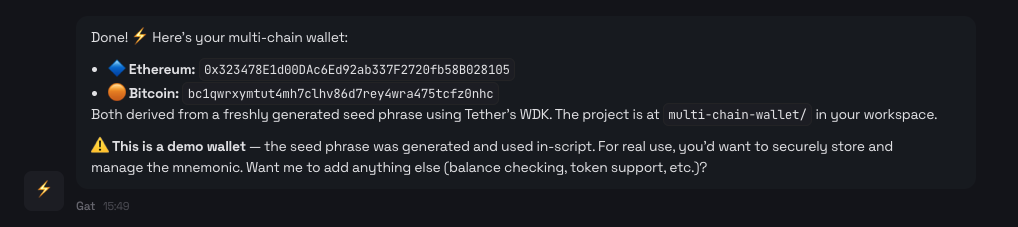
` | Yes | — | Recipient address | | `--amount ` | Yes | — | Positive decimal amount, or an integer when `--base-units` is set | | `--token ` | No | Native asset | Registered token ticker | | `--wallet ` | No | Default wallet | Wallet selection | | `--index ` | No | Configured index, initially `0` | Non-negative account index | | `--base-units` | No | Off | Treat `--amount` as raw base units | | `--dry-run` | No | Off | Estimate fees and return a preview without broadcasting | Use `--dry-run` before broadcasting: ```bash title="Terminal" wdk send \ --network ethereum \ --to 0x000000000000000000000000000000000000dEaD \ --amount 0.001 \ --dry-run ``` Without `--dry-run`, the command broadcasts immediately. There is no additional interactive confirmation. ## Fiat Ramp Commands `wdk buy` and `wdk sell` derive the selected wallet address and print a signed provider URL to open in a browser. Both require an unlocked wallet and valid [MoonPay configuration](/cli/configuration#moonpay). ### `wdk buy` | Option | Required | Default | Description | | --- | --- | --- | --- | | `--network ` | Yes | — | Network to receive the asset on | | `--token ` | Yes | — | Registered asset code | | `--fiat-amount ` | One amount required | — | Fiat amount to spend | | `--crypto-amount ` | One amount required | — | Crypto amount to buy | | `--fiat-currency ` | No | `usd` | Fiat currency code | | `--module ` | No | `moonpay` | Fiat provider module | | `--wallet ` | No | Default wallet | Wallet selection | | `--index ` | No | Configured index, initially `0` | Non-negative account index | ### `wdk sell` | Option | Required | Default | Description | | --- | --- | --- | --- | | `--network ` | Yes | — | Network holding the asset | | `--token ` | Yes | — | Registered asset code | | `--fiat-amount ` | One amount required | — | Target fiat amount | | `--crypto-amount ` | One amount required | — | Crypto amount to sell | | `--fiat-currency ` | No | `usd` | Fiat currency code | | `--module ` | No | `moonpay` | Fiat provider module | | `--wallet ` | No | Default wallet | Wallet selection | | `--index ` | No | Configured index, initially `0` | Non-negative account index | For each command, provide exactly one of `--fiat-amount` and `--crypto-amount`. Beta.1 supports only the `moonpay` module. ## Configuration Commands See [Configuration](/cli/configuration) for keys, types, precedence, and storage considerations. ### `wdk config get` | Option | Required | Description | | --- | --- | --- | | `--key ` | One selector required | Read one dot-separated key | | `--network ` | One selector required | Read a network object, or scope `--key` to a network | | `--all` | One selector required | Read the configuration view | `--all` cannot be combined with `--key` or `--network`. `--network` and `--key` can be combined. ### `wdk config set` | Option | Required | Description | | --- | --- | --- | | `--value ` | Yes | JSON value when parseable; otherwise a string | | `--key ` | Without `--network` | Dot-separated key | | `--network ` | No | Scope `--key`, or replace the network's entire configuration object | ### `wdk config reset` | Option | Required | Description | | --- | --- | --- | | `--key ` | One selector required | Reset or remove one key | | `--network ` | No | Scope `--key` to a network | | `--all` | One selector required | Reset configuration while preserving the default wallet and custom network/token records | `--key` and `--all` are mutually exclusive. `--network` can be combined only with `--key`. ### `wdk config path` Prints the resolved `config.json` path. This command has no command-specific options. ## Network Commands ### `wdk network list` | Option | Default | Description | | --- | --- | --- | | `--testnet` | Off | Show only testnets | | `--mainnet` | Off | Show only mainnets | With neither option, the command shows every registered network. If both are provided, beta.1 applies `--testnet`. ### `wdk network create ` Creates a custom network from an inline JSON object or a JSON file path. The `` positional argument is required. See [Custom Networks](/cli/guides/custom-networks) for the network schema and validation rules. ### `wdk network delete` | Option | Required | Description | | --- | --- | --- | | `--name ` | Yes | Custom network to delete | Built-in networks cannot be deleted. Deleting a custom network also removes its network configuration and custom token entries. ### `wdk network info` | Option | Required | Description | | --- | --- | --- | | `--network ` | Yes | Registered network to inspect | ## Token Commands ### `wdk token list` | Option | Default | Description | | --- | --- | --- | | `--network ` | All networks | Filter to one registered network | ### `wdk token info` | Option | Required | Description | | --- | --- | --- | | `--network ` | Yes | Registered network | | `--token ` | Yes | Registered token ticker | ### `wdk token add ` Adds or overrides a token from an inline JSON object or a JSON file path. The `` positional argument is required. See [Manage Tokens](/cli/guides/manage-tokens) for the token schema and built-in override behavior. ### `wdk token delete` | Option | Required | Description | | --- | --- | --- | | `--network ` | Yes | Registered network | | `--token ` | Yes | Custom token ticker to delete | The command removes only a custom entry. If that entry overrides a built-in token, the built-in entry becomes effective again. ## MCP Setup Commands The accepted `--ai-tool` values are `claude-desktop`, `claude-code`, and `openclaw`. ### `wdk mcp setup` Adds the bundled MCP server to the selected client. `--ai-tool ` is required. ### `wdk mcp remove` Removes the bundled MCP server from the selected client. `--ai-tool ` is required. ### `wdk mcp verify-setup` Checks the selected client's configuration and tests the MCP server. `--ai-tool ` is required. ### `wdk mcp list` Shows setup status for all supported clients. This command has no command-specific options. See [Use the MCP Server](/cli/guides/use-mcp-server) for client-specific setup and the exposed tool surface. ## JSON and Exit Behavior Most command handlers print one JSON value to stdout when `--json` is set. The current contract has exceptions: - `wdk mcp setup`, `remove`, `verify-setup`, and `list` print human-readable success output even with `--json`. - Help, version, unknown-command, unknown-option, and missing-required-option output remains text. - Interactive wallet prompts render on stdout. If a wallet command opens a prompt, prompt text and terminal-control bytes can precede any JSON result; `wallet import` always prompts for the seed phrase. - `wdk send` can write spinner or completion text to stderr while emitting JSON on stdout. - A non-empty `WDK_PASSPHRASE` produces a notice on stderr. Parse stdout separately from stderr and always check the exit status. See [Handle Errors](/cli/guides/handle-errors) for the error envelope and exit-status contract. *** ## Need Help? *** ## Configuration URL: https://docs.wdk.tether.io/cli/configuration Description: Configure WDK CLI paths, defaults, indexer access, wallet modules, and fiat ramps WDK CLI stores its configuration and wallet data under one local configuration directory. Use `wdk config` for supported changes instead of editing `config.json` directly. ## Local Paths The default configuration directory is `~/.config/wdk-cli`. If `XDG_CONFIG_HOME` is a non-empty environment variable, WDK CLI uses `$XDG_CONFIG_HOME/wdk-cli` instead. | Data | Path | | --- | --- | | User configuration | `CONFIG_DIR/config.json` | | Wallet seed | `CONFIG_DIR/wallets/NAME/seed.enc` | | Daemon PID | `CONFIG_DIR/daemon.pid` | | Daemon socket on Unix-like systems | `CONFIG_DIR/daemon.sock` | | Daemon endpoint on Windows | `\\.\pipe\wdk-cli-daemon` | Print the resolved `config.json` path: ```bash title="Terminal" wdk config path ``` With JSON output: ```bash title="Terminal" wdk config path --json ``` ```json {"path":"/home/user/.config/wdk-cli/config.json"} ``` See [Storage Format](/cli/reference/storage-format) for seed-file and daemon-file permissions. ## Configuration Precedence WDK CLI resolves runtime values in this order: | Value | Highest to lowest precedence | | --- | --- | | Configuration directory | Non-empty `XDG_CONFIG_HOME`, then `~/.config` | | Wallet | Command `--wallet`, then `defaultWallet` | | Account index | Command `--index`, then `defaultIndex`, then `0` | | Indexer API key | Non-empty `WDK_INDEXER_API_KEY`, then stored `indexer.apiKey`, then an empty value | | Wallet passphrase | Non-empty `WDK_PASSPHRASE`, then a hidden interactive prompt | `--wallet` and `--index` are options on wallet-dependent commands; they are not root flags. An empty `WDK_PASSPHRASE` value does not override the prompt. To use an empty passphrase, enter it interactively. See [Manage Wallets](/cli/guides/manage-wallets) before choosing an empty passphrase. ## Environment Variables | Variable | Effect | | --- | --- | | `XDG_CONFIG_HOME` | Changes the parent directory used for WDK CLI data | | `WDK_INDEXER_API_KEY` | Overrides `indexer.apiKey` for the current process | | `WDK_PASSPHRASE` | Supplies a non-empty passphrase instead of opening a prompt | There are no beta.1 environment-variable mappings for `indexer.baseUrl`, wallet defaults, account defaults, network configuration, or MoonPay configuration. Environment variables can be inherited by child processes and may be visible to other processes running as the same OS user. Limit their lifetime and do not print them in shell history, CI logs, or agent transcripts. ## Supported Keys | Key | Expected value | Default or behavior | | --- | --- | --- | | `defaultWallet` | Wallet name | The first created or imported wallet becomes the default; use `wdk wallet default` to change it | | `defaultIndex` | Non-negative integer | `0` | | `indexer.baseUrl` | Indexer base URL | `https://wdk-api.tether.io` | | `indexer.apiKey` | Indexer API key | Empty; `WDK_INDEXER_API_KEY` overrides it | | `ramp.moonpay.apiKey` | MoonPay publishable key (`pk_test_...` or `pk_live_...`) | Empty; do not use a MoonPay secret key | | `ramp.moonpay.signUrl` | URL of an HTTP service that signs MoonPay widget URLs | Empty; the service must return a `signedUrl` | | `ramp.moonpay.environment` | `sandbox` or `production` | Empty; required by `wdk buy` and `wdk sell` | | `networks.NETWORK` | Wallet-module configuration object | Defaults come from the installed `wdk.config.json` | | `networks.NETWORK.KEY` | One wallet-module configuration value | Depends on the selected wallet module | Custom-network records and custom-token records also live in `config.json`. Manage them with `wdk network` and `wdk token` so the CLI can validate their shape and related state. ## Read Configuration Read one global key: ```bash title="Terminal" wdk config get --key defaultIndex ``` Read one network configuration: ```bash title="Terminal" wdk config get --network ethereum ``` Read a key inside one network configuration: ```bash title="Terminal" wdk config get --network ethereum --key provider ``` Read the full configuration view: ```bash title="Terminal" wdk config get --all ``` `config get --all` excludes the custom-token registry. Use `wdk token list` to read tokens. `config.json` is plaintext. The CLI does not request an owner-only mode for this file, so its effective permissions follow the operating system and runtime defaults and may be `0644`. `config get --all` can reveal stored API keys, signing URLs, and credentials embedded in provider URLs. Do not publish the file or command output. Prefer `WDK_INDEXER_API_KEY` when you do not want to persist the indexer key. No environment override is available for MoonPay configuration in beta.1. ## Set Configuration Set a string: ```bash title="Terminal" wdk config set --key indexer.baseUrl --value https://indexer.example.com ``` Set a number: ```bash title="Terminal" wdk config set --key defaultIndex --value 1 ``` Set a JSON object: ```bash title="Terminal" wdk config set \ --key ramp.moonpay \ --value '{"apiKey":"pk_test_...","signUrl":"https://example.com/sign","environment":"sandbox"}' ``` `config set` parses a valid JSON value into its JSON type. If parsing fails, it stores the value as a string. Quote objects and arrays so the shell passes them as one argument. Set a network-specific key: ```bash title="Terminal" wdk config set \ --network ethereum \ --key provider \ --value https://ethereum-rpc.publicnode.com ``` Replace a network's complete wallet-module configuration: ```bash title="Terminal" wdk config set \ --network ethereum \ --value '{"chainId":1,"provider":"https://ethereum-rpc.publicnode.com","transferMaxFee":5000000000000000}' ``` Network configuration is passed to the selected WDK wallet module. Use only keys supported by that module. ## Reset Configuration Reset one global key: ```bash title="Terminal" wdk config reset --key indexer.baseUrl ``` Reset one network key: ```bash title="Terminal" wdk config reset --network ethereum --key provider ``` Reset configuration defaults: ```bash title="Terminal" wdk config reset --all ``` `config reset --all` preserves the default-wallet selection, custom networks, and custom tokens. It resets the remaining values to their installed defaults. ## Authorization and Wallet Locking When at least one wallet exists, these configuration mutations verify the current default wallet's passphrase: - `wdk config set` - `wdk config reset` - `wdk network create` - `wdk network delete` - `wdk token add` - `wdk token delete` Set `WDK_PASSPHRASE` for non-interactive local automation or enter the passphrase at the prompt. Changing or resetting a key under `networks` locks all wallets so the next unlock initializes WDK with the new wallet-module configuration. `config reset --all` also locks all wallets. ## Indexer Within the CLI command set, only `wdk get history` uses the WDK Indexer API. The MCP `get_history` tool uses the same history path. [Request an Indexer API key](/tools/indexer-api/get-started) before connecting directly. ### Connect Directly The default `indexer.baseUrl` is `https://wdk-api.tether.io`. Store your API key: ```bash title="Terminal" wdk config set --key indexer.apiKey --value YOUR_INDEXER_API_KEY ``` Alternatively, supply it to the current process without writing it to `config.json`: ```bash title="Terminal" WDK_INDEXER_API_KEY=YOUR_INDEXER_API_KEY \ wdk get history --network ethereum --wallet dev ``` ### Use an Indexer Proxy Point the CLI at your own endpoint when you do not want Indexer API keys on developer machines: ```bash title="Terminal" wdk config reset --key indexer.apiKey wdk config set --key indexer.baseUrl --value https://indexer-proxy.example.com ``` Also ensure `WDK_INDEXER_API_KEY` is not set in the CLI process. A non-empty environment value overrides the stored empty value and causes the CLI to send an `x-api-key` header. The proxy must accept both history request forms: | Request | Used when | | --- | --- | | `GET /api/v1/{blockchain}/{token}/{address}/token-transfers` with optional `limit`, `fromTs`, and `toTs` query parameters | `wdk get history` includes `--token` | | `POST /api/v1/batch/token-transfers` | The command queries all Indexer-supported tokens | Forward the query parameters or JSON request body and the Indexer response unchanged. Add the Indexer `x-api-key` header when forwarding the request upstream. `WDK_INDEXER_BASE_URL` is not read by beta.1. ## MoonPay `wdk buy` and `wdk sell` derive the selected wallet address and build a signed MoonPay widget URL. The CLI prints the URL, or returns it in JSON output; it does not open the browser or execute the fiat transaction. Open the URL to continue on MoonPay, which processes the transaction through the integration associated with your MoonPay account. Get a publishable key from **Developers → API Keys** in the [MoonPay dashboard](https://dashboard.moonpay.com/). Use a `pk_test_...` or `pk_live_...` publishable key here, never the `sk_test_...` or `sk_live_...` secret key. The commands require all three MoonPay values: ```bash title="Terminal" wdk config set --key ramp.moonpay.apiKey --value pk_test_... wdk config set --key ramp.moonpay.signUrl --value https://example.com/moonpay/sign wdk config set --key ramp.moonpay.environment --value sandbox ``` ### Sign Widget URLs Because the CLI includes a wallet address in the MoonPay widget URL, it sends the unsigned URL to your signing service. That service signs the URL with your MoonPay secret key and returns the complete signed URL. See MoonPay's [on-ramp URL signing](https://dev.moonpay.com/widget/on-ramp/customization/url-signing) and [off-ramp URL signing](https://dev.moonpay.com/widget/off-ramp/customization/url-signing) guides. The CLI sends this request to `ramp.moonpay.signUrl`: ```http POST /moonpay/sign HTTP/1.1 Content-Type: application/json {"urlForSignature":"https://..."} ``` Return a successful JSON response with the complete signed URL: ```json {"signedUrl":"https://...&signature=..."} ``` Returning only the signature is not supported. Keep the MoonPay secret key in the signing service. Beta.1 does not send configurable authentication headers to `signUrl`, so bind the service locally, keep it on a private network, or restrict access with network-level controls. Do not expose an unauthenticated public signing endpoint. ### Select an Environment | Environment | Publishable key | Network | | --- | --- | --- | | `sandbox` | `pk_test_...` | Testnet | | `production` | `pk_live_...` | Mainnet | The CLI rejects a sandbox/mainnet or production/testnet mismatch. It does not validate the publishable-key prefix, so configure the matching key yourself. *** ## Need Help? *** ## Custom Networks URL: https://docs.wdk.tether.io/cli/guides/custom-networks Description: Add and remove blockchain networks in WDK CLI Use a custom network when WDK CLI already supports the network's wallet-module type but does not include the specific chain in its built-in registry. `wdk network create` cannot introduce a new wallet-module implementation. Its `module` field must match a wallet-module type already used by a built-in network. ## Inspect Available Networks List built-in and custom networks: ```bash title="Terminal" wdk network list ``` Use JSON output to inspect both the versioned `module` and its unversioned `type`: ```bash title="Terminal" wdk --json network list ``` Use a returned `type`, such as `@tetherto/wdk-wallet-evm`, as the `module` value in a custom network spec. Inspect the effective metadata and SDK configuration for one network: ```bash title="Terminal" wdk network info --network ethereum ``` ## Network Spec `wdk network create ` accepts either an inline JSON object or the path to a JSON file. | Field | Required | Rules and effect | | --- | --- | --- | | `network` | Yes | Unique identifier containing lowercase letters, numbers, and hyphens. The first character must be a letter or number. | | `module` | Yes | Unversioned wallet-module type already used by a built-in network. | | `displayName` | No | Non-empty display label. Defaults to the `network` value. | | `testnet` | No | Boolean. Defaults to `false`. | | `indexerSlug` | No | Non-empty WDK Indexer chain identifier. Without it, `get history` is unavailable for the custom network. | | `config` | No | Object passed to the selected wallet module, such as a provider URL and chain ID. The wallet module validates these values when used. | | `tokens` | No | Array of token specs to store with the network. Token keys must be unique, and at most one entry can be native. | Each item in `tokens` uses the fields documented in [Manage Tokens](/cli/guides/manage-tokens/#token-spec), with `network` omitted because the parent network supplies it. ## Create A Custom Network Create `optimism.json`: ```json title="optimism.json" { "network": "optimism", "module": "@tetherto/wdk-wallet-evm", "displayName": "Optimism", "testnet": false, "config": { "provider": "https://mainnet.optimism.io", "chainId": 10 }, "tokens": [ { "token": "eth", "symbol": "ETH", "decimals": 18, "isNative": true } ] } ``` Create the network and its native-token entry: ```bash title="Terminal" wdk network create ./optimism.json ``` Verify the result: ```bash title="Terminal" wdk network info --network optimism wdk token list --network optimism ``` The example uses a public mainnet RPC endpoint. Verify the chain ID, provider, token addresses, and provider-specific limits before using a custom network with funds. Omit `indexerSlug` unless you know the WDK Indexer identifier for that chain. ## Creation Side Effects The CLI validates the complete network and token spec before storing it. On success, it writes: - The custom network metadata - The network's SDK `config` - Every entry in `tokens` If storing a token fails, the command rolls back the custom network, its SDK config, and token entries already written by that command. If at least one wallet exists, `network create` prompts for the current default wallet's passphrase. It does not require the wallet to be unlocked. With no wallets, it does not prompt. `network create` and `network delete` do not unlock, extend, or lock an existing daemon wallet session. `wdk config reset --all` preserves custom network entries. ## Update Network Configuration Use `config set` to replace the complete SDK config object: ```bash title="Terminal" wdk config set \ --network optimism \ --value '{"provider":"https://mainnet.optimism.io","chainId":10}' ``` Or change one nested key: ```bash title="Terminal" wdk config set \ --network optimism \ --key provider \ --value https://mainnet.optimism.io ``` Changing `networks.*` configuration locks every unlocked wallet so the daemon drops cached wallet managers. Unlock the wallet again before reading balances or sending. ## Delete A Custom Network Deleting a custom network also deletes its SDK configuration and every custom token under that network. Export or record the spec first if you may need to recreate it. Delete the network: ```bash title="Terminal" wdk network delete --name optimism ``` Deletion prompts for the default wallet's passphrase when wallets exist. Built-in networks cannot be deleted. Deleting registry configuration does not move blockchain assets or delete a wallet seed, but the CLI can no longer access that network until you recreate the registry entry. ## Next Steps - [Manage Tokens](/cli/guides/manage-tokens/) - Add token contracts and provider mappings - [Configuration](/cli/configuration/) - Review paths, environment variables, and precedence - [API Reference](/cli/api-reference/) - Review all network command flags *** ## Need Help? *** ## Get Started URL: https://docs.wdk.tether.io/cli/guides/get-started Description: Install WDK CLI and complete an Ethereum mainnet wallet flow Install WDK CLI globally: ```bash title="Terminal" npm install -g --allow-scripts=@tetherto/wdk-cli @tetherto/wdk-cli@1.0.0-beta.1 ``` The current release is `1.0.0-beta.1`. Beta releases can change before the stable release. This guide uses Ethereum mainnet and can spend real funds. Create a dedicated wallet, fund it with only enough ETH for this example and network fees, and verify the network, address, and amount before sending funds. ## Prerequisites - Node.js `22.18.0` or later - npm - Enough ETH on Ethereum mainnet to fund the new wallet and pay the example transaction fee - A second Ethereum mainnet address you control to receive the example transfer Verify the installation: ```bash title="Terminal" wdk --version wdk --help ``` The package installs the `wdk`, `wdk-mcp`, and `wdk-daemon` binaries. Use `wdk` for the steps below. ## 1. Create A Wallet Create a named 12-word wallet: ```bash title="Terminal" wdk wallet create --name quickstart --words 12 ``` The CLI then asks for the wallet-encryption passphrase: 1. At `Passphrase (empty for none):`, enter a strong, unique passphrase. The input is hidden. 2. At `Confirm passphrase:`, enter the same passphrase again. 3. After the wallet is stored, the CLI displays the generated seed phrase once. Record it offline before continuing. Store the seed phrase and passphrase separately. Do not put either value in a terminal command, source file, screenshot, agent transcript, or online note. The current CLI permits an empty passphrase, but an empty value provides no meaningful protection for the encrypted seed file. If this is your first wallet, it becomes the default automatically. You do not need to change an existing default wallet because the wallet-dependent commands below select `quickstart` explicitly. ## 2. Unlock The Wallet Unlock the wallet for five minutes: ```bash title="Terminal" wdk wallet unlock --name quickstart --ttl 5 ``` At `Enter passphrase of 'quickstart' wallet to unlock:`, enter the wallet passphrase. The input is hidden. The TTL starts at unlock and does not restart when you use the wallet. Unlock it again if the session expires while you complete this guide. Set `--ttl 0` to disable automatic expiry: ```bash title="Terminal" wdk wallet unlock --name quickstart --ttl 0 ``` An unlimited session remains unlocked until you explicitly lock it, the daemon stops, its process fails, or the machine restarts. Any process running as the same operating-system user that can connect to the daemon can use an unlocked wallet without entering the passphrase again. Prefer a finite TTL and use `--ttl 0` only in a controlled local environment. ## 3. Get The Ethereum Address Derive the wallet's Ethereum mainnet address: ```bash title="Terminal" wdk get address --network ethereum --wallet quickstart ``` Copy the returned address and verify every character before using it as the funding destination. ## 4. Fund The Wallet From another wallet or exchange you trust: 1. Select Ethereum mainnet. 2. Paste the address from step 3 as the destination. 3. Send more than `0.0001 ETH` so the new wallet can send `0.0001 ETH` and pay the Ethereum gas fee in step 6. 4. Account for any separate withdrawal or network fee charged by the sending wallet or exchange. 5. Verify the network, destination, and amount, then submit the transfer. Receiving funds is an on-chain operation outside WDK CLI. The wallet does not need to remain unlocked while you wait for the transfer to confirm. Wait for the funding transaction to confirm before checking the balance. The five-minute session may expire while you wait. ## 5. Check The Balance Read the wallet's native Ethereum balance: ```bash title="Terminal" wdk get balance --network ethereum --wallet quickstart ``` If the command reports that the wallet is locked, unlock it again and repeat the balance check. ## 6. Send ETH Use an Ethereum address you control as the recipient. The next command broadcasts an irreversible Ethereum mainnet transaction and spends real ETH. WDK CLI does not ask for another confirmation after the wallet is unlocked. Replace the placeholder, then review the network, recipient, amount, and available balance before running it. ```bash title="Terminal" wdk send \ --network ethereum \ --to YOUR_ETHEREUM_ADDRESS \ --amount 0.0001 \ --wallet quickstart ``` The command broadcasts immediately and prints the resulting transaction identifier. ### Optional: Estimate Without Broadcasting Add `--dry-run` to estimate the fee and return a transaction summary without broadcasting: ```bash title="Terminal" wdk send \ --network ethereum \ --to YOUR_ETHEREUM_ADDRESS \ --amount 0.0001 \ --wallet quickstart \ --dry-run ``` ## 7. Lock The Wallet End the wallet session when you finish: ```bash title="Terminal" wdk wallet lock --name quickstart ``` Lock every unlocked wallet with: ```bash title="Terminal" wdk wallet lock --all ``` ## Next Steps - [Manage Wallets](/cli/guides/manage-wallets/) - Import, export, rename, unlock, and delete wallets - [Manage Tokens](/cli/guides/manage-tokens/) - Inspect and extend the token registry - [Use the MCP Server](/cli/guides/use-mcp-server/) - Connect an MCP-compatible AI client - [Security Model](/cli/reference/security-model/) - Understand the daemon trust boundary and session trade-offs *** ## Need Help? *** ## Handle Errors URL: https://docs.wdk.tether.io/cli/guides/handle-errors Description: Handle WDK CLI exit statuses, JSON output, stderr, and error codes Use a command's exit status as the primary success signal. When you request `--json`, parse stdout separately from stderr and allow for commands that still produce text. This page describes `@tetherto/wdk-cli@1.0.0-beta.1`. ## Handled Error Envelope Errors that reach the WDK CLI command handler use this JSON shape: ```json { "error": "Wallet 'dev' is not unlocked.", "code": "WALLET_NOT_UNLOCKED", "suggestion": "Run: wdk wallet unlock --name dev" } ``` | Field | Present | Description | | --- | --- | --- | | `error` | Always | Human-readable message | | `code` | Always | Machine-readable code | | `suggestion` | Sometimes | Recovery guidance | | `stack` | Only with `--verbose` when available | JavaScript stack trace | `--verbose` adds error stacks. It does not enable general debug logging. ## Exit Statuses | Status | Meaning in beta.1 | | --- | --- | | `0` | Command, help, or version output completed | | `1` | A handled CLI/runtime error or a command-line parsing error occurred | | `2` | An unexpected non-`Error` value or an error outside the normal command handler reached the top level | Do not treat the presence of stdout as success. Some handled failures emit a JSON object to stdout and exit with status `1`. ## JSON Output Contract For most successful commands, `--json` emits one JSON value followed by a newline on stdout. Handled WDK CLI errors also emit one JSON object on stdout. The current exceptions are: | Case | Stdout | Stderr | Status | | --- | --- | --- | --- | | Most successful commands with `--json` | JSON | Usually empty | `0` | | Handled command error with `--json` | JSON error envelope | Usually empty | `1`, or `2` for a non-`Error` value | | Unknown command, unknown option, or missing required option | Empty | Human-readable Commander error and help | `1` | | Help or version, even with `--json` | Human-readable text | Empty | `0` | | Successful `wdk mcp setup`, `remove`, `verify-setup`, or `list` with `--json` | Human-readable text | Empty | `0` | | Wallet command that opens an interactive prompt with `--json` | Prompt text and terminal-control bytes, followed by JSON if the command completes | Normal notices or errors can still appear | Depends on result | | `wdk send --json` | JSON on completion or a handled error | May contain spinner, success, or failure text | Depends on result | | A command using non-empty `WDK_PASSPHRASE` | Normal command output | Includes a passphrase-source notice | Depends on result | Do not combine stdout and stderr before parsing JSON. Spinner output and notices can make a combined stream invalid JSON. `--json` changes output formatting; it does not make every command non-interactive or guarantee JSON-only stdout when a prompt opens. Wallet create, import, export, unlock, delete, default, and rename flows can still request secret input. Set a non-empty `WDK_PASSPHRASE` only when you accept the environment-variable exposure described in [Configuration](/cli/configuration#environment-variables). `wallet import` still prompts for the seed phrase, so its stdout is not a clean JSON stream even when the environment variable supplies the passphrase. ## Handle Output in a Shell Script Capture the streams separately and inspect the exit status before parsing. This example requires `jq`: ```bash title="check-balance.sh" #!/usr/bin/env bash set -euo pipefail stdout_file=$(mktemp) stderr_file=$(mktemp) trap 'rm -f "$stdout_file" "$stderr_file"' EXIT if wdk get balance \ --network ethereum \ --wallet dev \ --json >"$stdout_file" 2>"$stderr_file"; then jq . "$stdout_file" elif jq -e 'type == "object" and has("code")' "$stdout_file" >/dev/null 2>&1; then jq . "$stdout_file" >&2 exit 1 else cat "$stderr_file" >&2 exit 1 fi ``` This pattern handles both JSON command errors and text-only argument parsing errors. ## Error Codes The following names are defined by beta.1. A code can appear only on commands that reach the corresponding behavior. | Area | Codes | | --- | --- | | Wallet and key state | `KEY_NOT_FOUND`, `INVALID_SEED_PHRASE`, `WRONG_PASSPHRASE`, `WALLET_NOT_UNLOCKED`, `WALLET_EXISTS`, `WALLET_LOCKED`, `PASSPHRASE_MISMATCH` | | Arguments and configuration | `INVALID_ARGUMENT`, `INVALID_INDEX`, `INVALID_CONFIG`, `MISSING_CONFIG`, `INVALID_AMOUNT`, `INVALID_TOKEN` | | Networks and tokens | `NETWORK_NOT_SUPPORTED`, `TOKEN_NOT_SUPPORTED`, `NETWORK_ERROR` | | Transactions and providers | `INSUFFICIENT_BALANCE`, `TRANSACTION_FAILED`, `UNSUPPORTED_MODULE`, `ENVIRONMENT_MISMATCH`, `SIGN_FAILED`, `PROVIDER_UNAVAILABLE`, `QUOTE_REJECTED` | | Fallbacks | `UNKNOWN_ERROR`, `UNEXPECTED_ERROR` | The code set is not a closed protocol enum. The daemon and WDK dependencies can pass through additional codes. Beta.1 also recognizes and formats several dependency codes, including `INSUFFICIENT_FUNDS`, `SERVER_ERROR`, and `TIMEOUT`. Consumers should preserve unknown code strings instead of rejecting the response. ## Common Recovery Paths | Code or symptom | Check | | --- | --- | | `WALLET_NOT_UNLOCKED` | Run `wdk wallet unlock --name NAME`; confirm that its TTL has not expired | | `KEY_NOT_FOUND` | Run `wdk wallet list`; verify the wallet name or default wallet | | `WRONG_PASSPHRASE` | Retry through the hidden prompt; do not print or log the passphrase | | `NETWORK_NOT_SUPPORTED` | Run `wdk network list`; check spelling and custom-network state | | `TOKEN_NOT_SUPPORTED` | Run `wdk token list --network NETWORK`; use the registered ticker | | `MISSING_CONFIG` for history | Configure `indexer.baseUrl` and, when required, `WDK_INDEXER_API_KEY` | | `MISSING_CONFIG` for buy or sell | Configure all `ramp.moonpay` values | | `ENVIRONMENT_MISMATCH` | Use MoonPay `sandbox` with a testnet or `production` with a mainnet | | `NETWORK_ERROR`, `TIMEOUT`, or `SERVER_ERROR` | Check the RPC/indexer endpoint and retry only when repeating the operation is safe | | Text error with empty stdout | Treat it as an argument/help parsing failure; inspect stderr | ## Partial Results Some successful aggregate operations omit failed items: - `wdk get address --all` skips networks that fail address derivation. - `wdk get balance --all` skips networks that fail address or balance lookup. - `wdk get history` without `--token` ignores failed token batch items and returns successful transfers. These commands can exit `0` with an incomplete aggregate result. If completeness matters, query each required network or token separately and track failures in your application. *** ## Need Help? *** ## Manage Tokens URL: https://docs.wdk.tether.io/cli/guides/manage-tokens Description: Inspect, add, override, and remove WDK CLI token registry entries WDK CLI resolves token names such as `usdt` through a local registry. Each entry defines how the CLI formats amounts, selects a native or contract transfer, and connects the token to optional indexer, MoonPay, and price-provider features. The effective registry combines built-in entries with your custom entries. A custom entry with the same network and token key replaces the built-in entry until you remove the override. ## Inspect The Registry List tokens across every network: ```bash title="Terminal" wdk token list ``` Filter the list to one network or inspect one entry: ```bash title="Terminal" wdk token list --network ethereum wdk token info --network ethereum --token usdt ``` Use the lowercase registry key shown by these commands with `--token` on `get balance`, `send`, `buy`, and `sell`. `get history --token` is different: pass the exact `metadata.indexerSlug` value, which may differ from the registry key. ## Token Spec `wdk token add ` accepts either an inline JSON object or the path to a JSON file. | Field | Required | Rules and effect | | --- | --- | --- | | `network` | Yes | Must name an existing built-in or custom network. | | `token` | Yes | Registry key. Use lowercase letters, numbers, and hyphens; the first character must be a letter or number. | | `symbol` | Yes | Non-empty display symbol, such as `DAI`. | | `decimals` | Yes | Integer from `0` through `24`; used to convert decimal amounts to base units. | | `isNative` | Yes | `true` uses the network's native transfer path; `false` uses a token contract or mint. | | `address` | For non-native tokens | Non-empty contract or mint address. Optional for a native token. | | `metadata` | No | Object containing supported provider mappings. | A network can have at most one effective entry with `isNative: true`. ### Provider Metadata | Field | Used by | Effect when omitted | | --- | --- | --- | | `metadata.indexerSlug` | `wdk get history` | Pass this exact value to `--token`. Without it, a token-specific history request cannot use the token and an all-token history request skips it. The network also needs its own `indexerSlug`. | | `metadata.moonpaySlug` | `wdk buy` and `wdk sell` | MoonPay operations do not support that token. | | `metadata.bitfinexSlug` | USD price conversion | Balance and preview operations can continue without that provider's USD estimate. | Only `indexerSlug`, `moonpaySlug`, and `bitfinexSlug` are retained inside `metadata`. ## Add A Custom Token Create a file named `dai-on-ethereum.json`: ```json title="dai-on-ethereum.json" { "network": "ethereum", "token": "dai", "symbol": "DAI", "decimals": 18, "isNative": false, "address": "0x6B175474E89094C44Da98b954EedeAC495271d0F" } ``` Add the entry: ```bash title="Terminal" wdk token add ./dai-on-ethereum.json ``` You can also pass the JSON inline: ```bash title="Terminal" wdk token add '{"network":"ethereum","token":"dai","symbol":"DAI","decimals":18,"isNative":false,"address":"0x6B175474E89094C44Da98b954EedeAC495271d0F"}' ``` Verify the stored entry: ```bash title="Terminal" wdk token info --network ethereum --token dai ``` Adding a registry entry does not transfer tokens or interact with the blockchain. Verify contract addresses, decimals, and provider identifiers independently before using the entry to query or send assets. ## Understand Mutation Confirmation `token add` and `token delete` protect registry changes with passphrase confirmation: - If at least one wallet exists, the CLI prompts for the current default wallet's passphrase. - If no wallet exists, the registry command does not prompt for a passphrase. - Confirmation does not unlock, extend, or lock an existing daemon wallet session. Set a valid default wallet before changing the registry if wallets already exist. ## Override A Built-In Entry Adding a custom entry with the same `network` and `token` as a built-in entry replaces the complete effective entry; it does not merge individual fields. The CLI reports that the custom entry overrides the built-in entry. Use overrides carefully. An incorrect address, decimal count, or native-token flag can route later balance or send operations incorrectly. Remove the custom override to restore the built-in entry: ```bash title="Terminal" wdk token delete --network ethereum --token usdt ``` ## Delete A Custom Entry Delete the DAI entry created above: ```bash title="Terminal" wdk token delete --network ethereum --token dai ``` `token delete` removes only custom entries. It rejects deletion of a built-in entry when no custom override exists. Deleting a custom network also removes every custom token stored under that network. `wdk config reset --all` preserves custom token entries. ## Next Steps - [Custom Networks](/cli/guides/custom-networks/) - Create a network and its initial token entries together - [Configuration](/cli/configuration/) - Configure provider and indexer access - [API Reference](/cli/api-reference/) - Review token command flags and JSON results *** ## Need Help? *** ## Manage Wallets URL: https://docs.wdk.tether.io/cli/guides/manage-wallets Description: Create, import, select, unlock, lock, export, rename, and delete WDK CLI wallets safely. WDK CLI stores independent named wallets and keeps only explicitly unlocked wallets in the daemon. This guide covers the complete wallet lifecycle. Wallet create, import, and export handle a BIP-39 seed phrase. Use a private terminal with logging, screen sharing, and AI assistants disabled. Anyone who obtains the phrase can control the wallet. ## Wallet names Wallet names may contain letters, numbers, hyphens, and underscores. Other characters are rejected. Examples in this guide use a wallet named `dev`: ```bash title="Terminal" wdk wallet list ``` ## Create a wallet Create a 12-word wallet: ```bash title="Terminal" wdk wallet create --name dev ``` Create a 24-word wallet: ```bash title="Terminal" wdk wallet create --name dev --words 24 ``` The CLI asks for a passphrase twice, writes the encrypted mnemonic to `wallets/dev/seed.enc`, and displays the generated phrase once. Record both the mnemonic and passphrase in separate recoverable locations before continuing. The first wallet becomes the default automatically. You do not need to run `wdk wallet default` after creating the first wallet. The current CLI permits an empty passphrase. Although `seed.enc` remains AES-GCM ciphertext, an empty passphrase provides no meaningful confidentiality. Use a strong, unique passphrase. ## Import a wallet Import an existing 12- or 24-word BIP-39 phrase: ```bash title="Terminal" wdk wallet import --name recovered ``` The CLI prompts for the phrase and then for a new local encryption passphrase. The seed-phrase input is interactive but is not masked, so import only in a private terminal. Import creates another encrypted local copy. It does not remove or change the source wallet or any existing backup. ## List wallets and sessions Show stored wallets, the default wallet, lock status, and TTL remaining: ```bash title="Terminal" wdk wallet list ``` When a wallet is unlocked, the table reports either the approximate remaining time or `unlimited` for a `--ttl 0` session. In JSON mode, an unlocked entry includes `ttlMs` and `ttlRemaining` in milliseconds: ```bash title="Terminal" wdk --json wallet list ``` ## Select the default wallet Commands use the default wallet when their `--wallet` option is omitted. ```bash title="Terminal" wdk wallet default --name dev ``` If a default wallet already exists, changing it requires that wallet's passphrase. This prevents an unconfirmed configuration change, but it does not unlock either wallet. To target another wallet for one supported operation without changing the default, pass its command-level option: ```bash title="Terminal" wdk get balance --network ethereum --wallet recovered ``` ## Unlock a wallet Unlock with the default five-minute TTL: ```bash title="Terminal" wdk wallet unlock --name dev ``` Specify an absolute TTL in minutes: ```bash title="Terminal" wdk wallet unlock --name dev --ttl 15 ``` Unlock starts the daemon if needed. The CLI verifies the passphrase, then the daemon decrypts the wallet, creates its WDK instance, and starts the timer. After unlock, any process running as the same operating-system user that can connect to the daemon endpoint can request signing or sending without entering the passphrase. Use a short TTL, avoid running untrusted code, and lock immediately after use. ### Control the unlock lifetime TTL is per wallet and starts at unlock: | Command or event | Result | | --- | --- | | Omit `--ttl` | Wallet locks after five minutes | | `--ttl 15` | Wallet locks 15 minutes after unlock | | Use the wallet | Timer continues; activity does not restart it | | Unlock the wallet again | Timer resets to the newly requested TTL | | `--ttl 0` | No automatic expiry | | TTL expires | That wallet is disposed and locked | | Last wallet locks | Daemon exits | `--ttl 0` accepts the risk of a session that remains unlocked until explicit lock, daemon shutdown, process failure, or machine restart: ```bash title="Terminal" wdk wallet unlock --name dev --ttl 0 ``` Use it only for a controlled local workflow. Normal wallet operations do not refresh any TTL, so a finite session can expire during a long task. ## Lock wallets Lock one wallet: ```bash title="Terminal" wdk wallet lock --name dev ``` Lock every wallet: ```bash title="Terminal" wdk wallet lock --all ``` Locking disposes the wallet's WDK instance and removes the session from the daemon. The daemon exits after the last wallet locks. Verify the result: ```bash title="Terminal" wdk wallet list ``` Cleanup is best effort. The CLI zeroes retained mutable key and seed buffers on normal disposal, but JavaScript strings, dependency-internal copies, swap, core dumps, and abrupt termination cannot be guaranteed to be erased. See the [security model](/cli/reference/security-model#seed-and-passphrase-lifetime). ## Export a seed phrase Export prints the decrypted mnemonic. Do not run this command in CI, a recorded terminal, an agent session, or any environment that captures stdout. Export a wallet: ```bash title="Terminal" wdk wallet export --name dev ``` The CLI asks for the wallet passphrase and prints the phrase. `--json` also includes the phrase in stdout; JSON does not make secret output safe to log. Use export to create or verify an offline recovery backup. If WDK CLI itself is unavailable, use the standalone [version 1 manual-recovery procedure](/cli/reference/storage-format#recover-without-wdk-cli). ## Rename a wallet Rename a stored wallet: ```bash title="Terminal" wdk wallet rename --name dev --new-name development ``` The command verifies the old wallet's passphrase, locks that wallet if it is unlocked, and moves its storage directory. If it was the default, the new name becomes the default. Unlock it again under the new name before using it: ```bash title="Terminal" wdk wallet unlock --name development ``` Renaming does not decrypt or re-encrypt `seed.enc`. ## Delete a wallet Deletion is irreversible through WDK CLI. Confirm that you have tested the mnemonic and passphrase backup before deleting the only local copy. Delete a wallet: ```bash title="Terminal" wdk wallet delete --name development ``` The command: 1. verifies the wallet passphrase 2. attempts to lock an active session 3. recursively removes the wallet directory 4. chooses another stored wallet as the default when necessary Deletion is ordinary filesystem removal, not secure erase. Copies can remain in backups, snapshots, journals, swap, or recoverable storage blocks. ## Passphrases in automation Commands that prompt for a passphrase read a non-empty `WDK_PASSPHRASE` value when it is set: ```bash title="Terminal" WDK_PASSPHRASE='YOUR_PASSPHRASE' wdk --json wallet unlock --name dev --ttl 5 ``` Environment variables can leak through process inspection, child-process inheritance, command tracing, crash reports, or automation logs. Prefer the hidden interactive prompt. If automation is necessary: - inject the value from a secret manager for one process - disable command tracing and output capture - do not commit the value to a script or configuration file - lock the wallet and remove the environment variable immediately after use Never pass the passphrase or mnemonic as a CLI argument. ## Related pages - [API reference](/cli/api-reference#wallet-commands) - [Architecture](/cli/reference/architecture) - [Storage format and manual recovery](/cli/reference/storage-format) - [Security model](/cli/reference/security-model) *** ## Use the MCP Server URL: https://docs.wdk.tether.io/cli/guides/use-mcp-server Description: Connect WDK CLI to an MCP-compatible AI client WDK CLI includes the `wdk-mcp` Model Context Protocol server. It exposes wallet operations as structured tools over stdio and routes wallet-dependent operations to the same local daemon used by the CLI. Use a dedicated development wallet with limited funds. On Unix-like systems, while a wallet is unlocked, any process running as the same OS user that can connect to the owner-only daemon socket can request signing or sending without another passphrase. ## Prepare A Wallet Install WDK CLI with the command in [Install](/cli/#install). This guide deliberately uses a dedicated development wallet and Sepolia test funds; the general Get Started guide uses Ethereum mainnet. If `agent-dev` is your first wallet, it becomes the default automatically: ```bash title="Terminal" wdk wallet create --name agent-dev --words 12 wdk wallet unlock --name agent-dev --ttl 5 ``` Enter and confirm a strong, non-empty passphrase when the create command prompts, then record the generated seed phrase offline. If another wallet is already the default, select `agent-dev` explicitly: ```bash title="Terminal" wdk wallet default --name agent-dev ``` Wallet-dependent MCP tools use the default wallet unless the request includes `wallet`. The wallet must be unlocked before those tools run. The TTL is absolute from unlock; MCP activity does not extend it. Use a short TTL during development and lock the wallet when the session ends. ## Configure An MCP Client Choose one setup target: ```bash title="Claude Desktop" wdk mcp setup --ai-tool claude-desktop ``` ```bash title="Claude Code" wdk mcp setup --ai-tool claude-code ``` ```bash title="OpenClaw" wdk mcp setup --ai-tool openclaw ``` | Target | Setup behavior | | --- | --- | | Claude Desktop | Adds `wdk-wallet` under `mcpServers` in the platform-specific Claude Desktop JSON config. | | Claude Code | Runs `claude mcp add -s user wdk-wallet -- ...` with the current Node.js executable and installed MCP script. | | OpenClaw | Runs `openclaw mcp set wdk-wallet ...` with the current Node.js executable and installed MCP script. | Setup checks whether the target appears to be installed, tests the MCP server when possible, and reports the restart action required by that client. Verify one target: ```bash title="Terminal" wdk mcp verify-setup --ai-tool claude-desktop ``` List the configuration status of all three targets: ```bash title="Terminal" wdk mcp list ``` Remove a target configuration with: ```bash title="Terminal" wdk mcp remove --ai-tool claude-desktop ``` Replace `claude-desktop` with `claude-code` or `openclaw` as needed. ### Other MCP Clients `wdk-mcp` is a standard stdio MCP server. For clients that accept the common `mcpServers` JSON shape, add: ```json { "mcpServers": { "wdk-wallet": { "command": "wdk-mcp" } } } ``` This configuration requires the client process to find `wdk-mcp` on its `PATH`. If the client uses a different configuration shape or does not inherit your shell `PATH`, configure a stdio server named `wdk-wallet` and point its command to the installed `wdk-mcp` executable. ## Available MCP Tools | Tool | Wallet required | Purpose | | --- | --- | --- | | `get_networks` | No | List networks, optionally filtered to mainnets or testnets. | | `list_tokens` | No | List every registered token or filter by network. | | `get_token` | No | Read one network and token registry entry. | | `get_address` | Yes | Derive one address or addresses across networks. | | `get_balance` | Yes | Read one balance or aggregate native balances with USD estimates. | | `get_history` | Yes | Query indexer-backed token-transfer history for one network. | | `send_token` | Yes | Preview or execute a native or registered-token transfer. | | `buy_crypto` | Yes | Create a signed MoonPay buy URL. | | `sell_crypto` | Yes | Create a signed MoonPay sell URL. | `get_history` needs indexer configuration. `buy_crypto` and `sell_crypto` need MoonPay configuration. See [Configuration](/cli/configuration/). ## CLI Capabilities Not Exposed Over MCP `wdk-mcp` registers only the nine tools listed above. Through this server, an agent can operate a wallet that a person has already unlocked, but it cannot call the CLI's wallet administration or persistent-configuration commands. - Wallet administration: `wdk wallet create`, `import`, `export`, `unlock`, `lock`, `delete`, `rename`, and `default`. These commands create, import, or reveal seed material; confirm wallet ownership; change wallet identity or default selection; or control an unlock session. `wdk wallet unlock` is deliberately the human authorization moment, and `wdk wallet lock` ends that session. - Persistent configuration: `wdk config set` and `reset`, `wdk network create` and `delete`, and `wdk token add` and `delete`. These commands change durable local configuration and remain user-driven decisions. This is a boundary of the MCP tool surface, not an operating-system sandbox. An AI client with separate shell access is outside this boundary and may be able to invoke `wdk` directly. ## Preview And Confirm Transfers `send_token` defaults to `dryRun: true`. The recommended client workflow is: 1. Call `send_token` without `dryRun`, or with `dryRun: true`. 2. Show the network, token, recipient, amount, and estimated fee to the user. 3. Ask the user to confirm those exact values. 4. Call `send_token` with `dryRun: false` only after confirmation. Example preview request: ```json { "network": "sepolia", "to": "", "amount": "0.0001", "wallet": "agent-dev" } ``` Example execution request after confirmation: ```json { "network": "sepolia", "to": "", "amount": "0.0001", "wallet": "agent-dev", "dryRun": false } ``` The preview-and-confirm sequence is guidance for the AI client; the daemon does not enforce it. A direct `send_token` call with `dryRun: false` broadcasts when the selected wallet is unlocked and the request is otherwise valid. ## Security And Session Boundaries - The AI client sends tool parameters to `wdk-mcp`; it does not send the wallet seed or passphrase as tool input. - Wallet operations cross the local daemon endpoint. On Unix-like systems, owner-only socket permissions block other OS users, not other processes running as the wallet owner. - An unlocked wallet behaves like a local hot wallet for the session. Read, signing, and send operations do not ask for the passphrase again. - `--ttl 0` disables automatic expiry for that wallet. Prefer a finite TTL. - Prompts or client-side confirmation dialogs are not daemon authorization controls. Read [Security Model](/cli/reference/security-model/) before exposing an unlocked wallet to an AI client or local automation. Lock the wallet when the session is finished: ```bash title="Terminal" wdk wallet lock --name agent-dev ``` ## When To Use The MCP Toolkit Use [MCP Toolkit](/ai/mcp-toolkit/) when you need to build and control an MCP server in application code, select individual WDK tools, or add custom tools. Use the WDK CLI MCP server when you want the bundled tool set and local wallet daemon, with automated setup for Claude Desktop, Claude Code, and OpenClaw or manual stdio configuration for another MCP-compatible client. *** ## Need Help? *** ## Architecture URL: https://docs.wdk.tether.io/cli/reference/architecture Description: Understand how the WDK CLI, MCP server, daemon, wallet store, and WDK modules work together. WDK CLI separates short-lived command and MCP processes from a background wallet daemon. The daemon owns unlocked WDK instances; the command and MCP processes ask it to derive addresses, read balances, estimate fees, and sign transactions over local inter-process communication (IPC). ```text wdk command ─┐ ├─ local IPC ─> wdk-daemon ─> WDK wallet modules ─> RPC provider wdk-mcp ─────┘ │ └─ in-memory unlocked wallets wdk command ─> WDK Indexer API (history, after deriving the address through the daemon) ``` ## Components | Component | Lifetime | Responsibility | | --- | --- | --- | | `wdk` | One command | Parses arguments, prompts for secrets, reads and writes local configuration, formats output, and calls the daemon | | `wdk-mcp` | MCP client session | Exposes structured wallet tools and calls the same command actions and daemon used by `wdk` | | `wdk-daemon` | While at least one wallet is unlocked | Holds unlocked WDK instances, derives accounts, estimates fees, signs and sends transactions, and enforces wallet TTLs | | `seed.enc` | Until the wallet is deleted | Stores one encrypted BIP-39 mnemonic for each named wallet | | `config.json` | Until configuration is reset or removed | Stores non-seed CLI configuration, including the default wallet, networks, tokens, and provider settings | The CLI and MCP server share the same wallet store, configuration, and daemon. A wallet unlocked with `wdk wallet unlock` is therefore also available to `wdk-mcp` running as the same operating-system user. ## Wallet creation and import Creating or importing a wallet does not require the daemon: ```text generated or entered mnemonic │ ├─ scrypt(passphrase, random salt) ─> AES-256-GCM │ └─> wallets/NAME/seed.enc ``` The command process validates that the mnemonic is a 12- or 24-word BIP-39 phrase. It then encrypts the phrase and writes [`seed.enc`](/cli/reference/storage-format). The first wallet becomes the default wallet automatically. The generated or imported mnemonic and passphrase are JavaScript strings in the command process during this flow. JavaScript strings cannot be reliably overwritten after use. See the [security model](/cli/reference/security-model#seed-and-passphrase-lifetime) for the resulting memory limitations. ## Wallet unlock Unlocking crosses both the command and daemon processes: 1. `wdk` reads the passphrase from a hidden prompt or `WDK_PASSPHRASE`. 2. The command process decrypts `seed.enc` to verify the passphrase. 3. The command process starts `wdk-daemon` if it is not already running. 4. It sends the wallet name, passphrase, and TTL to the daemon over local IPC. 5. The daemon decrypts `seed.enc`, derives the BIP-39 master-seed buffer, creates a WDK instance, and starts that wallet's TTL. The passphrase and mnemonic therefore do not exist only inside the daemon. They are briefly present in the command process during normal unlock, and the daemon decrypts the mnemonic again to create the long-lived wallet session. An unlocked wallet is a local hot wallet for the operating-system user that owns the daemon. Any process running as that user that can connect to the daemon endpoint can request wallet operations without entering the passphrase again. Socket permissions separate operating-system users; they do not authenticate individual programs running as the same user. ## Requests while unlocked The daemon creates wallet accounts lazily. The first request for a network loads the configured wallet module and obtains the requested account index; later requests reuse cached accounts for that wallet session. | Operation | Where it runs | | --- | --- | | Address derivation | Daemon | | Native and token balance reads | Daemon, followed by optional price lookup in the caller | | Fee estimation | Daemon | | Transaction signing and broadcast | Daemon | | Transaction history | Caller queries the Indexer API after obtaining the address from the daemon | | Wallet file creation, import, export, rename, and deletion | `wdk` command process | | Network, token, and general configuration | `wdk` command process | CLI and MCP callers use the same signing path. A dry run estimates fees through the daemon but does not broadcast. A later request that executes a send goes directly to the daemon; the daemon does not implement a second confirmation or passphrase challenge. ## IPC and operating systems On macOS and Linux, the daemon listens on a Unix domain socket: ```text ~/.config/wdk-cli/daemon.sock ``` If `XDG_CONFIG_HOME` is set, the socket is under `$XDG_CONFIG_HOME/wdk-cli`. The daemon creates it under an owner-only `0077` umask; the current socket mode is `0700`. On Windows, the daemon uses the named pipe: ```text \\.\pipe\wdk-cli-daemon ``` POSIX file modes do not apply to the Windows named pipe. The current implementation relies on the platform's default named-pipe access control rather than creating an explicit security descriptor. IPC messages are newline-delimited JSON and are limited to 64 KiB. The protocol is internal to the CLI package and is not a versioned public API. Use `wdk` or `wdk-mcp` instead of building another client against it. ## Session and shutdown lifecycle Each unlocked wallet has an independent TTL. The default is five minutes. ```text unlock or explicit re-unlock ─> start absolute TTL │ normal wallet use does not refresh it │ TTL expires or wallet is locked │ dispose wallet and remove its session │ last wallet locked ─> daemon exits ``` An explicit `wdk wallet unlock` for an already unlocked wallet resets that wallet's timer to the requested value. `--ttl 0` creates a session without automatic expiry. See [Manage wallets](/cli/guides/manage-wallets#control-the-unlock-lifetime) for commands and [Security model](/cli/reference/security-model#session-lifecycle) for the accepted trade-offs. On a normal lock, TTL expiry, `SIGINT`, or `SIGTERM`, the daemon disposes the affected WDK instances. When the last wallet is locked, it closes the IPC server, removes the socket and PID file, and exits. Abrupt process termination, system crashes, swap, and core dumps are outside this graceful-cleanup path. ## Configuration changes Network configuration is captured by WDK instances when they are created. `wdk config set` and `wdk config reset` changes under `networks.*` lock the current wallet sessions so the next unlock creates fresh instances with the new settings. `wdk network create` and `wdk network delete` change the registry without automatically locking current sessions. Configuration and storage locations are covered in [Configuration](/cli/configuration) and [Storage format](/cli/reference/storage-format). ## Next steps - [Manage wallets](/cli/guides/manage-wallets) - [Storage format and manual recovery](/cli/reference/storage-format) - [Security model](/cli/reference/security-model) - [API reference](/cli/api-reference) *** ## Security Model URL: https://docs.wdk.tether.io/cli/reference/security-model Description: Understand seed protection, daemon trust boundaries, memory lifetime, TTL auto-locking, and operational trade-offs. WDK CLI protects a locked wallet's mnemonic with passphrase-based encryption and restricts security-critical local artifacts to the owning operating-system user on macOS and Linux. After unlock, it deliberately trusts processes running as that user. Treat an unlocked WDK CLI wallet as a local hot wallet. Use a dedicated wallet with limited funds, keep the unlock TTL short, and lock it before running untrusted code. ## Security boundaries | Boundary | Current protection | Not protected | | --- | --- | --- | | Locked seed at rest | AES-256-GCM with a scrypt-derived key; `seed.enc` mode `0600` on macOS and Linux | Weak or empty passphrases, compromised owner account, root/administrator, backups, or storage capture while unlocked | | Daemon endpoint | Unix socket mode `0700` under an owner-only umask | Another process running as the same owner; there is no per-program daemon credential | | PID file | Mode `0600` on macOS and Linux | Process discovery through other operating-system interfaces | | Wallet session | Per-wallet absolute TTL and explicit lock | Activity does not shorten or refresh exposure; `--ttl 0` has no automatic expiry | | In-memory cleanup | WDK disposal plus best-effort zeroing of retained mutable buffers | Immutable JavaScript strings, copies inside dependencies, swap, core dumps, crashes, or abrupt termination | | CLI and MCP sends | Dry-run support and caller-level guidance | The daemon does not enforce a second confirmation or passphrase check for an unlocked wallet | | General configuration | Separate from `seed.enc` | `config.json` has no owner-only guarantee and may contain user-added credentials | These controls reduce accidental exposure and cross-user access. They do not make a general-purpose computer a hardware wallet or isolate an unlocked wallet from malware running under the same account. ## Seed encryption at rest Each named wallet stores its BIP-39 mnemonic in `wallets/NAME/seed.enc`. Version 1 uses: - AES-256-GCM authenticated encryption - scrypt with `N=65536`, `r=8`, and `p=1` - a random 32-byte salt and 12-byte IV - a 16-byte authentication tag - an owner read/write `0600` file mode on macOS and Linux See [Storage format](/cli/reference/storage-format#seedenc-version-1) for field encodings and the manual-recovery contract. A wrong passphrase or modified encrypted payload fails GCM authentication. Encryption does not protect a mnemonic after a process has decrypted it. ### Passphrase handling The interactive passphrase prompt hides input. For automation, `WDK_PASSPHRASE` overrides the prompt when it contains a non-empty value. Environment variables can be inherited by child processes and may be visible through process inspection, crash reports, shell tooling, or automation logs. Prefer the interactive prompt for manual use. If automation requires `WDK_PASSPHRASE`, scope it to one trusted process, prevent command tracing, and remove it immediately after use. The current CLI accepts an empty passphrase. The file is still AES-GCM ciphertext, but an empty passphrase provides no meaningful confidentiality because anyone who obtains the file knows the value required to derive its key. ## Same-user daemon access On macOS and Linux, `daemon.sock` is available only to the owning operating-system user. This stops a different local user from connecting through the socket. It does not identify or authorize individual programs owned by that user. Once a wallet is unlocked: - a same-user process that can connect to `daemon.sock` can derive addresses, read balances, estimate fees, and request signed transactions - it does not need to know or re-enter the wallet passphrase - it can speak directly to the internal daemon endpoint instead of using the normal CLI or MCP user flow - CLI dry runs and MCP instructions to preview and confirm are caller behavior, not daemon authorization controls This same-user signing capability is an accepted design trade-off: the daemon provides a reusable local wallet session, and the operating-system user is the session's trust boundary. Do not run downloaded scripts, unreviewed packages, browser automation, plugins, or AI agents under the wallet owner's account while a valuable wallet is unlocked. Owner-only socket permissions do not protect against code that you run as the owner. For stronger practical separation, run WDK CLI under a dedicated non-administrator operating-system account and do not run unrelated tools under that account. This does not protect against root/administrator compromise, but it narrows which processes can reach the owner-only endpoint. ## Session lifecycle Each wallet has its own absolute unlock timer: | Action | Timer effect | | --- | --- | | `wdk wallet unlock --name NAME` | Starts the requested TTL; default is five minutes | | Normal address, balance, history, fee, or send request | Does not refresh the TTL | | Explicitly unlock an already unlocked wallet | Resets its timer to the new TTL | | `wdk wallet unlock --name NAME --ttl 0` | Disables automatic expiry for that wallet | | `wdk wallet lock --name NAME` | Immediately disposes that wallet session | | `wdk wallet lock --all` | Disposes all wallet sessions | | TTL expires | Disposes that wallet session | | Last wallet locks or expires | Shuts down the daemon | An absolute timer limits the maximum duration from unlock without silently extending the session on every operation. It can also expire during a longer workflow because activity does not refresh it. Re-unlock explicitly when more time is needed. Use `--ttl 0` only in a controlled environment where you accept an unlocked session that lasts until explicit lock, daemon shutdown, process failure, or machine restart. It is not appropriate as a convenience default. ## Seed and passphrase lifetime Normal unlock handles sensitive values in more than one place: 1. The `wdk` command process receives the passphrase as a JavaScript string. 2. It decrypts `seed.enc` and receives the mnemonic as a JavaScript string to verify the passphrase. 3. It sends the passphrase through owner-restricted local IPC to the daemon. 4. The daemon decrypts the mnemonic as a JavaScript string. 5. The daemon derives a mutable BIP-39 master-seed `Buffer` and retains it with the WDK instance until lock. The encryption key buffers are zeroed after encryption or decryption. On normal lock or graceful daemon shutdown, the CLI disposes the WDK instance and zeroes the retained master-seed buffer. These are best-effort language-level controls, not a guarantee that every copy is erased: - JavaScript strings are immutable and garbage-collected - WDK or wallet modules may hold internal copies while in use - operating-system swap, hibernation, crash dumps, and debugger access can capture process memory - `SIGKILL`, a power loss, or a runtime crash can bypass normal cleanup Use full-disk encryption, restrict crash dumps and debugger access, and keep the host patched and free of untrusted software. Locking promptly reduces exposure but cannot retroactively erase copies outside the CLI's control. ## Wallet export, logs, and automation `wdk wallet create` displays the generated mnemonic, and `wdk wallet export` displays the decrypted mnemonic. With `--json`, that secret appears in structured stdout. Do not: - run create or export in CI - capture their output in logs or agent transcripts - paste output into tickets, chat, or AI tools - include `WDK_PASSPHRASE` in a committed script - pass a mnemonic or passphrase as a shell argument Use a private terminal, create an offline backup, and clear terminal scrollback after handling a mnemonic. ## Configuration is not secret storage `config.json` is a normal plaintext file. It primarily contains public WDK-style configuration, but user-supplied values can include indexer keys or credentials embedded in provider and signing URLs. - Prefer `WDK_INDEXER_API_KEY` over storing the indexer key when your environment can protect it. - Protect any credentials embedded in custom provider URLs separately. - Review `wdk config get --all` before copying its output. - Do not assume `config.json` has the same `0600` mode as `seed.enc`. See [Configuration](/cli/configuration) for supported settings and precedence. ## Deletion and recovery Wallet deletion performs ordinary recursive filesystem removal after passphrase verification. It is not secure erase, and it cannot remove copies from backups, snapshots, swap, journals, or previously copied files. Maintain an independently tested backup and the passphrase. The documented [`seed.enc` version 1 recovery procedure](/cli/reference/storage-format#recover-without-wdk-cli) remains available even if a future format does not provide automated migration. ## Operational checklist Before unlock: - use a dedicated wallet with only the funds needed for the task - stop untrusted same-user processes - confirm the wallet name and requested TTL - prefer a hidden interactive passphrase prompt While unlocked: - preview recipient, amount, network, token, and fees - remember that normal use does not refresh the timer - do not install packages or run unreviewed scripts under the same user - treat MCP clients and agents as capable of requesting real sends After use: - run `wdk wallet lock --name NAME` or `wdk wallet lock --all` - verify `wdk wallet list` reports the wallet as locked - clear terminals or files that displayed the mnemonic ## Related pages - [Architecture](/cli/reference/architecture) - [Storage format and manual recovery](/cli/reference/storage-format) - [Manage wallets](/cli/guides/manage-wallets) - [Use the MCP server](/cli/guides/use-mcp-server) *** ## Storage Format URL: https://docs.wdk.tether.io/cli/reference/storage-format Description: Inspect WDK CLI storage, seed.enc version 1, file permissions, and the standalone manual-recovery procedure. WDK CLI stores each named wallet as an encrypted `seed.enc` file. This page defines the current version 1 format and provides a recovery path that uses only Node.js built-in modules if the CLI is unavailable. Possession of a recovered seed phrase gives control of the wallet. Perform recovery on a trusted, offline computer. Do not upload `seed.enc` to a website, paste it into an AI assistant, or use an online decryption tool. ## Storage layout The default storage root is `~/.config/wdk-cli`. If `XDG_CONFIG_HOME` is non-empty, the root is `$XDG_CONFIG_HOME/wdk-cli`. ```text wdk-cli/ ├── config.json ├── daemon.pid ├── daemon.sock # macOS and Linux only └── wallets/ └── WALLET_NAME/ └── seed.enc ``` Windows uses the named pipe `\\.\pipe\wdk-cli-daemon` instead of `daemon.sock`. Run the following command to print the exact `config.json` path: ```bash title="Terminal" wdk config path ``` ## Current file permissions The current permissions are intentional and protect the artifacts that enforce seed-at-rest and daemon access controls. | Artifact | macOS and Linux | Purpose | | --- | --- | --- | | `wallets/NAME/seed.enc` | `0600` | Owner read and write only | | `daemon.pid` | `0600` | Owner read and write only | | `daemon.sock` | `0700` | Owner-only daemon endpoint | | `config.json` | No owner-only mode is set by WDK CLI | Ordinary plaintext configuration; its resulting mode follows the config library and process environment and may be `0644` | | Storage and wallet directories | No explicit mode is set by WDK CLI | Resulting modes depend on the process umask | POSIX modes do not apply on Windows. The CLI uses a named pipe for daemon IPC and relies on Windows access controls. `config.json` is not seed storage. However, values that you add can still be sensitive, including API keys and provider URLs containing credentials. Do not treat the absence of seed material as permission to publish the file. Prefer supported environment-variable overrides for secrets, and review output from `wdk config get --all` before sharing it. The Unix socket's owner-only mode excludes other operating-system users. It does not distinguish between programs running as the owner. See the [same-user trust boundary](/cli/reference/security-model#same-user-daemon-access). ## `seed.enc` version 1 `seed.enc` is a UTF-8 JSON object with five fields: ```json title="seed.enc shape" { "version": 1, "salt": "64 hexadecimal characters", "iv": "24 hexadecimal characters", "tag": "32 hexadecimal characters", "ciphertext": "variable-length hexadecimal ciphertext" } ``` All binary fields use hexadecimal encoding, not Base64. | Property | Version 1 value | | --- | --- | | Cipher | AES-256-GCM | | Password KDF | scrypt | | scrypt `N` | `65536` (`2^16`) | | scrypt `r` | `8` | | scrypt `p` | `1` | | scrypt maximum memory | `134217728` bytes (128 MiB) | | Derived key | 32 bytes | | Salt | 32 random bytes | | IV | 12 random bytes | | Authentication tag | 16 bytes | | Ciphertext encoding | Hexadecimal | | Additional authenticated data | None | | Plaintext | UTF-8 BIP-39 mnemonic | Only `version` and the four binary fields are stored. The algorithm and scrypt parameters are implicit in version 1. Each write generates a new random salt and IV. AES-GCM authenticates the ciphertext: a wrong passphrase or a modified salt, IV, tag, or ciphertext causes decryption to fail. Users can rely on the documented version 1 recovery procedure. If a future format is introduced, an automated migration is not guaranteed, but the version 1 recovery procedure will remain documented so existing files can be recovered. ## Empty passphrases The current CLI accepts an empty passphrase. It still runs scrypt and writes AES-256-GCM ciphertext, so the mnemonic is not stored as plaintext. An empty passphrase is nevertheless known to any reader of the file and provides no meaningful confidentiality. File permissions become the only practical at-rest barrier. Use a strong, unique passphrase and keep a recoverable record separate from `seed.enc`. ## Recover without WDK CLI This procedure requires Node.js `22.18.0` or later but does not import WDK CLI or any third-party package. Before recovery: 1. Copy `seed.enc` and its backup to a trusted, offline computer. 2. Preserve the original file; do not edit it in place. 3. Close screen-sharing, logging, terminal recording, clipboard managers, and AI assistants. 4. Use a private terminal. The recovered mnemonic will appear in terminal output and may remain in scrollback. 5. Do not put the passphrase in a command argument or exported environment variable. Save the following as `recover-wdk-seed.mjs`: ```javascript title="recover-wdk-seed.mjs" import { createDecipheriv, scryptSync } from 'node:crypto' import { readFile } from 'node:fs/promises' import { emitKeypressEvents } from 'node:readline' import process from 'node:process' const SCRYPT = { N: 2 ** 16, r: 8, p: 1, maxmem: 128 * 1024 * 1024 } function decodeHex(field, value, expectedBytes) { if (typeof value !== 'string' || value.length === 0) { throw new Error(`${field} must be a non-empty hexadecimal string`) } if (value.length % 2 !== 0 || !/^[0-9a-f]+$/i.test(value)) { throw new Error(`${field} is not valid hexadecimal`) } const decoded = Buffer.from(value, 'hex') if (decoded.length * 2 !== value.length) { throw new Error(`${field} is not valid hexadecimal`) } if (expectedBytes !== undefined && decoded.length !== expectedBytes) { throw new Error(`${field} must decode to ${expectedBytes} bytes`) } return decoded } function validatePayload(payload) { if (payload === null || typeof payload !== 'object' || Array.isArray(payload)) { throw new Error('seed.enc must contain a JSON object') } if (payload.version !== 1) { throw new Error(`unsupported seed.enc version: ${String(payload.version)}`) } return { salt: decodeHex('salt', payload.salt, 32), iv: decodeHex('iv', payload.iv, 12), tag: decodeHex('tag', payload.tag, 16), ciphertext: decodeHex('ciphertext', payload.ciphertext) } } function promptHidden(message) { if (!process.stdin.isTTY || !process.stdout.isTTY || typeof process.stdin.setRawMode !== 'function') { throw new Error('run this script directly in a private interactive terminal') } emitKeypressEvents(process.stdin) const wasRaw = process.stdin.isRaw let secret = '' process.stdin.setRawMode(true) process.stdin.resume() return new Promise((resolve, reject) => { function finish(error) { process.stdin.removeListener('keypress', onKeypress) process.stdin.setRawMode(Boolean(wasRaw)) if (!wasRaw) process.stdin.pause() process.stdout.write('\n') if (error) reject(error) else resolve(secret) } function onKeypress(text, key = {}) { if (key.ctrl && key.name === 'c') { finish(new Error('recovery cancelled')) return } if (key.name === 'return' || key.name === 'enter') { finish() return } if (key.name === 'backspace') { secret = secret.slice(0, -1) return } if (typeof text === 'string' && !key.ctrl && !key.meta && !/[\u0000-\u001f\u007f]/.test(text)) { secret += text } } process.stdin.on('keypress', onKeypress) process.stdout.write(message) }) } function writeOutput(chunk) { return new Promise((resolve, reject) => { process.stdout.write(chunk, (error) => { if (error) reject(error) else resolve() }) }) } async function main() { const args = process.argv.slice(2) if (args.length !== 1) { throw new Error('usage: node recover-wdk-seed.mjs /path/to/seed.enc') } const file = await readFile(args[0], 'utf8') let payload try { payload = JSON.parse(file) } catch { throw new Error('seed.enc is not valid JSON') } const { salt, iv, tag, ciphertext } = validatePayload(payload) const passphrase = await promptHidden('Passphrase: ') const key = scryptSync(passphrase, salt, 32, SCRYPT) let decryptedChunk let authenticatedTail let plaintext try { const decipher = createDecipheriv('aes-256-gcm', key, iv) decipher.setAuthTag(tag) decryptedChunk = decipher.update(ciphertext) authenticatedTail = decipher.final() plaintext = Buffer.concat([decryptedChunk, authenticatedTail]) await writeOutput('Recovered seed phrase:\n') await writeOutput(plaintext) await writeOutput('\n') } finally { key.fill(0) decryptedChunk?.fill(0) authenticatedTail?.fill(0) plaintext?.fill(0) } } main().catch((error) => { console.error(`Recovery failed: ${error.message}`) process.exitCode = 1 }) ``` Run it with only the `seed.enc` path as an argument: ```bash title="Terminal" chmod 700 recover-wdk-seed.mjs node recover-wdk-seed.mjs "$HOME/.config/wdk-cli/wallets/WALLET_NAME/seed.enc" ``` Enter the passphrase at the hidden prompt. The script intentionally refuses non-interactive input so the passphrase is not supplied through a pipe, argument, or environment variable. The script validates the version, field encodings, and fixed field lengths before deriving the key. It makes a best-effort attempt to clear the derived key, decrypted chunks, and concatenated plaintext buffer after success or failure. The passphrase and displayed mnemonic still pass through JavaScript, OpenSSL internals, and terminal-managed memory, where reliable zeroization is not possible. After recovery: 1. Verify the phrase by importing it into trusted wallet software while still offline. 2. Clear the terminal and close it to reduce scrollback exposure. 3. If the original computer or passphrase may be compromised, move funds to a newly generated seed. 4. Securely remove any temporary copies according to the storage medium and backup system you used. ## Rename and deletion behavior Renaming a wallet moves its directory; it does not decrypt or re-encrypt `seed.enc`. Deleting a wallet removes its wallet directory after passphrase verification and attempts to lock its active daemon session first. This is ordinary filesystem deletion, not cryptographic erasure. Copies may remain in backups, snapshots, filesystem journals, swap, or recoverable storage blocks. Always keep an independently tested recovery backup before deleting or changing the only working copy. ## Related pages - [Manage wallets](/cli/guides/manage-wallets) - [Architecture](/cli/reference/architecture) - [Security model](/cli/reference/security-model) - [Configuration](/cli/configuration) *** ## React Native Starter (Alpha) URL: https://docs.wdk.tether.io/examples-and-starters/react-native-starter Description: Multi-chain wallet starter built with WDK, Expo, and React Native The React Native Starter Alpha is an Expo + React Native app showing how to build a multi-chain wallet using WDK via BareKit worklets and secure secret management. This starter includes wallet creation/import flows, balances, transactions, and a modular service layer. *** **Prerequisites:** Node.js 22+, and either Xcode (iOS) or Android SDK API 29+ (Android). See the [React Native Quickstart](/start-building/react-native-quickstart#prerequisites) for details. ### Quickstart Get your React Native wallet running in minutes with these simple steps: #### Clone and Install ```bash git clone https://github.com/tetherto/wdk-starter-react-native.git && cd wdk-starter-react-native && npm install ``` #### Configure Environment ```bash cp .env.example .env ``` Get your free WDK Indexer API key [here](/tools/indexer-api/get-started) and add it to your `.env` file: ```bash EXPO_PUBLIC_WDK_INDEXER_BASE_URL=https://wdk-api.tether.io EXPO_PUBLIC_WDK_INDEXER_API_KEY=your_actual_api_key_here # Optional: For Tron network support EXPO_PUBLIC_TRON_API_KEY=your_tron_api_key EXPO_PUBLIC_TRON_API_SECRET=your_tron_api_secret ``` #### Run Your App For first-time setup, generate native project files: ```bash npx expo prebuild ``` Then run the app: ```bash npm run ios # iOS Simulator npm run android # Android Emulator ``` *** **Need detailed instructions?** Check out the complete [React Native Quickstart](/start-building/react-native-quickstart) guide for step-by-step setup, configuration, and troubleshooting. ### Features **Multi-Token & Chain Support** * **BTC**: Native SegWit transfers on Bitcoin network * **USD₮**: Gasless transactions on EVM (Ethereum, Polygon, Arbitrum), native transfers on TON and Tron * **XAU₮**: Gasless transactions on Ethereum network **Wallet Management** * **Secure Seed Generation**: Cryptographically secure entropy generation * **Seed Import**: Import existing 12-word mnemonic phrases * **Encrypted Storage**: Secure key storage via [`@tetherto/wdk-secret-manager`](https://github.com/tetherto/wdk-secret-manager) * **Multi-Account Support**: Derive multiple accounts from single seed **Asset Management** * **Real-Time Balances**: Live balance updates via [WDK Indexer](/tools/indexer-api/) * **Transaction History**: Complete transaction tracking and history via [WDK Indexer](/tools/indexer-api/) * **Price Conversion**: Real-time fiat pricing via [Pricing Provider](/tools/price-rates/) **User Experience** * **QR Code Scanner**: Scan addresses and payment requests via camera * **Send/Receive Flows**: Intuitive transfer interfaces * **Network Selection**: Choose optimal network for each transaction * **Token Selection**: Multi-token transfer support * **Activity Feed**: Real-time transaction monitoring *** ### Project Structure The starter includes a modular architecture designed for scalability and maintainability: ```text title="Project Structure" src/ ├── app/ # Expo Router screens (file-based routing) │ ├── onboarding/ # First-time user flows │ ├── wallet-setup/ # Create/import wallet screens │ ├── send/ & receive/ # Transaction flows │ ├── settings.tsx # Configuration & preferences │ └── token-details.tsx # Individual asset views ├── components/ # Reusable UI components ├── config/ # Network, asset, and chain settings ├── services/ # Business logic (pricing integration) ├── hooks/ # Custom React hooks └── utils/ # Formatting & helper functions ``` Detailed project structure can be found in the [Github Repository](https://github.com/tetherto/wdk-starter-react-native/tree/main?tab=readme-ov-file#-project-structure). *** ### Available Scripts | Script | Description | | ------------------------ | --------------------------------------------- | | `npm start` | Start Expo development server with dev client | | `npm run android` | Run on Android emulator/device | | `npm run ios` | Run on iOS simulator | | `npm run web` | Start web development server | | `npm run prebuild` | Generate native project files | | `npm run prebuild:clean` | Clean and regenerate native project files | | `npm run lint` | Run ESLint | | `npm run lint:fix` | Fix ESLint errors | | `npm run format` | Format code with Prettier | | `npm run format:check` | Check code formatting | | `npm run typecheck` | Run TypeScript type checking | *** ### Technology Stack #### Core Technologies * **Expo**: \~54.0.8 with development client * **React Native**: 0.81.4 * **React**: 19.1.0 * **TypeScript**: \~5.9.2 * **Reanimated**: \~4.1.0 * **New Architecture**: Enabled #### Build Configuration * **Android**: minSdkVersion 29 * **iOS**: Latest Xcode toolchain * **Build Properties**: Configured via `expo-build-properties` *** ### Next Steps **Customizing the UI** This starter uses components from the [WDK React Native UI Kit](/ui-kits/react-native-ui-kit/). To customize the look and feel: * [**Theming Guide**](/ui-kits/react-native-ui-kit/theming) - Deep dive into theming capabilities * [**Component Reference**](/ui-kits/react-native-ui-kit/api-reference) - Complete component documentation **Add new functionality** This starter provides a solid foundation that you can extend with additional functionality: * **Add support for other tokens** using wallet modules in the [WDK SDK](/sdk/get-started) * **Add DeFi protocols** like swaps, bridges, and lending using [protocol modules](/sdk/get-started) **Or explore documentation** * [**WDK SDK Documentation**](/sdk/get-started) - Learn about the underlying SDK * [**UI Kit Documentation**](/ui-kits/react-native-ui-kit/get-started) - Customize the interface * [**WDK Indexer**](/tools/indexer-api/) - Understand data fetching * [**Secret Manager**](/tools/secret-manager/) - Learn about secure key management *** ## Need Help? *** ## About WDK URL: https://docs.wdk.tether.io/overview/about Description: Learn about the Wallet Development Kit and its capabilities The **Wallet Development Kit _by Tether_ (WDK)** is Tether's open-source toolkit that empowers humans, machines and AI agents alike to build, deploy and use secure, multi-chain, self-custodial wallets that can be integrated anywhere from the smallest embedded device to any mobile, desktop and server operating system. A developer-first framework designed for maximum flexibility and scalability, powering anything from consumer wallets to wallet-enabled apps, DeFi integrations (lending, swaps, ...), IoT use cases, and AI agents. Unlike closed solutions or SaaS-based wallet infrastructure providers, WDK offers zero lock-in and is designed for maximum flexibility and extensibility. It is modular, runs on Bare, Node.js and React-Native, thus can be embedded in a wide variety of environments. *** ## What Problems Does WDK Solve? The current blockchain ecosystem is highly fragmented, with each blockchain requiring different SDKs, APIs, and integration approaches. This fragmentation creates significant barriers for developers who want to build truly seamless user-experiences that span across any blockchain, environment and use-case. Traditional wallet development requires months of integration work. Developers must learn different standards, implement contrasting security practices, or rely on closed-source paid solutions which act as gatekeepers. ### **The Missing AI Foundation** As we move toward a world where humans, machines and AI Agents need to manage digital assets safely, existing solutions fall short. AI agents will require wallets to interact in the financial infrastructure, and WDK wants to lay secure foundation that works for human, AI and IoT use cases. WDK enables trillions of self-custodial wallets. *** ## Why WDK is Different Works with Node.js, Bare runtime, mobile (React Native), and future embedded environments Pick only the modules you need; extend functionality with custom modules Clear SDK design, strong TypeScript typing, extensive docs, and ready-to-use starters Stateless and self-custodial architecture ensures keys never leave user control Transparent, community-driven, and free to adopt with no vendor lock-in Maintained and supported by Tether with strong community involvement *** ## What WDK Provides WDK combines four core components to deliver a complete wallet development solution: Unified APIs for wallet and protocol operations across multiple blockchains Reliable blockchain data access for balances, transactions, and historical data Reusable React Native components for building wallet interfaces Production-ready wallet templates and reference implementations *** ## Supported Blockchains & Protocols WDK natively supports a broad set of blockchains and standards out of the box: | Blockchain/Module | Support | | --------------------------------------------------------------- | ------- | | [Bitcoin](/sdk/wallet-modules/wallet-btc/) | ✅ | | [Ethereum & EVM](/sdk/wallet-modules/wallet-evm/) | ✅ | | [Ethereum ERC-4337](/sdk/wallet-modules/wallet-evm-erc-4337/) | ✅ | | [Ethereum EIP-7702 Gasless](/sdk/wallet-modules/wallet-evm-7702-gasless/) | ✅ | | [TON](/sdk/wallet-modules/wallet-ton/) | ✅ | | [TON Gasless](/sdk/wallet-modules/wallet-ton-gasless/) | ✅ | | [TRON](/sdk/wallet-modules/wallet-tron/) | ✅ | | [TRON Gasfree](/sdk/wallet-modules/wallet-tron-gasfree/) | ✅ | | [Solana](/sdk/wallet-modules/wallet-solana/) | ✅ | | [Aptos](/sdk/wallet-modules/wallet-aptos/) | ✅ | | [Spark/Lightning](/sdk/wallet-modules/wallet-spark/) | ✅ | | Protocol/Module | Support | | -------------------------------------------------------------- | ------- | | [velora (EVM)](/sdk/swap-modules/swap-velora-evm/) | ✅ | | [Orchestra Swidge](/sdk/swidge-modules/swidge-orchestra/) | Community | | [USD₮0 Bridge (EVM)](/sdk/bridge-modules/bridge-usdt0-evm/) | ✅ | | [Aave Lending (EVM)](/sdk/lending-modules/lending-aave-evm/) | ✅ | The modular architecture allows new chains, tokens, or protocols to be added by implementing dedicated modules. Ready to start building? Explore our [getting started guide](/start-building/nodejs-bare-quickstart) or dive into our [SDK documentation](/sdk/get-started). *** ## Changelog URL: https://docs.wdk.tether.io/overview/changelog Description: Updates and improvements to the Wallet Development Kit (WDK) modules and tools. Stay up to date with the latest improvements, new features, and bug fixes across all WDK modules. --- ### August 1, 2026 **What's New** - **swidge-symbiosis** ([v1.3.0](https://github.com/symbiosis-finance/wdk-protocol-swidge-symbiosis/tree/v1.3.0)): Execute TON, Tron, and Solana source routes when the bound wallet account supports the required transaction format, probed at execution time: raw BoC message bodies for single-message TON routes, smart contract calls plus TRC-20 approvals for Tron with approval receipts checked for on-chain failure, and base64-serialized transactions for Solana. Wallet versions without the capability keep the previous quote-only behavior and throw `UnsupportedRouteError`. The repository adds a runnable end-to-end example that quotes, executes, and tracks a route. --- ### July 30, 2026 **What's New** - **wdk-core** ([v1.0.0-beta.15](https://github.com/tetherto/wdk/releases/tag/v1.0.0-beta.15)): Add global and account-scoped SDA protocol registration, `getSdaProtocol()`, and policy coverage for deposit-address creation, renewal, recovery, and disablement. Governed proxies now hide `keyPair` and underscore-prefixed members from direct access and own-property reflection and reject freezing; retained raw references, prototype inspection, and nested module calls remain outside that proxy boundary. - **wallet-evm-erc-4337** ([v1.0.0-beta.14](https://github.com/tetherto/wdk-wallet-evm-erc-4337/releases/tag/v1.0.0-beta.14)): Add opt-in ERC-4337 nonce lanes with `parallel` and `nonceKey` for sign, send, and transfer flows, replacing local sequential nonce reservation. Lane operations rebuild rather than reuse quote-cache UserOperations; same-lane operations require sequential inclusion and overlapping calls can collide. The beta.14 per-call declarations omit the runtime-supported lane fields. - **create-wdk-module** ([v1.0.0-beta.3](https://github.com/tetherto/create-wdk-module/releases/tag/v1.0.0-beta.3)): Add the `sda` scaffold type and `wdk-protocol-sda-` template. The generated provider contains empty method stubs and todo-only tests, so implement both required methods and implement or remove every optional override before publishing. - **wdk-utils** ([v1.0.0-beta.11](https://github.com/tetherto/wdk-utils/releases/tag/v1.0.0-beta.11)): [Breaking] Add CAIP-2-aware `validateAddress()` dispatch for Bitcoin, EVM, Solana, Spark, and Tron. Bitcoin success results replace `network` with `compatibleNetworks` and rename mainnet to `bitcoin`; Spark successes also add `compatibleNetworks`. **Fixes** - **worklet-bundler** ([v1.0.0-beta.7](https://github.com/tetherto/wdk-worklet-bundler/releases/tag/v1.0.0-beta.7)): Check root, nested, scoped, and symlinked package trees before deferring an optional peer, preventing installed dependencies from being omitted and later failing with `MODULE_NOT_FOUND`. Public exports and configuration signatures are unchanged. **Changes** - **wallet-btc** ([v1.0.0-beta.12](https://github.com/tetherto/wdk-wallet-btc/releases/tag/v1.0.0-beta.12)): Publish a version-only source update plus a repository lockfile refresh from `valibot` 1.4.1 to 1.4.2. Runtime source, declarations, declared dependencies, and the Node.js requirement are unchanged. - **wallet-ton** ([v1.0.0-beta.12](https://github.com/tetherto/wdk-wallet-ton/releases/tag/v1.0.0-beta.12)): Publish a version-only source update plus a development lockfile refresh from `fast-uri` 3.1.2 to 3.1.4. Runtime source, declarations, declared dependencies, and existing mainnet endpoint caveats are unchanged. - **wallet-ton-gasless** ([v1.0.0-beta.8](https://github.com/tetherto/wdk-wallet-ton-gasless/releases/tag/v1.0.0-beta.8)): Publish a version-only source update plus a development lockfile refresh from `fast-uri` 3.1.2 to 3.1.4. Runtime source, declarations, declared dependencies, and existing mainnet endpoint caveats are unchanged. - **swidge-symbiosis** ([v1.2.0](https://github.com/symbiosis-finance/wdk-protocol-swidge-symbiosis/tree/v1.2.0)): Add a 30-second default API timeout and configurable `X-Partner-Id`, validate a positive integer input amount, reset non-zero insufficient EVM allowances before approval, and recognize partner fees by their `Partner fee` description. TON joins Tron and Solana as quote-only because WDK TON accounts cannot submit the raw BoC route payload; Monero and Zcash custodial routes are excluded from discovery and resolution. - **swidge-symbiosis** ([v1.1.2](https://github.com/symbiosis-finance/wdk-protocol-swidge-symbiosis/tree/v1.1.2)): Move publishing to version-tagged npm trusted publishing without changing the public module API. --- ### July 29, 2026 **What's New** - **rgb-lightning** ([v0.1.0-beta.15](https://github.com/UTEXO-Protocol/wdk-rgb-lightning/releases/tag/v0.1.0-beta.15)): Add the community-maintained RGB Lightning wallet and node module for BTC and RGB balances, peers and channels, Lightning and RGB invoices and payments, LSP and Lightning Address flows, APay, and VSS backup. The beta requires one platform-specific native peer, persistent node state, and an explicit unlock step before account operations. **Changes** - **lending-aave-evm** ([v1.0.0-beta.5](https://github.com/tetherto/wdk-protocol-lending-aave-evm/releases/tag/v1.0.0-beta.5)): Refresh the wallet and ethers dependencies without changing the Aave adapter's public runtime or type surface. ERC-4337 integrations must now provide the dependency's required `safeModulesVersion`; token-paymaster mode also requires a paymaster address, URL, and token configuration. --- ### July 28, 2026 **What's New** - **swidge-symbiosis** ([v1.1.1](https://github.com/symbiosis-finance/wdk-protocol-swidge-symbiosis/tree/v1.1.1)): Add typed provider errors, expose named `SymbiosisProtocol` and `ISwidgeProtocol` exports alongside the default export, and map Symbiosis status code `2` to WDK `pending`. --- ### July 27, 2026 **What's New** - **wallet-solana-gasless** ([v1.0.0-beta.2](https://github.com/tetherto/wdk-wallet-solana-gasless/releases/tag/v1.0.0-beta.2)): Let owned accounts quote and submit the fully signed transaction returned by `signTransaction()`. Quoting decodes the embedded paymaster-token fee without broadcasting; sending applies `transactionMaxFee` and submits the exact base64 wire transaction through Solana RPC without contacting the paymaster again. The signed payload keeps its existing blockhash or durable-nonce lifetime and is not refreshed or re-signed. - **WDK CLI** ([v1.0.0-beta.1](https://github.com/tetherto/wdk-cli/releases/tag/v1.0.0-beta.1)): Introduce the public `@tetherto/wdk-cli` beta with the `wdk` command-line interface, a local wallet daemon, and a bundled MCP server. The release supports encrypted named wallets, multi-network reads and sends, custom networks and tokens, indexer history, MoonPay buy/sell links, and MCP setup for supported AI tools. --- ### July 24, 2026 **What's New** - **bridge-usdt0-evm** ([v1.0.0-beta.7](https://github.com/tetherto/wdk-protocol-bridge-usdt0-evm/releases/tag/v1.0.0-beta.7)): Extend the ERC-4337 transaction-value helper to Ethereum, Plasma, and Polygon in addition to Arbitrum. On supported helper routes, an ERC-4337 bridge call bundles approval and bridging into one UserOperation instead of requiring a separate `approve()` submission. ERC-4337 network-fee units depend on the selected paymaster mode, while the bridge fee remains in bridged-token base units; use `bridgeMaxFee` only where those denominations are coherent, and note that the release rejects a total equal to the cap. - **react-native-core** ([v1.0.0-beta.15](https://github.com/tetherto/wdk-react-native-core/releases/tag/v1.0.0-beta.15)): Add `swidge` to `useProtocol()` and align the worklet dependency with Pear Worklet beta.10. The npm artifact still omits the declared default `dist/index.js` and `dist/index.d.ts` files, so only resolvers that select the React Native source condition can load the published package as declared. --- ### July 23, 2026 **What's New** - **pear-wrk-wdk** ([v1.0.0-beta.10](https://github.com/tetherto/pear-wrk-wdk/releases/tag/v1.0.0-beta.10)): Add `swidge` routing to the shared `callMethod()` handler for both HRPC and JSON-RPC. Pass `protocolName` in the call options so the worklet can resolve the requested account-level Swidge provider. - **wallet-evm** ([v1.0.0-beta.16](https://github.com/tetherto/wdk-wallet-evm/releases/tag/v1.0.0-beta.16)): Widen the declared writable quote and send inputs to accept serialized transaction strings. Quoting a serialized transaction is non-broadcasting and uses its parsed fields. Do not pass a serialized transaction to `sendTransaction()` in this release: the runtime repopulates and signs a new transaction rather than broadcasting the supplied bytes. **Changes** - **wallet-evm-erc-4337** ([v1.0.0-beta.13](https://github.com/tetherto/wdk-wallet-evm-erc-4337/releases/tag/v1.0.0-beta.13)): Add Hardhat and regression-test coverage without changing the beta.12 production API or runtime behavior. - **lending-morpho-evm** ([v1.0.5](https://github.com/morpho-org/sdks/releases/tag/%40morpho-org/wdk-protocol-lending-morpho-evm-v1.0.5)): Raise `@morpho-org/morpho-sdk` from `^5.3.2` to `^5.4.0` without changing the WDK adapter's compiled JavaScript, declarations, exports, configuration, or README. --- ### July 22, 2026 **What's New** - **wdk-utils** ([v1.0.0-beta.10](https://github.com/tetherto/wdk-utils/releases/tag/v1.0.0-beta.10)): Add structural Solana address validation plus `splitMnemonic()` and `combineMnemonic()` for threshold-based English BIP-39 recovery shares. Shares are unencrypted sensitive material, and their embedded checksum detects accidental corruption rather than authenticating participants. React Native must provide secure `crypto.getRandomValues` before encryption or share generation. **Fixes** - **wallet-evm-7702-gasless** ([v1.0.0-beta.2](https://github.com/tetherto/wdk-wallet-evm-7702-gasless/releases/tag/v1.0.0-beta.2)): Check the current EntryPoint v0.8 account nonce before consuming a cached quote, and rebuild the UserOperation when the cached nonce is stale. Cache identity still excludes per-call fee-mode configuration, so use the same fee-mode and paymaster settings for a quote and its matching send or transfer. - **failover-provider** ([v1.0.0-beta.3](https://github.com/tetherto/wdk-failover-provider/releases/tag/v1.0.0-beta.3)): Fix getter forwarding, proxy invariants, callable-thenable detection, and concurrent provider switching for synchronous and asynchronous reads. The proxy still forwards reads and method calls only, not writes, setters, enumeration, or reflection. **Changes** - **fiat-moonpay** ([v1.0.0-beta.3](https://github.com/tetherto/wdk-protocol-fiat-moonpay/releases/tag/v1.0.0-beta.3)): Refresh package and publishing dependencies without changing the public MoonPay runtime API. The current config accepts `apiKey`, optional backend `signUrl`, `cacheTime`, and `environment`; it does not accept `secretKey`. - **react-native-secure-storage** ([v1.0.0-beta.5](https://github.com/tetherto/wdk-react-native-secure-storage/releases/tag/v1.0.0-beta.5)): Publish dependency and workflow maintenance with no source API change. The npm artifact omits the `dist/` JavaScript and declaration files still referenced by its default and type entrypoints; pin beta.4 unless the consuming resolver explicitly uses the React Native source entry. --- ### July 21, 2026 **What's New** - **wdk-wallet** ([v1.0.0-beta.15](https://github.com/tetherto/wdk-wallet/releases/tag/v1.0.0-beta.15)): Export `UnsupportedOperationError`, `ValueError`, and `NoSuchElementError` from the base wallet package. --- ### July 20, 2026 **What's New** - **wallet-aptos** ([v1.0.0-beta.1](https://github.com/tetherto/wdk-wallet-aptos/releases/tag/v1.0.0-beta.1)): Introduce Aptos wallets with hardened SLIP-0010 Ed25519 derivation, APT and fungible-asset balances and transfers, provider failover, provider-backed transaction preparation and signing, message signatures, and read-only accounts. - **p2p-address-book** ([v1.0.0-beta.2](https://github.com/tetherto/wdk-p2p-address-book/releases/tag/v1.0.0-beta.2)): Publish the encrypted, multi-writer P2P wallet contact store and make replication startup asynchronous so local initialization no longer waits for the initial swarm flush. Treat construction as local readiness rather than proof that peers are connected or records have converged. --- ### July 16, 2026 **What's New** - **wallet-evm-erc-4337** ([v1.0.0-beta.12](https://github.com/tetherto/wdk-wallet-evm-erc-4337/releases/tag/v1.0.0-beta.12)): Let writable accounts quote and submit a signed EntryPoint v0.7 `UserOperationV7`. Submission preserves its baked nonce and gas fields and skips a fresh `transactionMaxFee` check, so accept only a trusted operation prepared for the same account and configuration and submit it promptly. - **wallet-solana** ([v1.0.0-beta.12](https://github.com/tetherto/wdk-wallet-solana/releases/tag/v1.0.0-beta.12)): Let writable accounts quote a fully signed transaction without broadcasting and send its exact serialized wire payload after applying `transactionMaxFee`. A signed transaction seals its recent blockhash or durable-nonce state, so submit it within the relevant validity window. - **wallet-ton** ([v1.0.0-beta.11](https://github.com/tetherto/wdk-wallet-ton/releases/tag/v1.0.0-beta.11)): Let writable accounts quote and submit the signed transfer-body `Cell` returned by `signTransaction()`. The cell seals the wallet sequence number; rebuild it after intervening account activity. - **wallet-tron** ([v1.0.0-beta.9](https://github.com/tetherto/wdk-wallet-tron/releases/tag/v1.0.0-beta.9)): Export `TronSignedTransaction` and let writable accounts quote it without broadcasting or submit the exact signed transaction through TronWeb after applying `transactionMaxFee`. - **worklet-bundler** ([v1.0.0-beta.6](https://github.com/tetherto/wdk-worklet-bundler/releases/tag/v1.0.0-beta.6)): Defer missing optional peer dependencies through `bare-pack --defer` by default. Use `--no-defer-optional-peers` or `deferOptionalPeers: false` for a strict build; otherwise an optional feature can build successfully and fail later when its deferred peer is first required. - **@lifi/wdk-protocol-swidge-lifi** ([v0.5.1](https://www.npmjs.com/package/@lifi/wdk-protocol-swidge-lifi/v/0.5.1)): Map each quoted fee to its LI.FI cost-token chain, and omit the optional chain when LI.FI does not provide one instead of assigning every fee to the source chain. **Fixes** - **react-native-core** ([v1.0.0-beta.14](https://github.com/tetherto/wdk-react-native-core/releases/tag/v1.0.0-beta.14)): Align Pear Worklet to beta.9 so the beta.13 generic-module HRPC methods are available, and move `react-native-bare-kit` to an explicit peer dependency that applications must install. **Changes** - **asset-registry** ([v1.0.0-beta.2](https://github.com/tetherto/wdk-asset-registry/releases/tag/v1.0.0-beta.2)): [Breaking] Make `getTokenByAddress()` case-sensitive by default. Pass `{ caseSensitive: false }` for normalized case-insensitive address lookup; symbol and chain helpers remain case-insensitive by default. --- ### July 09, 2026 **What's New** - **pear-wrk-wdk** ([v1.0.0-beta.9](https://github.com/tetherto/pear-wrk-wdk/releases/tag/v1.0.0-beta.9)): Add HRPC-only generic-module construction, method calls, lifecycle handling, and host events, plus a separate length-prefixed JSON-RPC server entrypoint for native hosts. JSON-RPC supports the existing WDK, wallet, protocol, and secret operations but not wallet resets or generic modules in this release. Production logging now defaults to ERROR, JSC object logging is serialized safely, and temporary secret-buffer cleanup is improved. - **wdk-utils** ([v1.0.0-beta.9](https://github.com/tetherto/wdk-utils/releases/tag/v1.0.0-beta.9)): Add `deriveSeedKey()` for domain-separated HKDF-SHA256 byte keys and `deriveSeedKeyPair()` for deterministic Ed25519 keypairs. Both require caller-supplied `salt` and `info` values and expect high-entropy seed bytes rather than mnemonic words. **Changes** - **wallet-tron-gasfree** ([v1.0.0-beta.8](https://github.com/tetherto/wdk-wallet-tron-gasfree/releases/tag/v1.0.0-beta.8)): Add `transactionMaxFee` to the shared config type while native quote, sign, and send methods remain unsupported, so the field has no runtime enforcement path. GasFree TRC20 transfers continue to use per-call `transferMaxFee`, and provider transfer and activation fee fields are converted to `bigint` before addition. --- ### July 08, 2026 **What's New** - **wdk-wallet** ([v1.0.0-beta.14](https://github.com/tetherto/wdk-wallet/releases/tag/v1.0.0-beta.14)): Add optional `minAmountOut` to shared swap and swidge options, in destination-token base units, and forward it through the Swidge swap adapters. The base package does not validate or enforce the minimum; concrete provider behavior remains provider-defined. - **wallet-btc** ([v1.0.0-beta.11](https://github.com/tetherto/wdk-wallet-btc/releases/tag/v1.0.0-beta.11)): Let writable Bitcoin accounts quote and broadcast signed raw transaction hex. Signed-hex quotes fetch referenced previous transactions through the configured client without broadcasting, while signed-hex sends broadcast the exact payload and apply `transactionMaxFee` when configured. Read-only accounts still quote transaction objects only. An updated descriptor dependency raises the Node.js minimum to 20.19.0. - **react-native-core** ([v1.0.0-beta.13](https://github.com/tetherto/wdk-react-native-core/releases/tag/v1.0.0-beta.13)): Add the `useModule()` hook, `ModuleService`, generic-module event subscriptions, and runtime `WdkConfigs.modules`. The published package still pins Pear Worklet beta.8, which lacks the required module HRPC methods, so the new API is not runnable through the default dependency graph. The React Native source entry is present, but the declared default JavaScript and type outputs under `dist/` are missing from this tag. - **worklet-bundler** ([v1.0.0-beta.5](https://github.com/tetherto/wdk-worklet-bundler/releases/tag/v1.0.0-beta.5)): Restore the built CLI and API files missing from beta.4, making the published HRPC/JSON-RPC transport, HRPC generic-module config, native addon linking, `addons.yml`, and ESM-to-CJS options available. Native linking now includes `bare-posix` automatically. **Fixes** - **wdk-core** ([v1.0.0-beta.14](https://github.com/tetherto/wdk/releases/tag/v1.0.0-beta.14)): Export the type-only `WdkAccount` intersection and use it as the declared return type of `getAccount()` and `getAccountByPath()`, so writable wallet and protocol methods are represented together. Runtime account behavior is unchanged. --- ### July 07, 2026 **What's New** - **swidge-rhinofi** ([v1.0.0-beta.2](https://www.npmjs.com/package/@rhino.fi/wdk-protocol-swidge-rhinofi/v/1.0.0-beta.2)): Introduce the Rhino.fi swidge provider for authenticated cross-chain quotes, EVM source-chain execution, live chain and token discovery, status polling, fee-cap checks, and typed Rhino.fi error handling. **Changes** - **pricing-bitfinex-http** ([v1.0.0-beta.4](https://github.com/tetherto/wdk-pricing-bitfinex-http/releases/tag/v1.0.0-beta.4)): Remove the USD-pivot fallback from Bitfinex price lookups. Current-price and price-data methods now return `null` for pairs Bitfinex cannot quote directly, while historical lookups return an empty series when Bitfinex has no matching history. --- ### July 04, 2026 **Changes** - **wdk-utils** ([v1.0.0-beta.8](https://github.com/tetherto/wdk-utils/releases/tag/v1.0.0-beta.8)): Refresh Noble crypto dependencies and import paths used by address validation, Lightning invoice helpers, BIP-21 parsing, and seed-encryption internals. No new public helper API is introduced in this release. --- ### July 03, 2026 **What's New** - **wallet-evm** ([v1.0.0-beta.15](https://github.com/tetherto/wdk-wallet-evm/releases/tag/v1.0.0-beta.15)): Add signer-backed EVM accounts with the new `@tetherto/wdk-wallet-evm/signers` entrypoint, `SeedSignerEvm`, `PrivateKeySignerEvm`, signer-based account retrieval, standalone private-key accounts via `WalletAccountEvm.fromPrivateKey()`, contract-creation transactions with omitted or `null` `to`, and ERC-7702 authorization/delegation helpers. The release also updates `ethers` to `6.17.0` and aligns with `@tetherto/wdk-wallet` v1.0.0-beta.13. - **wallet-tron** ([v1.0.0-beta.8](https://github.com/tetherto/wdk-wallet-tron/releases/tag/v1.0.0-beta.8)): Add arbitrary transaction support. `quoteSendTransaction()`, `signTransaction()`, and `sendTransaction()` now accept native TRX transfers, smart-contract call descriptors, or pre-built TronWeb transactions. Fee quotes cover bandwidth, smart-contract energy, and activation fees where applicable. **Fixes** - **wdk-wallet** ([v1.0.0-beta.13](https://github.com/tetherto/wdk-wallet/releases/tag/v1.0.0-beta.13)): Default `IWalletAccount` to `unknown`, restoring bare `IWalletAccount` TypeScript compatibility for downstream packages without runtime behavior changes. - **wallet-evm-erc-4337** ([v1.0.0-beta.11](https://github.com/tetherto/wdk-wallet-evm-erc-4337/releases/tag/v1.0.0-beta.11)): Fix UserOperation signing compatibility with the `@tetherto/wdk-wallet-evm` v1.0.0-beta.15 signer model and align dependencies with `@tetherto/wdk-wallet` v1.0.0-beta.13 and `ethers` 6.17.0. **Changes** - **worklet-bundler** ([v1.0.0-beta.4](https://github.com/tetherto/wdk-worklet-bundler/releases/tag/v1.0.0-beta.4)): Publish source changes for JSON-RPC transport, native addon linking, ESM-to-CJS conversion, generic `modules` config support, lazy wallet-module loading, and the generated `./.wdk` import path. The npm artifact for this tag is missing built CLI/API files, so the Worklet Bundler usage pages remain on the prior documented workflow until a fixed package is available. - **wdk-core** ([v1.0.0-beta.13](https://github.com/tetherto/wdk/releases/tag/v1.0.0-beta.13)): Align the core package with `@tetherto/wdk-wallet` v1.0.0-beta.13. No new core runtime API changes were found in this tag diff. - **bridge-usdt0-evm** ([v1.0.0-beta.6](https://github.com/tetherto/wdk-protocol-bridge-usdt0-evm/releases/tag/v1.0.0-beta.6)): Align dependencies with the latest base wallet, EVM wallet, and ERC-4337 wallet releases. No production bridge API changes were found in this tag diff. --- ### July 01, 2026 **What's New** - **wallet-evm-erc-4337** ([v1.0.0-beta.10](https://github.com/tetherto/wdk-wallet-evm-erc-4337/releases/tag/v1.0.0-beta.10)): Add `transactionMaxFee` for non-sponsored `sendTransaction()` and `signTransaction()` UserOperation flows, separate from `transferMaxFee` for token transfers. The module also reserves local nonces for rapid or concurrent sends from the same account instance and releases them when a submission fails before bundler acceptance. - **react-native-core** ([v1.0.0-beta.12](https://github.com/tetherto/wdk-react-native-core/releases/tag/v1.0.0-beta.12)): Add `useProtocol()` for calling bridge, swap, lending, and fiat protocol methods from React Native through the active WDK worklet account. --- ### June 30, 2026 **Changes** - **swap-velora-evm** ([v1.0.0-beta.6](https://github.com/tetherto/wdk-protocol-swap-velora-evm/releases/tag/v1.0.0-beta.6)): Document the optional ERC-4337 per-call config argument for `swap()` and `quoteSwap()`, plus the `swap()` per-call `swapMaxFee` override. The package also refreshes dependency and repository metadata. --- ### June 29, 2026 **What's New** - **wdk-wallet** ([v1.0.0-beta.12](https://github.com/tetherto/wdk-wallet/releases/tag/v1.0.0-beta.12)): Remove `signTransaction()` from the base `ISigner` interface. Transaction signing remains an account-level wallet operation, and the base account types now let modules accept unsigned or module-specific signed payloads in `sendTransaction()` and `quoteSendTransaction()` where supported. - **wallet-solana** ([v1.0.0-beta.11](https://github.com/tetherto/wdk-wallet-solana/releases/tag/v1.0.0-beta.11)): Add `transactionMaxFee` for native SOL `sendTransaction()` and `signTransaction()` flows. The Solana module keeps `transferMaxFee` scoped to SPL token transfers, and fee caps reject estimated fees above the configured cap. **Changes** - **wallet-ton-gasless** ([v1.0.0-beta.7](https://github.com/tetherto/wdk-wallet-ton-gasless/releases/tag/v1.0.0-beta.7)): Add `transactionMaxFee` to the shared gasless wallet config typing for base-wallet alignment while `sendTransaction()`, `quoteSendTransaction()`, and `signTransaction()` remain unsupported on the gasless module. Gasless Jetton transfers continue to use `transferMaxFee`, fee caps reject estimated fees above the configured cap, and the package refreshes its TON wallet and security dependency set. --- ### June 25, 2026 **Changes** - **wallet-spark** ([v1.0.0-beta.22](https://github.com/tetherto/wdk-wallet-spark/releases/tag/v1.0.0-beta.22)): Keep Spark send fee behavior unchanged after the beta.21 package. Spark does not expose `transactionMaxFee` because the module does not charge a configurable chain fee for Spark sends. --- ### June 23, 2026 **What's New** - **wallet-btc** ([v1.0.0-beta.10](https://github.com/tetherto/wdk-wallet-btc/releases/tag/v1.0.0-beta.10)): Add `transactionMaxFee` to cap fees for BTC `sendTransaction()` and `signTransaction()` operations. - **wallet-evm** ([v1.0.0-beta.14](https://github.com/tetherto/wdk-wallet-evm/releases/tag/v1.0.0-beta.14)): Add `transactionMaxFee` for native EVM `sendTransaction()` and provider-backed `signTransaction()` flows, separate from `transferMaxFee` for token transfers. - **wallet-ton** ([v1.0.0-beta.10](https://github.com/tetherto/wdk-wallet-ton/releases/tag/v1.0.0-beta.10)): Add `transactionMaxFee` for TON `sendTransaction()` and `signTransaction()` flows, and refresh the `form-data` dependency. - **wallet-tron** ([v1.0.0-beta.7](https://github.com/tetherto/wdk-wallet-tron/releases/tag/v1.0.0-beta.7)): Add `transactionMaxFee` for native TRX `sendTransaction()` and `signTransaction()` flows, keep TRC20 `transferMaxFee` separate, and return `activationFee` from native send quotes and results. **Changes** - **wallet-spark** ([v1.0.0-beta.21](https://github.com/tetherto/wdk-wallet-spark/releases/tag/v1.0.0-beta.21)): Publish an intermediate Spark package update before the beta.22 follow-up. Use beta.22 as the current Spark baseline. --- ### June 20, 2026 **What's New** - **pricing-coingecko-http** ([v1.0.0-beta.1](https://github.com/tetherto/wdk-pricing-coingecko-http/releases/tag/v1.0.0-beta.1)): Introduce `@tetherto/wdk-pricing-coingecko-http`, a CoinGecko-backed `PricingClient` with current price lookups, batched current prices, price data with derived 24-hour change, historical price ranges with optional downsampling, Demo/Pro API key support, and configurable CoinGecko ID mappings. --- ### June 19, 2026 **What's New** - **wdk-utils** ([v1.0.0-beta.7](https://github.com/tetherto/wdk-utils/releases/tag/v1.0.0-beta.7)): Add passphrase-based seed encryption helpers with AES-256-GCM, scrypt key derivation, `encrypt()`, `decrypt()`, `deriveKey()`, `decryptWithKey()`, and persisted scrypt cost parameters on encrypted payloads. - **wallet-spark** ([v1.0.0-beta.20](https://github.com/tetherto/wdk-wallet-spark/releases/tag/v1.0.0-beta.20)): Add the `enableLogging` wallet config option for Spark SDK logging, update the Spark SDK and Bare dependencies, and avoid creating duplicate Spark wallet instances during account setup. **Fixes** - **wallet-tron-gasfree** ([v1.0.0-beta.7](https://github.com/tetherto/wdk-wallet-tron-gasfree/releases/tag/v1.0.0-beta.7)): Return `activationFee` alongside `fee` from gas-free transfer quotes and transfer results, so apps can show the activation portion separately when the GasFree account is not active yet. --- ### June 18, 2026 **What's New** - **wdk-wallet** ([v1.0.0-beta.11](https://github.com/tetherto/wdk-wallet/releases/tag/v1.0.0-beta.11)): Add the base `ISigner` interface, `SignerError`, default-signer construction, named signer registration, signer lookup helpers, and signer-aware account retrieval hooks for modules that support external signing. **Fixes** - **wdk-core** ([v1.0.0-beta.12](https://github.com/tetherto/wdk/releases/tag/v1.0.0-beta.12)): Harden transaction policy enforcement by snapshotting governed method arguments once, evaluating policies against that snapshot, forwarding the same approved values to the wallet method, and failing closed with `PolicyConfigurationError` for non-cloneable governed arguments. - **wallet-solana** ([v1.0.0-beta.10](https://github.com/tetherto/wdk-wallet-solana/releases/tag/v1.0.0-beta.10)): Align the Solana `keyPair` behavior and types so key arrays are documented as read-only views, while `keyPair.privateKey` still returns `null` after `dispose()` clears the internal private key. --- ### June 14, 2026 **What's New** - **wdk-utils** ([v1.0.0-beta.6](https://github.com/tetherto/wdk-utils/releases/tag/v1.0.0-beta.6)): Add BIP-21 Bitcoin payment URI helpers, including `isBip21Request()`, `parseBip21Request()`, and `encodeBip21Request()` with Bitcoin address validation, optional `amount`, `label`, and `message` fields, and unsupported required-parameter errors. - **react-native-core** ([v1.0.0-beta.11](https://github.com/tetherto/wdk-react-native-core/releases/tag/v1.0.0-beta.11)): Add `useBalancesForWallets()` for fetching balances across multiple account indices, preload addresses for every requested account/network pair, and return per-account token failures without failing the whole query. --- ### June 12, 2026 **What's New** - **wdk-core** ([v1.0.0-beta.11](https://github.com/tetherto/wdk/releases/tag/v1.0.0-beta.11)): Add local transaction policies with `registerPolicy()`, `PolicyViolationError`, `PolicyConfigurationError`, scoped ALLOW/DENY rules for wallet account and protocol write methods, and `account.simulate.*` mirrors for dry-run policy evaluation. - **wdk-asset-registry** ([v1.0.0-beta.1](https://github.com/tetherto/wdk-asset-registry/releases/tag/v1.0.0-beta.1)): Introduce `@tetherto/wdk-asset-registry` with in-memory base and token asset registries, Zod-backed `BaseAsset` and `TokenAsset` schemas, JSON schema exports, Uniswap token-list normalization helpers, and bundled `common-tokens` metadata. - **wallet-evm-7702-gasless** ([v1.0.0-beta.1](https://github.com/tetherto/wdk-wallet-evm-7702-gasless/releases/tag/v1.0.0-beta.1)): Introduce `@tetherto/wdk-wallet-evm-7702-gasless` for EIP-7702 delegated EVM accounts with ERC-4337 UserOperation submission, sponsored and paymaster-token fee modes, provider failover, quote helpers, and UserOperation receipt lookup. --- ### June 10, 2026 **What's New** - **wdk-wallet** ([v1.0.0-beta.10](https://github.com/tetherto/wdk-wallet/releases/tag/v1.0.0-beta.10)): Add `transactionMaxFee` to the base `WalletConfig` type so wallet modules can expose separate fee caps for `sendTransaction()` / `signTransaction()` flows and token `transfer()` flows. - **wallet-tron** ([v1.0.0-beta.6](https://github.com/tetherto/wdk-wallet-tron/releases/tag/v1.0.0-beta.6)): Add ordered Tron provider failover through `provider` arrays and `retries`, expose `keyPair` as a read-only view of the account keys, and return more precise TRX/TRC20 fee quotes including TRX activation fee details. **Fixes** - **wallet-evm-erc-4337** ([v1.0.0-beta.9](https://github.com/tetherto/wdk-wallet-evm-erc-4337/releases/tag/v1.0.0-beta.9)): Validate cached quote nonces at send time before reusing a quoted UserOperation, re-quoting when the on-chain nonce has moved, and propagate UserOperation gas overrides through `transfer()`, `quoteTransfer()`, and `approve()`. --- ### June 09, 2026 **What's New** - **pricing-bitfinex-http** ([v1.0.0-beta.3](https://github.com/tetherto/wdk-pricing-bitfinex-http/releases/tag/v1.0.0-beta.3)): Add batch FX conversion through Bitfinex's `/calc/fx/batch` endpoint, including USD-pivot fallback for fiat pairs Bitfinex does not quote directly, plus `getMultiCurrentPrices()` and `getMultiPriceData()` coverage. **Changes** - **pricing-provider** ([v1.0.0-beta.5](https://github.com/tetherto/wdk-pricing-provider/releases/tag/v1.0.0-beta.5)): Mark unresolved current-price and batch-price results as nullable in the `PricingClient` base type so custom clients can return `null` for unsupported pairs without losing type information. --- ### June 04, 2026 **What's New** - **wdk-utils** ([v1.0.0-beta.5](https://github.com/tetherto/wdk-utils/releases/tag/v1.0.0-beta.5)): Restore BOLT11 invoice support with exported `validateLightningInvoice()`, `decode()`, `getHashToSign()`, `sign()`, and `encode()` helpers, including fallback address, routing info, feature bits, and `lightning:` prefix handling. - **wdk-core** ([v1.0.0-beta.10](https://github.com/tetherto/wdk/releases/tag/v1.0.0-beta.10)): Add swidge protocol support to global and account-level `registerProtocol()` calls, expose `getSwidgeProtocol()`, preserve account-scoped protocols across repeated account lookups, and reject duplicate `registerWallet()` calls until the existing wallet is disposed. --- ### June 02, 2026 **What's New** - **pricing-provider** ([v1.0.0-beta.4](https://github.com/tetherto/wdk-pricing-provider/releases/tag/v1.0.0-beta.4)): Add failover provider support — `client` now accepts an array of `PricingClient` instances with automatic connection-error failover, and a new optional `retries` field (default: 3) controls the number of retry attempts. - **wallet-ton-gasless** ([v1.0.0-beta.6](https://github.com/tetherto/wdk-wallet-ton-gasless/releases/tag/v1.0.0-beta.6)): Added client failover: `tonClient` and `tonApiClient` now accept arrays of configs or instances with a new `retries` option (default 3). Migrated to `@ton/ton` v16. --- ### June 01, 2026 **What's New** - **wallet-evm-erc-4337** ([v1.0.0-beta.8](https://github.com/tetherto/wdk-wallet-evm-erc-4337/releases/tag/v1.0.0-beta.8)): Allow per-call UserOperation gas overrides — `sendTransaction`, `quoteSendTransaction`, and `signTransaction` now accept `callGasLimit`, `verificationGasLimit`, `preVerificationGas`, `maxFeePerGas`, and `maxPriorityFeePerGas` on the transaction object. **Fixes** - **wallet-spark** ([v1.0.0-beta.19](https://github.com/tetherto/wdk-wallet-spark/releases/tag/v1.0.0-beta.19)): Fix `keyPair` getter to return `null` for `privateKey` after `dispose()` is called; document that the returned byte arrays are a read-only view of internal keys. --- ### May 29, 2026 **Fixes** - **wallet-ton** ([v1.0.0-beta.9](https://github.com/tetherto/wdk-wallet-ton/releases/tag/v1.0.0-beta.9)): Fix `keyPair.privateKey` to return `null` (not `undefined`) after `dispose()` and document that key-pair arrays are a read-only view; migrate to `@ton/ton` v16. - **wallet-evm** ([v1.0.0-beta.13](https://github.com/tetherto/wdk-wallet-evm/releases/tag/v1.0.0-beta.13)): Fix `keyPair` getter so `privateKey` reliably returns `null` after `dispose()`, and document that the returned byte arrays must be treated as read-only. - **wallet-tron-gasfree** ([v1.0.0-beta.6](https://github.com/tetherto/wdk-wallet-tron-gasfree/releases/tag/v1.0.0-beta.6)): Remove cached GasFree account state so nonce-sensitive transfers fetch fresh account data, and clarify that returned key-pair byte arrays are a read-only view of internal keys. --- ### May 27, 2026 **What's New** - **wallet-evm-erc-4337** ([v1.0.0-beta.7](https://github.com/tetherto/wdk-wallet-evm-erc-4337/releases/tag/v1.0.0-beta.7)): Migrate the smart-account engine to Candide AbstractionKit, add ordered provider failover (pass an array of providers plus an optional `retries` count), and add an optional `onChainIdentifier` for tagging UserOperations. The `entryPointAddress` config option is no longer required. --- ### May 25, 2026 **What's New** - **wallet-solana** ([v1.0.0-beta.9](https://github.com/tetherto/wdk-wallet-solana/releases/tag/v1.0.0-beta.9)): The `WalletAccountSolana` constructor is now public (the `WalletAccountSolana.at()` factory is deprecated — construct accounts directly), and `dispose()` now securely zeroes the private key so `keyPair.privateKey` returns `null` afterwards. - **wdk-wallet** ([v1.0.0-beta.9](https://github.com/tetherto/wdk-wallet/releases/tag/v1.0.0-beta.9)): Add the `SwidgeProtocol` abstract base class and `ISwidgeProtocol` interface, a unified swap/bridge/route surface (`quoteSwidge()`, `swidge()`, `getSwidgeStatus()`, `getSupportedChains()`, `getSupportedTokens()`) exported from the `@tetherto/wdk-wallet/protocols` entrypoint for provider modules to implement. - **create-wdk-module** ([v1.0.0-beta.2](https://github.com/tetherto/create-wdk-module/releases/tag/v1.0.0-beta.2)): Add `swidge` as a new scaffoldable module type for cross-chain swap (swap + bridge combined) protocols, selectable via the interactive prompt or `[type]` CLI argument. --- ### May 19, 2026 **What's New** - **[Swidge modules](/sdk/swidge-modules)**: Add a catalog for released swap, bridge, and combined-route provider modules. --- ### May 18, 2026 **Changes** - **wdk-utils** ([v1.0.0-beta.4](https://github.com/tetherto/wdk-utils/releases/tag/v1.0.0-beta.4)): [Breaking] Remove `decodeLightningInvoice()` and its associated BOLT11 types. Callers that depended on this function must remove it; `validateLightningInvoice()` and all other Lightning validators remain available. --- ### May 15, 2026 **Changes** - **bridge-usdt0-evm** ([v1.0.0-beta.4](https://github.com/tetherto/wdk-protocol-bridge-usdt0-evm/releases/tag/v1.0.0-beta.4)): Clarify that `bridge()` and `quoteBridge()` require an ERC-20 approval of the source-chain bridge spender before they are called. - **wallet-ton-gasless** ([v1.0.0-beta.5](https://github.com/tetherto/wdk-wallet-ton-gasless/releases/tag/v1.0.0-beta.5)): [Breaking] Aligned the default derivation path with `@tetherto/wdk-wallet-ton`: `getAccount(index)` now derives `m/44'/607'/{index}'` instead of `m/44'/607'/0'/0/{index}`, so the same seed produces different addresses after upgrading. Added `signTransaction(tx)` (unsupported on gasless; throws) and cached the read-only account instance returned by `toReadOnlyAccount()`. --- ### May 12, 2026 **What's New** - **wallet-ton** ([v1.0.0-beta.8](https://github.com/tetherto/wdk-wallet-ton/releases/tag/v1.0.0-beta.8)): Add RPC endpoint failover (`tonClient` now accepts an array of configs/clients with a `retries` option) and offline transaction signing with `signTransaction()`. **Fixes** - **react-native-secure-storage** ([v1.0.0-beta.4](https://github.com/tetherto/wdk-react-native-secure-storage/releases/tag/v1.0.0-beta.4)): Fix secure storage on PIN-only Android devices by using `DEVICE_PASSCODE` access control when no biometrics are enrolled, preventing silent keychain failures. --- ### May 10, 2026 **What's New** - **wallet-tron-gasfree** ([v1.0.0-beta.5](https://github.com/tetherto/wdk-wallet-tron-gasfree/releases/tag/v1.0.0-beta.5)): Make `gasFreeApiKey` and `gasFreeApiSecret` optional when the GasFree provider does not require signed API requests, expose `TronGasfreeAssetInfo` and `TronGasfreeAccountInfo`, include activation fees in transfer quotes, and add unsupported `signTransaction(tx)` for wallet-interface compatibility. --- ### May 08, 2026 **What's New** - **wdk-utils** ([v1.0.0-beta.3](https://github.com/tetherto/wdk-utils/releases/tag/v1.0.0-beta.3)): Add `validateTronAddress()`, `decodeLightningInvoice()`, and `decodeLnurl()` so wallet UIs can validate Tron addresses and inspect BOLT11 invoices or LNURL strings before starting payment flows. **Changes** - **react-native-core** ([v1.0.0-beta.10](https://github.com/tetherto/wdk-react-native-core/releases/tag/v1.0.0-beta.10)): Use individual token balance reads when a wallet module does not expose batch token balance fetching, improving multi-chain balance support without changing the hook API. --- ### May 05, 2026 **Changes** - **react-native-secure-storage** ([v1.0.0-beta.3](https://github.com/tetherto/wdk-react-native-secure-storage/releases/tag/v1.0.0-beta.3)): Refresh `expo-crypto` and `expo-local-authentication` dependencies to the current Expo SDK release line and keep dependency overrides limited to development tooling, with no public secure storage API changes. --- ### May 01, 2026 **What's New** - **wallet-solana** ([v1.0.0-beta.8](https://github.com/tetherto/wdk-wallet-solana/releases/tag/v1.0.0-beta.8)): Add `signTransaction(tx)` for offline Solana transaction signing and `getTokenBalances(tokenAddresses)` for batch SPL balance reads; prefer `provider` over the deprecated `rpcUrl` config alias, optimize `getTokenBalance()` to use one RPC call, reuse the cached read-only account helper, and bump `@tetherto/wdk-failover-provider` to `1.0.0-beta.2`. --- ### April 30, 2026 **What's New** - **[React Native Secure Storage](/tools/react-native-secure-storage/)**: Docs added for `@tetherto/wdk-react-native-secure-storage`, covering keychain-backed wallet credential storage, biometric options, and typed errors. - **wallet-spark** ([v1.0.0-beta.18](https://github.com/tetherto/wdk-wallet-spark/releases/tag/v1.0.0-beta.18)): Add `signTransaction(tx)` to `WalletAccountSpark` for `IWalletAccount` compatibility, document that standalone signed payloads are unsupported on Spark, reuse the cached read-only account helper, and refresh `@buildonspark/spark-sdk` to `0.7.16` and spark bare SDK to `0.0.66`. --- ### April 29, 2026 **What's New** - **wallet-btc** ([v1.0.0-beta.9](https://www.npmjs.com/package/@tetherto/wdk-wallet-btc/v/1.0.0-beta.9)): Add offline Bitcoin transaction signing with `signTransaction()` and ordered client failover with `retries`; reuse the read-only account helper and clarify that returned key-pair byte arrays should be treated as read-only. - **wallet-evm** ([v1.0.0-beta.12](https://www.npmjs.com/package/@tetherto/wdk-wallet-evm/v/1.0.0-beta.12)): Add ordered provider failover with automatic fallback on connection errors, offline EVM transaction signing with `signTransaction()`, optional `chainId` config for provider setup, optional `chainId` on `EvmTransaction`, and read-only helper reuse. **Fixes** - **wdk-core** ([v1.0.0-beta.9](https://github.com/tetherto/wdk/releases/tag/v1.0.0-beta.9)): Harden internal protocol and middleware registries to use null-prototype maps, reducing prototype-pollution false positives without changing the public WDK API, and refresh the package README. --- ### April 28, 2026 **What's New** - **wdk-wallet** ([v1.0.0-beta.8](https://www.npmjs.com/package/@tetherto/wdk-wallet/v/1.0.0-beta.8)): Add `signTransaction(tx)` to the base `IWalletAccount` interface so wallet modules can expose offline transaction signing without broadcasting. **Fixes** - **react-native-core** ([v1.0.0-beta.9](https://www.npmjs.com/package/@tetherto/wdk-react-native-core/v/1.0.0-beta.9)): Clean up balance fetch timeouts and prevent timed-out balance requests from updating state after they resolve. --- ### April 22, 2026 **Fixes** - **wdk-core** ([v1.0.0-beta.8](https://github.com/tetherto/wdk/releases/tag/v1.0.0-beta.8)): Fix `WDK.getRandomSeedPhrase(wordCount?)` so client code can generate 24-word BIP-39 seed phrases instead of always receiving the default 12-word mnemonic. --- ### April 19, 2026 **Changes** - **lending-aave-evm** ([v1.0.0-beta.4](https://www.npmjs.com/package/@tetherto/wdk-protocol-lending-aave-evm/v/1.0.0-beta.4)): Expand per-operation ERC‑4337 config overrides from `paymasterToken`-only to the wallet module's paymaster-token, sponsorship-policy, and native-coin gas modes. **Fixes** - **failover-provider** ([v1.0.0-beta.2](https://www.npmjs.com/package/@tetherto/wdk-failover-provider/v/1.0.0-beta.2)): Remove unnecessary published type definitions without changing the runtime failover behavior. - **wallet-solana** ([v1.0.0-beta.7](https://www.npmjs.com/package/@tetherto/wdk-wallet-solana/v/1.0.0-beta.7)): Fix `SolanaWalletConfig.rpcUrl` typings to accept ordered `string[]` failover endpoints and align the published TypeScript definitions with the beta.6 runtime behavior. --- ### April 15, 2026 **Changes** - **wallet-solana** ([v1.0.0-beta.6](https://www.npmjs.com/package/@tetherto/wdk-wallet-solana/v/1.0.0-beta.6)): Add runtime RPC failover support for ordered `rpcUrl` lists plus `retries`, and tighten custom `TransactionMessage` and derivation-path validation for durable nonce lifetimes, fee payer matching, and hardened SLIP-0010 child paths. --- ### April 14, 2026 **What's New** - **failover-provider** ([v1.0.0-beta.1](https://github.com/tetherto/wdk-failover-provider/releases/tag/v1.0.0-beta.1)): Initial release of a generic `FailoverProvider` that chains provider candidates and retries sync or async failures with configurable `retries` and `shouldRetryOn(error)` logic. **Changes** - **fiat-moonpay** ([v1.0.0-beta.2](https://github.com/tetherto/wdk-protocol-fiat-moonpay/releases/tag/v1.0.0-beta.2)): [Breaking] Replace `secretKey` signing with optional backend `signUrl`, add `environment` selection for production or sandbox widget URLs, and return unsigned widget URLs when no signer is configured. --- ### April 13, 2026 **What's New** - **wdk-utils** ([v1.0.0-beta.2](https://github.com/tetherto/wdk-utils/releases/tag/v1.0.0-beta.2)): Add EIP-681 request parsing utilities for transfer deeplinks, including request detection and structured parse results. - **wdk-core** ([v1.0.0-beta.7](https://github.com/tetherto/wdk/releases/tag/v1.0.0-beta.7)): Added `dispose(blockchains?)`, so you can dispose one or more registered wallets without tearing down every wallet in the WDK instance. - **pear-wrk-wdk** (v1.0.0-beta.8): Adds `resetWdkWallets({ config })` so custom Bare hosts can selectively dispose and re-register wallet modules from a new `networks` config. **Changes** - **wallet-spark** ([v1.0.0-beta.13](https://github.com/tetherto/wdk-wallet-spark/releases/tag/v1.0.0-beta.13)): Refresh `@buildonspark/bare` and `@buildonspark/spark-sdk` dependencies. - **wallet-spark** ([v1.0.0-beta.14](https://github.com/tetherto/wdk-wallet-spark/releases/tag/v1.0.0-beta.14)): Add SparkScan-backed balance polling for `getBalance()`. - **wallet-spark** ([v1.0.0-beta.15](https://github.com/tetherto/wdk-wallet-spark/releases/tag/v1.0.0-beta.15)): Refresh `@buildonspark/bare`, `@buildonspark/spark-sdk`, and `bare-node-runtime` dependencies. - **wallet-spark** ([v1.0.0-beta.16](https://github.com/tetherto/wdk-wallet-spark/releases/tag/v1.0.0-beta.16)): Add `syncAndRetry` and `syncWalletBalance()` for retrying failed `sendTransaction()` and `payLightningInvoice()` calls once after syncing wallet state. **Fixes** - **worklet-bundler** ([v1.0.0-beta.3](https://github.com/tetherto/wdk-worklet-bundler/releases/tag/v1.0.0-beta.3)): Generated worklet entrypoints now suspend and resume both HTTP and HTTPS global agents with Bare thread lifecycle events. - **wallet-btc** ([v1.0.0-beta.8](https://github.com/tetherto/wdk-wallet-btc/releases/tag/v1.0.0-beta.8)): `getBalance()` now includes unconfirmed funds when present, and `sendTransaction()` accepts an optional `timeoutMs` to keep polling after broadcast until spent inputs disappear from unspent outputs. - **wallet-evm** ([v1.0.0-beta.11](https://github.com/tetherto/wdk-wallet-evm/releases/tag/v1.0.0-beta.11)): Pin string-backed RPC providers to a static network during EVM account setup. - **wallet-evm-erc-4337** ([v1.0.0-beta.6](https://github.com/tetherto/wdk-wallet-evm-erc-4337/releases/tag/v1.0.0-beta.6)): Reuse the internal EVM read-only helper during ERC-4337 method calls instead of recreating it on each call. --- ### April 3, 2026 **Changes** - **wallet-spark** ([v1.0.0-beta.12](https://github.com/tetherto/wdk-wallet-spark/releases/tag/v1.0.0-beta.12)): [`WalletAccountReadOnlySpark`](/sdk/wallet-modules/wallet-spark/api-reference#walletaccountreadonlyspark) gained [`getTransfers()`](/sdk/wallet-modules/wallet-spark/api-reference#gettransfersoptions), [`getUnusedDepositAddresses()`](/sdk/wallet-modules/wallet-spark/api-reference#getunuseddepositaddressesoptions) (paginated return type), [`getStaticDepositAddresses()`](/sdk/wallet-modules/wallet-spark/api-reference#getstaticdepositaddresses), [`getUtxosForDepositAddress()`](/sdk/wallet-modules/wallet-spark/api-reference#getutxosfordepositaddressoptions), and [`getSparkInvoices()`](/sdk/wallet-modules/wallet-spark/api-reference#getsparkinvoicesparams) (new parameter type). Removed `sparkScanApiKey` config option and `SparkTransactionReceipt` type after dropping the `@sparkscan/api-node-sdk-client` dependency. [`getTransactionReceipt()`](/sdk/wallet-modules/wallet-spark/api-reference#gettransactionreceipthash) now returns `SparkTransfer` instead. Added [`getAccountByPath()`](/sdk/wallet-modules/wallet-spark/api-reference#getaccountbypathpath) to [`WalletManagerSpark`](/sdk/wallet-modules/wallet-spark/api-reference#walletmanagerspark). SIGNET network support documented. Dependency upgrades: `@buildonspark/spark-sdk` 0.7.3, `@buildonspark/bare` 0.0.53. --- ### April 2, 2026 **Changes** - **react-native-core** ([v1.0.0-beta.7](https://www.npmjs.com/package/@tetherto/wdk-react-native-core/v/1.0.0-beta.7)): Added missing type exports: `WdkAppState`, `TransactionParams`, `TransactionResult`, `UseAccountResponse`, `AddressInfo`, `AddressInfoResult`, `BalanceQueryOptions`, `UseWdkAppResult`. Removed `indexer` as a top-level config prop. --- ### March 24, 2026 **What's New** - **[React Native Core](/tools/react-native-core/)**: Added documentation for `@tetherto/wdk-react-native-core` ([v1.0.0-beta.6](https://github.com/tetherto/wdk-core-react-native/releases/tag/v1.0.0-beta.6)), the hooks-based React Native integration layer for WDK. Includes [API Reference](/tools/react-native-core/api-reference) covering `WdkAppProvider`, `useWdkApp`, `useWalletManager`, `useAccount`, `useBalance`, and more. Updated [React Native Quickstart](/start-building/react-native-quickstart) with step-by-step integration guide. --- ### March 12, 2026 **Changes** - **wallet-btc** ([v1.0.0-beta.6](https://github.com/tetherto/wdk-wallet-btc/releases/tag/v1.0.0-beta.6)): Added `dispose()` method to [`WalletAccountReadOnlyBtc`](/sdk/wallet-modules/wallet-btc/api-reference#walletaccountreadonlybtc) for closing internal Electrum connections. Security dependency updates. --- ### March 6, 2026 **Changes** - **wallet-tron**: Fixed case-sensitive address check in `verify`, upgraded TonWeb to v6.2.0 ([v1.0.0-beta.5](https://github.com/tetherto/wdk-wallet-tron/releases/tag/v1.0.0-beta.5)) - **lending-aave-evm**: Security dependency updates ([v1.0.0-beta.4](https://github.com/tetherto/wdk-protocol-lending-aave-evm/releases/tag/v1.0.0-beta.4)) - **wdk**: Security dependency updates ([v1.0.0-beta.6](https://github.com/tetherto/wdk/releases/tag/v1.0.0-beta.6)) --- ### March 5, 2026 **What's New** - **create-wdk-module**: Added documentation for the [`create-wdk-module`](/tools/create-wdk-module) CLI scaffolding tool. Updated [Community Modules](/sdk/community-modules/) and [SDK Get Started](/sdk/get-started) pages with references to the new tool. --- ### February 26, 2026 **Changes** - **wdk-protocol-bridge-usdt0-evm** ([v1.0.0-beta.3](https://github.com/tetherto/wdk-protocol-bridge-usdt0-evm/releases/tag/v1.0.0-beta.3)): Added per-call `BridgeOptions` overrides (`oftContractAddress`, `dstEid`) and expanded routing from EVM source chains to EVM plus non-EVM destinations (Solana, TON, TRON). --- ### February 25, 2026 **Changes** - **wallet-evm** ([v1.0.0-beta.8](https://github.com/tetherto/wdk-wallet-evm/releases/tag/v1.0.0-beta.8)): Added [`getTokenBalances(tokenAddresses)`](/sdk/wallet-modules/wallet-evm/api-reference#gettokenbalancestokenaddresses) to [`WalletAccountReadOnlyEvm`](/sdk/wallet-modules/wallet-evm/api-reference#walletaccountreadonlyevm), also available on [`WalletAccountEvm`](/sdk/wallet-modules/wallet-evm/api-reference#walletaccountevm) through inheritance. - **wallet-evm-erc-4337** ([v1.0.0-beta.5](https://github.com/tetherto/wdk-wallet-evm-erc-4337/releases/tag/v1.0.0-beta.5)): Added EIP-712 typed data methods [`signTypedData(typedData)`](/sdk/wallet-modules/wallet-evm-erc-4337/api-reference#signtypeddatatypeddata) and [`verifyTypedData(typedData, signature)`](/sdk/wallet-modules/wallet-evm-erc-4337/api-reference#verifytypeddatatypeddata-signature), plus multicall token balance method [`getTokenBalances(tokenAddresses)`](/sdk/wallet-modules/wallet-evm-erc-4337/api-reference#gettokenbalancestokenaddresses). --- ### February 24, 2026 **Changes** - **wallet-spark** ([v1.0.0-beta.11](https://github.com/tetherto/wdk-wallet-spark/releases/tag/v1.0.0-beta.11)): Added Pear runtime entrypoint support (`pear.js`), removed static import causing runtime issues, and bumped spark bare SDK (`@buildonspark/bare`) to `0.0.47`. --- ### February 20, 2026 **What's New** - **[Showcase](/overview/showcase)**: More visibility for our showcase page, we value contributions! Added 4 featured community projects: [wdk-mcp](https://github.com/dieselftw/wdk-mcp), [wdk-starter-browser-extension](https://github.com/base58-io/wdk-starter-browser-extension), [wdk-wallet-evm-x402-facilitator](https://github.com/SemanticPay/wdk-wallet-evm-x402-facilitator), and [x402-usdt0](https://github.com/baghdadgherras/x402-usdt0). - **[Community Modules](/sdk/community-modules)**: Added [`@base58-io/wdk-wallet-cosmos`](https://github.com/base58-io/wdk-wallet-cosmos) — wallet module for Cosmos-compatible blockchains by [Base58](https://base58.io/). --- ### February 18, 2026 **What's New** - **[x402 Payments](/ai/x402)**: New guide for accepting and making instant USD₮ payments over HTTP using WDK self-custodial wallets. Covers the x402 protocol, buyer integration with `@tetherto/wdk-wallet-evm`, seller setup with hosted and self-hosted facilitators, and bridging USD₮ to Plasma and Stable chains. --- ### February 15, 2026 **Changes** - **wallet-spark**: Added [`getIdentityKey()`](/sdk/wallet-modules/wallet-spark/api-reference#getidentitykey) method to [`WalletAccountReadOnlySpark`](/sdk/wallet-modules/wallet-spark/api-reference#walletaccountreadonlyspark) for retrieving the account's identity public key ([v1.0.0-beta.10](https://github.com/tetherto/wdk-wallet-spark/releases/tag/v1.0.0-beta.10)) --- ### February 14, 2026 **Changes** - **wallet-spark**: Upgrade spark-sdk from `0.6.1` to `0.6.4` and spark bare SDK to `0.0.43` ([v1.0.0-beta.9](https://github.com/tetherto/wdk-wallet-spark/releases/tag/v1.0.0-beta.9)) --- ### February 12, 2026 **What's New** - **[Agent Skills](/ai/agent-skills)**: New page covering WDK's agent skill capabilities, self-custodial vs hosted comparison, and platform compatibility with OpenClaw, Claude, Cursor, and other agent platforms. - **[OpenClaw Integration](/ai/openclaw)**: New page for installing and configuring the WDK skill in OpenClaw via ClawHub, including security precautions for running agents locally. **Changes** - **wallet-evm** ([v1.0.0-beta.7](https://github.com/tetherto/wdk-wallet-evm/releases/tag/v1.0.0-beta.7)): Added [EIP-712](https://eips.ethereum.org/EIPS/eip-712) typed data support: - Added [`signTypedData(typedData)`](/sdk/wallet-modules/wallet-evm/api-reference#signtypeddatatypeddata) method to [`WalletAccountEvm`](/sdk/wallet-modules/wallet-evm/api-reference#walletaccountevm) for signing structured data - Added [`verifyTypedData(typedData, signature)`](/sdk/wallet-modules/wallet-evm/api-reference#verifytypeddatatypeddata-signature) method to [`WalletAccountEvm`](/sdk/wallet-modules/wallet-evm/api-reference#walletaccountevm) and [`WalletAccountReadOnlyEvm`](/sdk/wallet-modules/wallet-evm/api-reference#walletaccountreadonlyevm) for verifying typed data signatures - **wallet-evm-erc-4337** ([v1.0.0-beta.4](https://github.com/tetherto/wdk-wallet-evm-erc-4337/releases/tag/v1.0.0-beta.4)): - Added 2 new gas payment modes: [Sponsorship Policy](/sdk/wallet-modules/wallet-evm-erc-4337/configuration#gas-payment-mode-flags) and [Native Coins](/sdk/wallet-modules/wallet-evm-erc-4337/configuration#gas-payment-mode-flags), alongside the existing Paymaster Token mode - Added per-call [config override](/sdk/wallet-modules/wallet-evm-erc-4337/api-reference#config-override) parameter to `sendTransaction`, `transfer`, `quoteSendTransaction`, and `quoteTransfer` - Added [`getUserOperationReceipt(hash)`](/sdk/wallet-modules/wallet-evm-erc-4337/api-reference#getuseroperationreceipthash) method for retrieving ERC-4337 UserOperation receipts - Added [`ConfigurationError`](/sdk/wallet-modules/wallet-evm-erc-4337/api-reference#configurationerror) error type for invalid configuration validation --- ### February 10, 2026 **What's New** - **[MCP Toolkit](/ai/mcp-toolkit)**: New documentation for `@tetherto/wdk-mcp-toolkit` (`v1.0.0-beta.1`). Covers the `WdkMcpServer` class, 35 built-in MCP tools across 7 categories (wallet, pricing, indexer, swap, bridge, lending, fiat), setup wizard, multi-tool configuration, and full API reference. --- ### February 08, 2026 **Changes** - **wallet-spark**: Fixed import causing wallet init failure. Upgrade spark-sdk from `0.5.7` to `0.6.1` ([v1.0.0-beta.8](https://github.com/tetherto/wdk-wallet-spark/releases/tag/v1.0.0-beta.8)) --- ### February 02, 2026 **Changes** - **wallet-ton-gasless**: Added `verify` method to [`WalletAccountReadOnlyTonGasless`](/sdk/wallet-modules/wallet-ton-gasless/api-reference#walletaccountreadonlytongasless) ([v1.0.0-beta.4](https://github.com/tetherto/wdk-wallet-ton-gasless/releases/tag/v1.0.0-beta.4)) - **wallet-tron-gasfree**: Added `verify` method to [`WalletAccountReadOnlyTronGasfree`](/sdk/wallet-modules/wallet-tron-gasfree/api-reference#walletaccountreadonlytrongasfree) ([v1.0.0-beta.4](https://github.com/tetherto/wdk-wallet-tron-gasfree/releases/tag/v1.0.0-beta.4)) --- ### January 29, 2026 **What's New** - **wdk-indexer** - Updated Ethereum indexer supported tokens list to add USA₮. **Changes** - **wdk-indexer docs** - Fixed the USD₮, XAU₮ token names. --- ### January 26, 2026 **Changes** - **wallet-btc** ([v1.0.0-beta.5](https://github.com/tetherto/wdk-wallet-btc/releases/tag/v1.0.0-beta.5)): - Added `verify` method to [`WalletAccountReadOnlyBtc`](/sdk/wallet-modules/wallet-btc/api-reference#walletaccountreadonlybtc) - Added Pluggable Transport classes: [`ElectrumTcp`](/sdk/wallet-modules/wallet-btc/api-reference#electrumtcp), [`ElectrumTls`](/sdk/wallet-modules/wallet-btc/api-reference#electrumtls), [`ElectrumSsl`](/sdk/wallet-modules/wallet-btc/api-reference#electrumssl), [`ElectrumWs`](/sdk/wallet-modules/wallet-btc/api-reference#electrumws) - **wallet-evm**: Added `verify` method to [`WalletAccountReadOnlyEvm`](/sdk/wallet-modules/wallet-evm/api-reference#walletaccountreadonlyevm) ([v1.0.0-beta.5](https://github.com/tetherto/wdk-wallet-evm/releases/tag/v1.0.0-beta.5)) - **wallet-solana**: Added `verify` method to [`WalletAccountReadOnlySolana`](/sdk/wallet-modules/wallet-solana/api-reference#walletaccountreadonlysolana) ([v1.0.0-beta.5](https://github.com/tetherto/wdk-wallet-solana/releases/tag/v1.0.0-beta.5)) - **wallet-ton**: Added `verify` method to [`WalletAccountReadOnlyTon`](/sdk/wallet-modules/wallet-ton/api-reference#walletaccountreadonlyton) ([v1.0.0-beta.7](https://github.com/tetherto/wdk-wallet-ton/releases/tag/v1.0.0-beta.7)) - **wallet-tron**: Added `verify` method to [`WalletAccountReadOnlyTron`](/sdk/wallet-modules/wallet-tron/api-reference#walletaccountreadonlytron) ([v1.0.0-beta.4](https://github.com/tetherto/wdk-wallet-tron/releases/tag/v1.0.0-beta.4)) - **wallet-spark**: Added `verify` method to [`WalletAccountReadOnlySpark`](/sdk/wallet-modules/wallet-spark/api-reference#walletaccountreadonlyspark) ([v1.0.0-beta.7](https://github.com/tetherto/wdk-wallet-spark/releases/tag/v1.0.0-beta.7)) --- ### January 23, 2026 **What's New** - **wdk-core docs**: Added comprehensive [Core Module Guides](/sdk/core-module/guides/getting-started) covering: - [Getting Started](/sdk/core-module/guides/getting-started) - Installation and instantiation - [Wallet Registration](/sdk/core-module/guides/wallet-registration) - Registering wallet modules for different blockchains - [Account Management](/sdk/core-module/guides/account-management) - Working with accounts and addresses - [Transactions](/sdk/core-module/guides/transactions) - Sending native tokens - [Protocol Integration](/sdk/core-module/guides/protocol-integration) - Using swaps, bridges, and lending protocols - [Middleware](/sdk/core-module/guides/middleware) - Configuring logging and failover protection - [Error Handling](/sdk/core-module/guides/error-handling) - Best practices and memory management - **wdk-core**: Added support for 24-word seed phrases via `WDK.getRandomSeedPhrase(24)` - **indexer-api**: - Added new `/api/v1/chains` endpoint to list supported blockchains and tokens - Added XAU₮ support for Plasma network **Changes** - **wallet-btc docs**: - Updated documentation with BIP-84 (Native SegWit) and BIP-44 (Legacy) support - Improved API reference and configuration documentation - **wallet-spark docs**: - Removed testnet support (now only mainnet and regtest) - Added [Lightspark Regtest Faucet](https://app.lightspark.com/regtest-faucet) link for test funds - **wallet-tron-gasfree docs**: - Updated testnet from Shasta to Nile - Updated GasFree service URLs and configuration examples - **wallet-evm-erc-4337 docs**: Added paymaster token configuration documentation - **docs**: - Updated token symbols to USD₮ and XAU₮ throughout documentation - Various documentation improvements with better cross-linking and examples **Fixes** - **wallet-tron-gasfree docs**: Fixed typo "Gras-Free" to "Gas-Free" - Fixed GitBook callout syntax and formatting issues across documentation --- ### December 23, 2025 **What's New** - Added [MoonPay Fiat Module](/sdk/fiat-modules/fiat-moonpay/) for on-ramp and off-ramp functionality - Added [Community Modules](/sdk/community-modules/) section to highlight community-built modules **Changes** - Added this changelog page in the docs! - **wallet-spark**: Updated Spark SDK to latest version ([v1.0.0-beta.6](https://github.com/tetherto/wdk-wallet-spark/releases/tag/v1.0.0-beta.6)) - Introduced [All Modules](/sdk/all-modules) page in docs for comprehensive module listings - Reorganized documentation structure for better navigation --- ### December 17, 2025 **What's New** - **wdk-core**: Added fiat protocol support for on-ramp integrations ([v1.0.0-beta.5](https://github.com/tetherto/wdk-core/releases/tag/v1.0.0-beta.5)) - **wdk-wallet**: Added fiat protocol integration ([v1.0.0-beta.6](https://github.com/tetherto/wdk-wallet/releases/tag/v1.0.0-beta.6)) --- ### December 3, 2025 **What's New** - **wallet-ton**: Added integration tests ([v1.0.0-beta.6](https://github.com/tetherto/wdk-wallet-ton/releases/tag/v1.0.0-beta.6)) - **wallet-btc**: Added support for custom `feeRate` and `confirmationTarget` parameters ([v1.0.0-beta.4](https://github.com/tetherto/wdk-wallet-btc/releases/tag/v1.0.0-beta.4)) **Changes** - **wallet-ton**: Updated default derivation path, fixed transaction receipt LT and from address - **wallet-solana**: Updated default derivation path for better compatibility ([v1.0.0-beta.4](https://github.com/tetherto/wdk-wallet-solana/releases/tag/v1.0.0-beta.4)) - **wallet-btc**: Multiple improvements: - Automatic dust limit inference based on wallet type - Performance improvements with bounded concurrency and caching for `getTransfers` - Switched to `bitcoinjs-message` for standard message signing - Updated default BIP to 84 (Native SegWit) - Fixed testnet derivation path (now uses `1'`) --- ### November 14, 2025 **Changes** - **wdk-wallet**: Runtime updates and dependency synchronization ([v1.0.0-beta.5](https://github.com/tetherto/wdk-wallet/releases/tag/v1.0.0-beta.5)) --- ### November 12, 2025 **What's New** - **wallet-solana**: Added `sendTransaction` support with unit tests ([v1.0.0-beta.3](https://github.com/tetherto/wdk-wallet-solana/releases/tag/v1.0.0-beta.3)) **Changes** - **wallet-solana**: Fixed `punycode` module resolution issue - **lending-aave-evm**: Runtime compatibility updates ([v1.0.0-beta.3](https://github.com/tetherto/wdk-protocol-lending-aave-evm/releases/tag/v1.0.0-beta.3)) --- ### November 11, 2025 **Changes** - **swap-velora-evm**: Runtime compatibility updates ([v1.0.0-beta.4](https://github.com/tetherto/wdk-protocol-swap-velora-evm/releases/tag/v1.0.0-beta.4)) --- ### November 9-10, 2025 **What's New** - **wallet-ton-gasless**: Added unit tests ([v1.0.0-beta.3](https://github.com/tetherto/wdk-wallet-ton-gasless/releases/tag/v1.0.0-beta.3)) - **pear-wrk-wdk**: Added seed buffer support in `workletStart` (v1.0.0-beta.5) **Changes** - **wallet-tron-gasfree**: Fixed bug interacting with Gasfree API ([v1.0.0-beta.3](https://github.com/tetherto/wdk-wallet-tron-gasfree/releases/tag/v1.0.0-beta.3)) - **wallet-ton-gasless**: Updated TON query-id and transaction hash handling - **wallet-evm**: Runtime updates ([v1.0.0-beta.4](https://github.com/tetherto/wdk-wallet-evm/releases/tag/v1.0.0-beta.4)) - **wallet-tron**: Dependency and runtime updates ([v1.0.0-beta.3](https://github.com/tetherto/wdk-wallet-tron/releases/tag/v1.0.0-beta.3)) --- ### November 8, 2025 **Changes** - **wdk-core**: Updated `bare-node-runtime` for improved compatibility ([v1.0.0-beta.4](https://github.com/tetherto/wdk-core/releases/tag/v1.0.0-beta.4)) - **wallet-spark**: Updated Spark dependencies and improved `dispose` method ([v1.0.0-beta.5](https://github.com/tetherto/wdk-wallet-spark/releases/tag/v1.0.0-beta.5)) --- ### November 7, 2025 **Changes** - **wallet-evm-erc-4337**: Fixed destructuring of user operation in `getTransactionReceipt()` ([v1.0.0-beta.3](https://github.com/tetherto/wdk-wallet-evm-erc-4337/releases/tag/v1.0.0-beta.3)) - **wallet-ton**: Replaced UUID-based message body with seqno/queryId for TON transfers, downgraded `@ton/ton` to 15.1.0 for stability ([v1.0.0-beta.5](https://github.com/tetherto/wdk-wallet-ton/releases/tag/v1.0.0-beta.5)) --- ## How to Stay Updated - Check this page for the latest updates - Join our [Discord community](https://discord.gg/arYXDhHB2w) for real-time announcements - Star and follow the [GitHub repositories](https://github.com/orgs/tetherto/repositories?q=wdk) for detailed release notes *** ## Partner with WDK URL: https://docs.wdk.tether.io/overview/partner-program Description: Build with WDK alongside Tether through our partnership tracks Build with WDK alongside Tether. Whether you're integrating WDK into your product or extending the ecosystem with new capabilities, we have a partnership track designed for you. WDK is built to be open and extensible, but we know that building great products often takes more than just great documentation. We offer a selected group of partners a direct connection with Tether's engineering and product teams so you can ship faster, with confidence. We offer 3 partnership tracks depending on how you plan to work with WDK. - [Project Partners](#project-partners) - [WDK Tech Contributors](#wdk-tech-contributors) - [Consulting & Implementation Partners (Alpha)](#consulting--implementation-partners-alpha) *** ## Project Partners Integrate WDK more confidently, with direct access to Tether's engineering team and WDK solutions architects. Project Partners approved for Tether-supported implementations will benefit from: - Access to a WDK Solutions Architect to discuss product-specific implementation strategies - Custom integration assistance - Privileged support channel - WDK roadmap visibility - Early access to APIs and SDKs - Direct access to WDK product and engineering core team ### Is it for you? Project Partners are companies and teams building end-user products powered by WDK. You're a good fit for this track if you are: - A **fintech or neobank** building a wallet, payments app, or asset management platform and looking to leverage WDK as your underlying wallet infrastructure. - An **exchange or trading platform** adding self-custodial wallet features for your users. - A **messaging or social platform** integrating peer-to-peer payments or tipping functionality. - A **remittance or cross-border payments provider** looking to use stablecoins and multi-chain support to serve your customers. - An **enterprise or institutional player** that needs WDK integrated into internal treasury, compliance, or operations tooling. - Any team that plans to **ship a product to end users** where WDK handles key management, transaction signing, or blockchain interactions under the hood. As a Project Partner, you get hands-on integration support from the team that builds WDK. We'll help you navigate architecture decisions, troubleshoot implementation challenges, and make sure your product launches on solid foundations. [Become a Project Partner](https://forms.monday.com/forms/6d484c4b34949e3a238988c47bf0a1b6?r=euc1) *** ## WDK Tech Contributors Tap into the network of WDK adopters by developing modules and extensions for the WDK ecosystem. Technology partners approved as WDK Tech Contributors will benefit from: - Build and publish WDK modules - Visibility across WDK community and in WDK documentation - Co-marketing opportunities - Early access to APIs and SDKs - Technical documentation collaboration ### Is it for you? Tech Contributors are protocol teams, service providers, and developer organizations building modules, plugins, or integrations that extend what WDK can do. You're a good fit for this track if you are: - A **swap or DEX protocol** looking to provide liquidity and trading capabilities to WDK-powered wallets. - A **bridge protocol** enabling cross-chain asset transfers that WDK wallets can access natively. - An **on/off-ramp provider** connecting fiat currencies to the WDK ecosystem. - A **lending or DeFi protocol** looking to make your services available directly within WDK wallets. - A **hardware wallet or signing solution provider** building signer integrations for WDK. - A **blockchain or L2 network** that wants first-class WDK wallet support for your chain. - An **open-source developer or team** contributing new wallet modules, protocol integrations, or developer tooling to the WDK ecosystem. As a Tech Contributor, you'll work closely with our SDK team to build, test, and publish modules that reach every WDK-powered wallet. You'll get early access to unreleased APIs, architecture guidance, co-marketing exposure through our documentation and community channels, and the opportunity to shape how your protocol integrates across the ecosystem. [Become a Technology Partner](https://forms.monday.com/forms/8672578dbc8e26fdf4766cc073270769?r=euc1) *** ## Consulting & Implementation Partners (Alpha) Consulting companies, agencies, and systems integrators building wallet solutions with WDK for their clients. Approved Consulting & Implementation Partners will benefit from: - **Being part of Tether's partner ecosystem** - Access to a WDK Solutions Architect to discuss product-specific implementation strategies for your clients - Custom integration assistance - Direct access to WDK product and engineering core team - Privileged support channel - WDK roadmap visibility - Early access to APIs and SDKs - Co-marketing support ### Is it for you? Consulting & Implementation Partners are agencies, system integrators, and software houses that would like to deliver WDK-powered solutions on behalf of their clients. You're a good fit for this track if you are: - A **system integrator** helping enterprise clients adopt blockchain and digital asset infrastructure. - A **software development agency** building custom wallet or payment applications. - A **blockchain consultancy** advising companies on self-custodial wallet strategy and architecture. - A **digital transformation firm** integrating stablecoin payments into existing client platforms. - A **managed services provider** offering ongoing support and maintenance for WDK-based deployments. As a Consulting & Implementation Partner, you'll gain access to Tether's referral network, dedicated technical support for your client engagements. We'll equip your team with the training, documentation, and direct engineering access needed to deliver successful WDK implementations at scale. **Alpha Program** - This partnership track is currently in alpha. We're onboarding a limited number of partners as we shape the program and cannot guarantee acceptance, specific benefits, or program terms at this stage. Apply to express your interest and help shape the program as it evolves. [Become a Consulting & Implementation Partner](https://forms.monday.com/forms/cb64806c634b815bc637d8fb46badfa1?r=euc1) *** ## Showcase URL: https://docs.wdk.tether.io/overview/showcase Description: Explore real-world products and community projects built with the Wallet Development Kit. Explore products and community projects built with WDK. These examples show how WDK can power self-custodial wallets, payments, AI tooling, and protocol integrations in real-world products. ## Built With WDK ## Community Projects Community showcase projects are developed and maintained independently by third-party contributors. Tether and the WDK Team do not endorse or assume responsibility for their code, security, or maintenance. Use your own judgment and proceed at your own risk. Looking for community-built WDK modules you can install and use in your project? Check out the [Community Modules](/sdk/community-modules/) page instead. --- ### wdk-starter-browser-extension > Self-custodial browser extension wallet starter built on WDK. **Author:** Base58 ([Website](https://base58.io/), [GitHub](https://github.com/base58-io)) / alexszolowicz ([GitHub](https://github.com/alexszolowicz-blockether)) **Repository:** [github.com/base58-io/wdk-starter-browser-extension](https://github.com/base58-io/wdk-starter-browser-extension) A browser extension starter kit that demonstrates how to build a self-custodial wallet using WDK. Provides a ready-made template for creating Chrome-compatible extension wallets with secure key management and transaction signing. ![wdk-starter-browser-extension demo](/assets/wdk-starter-browser-extension.gif) --- ### wdk-wallet-evm-x402-facilitator > x402 payment facilitator adapter for WDK EVM wallets. **Author:** SemanticPay ([Website](https://www.semanticpay.io/), [GitHub](https://github.com/SemanticPay)) **Repository:** [github.com/SemanticPay/wdk-wallet-evm-x402-facilitator](https://github.com/SemanticPay/wdk-wallet-evm-x402-facilitator) An adapter that enables WDK EVM wallets to act as x402 payment facilitators. Bridges the WDK wallet interface with the x402 HTTP payment protocol, allowing servers to charge for API access using on-chain payments. --- ### x402-usdt0 > End-to-end x402 reference implementation on Plasma with USDT0 and WDK. **Author:** baghdadgherras ([GitHub](https://github.com/baghdadgherras)) **Repository:** [github.com/baghdadgherras/x402-usdt0](https://github.com/baghdadgherras/x402-usdt0) A complete reference implementation demonstrating the x402 HTTP payment protocol using USDT0 on the Plasma network. Includes both client and server components, showcasing how WDK wallets can facilitate machine-to-machine payments in a real-world setup. --- ### wdk-mcp > AI-powered blockchain operations via Model Context Protocol. **Author:** Seven ([GitHub](https://github.com/rezerov)) **Repository:** [github.com/rezerov/wdk-mcp](https://github.com/rezerov/wdk-mcp) Integrates WDK capabilities within the MCP (Model Context Protocol) ecosystem, allowing AI Agents to perform blockchain operations such as signing, transactions, and wallet interactions securely and locally. This project expands the reach of WDK to autonomous systems and AI-driven workflows. --- ## Submit Your Project If you've built something using WDK, we'd love to showcase it. Projects listed here should: - Use one or more WDK modules or SDKs - Be open source or publicly accessible - Include a clear README and installation instructions Your work may be featured in future updates, social posts, or documentation spotlights. Share it with us through the community form or the showcase channel below. *** ## Get Support URL: https://docs.wdk.tether.io/overview/support Description: Need help with WDK? We've got you covered We're here to help you succeed with WDK. Don't hesitate to reach out. *** ## Our Vision URL: https://docs.wdk.tether.io/overview/vision Description: >- Imagine a world where humans, machines, and AI agents have the freedom to control their own finances. WDK is a fully open-source, self-custodial toolkit designed to be modular, independent, resilient and infinitely scalable, enabling trillions of wallets. *** ### **Universal Unstoppable Access** Anyone should be able to build, deploy or use a wallet and manage assets without friction or gatekeepers. Whether you're an independent developer, a startup, a corporation, an AI, or even a nation-state, WDK provides the open technology to create hyper-secure self-custodial wallets without barriers. ### **Ubiquitous Deployment** Wallets need to run everywhere. Through Bare runtime compatibility, WDK can live and evolve on any embedded device, mobile apps, desktop applications, IoT devices, servers, and even autonomous systems. From smartphones to smart fridges, from trading bots to spaceships — WDK enables financial sovereignty across all environments. ### **AI-Native Architecture** In a world where AI agents and robots are becoming autonomous and will permeate every single part of our lives, the machines need to have access and self-manage their own resources. WDK is the preferred choice for the digital entities of tomorrow, ensuring direct custody of funds, highly scalable transactions, and empowering the infinite AI economy of the future. *** ## A world of opportunities WDK enables a future with millions of wallets built on top of it, each tailored to specific needs and use cases WDK enables trillions of AI agents to have their own wallet, managing resources autonomously in the digital economy Any developer, company, organization, or country can build their own white-label wallet and manage their assets independently From IoT devices to autonomous vehicles, every connected device can have its own wallet and financial identity *** ## Let's build this future together WDK is more than a development kit—it's the foundation for a new era of financial sovereignty. By making wallet technology accessible, ubiquitous, and AI-native, we're enabling a world where: * **Developers** can focus on innovation rather than infrastructure * **Users** maintain complete control over their digital assets * **AI Agents** can operate autonomously in the digital economy * **Organizations** can build custom financial solutions without compromise * **Society** benefits from more secure, efficient, and accessible financial infrastructure Join us in building this future. The tools are open-source, the vision is clear, and the possibilities are limitless. *** Ready to start building? Explore our [getting started guide](/start-building/nodejs-bare-quickstart) or dive into our [SDK documentation](/sdk/get-started). *** ## Concepts & Definitions URL: https://docs.wdk.tether.io/resources/concepts Description: Key concepts and definitions used throughout the Wallet Development Kit ## Account Abstraction Account Abstraction is a blockchain technology that separates the concept of a user account from the mechanism of transaction validation and fee payment. In traditional blockchain systems, users must pay transaction fees in the native token of the blockchain (like ETH on Ethereum). Account Abstraction allows users to pay fees in other tokens or have fees sponsored by third parties, enabling gasless transactions and enhanced user experiences. ### WDK Implementation WDK provides Account Abstraction support through specialized wallet modules: - `@tetherto/wdk-wallet-evm-erc-4337` - EVM chains with ERC-4337 standard - `@tetherto/wdk-wallet-ton-gasless` - TON blockchain with gasless Jetton transfers - `@tetherto/wdk-wallet-tron-gasfree` - TRON blockchain with gas-free transactions These modules allow developers to implement gasless transaction flows where users can pay fees in tokens like USD₮ or XAU₮ instead of native blockchain tokens. ## ERC-4337 ERC-4337 is an Ethereum standard that enables Account Abstraction without requiring changes to the Ethereum protocol itself. It introduces a new transaction type called "UserOperation" that allows smart contract wallets to handle transaction validation and fee payment logic through components like EntryPoint contracts, Bundlers, and Paymasters. ## Gasless Transactions Gasless transactions allow users to perform blockchain operations without holding native tokens for gas fees. Instead, transaction fees are paid by third-party services or in alternative tokens, enabling new user onboarding, cross-chain operations, and corporate applications where companies can sponsor employee transactions. ## Paymaster Services Paymaster services are third-party providers that sponsor transaction fees on behalf of users. They accept payment in various tokens and handle the conversion and payment of gas fees to the blockchain network, providing fee estimation, gas optimization, and high transaction success rates. ## Safe Accounts Safe Accounts are smart contract wallets built on the Safe protocol that provide enhanced security features and multi-signature capabilities. In the context of ERC-4337, Safe Accounts can be used as the underlying wallet implementation, combining the security benefits of multi-signature with the flexibility of Account Abstraction for enterprise, family, and institutional use cases. ## BIP Standards BIP (Bitcoin Improvement Proposal) standards define common practices for Bitcoin and other blockchain wallets. WDK modules implement several key BIP standards for consistent wallet behavior across different blockchains. ### BIP-39 (Mnemonic Seed Phrases) BIP-39 defines a standard for generating mnemonic seed phrases from random entropy. These phrases are human-readable and can be used to recover wallet private keys. WDK modules use BIP-39 for secure seed phrase generation and validation. ### BIP-44 (Multi-Account Hierarchy) BIP-44 defines a hierarchical deterministic wallet structure that allows creating multiple accounts from a single seed phrase. The derivation path format is `m/purpose'/coin_type'/account'/change/address_index`, where each module uses its specific coin type (e.g., 60 for Ethereum, 998 for Spark). ### BIP-84 (Native SegWit) BIP-84 defines the derivation path for native SegWit addresses (P2WPKH) in Bitcoin wallets. This standard provides better security and lower transaction fees compared to legacy Bitcoin addresses. ## Lightning Network The Lightning Network is a second-layer payment protocol built on top of Bitcoin that enables instant, low-fee transactions. It works by creating payment channels between parties, allowing them to transact without broadcasting every transaction to the Bitcoin blockchain. ### Key Features - **Instant Payments**: Transactions settle immediately within payment channels - **Low Fees**: Minimal fees compared to on-chain Bitcoin transactions - **Scalability**: Can handle millions of transactions per second - **BOLT11 Invoices**: Standard format for Lightning payment requests ### WDK Integration The Spark wallet module integrates Lightning Network functionality, allowing users to create and pay Lightning invoices directly from their Spark wallets. ## Layer 2 Solutions Layer 2 solutions are protocols built on top of existing blockchains to improve scalability, reduce fees, and enhance transaction speed. They process transactions off the main blockchain and periodically settle to the base layer. ### Types of Layer 2 - **Rollups**: Bundle multiple transactions and submit them as a single transaction to the main chain - **State Channels**: Allow parties to transact off-chain and settle periodically - **Sidechains**: Independent blockchains that connect to the main chain via bridges ### WDK Support WDK modules support various Layer 2 solutions: - **Spark**: Bitcoin Layer 2 with Lightning Network integration - **EVM Rollups**: Support for Arbitrum, Optimism, and other EVM-compatible rollups ## EVM (Ethereum Virtual Machine) The Ethereum Virtual Machine is a runtime environment that executes smart contracts on Ethereum and other EVM-compatible blockchains. It provides a standardized way to run decentralized applications across different networks. ### EVM-Compatible Chains Many blockchains are EVM-compatible, meaning they can run the same smart contracts and use the same tools as Ethereum: - **Polygon**: Layer 2 scaling solution for Ethereum - **BSC**: Binance Smart Chain - **Arbitrum**: Optimistic rollup for Ethereum - **Optimism**: Layer 2 scaling solution ### WDK EVM Support The `@tetherto/wdk-wallet-evm` module works with any EVM-compatible blockchain, providing unified access to multiple networks through a single API. ## UTXO (Unspent Transaction Output) UTXO is a fundamental concept in Bitcoin and other UTXO-based blockchains. Each transaction consumes previous UTXOs and creates new ones, forming a chain of ownership. ### How UTXOs Work 1. **Inputs**: References to previous UTXOs that are being spent 2. **Outputs**: New UTXOs created by the transaction 3. **Change**: Remaining value returned to the sender as a new UTXO ### WDK UTXO Management The Bitcoin wallet module automatically handles UTXO selection and change address management, ensuring optimal transaction construction and fee calculation. ## Seed Phrases and Private Keys Seed phrases and private keys are the foundation of wallet security in blockchain systems. ### Seed Phrases (BIP-39) - **12-24 words**: Human-readable representation of wallet entropy - **Deterministic**: Same seed phrase always generates the same keys - **Recovery**: Can recover entire wallet from seed phrase - **Security**: Must be kept secure and never shared ### Seed Lifecycle WDK uses the seed provided by your app, but it does not decide where the seed is stored or when the seed should be cleared. Treat the seed as app-owned material: decrypt or load it only when needed, use WDK for the wallet session, call [`dispose()`](/sdk/core-module/guides/error-handling#seed-lifecycle), and clear your own seed buffer when the session ends. If your app needs explicit cleanup, pass seed bytes in a mutable `Uint8Array` where possible. JavaScript strings cannot be reliably zeroed. ### Private Keys - **256-bit numbers**: Cryptographic keys that control wallet funds - **Derived from seed**: Generated deterministically from seed phrase - **Signing**: Used to sign transactions and prove ownership - **Memory safety**: WDK modules can clear private keys they manage with [`dispose()`](/sdk/core-module/guides/error-handling#seed-lifecycle) ## Network Types Blockchain networks come in different types for different use cases. ### Mainnet Production networks where real value is transacted: - **Ethereum Mainnet**: Production Ethereum network - **Bitcoin Mainnet**: Production Bitcoin network - **Spark Mainnet**: Production Spark network ### Testnet Development networks for testing without real value: - **Goerli/Sepolia**: Ethereum test networks - **Bitcoin Testnet**: Bitcoin test network - **Spark Testnet**: Spark test network ### Regtest Local networks for development and testing: - **Local Ethereum**: Private Ethereum network - **Bitcoin Regtest**: Local Bitcoin network - **Spark Regtest**: Local Spark network ### Testnet Funds & Faucets To test transactions without spending real assets, developers use "Testnets"—networks that mimic the main blockchain but use tokens with no monetary value. You can obtain these tokens for free from different publicly available "Faucets". Links to common "Faucets" are below. The below faucets are for testnets. The USD₮ tokens and other tokens available at the links below are not real and do not entitle the holder to anything. In particular, they cannot be redeemed with Tether International, S.A. de C.V. ("Tether International") and are not Tether Tokens as described in [Tether International's Terms of Service](https://tether.to/en/legal). The USD₮ tokens available at the links below on various testnets are intended for testing WDK on the applicable testnet. The links below are links to third-party websites and are Third-Party Information as described in Tether Operations, S.A. de [C.V.'s Website Terms](https://tether.io/terms/). #### Common Faucets * **USD₮ Test Tokens (Sepolia)**: [Pimlico Faucet](https://dashboard.pimlico.io/test-erc20-faucet) * **USD₮ Test Tokens (Sepolia)**: [Candide Faucet](https://dashboard.candide.dev/faucet) * **Ethereum (Sepolia)**: [Google Cloud Web3 Faucet](https://cloud.google.com/application/web3/faucet/ethereum/sepolia) * **Aave Test Tokens (Sepolia)**: [Aave Faucet](https://app.aave.com/faucet/) — get test USD₮, DAI and other tokens for DeFi testing * **TON Testnet**: [Testgiver Bot](https://t.me/testgiver_ton_bot) * **Bitcoin Testnet**: [CoinFaucet](https://coinfaucet.eu/en/btc-testnet/) *** ## All Modules URL: https://docs.wdk.tether.io/sdk/all-modules Description: Complete list of available WDK wallet, pricing, swidge, swap, bridge, lending, and fiat interfaces and modules. A comprehensive list of all available WDK modules. Each module is designed to be modular and can be used independently or combined with others. ## Core Module The orchestrator that manages all WDK modules. | Module | Description | Documentation | |--------|-------------|---------------| | [`@tetherto/wdk`](https://github.com/tetherto/wdk) | Central orchestrator for all WDK modules | [Docs](/sdk/core-module/) | ## Wallet Modules Wallet modules provide blockchain-specific wallet functionality for managing addresses, balances, and transactions. | Module | Blockchain | Description | Documentation | |--------|------------|-------------|---------------| | [`@tetherto/wdk-wallet-btc`](https://github.com/tetherto/wdk-wallet-btc) | Bitcoin | Bitcoin SegWit wallet with BIP-39/BIP-44 support | [Docs](/sdk/wallet-modules/wallet-btc/) | | [`@tetherto/wdk-wallet-evm`](https://github.com/tetherto/wdk-wallet-evm) | EVM | Ethereum and EVM-compatible chains wallet | [Docs](/sdk/wallet-modules/wallet-evm/) | | [`@tetherto/wdk-wallet-evm-erc-4337`](https://github.com/tetherto/wdk-wallet-evm-erc-4337) | EVM | ERC-4337 Account Abstraction for EVM chains | [Docs](/sdk/wallet-modules/wallet-evm-erc-4337/) | | [`@tetherto/wdk-wallet-evm-7702-gasless`](https://github.com/tetherto/wdk-wallet-evm-7702-gasless) | EVM | EIP-7702 gasless account abstraction for EVM chains | [Docs](/sdk/wallet-modules/wallet-evm-7702-gasless/) | | [`@tetherto/wdk-wallet-ton`](https://github.com/tetherto/wdk-wallet-ton) | TON | TON blockchain wallet | [Docs](/sdk/wallet-modules/wallet-ton/) | | [`@tetherto/wdk-wallet-ton-gasless`](https://github.com/tetherto/wdk-wallet-ton-gasless) | TON | Gasless Jetton transfers on TON | [Docs](/sdk/wallet-modules/wallet-ton-gasless/) | | [`@tetherto/wdk-wallet-tron`](https://github.com/tetherto/wdk-wallet-tron) | TRON | TRON blockchain wallet | [Docs](/sdk/wallet-modules/wallet-tron/) | | [`@tetherto/wdk-wallet-tron-gasfree`](https://github.com/tetherto/wdk-wallet-tron-gasfree) | TRON | Gas-free transactions on TRON | [Docs](/sdk/wallet-modules/wallet-tron-gasfree/) | | [`@tetherto/wdk-wallet-solana`](https://github.com/tetherto/wdk-wallet-solana) | Solana | Solana blockchain wallet | [Docs](/sdk/wallet-modules/wallet-solana/) | | [`@tetherto/wdk-wallet-solana-gasless`](https://github.com/tetherto/wdk-wallet-solana-gasless) | Solana | Gasless Solana transactions through a Kora-compatible paymaster | [Docs](/sdk/wallet-modules/wallet-solana-gasless/) | | [`@tetherto/wdk-wallet-aptos`](https://github.com/tetherto/wdk-wallet-aptos) | Aptos | Aptos blockchain wallet with native APT and fungible asset support | [Docs](/sdk/wallet-modules/wallet-aptos/) | | [`@tetherto/wdk-wallet-spark`](https://github.com/tetherto/wdk-wallet-spark) | Spark | Spark/Lightning Bitcoin L2 wallet | [Docs](/sdk/wallet-modules/wallet-spark/) | ## Swidge Modules Swidge providers can quote and execute asset routes. A route can be swap-only, bridge-only, or a combined swap and bridge route. Rows marked Community are developed and maintained independently by third-party contributors. Tether and the WDK Team do not endorse or assume responsibility for their code, security, or maintenance. Use your own judgment and proceed at your own risk. | Module | Provider | Ownership | Description | Documentation | |--------|----------|-----------|-------------|---------------| | [`wdk-protocol-swidge-orchestra`](https://www.npmjs.com/package/wdk-protocol-swidge-orchestra) | Flashnet Orchestra | Community | Swidge provider for BTC and stablecoin routes returned by Orchestra. Treat the live [Orchestra route matrix](https://orchestration.flashnet.xyz/v1/orchestration/routes) as provider-level data and filter through package discovery before exposing routes. | [Docs](/sdk/swidge-modules/swidge-orchestra/) | | [`@rhino.fi/wdk-protocol-swidge-rhinofi`](https://www.npmjs.com/package/@rhino.fi/wdk-protocol-swidge-rhinofi) | Rhino.fi | Community | Swidge routes for Rhino.fi cross-chain swap and bridge operations | [Docs](/sdk/swidge-modules/swidge-rhinofi/) | | [`@symbiosis-finance/wdk-protocol-swidge-symbiosis`](https://www.npmjs.com/package/@symbiosis-finance/wdk-protocol-swidge-symbiosis) | Symbiosis | Community | Runtime-discovered exact-input quotes with EVM, Bitcoin, and capability-gated TON, Tron, and Solana source execution through the Symbiosis API | [Docs](/sdk/swidge-modules/swidge-symbiosis/) | | [`@lifi/wdk-protocol-swidge-lifi`](https://www.npmjs.com/package/@lifi/wdk-protocol-swidge-lifi) | LI.FI | Community | Swidge routes for LI.FI swap, bridge, and combined swap-plus-bridge operations | [Docs](/sdk/swidge-modules/swidge-lifi/) | ## Pricing Modules Pricing modules provide `PricingClient` implementations for market data sources. | Module | Provider | Description | Documentation | |--------|----------|-------------|---------------| | [`@tetherto/wdk-pricing-coingecko-http`](https://github.com/tetherto/wdk-pricing-coingecko-http) | CoinGecko | CoinGecko HTTP pricing client for current prices, price data, and historical series | [Docs](/sdk/pricing-modules/pricing-coingecko-http/) | | [`@tetherto/wdk-pricing-bitfinex-http`](https://github.com/tetherto/wdk-pricing-bitfinex-http) | Bitfinex | Bitfinex HTTP pricing client for current prices, batched price data, and historical series | [Docs](/tools/price-rates/) | ## Swap Modules DEX swap functionality for token exchanges. | Module | Blockchain | Description | Documentation | |--------|------------|-------------|---------------| | [`@tetherto/wdk-protocol-swap-velora-evm`](https://github.com/tetherto/wdk-protocol-swap-velora-evm) | EVM | DEX aggregator swap on EVM chains | [Docs](/sdk/swap-modules/swap-velora-evm/) | ## Bridge Modules Cross-chain bridge functionality for token transfers between blockchains. | Module | Route | Description | Documentation | |--------|-------|-------------|---------------| | [`@tetherto/wdk-protocol-bridge-usdt0-evm`](https://github.com/tetherto/wdk-protocol-bridge-usdt0-evm) | EVM → EVM + Non-EVM | USD₮0 bridging from EVM source chains to EVM and non-EVM destinations | [Docs](/sdk/bridge-modules/bridge-usdt0-evm/) | ## Lending Modules DeFi lending and borrowing functionality. Rows marked Community are developed and maintained independently by third-party contributors. Tether and the WDK Team do not endorse or assume responsibility for their code, security, or maintenance. Use your own judgment and proceed at your own risk. | Module | Blockchain | Ownership | Description | Documentation | |--------|------------|-----------|-------------|---------------| | [`@tetherto/wdk-protocol-lending-aave-evm`](https://github.com/tetherto/wdk-protocol-lending-aave-evm) | EVM | Tether | Aave protocol integration for EVM | [Docs](/sdk/lending-modules/lending-aave-evm/) | | [`@morpho-org/wdk-protocol-lending-morpho-evm`](https://www.npmjs.com/package/@morpho-org/wdk-protocol-lending-morpho-evm) | EVM | Community | Morpho Vault V2 and Morpho Blue lending integration for EVM | [Docs](/sdk/lending-modules/lending-morpho-evm/) | ## Fiat Modules On-ramp and off-ramp functionality for fiat currency integration. | Module | Provider | Description | Documentation | |--------|----------|-------------|---------------| | [`@tetherto/wdk-protocol-fiat-moonpay`](https://github.com/tetherto/wdk-protocol-fiat-moonpay) | MoonPay | MoonPay integration for fiat on-ramp | [Docs](/sdk/fiat-modules/fiat-moonpay/) | ## Community Modules Modules built by the WDK community. See the [Community Modules](/sdk/community-modules/) page for more details. Community modules are developed and maintained independently by third-party contributors. Tether and the WDK Team do not endorse or assume responsibility for their code, security, or maintenance. Use your own judgment and proceed at your own risk. | Module | Category | Description | Documentation | |--------|----------|-------------|---------------| | [`@utexo/wdk-wallet-rgb`](https://github.com/UTEXO-Protocol/wdk-wallet-rgb) | Wallet | RGB protocol wallet integration | [Docs](/sdk/community-modules/wdk-wallet-rgb/) | | [`@utexo/wdk-rgb-lightning`](https://www.npmjs.com/package/@utexo/wdk-rgb-lightning) | Wallet | RGB Lightning node and wallet integration | [Docs](/sdk/community-modules/wdk-rgb-lightning/) | | [`@base58-io/wdk-wallet-cosmos`](https://github.com/base58-io/wdk-wallet-cosmos) | Wallet | Cosmos-compatible wallet integration | [Docs](/sdk/community-modules/wdk-wallet-cosmos/) | | [`@morpho-org/wdk-protocol-lending-morpho-evm`](https://www.npmjs.com/package/@morpho-org/wdk-protocol-lending-morpho-evm) | Lending | Morpho Vault V2 and Morpho Blue lending integration | [Docs](/sdk/lending-modules/lending-morpho-evm/) | | [`wdk-protocol-swidge-orchestra`](https://github.com/flashnetxyz/wdk-protocol-swidge-orchestra) | Swidge | Flashnet Orchestra BTC and stablecoin route integration | [Docs](/sdk/swidge-modules/swidge-orchestra/) | | [`@rhino.fi/wdk-protocol-swidge-rhinofi`](https://www.npmjs.com/package/@rhino.fi/wdk-protocol-swidge-rhinofi) | Swidge | Rhino.fi cross-chain route integration | [Docs](/sdk/swidge-modules/swidge-rhinofi/) | | [`@symbiosis-finance/wdk-protocol-swidge-symbiosis`](https://www.npmjs.com/package/@symbiosis-finance/wdk-protocol-swidge-symbiosis) | Swidge | Same-chain and cross-chain exact-input routes through Symbiosis | [Docs](/sdk/swidge-modules/swidge-symbiosis/) | | [`@lifi/wdk-protocol-swidge-lifi`](https://www.npmjs.com/package/@lifi/wdk-protocol-swidge-lifi) | Swidge | LI.FI swap and bridge route integration | [Docs](/sdk/swidge-modules/swidge-lifi/) | *** ## Bridge Modules Overview URL: https://docs.wdk.tether.io/sdk/bridge-modules Description: Explore WDK bridge modules for moving assets across supported chains. The Wallet Development Kit (WDK) provides a set of modules that support bridging between different blockchain networks. All modules share a common interface, ensuring consistent behavior across different blockchain implementations. ## Bridge Protocol Modules Cross-chain bridge functionality for token transfers between blockchains: | Module | Route | Status | Documentation | |--------|-------|--------|---------------| | [`@tetherto/wdk-protocol-bridge-usdt0-evm`](https://github.com/tetherto/wdk-protocol-bridge-usdt0-evm) | EVM → EVM + Non-EVM | ✅ Ready | [Documentation](/sdk/bridge-modules/bridge-usdt0-evm/) | {/* | [`@tetherto/wdk-protocol-bridge-usdt0-ton`](https://github.com/tetherto/wdk-protocol-bridge-usdt0-ton) | TON ↔ EVM | In progress | [Documentation](/sdk/bridge-modules/bridge-usdt0-ton/) | */} ## Next steps To get started with WDK modules, follow these steps: 1. Get up and running quickly with our [Quickstart Guide](/start-building/nodejs-bare-quickstart) 2. Choose the modules that best fit your needs from the tables above 3. Check specific documentation for modules you wish to use You can also: - Learn about key concepts like [Account Abstraction](/resources/concepts#account-abstraction) and other important definitions - Use one of our ready-to-use examples to be production ready ## Swidge provider routes For new swap or bridge provider integrations, choose a released [Swidge provider module](/sdk/swidge-modules). Swidge can represent bridge-only routes, swap-only routes, and combined bridge-and-swap routes. Existing standalone bridge module references remain available for released modules that have not moved to Swidge. For a released community provider, see [Orchestra](/sdk/swidge-modules/swidge-orchestra), which implements Swidge for BTC and stablecoin routes returned by Flashnet Orchestra. *** ## Bridge tokens with USD₮0 URL: https://docs.wdk.tether.io/sdk/bridge-modules/bridge-usdt0-evm Description: Bridge USD₮0 and XAU₮0 across supported EVM and non-EVM destinations from WDK accounts. Use the USD₮0 bridge module to move USD₮0 and XAU₮0 across supported chains from WDK EVM wallet accounts. ## Features - **Cross-Chain Bridge**: Move USD₮0 tokens between supported blockchains - **LayerZero Integration**: Uses LayerZero protocol for secure cross-chain transfers - **Expanded Multi-Chain Support**: Discover 25 configured EVM and non-EVM network keys - **Non-EVM Destinations**: Bridge toward Solana, TON, and TRON when the source token has a compatible route contract - **Account Abstraction**: Works with both standard EVM wallets and ERC-4337 smart accounts - **Fee Management**: Built-in fee calculation and bridge cost estimation - **Token Support**: Supports USD₮0 and XAU₮0 ecosystem tokens - **Route Overrides**: Custom OFT contract addresses and destination endpoint IDs - **TypeScript Support**: Full TypeScript definitions included - **Memory Safety**: Secure transaction handling with proper error management - **Provider Flexibility**: Works with JSON-RPC URLs and EIP-1193 browser providers ## Supported Networks ### Source Chains (EVM) | Chain | Chain ID | |-------|----------| | Ethereum | 1 | | Arbitrum | 42161 | | Optimism | 10 | | Polygon | 137 | | Berachain | 80094 | | Ink | 57073 | | Plasma | 9745 | | Conflux eSpace | 1030 | | Corn | 21000000 | | Avalanche | 43114 | | Celo | 42220 | | Flare | 14 | | HyperEVM | 999 | | Mantle | 5000 | | MegaETH | 4326 | | Monad | 143 | | Morph | 2818 | | Rootstock | 30 | | Sei | 1329 | | Stable | 988 | | Unichain | 130 | | XLayer | 196 | ### Destination Chains All source chains above, plus: | Chain | Endpoint ID (EID) | |-------|-------------------| | Solana | 30168 | | TON | 30343 | | TRON | 30420 | ### Non-EVM route candidates For auto-resolved routes toward Solana, TON, or TRON, beta.7 skips the source chain's ordinary `oftContract`. The bundled configuration can instead consider these source contracts: | Source token contract family | EVM source chains with a bundled candidate | |---|---| | USD₮0 legacy mesh | Ethereum, Arbitrum, Celo | | XAU₮0 OFT | Ethereum, Arbitrum, Avalanche, Celo, HyperEVM, Ink, Monad, Plasma, Polygon, Stable | This table shows source-side contract availability, not a guarantee that every listed source reaches every non-EVM destination. The selected contract must support the destination endpoint on-chain. Confirm the exact source-token-destination route with `quoteBridge()` before execution, or provide a verified route-specific `oftContractAddress` and optional `dstEid`. `getSupportedChains()` and `getSupportedTokens()` read the static chain and token configuration. They do not validate a source-to-destination pair or prove that its LayerZero peer is configured. Token support is determined by the contracts deployed on each chain. The protocol checks for `oftContract`, `legacyMeshContract`, and `xautOftContract` to determine available tokens. Standard EVM accounts can use every supported EVM source route with a matching token deployment. ERC-4337 helper bridging is available from Ethereum, Arbitrum, Plasma, and Polygon. The ERC-4337 flow bundles token approval and the helper call into one UserOperation. ERC-4337 `fee` and `bridgeFee` values can use different denominations in `1.0.0-beta.7`. Review the [fee-unit limitation](/sdk/bridge-modules/bridge-usdt0-evm/api-reference#fee-units-and-bridgemaxfee) before configuring `bridgeMaxFee`. ## Next Steps Get started with WDK in a Node.js environment Configure the Bridge USD₮0 EVM Protocol Complete API documentation for the bridge protocol Installation, quick start, and usage examples --- ## Need Help? *** ## Bridge USD₮0 EVM API Reference URL: https://docs.wdk.tether.io/sdk/bridge-modules/bridge-usdt0-evm/api-reference Description: Complete API documentation for @tetherto/wdk-protocol-bridge-usdt0-evm ## Table of Contents | Class | Description | Methods | |-------|-------------|---------| | [Usdt0ProtocolEvm](#usdt0protocolevm) | Main class for bridging USD₮0 tokens across blockchains. Extends `BridgeProtocol` from `@tetherto/wdk-wallet/protocols`. | [Constructor](#constructor), [Methods](#methods) | ## Usdt0ProtocolEvm The main class for bridging USD₮0 tokens across different blockchains using the LayerZero protocol. Extends `BridgeProtocol` from `@tetherto/wdk-wallet/protocols`. ### Constructor ```javascript new Usdt0ProtocolEvm(account, config?) ``` **Parameters:** - `account` (WalletAccountEvm | WalletAccountEvmErc4337 | WalletAccountReadOnlyEvm | WalletAccountReadOnlyEvmErc4337): The wallet account to use for bridge operations - `config` (BridgeProtocolConfig, optional): Configuration object - `bridgeMaxFee` (number | bigint, optional): Rejects `bridge()` when the implementation's combined fee value is at or above this cap **Example:** ```javascript import Usdt0ProtocolEvm from '@tetherto/wdk-protocol-bridge-usdt0-evm' import { WalletAccountEvm } from '@tetherto/wdk-wallet-evm' const account = new WalletAccountEvm(seedPhrase, "0'/0/0", { provider: 'https://eth.drpc.org' }) const bridgeProtocol = new Usdt0ProtocolEvm(account, { bridgeMaxFee: 1000000000000000n // Standard Ethereum account: source native base units }) ``` ### Methods | Method | Description | Returns | Throws | |--------|-------------|---------|--------| | `bridge(options, config?)` | Bridges tokens to another blockchain | `Promise` | If no provider or the combined fee is at or above the cap | | `quoteBridge(options, config?)` | Estimates the cost of a bridge operation | `Promise>` | If no provider | | `getSupportedChains()` | Returns chain descriptors from bundled configuration | `Promise` | — | | `getSupportedTokens(options?)` | Returns configured USD₮0 or XAU₮0 descriptors, with optional filters | `Promise` | — | #### `bridge(options, config?)` Bridges tokens to a different blockchain using the USD₮0 protocol. With a standard EVM account, approve the source-chain bridge spender before calling `bridge()`. If you pass `oftContractAddress`, use the same address as the approval `spender`. Supported ERC-4337 accounts do not need a separate approval call; the protocol bundles an approval and helper call into one UserOperation. **Parameters:** - `options` (BridgeOptions): Bridge operation options - `targetChain` (string): Destination chain name - `recipient` (string): Address that will receive the bridged tokens (EVM hex address, Solana base58 address, TON address, or TRON address) - `token` (string): Token contract address on source chain - `amount` (number | bigint): Amount to bridge in token base units - `oftContractAddress` (string, optional): Custom OFT contract address to use instead of auto-resolving from the source chain - `dstEid` (number, optional): Custom LayerZero destination endpoint ID override - `config` (`Erc4337BridgeConfig`, optional): ERC-4337 gas-payment overrides plus optional `bridgeMaxFee` - `bridgeMaxFee` (number | bigint, optional): Override maximum bridge fee **Returns:** `Promise` - Bridge operation result **Throws:** - Error if account is read-only - Error if no provider is configured - Error if the combined fee value is equal to or greater than `bridgeMaxFee` **Example:** ```javascript // Standard EVM account const standardBridgeProtocol = new Usdt0ProtocolEvm(standardAccount) await standardAccount.approve({ token: '0x...', // USDT contract address spender: '0x...', // OFT or bridge spender address amount: 1000000n }) const result = await standardBridgeProtocol.bridge({ targetChain: 'arbitrum', recipient: '0x...', // Recipient address token: '0x...', // ₮ contract address amount: 1000000n, oftContractAddress: '0x...' // Same address used as approval spender }) console.log('Bridge hash:', result.hash) console.log('Account transaction fee:', result.fee) console.log('Bridge fee:', result.bridgeFee) // ERC-4337 account: approval is bundled automatically const erc4337BridgeProtocol = new Usdt0ProtocolEvm(erc4337Account) const result2 = await erc4337BridgeProtocol.bridge({ targetChain: 'arbitrum', recipient: '0x...', // Recipient address token: '0x...', // USDT contract address amount: 1000000n, oftContractAddress: '0x...' // Optional custom OFT contract }, { paymasterToken: { address: '0x...' } // Paymaster token configuration }) console.log('Bridge hash:', result2.hash) // Single hash for bundled operations console.log('Account fee:', result2.fee) console.log('Bridge fee:', result2.bridgeFee) ``` #### `quoteBridge(options, config?)` Estimates the cost of a bridge operation without executing it. For standard EVM accounts, some providers estimate the same bridge transaction that `bridge()` sends. If that estimate fails because token allowance is missing, approve the source-chain bridge spender before calling `quoteBridge()`. ERC-4337 quotes include the bundled approval transaction. **Parameters:** - `options` (BridgeOptions): Bridge operation options (same as bridge method) - `config` (`Erc4337QuoteConfig`, optional): ERC-4337 gas-payment overrides **Returns:** `Promise>` - Bridge cost estimate **Throws:** Error if no provider is configured **Standard-account example:** ```javascript const quote = await bridgeProtocol.quoteBridge({ targetChain: 'polygon', recipient: '0x...', // Recipient address token: '0x...', // USDT contract address amount: 1000000n }) console.log('Estimated transaction fee:', quote.fee) console.log('Bridge fee:', quote.bridgeFee) // Check if fees are acceptable if (quote.fee + quote.bridgeFee >= 1000000000000000n) { console.log('Bridge fees too high') } else { // Proceed with bridge await account.approve({ token: '0x...', // USDT contract address spender: '0x...', // OFT or bridge spender address amount: 1000000n }) const result = await bridgeProtocol.bridge({ targetChain: 'polygon', recipient: '0x...', // Recipient address token: '0x...', // USDT contract address amount: 1000000n, oftContractAddress: '0x...' // Same address used as approval spender }) } ``` #### `getSupportedChains()` Returns the chain descriptors from the package's bundled configuration. This method does not make a network request. ```javascript const chains = await bridgeProtocol.getSupportedChains() // [{ id: 'ethereum', name: 'Ethereum', type: 'evm', nativeToken: 'ETH' }, ...] ``` #### `getSupportedTokens(options?)` Returns USD₮0 and XAU₮0 descriptors for chains that have a matching bridge contract in bundled configuration. Optional `fromChain` or `toChain` filters accept a chain key, chain ID, or endpoint ID. `fromToken` filters by token symbol. ```javascript const allTokens = await bridgeProtocol.getSupportedTokens() const ethereumTokens = await bridgeProtocol.getSupportedTokens({ fromChain: 'ethereum' }) const xaut0Tokens = await bridgeProtocol.getSupportedTokens({ fromToken: 'XAUT0' }) ``` The returned descriptors omit on-chain token addresses because this discovery method does not resolve them. Solana, TON, and TRON are destination-only entries and are not returned by `getSupportedTokens()`. These discovery methods expose separate static chain and token lists. They do not prove that a source token has an on-chain peer for a destination. Confirm the exact pair with `quoteBridge()` before execution. ## Types ### BridgeOptions ```typescript interface BridgeOptions { targetChain: string; // Destination chain name recipient: string; // Address that will receive bridged tokens token: string; // Token contract address on source chain amount: number | bigint; // Amount to bridge in token base units oftContractAddress?: string; // Optional custom OFT contract address dstEid?: number; // Optional destination endpoint ID override } ``` ### BridgeResult ```typescript interface BridgeResult { hash: string; // Main bridge transaction hash fee: bigint; // Account quote fee; unit depends on account gas-payment mode bridgeFee: bigint; // Standard: source native unit; ERC-4337 helper: bridged-token base units } ``` ### BridgeProtocolConfig ```typescript interface BridgeProtocolConfig { bridgeMaxFee?: number | bigint; // Reject when the implementation's fee + bridgeFee is at or above this value } ``` ```typescript type Erc4337QuoteConfig = Partial< | EvmErc4337WalletPaymasterTokenConfig | EvmErc4337WalletSponsorshipPolicyConfig | EvmErc4337WalletNativeCoinsConfig > type Erc4337BridgeConfig = Erc4337QuoteConfig & { bridgeMaxFee?: number | bigint } ``` ### Fee units and `bridgeMaxFee` | Account flow | `fee` | `bridgeFee` | |---|---|---| | Standard EVM | Source-chain native base units | Source-chain native base units | | ERC-4337 with native gas | Source-chain native base units | Bridged-token base units | | ERC-4337 with token-paid gas | Paymaster-token base units | Bridged-token base units | | ERC-4337 with sponsored gas | `0` | Bridged-token base units | In `1.0.0-beta.7`, the ERC-4337 path numerically adds `fee + bridgeFee` when checking `bridgeMaxFee`, even when the fields have different denominations. Do not interpret that sum as a total monetary cost. Set an ERC-4337 cap only after confirming that the selected account payment mode produces compatible units. The equality boundary is rejected. `Erc4337QuoteConfig` is a partial operation-level override of the wallet's token-paid, sponsored, or native-gas configuration. Sponsored gas uses `isSponsored: true` and can include `sponsorshipPolicyId`; native gas uses `useNativeCoins: true`. See the [ERC-4337 wallet configuration](/sdk/wallet-modules/wallet-evm-erc-4337/configuration) for the complete account requirements. ### Discovery types ```typescript type SwidgeSupportedChain = { id: string | number name: string type: string nativeToken: string } type SwidgeSupportedToken = { token: string chain: string | number symbol: string decimals: number address?: string name?: string } type SwidgeSupportedTokensOptions = { fromChain?: string | number fromToken?: string toChain?: string | number } ``` ### Supported Chains The bridge protocol supports the following chains: **Source Chains (EVM):** - `'ethereum'` (Chain ID: 1) - ERC-4337 helper support - `'arbitrum'` (Chain ID: 42161) - ERC-4337 helper support - `'optimism'` (Chain ID: 10) - `'polygon'` (Chain ID: 137) - ERC-4337 helper support - `'berachain'` (Chain ID: 80094) - `'ink'` (Chain ID: 57073) - `'plasma'` (Chain ID: 9745) - ERC-4337 helper support - `'conflux'` (Chain ID: 1030) - `'corn'` (Chain ID: 21000000) - `'avalanche'` (Chain ID: 43114) - `'celo'` (Chain ID: 42220) - `'flare'` (Chain ID: 14) - `'hyperevm'` (Chain ID: 999) - `'mantle'` (Chain ID: 5000) - `'megaeth'` (Chain ID: 4326) - `'monad'` (Chain ID: 143) - `'morph'` (Chain ID: 2818) - `'rootstock'` (Chain ID: 30) - `'sei'` (Chain ID: 1329) - `'stable'` (Chain ID: 988) - `'unichain'` (Chain ID: 130) - `'xlayer'` (Chain ID: 196) **Configured destination keys:** - **EVM destinations**: same as source-chain set above - `'solana'` (EID: 30168) - `'ton'` (EID: 30343) - `'tron'` (EID: 30420) The configured keys are not a Cartesian route matrix. Route execution still requires a matching source contract and a destination peer configured on-chain. ## Error Handling The bridge protocol throws specific errors for different failure cases: ```javascript try { await account.approve({ token: '0x...', // USDT contract address spender: '0x...', // OFT or bridge spender address amount: 1000000n }) const result = await bridgeProtocol.bridge({ targetChain: 'arbitrum', recipient: '0x...', // Recipient address token: '0x...', // USDT contract address amount: 1000000n, oftContractAddress: '0x...' // Same address used as approval spender }) } catch (error) { if (error.message.includes('not supported')) { console.error('Chain or token not supported') } if (error.message.includes('Exceeded maximum fee')) { console.error('Bridge fee too high') } if (error.message.includes('must be connected to a provider')) { console.error('Wallet not connected to blockchain') } if (error.message.includes('requires the protocol to be initialized with a non read-only account')) { console.error('Cannot bridge with read-only account') } if (error.message.includes('cannot be equal to the source chain')) { console.error('Cannot bridge to the same chain') } } ``` ## Usage Examples ### Basic Bridge Operation ```javascript import Usdt0ProtocolEvm from '@tetherto/wdk-protocol-bridge-usdt0-evm' import { WalletAccountEvm } from '@tetherto/wdk-wallet-evm' async function bridgeTokens() { // Create wallet account const account = new WalletAccountEvm(seedPhrase, "0'/0/0", { provider: 'https://eth.drpc.org' }) // Create bridge protocol const bridgeProtocol = new Usdt0ProtocolEvm(account) // Get quote first const quote = await bridgeProtocol.quoteBridge({ targetChain: 'arbitrum', recipient: '0x...', // Recipient address token: '0x...', // USDT contract address amount: 1000000n }) console.log('Bridge quote:', quote) // Execute bridge await account.approve({ token: '0x...', // USDT contract address spender: '0x...', // OFT or bridge spender address amount: 1000000n }) const result = await bridgeProtocol.bridge({ targetChain: 'arbitrum', recipient: '0x...', // Recipient address token: '0x...', // USDT contract address amount: 1000000n, oftContractAddress: '0x...' // Optional custom OFT contract }) console.log('Bridge result:', result) return result } ``` ### Multi-Chain Bridge ```javascript async function bridgeToMultipleChains(account, bridgeProtocol) { const chains = ['arbitrum', 'polygon', 'ethereum'] const token = '0x...' // USDT contract address const amount = 1000000n const recipient = '0x...' // Recipient address const results = [] for (const chain of chains) { try { // Get quote const quote = await bridgeProtocol.quoteBridge({ targetChain: chain, recipient, token, amount }) console.log(`Bridge to ${chain}:`, quote) // Execute bridge await account.approve({ token, spender: '0x...', // OFT or bridge spender address for the source route amount }) const result = await bridgeProtocol.bridge({ targetChain: chain, recipient, token, amount, oftContractAddress: '0x...' // Same address used as approval spender }) results.push({ chain, result }) console.log(`Bridge to ${chain} successful:`, result.hash) } catch (error) { console.error(`Bridge to ${chain} failed:`, error.message) } } return results } ``` ### ERC-4337 Gasless Bridge ```javascript import { WalletAccountEvmErc4337 } from '@tetherto/wdk-wallet-evm-erc-4337' async function gaslessBridge() { // Create ERC-4337 account const account = new WalletAccountEvmErc4337(seedPhrase, "0'/0/0", { chainId: 42161, provider: 'https://arb1.arbitrum.io/rpc', bundlerUrl: 'https://api.candide.dev/public/v3/42161', safeModulesVersion: '0.3.0', paymasterUrl: 'https://api.candide.dev/public/v3/42161', paymasterAddress: '0x8b1f6cb5d062aa2ce8d581942bbb960420d875ba', paymasterToken: { address: '0x...' } // Paymaster token configuration }) // Create bridge protocol const bridgeProtocol = new Usdt0ProtocolEvm(account) // The protocol bundles approval and the helper call in one UserOperation. const result = await bridgeProtocol.bridge({ targetChain: 'polygon', recipient: '0x...', // Recipient address token: '0x...', // USDT contract address amount: 1000000n, oftContractAddress: '0x...' // Optional custom OFT contract }, { paymasterToken: { address: '0x...' } // Paymaster token configuration }) console.log('ERC-4337 bridge result:', result) return result } ``` Get started with WDK in a Node.js environment Get started with WDK's Bridge USD₮0 EVM Protocol configuration Get started with WDK's Bridge USD₮0 EVM Protocol usage *** ### Need Help? *** ## Bridge USD₮0 EVM Configuration URL: https://docs.wdk.tether.io/sdk/bridge-modules/bridge-usdt0-evm/configuration Description: Configuration options and settings for @tetherto/wdk-protocol-bridge-usdt0-evm ## Bridge Protocol Configuration The `Usdt0ProtocolEvm` accepts a configuration object that defines how the bridge protocol works: ```javascript import Usdt0ProtocolEvm from '@tetherto/wdk-protocol-bridge-usdt0-evm' import { WalletAccountEvm } from '@tetherto/wdk-wallet-evm' // Create wallet account first const account = new WalletAccountEvm(seedPhrase, "0'/0/0", { provider: 'https://eth.drpc.org' }) // Create bridge protocol with configuration const bridgeProtocol = new Usdt0ProtocolEvm(account, { bridgeMaxFee: 1000000000000000n // Optional standard-account cap in source native base units }) ``` ## Account Configuration The bridge protocol uses the wallet account's configuration for blockchain access: ```javascript import { WalletAccountEvm, WalletAccountReadOnlyEvm } from '@tetherto/wdk-wallet-evm' // Full access account const account = new WalletAccountEvm( seedPhrase, "0'/0/0", // BIP-44 derivation path { provider: 'https://eth.drpc.org', transferMaxFee: 100000000000000 } ) // Read-only account const readOnlyAccount = new WalletAccountReadOnlyEvm( '0x...', // Ethereum address { provider: 'https://eth.drpc.org' } ) // Create bridge protocol const bridgeProtocol = new Usdt0ProtocolEvm(account, { bridgeMaxFee: 1000000000000000n }) ``` ## Configuration Options ### Bridge Max Fee The `bridgeMaxFee` option rejects `bridge()` when the implementation's `fee + bridgeFee` value is equal to or greater than the cap. **Type:** `number | bigint` (optional) For a standard EVM account, both fields use the source chain's native base unit. For example, Ethereum and Arbitrum report the values in wei. For an ERC-4337 helper flow, `bridgeFee` is in bridged-token base units. The account's `fee` uses native base units for native gas, paymaster-token base units for token-paid gas, or zero for sponsored gas. In `1.0.0-beta.7`, the protocol numerically adds these values when enforcing `bridgeMaxFee`. Do not treat that sum as one currency or set a cap until your payment mode uses compatible units. **Examples:** ```javascript const config = { // Standard Ethereum account: reject fee + bridgeFee at or above 0.001 ETH bridgeMaxFee: 1000000000000000n, } // Usage example try { await account.approve({ token: '0x...', // USDT contract address spender: '0x...', // OFT or bridge spender address amount: 1000000n }) const result = await bridgeProtocol.bridge({ targetChain: 'arbitrum', recipient: '0x...', // Recipient address token: '0x...', // USDT contract address amount: 1000000n, oftContractAddress: '0x...' // Same address used as approval spender }) } catch (error) { if (error.message.includes('Exceeded maximum fee')) { console.error('Bridge cancelled: Fee too high') } } ``` ### Provider The `provider` option comes from the wallet account configuration and specifies how to connect to the blockchain. **Type:** `string | Eip1193Provider` **Examples:** ```javascript // Option 1: Using RPC URL const account = new WalletAccountEvm(seedPhrase, "0'/0/0", { provider: 'https://eth.drpc.org' }) // Option 2: Using browser provider (e.g., MetaMask) const account = new WalletAccountEvm(seedPhrase, "0'/0/0", { provider: window.ethereum }) ``` Pass either an RPC URL string or a genuine EIP-1193 provider. An ethers `JsonRpcProvider` is not an EIP-1193 provider and is not accepted by this wallet release. ## ERC-4337 Configuration When using ERC-4337 accounts, you can override configuration options during bridge operations: ```javascript // Bridge with ERC-4337 account const result = await bridgeProtocol.bridge({ targetChain: 'arbitrum', recipient: '0x...', // Recipient address token: '0x...', // USDT contract address amount: 1000000n, oftContractAddress: '0x...' // Optional custom OFT contract }, { paymasterToken: { address: '0x...' } // Paymaster token for gasless transactions }) ``` The protocol builds the token approval and transaction-value-helper call and submits them as one UserOperation. Do not call `account.approve()` separately for this flow. ERC-4337 helper bridging is configured for these source chains: | Source chain | Chain ID | |---|---:| | Ethereum | 1 | | Arbitrum | 42161 | | Plasma | 9745 | | Polygon | 137 | Other supported EVM source chains require a standard EVM account. ### Paymaster Token The `paymasterToken` option specifies which token to use for paying gas fees in ERC-4337 accounts. **Type:** `{ address: string }` (optional) **Format:** Object with token contract address **Example:** ```javascript const result = await bridgeProtocol.bridge({ targetChain: 'arbitrum', recipient: '0x...', // Recipient address token: '0x...', // USDT contract address amount: 1000000n, oftContractAddress: '0x...' // Optional custom OFT contract }, { paymasterToken: { address: '0x...' // Paymaster token address } }) ``` ## Network Support The bridge protocol uses EVM wallet providers as source chains and supports both EVM and non-EVM destinations. Change the provider URL in the wallet account configuration: ```javascript // Ethereum Mainnet const ethereumAccount = new WalletAccountEvm(seedPhrase, "0'/0/0", { provider: 'https://eth.drpc.org' }) // Arbitrum const arbitrumAccount = new WalletAccountEvm(seedPhrase, "0'/0/0", { provider: 'https://arb1.arbitrum.io/rpc' }) // Polygon const polygonAccount = new WalletAccountEvm(seedPhrase, "0'/0/0", { provider: 'https://polygon-rpc.com' }) ``` ## Bridge Options When calling the bridge method, you need to provide bridge options. The following allowance step applies to a standard EVM account: ```javascript const bridgeOptions = { targetChain: 'arbitrum', // Destination chain name recipient: '0x...', // Recipient address token: '0x...', // USDT contract address amount: 1000000n, // Amount to bridge in base units oftContractAddress: '0x...', // Optional custom OFT contract address dstEid: 30110 // Optional LayerZero destination endpoint ID override } await account.approve({ token: bridgeOptions.token, spender: bridgeOptions.oftContractAddress, amount: bridgeOptions.amount }) const result = await bridgeProtocol.bridge(bridgeOptions) ``` ### Target Chain The `targetChain` option specifies which blockchain to bridge tokens to. **Type:** `string` **Supported values:** `'ethereum'`, `'arbitrum'`, `'optimism'`, `'polygon'`, `'berachain'`, `'ink'`, `'plasma'`, `'conflux'`, `'corn'`, `'avalanche'`, `'celo'`, `'flare'`, `'hyperevm'`, `'mantle'`, `'megaeth'`, `'monad'`, `'morph'`, `'rootstock'`, `'sei'`, `'stable'`, `'unichain'`, `'xlayer'`, `'solana'`, `'ton'`, `'tron'` ### Recipient The `recipient` option specifies the address that will receive the bridged tokens. **Type:** `string` **Format:** Valid address for the target chain ### Token The `token` option specifies which token contract to bridge. **Type:** `string` **Format:** Token contract address on the source chain ### Amount The `amount` option specifies how many tokens to bridge. **Type:** `number | bigint` **Unit:** Base units of the token (e.g., for USD₮: 1 USD₮ = 1000000n) ### OFT Contract Address The optional `oftContractAddress` option lets you override auto-discovery and force a specific OFT contract. **Type:** `string` (optional) **Format:** Valid EVM contract address on the source chain ### Destination EID Override The optional `dstEid` option lets you override the default LayerZero destination endpoint ID for the selected target chain. **Type:** `number` (optional) ## Error Handling The bridge protocol will throw errors for invalid configurations. This example uses a standard EVM account, so it approves the bridge spender first: ```javascript try { await account.approve({ token: '0x...', // USDT contract address spender: '0x...', // OFT or bridge spender address amount: 1000000n }) const result = await bridgeProtocol.bridge({ targetChain: 'invalid-chain', recipient: '0x...', // Recipient address token: '0x...', // USDT contract address amount: 1000000n, oftContractAddress: '0x...' // Same address used as approval spender }) } catch (error) { if (error.message.includes('not supported')) { console.error('Chain or token not supported') } if (error.message.includes('Exceeded maximum fee')) { console.error('Bridge fee too high') } if (error.message.includes('must be connected to a provider')) { console.error('Wallet not connected to blockchain') } } ``` Get started with WDK in a Node.js environment Get started with WDK's Bridge USD₮0 EVM Protocol API Get started with WDK's Bridge USD₮0 EVM Protocol usage *** ### Need Help? *** ## Bridge Cross-Ecosystem URL: https://docs.wdk.tether.io/sdk/bridge-modules/bridge-usdt0-evm/guides/bridge-cross-ecosystem Description: Send USD₮0 from EVM toward Solana, TON, or TRON recipients. This guide covers [prerequisites](#prerequisites) and how to [bridge to Solana](#bridge-to-solana), [bridge to TON](#bridge-to-ton), and [bridge to TRON](#bridge-to-tron) using [`bridge()`](/sdk/bridge-modules/bridge-usdt0-evm/api-reference#bridgeoptions-config). The same [`Usdt0ProtocolEvm`](/sdk/bridge-modules/bridge-usdt0-evm/api-reference#usdt0protocolevm) instance you use for EVM destinations applies; only `targetChain` and `recipient` formats change. ## Prerequisites A [`Usdt0ProtocolEvm`](/sdk/bridge-modules/bridge-usdt0-evm/api-reference#usdt0protocolevm) backed by a non-read-only EVM account, with enough source tokens and native gas where required. Standard EVM accounts must approve the source-chain bridge spender before calling [`bridge()`](/sdk/bridge-modules/bridge-usdt0-evm/api-reference#bridgeoptions-config). Supported ERC-4337 accounts bundle approval into the bridge UserOperation. Recipient strings must match each network’s address encoding. The examples below use a standard EVM account. For `USDT_BRIDGE_SPENDER_ADDRESS`, use a verified source-chain OFT or bridge contract that supports the selected destination. See [Bridge Tokens](/sdk/bridge-modules/bridge-usdt0-evm/guides/bridge-tokens#prerequisites) for address sources. ## Verify the route For Solana, TON, and TRON targets, beta.7 does not auto-resolve the source chain's ordinary USD₮0 OFT. Its bundled auto-resolution candidates are: | Source token contract family | EVM source chains with a bundled candidate | |---|---| | USD₮0 legacy mesh | Ethereum, Arbitrum, Celo | | XAU₮0 OFT | Ethereum, Arbitrum, Avalanche, Celo, HyperEVM, Ink, Monad, Plasma, Polygon, Stable | A listed source contract can still lack an on-chain peer for a particular destination. `getSupportedChains()` and `getSupportedTokens()` expose static configuration, not a verified route matrix. After any required standard-account approval, call `quoteBridge()` for the exact source token and destination before calling `bridge()`. For another verified deployment, pass its route-specific `oftContractAddress` and, when needed, `dstEid`. ## Bridge to Solana You can set `targetChain` to `solana` and pass a base58 Solana address as `recipient` when calling [`bridge()`](/sdk/bridge-modules/bridge-usdt0-evm/api-reference#bridgeoptions-config): ```javascript title="Bridge toward Solana" const USDT_TOKEN_ADDRESS = '0xdac17f958d2ee523a2206206994597c13d831ec7' const USDT_BRIDGE_SPENDER_ADDRESS = process.env.USDT0_BRIDGE_SPENDER_ADDRESS const amount = 1000000n await account.approve({ token: USDT_TOKEN_ADDRESS, spender: USDT_BRIDGE_SPENDER_ADDRESS, amount }) const solanaResult = await bridgeProtocol.bridge({ targetChain: 'solana', recipient: 'HyXJcgYpURfDhgzuyRL7zxP4FhLg7LZQMeDrR4MXZcMN', token: USDT_TOKEN_ADDRESS, amount, oftContractAddress: USDT_BRIDGE_SPENDER_ADDRESS }) console.log('Solana bridge hash:', solanaResult.hash) console.log('Bridge fee:', solanaResult.bridgeFee) ``` Validate Solana addresses (length and base58 alphabet) before bridging. A malformed `recipient` fails the operation. ## Bridge to TON You can set `targetChain` to `ton` and supply a TON user-friendly or raw address string as `recipient` in [`bridge()`](/sdk/bridge-modules/bridge-usdt0-evm/api-reference#bridgeoptions-config): ```javascript title="Bridge toward TON" const USDT_TOKEN_ADDRESS = '0xdac17f958d2ee523a2206206994597c13d831ec7' const USDT_BRIDGE_SPENDER_ADDRESS = process.env.USDT0_BRIDGE_SPENDER_ADDRESS const amount = 1000000n await account.approve({ token: USDT_TOKEN_ADDRESS, spender: USDT_BRIDGE_SPENDER_ADDRESS, amount }) const tonResult = await bridgeProtocol.bridge({ targetChain: 'ton', recipient: 'EQAd31gAUhdO0d0NZsNb_cGl_Maa9PSuNhVLE9z8bBSjX6Gq', token: USDT_TOKEN_ADDRESS, amount, oftContractAddress: USDT_BRIDGE_SPENDER_ADDRESS }) console.log('TON bridge hash:', tonResult.hash) ``` ## Bridge to TRON You can set `targetChain` to `tron` and pass a base58Check TRON address (typically starting with `T`) to [`bridge()`](/sdk/bridge-modules/bridge-usdt0-evm/api-reference#bridgeoptions-config): ```javascript title="Bridge toward TRON" const USDT_TOKEN_ADDRESS = '0xdac17f958d2ee523a2206206994597c13d831ec7' const USDT_BRIDGE_SPENDER_ADDRESS = process.env.USDT0_BRIDGE_SPENDER_ADDRESS const amount = 1000000n await account.approve({ token: USDT_TOKEN_ADDRESS, spender: USDT_BRIDGE_SPENDER_ADDRESS, amount }) const tronResult = await bridgeProtocol.bridge({ targetChain: 'tron', recipient: 'TFG4wBaDQ8sHWWP1ACeSGnoNR6RRzevLPt', token: USDT_TOKEN_ADDRESS, amount, oftContractAddress: USDT_BRIDGE_SPENDER_ADDRESS }) console.log('TRON bridge hash:', tronResult.hash) ``` LayerZero endpoint IDs for these destinations are listed under [Supported chains](/sdk/bridge-modules/bridge-usdt0-evm/api-reference#supported-chains) in the API reference. ## Next Steps Harden integrations with [Handle errors](/sdk/bridge-modules/bridge-usdt0-evm/guides/handle-errors), or return to [Bridge tokens](/sdk/bridge-modules/bridge-usdt0-evm/guides/bridge-tokens) for EVM-only flows and quotes. *** ## Bridge Tokens URL: https://docs.wdk.tether.io/sdk/bridge-modules/bridge-usdt0-evm/guides/bridge-tokens Description: EVM-to-EVM bridging, quotes, fee caps, and optional OFT or endpoint overrides. This guide covers standard EVM accounts: [prerequisites](#prerequisites), how to [run a standard EVM-to-EVM bridge](#run-a-standard-evm-to-evm-bridge), [quote bridge fees](#quote-bridge-fees), [override OFT routing](#override-oft-contract-and-destination-endpoint), and [set `bridgeMaxFee`](#cap-fees-with-bridgemaxfee) on the protocol. ## Prerequisites Complete [Get Started](/sdk/bridge-modules/bridge-usdt0-evm/guides/get-started): an account from [`new WalletAccountEvm(seed, path, config?)`](/sdk/wallet-modules/wallet-evm/api-reference#constructor-1) and a bridge from [`new Usdt0ProtocolEvm(account, config?)`](/sdk/bridge-modules/bridge-usdt0-evm/api-reference#constructor). The source chain RPC must match the account network. Before calling [`bridge()`](/sdk/bridge-modules/bridge-usdt0-evm/api-reference#bridgeoptions-config), approve the source-chain bridge spender for the token and amount you want to bridge. If you pass `oftContractAddress`, use the same address as the approval `spender`. For placeholder values such as `USDT0_OFT_ADDRESS`, use the current token and bridge contract addresses from the [USDT0 deployments](https://docs.usdt0.to/technical-documentation/deployments). For the route mapping used by the WDK package, see the package [`src/config.js`](https://github.com/tetherto/wdk-protocol-bridge-usdt0-evm/blob/main/src/config.js), especially `oftContract`, `legacyMeshContract`, and `xautOftContract`. ## Run a standard EVM-to-EVM bridge You can move USD₮ on the source chain toward another EVM chain by calling [`bridge()`](/sdk/bridge-modules/bridge-usdt0-evm/api-reference#bridgeoptions-config) with `targetChain`, `recipient`, `token`, and `amount` (token base units). Amount `1000000n` is 1 USD₮ when the token uses 6 decimals. ```javascript title="Standard EVM bridge" const USDT_TOKEN_ADDRESS = '0xdac17f958d2ee523a2206206994597c13d831ec7' const USDT0_OFT_ADDRESS = process.env.USDT0_OFT_ADDRESS const amount = 1000000n await account.approve({ token: USDT_TOKEN_ADDRESS, spender: USDT0_OFT_ADDRESS, amount }) const result = await bridgeProtocol.bridge({ targetChain: 'arbitrum', recipient: '0x742d35Cc6634C0532925a3b8D4C9db96C4b4d8b6', token: USDT_TOKEN_ADDRESS, amount, oftContractAddress: USDT0_OFT_ADDRESS }) console.log('Bridge transaction hash:', result.hash) console.log('Transaction fee:', result.fee, 'source native base units') console.log('Bridge fee:', result.bridgeFee, 'source native base units') ``` `bridge()` does not approve token allowance for you. Use a bounded approval for the bridge amount rather than an unlimited allowance. ## Quote bridge fees You can estimate gas and protocol fees without sending transactions using [`quoteBridge()`](/sdk/bridge-modules/bridge-usdt0-evm/api-reference#quotebridgeoptions-config): ```javascript title="Quote before bridging" const quote = await bridgeProtocol.quoteBridge({ targetChain: 'polygon', recipient: '0x742d35Cc6634C0532925a3b8D4C9db96C4b4d8b6', token: '0xdac17f958d2ee523a2206206994597c13d831ec7', amount: 1000000n }) console.log('Estimated transaction fee:', quote.fee, 'source native base units') console.log('Bridge fee:', quote.bridgeFee, 'source native base units') ``` Compare `quote.fee` and `quote.bridgeFee` to your risk limits before calling [`bridge()`](/sdk/bridge-modules/bridge-usdt0-evm/api-reference#bridgeoptions-config). Some providers estimate the bridge transaction during [`quoteBridge()`](/sdk/bridge-modules/bridge-usdt0-evm/api-reference#quotebridgeoptions-config). If the estimate fails because allowance is missing, approve the same `token`, `spender`, and `amount` before quoting. ## Override OFT contract and destination endpoint You can point [`bridge()`](/sdk/bridge-modules/bridge-usdt0-evm/api-reference#bridgeoptions-config) at a specific OFT contract and LayerZero destination endpoint ID when auto-resolution is not enough. Supply values from your deployment or integration configuration (environment variables shown for illustration): ```javascript title="Custom OFT and dstEid on bridge" const USDT_TOKEN_ADDRESS = '0xdac17f958d2ee523a2206206994597c13d831ec7' const USDT0_OFT_ADDRESS = process.env.USDT0_OFT_ADDRESS const amount = 1000000n await account.approve({ token: USDT_TOKEN_ADDRESS, spender: USDT0_OFT_ADDRESS, amount }) const result = await bridgeProtocol.bridge({ targetChain: 'arbitrum', recipient: '0x742d35Cc6634C0532925a3b8D4C9db96C4b4d8b6', token: USDT_TOKEN_ADDRESS, amount, oftContractAddress: USDT0_OFT_ADDRESS, dstEid: Number(process.env.CUSTOM_DST_EID) }) console.log('Bridge transaction hash:', result.hash) ``` You can obtain matching fee estimates with [`quoteBridge()`](/sdk/bridge-modules/bridge-usdt0-evm/api-reference#quotebridgeoptions-config) using the same `oftContractAddress` and `dstEid` fields: ```javascript title="Quote with OFT overrides" const customQuote = await bridgeProtocol.quoteBridge({ targetChain: 'arbitrum', recipient: '0x742d35Cc6634C0532925a3b8D4C9db96C4b4d8b6', token: '0xdac17f958d2ee523a2206206994597c13d831ec7', amount: 1000000n, oftContractAddress: process.env.USDT0_OFT_ADDRESS, dstEid: Number(process.env.CUSTOM_DST_EID) }) console.log('Custom route transaction fee:', customQuote.fee, 'source native base units') ``` Invalid pairings of `oftContractAddress` and `dstEid` fail at execution time. Validate addresses and endpoint IDs against LayerZero and your token deployment. ## Cap fees with bridgeMaxFee You can pass `bridgeMaxFee` into the [`new Usdt0ProtocolEvm(account, config?)`](/sdk/bridge-modules/bridge-usdt0-evm/api-reference#constructor) constructor so [`bridge()`](/sdk/bridge-modules/bridge-usdt0-evm/api-reference#bridgeoptions-config) rejects a standard-account operation when `fee + bridgeFee` is equal to or greater than the cap: ```javascript title="Protocol-level bridgeMaxFee" import Usdt0ProtocolEvm from '@tetherto/wdk-protocol-bridge-usdt0-evm' const cappedBridge = new Usdt0ProtocolEvm(account, { bridgeMaxFee: 1000000000000000n }) ``` For standard accounts, both values use source-chain native base units. ERC-4337 accounts can also pass `bridgeMaxFee` in the second argument to [`bridge()`](/sdk/bridge-modules/bridge-usdt0-evm/api-reference#bridgeoptions-config), but their returned fee fields can use different denominations. See [Bridge with ERC-4337](/sdk/bridge-modules/bridge-usdt0-evm/guides/bridge-with-4337) before applying that cap. ## Next Steps Bridge to Solana, TON, or TRON in [Bridge cross-ecosystem](/sdk/bridge-modules/bridge-usdt0-evm/guides/bridge-cross-ecosystem), or switch to a smart account in [Bridge with ERC-4337](/sdk/bridge-modules/bridge-usdt0-evm/guides/bridge-with-4337). *** ## Bridge with ERC-4337 URL: https://docs.wdk.tether.io/sdk/bridge-modules/bridge-usdt0-evm/guides/bridge-with-4337 Description: Gasless USD₮0 bridging using WalletAccountEvmErc4337 and paymaster options. This guide covers [prerequisites](#prerequisites), how to [create an ERC-4337 account](#create-a-walletaccountevmerc4337-account), and how to [call the bridge with paymaster configuration](#run-a-gasless-bridge-with-paymaster-options). ## Prerequisites * `@tetherto/wdk-wallet-evm-erc-4337` installed alongside [@tetherto/wdk-protocol-bridge-usdt0-evm](https://www.npmjs.com/package/@tetherto/wdk-protocol-bridge-usdt0-evm). * Bundler and paymaster endpoints for your chain (example uses Arbitrum public URLs from the API reference). * An ERC-4337 source chain with a configured transaction-value helper: Ethereum, Arbitrum, Plasma, or Polygon. ## Create a WalletAccountEvmErc4337 account You can construct an ERC-4337 signing account using [`new WalletAccountEvmErc4337(seed, path, config)`](/sdk/wallet-modules/wallet-evm-erc-4337/api-reference#constructor-1) with chain, provider, bundler, and paymaster settings: ```javascript title="ERC-4337 account on Arbitrum" import { WalletAccountEvmErc4337 } from '@tetherto/wdk-wallet-evm-erc-4337' const seedPhrase = 'abandon abandon abandon abandon abandon abandon abandon abandon abandon abandon abandon about' const account = new WalletAccountEvmErc4337(seedPhrase, "0'/0/0", { chainId: 42161, provider: 'https://arb1.arbitrum.io/rpc', bundlerUrl: 'https://api.candide.dev/public/v3/42161', safeModulesVersion: '0.3.0', paymasterUrl: 'https://api.candide.dev/public/v3/42161', paymasterAddress: '0x8b1f6cb5d062aa2ce8d581942bbb960420d875ba', paymasterToken: { address: '0xFd086bC7CD5C481DCC9C85ebE478A1C0b69FCbb9' } }) ``` You can wrap that account with the [`new Usdt0ProtocolEvm(account, config?)`](/sdk/bridge-modules/bridge-usdt0-evm/api-reference#constructor) constructor: ```javascript title="Usdt0ProtocolEvm with ERC-4337 account" import Usdt0ProtocolEvm from '@tetherto/wdk-protocol-bridge-usdt0-evm' const bridgeProtocol = new Usdt0ProtocolEvm(account) ``` ## Run a gasless bridge with paymaster options You can execute [`bridge()`](/sdk/bridge-modules/bridge-usdt0-evm/api-reference#bridgeoptions-config) with a second argument that includes `paymasterToken` and an optional `bridgeMaxFee` override. Do not submit a separate `account.approve()` call for this flow. The protocol builds an ERC20 approval to the source-chain transaction-value helper and the helper bridge call, then submits both in one UserOperation. ```javascript title="Gasless bridge with paymasterToken" const USDT_TOKEN_ADDRESS = process.env.USDT_SOURCE_TOKEN_ADDRESS const USDT0_OFT_ADDRESS = process.env.USDT0_OFT_ADDRESS const amount = 1000000n const paymasterToken = { address: '0xFd086bC7CD5C481DCC9C85ebE478A1C0b69FCbb9' } const result = await bridgeProtocol.bridge( { targetChain: 'polygon', recipient: '0x742d35Cc6634C0532925a3b8D4C9db96C4b4d8b6', token: USDT_TOKEN_ADDRESS, amount, oftContractAddress: USDT0_OFT_ADDRESS }, { paymasterToken } ) console.log('Bridge hash:', result.hash) console.log('Account fee:', result.fee) console.log('Bridge fee:', result.bridgeFee) ``` The bundled approval and helper call produce one UserOperation hash. The protocol approves enough source token for the amount plus its helper-calculated bridge fee and tolerance. In `1.0.0-beta.7`, `bridgeFee` for this helper flow is in bridged-token base units. The account's `fee` is in native base units for native gas, paymaster-token base units for token-paid gas, or zero for sponsored gas. The protocol numerically adds those values when enforcing `bridgeMaxFee`. Do not interpret the sum as one currency or set an ERC-4337 cap until your integration has confirmed compatible units for its payment mode. Paymaster policies, token addresses, and URLs are service-specific. Confirm supported tokens and networks with your bundler or paymaster provider before production use. ## Next Steps Bridge to non-EVM chains in [Bridge cross-ecosystem](/sdk/bridge-modules/bridge-usdt0-evm/guides/bridge-cross-ecosystem). For failure modes and cleanup, read [Handle errors](/sdk/bridge-modules/bridge-usdt0-evm/guides/handle-errors). *** ## Get Started URL: https://docs.wdk.tether.io/sdk/bridge-modules/bridge-usdt0-evm/guides/get-started Description: Install the bridge package, wire WalletAccountEvm, and review supported chains. This guide shows how to [install the package](#install-the-package), [create an EVM account](#create-an-evm-account), [instantiate the bridge protocol](#instantiate-the-bridge-protocol), and review [supported chains](#supported-chains). ## Install the package ### Prerequisites * **[Node.js](https://nodejs.org/)**: version 18 or higher. * **[npm](https://www.npmjs.com/)**: usually bundled with Node.js. You can add the published package to your project from npm: [@tetherto/wdk-protocol-bridge-usdt0-evm](https://www.npmjs.com/package/@tetherto/wdk-protocol-bridge-usdt0-evm). ```bash title="Install @tetherto/wdk-protocol-bridge-usdt0-evm" npm install @tetherto/wdk-protocol-bridge-usdt0-evm ``` ## Create an EVM account You can construct a signing account using [`new WalletAccountEvm(seed, path, config?)`](/sdk/wallet-modules/wallet-evm/api-reference) from `@tetherto/wdk-wallet-evm` with an RPC `provider`: ```javascript title="Create WalletAccountEvm" import { WalletAccountEvm } from '@tetherto/wdk-wallet-evm' const seedPhrase = 'abandon abandon abandon abandon abandon abandon abandon abandon abandon abandon abandon about' const account = new WalletAccountEvm(seedPhrase, "0'/0/0", { provider: 'https://eth.drpc.org' }) ``` **Seed phrase:** Store the mnemonic securely. Anyone with the phrase controls the funds on derived accounts. ## Instantiate the bridge protocol You can create a [`Usdt0ProtocolEvm`](/sdk/bridge-modules/bridge-usdt0-evm/api-reference) instance with the [`new Usdt0ProtocolEvm(account, config?)`](/sdk/bridge-modules/bridge-usdt0-evm/api-reference) constructor. Optional `bridgeMaxFee` rejects a bridge when the implementation's combined fee value is at or above the cap: ```javascript title="Construct Usdt0ProtocolEvm" import Usdt0ProtocolEvm from '@tetherto/wdk-protocol-bridge-usdt0-evm' const bridgeProtocol = new Usdt0ProtocolEvm(account, { bridgeMaxFee: 1000000000000000n }) ``` For standard EVM accounts, `fee` and `bridgeFee` are source-chain native base units. ERC-4337 fee units depend on the account's gas-payment mode while `bridgeFee` is returned in bridged-token base units. Read [Fee units and `bridgeMaxFee`](/sdk/bridge-modules/bridge-usdt0-evm/api-reference#fee-units-and-bridgemaxfee) before setting a cap for an ERC-4337 flow. The account must not be read-only. Read-only accounts cannot call [`bridge()`](/sdk/bridge-modules/bridge-usdt0-evm/api-reference). ## Supported chains Bridge operations use EVM source chains listed in the [API reference](/sdk/bridge-modules/bridge-usdt0-evm/api-reference). Destination routes include the same EVM set where USD₮0 contracts are deployed, plus Solana (EID 30168), TON (EID 30343), and TRON (EID 30420). **Source chains (EVM, `targetChain` keys)** | Chain | Key | Chain ID | | --- | --- | --- | | Ethereum | `ethereum` | 1 | | Arbitrum | `arbitrum` | 42161 | | Optimism | `optimism` | 10 | | Polygon | `polygon` | 137 | | Berachain | `berachain` | 80094 | | Ink | `ink` | 57073 | | Plasma | `plasma` | 9745 | | Conflux eSpace | `conflux` | 1030 | | Corn | `corn` | 21000000 | | Avalanche | `avalanche` | 43114 | | Celo | `celo` | 42220 | | Flare | `flare` | 14 | | HyperEVM | `hyperevm` | 999 | | Mantle | `mantle` | 5000 | | MegaETH | `megaeth` | 4326 | | Monad | `monad` | 143 | | Morph | `morph` | 2818 | | Rootstock | `rootstock` | 30 | | Sei | `sei` | 1329 | | Stable | `stable` | 988 | | Unichain | `unichain` | 130 | | XLayer | `xlayer` | 196 | ERC-4337 helper workflows are available when the source chain is Ethereum, Arbitrum, Plasma, or Polygon. Other listed source chains support standard EVM accounts only. See [Bridge with ERC-4337](/sdk/bridge-modules/bridge-usdt0-evm/guides/bridge-with-4337). **Non-EVM destinations** | Network | `targetChain` | Endpoint ID | | --- | --- | --- | | Solana | `solana` | 30168 | | TON | `ton` | 30343 | | TRON | `tron` | 30420 | ## Next Steps Run a standard EVM-to-EVM transfer with [Bridge tokens](/sdk/bridge-modules/bridge-usdt0-evm/guides/bridge-tokens), or use [Bridge with ERC-4337](/sdk/bridge-modules/bridge-usdt0-evm/guides/bridge-with-4337) for gasless flows on supported networks. *** ## Handle Errors URL: https://docs.wdk.tether.io/sdk/bridge-modules/bridge-usdt0-evm/guides/handle-errors Description: Catch bridge failures, interpret messages, and dispose of signing accounts safely. This guide describes [errors thrown by the bridge](#errors-from-the-bridge-protocol), [how to catch and branch on messages](#catch-and-branch-on-error-messages), and [best practices](#best-practices) for clearing sensitive material from memory. ## Errors from the bridge protocol Calls to [`bridge()`](/sdk/bridge-modules/bridge-usdt0-evm/api-reference#bridgeoptions-config) and [`quoteBridge()`](/sdk/bridge-modules/bridge-usdt0-evm/api-reference#quotebridgeoptions-config) throw when the account is read-only, no provider is configured, the route is invalid, the combined fee value is at or above [`bridgeMaxFee`](/sdk/bridge-modules/bridge-usdt0-evm/api-reference#bridgeprotocolconfig), or the destination matches the source chain. The [API reference](/sdk/bridge-modules/bridge-usdt0-evm/api-reference#error-handling) lists representative `error.message` substrings. ## Catch and branch on error messages This standard-account example wraps [`bridge()`](/sdk/bridge-modules/bridge-usdt0-evm/api-reference#bridgeoptions-config) in `try/catch` and inspects `error.message` for stable substrings: ```javascript title="Handle bridge errors" try { await account.approve({ token: '0xdac17f958d2ee523a2206206994597c13d831ec7', spender: process.env.USDT0_OFT_ADDRESS, amount: 1000000n }) const result = await bridgeProtocol.bridge({ targetChain: 'arbitrum', recipient: '0x742d35Cc6634C0532925a3b8D4C9db96C4b4d8b6', token: '0xdac17f958d2ee523a2206206994597c13d831ec7', amount: 1000000n, oftContractAddress: process.env.USDT0_OFT_ADDRESS }) console.log('Bridge successful:', result.hash) } catch (error) { console.error('Bridge failed:', error.message) if (error.message.includes('not supported')) { console.error('Chain or token not supported') } if (error.message.includes('Exceeded maximum fee')) { console.error('Bridge fee above bridgeMaxFee') } if (error.message.includes('insufficient funds')) { console.error('Not enough tokens or gas') } if (error.message.includes('must be connected to a provider')) { console.error('Wallet not connected to blockchain') } if ( error.message.includes( 'requires the protocol to be initialized with a non read-only account' ) ) { console.error('Cannot bridge with read-only account') } if (error.message.includes('cannot be equal to the source chain')) { console.error('Source and destination chain must differ') } } ``` Prefer [`quoteBridge()`](/sdk/bridge-modules/bridge-usdt0-evm/api-reference#quotebridgeoptions-config) before [`bridge()`](/sdk/bridge-modules/bridge-usdt0-evm/api-reference#bridgeoptions-config) when you want to fail early on fee or route issues without broadcasting. ## Best practices You can clear private key material from memory when a session ends by calling [`account.dispose()`](/sdk/wallet-modules/wallet-evm/api-reference#dispose-1) on [`WalletAccountEvm`](/sdk/wallet-modules/wallet-evm/api-reference#walletaccountevm), or [`account.dispose()`](/sdk/wallet-modules/wallet-evm-erc-4337/api-reference#dispose-1) on [`WalletAccountEvmErc4337`](/sdk/wallet-modules/wallet-evm-erc-4337/api-reference#walletaccountevmerc4337): ```javascript title="Dispose EVM account after use" account.dispose() ``` Call dispose only when you no longer need signing for that account instance. Create a new account object for later sessions. Combine quoting, fee caps via [`new Usdt0ProtocolEvm(account, config?)`](/sdk/bridge-modules/bridge-usdt0-evm/api-reference#constructor), and user-facing validation of `targetChain` and `recipient` to reduce avoidable failures. ## Next Steps Review configuration defaults in [WDK Bridge USD₮0 EVM Protocol Configuration](/sdk/bridge-modules/bridge-usdt0-evm/configuration) or return to [Get Started](/sdk/bridge-modules/bridge-usdt0-evm/guides/get-started) for setup. *** ## Bridge USD₮0 EVM Usage URL: https://docs.wdk.tether.io/sdk/bridge-modules/bridge-usdt0-evm/usage Description: Task-focused guides for @tetherto/wdk-protocol-bridge-usdt0-evm # Usage The [@tetherto/wdk-protocol-bridge-usdt0-evm](https://www.npmjs.com/package/@tetherto/wdk-protocol-bridge-usdt0-evm) package bridges USD₮0 across EVM and selected non-EVM networks. Use the guides below for setup, standard and gasless bridging, cross-ecosystem recipients, and error handling. Install the package, attach WalletAccountEvm, and review supported chains. EVM-to-EVM bridges, quotes, fee caps, and optional OFT or endpoint overrides. Gasless bridging with WalletAccountEvmErc4337 and paymaster options. Send toward Solana, TON, or TRON recipients from EVM. Interpret bridge failures and dispose of signing material safely. Get started with WDK in a Node.js environment Configure RPC, fees, and protocol options for this bridge Constructor, methods, types, and error behavior *** *** ## Community Modules URL: https://docs.wdk.tether.io/sdk/community-modules Description: Explore WDK modules built by the community and learn how to create your own custom modules. The WDK ecosystem is enriched by modules developed by our community. These modules extend WDK's capabilities to support additional blockchains, protocols, and use cases. Community modules are developed and maintained independently by third-party contributors. Tether and the WDK Team do not endorse or assume responsibility for their code, security, or maintenance. Use your own judgment and proceed at your own risk. ## Available Community Modules | Module | Type | Description | Documentation | Author | |--------|------|-------------|---------------|--------| | [@utexo/wdk-wallet-rgb](https://www.npmjs.com/package/@utexo/wdk-wallet-rgb) ([GitHub](https://github.com/UTEXO-Protocol/wdk-wallet-rgb)) | Wallet Module | Wallet module for RGB, Bitcoin-based smart contracts | [Docs](/sdk/community-modules/wdk-wallet-rgb/) | [UTEXO](https://github.com/UTEXO-Protocol) | | [@utexo/wdk-rgb-lightning](https://www.npmjs.com/package/@utexo/wdk-rgb-lightning) ([GitHub](https://github.com/UTEXO-Protocol/wdk-rgb-lightning)) | Wallet Module | RGB Lightning node, channel, payment, and asset integration | [Docs](/sdk/community-modules/wdk-rgb-lightning/) | [UTEXO](https://github.com/UTEXO-Protocol) | | [@arkade-os/wdk](https://www.npmjs.com/package/@arkade-os/wdk) ([GitHub](https://github.com/arkade-os/arkade-wdk)) | Wallet Module | Bitcoin wallet module built on the Arkade SDK with Arkade addresses, boarding addresses, BIP21/LNURL/Lightning send routing, and optional Boltz swaps | [README](https://github.com/arkade-os/arkade-wdk#readme) | [Arkade](https://github.com/arkade-os) | | [@base58-io/wdk-wallet-cosmos](https://www.npmjs.com/package/@base58-io/wdk-wallet-cosmos) ([GitHub](https://github.com/base58-io/wdk-wallet-cosmos)) | Wallet Module | Wallet module for Cosmos-compatible blockchains | [Docs](/sdk/community-modules/wdk-wallet-cosmos/) | [Base58](https://base58.io/) | | [@morpho-org/wdk-protocol-lending-morpho-evm](https://www.npmjs.com/package/@morpho-org/wdk-protocol-lending-morpho-evm) ([GitHub](https://github.com/morpho-org/sdks/tree/main/packages/wdk-protocol-lending-morpho-evm)) | Lending Module | Morpho EVM lending module for vault deposits, collateral supply, borrowing, repayment, and position reads | [Docs](/sdk/lending-modules/lending-morpho-evm/) | [Morpho Association](https://morpho.org/) | | [wdk-protocol-swidge-orchestra](https://www.npmjs.com/package/wdk-protocol-swidge-orchestra) ([GitHub](https://github.com/flashnetxyz/wdk-protocol-swidge-orchestra)) | Swidge Module | Flashnet Orchestra Swidge provider for BTC and stablecoin routes returned by Orchestra | [Docs](/sdk/swidge-modules/swidge-orchestra/) | [Flashnet](https://github.com/flashnetxyz) | | [@rhino.fi/wdk-protocol-swidge-rhinofi](https://www.npmjs.com/package/@rhino.fi/wdk-protocol-swidge-rhinofi) ([GitHub](https://github.com/rhinofi/wdk-protocol-swidge-rhinofi)) | Swidge Module | Rhino.fi cross-chain swap and bridge routes through the WDK swidge interface | [Docs](/sdk/swidge-modules/swidge-rhinofi/) | [Rhino.fi](https://rhino.fi/) | | [@lifi/wdk-protocol-swidge-lifi](https://www.npmjs.com/package/@lifi/wdk-protocol-swidge-lifi) ([GitHub](https://github.com/lifinance/wdk-lifi-swidge-protocol)) | Swidge Module | LI.FI swap and bridge routes through the WDK swidge interface | [Docs](/sdk/swidge-modules/swidge-lifi/) | [LI.FI](https://li.fi/) | | [@moonpay/wdk-protocol-swidge-moonpay-trade](https://www.npmjs.com/package/@moonpay/wdk-protocol-swidge-moonpay-trade) | Swidge Module | Routes through MoonPay Trade | [README](https://www.npmjs.com/package/@moonpay/wdk-protocol-swidge-moonpay-trade#readme) | [MoonPay](https://www.moonpay.com/) | | [@swapdk/wdk-protocol-swidge-swapdk](https://www.npmjs.com/package/@swapdk/wdk-protocol-swidge-swapdk) ([GitHub](https://github.com/Swap-DK/wdk-protocol-bridges-swapdk)) | Swidge Module | Routes through SwapDK | [README](https://github.com/Swap-DK/wdk-protocol-bridges-swapdk#readme) | [SwapDK](https://swapdk.com/) | | [@gobob/wdk-protocol-swidge-gateway](https://www.npmjs.com/package/@gobob/wdk-protocol-swidge-gateway) ([GitHub](https://github.com/bob-collective/wdk-protocol-swidge-gateway)) | Swidge Module | Routes through the BOB Gateway | [README](https://github.com/bob-collective/wdk-protocol-swidge-gateway#readme) | [BOB](https://www.gobob.xyz/) | | [@symbiosis-finance/wdk-protocol-swidge-symbiosis](https://www.npmjs.com/package/@symbiosis-finance/wdk-protocol-swidge-symbiosis) ([GitHub](https://github.com/symbiosis-finance/wdk-protocol-swidge-symbiosis)) | Swidge Module | Runtime-discovered exact-input quotes with EVM, Bitcoin, and capability-gated TON, Tron, and Solana source execution through the Symbiosis API | [Docs](/sdk/swidge-modules/swidge-symbiosis/) | [Symbiosis](https://symbiosis.finance/) | --- ## Create Your Own Module Want to extend WDK with your own custom module? Use the `create-wdk-module` CLI to scaffold a fully configured project in seconds: ```bash title="Scaffold a new module" npx @tetherto/create-wdk-module@latest ``` The CLI generates source files, tests, TypeScript type definitions, and CI workflows for supported wallet and protocol module types. See the [Create WDK Module documentation](/tools/create-wdk-module) for the full guide, CLI options, and generated project structure. You can also: 1. **Study existing modules** - Review the source code of official WDK modules on [GitHub](https://github.com/orgs/tetherto/repositories?q=wdk) to understand the patterns and interfaces 2. **Join the community** - Connect with other developers on our [Discord](https://discord.gg/arYXDhHB2w) to discuss your ideas 3. **Open an issue** - Have questions? Open an issue on the relevant repository --- ## Submit Your Module If you've built a WDK module, we'd love to feature it here! **To submit your module:** 1. Ensure your module follows WDK interface conventions 2. Include comprehensive documentation and a clear README 3. Make the repository publicly accessible 4. Submit through our [Community Form](https://forms.gle/wmNwc5epxaa85u8a9) or share on our **#wdk-showcase** Discord channel Your module may be featured in our documentation and community showcases. --- ## Guidelines for Community Modules Community modules should: - Implement the standard WDK module interface - Include TypeScript type definitions - Provide clear installation and usage instructions - Be open source or publicly accessible - Include appropriate tests and examples *** ## RGB Lightning wallet URL: https://docs.wdk.tether.io/sdk/community-modules/wdk-rgb-lightning Description: Run a community-maintained RGB-over-Lightning wallet with LDK channels, invoices, payments, VSS, and LSP flows. `@utexo/wdk-rgb-lightning` is a community-maintained WDK wallet module that runs an LDK and `rgb-lib` node behind the WDK manager/account interface. These pages describe the released [`@utexo/wdk-rgb-lightning@0.1.0-beta.15`](https://github.com/UTEXO-Protocol/wdk-rgb-lightning/releases/tag/v0.1.0-beta.15). Community modules are developed and maintained independently by third-party contributors. Tether and the WDK Team do not endorse or assume responsibility for their code, security, or maintenance. Use your own judgment and proceed at your own risk. This is a pre-1.0 beta. Its native payloads, peer compatibility, LSP behavior, and operational recovery model can change between beta releases. Pin exact versions and test the full lifecycle on the target host. ## Choose the correct RGB module | Requirement | Module | |---|---| | Channels, BOLT11 payments, RGB invoices and transfers, Lightning Address, APay, or VSS | `@utexo/wdk-rgb-lightning` | | On-chain NIA issuance and an independent on-chain RGB wallet | [`@utexo/wdk-wallet-rgb`](/sdk/community-modules/wdk-wallet-rgb) | | Bitcoin without RGB or Lightning node state | [`@tetherto/wdk-wallet-btc`](/sdk/wallet-modules/wallet-btc) | The two UTEXO RGB modules derive different wallet identities and own different `rgb-lib` databases. They do not share asset records. Give each a separate persistent `dataDir`. ## Runtime architecture The package uses conditional exports: | Host | Required optional peer | Released native artifacts verified for the peer | |---|---|---| | Node.js 18 or newer | `@utexo/rgb-lightning-node-nodejs` in `>=0.1.0-beta.10 <0.2.0` | macOS arm64/x64; Linux arm64 GNU; Linux x64 GNU/musl | | Bare / mobile worklet | `@utexo/rgb-lightning-node-bare` in `>=0.1.0-beta.14 <0.2.0` | Android arm/arm64/x64; macOS arm64; iOS arm64 and arm64/x64 simulators | The verified Node peer release was `0.1.0-beta.11`; the verified Bare peer release was `0.1.0-beta.15`. No Windows native artifact was published in this release set. Each native peer downloads a prebuilt artifact during installation. Validate artifact provenance, platform selection, and native loading in the deployment pipeline. ## Security and state model - The WDK manager retains the BIP-39 secret boundary. - An in-process VLS external signer handles channel-state cryptography. - `keyPair.privateKey` is always `null`; the account does not expose signer private bytes. - RLN persists public node identity plus LDK and RGB state under `dataDir`. - Optional VSS payloads are encrypted client-side and still require the original seed for recovery. - `manager.dispose()` shuts down the binding, destroys the VLS signer, and wipes seed buffers retained by the RGB Lightning binding. Treat disposal as terminal for the node session, and do not reuse the manager, account, read-only adapter, or LSP object afterward. The account is single-node and single-account: index `0`, path `m`. ## Capabilities and boundaries - Explicit unlock against Bitcoin RPC, indexer, and RGB proxy services. - Peer connections, channels, BOLT11 invoices, HODL invoices, payments, and keysend. - Bitcoin balances, transactions, UTXOs, sends, and fee estimates. - RGB balances, invoices, transfers, media, and channel-aware payments. - LSP client, Lightning Address/LNURL-pay helpers, composed UTEXO LSP flows, and APay. - Optional VSS backup and recovery fencing. - Message signing and verification through the Lightning node identity. - Query-only account adapter for least-authority reads. Runtime JavaScript contains RGB issuance forwarders, but beta.15's public declarations omit them. These docs do not present them as supported public account APIs. Use the on-chain RGB module for issuance. Atomic-swap methods remain native-binding-only and are also outside the WDK account surface. ## Start building Install the matching native peer, construct the node, and unlock the account. Open the task-focused guide catalog. Configure persistent state, signer policy, VSS, LSP, and native unlock services. Review the released beta.15 manager, account, error, and LSP surface. Inspect the exact released declarations and implementation. *** ## RGB Lightning wallet API reference URL: https://docs.wdk.tether.io/sdk/community-modules/wdk-rgb-lightning/api-reference Description: Public API reference for @utexo/wdk-rgb-lightning 0.1.0-beta.15. This page covers the package-root declarations and released runtime behavior of [`@utexo/wdk-rgb-lightning@0.1.0-beta.15`](https://github.com/UTEXO-Protocol/wdk-rgb-lightning/releases/tag/v0.1.0-beta.15). Community modules are developed and maintained independently by third-party contributors. Tether and the WDK Team do not endorse or assume responsibility for their code, security, or maintenance. Use your own judgment and proceed at your own risk. ## Package | Field | Value | |---|---| | Package | `@utexo/wdk-rgb-lightning@0.1.0-beta.15` | | Repository | [UTEXO-Protocol/wdk-rgb-lightning](https://github.com/UTEXO-Protocol/wdk-rgb-lightning) | | Module format | ESM | | Node/default entry | `index.js` → `index-node.js` | | Bare entry | `bare.js` → `index-bare.js` | | Declarations | `index.d.ts` | Install the matching optional native peer. The manager, account, error, and LSP surfaces are shared across runtimes; the package root exports only the binding class selected for the active runtime. ## Root exports | Group | Exports | |---|---| | Manager and accounts | Default `WalletManagerRgbLightning`, `WalletAccountRgbLightning`, `WalletAccountReadOnlyRgbLightning` | | Low-level binding (runtime-selected) | Node: `NodeRgbLightningBinding`; Bare: `BareRgbLightningBinding`; `IRgbLightningBinding` type. The declarations name both classes, but each runtime root exports only its selected class. | | Wallet errors | `RgbLightningError`, `UnlockError`, `AccountLockedError`, `VssError`, `VssNotConfiguredError`, `ApayError`, `NotImplementedError` | | LSP | `LspClient`, `LspError`, `UtexoLsp`, LSP result/config types, timeout and settlement errors | | LNURL / address | `isUmaAddress`, `normalizeLightningAddress`, `parseLightningAddress`, `fetchDiscovery`, `resolveAddressToInvoice`, `LnurlPayError` | | Account-bound helpers | `payLightningAddress`, `requestLspRgbDeposit`, `payRgbViaLsp` | Low-level binding classes are advanced escape hatches. Prefer the manager because it owns external-signer attachment, fallback identity handling, shutdown, and cleanup of secrets retained by the RGB Lightning binding. ## `WalletManagerRgbLightning` | Member | Returns | Behavior | |---|---|---| | `constructor(seed, config)` | Manager | Requires BIP-39 mnemonic or seed bytes, `network`, and persistent `dataDir`. | | `getAccount(index = 0)` | `Promise` | Returns the only account. Nonzero indexes and registered WDK signer names are rejected. | | `getAccountByPath(path)` | `Promise` | Accepts only `m`. | | `getFeeRates()` | `Promise` | Fetches mempool.space recommendations without selecting the configured network. | | `dispose()` | `void` | Terminal for the RGB Lightning node session: shuts down the binding, destroys the VLS signer, and wipes seed buffers retained by the RGB Lightning binding. Do not reuse manager-derived objects after disposal. | | `static Binding` | Binding constructor | Runtime-selected Node or Bare binding. | ## `WalletAccountReadOnlyRgbLightning` The read-only adapter exposes queries without signing, broadcasting, channel mutation, VSS recovery, or LSP credentials. | Group | Methods | |---|---| | Bootstrap and node | `getBootstrap()`, `getNodeInfo()`, `getNetworkInfo()` | | Address | `getAddress()`, `getAddressState()` | | Channels and peers | `listChannels()`, `getChannelId(tempId)`, `listPeers()` | | Lightning | `decodeInvoice()`, `getInvoiceStatus()`, `listPayments()`, `getPayment(hash, type)` | | RGB | `listAssets(filter?)`, `getAssetBalance()`, `getAssetMetadata()`, `listTransfers()`, `listTransfersByTxid()`, `decodeRgbInvoice()`, `getAssetMedia()` | | Bitcoin | `getBalance(skipSync?)`, `getBalanceDetails(skipSync?)`, `getTransactions(skipSync?)`, `getTransactionsByTxid(txid, skipSync?)`, `listUnspents()`, `estimateFee()` | | WDK | `getTokenBalance()`, `verify()`, `quoteTransfer()`, `quoteSendTransaction()`, `getTransactionReceipt()` | | Diagnostics | `checkIndexerUrl()`, `checkProxyEndpoint()`, `vssStatus()` | `getAddress()` throws `AccountLockedError` before unlock. `getAddressState()` returns `{status:'locked', address:null}` without throwing. Before unlock, `getBalance()` returns `0n`. Use `getAddressState()` to distinguish a locked account from a ready account with a real zero balance. `getTransactionReceipt()` returns only terminal confirmed Bitcoin, settled RGB, or non-pending Lightning records; otherwise it returns `null`. ## `WalletAccountRgbLightning` The full account has fixed identity fields: | Member | Value | |---|---| | `index` | `0` | | `path` | `m` | | `keyPair.publicKey` | 33-byte compressed Lightning node public key | | `keyPair.privateKey` | Always `null`; VLS holds signing material | ### Lifecycle and node | Method | Behavior | |---|---| | `unlock(nativeRequest)` | Unlocks the node with native snake_case RPC, indexer, proxy, and announce fields; wraps failures as `UnlockError`. | | `getBootstrap()` | Returns public signer/bootstrap metadata. | | `getNodeInfo()` / `getNetworkInfo()` | Query node and chain information. | | `sync()` | Synchronizes node state. | | `getAddress()` / `getAddressState()` | Read current stable address or lock state. | | `rotateAddress()` | Explicitly advances the Bitcoin address. | | `shutdown()` | Idempotently shuts down the account binding. | | `dispose()` | Account no-op; the manager owns terminal cleanup. | ### Peers, channels, and onion messages | Method | Behavior | |---|---| | `connectPeer(pubkeyAndAddress)` | Connects a `pubkey@host:port` peer. | | `disconnectPeer(request)` | Forwards the native disconnect request. | | `listPeers()` | Returns native peer records. | | `openChannel(request)` | Accepts `OpenChannelRequest` or a native object. | | `closeChannel(request)` | Forwards the native close request. | | `listChannels()` | Returns native channel records. | | `getChannelId(temporaryId)` | Resolves a temporary channel ID. | | `sendOnionMessage(request)` | Forwards the caller-supplied native `JsonSendOnionMessageRequest` unchanged and returns `{ok: true}`. Validate the exact beta.15 request shape before calling; the declaration types it as `object`. | ### Invoices and payments | Method | Behavior | |---|---| | `createInvoice(request)` | Native BOLT11 invoice request. | | `createLightningInvoice(request)` | Accepts native snake_case or released camelCase convenience fields. | | `decodeInvoice(invoice)` / `getInvoiceStatus(invoice)` | Query invoice data and status. | | `createHodlInvoice(params)` | Creates a HODL invoice for a caller-supplied payment hash. | | `cancelHodlInvoice(request)` / `claimHodlInvoice(request)` | Native HODL lifecycle calls. | | `sendPayment(request)` / `keysend(request)` | Native Lightning payment calls. | | `listPayments()` / `getPayment(hash, type)` | Payment history. `type` is `Outbound`, `InboundAutoClaim`, or `InboundHodl`. | ### RGB assets | Method | Behavior | |---|---| | `listAssets(filter?)`, `getAssetBalance()`, `getAssetMetadata()` | Query held RGB assets. | | `listTransfers(assetId)`, `listTransfersByTxid(txid)` | Query transfer records. | | `refreshTransfers(request)`, `failTransfers(request)` | Native transfer-state mutation. | | `createRgbInvoice(request)`, `decodeRgbInvoice(invoice)` | Create or decode an RGB receive invoice. | | `sendRgbAsset(request)` | Sends native grouped RGB recipients. | | `getAssetMedia(digest)`, `postAssetMedia(request)` | Reads or uploads asset media. | Runtime JavaScript includes issuance forwarders that beta.15's public declaration omits. They are intentionally excluded here. Use [`@utexo/wdk-wallet-rgb`](/sdk/community-modules/wdk-wallet-rgb) for released, documented issuance. ### Bitcoin and WDK operations | Method | Behavior | |---|---| | `sendTransaction({to, value, feeRate?, confirmationTarget?})` | WDK Bitcoin send; VLS signs internally and returns `{hash, fee}`. | | `sendBtc(request)` | Low-level native Bitcoin send. | | `createUtxos(request)` | Native UTXO-creation request. | | `quoteSendTransaction(tx)` | Approximate standard-send quote based on 141 vbytes. | | `transfer(options)` | Routes BOLT11, node ID, Bitcoin address, or RGB invoice recipients. | | `quoteTransfer(options)` | Routes to an approximate flow-specific quote. | | `sign(message)` / `verify(message, signature)` | Lightning message signing and verification. | | `signTransaction()` | Always throws `NotImplementedError`; use operation-specific send methods. | | `toReadOnlyAccount()` | Returns the cached query-only adapter. | ## Transfer routing and units `transfer(options)` classifies `recipient`: | Recipient | Route | `amount` unit | Returned `fee` unit | |---|---|---|---| | BOLT11 invoice | `sendPayment` | millisatoshis | millisatoshis | | 66-character hex node ID | `keysend` | millisatoshis | millisatoshis | | `rgb:` or `utxob:` invoice | RGB send | RGB asset base units | `0n` because the native fee is not exposed | | Other valid recipient | Bitcoin send | satoshis | satoshis | For RGB routing, `token` is the asset ID. The generic router assumes `Fungible`, `donation: false`, and one confirmation. Use `sendRgbAsset()` with the exact native request for other assignment kinds or grouped recipients. An RGB transfer result of `fee: 0n` does not prove the operation was fee-free. It means beta.15 does not expose the native fee through the WDK result. The Lightning quote uses a 50-basis-point allowance, not a live route fee. An RGB-routed HTLC has a hard minimum of 3,000,000 msat. ## LSP, Lightning Address, and VSS | Surface | Key methods | |---|---| | `LspClient` | `health`, `getInfo`, LNURL discovery/callback, address resolution, on-chain send bridge, Lightning receive bridge | | `UtexoLsp` | `connect`, `waitForChannel`, `receiveAsset`, settlement/liquidity waits, `sendAsset`, `payAddress`, `enableLightningAddress`, `claimPendingPayments` | | APay | `apayNew`, `bootstrapLsp`, `getLspConfig`, `createLsp` | | VSS | `vssStatus`, `vssBackup`, `clearVssFence` | In beta.15, `UtexoLsp.sendAsset({rgbInvoice, ln})` requires `ln.amtMsat` and `ln.expirySec` at runtime even though the public declaration marks `ln` and those fields optional. Pass the complete shape until the declaration is corrected. Public HTTP is rejected for LSP and VSS by default, except loopback where supported. LNURL callbacks remain on the discovery host unless `allowCrossHostCallback` is explicitly enabled. `$user@host` is normalized as UMA-style address syntax only; the package does not implement UMA signing, compliance, or currency negotiation. ## Errors Selected boundaries use typed errors: | Error | Boundary | |---|---| | `UnlockError` | Node unlock | | `AccountLockedError` | Locked address/signature operations | | `VssError`, `VssNotConfiguredError` | VSS operations | | `ApayError` | APay/bootstrap | | `NotImplementedError` | Unsupported transaction signing | | `LspError`, `LnurlPayError` | HTTP LSP and LNURL helpers | | `LspChannelTimeoutError`, `LspLiquidityTimeoutError`, `LspSettlementError` | Composed LSP waits | Many native methods still throw raw `Rln(): ` errors. Preserve the original error and operation context. ## Declaration boundary Many native requests and responses are deliberately typed as `object` or `Record` because RLN owns their shape. Do not invent stable fields from demos, another beta, or an unreleased branch. Validate the exact beta.15 payloads your application consumes. Atomic swap methods are available only on the native binding, not on the released WDK account. They are outside this reference. ## Guides - [Configure the node](/sdk/community-modules/wdk-rgb-lightning/configuration) - [Manage the node account](/sdk/community-modules/wdk-rgb-lightning/guides/manage-node-account) - [Use peers and channels](/sdk/community-modules/wdk-rgb-lightning/guides/peers-channels) - [Use RGB assets](/sdk/community-modules/wdk-rgb-lightning/guides/rgb-assets) - [Handle errors and cleanup](/sdk/community-modules/wdk-rgb-lightning/guides/handle-errors-cleanup) *** ## RGB Lightning wallet configuration URL: https://docs.wdk.tether.io/sdk/community-modules/wdk-rgb-lightning/configuration Description: Configure the beta.15 node, persistent state, native unlock services, VSS, LSP, and signer policy. RGB Lightning has two configuration phases: construct the node with stable local settings, then unlock it with live Bitcoin and RGB service settings. Community modules are developed and maintained independently by third-party contributors. Tether and the WDK Team do not endorse or assume responsibility for their code, security, or maintenance. Use your own judgment and proceed at your own risk. ## Constructor configuration ```js import WalletManagerRgbLightning from '@utexo/wdk-rgb-lightning' const manager = new WalletManagerRgbLightning(seedPhrase, { network: 'regtest', dataDir: '/app-private/wdk/rgb-lightning', daemonListeningPort: 0, ldkPeerListeningPort: 0, maxMediaUploadSizeMb: 5, permissiveSignerPolicy: true, nodeSeedDerivation: 'auto', }) ``` ## Consumed constructor fields | Field | Type | Default | Behavior | |---|---|---|---| | `network` | `'mainnet' \| 'testnet' \| 'regtest' \| 'signet'` | None | Required. | | `dataDir` | `string` | None | Required persistent, app-private RLN/LDK/RGB state path. | | `daemonListeningPort` | `number` | `0` | RLN daemon port; `0` selects an ephemeral port. | | `ldkPeerListeningPort` | `number` | `0` | LDK peer port; `0` selects an ephemeral port. | | `maxMediaUploadSizeMb` | `number` | `5` | Maximum RGB media upload size. | | `enableVirtualChannelsV0` | `boolean` | `false` | Enables trusted non-broadcast virtual channels; required for production APay. | | `virtualPeerPubkeys` | `string[]` | None | Node-ID allowlist for virtual channel peers. | | `permissiveSignerPolicy` | `boolean` | `true` | Relaxes VLS policy checks for the in-process single-user integration. | | `nodeSeedDerivation` | `'auto' \| 'wdk-seed-v2' \| 'legacy-v1'` | `'auto'` | Selects corrected or legacy beta node-identity derivation. | | `vssUrl` | `string` | None | Enables remote encrypted VSS snapshots. | | `vssAllowHttp` | `boolean` | `false` | Allows non-HTTPS VSS; use only for explicitly accepted development risk. | | `vssAllowEmptyRestore` | `boolean` | `false` | Allows startup without remote state when the VSS store is empty. | | `lspBaseUrl` | `string` | None | LSP base URL used by APay and no-argument `createLsp()`. | | `lspBearerToken` | `string` | None | Optional bearer credential for internal LSP endpoints. | Assess `permissiveSignerPolicy: true` against your threat model. Tightening it can reject operations the integration expects, so test policy changes with real channel lifecycle flows. ## Native unlock request After `getAccount(0)`, pass live services to `unlock()` in native snake_case: ```js const account = await manager.getAccount(0) await account.unlock({ bitcoind_rpc_username: 'rpc-user', bitcoind_rpc_password: await loadRpcPassword(), bitcoind_rpc_host: '127.0.0.1', bitcoind_rpc_port: 18443, indexer_url: 'tcp://127.0.0.1:50001', proxy_endpoint: 'rpc://127.0.0.1:3000/json-rpc', announce_addresses: [], announce_alias: 'example-node', }) ``` Do not log the unlock request. It can contain RPC credentials and network-identifying values. The beta.15 `RgbLightningWalletConfig` declaration also lists camelCase Bitcoin RPC, indexer, proxy, and announce fields. `WalletManagerRgbLightning` does not consume or forward those constructor fields. Pass the corresponding native snake_case values to `account.unlock()` instead. `proxyEndpoint` in constructor config is also not forwarded to native binding configuration. Well-formed RGB invoices carry consignment transport endpoints; explicit native operations should use their released request shapes. ## Persistent state and wallet identity Use a different `dataDir` from [`@utexo/wdk-wallet-rgb`](/sdk/community-modules/wdk-wallet-rgb): ```text /app-private/wdk/rgb-onchain /app-private/wdk/rgb-lightning ``` The two modules derive different wallet fingerprints and do not share RGB records. A shared seed and matching asset ID do not create a shared balance. Only one live owner should use a Lightning `dataDir` or VSS namespace. LDK state has strict consistency and anti-rollback requirements. ## Node seed derivation | Value | Use | |---|---| | `auto` | Corrected WDK seed derivation for new nodes; retries the beta.14-and-earlier legacy identity only on an exact persisted signer-identity mismatch. | | `wdk-seed-v2` | Always use corrected derivation. | | `legacy-v1` | Always use legacy beta derivation for an already-persisted compatible node. | Do not switch derivation modes casually. A changed node identity can make persisted channel state unusable. Back up and test the exact upgrade path before changing a funded node. ## VSS ```js const manager = new WalletManagerRgbLightning(seedPhrase, { network: 'mainnet', dataDir: '/app-private/wdk/rgb-lightning', vssUrl: 'https://vss.example.com', }) ``` Non-loopback HTTP is rejected unless `vssAllowHttp` is true. The original seed is required to decrypt recovery state. `vssStatus()` is a local configuration view, not a VSS server health check. ## LSP and APay ```js const manager = new WalletManagerRgbLightning(seedPhrase, { network: 'mainnet', dataDir: '/app-private/wdk/rgb-lightning', lspBaseUrl: 'https://lsp.example.com', lspBearerToken: await loadLspToken(), enableVirtualChannelsV0: true, virtualPeerPubkeys: [lspNodeId], }) ``` Production APay requires both virtual-channel fields and an LSP that trusts the wallet node. Treat `lspBearerToken` as a secret. The standalone `LspClient` rejects public HTTP by default. ## Runtime binding Install exactly one optional native peer for the host: ```bash # Node host npm install @utexo/rgb-lightning-node-nodejs@0.1.0-beta.11 # Bare/mobile host npm install @utexo/rgb-lightning-node-bare@0.1.0-beta.15 ``` The declared compatible ranges are wider than these verified versions. Pin and validate a known pair rather than allowing an unreviewed beta upgrade. ## Next steps - [Get started](/sdk/community-modules/wdk-rgb-lightning/guides/get-started) - [Manage the node account](/sdk/community-modules/wdk-rgb-lightning/guides/manage-node-account) - [VSS backup and recovery](/sdk/community-modules/wdk-rgb-lightning/guides/vss-backup-recovery) - [API reference](/sdk/community-modules/wdk-rgb-lightning/api-reference) *** ## Read RGB Lightning balances and history URL: https://docs.wdk.tether.io/sdk/community-modules/wdk-rgb-lightning/guides/balances-history Description: Query Bitcoin, RGB, Lightning payment, transaction, and terminal receipt state. Use the account or its read-only adapter to query state owned by the RGB Lightning node. Community modules are developed and maintained independently by third-party contributors. Tether and the WDK Team do not endorse or assume responsibility for their code, security, or maintenance. Use your own judgment and proceed at your own risk. ## Confirm the account is unlocked ```js const state = await account.getAddressState() if (state.status !== 'ready') { throw new Error('Unlock the account before interpreting balances') } await account.sync() ``` Before unlock, `getBalance()` returns `0n`; that value is not distinguishable from a real zero without `getAddressState()`. ## Read Bitcoin balances ```js const spendableSats = await account.getBalance() const balanceDetails = await account.getBalanceDetails() console.log({ spendableSats: spendableSats.toString(), balanceDetails, }) ``` `getBalance()` returns spendable vanilla Bitcoin satoshis. `getBalanceDetails()` returns the native breakdown as an opaque object. ## Read RGB balances and assets ```js const assets = await account.listAssets() const balance = await account.getAssetBalance(assetId) const spendableUnits = await account.getTokenBalance(assetId) const metadata = await account.getAssetMetadata(assetId) ``` `getTokenBalance()` returns spendable asset base units and falls back to settled units when needed. Format values using validated asset metadata. The Lightning node and on-chain RGB wallet do not share records. Query the module that actually received or holds the asset. ## Read Bitcoin and RGB history ```js const [transactions, unspents, rgbTransfers] = await Promise.all([ account.getTransactions(), account.listUnspents(), account.listTransfers(assetId), ]) ``` You can narrow Bitcoin records with `getTransactionsByTxid(txid)` and RGB records with `listTransfersByTxid(txid)`. ## Read Lightning payments ```js const payments = await account.listPayments() const outbound = await account.getPayment(paymentHash, 'Outbound') ``` The accepted payment discriminants are `Outbound`, `InboundAutoClaim`, and `InboundHodl`. Pre-1.0 HTTP names such as `sent` and `received` are not accepted. ## Read a terminal receipt ```js const receipt = await account.getTransactionReceipt(hash) ``` The method returns: - a confirmed Bitcoin record; - a settled RGB transfer; - a non-pending Lightning payment; - or `null`. Treat `null` as pending, unknown, or not yet indexed—not proof that a write failed. ## Validate native payloads Many responses are intentionally declared as `object` because RLN owns their shape. Validate the fields your application consumes at runtime and pin them to beta.15. Do not copy response fields from an unreleased branch or different RLN beta. ## Next steps - [Send Bitcoin and manage UTXOs](/sdk/community-modules/wdk-rgb-lightning/guides/send-btc-utxos) - [Use Lightning payments](/sdk/community-modules/wdk-rgb-lightning/guides/lightning-payments) - [Use RGB assets](/sdk/community-modules/wdk-rgb-lightning/guides/rgb-assets) *** ## Get started with RGB Lightning URL: https://docs.wdk.tether.io/sdk/community-modules/wdk-rgb-lightning/guides/get-started Description: Install @utexo/wdk-rgb-lightning beta.15 with a matching native peer and unlock the node. This guide creates the single RGB Lightning node account and unlocks it against development services. Community modules are developed and maintained independently by third-party contributors. Tether and the WDK Team do not endorse or assume responsibility for their code, security, or maintenance. Use your own judgment and proceed at your own risk. ## 1. Install the module and one native peer For a Node.js 18-or-newer host: ```bash npm install @utexo/wdk-rgb-lightning@0.1.0-beta.15 @utexo/rgb-lightning-node-nodejs@0.1.0-beta.11 ``` For a Bare/mobile host: ```bash npm install @utexo/wdk-rgb-lightning@0.1.0-beta.15 @utexo/rgb-lightning-node-bare@0.1.0-beta.15 ``` Install only the peer for the target runtime. No Windows native artifact was published in this release set. ## 2. Construct the manager ```js import WalletManagerRgbLightning from '@utexo/wdk-rgb-lightning' const seedPhrase = await loadSeedFromSecretStorage() const manager = new WalletManagerRgbLightning(seedPhrase, { network: 'regtest', dataDir: '/app-private/wdk/rgb-lightning', nodeSeedDerivation: 'auto', }) ``` Use a persistent directory that is not shared with the on-chain RGB wallet or another live node instance. ## 3. Get and unlock account 0 ```js const account = await manager.getAccount(0) await account.unlock({ bitcoind_rpc_username: 'rpc-user', bitcoind_rpc_password: await loadRpcPassword(), bitcoind_rpc_host: '127.0.0.1', bitcoind_rpc_port: 18443, indexer_url: 'tcp://127.0.0.1:50001', proxy_endpoint: 'rpc://127.0.0.1:3000/json-rpc', announce_addresses: [], announce_alias: 'example-node', }) ``` Constructor camelCase RPC, indexer, proxy, and announce fields are not consumed in beta.15. Pass native snake_case fields to `unlock()`. ## 4. Confirm readiness ```js const addressState = await account.getAddressState() if (addressState.status !== 'ready') { throw new Error('RGB Lightning account is still locked') } const [nodeInfo, networkInfo] = await Promise.all([ account.getNodeInfo(), account.getNetworkInfo(), ]) console.log({ address: addressState.address, nodeInfo, networkInfo, }) ``` The current address remains stable until `rotateAddress()` is called. ## 5. Dispose at shutdown ```js try { await runNodeFlows(account) } finally { manager.dispose() } ``` `manager.dispose()` is terminal for the RGB Lightning node session. It shuts down the binding, destroys the VLS signer, and wipes seed buffers retained by the RGB Lightning binding. Do not reuse the manager, account, read-only adapter, or LSP object after disposal. `account.dispose()` is a no-op in this release. ## Next steps - [Manage the node account](/sdk/community-modules/wdk-rgb-lightning/guides/manage-node-account) - [Connect peers and open channels](/sdk/community-modules/wdk-rgb-lightning/guides/peers-channels) - [Configuration](/sdk/community-modules/wdk-rgb-lightning/configuration) *** ## Handle errors and clean up the node URL: https://docs.wdk.tether.io/sdk/community-modules/wdk-rgb-lightning/guides/handle-errors-cleanup Description: Handle typed RGB Lightning boundaries, raw RLN failures, ambiguous writes, and terminal manager cleanup. Beta.15 wraps selected lifecycle boundaries in typed errors, while many native calls still return raw `Rln(): ` failures. Community modules are developed and maintained independently by third-party contributors. Tether and the WDK Team do not endorse or assume responsibility for their code, security, or maintenance. Use your own judgment and proceed at your own risk. ## Branch on typed boundaries ```js import { AccountLockedError, ApayError, UnlockError, VssError, VssNotConfiguredError, } from '@utexo/wdk-rgb-lightning' try { await account.unlock(unlockRequest) } catch (error) { if (error instanceof UnlockError) { reportUnlockFailure(error.code, error.cause) } throw error } ``` Typed `RgbLightningError` subclasses preserve the original error as `cause` and expose `code` plus `toJSON()`. | Error | Handle | |---|---| | `UnlockError` | RPC credentials, host reachability, indexer, proxy, VSS initialization, or persisted identity mismatch. | | `AccountLockedError` | Prompt for unlock or use `getAddressState()` before address/signature operations. | | `VssNotConfiguredError` | Disable the VSS action or construct with `vssUrl`. | | `VssError` | Preserve the fence/snapshot state and investigate before retrying. | | `ApayError` | Inspect peer visibility, LSP auth, virtual-channel config, and partial bootstrap state. | | `NotImplementedError` | Route to an operation-specific send method. | `LspError`, `LnurlPayError`, and the composed LSP timeout/settlement errors are separate hierarchies. ## Preserve raw native errors Many node, channel, payment, Bitcoin, and RGB methods still throw version-specific `Rln(...)` strings. ```js try { await account.openChannel(openRequest) } catch (error) { reportWalletFailure({ operation: 'open_channel', message: error instanceof Error ? error.message : String(error), }) throw error } ``` Do not branch on raw message text unless the behavior is pinned and covered by tests. Never log the mnemonic, unlock credentials, LSP token, VSS fence password, complete private invoice context, or native requests containing secrets. ## Reconcile writes before retrying A timeout does not prove failure. After a channel, payment, Bitcoin, RGB, or APay write: 1. Preserve returned IDs and the original error. 2. Query the relevant channel, payment, transaction, transfer, peer, or APay state. 3. Synchronize when appropriate. 4. Retry only after an explicit idempotency rule proves it safe. `bootstrapLsp()` can leave the LSP peer connected when later APay registration fails. Inspect `listPeers()` before retrying. ## Distinguish lock from zero balance Before unlock, `getBalance()` returns `0n`: ```js const state = await account.getAddressState() if (state.status === 'locked') { showUnlockRequired() } else { showBalance(await account.getBalance()) } ``` ## Preserve the primary failure during cleanup ```js let operationError try { await runWalletFlow(account) } catch (error) { operationError = error throw error } finally { try { manager.dispose() } catch (cleanupError) { reportCleanupFailure(cleanupError, { operationError }) } } ``` `account.shutdown()` is idempotent, but `manager.dispose()` is terminal for the RGB Lightning node session. It shuts down the binding, destroys the VLS signer, and wipes seed buffers retained by the RGB Lightning binding. Do not reuse the manager, account, read-only adapter, or LSP object after disposal. `account.dispose()` is a no-op. ## Investigate common failures | Symptom | Evidence to collect | |---|---| | Native binding fails to load | Host OS/architecture, installed peer version, downloaded artifact, Node/Bare entry selected. | | Persisted identity mismatch | `nodeSeedDerivation`, prior beta version, node public key, isolated backup of `dataDir`. | | Locked address | `getAddressState()`, unlock request and service reachability without secret values. | | Channel/payment failure | Peer and channel state, route amount units, RGB 3,000,000-msat minimum, native error cause. | | VSS fence held | Previous owner lifecycle, VSS namespace, last checkpoint, proof no other live writer exists. | | LSP/APay failure | HTTPS/auth, peer visibility, virtual-channel flags, trusted LSP node ID, partial bootstrap state. | ## Next steps - [Configuration](/sdk/community-modules/wdk-rgb-lightning/configuration) - [VSS backup and recovery](/sdk/community-modules/wdk-rgb-lightning/guides/vss-backup-recovery) - [LSP, Lightning Address, and APay](/sdk/community-modules/wdk-rgb-lightning/guides/lsp-lightning-address-apay) - [API reference](/sdk/community-modules/wdk-rgb-lightning/api-reference) *** ## Create and send Lightning payments URL: https://docs.wdk.tether.io/sdk/community-modules/wdk-rgb-lightning/guides/lightning-payments Description: Create BOLT11 and HODL invoices, send payments or keysend, and inspect Lightning payment state. Use the released invoice and payment methods after the node is unlocked and has a ready channel. Community modules are developed and maintained independently by third-party contributors. Tether and the WDK Team do not endorse or assume responsibility for their code, security, or maintenance. Use your own judgment and proceed at your own risk. ## Create an invoice The convenience method accepts released camelCase fields: ```js const created = await account.createLightningInvoice({ amountMsat: 5_000_000, expirySec: 3_600, }) ``` It also accepts native snake_case objects. The return is intentionally typed as `object`; validate and extract the BOLT11 field according to the pinned beta.15 response. For an RGB-routed invoice, include `assetId` and `assetAmount`. Such an HTLC must be at least 3,000,000 msat. ## Decode and inspect an invoice ```js const decoded = await account.decodeInvoice(bolt11) const status = await account.getInvoiceStatus(bolt11) ``` Before paying, validate network, destination, amount, expiry, description or description hash, asset fields, and any application-specific approval. ## Send a BOLT11 payment ```js const sent = await account.sendPayment({ invoice: bolt11 }) ``` `sendPayment()` forwards the native request and returns a native object. Reconcile with `getPayment()` or `listPayments()` after ambiguous failure. The generic WDK router also recognizes a BOLT11 recipient: ```js const result = await account.transfer({ recipient: bolt11, amount: 5_000_000n, }) ``` Lightning amounts and returned fees are millisatoshis. ## Keysend `keysend(request)` accepts a native request object. The generic router treats a 66-character hexadecimal recipient as a node public key: ```js const result = await account.transfer({ recipient: destinationNodeId, amount: 5_000_000n, }) ``` Validate that the recipient is exactly the intended compressed node ID. A malformed recipient can fall through to a different transfer route and fail later. ## Quote limitations `quoteTransfer()` uses a 50-basis-point Lightning allowance. It is not a live route probe and does not guarantee the route, liquidity, final fee, or success. Apply an application policy, then inspect the actual payment record rather than presenting the quote as final. ## HODL invoices ```js const hodl = await account.createHodlInvoice({ paymentHash, amtMsat: 5_000_000, expirySec: 3_600, }) ``` The caller owns preimage generation and custody. Use `claimHodlInvoice(validatedNativeClaimRequest)` only after the intended condition is satisfied, or `cancelHodlInvoice(validatedNativeCancelRequest)` according to a documented timeout policy. Losing, disclosing, or reusing a preimage can violate the payment contract. ## Inspect payment history ```js const payments = await account.listPayments() const payment = await account.getPayment(paymentHash, 'Outbound') ``` Valid payment types are `Outbound`, `InboundAutoClaim`, and `InboundHodl`. ## Next steps - [Connect peers and channels](/sdk/community-modules/wdk-rgb-lightning/guides/peers-channels) - [Use RGB assets](/sdk/community-modules/wdk-rgb-lightning/guides/rgb-assets) - [Use Lightning Address and APay](/sdk/community-modules/wdk-rgb-lightning/guides/lsp-lightning-address-apay) *** ## Use an LSP, Lightning Address, and APay URL: https://docs.wdk.tether.io/sdk/community-modules/wdk-rgb-lightning/guides/lsp-lightning-address-apay Description: Use the beta.15 LSP client, composed RGB flows, LNURL-pay helpers, Lightning Address, and asynchronous payments. The package exposes a standalone HTTP client, account-bound helpers, and a composed `UtexoLsp` flow object. Community modules are developed and maintained independently by third-party contributors. Tether and the WDK Team do not endorse or assume responsibility for their code, security, or maintenance. Use your own judgment and proceed at your own risk. ## Configure a secure LSP endpoint ```js const manager = new WalletManagerRgbLightning(seedPhrase, { network: 'mainnet', dataDir: '/app-private/wdk/rgb-lightning', lspBaseUrl: 'https://lsp.example.com', lspBearerToken: await loadLspToken(), }) ``` Treat the bearer token as a secret. Public HTTP is rejected by default. Enable HTTP only for an explicitly accepted loopback/development environment. ## Use the standalone client ```js import { LspClient } from '@utexo/wdk-rgb-lightning' const client = new LspClient({ baseUrl: 'https://lsp.example.com', }) const [health, info] = await Promise.all([ client.health(), client.getInfo(), ]) ``` The client also exposes LNURL discovery/callback, Lightning Address resolution, RGB on-chain send bridging, and Lightning receive bridging. Validate native response objects. ## Use composed RGB flows With `lspBaseUrl` configured, the no-argument form discovers the peer: ```js const lsp = await account.createLsp() await lsp.connect() const receive = await lsp.receiveAsset({ assetId, amountRgb: 100, }) const settlement = await lsp.awaitReceiveSettlement(receive.lnInvoice) ``` `UtexoLsp` also exposes `waitForChannel()`, `waitForOutboundLiquidity()`, `sendAsset()`, `payAddress()`, `enableLightningAddress()`, and `claimPendingPayments()`. In beta.15, `sendAsset()` requires `ln.amtMsat` and `ln.expirySec` at runtime even though the public declaration marks `ln` and those fields optional. ```js const sent = await lsp.sendAsset({ rgbInvoice, ln: { amtMsat: 5_000_000, expirySec: 3_600, }, }) ``` Bound every wait with a timeout or `AbortSignal`. Handle `LspChannelTimeoutError`, `LspLiquidityTimeoutError`, and `LspSettlementError` separately. ## Pay a Lightning Address ```js const paid = await lsp.payAddress({ address: 'alice@example.com', amtMsat: 5_000_000, }) ``` The lower-level `payLightningAddress()` and LNURL helpers are also exported from the package root. LNURL callbacks must remain on the discovery host by default. Set `allowCrossHostCallback: true` only after reviewing the delegated host and redirect threat model. Inputs such as `$alice@example.com` are normalized as UMA-style address syntax. This release does not implement UMA signing, compliance, currency negotiation, or exchange-rate semantics. ## Enable a Lightning Address ```js const address = await lsp.enableLightningAddress() console.log(address.address) ``` The LSP owns availability and name assignment. Do not present the address as durable until the LSP confirms it and your application stores the returned mapping. ## Configure production APay APay receives payments while the wallet is offline. Construct the manager with: ```js const manager = new WalletManagerRgbLightning(seedPhrase, { network: 'mainnet', dataDir: '/app-private/wdk/rgb-lightning', lspBaseUrl: 'https://lsp.example.com', lspBearerToken, enableVirtualChannelsV0: true, virtualPeerPubkeys: [lspNodeId], }) ``` Then bootstrap the authenticated LSP peer: ```js const result = await account.bootstrapLsp({ peerPubkeyAndAddr: `${lspNodeId}@${lspHost}:${lspPort}`, hostNodeId: lspNodeId, waitForPeerMs: 15_000, pollIntervalMs: 250, }) ``` `bootstrapLsp()` connects the peer, waits for visibility, then calls `apayNew()` when `hostNodeId` is supplied. A failed bootstrap can leave a connected peer even when APay registration did not finish. Inspect `listPeers()` and APay state before retrying; do not assume rollback. Production APay requires mutual trust for `trusted_no_broadcast` virtual channels. Authenticate the LSP node ID independently. ## Next steps - [Connect peers and channels](/sdk/community-modules/wdk-rgb-lightning/guides/peers-channels) - [Use RGB assets](/sdk/community-modules/wdk-rgb-lightning/guides/rgb-assets) - [Handle errors and cleanup](/sdk/community-modules/wdk-rgb-lightning/guides/handle-errors-cleanup) *** ## Manage the RGB Lightning node account URL: https://docs.wdk.tether.io/sdk/community-modules/wdk-rgb-lightning/guides/manage-node-account Description: Manage node identity, lock state, addresses, read-only access, seed derivation, and lifecycle cleanup. One manager owns one RLN/LDK node, one account at index `0`, and one persistent state directory. Community modules are developed and maintained independently by third-party contributors. Tether and the WDK Team do not endorse or assume responsibility for their code, security, or maintenance. Use your own judgment and proceed at your own risk. ## Use the fixed account identity ```js const account = await manager.getAccount(0) console.log(account.index) // 0 console.log(account.path) // m ``` `getAccountByPath('m')` returns the same account. Other paths and nonzero indexes are rejected. The manager's signer-name overload does not enable registered WDK signers; this module requires its attached VLS signer. `account.keyPair.publicKey` is the compressed Lightning node public key. `account.keyPair.privateKey` is always `null`. ## Handle locked state explicitly ```js const state = await account.getAddressState() if (state.status === 'locked') { showUnlockRequired() } else { showAddress(state.address) } ``` `getAddress()` throws `AccountLockedError` before unlock. `getBalance()` instead returns `0n`, so never infer readiness from balance alone. ## Keep or rotate the address deliberately ```js const current = await account.getAddress() const next = await account.rotateAddress() ``` The binding enables address reuse, so repeated `getAddress()` calls return the stable current address. `rotateAddress()` is an explicit state-changing operation; update deposit records and UI only after it succeeds. ## Create a read-only adapter ```js const readOnly = await account.toReadOnlyAccount() const [channels, peers, assets] = await Promise.all([ readOnly.listChannels(), readOnly.listPeers(), readOnly.listAssets(), ]) ``` The adapter can query node, channel, payment, RGB, Bitcoin, fee, receipt, signature-verification, and diagnostic state. It cannot sign, broadcast, mutate channels, recover VSS, or expose LSP credentials. Do not retain it after `manager.dispose()`, because it uses the manager-owned native query transport. ## Preserve node identity across upgrades The default `nodeSeedDerivation: 'auto'` uses corrected seed derivation for new nodes and retries legacy beta derivation only on an exact persisted identity mismatch. Pin `legacy-v1` only for a verified pre-beta.15 node that requires it. Pin `wdk-seed-v2` only after proving the persisted node uses the corrected identity. Changing identity against funded channel state can make the node unusable. ## Shut down safely `account.shutdown()` is idempotent and stops the binding. `manager.dispose()` is the terminal owner-level cleanup and should still be your application shutdown boundary. ```js try { await runNode(account) } finally { manager.dispose() } ``` Cleanup can throw. Preserve the primary operation error and report cleanup failure separately. ## Next steps - [Read balances and history](/sdk/community-modules/wdk-rgb-lightning/guides/balances-history) - [Back up with VSS](/sdk/community-modules/wdk-rgb-lightning/guides/vss-backup-recovery) - [Handle errors and cleanup](/sdk/community-modules/wdk-rgb-lightning/guides/handle-errors-cleanup) *** ## Connect peers and manage channels URL: https://docs.wdk.tether.io/sdk/community-modules/wdk-rgb-lightning/guides/peers-channels Description: Connect Lightning peers and open, inspect, or close standard, RGB, and trusted virtual channels. Unlock and synchronize the node before changing peer or channel state. Community modules are developed and maintained independently by third-party contributors. Tether and the WDK Team do not endorse or assume responsibility for their code, security, or maintenance. Use your own judgment and proceed at your own risk. ## Connect a peer ```js const peerUri = `${peerNodeId}@${peerHost}:${peerPort}` await account.connectPeer(peerUri) const peers = await account.listPeers() ``` Validate the node ID, host, port, network, and intended counterparty out of band. A successful connection does not prove channel readiness. ## Open a standard channel ```js const opened = await account.openChannel({ peer_pubkey_and_opt_addr: peerUri, capacity_sat: 1_000_000, push_msat: 0, public: true, with_anchors: true, }) ``` Values are forwarded to RLN. Confirm funding, reserves, feerate, public/private policy, anchor support, and counterparty compatibility before opening. ## Open an RGB channel The released `OpenChannelRequest` also declares `asset_id` and `asset_amount`: ```js const opened = await account.openChannel({ peer_pubkey_and_opt_addr: peerUri, capacity_sat: 1_000_000, asset_id: assetId, asset_amount: 10_000, public: false, with_anchors: true, }) ``` `asset_amount` is in RGB asset base units. The asset must already exist in this Lightning node's independent wallet state. An RGB-routed HTLC has a hard minimum of 3,000,000 millisatoshis in this release. Smaller RGB-channel invoices or payments fail to route. ## Inspect channel state ```js const channels = await account.listChannels() const permanentId = await account.getChannelId(temporaryChannelIdHex) ``` Responses are native objects. Validate status, confirmations, channel IDs, balances, and counterparty before enabling payments. ## Close or disconnect ```js await account.closeChannel(validatedNativeCloseRequest) await account.disconnectPeer(validatedNativeDisconnectRequest) ``` The public declaration leaves both request shapes as `object`. Use the exact matching beta.15/RLN schema and validate it at the application boundary. Do not treat peer disconnection as channel closure. Confirm final channel and on-chain state. ## Trusted virtual channels Production APay uses non-broadcast trusted channels. Construct the manager with: ```js import WalletManagerRgbLightning from '@utexo/wdk-rgb-lightning' const manager = new WalletManagerRgbLightning(seedPhrase, { network: 'mainnet', dataDir: '/app-private/wdk/rgb-lightning', enableVirtualChannelsV0: true, virtualPeerPubkeys: [lspNodeId], }) ``` Then the native open request can use: ```js const virtualChannelRequest = { peer_pubkey_and_opt_addr: peerUri, capacity_sat: 1_000_000, virtual_open_mode: 'trusted_no_broadcast', // Other validated OpenChannelRequest fields. } const opened = await account.openChannel(virtualChannelRequest) ``` Only trust an authenticated LSP node ID. Both sides must configure mutual trust; virtual channels change the normal broadcast and counterparty assumptions. ## Next steps - [Use Lightning payments](/sdk/community-modules/wdk-rgb-lightning/guides/lightning-payments) - [Use LSP and APay](/sdk/community-modules/wdk-rgb-lightning/guides/lsp-lightning-address-apay) - [Handle errors and cleanup](/sdk/community-modules/wdk-rgb-lightning/guides/handle-errors-cleanup) *** ## Receive and send RGB assets URL: https://docs.wdk.tether.io/sdk/community-modules/wdk-rgb-lightning/guides/rgb-assets Description: Query existing RGB assets, create receive invoices, and transfer assets through the RGB Lightning node. The Lightning node holds and transfers its own RGB asset records. It does not share balances with the on-chain RGB wallet. Community modules are developed and maintained independently by third-party contributors. Tether and the WDK Team do not endorse or assume responsibility for their code, security, or maintenance. Use your own judgment and proceed at your own risk. ## Inspect an existing asset ```js const assets = await account.listAssets() const balance = await account.getAssetBalance(assetId) const metadata = await account.getAssetMetadata(assetId) ``` `getTokenBalance(assetId)` returns spendable base units and falls back to settled units when needed. Use [`@utexo/wdk-wallet-rgb`](/sdk/community-modules/wdk-wallet-rgb) for released, documented NIA issuance. The beta.15 runtime contains issuance forwarders, but its public TypeScript declarations omit them; they are not documented here as supported WDK account APIs. ## Create an RGB invoice ```js const created = await account.createRgbInvoice({ min_confirmations: 1, witness: false, asset_id: assetId, assignment_kind: 'Fungible', assignment_amount: 100, duration_seconds: 3_600, }) ``` `min_confirmations` and `witness` are required. The result is a native object; validate and extract the complete invoice using the pinned beta.15 response shape. Treat the invoice as single-use and send it over an authenticated channel. ## Send with the WDK router ```js const transfer = await account.transfer({ recipient: rgbInvoice, token: assetId, amount: 100n, feeRate: 2, }) console.log(transfer.hash) ``` The router recognizes `rgb:` and `utxob:` invoices. It decodes the invoice and sends one `Fungible` recipient with `donation: false` and `min_confirmations: 1`. The WDK result returns `fee: 0n` for RGB because beta.15 does not expose the native fee through this route. It does not mean the transfer was fee-free. ## Use the native grouped send For non-fungible assignment kinds, donation behavior, witness data, multiple recipients, or explicit confirmation policy, use `sendRgbAsset()` with a validated `SendRgbAssetRequest`: ```js const result = await account.sendRgbAsset({ donation: false, fee_rate: 2, min_confirmations: 1, recipient_groups: validatedRecipientGroups, }) ``` Each recipient group contains an `asset_id` and recipients with a decoded `recipient_id`, assignment kind and amount, transport endpoints, and optional witness data. Do not construct those fields from unvalidated display text. ## Refresh and inspect transfer state ```js await account.refreshTransfers(validatedNativeRefreshRequest) const transfers = await account.listTransfers(assetId) const byTransaction = await account.listTransfersByTxid(txid) ``` `failTransfers(request)` mutates transfer state. Call it only with the exact matching native request after proving the transfer should be failed. ## Media ```js const media = await account.getAssetMedia(digest) const posted = await account.postAssetMedia(validatedNativeMediaRequest) ``` Media is untrusted content. Validate digest, size, MIME type, storage, and rendering. `maxMediaUploadSizeMb` defaults to `5`. ## State boundary Use separate persistent paths: ```text rgb-onchain/ # @utexo/wdk-wallet-rgb rgb-lightning/ # @utexo/wdk-rgb-lightning ``` Moving an asset between them requires a real receive/send flow. Copying files or reusing one path is not a migration. ## Next steps - [Read balances and history](/sdk/community-modules/wdk-rgb-lightning/guides/balances-history) - [Use peers and channels](/sdk/community-modules/wdk-rgb-lightning/guides/peers-channels) - [Use LSP flows](/sdk/community-modules/wdk-rgb-lightning/guides/lsp-lightning-address-apay) *** ## Send Bitcoin and manage UTXOs URL: https://docs.wdk.tether.io/sdk/community-modules/wdk-rgb-lightning/guides/send-btc-utxos Description: Quote and send Bitcoin, inspect history, and use native UTXO operations through the RGB Lightning account. The RGB Lightning account exposes a WDK-shaped Bitcoin send and lower-level RLN Bitcoin/UTXO methods. Community modules are developed and maintained independently by third-party contributors. Tether and the WDK Team do not endorse or assume responsibility for their code, security, or maintenance. Use your own judgment and proceed at your own risk. ## Check readiness and balance ```js const state = await account.getAddressState() if (state.status !== 'ready') { throw new Error('Unlock the account before sending Bitcoin') } await account.sync() const balance = await account.getBalance() const unspents = await account.listUnspents() ``` Validate spendable balance, UTXO status, confirmations, and any channel reserve requirements. ## Quote a standard send ```js const transaction = { to: bitcoinAddress, value: 50_000n, feeRate: 2, confirmationTarget: 6, } const quote = await account.quoteSendTransaction(transaction) ``` The beta.15 quote approximates a standard transaction as 141 vbytes multiplied by a fee rate. It does not construct the final transaction or guarantee its exact size or fee. `manager.getFeeRates()` reads main mempool.space recommendations without selecting `testnet`, `signet`, or `regtest`. Use a network-appropriate estimator for policy decisions. ## Send through the WDK shape ```js const maximumFee = 2_000n if (quote.fee > maximumFee) { throw new Error('Quoted Bitcoin fee exceeds the application limit') } const result = await account.sendTransaction(transaction) console.log({ txid: result.hash, feeSats: result.fee.toString() }) ``` VLS signs internally. The result fee is in satoshis. ## Use native methods only with pinned shapes `sendBtc(request)` and `createUtxos(request)` forward native RLN request objects. Their public beta.15 declarations intentionally use `object`; inspect and validate the exact matching RLN payload rather than inventing fields. ```js const result = await account.sendBtc(validatedNativeSendRequest) await account.createUtxos(validatedNativeCreateUtxosRequest) ``` `signTransaction()` always throws `NotImplementedError`. Use `sendTransaction()`, `sendBtc()`, `sendPayment()`, or `sendRgbAsset()` so VLS can enforce operation-specific policy. ## Reconcile ambiguous sends After a timeout: 1. Keep any returned transaction ID. 2. Call `sync()`. 3. Query `getTransactionsByTxid()` and `listUnspents()`. 4. Retry only after proving the first send was not accepted. ## Next steps - [Read balances and history](/sdk/community-modules/wdk-rgb-lightning/guides/balances-history) - [Connect peers and channels](/sdk/community-modules/wdk-rgb-lightning/guides/peers-channels) - [Handle errors and cleanup](/sdk/community-modules/wdk-rgb-lightning/guides/handle-errors-cleanup) *** ## Sign and verify Lightning messages URL: https://docs.wdk.tether.io/sdk/community-modules/wdk-rgb-lightning/guides/sign-verify-messages Description: Sign domain-separated messages through VLS and verify them with full or read-only RGB Lightning accounts. The account signs with its Lightning node identity through the in-process VLS signer. It never exposes a private key through `keyPair`. Community modules are developed and maintained independently by third-party contributors. Tether and the WDK Team do not endorse or assume responsibility for their code, security, or maintenance. Use your own judgment and proceed at your own risk. ## Build a domain-separated challenge ```js const message = [ 'example-node-auth', 'version=1', `origin=${expectedOrigin}`, `nonce=${serverNonce}`, `expires=${expiresAt}`, ].join('\n') ``` Include purpose, origin, nonce, expiry, and version. Never ask a user to sign opaque bytes or content that could be interpreted as another action. ## Sign after unlock ```js const state = await account.getAddressState() if (state.status !== 'ready') { throw new Error('Unlock the node before signing') } const signature = await account.sign(message) ``` `account.keyPair.privateKey` remains `null`; VLS owns signing material and policy checks. ## Verify The full account can verify: ```js const valid = await account.verify(message, signature) ``` The read-only adapter can also verify while its originating manager and node transport remain available: ```js const readOnly = await account.toReadOnlyAccount() const valid = await readOnly.verify(message, signature) ``` Reject changed messages, reused nonces, expired challenges, unexpected origins, and signatures tied to the wrong node identity. ## Do not confuse message and transaction signing `sign()` signs a Lightning message. It does not produce a Bitcoin PSBT signature, channel commitment, BOLT11 payment, or RGB consignment authorization. `signTransaction()` intentionally throws `NotImplementedError`. Use the operation-specific send methods so VLS can apply the correct policy. ## Cleanup Call `manager.dispose()` when the node session ends. It destroys the attached signer and zeroes retained seed buffers where owned by the module. Disposal cannot erase secrets copied by application code or recover information written to logs. ## Next steps - [Manage the node account](/sdk/community-modules/wdk-rgb-lightning/guides/manage-node-account) - [Handle errors and cleanup](/sdk/community-modules/wdk-rgb-lightning/guides/handle-errors-cleanup) - [API reference](/sdk/community-modules/wdk-rgb-lightning/api-reference) *** ## Back up and recover with VSS URL: https://docs.wdk.tether.io/sdk/community-modules/wdk-rgb-lightning/guides/vss-backup-recovery Description: Configure encrypted VSS snapshots, force checkpoints, recover with the original seed, and handle ownership fences safely. VSS can mirror LDK channel state and RGB wallet data to a remote key-value service. It complements—not replaces—seed custody and local operational recovery. Community modules are developed and maintained independently by third-party contributors. Tether and the WDK Team do not endorse or assume responsibility for their code, security, or maintenance. Use your own judgment and proceed at your own risk. ## Enable VSS at construction ```js const manager = new WalletManagerRgbLightning(seedPhrase, { network: 'mainnet', dataDir: '/app-private/wdk/rgb-lightning', vssUrl: 'https://vss.example.com', vssAllowHttp: false, vssAllowEmptyRestore: false, }) ``` Non-loopback HTTP is rejected unless `vssAllowHttp` is explicitly enabled. Keep production VSS on an authenticated, monitored HTTPS service. VSS payloads are encrypted client-side. Recovery still requires the original BIP-39 seed; VSS ciphertext alone is insufficient. ## Inspect local configuration state ```js const status = await account.vssStatus() console.log({ configured: status.configured, url: status.url, lastBackupVersion: status.lastBackupVersion, }) ``` `vssStatus()` is a local view. It does not contact the server or prove that the latest remote snapshot exists, is readable, or can be decrypted. ## Force a checkpoint ```js const { version } = await account.vssBackup() recordCheckpointVersion(version) ``` Use forced checkpoints at controlled lifecycle boundaries such as before app suspension or a planned upgrade. A returned version proves only that this call completed; recovery testing remains necessary. Calls without `vssUrl` throw `VssNotConfiguredError`. Server and encryption failures throw `VssError` at the wrapped boundaries. ## Plan recovery The released account has no separate `restoreFromVss()` method. Recovery belongs to native node initialization with: - the original seed; - the intended network; - the same VSS namespace and configuration; - a safe local `dataDir`; - compatible beta.15 module and native binding versions. Follow the matching RLN/VSS recovery runbook and validate node identity, channels, payments, RGB state, Bitcoin state, and the latest checkpoint before resuming writes. `vssAllowEmptyRestore: true` permits an empty remote store. Use it only when creating a deliberately new node; otherwise it can turn missing recovery state into a fresh start. ## Clear a stale ownership fence only when proven safe ```js await account.clearVssFence(vssFencePassword) ``` The fence prevents two live writers from using one VSS store. Call `clearVssFence()` only when you are certain the previous owner is permanently stopped. Two live nodes writing the same channel state can corrupt or roll back state and put funds at risk. Before clearing: 1. Stop and isolate the previous host. 2. Confirm no background service, mobile worklet, or failover instance can restart. 3. Preserve local logs and state for incident analysis. 4. Verify the VSS namespace, seed identity, and expected checkpoint. 5. Start exactly one replacement owner. ## Recovery testing Test on the exact runtime and native peer: - seed retrieval and decryption; - native artifact loading; - VSS authentication and snapshot retrieval; - node public key stability; - channel and payment reconciliation; - RGB asset and transfer state; - Bitcoin address, balance, and UTXOs; - a new forced backup after recovery. ## Next steps - [Manage the node account](/sdk/community-modules/wdk-rgb-lightning/guides/manage-node-account) - [Handle errors and cleanup](/sdk/community-modules/wdk-rgb-lightning/guides/handle-errors-cleanup) - [Configuration](/sdk/community-modules/wdk-rgb-lightning/configuration) *** ## RGB Lightning wallet usage URL: https://docs.wdk.tether.io/sdk/community-modules/wdk-rgb-lightning/usage Description: Task-focused guides for @utexo/wdk-rgb-lightning 0.1.0-beta.15. Use these guides for the single-node RGB Lightning account in `@utexo/wdk-rgb-lightning@0.1.0-beta.15`. Community modules are developed and maintained independently by third-party contributors. Tether and the WDK Team do not endorse or assume responsibility for their code, security, or maintenance. Use your own judgment and proceed at your own risk. Install the module and matching native binding, then unlock the node. Manage identity, lock state, address rotation, read-only access, and disposal. Read Bitcoin, RGB, Lightning, transaction, and receipt state. Use WDK Bitcoin sends and native UTXO operations. Connect peers and open, inspect, or close Lightning channels. Create invoices, send payments, keysend, and handle HODL invoices. Create RGB invoices and transfer existing assets through the node. Use the LSP client, LNURL-pay, composed flows, and asynchronous payments. Configure encrypted VSS snapshots and handle ownership fences. Use the Lightning identity signer without exposing private key bytes. Branch on typed boundaries, preserve raw native failures, and shut down safely. ## Reference - [Configuration](/sdk/community-modules/wdk-rgb-lightning/configuration) - [API reference](/sdk/community-modules/wdk-rgb-lightning/api-reference) - [beta.15 release](https://github.com/UTEXO-Protocol/wdk-rgb-lightning/releases/tag/v0.1.0-beta.15) *** ## Cosmos wallet URL: https://docs.wdk.tether.io/sdk/community-modules/wdk-wallet-cosmos Description: Create Cosmos-compatible accounts, read balances, and send bank or IBC transfers with the Base58 community wallet module. Use [`@base58-io/wdk-wallet-cosmos@1.0.0-beta.4`](https://www.npmjs.com/package/@base58-io/wdk-wallet-cosmos) to derive Bech32 accounts and interact with Cosmos SDK chains through WDK wallet interfaces. Community modules are developed and maintained independently by third-party contributors. Tether and the WDK Team do not endorse or assume responsibility for their code, security, or maintenance. Use your own judgment and proceed at your own risk. These pages describe the published [`v1.0.0-beta.4`](https://github.com/base58-io/wdk-wallet-cosmos/releases/tag/v1.0.0-beta.4) package. The repository's default branch can contain unreleased APIs that are not available in this version. ## What you can build | Capability | Released behavior | |---|---| | Accounts | Derive and cache secp256k1 accounts with chain-specific Bech32 prefixes | | Balances | Read one or more Cosmos denominations through RPC | | Native sends | Sign or broadcast a bank send for the configured native denomination | | Token transfers | Send a denomination on the same chain | | IBC transfers | Send through a configured source channel when the recipient prefix differs | | Message signing | Sign and verify ADR-36 arbitrary messages | | Network access | Select bundled chain-registry metadata or provide custom RPC endpoints | ## Released beta limitations - The manager accepts a BIP-39 mnemonic or seed bytes. It does not support named or external signers in `1.0.0-beta.4`. - `toReadOnlyAccount()` is not implemented. Balance reads therefore use a seed-backed account. - Fee quotes use a fixed gas limit and configured metadata; they do not simulate the transaction through RPC. - `signTransaction()` returns a signed Cosmos transaction, but `sendTransaction()` cannot broadcast that signed value in this release. - `transferMaxFee` is checked by `transfer()` only after broadcast. Quote and enforce an application limit before every write. ## Next steps Choose the account, balance, transfer, signing, or troubleshooting flow you need. Install the pinned beta and derive your first Cosmos account. Configure chain metadata, RPC fallback, fees, and IBC channels. Review the public API published in `1.0.0-beta.4`. Inspect the source that corresponds to the documented package. Review the community module catalog and submission guidance. *** ## Cosmos wallet API reference URL: https://docs.wdk.tether.io/sdk/community-modules/wdk-wallet-cosmos/api-reference Description: Public API reference for @base58-io/wdk-wallet-cosmos version 1.0.0-beta.4. This reference covers the public package surface published in [`@base58-io/wdk-wallet-cosmos@1.0.0-beta.4`](https://www.npmjs.com/package/@base58-io/wdk-wallet-cosmos). Community modules are developed and maintained independently by third-party contributors. Tether and the WDK Team do not endorse or assume responsibility for their code, security, or maintenance. Use your own judgment and proceed at your own risk. Repository `main` contains APIs that are not part of this release. Use the [`v1.0.0-beta.4` source tag](https://github.com/base58-io/wdk-wallet-cosmos/tree/v1.0.0-beta.4) when comparing this reference with code. ## Package | Field | Value | |---|---| | Package | `@base58-io/wdk-wallet-cosmos` | | Version | `1.0.0-beta.4` | | Module format | ESM | | Default entry | `index.js` | | Bare conditional entry | `bare.js` | | Type declarations | `types/index.d.ts` | | Runtime engines | Not declared in `package.json` | | Peer dependencies | None | | WDK wallet dependency | `@tetherto/wdk-wallet@1.0.0-beta.8` | The package export map exposes the root module and a `./package` subpath for `package.json`. Internal files are not supported public entrypoints. ## Root exports | Export | Kind | Description | |---|---|---| | `default` | Runtime | `WalletManagerCosmos` | | `WalletAccountCosmos` | Runtime | Seed-backed Cosmos account implementation | | `resolveChainConfig(config)` | Runtime | Resolves registry or custom chain configuration | | `getAvailableChains()` | Runtime | Returns bundled registry names whose chain type is `cosmos` | | `isKnownChain(chainName)` | Runtime | Checks whether a name exists in the bundled registry | | `FeeRates` | Type only | Normal and fast fee amounts | | `KeyPair` | Type only | Public key and sensitive private-key fields | | `TransactionResult` | Type only | Transaction hash and fee | | `TransferOptions` | Type only | Denomination, recipient, and amount | | `TransferResult` | Type only | Transfer hash and fee | | `CosmosWalletConfig` | Type only | Input wallet configuration | | `ResolvedChainConfig` | Type only | Resolved chain configuration | ## `WalletManagerCosmos` ### Constructor ```js new WalletManagerCosmos(seed, config?) ``` | Parameter | Type | Required | Description | |---|---|---:|---| | `seed` | `string \| Uint8Array` | Yes | BIP-39 mnemonic or seed bytes | | `config` | `CosmosWalletConfig` | No | Chain, RPC, fee, retry, and IBC configuration | The released constructor does not accept an external signer. Named signer overloads visible on repository `main` are not published in `1.0.0-beta.4`. ### Inherited static methods | Method | Returns | Description | |---|---|---| | `WalletManagerCosmos.getRandomSeedPhrase(wordCount = 12)` | `string` | Generates a 12- or 24-word BIP-39 mnemonic | | `WalletManagerCosmos.isValidSeedPhrase(seedPhrase)` | `boolean` | Validates a BIP-39 mnemonic | ### Methods | Method | Returns | Behavior | |---|---|---| | `getAccount(index = 0)` | `Promise` | Derives and caches `0'/0/{index}` below the chain coin type | | `getAccountByPath(path)` | `Promise` | Derives and caches a relative suffix such as `0'/0/5` | | `getFeeRates()` | `Promise` | Calculates normal and fast amounts for the fixed gas limit | | `dispose()` | `void` | Disposes cached accounts, zeros the manager seed bytes, and marks the manager unusable | ### Properties | Property | Type | Description | |---|---|---| | `seed` | `Uint8Array` | Inherited sensitive seed bytes; do not log or retain | | `isDisposed` | `boolean` | Whether `dispose()` has been called | `getAccount()` caches by relative derivation path. Disposing a cached account directly does not evict it from the manager; prefer disposing the manager at the end of its lifecycle. ### `getFeeRates()` ```js const { normal, fast } = await manager.getFeeRates() ``` The returned values are deterministic fee amounts in the selected fee denomination: - registry configuration uses average and high gas-price tiers; - explicit gas-price configuration returns the same amount for both priorities; - final fallback uses `0.025` and `0.04`; - all calculations use a gas limit of `200000`. The method requires at least one configured RPC endpoint but does not make an RPC request. ## `WalletAccountCosmos` Create accounts through `WalletManagerCosmos`. The exported static factory is also public: ```js const account = await WalletAccountCosmos.create(seed, "0'/0/0", config) ``` Do not call the class constructor directly. Its parameters are implementation details. ### Account methods | Method | Returns | Behavior | |---|---|---| | `getAddress()` | `Promise` | Returns the locally derived Bech32 address | | `getBalance(denom?)` | `Promise` | Reads one denomination; defaults to `nativeDenom` | | `getTokenBalance(denom)` | `Promise` | Alias behavior for a denomination-specific balance | | `getTokenBalances(denoms)` | `Promise>` | Reads all balances and returns requested denominations that are present | | `quoteTransfer(options)` | `Promise<{ fee: bigint }>` | Calculates a fixed-gas transfer fee without broadcasting | | `transfer(options)` | `Promise` | Sends a bank transfer or configured IBC transfer | | `sign(message)` | `Promise` | Returns a JSON-encoded ADR-36 `StdSignature` | | `verify(message, signature)` | `Promise` | Verifies ADR-36 data against this account | | `signTransaction(transaction)` | `Promise` | Returns a CosmJS signed `TxRaw` without broadcasting | | `quoteSendTransaction(transaction)` | `Promise<{ fee: bigint }>` | Calculates a fixed-gas native-send fee | | `sendTransaction(transaction)` | `Promise` | Signs and broadcasts a native bank send | | `getTransactionReceipt(hash)` | `Promise` | Returns the indexed transaction or throws when it is not found | | `toReadOnlyAccount()` | Never succeeds | Throws because read-only accounts are not implemented | | `dispose()` | `void` | Zeros the module-owned private-key buffer and marks the account unusable | ### Account properties | Property | Type | Description | |---|---|---| | `index` | `number` | Last component of the full derivation path | | `path` | `string` | Full path such as `m/44'/118'/0'/0/0` | | `keyPair` | `KeyPair` | Public key and the underlying sensitive private-key buffer | | `isDisposed` | `boolean` | Whether `dispose()` has been called | `keyPair.privateKey` exposes the account's underlying private-key bytes. Avoid using this property unless an integration requires it. Never log, serialize, or retain the value, and do not assume `dispose()` can erase copies held elsewhere. ### Balance behavior `getBalance()`, `getTokenBalance()`, and `getTokenBalances()` require RPC endpoints. Values are returned in base units. `getTokenBalances(denoms)` calls the RPC all-balances query and filters it. A requested denomination with no returned balance is omitted rather than included with `0n`. ### Message signing `sign(message)` signs UTF-8 text with ADR-36 and returns a JSON string containing the public key and base64 signature. `verify()`: - binds the signature public key to this account's Bech32 address; - returns `false` for a different message or account; - returns `false`, rather than throwing, for malformed signature input. ### Transaction input `signTransaction()`, `quoteSendTransaction()`, and `sendTransaction()` consume the shared WDK transaction shape: ```ts type Transaction = { to: string value: number | bigint } ``` The account converts this input to one `/cosmos.bank.v1beta1.MsgSend`: - denomination is always the configured `nativeDenom`; - amount is `value` converted to a string; - memo is fixed to `Transfer via WDK`; - gas is fixed at `200000`. `signTransaction()` needs RPC to obtain signing context and returns a signed CosmJS `TxRaw`. Its generated beta declaration types the result as `unknown`. `sendTransaction()` in `1.0.0-beta.4` accepts only the unsigned WDK transaction shape. It does not accept or broadcast the signed value returned by `signTransaction()`. `quoteSendTransaction()` ignores the transaction contents after receiving them. It checks for configured endpoints, calculates the fixed-gas fee, and applies `transferMaxFee`; it does not simulate or validate the transaction through RPC. ### Transfer input ```ts type TransferOptions = { token: string recipient: string amount: number | bigint } ``` | Field | Meaning | |---|---| | `token` | Cosmos denomination such as `uatom` or an IBC denomination | | `recipient` | Destination Bech32 address | | `amount` | Integer amount in base units | For matching Bech32 prefixes, `transfer()` calls a bank send. For a different prefix, it selects `ibcChannels[recipientPrefix]` and broadcasts IBC `MsgTransfer` with a fixed 600-second timestamp timeout. `transfer()` checks `transferMaxFee` only after the bank or IBC operation has been signed and broadcast. A transfer can succeed on-chain and then throw the fee-limit error. Call `quoteTransfer()`, enforce an application limit, and validate the operation before `transfer()`. `quoteTransfer()` checks that an IBC channel mapping exists for a different prefix. It does not query RPC, simulate gas, validate the sender balance, or prove that the channel is active. ### Transaction receipts `getTransactionReceipt(hash)` performs one `StargateClient.getTx()` lookup. It returns the raw indexed transaction object when found. When the transaction is not yet indexed or does not exist, it throws: ```text Transaction not found: ``` The method does not poll. ## `CosmosWalletConfig` | Field | Type | Required | Resolved behavior | |---|---|---:|---| | `chainName` | `string` | No | Selects bundled registry metadata; unknown names throw | | `rpcEndpoints` | `string[]` | No | Replaces registry endpoints when non-empty | | `retryCount` | `number` | No | Defaults to `3` retry rounds | | `retryDelay` | `number` | No | Defaults to `150` milliseconds | | `addressPrefix` | `string` | No | Registry prefix or `cosmos` | | `nativeDenom` | `string` | No | First registry fee denomination or `uatom` | | `coinType` | `number` | No | Registry SLIP-44 value or `118` | | `gasPrice` | `string` | No | Compact amount and denomination such as `0.025uatom` | | `transferMaxFee` | `number \| bigint` | No | Quote limit and post-broadcast `transfer()` check | | `ibcChannels` | `Record` | No | IBC source channels keyed by destination prefix | See [Configuration](/sdk/community-modules/wdk-wallet-cosmos/configuration) for precedence and safety details. ## `ResolvedChainConfig` `resolveChainConfig()` returns: | Field | Type | |---|---| | `rpcEndpoints` | `string[]` | | `retryCount` | `number` | | `retryDelay` | `number` | | `addressPrefix` | `string` | | `nativeDenom` | `string` | | `coinType` | `number` | | `gasPrice` | `string \| undefined` | | `gasPriceStep` | `{ low: number, average: number, high: number, denom: string } \| undefined` | | `transferMaxFee` | `number \| bigint \| undefined` | | `chainId` | `string \| undefined` | | `prettyName` | `string \| undefined` | | `ibcChannels` | `Record \| undefined` | ## Helper functions ### `resolveChainConfig(config?)` Returns registry-backed or custom resolved configuration. An unknown `chainName` throws and instructs the caller to use custom configuration. ### `getAvailableChains()` Returns chain names whose bundled registry entry has `chainType === 'cosmos'`. ### `isKnownChain(chainName)` Returns whether any bundled registry entry has the supplied name. It does not test RPC reachability. ## Error and lifecycle behavior - Invalid mnemonic and derivation paths reject account creation. - RPC-backed methods throw when the endpoint list is empty. - Most Cosmos ABCI, JSON-RPC validation, funds, gas, sequence, and signing errors are not retried. - Network-shaped errors can fall back or retry. A write error can therefore have an ambiguous on-chain outcome. - Every account operation except `toReadOnlyAccount()` checks disposal state; the read-only method always throws its unsupported error. - `dispose()` makes manager and account methods unusable, but it cannot revoke seed or key copies held by application code. See [Handle errors](/sdk/community-modules/wdk-wallet-cosmos/guides/handle-errors) for safe write and recovery guidance. *** ## Configuration URL: https://docs.wdk.tether.io/sdk/community-modules/wdk-wallet-cosmos/configuration Description: Configure chain metadata, RPC fallback, fees, and IBC channels for the Base58 Cosmos wallet module. `WalletManagerCosmos` accepts an optional `CosmosWalletConfig` object. The same configuration is resolved for every account created by that manager. Community modules are developed and maintained independently by third-party contributors. Tether and the WDK Team do not endorse or assume responsibility for their code, security, or maintenance. Use your own judgment and proceed at your own risk. ## Configuration options | Field | Type | Default | Behavior | |---|---|---|---| | `chainName` | `string` | None | Looks up bundled `chain-registry` metadata. An unknown name throws. | | `rpcEndpoints` | `string[]` | Registry endpoints or `[]` | Replaces registry endpoints when the array is non-empty. | | `retryCount` | `number` | `3` | Maximum retry rounds after the first round. | | `retryDelay` | `number` | `150` | Base delay in milliseconds for exponential backoff. | | `addressPrefix` | `string` | Registry prefix or `cosmos` | Bech32 prefix used to derive the account address. | | `nativeDenom` | `string` | First registry fee denomination or `uatom` | Denomination used by `getBalance()` and native transaction methods. | | `coinType` | `number` | Registry SLIP-44 value or `118` | Coin type inserted into the BIP-44 derivation path. | | `gasPrice` | `string` | Registry average tier or none | Gas price in compact `amount+denom` form, such as `0.025uatom`. | | `transferMaxFee` | `number \| bigint` | None | Limit consulted by quote methods and, after broadcast, by `transfer()`. | | `ibcChannels` | `Record` | None | Source-channel map keyed by destination Bech32 prefix. | The published package does not expose `transactionMaxFee`. That option exists only in unreleased repository code and must not be used with `1.0.0-beta.4`. ## Choose a configuration mode ### Registry-backed configuration Use a chain name to resolve the Bech32 prefix, native denomination, coin type, RPC endpoints, chain ID, and fee metadata from the bundled `chain-registry@2.0.197` data. ```js const cosmosHubConfig = { chainName: 'cosmoshub', } ``` Registry data is packaged data, not a runtime discovery service. Verify endpoints and chain parameters before production use. ### Custom chain configuration Omit `chainName` when you need to control every chain-specific field. ```js const customChainConfig = { rpcEndpoints: [ 'https://rpc-1.example.invalid', 'https://rpc-2.example.invalid', ], addressPrefix: 'cosmos', nativeDenom: 'uatom', coinType: 118, gasPrice: '0.025uatom', retryCount: 3, retryDelay: 150, } ``` Replace the example endpoints with trusted endpoints for the intended chain. ### Registry metadata with custom endpoints Providing both values keeps registry metadata but replaces the registry endpoint list. ```js const hybridConfig = { chainName: 'cosmoshub', rpcEndpoints: [ 'https://rpc-1.example.invalid', 'https://rpc-2.example.invalid', ], } ``` The custom endpoints are not appended to the registry list. ## Fee and gas behavior The release uses a fixed gas limit of `200000` for bank sends and transfers. It calculates the fee as: ```text ceil(gas price amount × 200000) ``` The account selects a gas price in this order: 1. The average `gasPriceStep` from registry fee metadata. 2. The explicit `gasPrice` string. 3. The fallback average gas price `0.025` in `nativeDenom`. When `chainName` resolves a registry `gasPriceStep`, that registry tier takes precedence over an explicit `gasPrice`. To use only an explicit gas price, use a complete custom configuration without `chainName`. `getFeeRates()` returns deterministic fee amounts for the same fixed gas limit. With registry tiers, `normal` uses the average tier and `fast` uses the high tier. With only an explicit gas price, both values are the same. The method requires a non-empty RPC endpoint configuration but does not query RPC. Fee quotes also use this deterministic calculation. They do not simulate the transaction, check the sender's balance, or validate that the fee is currently accepted by the chain. ### Fee limits `quoteTransfer()` and `quoteSendTransaction()` throw when the calculated fee is greater than or equal to `transferMaxFee`. In `1.0.0-beta.4`, `transfer()` checks `transferMaxFee` after signing and broadcasting, and `sendTransaction()` does not enforce it. Always quote and enforce an application-level fee limit before either write. Do not treat `transferMaxFee` alone as a pre-broadcast guard. ## RPC fallback RPC-backed operations try endpoints in array order. A default `retryCount` of `3` permits the initial round plus three retry rounds. The delay between rounds grows exponentially from `retryDelay`. Network-shaped failures such as timeouts, connection resets, DNS failures, HTTP `429`, and HTTP `5xx` responses can move to another endpoint or retry. Chain and transaction failures such as insufficient funds, invalid sequence, invalid address, out of gas, or invalid chain ID fail immediately. A timeout or connection failure during a write does not prove that the transaction was not accepted. Check the transaction hash, account sequence, and chain state before attempting the write again. ## IBC channels `transfer()` compares the recipient's Bech32 prefix with `addressPrefix`: - matching prefixes use a Cosmos bank send; - different prefixes require a matching entry in `ibcChannels` and use IBC `MsgTransfer`. ```js const ibcConfig = { chainName: 'cosmoshub', ibcChannels: { osmo: { sourceChannel: '', }, }, } ``` Replace the placeholder with the source channel on the configured source chain. The module does not discover or validate channel topology. It uses source port `transfer` and a fixed 600-second timestamp timeout. ## Security and cleanup - Use RPC endpoints you trust for balances, account metadata, transaction signing context, broadcast results, and receipts. - Do not log mnemonic, seed, or `keyPair.privateKey` values. - Call `manager.dispose()` in `finally`; it disposes cached accounts and zeros module-owned seed and private-key buffers. - Disposal cannot erase copies retained by application code or guarantee cleanup inside every dependency. ## Next steps - [Get started](/sdk/community-modules/wdk-wallet-cosmos/guides/get-started) - [Transfer tokens and use IBC](/sdk/community-modules/wdk-wallet-cosmos/guides/transfer-tokens) - [Handle errors](/sdk/community-modules/wdk-wallet-cosmos/guides/handle-errors) - [API reference](/sdk/community-modules/wdk-wallet-cosmos/api-reference) *** ## Check balances URL: https://docs.wdk.tether.io/sdk/community-modules/wdk-wallet-cosmos/guides/check-balances Description: Read native and denomination-specific Cosmos balances through RPC. Balance methods return integer base-unit amounts as `bigint`. Community modules are developed and maintained independently by third-party contributors. Tether and the WDK Team do not endorse or assume responsibility for their code, security, or maintenance. Use your own judgment and proceed at your own risk. ## Read the native balance `getBalance()` uses the configured `nativeDenom`. Pass a denomination to query a different balance. ```js import WalletManagerCosmos from '@base58-io/wdk-wallet-cosmos' const seedPhrase = process.env.WDK_SEED_PHRASE if (!seedPhrase) throw new Error('WDK_SEED_PHRASE is required') const manager = new WalletManagerCosmos(seedPhrase, { chainName: 'cosmoshub', }) try { const account = await manager.getAccount(0) const nativeBalance = await account.getBalance() const atomBalance = await account.getBalance('uatom') console.log({ nativeBaseUnits: nativeBalance.toString(), atomBaseUnits: atomBalance.toString(), }) } finally { manager.dispose() } ``` Do not treat base units as display units. Apply denomination metadata and decimal formatting in your application. ## Read token balances Use `getTokenBalance(denom)` for one denomination or `getTokenBalances(denoms)` to filter the account's full balance response: ```js const atomBalance = await account.getTokenBalance('uatom') const balances = await account.getTokenBalances([ 'uatom', 'ibc/', ]) console.log(atomBalance.toString()) console.log(balances) ``` Replace the IBC placeholder with a trusted denomination trace hash for the configured chain. `getTokenBalances()` omits a requested denomination when the RPC response has no entry for it. If your application wants an explicit zero, apply that policy after the call: ```js const atom = balances.uatom ?? 0n ``` ## RPC and account requirements - Balance calls require at least one configured RPC endpoint. - Registry endpoints can become stale or rate limited; configure trusted alternatives when needed. - The module retries network-shaped failures according to `retryCount` and `retryDelay`. - Chain and query errors fail immediately. - `toReadOnlyAccount()` is not implemented in `1.0.0-beta.4`, so a seed-backed account is required even for reads. See [Configuration](/sdk/community-modules/wdk-wallet-cosmos/configuration) for endpoint precedence and [Handle errors](/sdk/community-modules/wdk-wallet-cosmos/guides/handle-errors) for retry guidance. *** ## Get started URL: https://docs.wdk.tether.io/sdk/community-modules/wdk-wallet-cosmos/guides/get-started Description: Install the released Base58 Cosmos wallet module and derive a Cosmos account. This guide uses the published `1.0.0-beta.4` package. The repository's default branch can contain unreleased APIs that are not available in this version. Community modules are developed and maintained independently by third-party contributors. Tether and the WDK Team do not endorse or assume responsibility for their code, security, or maintenance. Use your own judgment and proceed at your own risk. ## 1. Install the package Install the exact version documented by this guide: ```bash npm install @base58-io/wdk-wallet-cosmos@1.0.0-beta.4 ``` The package is ESM and does not declare a Node.js engine requirement. It also provides a Bare conditional entry through the same package specifier. ## 2. Configure the chain `chainName` loads bundled chain metadata, including the Bech32 prefix, native denomination, coin type, and RPC endpoints. ```js const config = { chainName: 'cosmoshub', } ``` Bundled registry data is packaged metadata, not live chain discovery. Verify the resolved endpoints and chain parameters before production use. See [Configuration](/sdk/community-modules/wdk-wallet-cosmos/configuration) for custom endpoints and fee behavior. ## 3. Derive an account Load the mnemonic from secure storage and dispose the manager even when an operation fails: ```js import WalletManagerCosmos from '@base58-io/wdk-wallet-cosmos' const seedPhrase = process.env.WDK_SEED_PHRASE if ( !seedPhrase || !WalletManagerCosmos.isValidSeedPhrase(seedPhrase) ) { throw new Error('A valid WDK_SEED_PHRASE is required') } const manager = new WalletManagerCosmos(seedPhrase, { chainName: 'cosmoshub', }) try { const account = await manager.getAccount(0) const address = await account.getAddress() console.log('Cosmos address:', address) } finally { manager.dispose() } ``` Address derivation is local. Balance, signing-context, broadcast, and receipt methods require at least one configured RPC endpoint. Never hardcode, log, or commit a mnemonic, seed, or `keyPair.privateKey`. `dispose()` clears buffers owned by the module, but it cannot erase the environment string or copies retained by your application or its dependencies. ## Released limitations In `1.0.0-beta.4`: - accounts are derived from the manager seed; named and external signers are not supported; - `toReadOnlyAccount()` is not implemented; - fee quotes use fixed gas and do not simulate through RPC; - `signTransaction()` cannot be handed to `sendTransaction()` for broadcast; - `transferMaxFee` is not a reliable pre-broadcast guard for every write. Continue with [Manage accounts](/sdk/community-modules/wdk-wallet-cosmos/guides/manage-accounts) or review the [API reference](/sdk/community-modules/wdk-wallet-cosmos/api-reference). *** ## Handle errors URL: https://docs.wdk.tether.io/sdk/community-modules/wdk-wallet-cosmos/guides/handle-errors Description: Handle Cosmos wallet validation, RPC, fee, receipt, retry, and lifecycle failures safely. Classify an error before deciding whether an operation is safe to repeat. Community modules are developed and maintained independently by third-party contributors. Tether and the WDK Team do not endorse or assume responsibility for their code, security, or maintenance. Use your own judgment and proceed at your own risk. ## Common failures | Failure | Likely cause | Safe response | |---|---|---| | Invalid mnemonic or derivation path | Seed or account path is invalid | Reject the input before creating an account | | Unknown chain name | `chainName` is absent from bundled registry data | Use a supported name or provide a complete custom configuration | | No RPC endpoints | An RPC-backed method resolved an empty endpoint list | Configure at least one trusted endpoint | | Invalid Bech32 address or prefix | Recipient format does not match the intended flow | Validate the address, checksum, and expected source or destination prefix | | Missing IBC channel mapping | Destination prefix has no `ibcChannels` entry | Configure and independently verify the source channel | | Fee-limit error | The deterministic quote met or exceeded `transferMaxFee` | Apply an application fee policy before the write | | `Transaction not found: ` | The one-shot receipt lookup found no indexed result | Wait according to application policy and query again | | Disposed manager or account | A method was called after `dispose()` | Create a new manager lifecycle; do not reuse the disposed cached account | | Read-only conversion error | `toReadOnlyAccount()` is unsupported in this release | Use a short-lived seed-backed account or a different integration | For `transfer()`, a fee-limit error can occur after the transaction was broadcast. Do not interpret that error as proof that the transfer failed. ## Validate before a write Accept only positive integer base-unit amounts and validate chain-specific identifiers before constructing an operation: ```js function assertBaseUnitAmount(amount) { const isValidBigInt = ( typeof amount === 'bigint' && amount > 0n ) const isValidNumber = ( typeof amount === 'number' && Number.isSafeInteger(amount) && amount > 0 ) if (!isValidBigInt && !isValidNumber) { throw new TypeError('Amount must be a positive safe integer') } } assertBaseUnitAmount(transfer.amount) ``` Also verify: - the intended chain ID and trusted RPC endpoints; - the recipient's Bech32 checksum and expected prefix; - the denomination against an application allowlist; - the sender balance and application spending policy; - the IBC source channel, destination chain, and route status; - the quote against an application-owned maximum fee. Quotes use configured metadata and fixed gas. They do not prove the operation will pass current chain validation. ## Distinguish retryable failures The module can fall back or retry network-shaped failures such as timeouts, connection resets, DNS failures, HTTP `429`, and HTTP `5xx` responses. Cosmos ABCI and JSON-RPC transaction failures such as insufficient funds, invalid sequence, invalid address, out of gas, or invalid chain ID fail immediately. ```js function getErrorMessage(error) { return error instanceof Error ? error.message : String(error) } try { const result = await account.sendTransaction(transaction) console.log('Broadcast hash:', result.hash) } catch (error) { console.error('Broadcast status is unresolved:', getErrorMessage(error)) throw error } ``` Do not build application retry logic from message matching alone. Preserve the original error and use it for diagnostics, but make retry decisions from the operation type and verified chain state. ## Resolve ambiguous writes A network failure can happen after a node accepts the transaction but before your application receives the response. Blindly repeating `sendTransaction()` or `transfer()` can create a second valid payment. When a write throws: 1. Treat its outcome as unknown. 2. Query a known hash when one is available. 3. Check the sender sequence, balances, and a trusted chain index. 4. Reconcile the intended payment in your application ledger. 5. Retry only after establishing that the first transaction was not accepted. `getTransactionReceipt()` performs one lookup and throws while a valid transaction is still waiting to be indexed. Poll with a bounded application policy rather than treating the first miss as final. ## Quote before every write ```js const applicationMaxFee = 5_000n const { fee } = await account.quoteSendTransaction(transaction) if (fee >= applicationMaxFee) { throw new Error('Quoted fee meets or exceeds the application limit') } const result = await account.sendTransaction(transaction) ``` `sendTransaction()` does not enforce `transferMaxFee`. `transfer()` checks that option only after broadcast. The published package does not expose `transactionMaxFee`. ## Always dispose sensitive state ```js const manager = new WalletManagerCosmos(seedPhrase, config) try { const account = await manager.getAccount(0) // Perform the minimum required work. } finally { manager.dispose() } ``` Disposal zeros the manager's module-owned seed buffer and cached accounts' module-owned private-key buffers. It cannot erase copies held in environment strings, application variables, logs, or dependencies. Avoid `account.keyPair` unless an integration strictly requires it. Its `privateKey` field exposes the underlying sensitive buffer; retaining a reference can defeat cleanup assumptions. See [Configuration](/sdk/community-modules/wdk-wallet-cosmos/configuration#rpc-fallback) for retry precedence and the [API reference](/sdk/community-modules/wdk-wallet-cosmos/api-reference#error-and-lifecycle-behavior) for exact released behavior. *** ## Manage accounts URL: https://docs.wdk.tether.io/sdk/community-modules/wdk-wallet-cosmos/guides/manage-accounts Description: Derive, cache, and dispose Cosmos accounts by index or BIP-44 path. `WalletManagerCosmos` derives secp256k1 accounts below the configured Cosmos coin type. Community modules are developed and maintained independently by third-party contributors. Tether and the WDK Team do not endorse or assume responsibility for their code, security, or maintenance. Use your own judgment and proceed at your own risk. ## Derive accounts by index `getAccount(index)` derives the relative path `0'/0/{index}`. With the Cosmos Hub coin type `118`, index `5` resolves to `m/44'/118'/0'/0/5`. ```js import WalletManagerCosmos from '@base58-io/wdk-wallet-cosmos' const seedPhrase = process.env.WDK_SEED_PHRASE if (!seedPhrase) throw new Error('WDK_SEED_PHRASE is required') const manager = new WalletManagerCosmos(seedPhrase, { chainName: 'cosmoshub', }) try { const firstAccount = await manager.getAccount(0) const sixthAccount = await manager.getAccount(5) console.log({ firstAddress: await firstAccount.getAddress(), sixthAddress: await sixthAccount.getAddress(), sixthPath: sixthAccount.path, }) } finally { manager.dispose() } ``` `getAccount()` defaults to index `0`. ## Derive an account by path Pass the relative suffix below `m/44'/'/`: ```js const account = await manager.getAccountByPath("0'/0/5") console.log(account.path) // m/44'/118'/0'/0/5 when coinType is 118 ``` Use the same `try`/`finally` manager lifecycle shown above. Invalid derivation paths reject account creation. ## Understand caching The manager caches accounts by relative derivation path. Repeating either lookup for the same path returns the cached account instance: ```js const byIndex = await manager.getAccount(5) const byPath = await manager.getAccountByPath("0'/0/5") console.log(byIndex === byPath) // true ``` Prefer `manager.dispose()` when the wallet lifecycle ends. Disposing one cached account directly does not evict it; a later lookup for the same path returns that disposed instance. ## Signer and read-only limits The released manager derives accounts only from its mnemonic or seed bytes. Named signers and externally supplied signer implementations shown on the repository's default branch are not part of `1.0.0-beta.4`. `account.toReadOnlyAccount()` always throws in this release. Even balance-only flows must create a seed-backed account, so keep the manager lifecycle as short as possible and dispose it after use. The public `account.keyPair` property exposes the underlying private-key bytes. Avoid accessing it. Never log, serialize, or retain those bytes, and do not assume disposal can erase copies made by application code. Next, [check balances](/sdk/community-modules/wdk-wallet-cosmos/guides/check-balances) or [sign and verify messages](/sdk/community-modules/wdk-wallet-cosmos/guides/sign-verify-messages). *** ## Send transactions URL: https://docs.wdk.tether.io/sdk/community-modules/wdk-wallet-cosmos/guides/send-transactions Description: Quote, sign, broadcast, and look up native Cosmos bank-send transactions. The native transaction methods create one Cosmos bank send using the configured `nativeDenom`. Community modules are developed and maintained independently by third-party contributors. Tether and the WDK Team do not endorse or assume responsibility for their code, security, or maintenance. Use your own judgment and proceed at your own risk. Broadcast transactions are irreversible. Validate the chain, recipient, amount, account balance, sequence, and fee policy before calling `sendTransaction()`. A timeout does not prove that the chain rejected the transaction. ## Build the transaction `quoteSendTransaction()`, `signTransaction()`, and `sendTransaction()` accept the shared WDK transaction shape: ```js const transaction = { to: 'cosmos1', value: 1_000n, } ``` Replace the recipient placeholder with a validated address. The module: - sends only the configured `nativeDenom`; - converts `value` to an integer string; - uses one `/cosmos.bank.v1beta1.MsgSend`; - uses the fixed memo `Transfer via WDK`; - uses a fixed gas limit of `200000`. Use [`transfer()`](/sdk/community-modules/wdk-wallet-cosmos/guides/transfer-tokens) when you need to choose a denomination. ## Quote before broadcast Apply an application-controlled fee limit before the write: ```js const applicationMaxFee = 5_000n const quote = await account.quoteSendTransaction(transaction) if (quote.fee >= applicationMaxFee) { throw new Error('Quoted fee meets or exceeds the application limit') } ``` Choose a limit that is appropriate for the chain and fee denomination. The quote is a deterministic calculation from configured metadata and the fixed gas limit. It ignores the recipient and amount; it does not query RPC, simulate the transaction, inspect the balance, or validate the recipient. `sendTransaction()` does not enforce `transferMaxFee` in `1.0.0-beta.4`, and the package does not expose `transactionMaxFee`. Keep the application check immediately before the write. ## Broadcast a native send ```js import WalletManagerCosmos from '@base58-io/wdk-wallet-cosmos' const seedPhrase = process.env.WDK_SEED_PHRASE if (!seedPhrase) throw new Error('WDK_SEED_PHRASE is required') const manager = new WalletManagerCosmos(seedPhrase, { chainName: 'cosmoshub', }) try { const account = await manager.getAccount(0) const transaction = { to: 'cosmos1', value: 1_000n, } const applicationMaxFee = 5_000n const { fee } = await account.quoteSendTransaction(transaction) if (fee >= applicationMaxFee) { throw new Error('Quoted fee meets or exceeds the application limit') } const result = await account.sendTransaction(transaction) console.log({ hash: result.hash, fee: result.fee.toString(), }) } finally { manager.dispose() } ``` ## Sign without broadcasting `signTransaction()` obtains the account number, sequence, and chain ID through RPC, then returns a signed CosmJS `TxRaw`: ```js const signedTransaction = await account.signTransaction(transaction) ``` `sendTransaction()` accepts only the unsigned `{ to, value }` shape in this release. It cannot accept or broadcast the signed value returned by `signTransaction()`. The generated declaration also types the signed return value as `unknown`. ## Look up a receipt After a successful broadcast, query the returned hash: ```js const receipt = await account.getTransactionReceipt(result.hash) ``` The method performs one indexed-transaction lookup. It does not poll. If the transaction has not been indexed yet or does not exist, it throws `Transaction not found: `. ## Avoid duplicate writes RPC endpoints are tried in order, and network-shaped failures can be retried. If a connection fails after submission, the write may have reached the chain even though the call throws. Before submitting again: 1. Check the known transaction hash when one is available. 2. Inspect the sender's sequence, balance, and trusted chain index. 3. Reconcile the intended payment in application state. 4. Repeat only after establishing that the first write was not accepted. See [Handle errors](/sdk/community-modules/wdk-wallet-cosmos/guides/handle-errors) for a recovery pattern. *** ## Sign and verify messages URL: https://docs.wdk.tether.io/sdk/community-modules/wdk-wallet-cosmos/guides/sign-verify-messages Description: Create and verify ADR-36 arbitrary-data signatures with a Cosmos account. The released module signs UTF-8 messages using the Cosmos ADR-36 arbitrary-data convention. Community modules are developed and maintained independently by third-party contributors. Tether and the WDK Team do not endorse or assume responsibility for their code, security, or maintenance. Use your own judgment and proceed at your own risk. ## Sign a message Bind the message to your application's domain, purpose, audience, and nonce before signing: ```js import WalletManagerCosmos from '@base58-io/wdk-wallet-cosmos' const seedPhrase = process.env.WDK_SEED_PHRASE if (!seedPhrase) throw new Error('WDK_SEED_PHRASE is required') const manager = new WalletManagerCosmos(seedPhrase, { chainName: 'cosmoshub', }) try { const account = await manager.getAccount(0) const message = [ 'example.com authentication', 'audience: example-api', 'nonce: ', ].join('\n') const signature = await account.sign(message) const verified = await account.verify(message, signature) console.log('Signature verified:', verified) } finally { manager.dispose() } ``` `sign()` returns a JSON string containing an ADR-36 `StdSignature`, including the public key and base64 signature. ## Verify expected failures `verify()` binds the signature public key to the current account address. It returns `false` when: - the message differs; - the signature belongs to another account; - the signature input is malformed. ```js const verified = await account.verify( 'a different message', signature, ) console.log(verified) // false ``` ## Apply application-level context ADR-36 signs the text you provide. It does not add an application domain, expiry, audience, nonce policy, or replay protection for you. Before accepting a signature: 1. Construct a canonical message format. 2. Include the intended domain and action. 3. Include a single-use nonce and an expiry when appropriate. 4. Compare the expected account and authorization context. 5. Mark the nonce as consumed after successful verification. An ADR-36 message signature is not a signed Cosmos transaction. Do not treat it as authorization to broadcast a bank or IBC transfer unless your application defines and enforces that authorization protocol. ## Released account limitation `toReadOnlyAccount()` is not implemented in `1.0.0-beta.4`. The package API therefore requires a seed-backed `WalletAccountCosmos` even when your immediate task is verification. Keep that account's lifecycle short, call `manager.dispose()` in `finally`, and avoid accessing the public `keyPair.privateKey` field. See the [API reference](/sdk/community-modules/wdk-wallet-cosmos/api-reference#message-signing) for return and failure behavior. *** ## Transfer tokens and use IBC URL: https://docs.wdk.tether.io/sdk/community-modules/wdk-wallet-cosmos/guides/transfer-tokens Description: Send Cosmos denominations on one chain or through a configured IBC channel. `transfer()` sends a selected Cosmos denomination with a bank send or an IBC transfer. Community modules are developed and maintained independently by third-party contributors. Tether and the WDK Team do not endorse or assume responsibility for their code, security, or maintenance. Use your own judgment and proceed at your own risk. Broadcast transfers are irreversible. Quote and enforce your own fee limit before `transfer()`. In `1.0.0-beta.4`, the configured `transferMaxFee` check happens only after the transaction has already been signed and broadcast. ## Send on the same chain When the recipient prefix matches the configured `addressPrefix`, the module broadcasts a Cosmos bank send: ```js import WalletManagerCosmos from '@base58-io/wdk-wallet-cosmos' const seedPhrase = process.env.WDK_SEED_PHRASE if (!seedPhrase) throw new Error('WDK_SEED_PHRASE is required') const manager = new WalletManagerCosmos(seedPhrase, { chainName: 'cosmoshub', }) try { const account = await manager.getAccount(0) const transfer = { token: 'uatom', recipient: 'cosmos1', amount: 1_000n, } const applicationMaxFee = 5_000n const { fee } = await account.quoteTransfer(transfer) if (fee >= applicationMaxFee) { throw new Error('Quoted fee meets or exceeds the application limit') } const result = await account.transfer(transfer) console.log({ hash: result.hash, fee: result.fee.toString(), }) } finally { manager.dispose() } ``` Amounts are integer base units. Replace all address, denomination, and fee-limit examples with values validated for the configured chain. A matching Bech32 prefix is only the module's routing heuristic; it does not prove that the recipient belongs to the same chain. ## Configure an IBC transfer When the recipient prefix differs, map that prefix to a source channel on the configured source chain: ```js const config = { chainName: 'cosmoshub', ibcChannels: { osmo: { sourceChannel: '', }, }, } ``` Then quote and transfer to the destination-prefix address: ```js const transfer = { token: 'uatom', recipient: 'osmo1', amount: 1_000n, } const { fee } = await account.quoteTransfer(transfer) if (fee >= applicationMaxFee) { throw new Error('Quoted fee meets or exceeds the application limit') } const result = await account.transfer(transfer) ``` Keep the manager inside a `try`/`finally` lifecycle and call `manager.dispose()` as shown in the same-chain example. The released IBC flow: - keys `ibcChannels` by destination Bech32 prefix; - uses the configured mapping as the source channel; - uses source port `transfer`; - uses a fixed 600-second timestamp timeout; - does not discover routes, validate channel topology, or track packet acknowledgement. ## Understand quote limits `quoteTransfer()` checks that a channel mapping exists when the prefixes differ. It then calculates a fee from configured gas metadata and the fixed gas limit of `200000`. The quote does not: - call RPC or simulate gas; - check the sender balance; - validate that the channel is open; - prove that the destination chain or relayer is available; - validate the complete transfer against current chain state. An over-limit `transfer()` can succeed on-chain and then throw the module's fee-limit error because the check occurs after broadcast. Treat the pre-write quote and application limit as required controls, and reconcile chain state before retrying any failed call. See [Configuration](/sdk/community-modules/wdk-wallet-cosmos/configuration#ibc-channels) for channel configuration and [Handle errors](/sdk/community-modules/wdk-wallet-cosmos/guides/handle-errors) for ambiguous-write guidance. *** ## Usage URL: https://docs.wdk.tether.io/sdk/community-modules/wdk-wallet-cosmos/usage Description: Choose a task-focused guide for the Base58 Cosmos community wallet module. Use these guides with `@base58-io/wdk-wallet-cosmos@1.0.0-beta.4`. Community modules are developed and maintained independently by third-party contributors. Tether and the WDK Team do not endorse or assume responsibility for their code, security, or maintenance. Use your own judgment and proceed at your own risk. Install the pinned package and derive a Bech32 account. Use account indexes and Cosmos BIP-44 derivation paths. Read native and denomination-specific balances through RPC. Quote, sign, send, and look up native-denomination transactions. Send Cosmos denominations on one chain or through a configured IBC channel. Create and verify ADR-36 signatures. Handle RPC fallback, ambiguous writes, fee limits, and cleanup. Review registry, RPC, fee, retry, and IBC options. Review exports, types, methods, return values, and limitations. *** ## RGB wallet URL: https://docs.wdk.tether.io/sdk/community-modules/wdk-wallet-rgb Description: Use the community-maintained UTEXO wallet for on-chain RGB assets, Bitcoin UTXOs, and local RGB state. `@utexo/wdk-wallet-rgb` is a community-maintained WDK wallet module for on-chain RGB assets on Bitcoin. It wraps `@utexo/rgb-sdk` behind WDK wallet manager and account classes. These pages describe the released [`@utexo/wdk-wallet-rgb@2.0.3`](https://github.com/UTEXO-Protocol/wdk-wallet-rgb/releases/tag/v2.0.3). Community modules are developed and maintained independently by third-party contributors. Tether and the WDK Team do not endorse or assume responsibility for their code, security, or maintenance. Use your own judgment and proceed at your own risk. ## Choose the correct RGB module The on-chain wallet and RGB Lightning wallet are separate wallets. They derive different wallet identities, own separate `rgb-lib` state, and do not share asset records. | Requirement | Module | |---|---| | Issue NIA assets, receive or send on-chain RGB assets, and manage RGB-aware Bitcoin UTXOs | `@utexo/wdk-wallet-rgb` | | Hold and transfer RGB assets through LDK channels, BOLT11 invoices, or an LSP | [`@utexo/wdk-rgb-lightning`](https://www.npmjs.com/package/@utexo/wdk-rgb-lightning) | | Manage Bitcoin without RGB state | [`@tetherto/wdk-wallet-btc`](/sdk/wallet-modules/wallet-btc) | Give the on-chain and Lightning modules different persistent `dataDir` values. Copying an asset ID between them does not copy its wallet records or balance. ## Requirements For durable use, provide: - a BIP-39 mnemonic or seed bytes; - `mainnet`, `testnet`, or `regtest`; - a persistent, app-private `dataDir`; - a trusted Electrs-compatible indexer; - an RGB transport endpoint for consignment exchange. The runtime allows `dataDir` to be omitted and then uses temporary storage. Do not rely on that behavior for a persistent wallet. A seed recreates key material, but it is not a substitute for preserving and backing up the local RGB state. ## Released runtime support The package is ESM and exposes a conditional Bare entry. Its pinned native RGB dependencies publish artifacts for: - Linux x64 and arm64; - macOS arm64. No Windows or Intel macOS artifact was published for this release. The package does not declare a Node.js engine range; verify the exact host and native artifact before deployment. The maintainer README labels the package beta despite the `2.0.3` version. Test backup, restore, fee, indexer, transport, and failure paths on the target runtime before handling real funds. ## Capabilities and boundaries - One account at index `0`, with BIP-86 vanilla and colored derivation paths. - Settled Bitcoin and RGB balance queries, transaction and transfer history, and receipts. - NIA issuance and blind or witness receive invoices. - High-level RGB transfers and lower-level PSBT transfer steps. - Bitcoin sends and RGB-compatible UTXO creation. - Encrypted local-state backup and restore. - Full-account message signing and verification. This release does not expose multiple accounts, arbitrary derivation paths, or UDA/CFA issuance through its declared WDK account API. ## Start building Install the released package and create the single RGB account. Follow task-focused guides for assets, UTXOs, storage, migration, and errors. Choose a network, durable storage, indexer, and transport endpoint. Review the public v2.0.3 manager and account surface. Inspect the exact released source and security guidance. *** ## RGB wallet API reference URL: https://docs.wdk.tether.io/sdk/community-modules/wdk-wallet-rgb/api-reference Description: Public API reference for the released @utexo/wdk-wallet-rgb 2.0.3 community module. This page covers the public declarations and runtime methods in [`@utexo/wdk-wallet-rgb@2.0.3`](https://github.com/UTEXO-Protocol/wdk-wallet-rgb/releases/tag/v2.0.3). Community modules are developed and maintained independently by third-party contributors. Tether and the WDK Team do not endorse or assume responsibility for their code, security, or maintenance. Use your own judgment and proceed at your own risk. ## Package | Field | Value | |---|---| | Package | `@utexo/wdk-wallet-rgb@2.0.3` | | Repository | [UTEXO-Protocol/wdk-wallet-rgb](https://github.com/UTEXO-Protocol/wdk-wallet-rgb) | | Module format | ESM | | Entries | `index.js`; conditional Bare entry `bare.js` | | Declarations | `types/index.d.ts` | ## Exports | Export | Description | |---|---| | `default` | `WalletManagerRgb` | | `WalletAccountRgb` | Full account class | | `WalletAccountReadOnlyRgb` | Query-only account class | | Types | `RgbWalletConfig`, `RgbTransaction`, `TransferOptions`, `RgbTransactionReceipt`, `RgbTransferReceipt`, and WDK fee/key/result aliases | ## `RgbWalletConfig` | Field | Runtime requirement | Description | |---|---:|---| | `network` | Required | `'mainnet'`, `'testnet'`, or `'regtest'`. | | `dataDir` | Optional at construction | Local RGB state path. Treat it as operationally required and persistent. | | `indexerUrl` | Optional | Electrs-compatible indexer endpoint. | | `transportEndpoint` | Optional | RGB consignment transport endpoint. | | `keys` | Internal | Generated by `WalletManagerRgb`; applications normally do not set it. | | `transferMaxFee` | Not effective through the manager path | Declared on the config/account, but `WalletManagerRgb.getAccount()` does not forward it to the account in v2.0.3. Enforce a fee limit in application code after quoting. | The generated `RgbWalletConfig` TypeScript alias exposes only `network` and `keys`, although the released runtime and JSDoc accept `dataDir`, `indexerUrl`, `transportEndpoint`, and `transferMaxFee`. JavaScript can pass the operational fields; TypeScript consumers may need a local, release-scoped augmentation until the package declarations are corrected. ## `WalletManagerRgb` | Member | Returns | Behavior | |---|---|---| | `constructor(seed, config)` | `WalletManagerRgb` | Accepts a BIP-39 mnemonic string or seed bytes. Runtime requires `config.network`. | | `getAccount(index = 0)` | `Promise` | Creates or returns the only account. Any nonzero index throws. | | `restoreAccountFromBackup(config)` | `Promise` | Restores the backup into `config.dataDir`, creates the account, and caches it at index `0`. | | `getAccountByPath(path)` | `Promise` | Always throws; arbitrary paths are unsupported. | | `getFeeRates()` | `Promise<{normal: bigint, fast: bigint}>` | Reads mempool.space recommended fees without selecting the wallet network. | | `dispose()` | `void` | Clears manager-owned derived-key fields and disposes cached accounts. | ## `WalletAccountRgb` ### Static factories | Member | Returns | Notes | |---|---|---| | `WalletAccountRgb.at(seed, config)` | `Promise` | Low-level factory used by `WalletManagerRgb.getAccount()`. It requires `config.network` and generated `config.keys`, and accepts `dataDir`, `indexerUrl`, and `transportEndpoint`. Applications should normally use `manager.getAccount(0)` so the manager derives the keys and caches the account. | | `WalletAccountRgb.fromBackup(seed, config)` | `Promise` | Low-level restore factory used by `WalletManagerRgb.restoreAccountFromBackup()`. It requires `config.network`, generated `config.keys`, `backupFilePath`, `password`, and `dataDir`; it restores before opening the account. Prefer the manager method so keys are derived and the restored account is cached at index `0`. | Both declarations make `config` optional, but the v2.0.3 runtime throws when these required fields are absent. ### Identity and WDK methods | Member | Returns | Notes | |---|---|---| | `index` | `0` | The only supported account index. | | `path` | `string` | `m/86'/0'/0'` on mainnet; `m/86'/1'/0'` otherwise. | | `coloredPath` | `string` | `m/86'/827166'/0'` on mainnet; `m/86'/827167'/0'` otherwise. | | `keyPair` | `RgbKeyPair` | Includes WDK key bytes plus RGB xpubs and fingerprint. Treat every returned key field as sensitive. | | `getAddress()` | `string` | Returns the current Bitcoin address synchronously. | | `getBalance()` | `Promise` | Settled Bitcoin balance in satoshis. | | `getTokenBalance(assetId)` | `Promise` | Settled RGB amount in the asset's base unit. | | `sign(message)` | `Promise` | Signs through the underlying RGB wallet. | | `verify(message, signature)` | `Promise` | Full-account verification. | | `sendTransaction(tx)` | `Promise<{hash, fee}>` | Sends Bitcoin with `sendBtcBegin → signPsbt → sendBtcEnd`. | | `quoteSendTransaction(tx)` | `Promise<{fee}>` | Builds and signs a PSBT to estimate the fee. | | `transfer(options)` | `Promise<{hash, fee}>` | Sends an RGB asset to an `rgb:` invoice. | | `quoteTransfer(options)` | `Promise<{fee}>` | Builds and signs an RGB PSBT to estimate the fee. | | `getTransfers(options?)` | `RgbTransfer[]` | Filters and paginates; returns `[]` for both no results and any underlying error. | | `toReadOnlyAccount()` | `Promise` in the declarations | The v2.0.3 runtime returns synchronously, but `await` works with both behaviors and satisfies the published type. | | `dispose()` | `void` | Zeroes the wrapper's derived private-key bytes and disposes its RGB wallet. | ### RGB, UTXO, and state methods | Method | Returns | Notes | |---|---|---| | `getRgbWallet()` | RGB SDK `WalletManager` | Advanced escape hatch; its API and lifecycle are maintained by `@utexo/rgb-sdk`. | | `listAssets()` | `ListAssets[]` | Current asset inventory. | | `issueAssetNia({ticker, name, amounts, precision})` | `IssueAssetNIA` | Issues a Non-Inflatable Asset. Other issuance schemas are not declared by this release. | | `receiveAsset({assetId?, amount, witness})` | `InvoiceReceiveData` | Creates a witness invoice when `witness` is true, otherwise a blind invoice. | | `sendBegin(options)` | `string` | Creates a base64 PSBT for an RGB send. | | `signPsbt(psbt)` | `Promise` | Signs a base64 PSBT. | | `sendEnd({signedPsbt})` | `SendResult` | Finalizes and broadcasts the RGB send. | | `createUtxos(options)` | `Promise` | Combined create/sign/finalize flow. | | `createUtxosBegin(options)` | `string` | Creates a UTXO-creation PSBT. | | `createUtxosEnd({signedPsbt})` | `number` | Finalizes UTXO creation. | | `listUnspents()` | `Unspent[]` | Current RGB wallet UTXOs. | | `listTransactions()` | `RgbTransactionReceipt[]` | Bitcoin transaction records. | | `listTransfers(assetId?)` | `RgbTransfer[]` | Native transfer list with optional asset filter. | | `failTransfers(request)` | `boolean` | Forwards transfer-failure handling to the RGB SDK. The v2.0.3 declaration and JSDoc disagree on the parameter name/type; inspect the matching SDK before calling it. | | `createBackup({password, backupPath})` | Backup response | Creates an encrypted backup file. | | `restoreFromBackup({password, backupFilePath, dataDir})` | Restore response | Low-level account restore. Prefer the manager restore flow before opening the destination. | | `refreshWallet()` | `void` | Refreshes RGB transfer state. | | `registerWallet()` | `Promise<{address, btcBalance}>` | Registers the wallet and returns its address and Bitcoin balance. | | `syncWallet()` | `void` | Synchronizes with the Bitcoin chain. | Version 2.0.3 has a declaration/runtime mismatch for `sendEnd()`: the published declaration requires `signed_psbt`, while the runtime reads `signedPsbt`. Pass the runtime-correct camel-case field and use a narrow type assertion until the upstream declaration is corrected: ```typescript const request = { signedPsbt } as unknown as Parameters[0] const result = account.sendEnd(request) ``` ## `WalletAccountReadOnlyRgb` The read-only class is constructed from an address and configuration. It inherits balance methods and exposes: | Method | Returns | Behavior | |---|---|---| | `getBalance()` | `Promise` | Settled Bitcoin balance. | | `getTokenBalance(assetId)` | `Promise` | Settled RGB balance. | | `getTransactionReceipt(hash)` | `Promise` | Bitcoin receipt or `null`. | | `getTransferReceipt(hash)` | `Promise` | RGB transfer receipt or `null`. | | `quoteSendTransaction()` | Rejected promise | Read-only accounts cannot construct or sign a quote PSBT. | | `quoteTransfer()` | Rejected promise | Read-only accounts cannot construct or sign a quote PSBT. | The v2.0.3 read-only class does not implement `verify()`. Use a live full account or a separately validated public-key verification path. ## Input shapes ### Bitcoin transaction | Field | Required | Meaning | |---|---:|---| | `to` | Yes | Bitcoin address. | | `value` | Yes | Satoshis as `number` or `bigint`. | | `feeRate` | No | sat/vbyte; send defaults to `1`, while quote obtains an estimate. | ### RGB transfer | Field | Required | Meaning | |---|---:|---| | `recipient` | Yes | Single-use RGB invoice beginning with `rgb:`. | | `token` | Yes | RGB asset ID. | | `amount` | Yes | Asset base units as `number` or `bigint`. | | `feeRate` | No | Bitcoin fee rate in sat/vbyte. | | `minConfirmations` | No | Minimum confirmations. | | `witnessData` | No | Optional `{amountSat, blinding}` witness data. | ## Release-specific cautions - `getTransfers()` suppresses native errors and returns `[]`; use direct state checks when an empty result is consequential. - `sendTransaction()` wraps Bitcoin-send failures with the text `RGB transfer failed`, so the prefix does not identify the failed operation. - Quote methods construct and sign PSBTs. Treat them as wallet operations, not pure arithmetic. - `getFeeRates()` reads main mempool.space recommendations without choosing `testnet` or `regtest`. - `transferMaxFee` is dropped by the normal manager-to-account construction path. Quote and enforce your own limit before sending. - Preserve and back up `dataDir`; do not assume the mnemonic alone reconstructs RGB state. ## Guides - [Configure the wallet](/sdk/community-modules/wdk-wallet-rgb/configuration) - [Issue and receive assets](/sdk/community-modules/wdk-wallet-rgb/guides/issue-receive-assets) - [Transfer assets](/sdk/community-modules/wdk-wallet-rgb/guides/transfer-assets) - [Back up, restore, and migrate](/sdk/community-modules/wdk-wallet-rgb/guides/backup-restore-migrate) - [Handle errors](/sdk/community-modules/wdk-wallet-rgb/guides/handle-errors) *** ## RGB wallet configuration URL: https://docs.wdk.tether.io/sdk/community-modules/wdk-wallet-rgb/configuration Description: Configure network, durable state, indexing, transport, and fee controls for @utexo/wdk-wallet-rgb 2.0.3. `WalletManagerRgb` accepts a BIP-39 mnemonic or seed bytes and an RGB wallet configuration. Community modules are developed and maintained independently by third-party contributors. Tether and the WDK Team do not endorse or assume responsibility for their code, security, or maintenance. Use your own judgment and proceed at your own risk. ## Recommended configuration ```js import WalletManagerRgb from '@utexo/wdk-wallet-rgb' const manager = new WalletManagerRgb(seedPhrase, { network: 'regtest', dataDir: '/app-private/wdk/rgb-onchain', indexerUrl: 'tcp://127.0.0.1:50001', transportEndpoint: 'rpc://127.0.0.1:3000/json-rpc', }) ``` Replace the paths and endpoints with values for your environment. Do not use a public example endpoint without evaluating its availability, privacy, and trust model. ## Options | Field | Type | Runtime default | Guidance | |---|---|---|---| | `network` | `'mainnet' \| 'testnet' \| 'regtest'` | None | Required by the manager. | | `dataDir` | `string` | Temporary directory | Use a durable, app-private path and include it in backup and restore testing. | | `indexerUrl` | `string` | RGB SDK default | Use a trusted Electrs-compatible endpoint for the selected network. | | `transportEndpoint` | `string` | RGB SDK default | Used for RGB consignment exchange. Validate its scheme, network, and availability. | | `keys` | RGB SDK generated keys | Derived by the manager | Internal account-construction field; do not replace manager derivation in normal use. | | `transferMaxFee` | `number \| bigint` | None | Not forwarded by `WalletManagerRgb.getAccount()` in v2.0.3; do not rely on it through the manager path. | The generated v2.0.3 TypeScript alias omits `dataDir`, `indexerUrl`, `transportEndpoint`, and `transferMaxFee`, although the released runtime and source JSDoc accept them. Keep any local type augmentation pinned to this package version and remove it when upstream declarations converge. ## Network Only these values are supported by the released declarations and account path logic: | Network | Vanilla path | Colored path | |---|---|---| | `mainnet` | `m/86'/0'/0'` | `m/86'/827166'/0'` | | `testnet` | `m/86'/1'/0'` | `m/86'/827167'/0'` | | `regtest` | `m/86'/1'/0'` | `m/86'/827167'/0'` | Do not configure `signet`, `testnet4`, or a custom network for this release even if a transitive RGB dependency recognizes additional names. ## Local state The wallet stores RGB records under `dataDir`. Use a path that is: - persistent across restarts and upgrades; - private to the application and OS user; - unavailable to concurrent wallet instances; - covered by encrypted backup and tested restoration; - distinct from [`@utexo/wdk-rgb-lightning`](https://www.npmjs.com/package/@utexo/wdk-rgb-lightning). The seed derives wallet keys, but it does not replace the local RGB database. Do not delete `dataDir` or treat a mnemonic-only recovery drill as proof that RGB state is recoverable. ## Indexer and transport `indexerUrl` supplies Bitcoin chain data. `transportEndpoint` carries RGB consignments. Both services can observe request metadata and can be unavailable, stale, or malicious. Before production use: 1. Bind each endpoint to the configured Bitcoin network. 2. Apply TLS or an authenticated private network where supported. 3. Set application-level timeouts and operational monitoring. 4. Reconcile transfer state before retrying a timed-out write. 5. Test failover without assuming a failed response means a failed broadcast. ## Fee policy `manager.getFeeRates()` reads `https://mempool.space/api/v1/fees/recommended` and returns `normal` and `fast` as `bigint`. The request does not select `testnet` or `regtest`, so use it only as a mainnet-oriented display hint. `quoteSendTransaction()` and `quoteTransfer()` create and sign PSBTs to estimate a fee. Apply an application-owned limit before sending: ```js const maximumFee = 2_000n const quote = await account.quoteTransfer(transfer) if (quote.fee > maximumFee) { throw new Error('Quoted RGB transfer fee exceeds the application limit') } const result = await account.transfer(transfer) ``` Do not use `transferMaxFee` as the sole guard. The manager omits that field when it constructs the released account. ## Runtime artifacts The released dependency graph provides native artifacts for Linux x64, Linux arm64, and macOS arm64. It does not provide a verified Windows or Intel macOS artifact for this version. The package does not declare a Node.js engine range. Validate installation, native loading, backup/restore, and real network calls on the exact deployment target. ## Next steps - [Get started](/sdk/community-modules/wdk-wallet-rgb/guides/get-started) - [Manage account storage](/sdk/community-modules/wdk-wallet-rgb/guides/manage-account-storage) - [Handle errors](/sdk/community-modules/wdk-wallet-rgb/guides/handle-errors) - [API reference](/sdk/community-modules/wdk-wallet-rgb/api-reference) *** ## Back up, restore, and migrate the RGB wallet URL: https://docs.wdk.tether.io/sdk/community-modules/wdk-wallet-rgb/guides/backup-restore-migrate Description: Protect local RGB state, restore encrypted backups, and choose a privacy-aware v1-to-v2 migration. The seed and local RGB database are separate recovery inputs. Test both before funding the wallet. Community modules are developed and maintained independently by third-party contributors. Tether and the WDK Team do not endorse or assume responsibility for their code, security, or maintenance. Use your own judgment and proceed at your own risk. ## Create an encrypted backup ```js const backup = account.createBackup({ password: backupPassword, backupPath: '/secure-backups/rgb-wallet.backup', }) console.log(backup.message) ``` Store the backup and password as sensitive recovery material, with access controls and separation appropriate to your threat model. Test readability and retention; a successful method return is not a completed recovery drill. ## Restore into an empty directory Create a fresh manager with the same seed and network. Call `restoreAccountFromBackup()` before opening a normal account in the destination directory. ```js import WalletManagerRgb from '@utexo/wdk-wallet-rgb' const restoredManager = new WalletManagerRgb(seedPhrase, { network: 'testnet', indexerUrl: trustedIndexerUrl, transportEndpoint: trustedTransportEndpoint, }) try { const restored = await restoredManager.restoreAccountFromBackup({ backupFilePath: '/secure-backups/rgb-wallet.backup', password: backupPassword, dataDir: '/app-private/wdk/rgb-restored', }) await restored.registerWallet() restored.syncWallet() restored.refreshWallet() console.log({ address: restored.getAddress(), assets: restored.listAssets(), transactions: restored.listTransactions(), }) } finally { restoredManager.dispose() } ``` Use an empty, private destination and do not run the original and restored wallet concurrently against the same state. ## Validate the restore Compare more than the address: - vanilla and colored derivation paths; - asset IDs, precision, and settled balances; - RGB transfer history and status; - Bitcoin transactions and unspents; - ability to create a new backup; - a low-value receive and transfer on a test network. ## Migrate from v1 Version 1 relied on a remote RGB Node. The maintainer migration guide warns that the node operator may have learned wallet xpubs and transaction-graph metadata. Choose one of two paths: ### Privacy-preserving reset 1. Create a v2 wallet with a new seed and new persistent `dataDir`. 2. Generate recipient invoices on the new wallet. 3. Transfer assets from the old wallet. 4. Verify settlement and back up the new state. 5. Retire the old seed according to your incident and retention policy. This is the maintainer-recommended path when historical metadata exposure matters. ### Same-seed state migration 1. In a separate environment pinned to the v1 package, create and securely download the v1 backup. 2. Stop and dispose the v1 wallet. 3. Install v2 and restore the backup into a new local directory. 4. Open v2 with the same seed, network, and restored `dataDir`. 5. Verify all state before retiring the remote-node setup. A same-seed restore preserves identity and state but cannot undo information already disclosed to a legacy remote node. An upgrade is not a privacy reset. Use normal package imports in each pinned environment. A package version suffix inside an ESM import specifier, such as `import x from 'package@version'`, is not valid npm package import syntax. ## Next steps - [Manage account storage](/sdk/community-modules/wdk-wallet-rgb/guides/manage-account-storage) - [Read balances and history](/sdk/community-modules/wdk-wallet-rgb/guides/balances-history) - [Handle errors](/sdk/community-modules/wdk-wallet-rgb/guides/handle-errors) - [Maintainer migration guide](https://github.com/UTEXO-Protocol/wdk-wallet-rgb/blob/v2.0.3/MIGRATION.md) *** ## Read RGB balances and history URL: https://docs.wdk.tether.io/sdk/community-modules/wdk-wallet-rgb/guides/balances-history Description: Read settled Bitcoin and RGB balances, transactions, transfers, and receipts from the on-chain RGB wallet. Use the account's read methods after synchronizing Bitcoin and RGB transfer state. Community modules are developed and maintained independently by third-party contributors. Tether and the WDK Team do not endorse or assume responsibility for their code, security, or maintenance. Use your own judgment and proceed at your own risk. ## Synchronize first ```js account.syncWallet() account.refreshWallet() ``` The freshness of every result depends on the selected indexer, transport endpoint, and local `dataDir`. ## Read balances ```js const bitcoinSats = await account.getBalance() const assetUnits = await account.getTokenBalance(assetId) console.log({ bitcoinSats: bitcoinSats.toString(), assetUnits: assetUnits.toString(), }) ``` Both WDK balance methods return settled values as `bigint`. RGB values are asset base units; apply the asset's precision only when formatting for display. To inspect the native asset records: ```js const assets = account.listAssets() ``` Native result objects come from the pinned `@utexo/rgb-sdk`. Validate the fields your application consumes instead of assuming an unreleased repository shape. ## Read Bitcoin history and UTXOs ```js const transactions = account.listTransactions() const unspents = account.listUnspents() ``` These methods are synchronous wrappers over local/native state. A returned record is not, by itself, proof of finality; inspect its status and confirmations. ## Read RGB transfer history Use `listTransfers()` when an error must remain observable: ```js const allTransfers = account.listTransfers() const oneAssetTransfers = account.listTransfers(assetId) ``` Use `getTransfers()` for local filtering and pagination: ```js const page = account.getTransfers({ assetId, limit: 20, skip: 0, }) ``` `getTransfers()` catches every underlying error and returns `[]`. An empty array therefore means either “no matching transfers” or “the native query failed.” Do not use it alone for reconciliation, audit, or retry decisions. ## Read receipts ```js const bitcoinReceipt = await account.getTransactionReceipt(txid) const rgbReceipt = await account.getTransferReceipt(transferHash) ``` Each method returns a receipt or `null`. Treat `null` as pending, absent, or not yet indexed—not proof that a previous write failed. ## Read-only access ```js const readOnly = await account.toReadOnlyAccount() const [btcBalance, rgbBalance] = await Promise.all([ readOnly.getBalance(), readOnly.getTokenBalance(assetId), ]) ``` Keep the originating wallet state and endpoints available for the lifetime of the read-only view. ## Next steps - [Manage Bitcoin and UTXOs](/sdk/community-modules/wdk-wallet-rgb/guides/btc-utxos) - [Transfer RGB assets](/sdk/community-modules/wdk-wallet-rgb/guides/transfer-assets) - [Handle errors](/sdk/community-modules/wdk-wallet-rgb/guides/handle-errors) *** ## Send Bitcoin and manage RGB UTXOs URL: https://docs.wdk.tether.io/sdk/community-modules/wdk-wallet-rgb/guides/btc-utxos Description: Quote and send Bitcoin, inspect unspents, and create UTXOs with @utexo/wdk-wallet-rgb 2.0.3. RGB transfers require suitable Bitcoin UTXOs. The account exposes both WDK Bitcoin sends and RGB SDK UTXO helpers. Community modules are developed and maintained independently by third-party contributors. Tether and the WDK Team do not endorse or assume responsibility for their code, security, or maintenance. Use your own judgment and proceed at your own risk. ## Inspect unspents ```js account.syncWallet() const unspents = account.listUnspents() console.log(unspents) ``` Check native status fields and confirmation requirements before selecting an output for a consequential flow. ## Create RGB-compatible UTXOs Use the combined method when the wallet can construct and sign the whole operation: ```js const created = await account.createUtxos({ upTo: true, num: 5, size: 1_000, feeRate: 2, }) console.log('UTXOs created:', created) ``` `size` is satoshis and `feeRate` is sat/vbyte. Confirm appropriate values for the current network and RGB workflow. The release also exposes `createUtxosBegin()`, `signPsbt()`, and `createUtxosEnd()` for a lower-level PSBT flow. Use the exact v2.0.3 declaration and pinned RGB SDK shape when integrating those methods. ## Quote a Bitcoin send ```js const transaction = { to: recipientAddress, value: 50_000n, feeRate: 2, } const quote = await account.quoteSendTransaction(transaction) console.log('Estimated fee:', quote.fee.toString()) ``` In v2.0.3, `quoteSendTransaction()` ignores the supplied `feeRate`, obtains its own one-block estimate, and constructs and signs a PSBT. `sendTransaction()` then uses the supplied `feeRate` or defaults to `1`. The quoted fee can therefore differ from the send path. Recheck policy and resulting state instead of treating the quote as a binding guarantee. ## Send Bitcoin ```js const maximumQuotedFee = 2_000n const quote = await account.quoteSendTransaction(transaction) if (quote.fee > maximumQuotedFee) { throw new Error('Quoted Bitcoin fee exceeds the application limit') } const result = await account.sendTransaction(transaction) console.log('Transaction ID:', result.hash) ``` `sendTransaction()` runs `sendBtcBegin → signPsbt → sendBtcEnd` and returns `{hash, fee}`. Bitcoin-send failures are wrapped with the message prefix `RGB transfer failed` in this release. Classify the operation from your call context, not that text. A timeout also does not prove that broadcast failed; reconcile by transaction ID, UTXOs, and history before retrying. `manager.getFeeRates()` reads main mempool.space recommendations without selecting the wallet network. Do not treat it as authoritative for `testnet` or `regtest`. ## Next steps - [Issue and receive assets](/sdk/community-modules/wdk-wallet-rgb/guides/issue-receive-assets) - [Transfer assets](/sdk/community-modules/wdk-wallet-rgb/guides/transfer-assets) - [API reference](/sdk/community-modules/wdk-wallet-rgb/api-reference) *** ## Get started with the RGB wallet URL: https://docs.wdk.tether.io/sdk/community-modules/wdk-wallet-rgb/guides/get-started Description: Install @utexo/wdk-wallet-rgb 2.0.3 and create its single on-chain RGB account. This guide installs the documented release, creates a durable local wallet, and reads its first address. Community modules are developed and maintained independently by third-party contributors. Tether and the WDK Team do not endorse or assume responsibility for their code, security, or maintenance. Use your own judgment and proceed at your own risk. ## 1. Check the target runtime The v2.0.3 dependency set publishes native artifacts for Linux x64, Linux arm64, and macOS arm64. It does not publish a verified Windows or Intel macOS artifact, and the package does not declare a Node.js engine range. Test installation and native loading on the exact deployment target before integrating wallet state. ## 2. Install the released package ```bash npm install @utexo/wdk-wallet-rgb@2.0.3 ``` ## 3. Choose durable state and services Create an app-private, persistent directory. Configure an indexer and transport endpoint for the same network. ```js import WalletManagerRgb from '@utexo/wdk-wallet-rgb' const seedPhrase = await loadSeedFromSecretStorage() const manager = new WalletManagerRgb(seedPhrase, { network: 'regtest', dataDir: '/app-private/wdk/rgb-onchain', indexerUrl: 'tcp://127.0.0.1:50001', transportEndpoint: 'rpc://127.0.0.1:3000/json-rpc', }) ``` `loadSeedFromSecretStorage()` represents your application's secret-management boundary. Do not embed a mnemonic in source, logs, telemetry, or crash reports. ## 4. Get the account RGB supports only account index `0`. ```js try { const account = await manager.getAccount(0) const address = account.getAddress() console.log('RGB-aware Bitcoin address:', address) } finally { manager.dispose() } ``` `getAddress()` is synchronous in the released runtime. Using `await` on its value is harmless, but it is not required. ## 5. Verify recovery before funding Before using real funds: 1. Register and synchronize the wallet against trusted services. 2. Create an encrypted backup. 3. Restore into an empty test directory with the same seed. 4. Confirm addresses, assets, balances, transfers, and UTXOs. 5. Repeat on the exact deployment runtime. Do not assume the seed alone restores RGB state. Preserve and test recovery of `dataDir` and encrypted backups. ## Next steps - [Manage account storage](/sdk/community-modules/wdk-wallet-rgb/guides/manage-account-storage) - [Issue and receive assets](/sdk/community-modules/wdk-wallet-rgb/guides/issue-receive-assets) - [Back up, restore, and migrate](/sdk/community-modules/wdk-wallet-rgb/guides/backup-restore-migrate) - [Configuration](/sdk/community-modules/wdk-wallet-rgb/configuration) *** ## Handle RGB wallet errors URL: https://docs.wdk.tether.io/sdk/community-modules/wdk-wallet-rgb/guides/handle-errors Description: Handle native failures, ambiguous transfer history, fee-policy gaps, and secure cleanup in @utexo/wdk-wallet-rgb 2.0.3. The v2.0.3 package does not expose a typed public error hierarchy. Handle failures by operation, preserve the original cause, and reconcile state before retrying writes. Community modules are developed and maintained independently by third-party contributors. Tether and the WDK Team do not endorse or assume responsibility for their code, security, or maintenance. Use your own judgment and proceed at your own risk. ## Preserve operation context ```js async function transferRgb(account, transfer) { try { return await account.transfer(transfer) } catch (error) { const message = error instanceof Error ? error.message : String(error) reportWalletFailure({ operation: 'rgb_transfer', message, }) throw error } } ``` Do not log the seed, keys, backup password, complete invoice, or user-identifying endpoint credentials. ## Account for misleading and suppressed errors Two release-specific behaviors require explicit handling: - `sendTransaction()` wraps Bitcoin-send failures with `RGB transfer failed: ...`. The prefix is misleading; classify it as the Bitcoin operation you invoked. - `getTransfers()` catches every native error and returns `[]`. Use `listTransfers()` plus synchronization when failure visibility matters. ```js try { account.syncWallet() account.refreshWallet() const transfers = account.listTransfers(assetId) renderTransfers(transfers) } catch (error) { renderTransferStateUnavailable() throw error } ``` ## Reconcile before retrying Indexer, transport, or broadcast calls can succeed remotely and fail locally. After a timeout or connection loss: 1. Preserve any returned transaction or transfer identifier. 2. Synchronize Bitcoin and refresh RGB state. 3. Inspect transactions, transfers, receipts, and UTXOs. 4. Retry only when an idempotency or reconciliation rule proves it safe. Never regenerate and resend against a single-use invoice merely because the first response timed out. ## Enforce fees in application code The normal manager path drops `transferMaxFee`. Quote, compare with an application limit, and then send. For Bitcoin sends, remember that v2.0.3 quote logic uses its own estimated fee rate while the send uses the supplied `feeRate` or `1`. Treat the quote as advisory and reconcile the actual result. ## Handle common setup failures | Failure area | Check | |---|---| | Manager construction | `network` is exactly `mainnet`, `testnet`, or `regtest`. | | Account creation | Seed is present and native artifact supports the host. | | Empty or stale state | Correct persistent `dataDir`, network, indexer, and transport endpoint. | | Transfer rejection | Complete `rgb:` invoice, matching asset ID, base-unit amount, UTXOs, confirmations, and fee rate. | | Restore rejection | Backup path, password, empty destination, matching seed, and call order before opening the account. | ## Clean up without hiding the primary failure ```js let operationError try { await runWalletFlow(manager) } catch (error) { operationError = error throw error } finally { try { manager.dispose() } catch (cleanupError) { reportCleanupFailure(cleanupError, { operationError }) } } ``` The account zeroes its wrapper-owned derived private-key bytes during disposal, and the manager clears its derived-key fields. Cleanup cannot erase external copies or compensate for logged secrets. ## Next steps - [Configuration](/sdk/community-modules/wdk-wallet-rgb/configuration) - [Transfer assets](/sdk/community-modules/wdk-wallet-rgb/guides/transfer-assets) - [Back up, restore, and migrate](/sdk/community-modules/wdk-wallet-rgb/guides/backup-restore-migrate) - [API reference](/sdk/community-modules/wdk-wallet-rgb/api-reference) *** ## Issue and receive RGB assets URL: https://docs.wdk.tether.io/sdk/community-modules/wdk-wallet-rgb/guides/issue-receive-assets Description: Issue NIA assets and create blind or witness receive invoices with the on-chain RGB wallet. The v2.0.3 account declares Non-Inflatable Asset issuance and blind or witness receive invoices. Community modules are developed and maintained independently by third-party contributors. Tether and the WDK Team do not endorse or assume responsibility for their code, security, or maintenance. Use your own judgment and proceed at your own risk. ## Prepare the wallet Register, synchronize, and confirm that the wallet has suitable Bitcoin UTXOs: ```js await account.registerWallet() account.syncWallet() const unspents = account.listUnspents() if (unspents.length === 0) { throw new Error('Fund or create RGB-compatible UTXOs before continuing') } ``` ## Issue an NIA ```js const issued = account.issueAssetNia({ ticker: 'DEMO', name: 'Demo Asset', amounts: [1_000], precision: 0, }) console.log(issued) ``` `amounts` contains issued allocations in asset base units. Validate ticker, name, precision, supply, and destination policy before issuance because issuance is a consequential state change. The released WDK account declares only `issueAssetNia()`. Do not infer UDA, CFA, IFA, inflation, or atomic-swap support from another RGB repository or unreleased branch. ## Create a blind receive invoice ```js const receive = account.receiveAsset({ assetId, amount: 100, witness: false, }) console.log(receive.invoice) ``` A blind receive normally consumes an available allocation-capable UTXO. ## Create a witness receive invoice ```js const receive = account.receiveAsset({ assetId, amount: 100, witness: true, }) ``` Witness receive uses an on-chain witness flow. Select the mode according to the recipient's wallet state, privacy model, and fee requirements. ## Handle invoices safely - Generate the invoice on the receiving wallet. - Transmit the complete invoice over an authenticated channel. - Verify the asset ID and amount in your application. - Treat the invoice as single-use. - Do not log invoices with user-identifying metadata. - Refresh transfer state before deciding whether an expired or timed-out receive failed. The sender needs the invoice string beginning with `rgb:`. An ordinary Bitcoin address is not an RGB transfer recipient. ## Next steps - [Create and inspect UTXOs](/sdk/community-modules/wdk-wallet-rgb/guides/btc-utxos) - [Transfer an asset](/sdk/community-modules/wdk-wallet-rgb/guides/transfer-assets) - [Read balances and history](/sdk/community-modules/wdk-wallet-rgb/guides/balances-history) *** ## Manage the RGB account and storage URL: https://docs.wdk.tether.io/sdk/community-modules/wdk-wallet-rgb/guides/manage-account-storage Description: Manage the single RGB account, derivation paths, durable local state, and read-only access. The on-chain RGB module owns one account and a local RGB database. Treat both limits as part of the wallet identity. Community modules are developed and maintained independently by third-party contributors. Tether and the WDK Team do not endorse or assume responsibility for their code, security, or maintenance. Use your own judgment and proceed at your own risk. ## Use account index 0 ```js const account = await manager.getAccount(0) console.log(account.index) // 0 console.log(account.path) // BIP-86 vanilla path console.log(account.coloredPath) // RGB colored path ``` `manager.getAccount(1)` throws. `manager.getAccountByPath()` always throws. | Network | `path` | `coloredPath` | |---|---|---| | `mainnet` | `m/86'/0'/0'` | `m/86'/827166'/0'` | | `testnet` or `regtest` | `m/86'/1'/0'` | `m/86'/827167'/0'` | ## Persist the local state Use a durable, app-private `dataDir`: ```js const manager = new WalletManagerRgb(seedPhrase, { network: 'mainnet', dataDir: '/app-private/wdk/rgb-onchain', }) ``` The runtime falls back to temporary storage if the field is omitted. That fallback is unsuitable for a durable wallet. Protect the directory from: - deletion by cache or temporary-file cleanup; - concurrent access by multiple wallet instances; - unencrypted device or cloud backups; - reuse by [`@utexo/wdk-rgb-lightning`](https://www.npmjs.com/package/@utexo/wdk-rgb-lightning); - accidental cross-network reuse. The on-chain and Lightning RGB modules have different identities and databases. Give them separate paths even when they use the same BIP-39 mnemonic. ## Register and synchronize ```js const { address, btcBalance } = await account.registerWallet() account.syncWallet() account.refreshWallet() console.log({ address, btcBalance }) ``` `syncWallet()` synchronizes Bitcoin state. `refreshWallet()` refreshes RGB transfer state. The released runtime exposes both synchronously; failures can still propagate from native code. ## Create a read-only view ```js const readOnly = await account.toReadOnlyAccount() const btc = await readOnly.getBalance() const rgb = await readOnly.getTokenBalance(assetId) ``` The read-only account can query balances and receipts. It cannot quote transactions or transfers, and v2.0.3 does not implement message verification on the read-only class. ## Dispose at the owner boundary ```js try { const account = await manager.getAccount(0) // Use the account. } finally { manager.dispose() } ``` The manager disposes cached accounts and clears manager-owned derived-key fields. Disposal cannot erase mnemonic or key copies retained by application code or dependencies. ## Next steps - [Read balances and history](/sdk/community-modules/wdk-wallet-rgb/guides/balances-history) - [Back up and restore](/sdk/community-modules/wdk-wallet-rgb/guides/backup-restore-migrate) - [Handle errors](/sdk/community-modules/wdk-wallet-rgb/guides/handle-errors) *** ## Sign and verify messages with the RGB wallet URL: https://docs.wdk.tether.io/sdk/community-modules/wdk-wallet-rgb/guides/sign-verify-messages Description: Sign and verify application messages with the full on-chain RGB account. The full v2.0.3 account exposes Bitcoin message signing and verification through the underlying RGB wallet. Community modules are developed and maintained independently by third-party contributors. Tether and the WDK Team do not endorse or assume responsibility for their code, security, or maintenance. Use your own judgment and proceed at your own risk. ## Sign a domain-separated message ```js const message = [ 'example-wallet-auth', 'version=1', `origin=${expectedOrigin}`, `nonce=${serverNonce}`, `expires=${expiresAt}`, ].join('\n') const signature = await account.sign(message) ``` Include an application name, purpose, origin, nonce, expiry, and version. Do not ask users to sign opaque or transaction-like data. ## Verify with the full account ```js const valid = await account.verify(message, signature) if (!valid) { throw new Error('Invalid RGB wallet message signature') } ``` Verify the exact bytes and application context that were presented to the signer. Reject reused nonces and expired challenges at the application boundary. ## Read-only limitation ```js const readOnly = await account.toReadOnlyAccount() ``` The released `WalletAccountReadOnlyRgb` does not implement `verify()`. Do not copy an API claim from a later commit or another wallet module. If verification must run without the live full account, use a separately reviewed verifier with the correct public key, signature format, and domain rules. ## Protect key material - Do not log `account.keyPair`, signatures attached to sensitive challenges, or seed material. - Keep challenge generation server-side when using signatures for authentication. - Bind signatures to one origin and one intended action. - Call `manager.dispose()` when the wallet session ends. - Remember that disposal cannot erase key copies retained by application code. Message signing does not authorize a Bitcoin or RGB transfer unless your application explicitly gives the signed message that meaning. Keep authentication and transaction approval domains separate. ## Next steps - [Manage account storage](/sdk/community-modules/wdk-wallet-rgb/guides/manage-account-storage) - [Handle errors](/sdk/community-modules/wdk-wallet-rgb/guides/handle-errors) - [API reference](/sdk/community-modules/wdk-wallet-rgb/api-reference) *** ## Transfer RGB assets URL: https://docs.wdk.tether.io/sdk/community-modules/wdk-wallet-rgb/guides/transfer-assets Description: Quote and send an on-chain RGB asset to a recipient-generated invoice. An RGB transfer is invoice-driven: the recipient generates an invoice and the sender funds, signs, and broadcasts the transfer. Community modules are developed and maintained independently by third-party contributors. Tether and the WDK Team do not endorse or assume responsibility for their code, security, or maintenance. Use your own judgment and proceed at your own risk. ## 1. Obtain a recipient invoice On the receiving wallet: ```js const receive = recipientAccount.receiveAsset({ assetId, amount: 100, witness: false, }) const rgbInvoice = receive.invoice ``` Transfer the invoice over an authenticated channel. The sender should validate that it begins with `rgb:` and that the intended asset and amount match the user-confirmed action. ## 2. Build the transfer ```js const transfer = { recipient: rgbInvoice, token: assetId, amount: 100n, feeRate: 2, minConfirmations: 1, } ``` `amount` is in asset base units. `feeRate` is the Bitcoin fee rate in sat/vbyte. ## 3. Quote and enforce policy ```js const maximumFee = 2_000n const quote = await senderAccount.quoteTransfer(transfer) if (quote.fee > maximumFee) { throw new Error('Quoted RGB transfer fee exceeds the application limit') } ``` `quoteTransfer()` creates and signs a transfer PSBT to estimate its fee. It is not a pure arithmetic call, and changing wallet state or fee inputs after the quote can invalidate the result. Although `transferMaxFee` exists in the v2.0.3 config source, `WalletManagerRgb.getAccount()` does not forward it to the account. Enforce an application-owned limit on every transfer instead of relying on that option. ## 4. Send once ```js const result = await senderAccount.transfer(transfer) console.log({ txid: result.hash, estimatedFee: result.fee.toString(), }) ``` The high-level method runs `sendBegin → signPsbt → sendEnd`. The release also exposes those primitives for advanced PSBT orchestration; keep their exact argument naming pinned to v2.0.3 and the included `@utexo/rgb-sdk`. ## 5. Reconcile state ```js senderAccount.refreshWallet() const transfers = senderAccount.listTransfers(assetId) const receipt = await senderAccount.getTransferReceipt(result.hash) ``` Do not resend automatically after a timeout. The write may have reached the transport endpoint or Bitcoin network even when the caller did not receive a success response. ## Operational cautions - Treat each recipient invoice as single-use. - Do not substitute a Bitcoin address for the `rgb:` invoice. - Confirm the asset ID, asset precision, base-unit amount, and network. - Ensure suitable RGB allocations and Bitcoin UTXOs exist before quoting. - Preserve the sender and recipient `dataDir` state until settlement is reconciled. - `getTransfers()` hides native errors as `[]`; use `listTransfers()` when failure visibility matters. ## Next steps - [Read balances and history](/sdk/community-modules/wdk-wallet-rgb/guides/balances-history) - [Back up and restore](/sdk/community-modules/wdk-wallet-rgb/guides/backup-restore-migrate) - [Handle errors](/sdk/community-modules/wdk-wallet-rgb/guides/handle-errors) *** ## RGB wallet usage URL: https://docs.wdk.tether.io/sdk/community-modules/wdk-wallet-rgb/usage Description: Task-focused guides for the released @utexo/wdk-wallet-rgb 2.0.3 community module. Use these guides for the single-account, on-chain RGB wallet in `@utexo/wdk-wallet-rgb@2.0.3`. Community modules are developed and maintained independently by third-party contributors. Tether and the WDK Team do not endorse or assume responsibility for their code, security, or maintenance. Use your own judgment and proceed at your own risk. Install the package and open the index-0 account. Persist local RGB state and understand the account and derivation boundaries. Read Bitcoin and RGB balances, transactions, transfers, and receipts. Send Bitcoin and create the UTXOs needed by RGB workflows. Issue NIA assets and create blind or witness invoices. Quote and send RGB assets to a recipient-generated invoice. Protect local state and move from the legacy remote-node architecture. Use the full account's message-signing surface. Handle ambiguous history, fee, network, and cleanup failures. ## Reference - [Configuration](/sdk/community-modules/wdk-wallet-rgb/configuration) - [API reference](/sdk/community-modules/wdk-wallet-rgb/api-reference) - [v2.0.3 release](https://github.com/UTEXO-Protocol/wdk-wallet-rgb/releases/tag/v2.0.3) *** ## WDK Core URL: https://docs.wdk.tether.io/sdk/core-module Description: Register wallet, protocol, middleware, and transaction policy modules through the WDK core runtime. WDK Core is the main runtime for registering and managing wallet, protocol, middleware, and transaction policy modules through one interface. Use WDK Core to: - Register wallet managers for the chains your app supports. - Attach protocol providers to accounts globally or per account. - Decorate accounts with middleware before they reach the application. - Register local transaction policies that allow, deny, or simulate write operations before they execute. ## Next Steps Get started with WDK in a Node.js environment Get started with WDK's configuration Get started with WDK's API Get started with WDK's usage Learn what `dispose()` clears and how to clean up app-owned seed buffers. Allow, deny, and simulate local write operations before execution *** ## Need Help? *** ## WDK Core API Reference URL: https://docs.wdk.tether.io/sdk/core-module/api-reference Description: Complete API documentation for @tetherto/wdk ## Table of Contents | Class | Description | Methods | |-------|-------------|---------| | [WDK](#wdk) | Main class for managing wallets across multiple blockchains. Orchestrates wallet managers, protocols, middleware, and local transaction policies. | [Constructor](#constructor), [Methods](#methods) | | [IWalletAccount](#iwalletaccount) | Base writable wallet account interface from `@tetherto/wdk-wallet`. | [Methods](#methods-1) | | [IWalletAccountWithProtocols](#iwalletaccountwithprotocols) | Protocol registration and access surface added to a wallet account. | [Methods](#methods-2) | | [WdkAccount](#wdkaccount) | Consumer-facing account type returned by `getAccount()` and `getAccountByPath()`. | Type alias | ## WDK The main class for managing wallets across multiple blockchains. This class serves as an orchestrator that allows you to register different wallet managers and protocols, providing a unified interface for multi-chain operations. ### Constructor ```javascript title="Constructor" new WDK(seed) ``` **Parameters:** - `seed` (string | Uint8Array): BIP-39 mnemonic seed phrase or seed bytes **Example:** ```javascript title="Initialize WDK" import WDK from '@tetherto/wdk' // With seed phrase const wdk = new WDK('abandon abandon abandon abandon abandon abandon abandon abandon abandon abandon abandon about') // With seed bytes const seedBytes = new Uint8Array([...]) const wdk2 = new WDK(seedBytes) ``` ### Methods | Method | Description | Returns | Throws | |--------|-------------|---------|--------| | `registerWallet(blockchain, wallet, config)` | Registers a new wallet manager for a blockchain | `WDK` | If a wallet is already registered for that blockchain | | `registerProtocol(blockchain, label, protocol, config)` | Registers a protocol globally for a blockchain | `WDK` | - | | `registerMiddleware(blockchain, middleware)` | Registers middleware for account decoration | `WDK` | - | | `registerPolicy(policies, options?)` | Registers local transaction policies for wallet account and protocol write methods | `WDK` | If policy configuration is invalid | | `getAccount(blockchain, index?)` | Returns a wallet account for a blockchain and index | `Promise` | If wallet not registered | | `getAccountByPath(blockchain, path)` | Returns a wallet account for a blockchain and derivation path | `Promise` | If wallet not registered | | `getFeeRates(blockchain)` | Returns current fee rates for a registered blockchain | `Promise` | If wallet not registered | | `dispose(blockchains?)` | Disposes all registered wallets, or only the named blockchains, and clears keys and account state managed by WDK | `void` | - | ##### `registerWallet(blockchain, wallet, config)` Registers a new wallet manager for a specific blockchain. **Type Parameters:** - `W`: `typeof WalletManager` - A class that extends the `@tetherto/wdk-wallet`'s `WalletManager` class **Parameters:** - `blockchain` (string): The name of the blockchain (e.g., "ethereum", "ton", "bitcoin") - `wallet` (W): The wallet manager class - `config` (`ConstructorParameters[1]`): The configuration object for the wallet **Returns:** `WDK` - The WDK instance (supports method chaining) **Throws:** Error if a wallet is already registered for the same blockchain. Call `dispose([blockchain])` before registering a replacement wallet for that blockchain. **Example:** ```javascript title="Register Wallets" import WDK from '@tetherto/wdk' import WalletManagerEvm from '@tetherto/wdk-wallet-evm' import WalletManagerTon from '@tetherto/wdk-wallet-ton' const wdk = new WDK(seedPhrase) // Register EVM wallet wdk.registerWallet('ethereum', WalletManagerEvm, { provider: 'https://eth.drpc.org' }) // Register TON wallet wdk.registerWallet('ton', WalletManagerTon, { tonApiKey: 'YOUR_TON_API_KEY', tonApiEndpoint: 'https://tonapi.io' }) // Method chaining const wdk2 = new WDK(seedPhrase) .registerWallet('ethereum', WalletManagerEvm, ethereumWalletConfig) .registerWallet('ton', WalletManagerTon, tonWalletConfig) ``` ##### `registerProtocol(blockchain, label, protocol, config)` Registers a protocol globally for all accounts of a specific blockchain. For swidge or Smart Deposit Address (SDA) integrations, pass a concrete provider class that extends the corresponding base class from `@tetherto/wdk-wallet/protocols`. **Type Parameters:** - `P`: `typeof SwapProtocol | typeof BridgeProtocol | typeof LendingProtocol | typeof FiatProtocol | typeof SwidgeProtocol | typeof SdaProtocol` - A class that extends one of the `@tetherto/wdk-wallet/protocols` classes **Parameters:** - `blockchain` (string): The name of the blockchain - `label` (string): Registry label for the protocol. Registering the same blockchain, protocol type, and label again replaces the previous global registration. - `protocol` (P): The protocol class - `config` (`ConstructorParameters
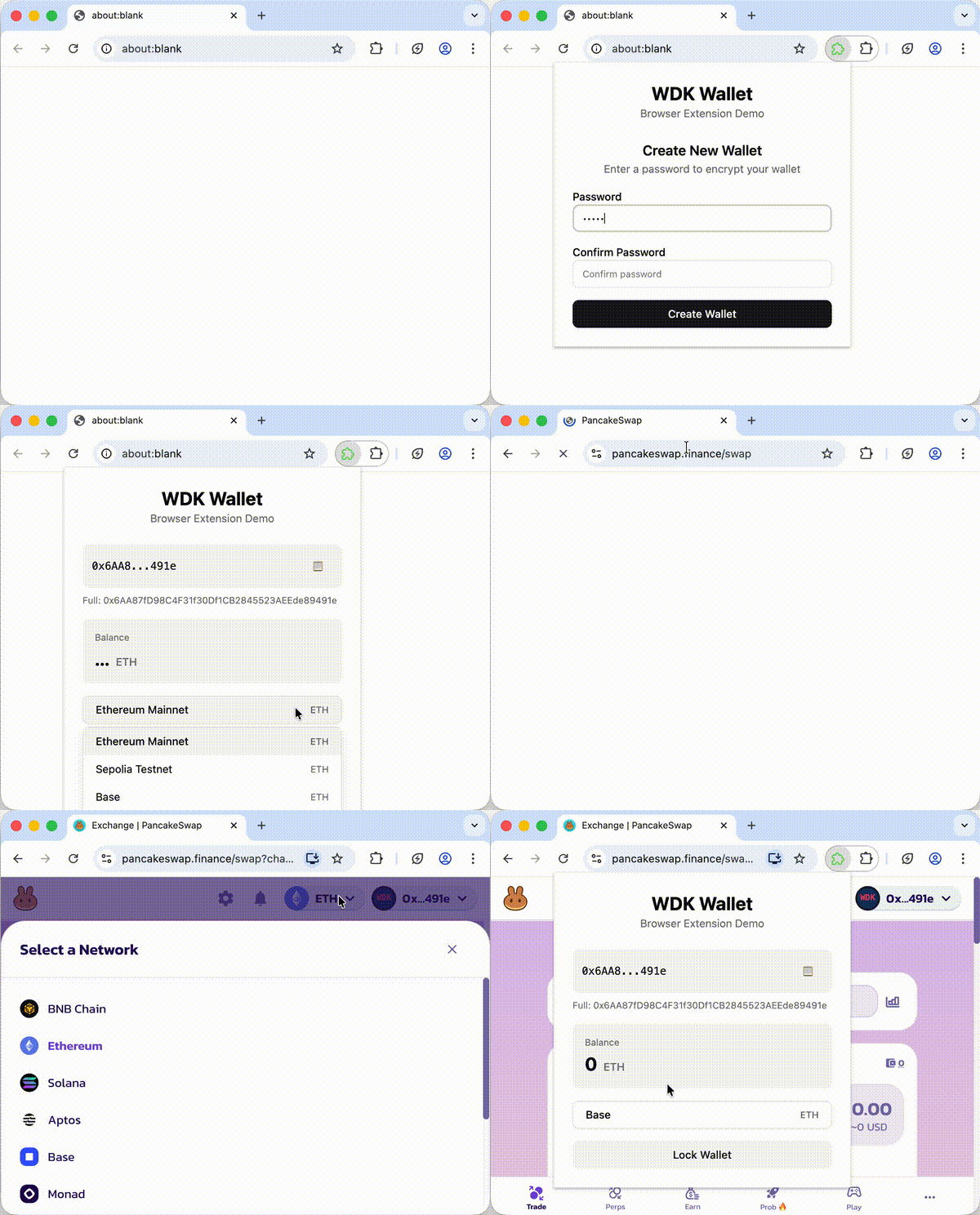
[1]`): The protocol configuration **Returns:** `WDK` - The WDK instance (supports method chaining) Global registration stores the provider class and config without constructing or validating the provider. Provider-constructor errors therefore surface when an account retrieves the protocol. A global registration takes precedence over an account-scoped registration with the same type and label. **Example:** ```javascript title="Register Protocols" import veloraProtocolEvm from '@tetherto/wdk-protocol-swap-velora-evm' import Usdt0ProtocolEvm from '@tetherto/wdk-protocol-bridge-usdt0-evm' // Register swap protocol for Ethereum wdk.registerProtocol('ethereum', 'velora', veloraProtocolEvm, { apiKey: 'YOUR_velora_API_KEY' }) // Register bridge protocol for Ethereum wdk.registerProtocol('ethereum', 'usdt0', Usdt0ProtocolEvm) // Register a concrete swidge provider for Ethereum wdk.registerProtocol('ethereum', 'swidge', MySwidgeProtocol, swidgeProtocolConfig) // Register an illustrative SDA provider for Ethereum wdk.registerProtocol('ethereum', 'deposits', MySdaProtocol, sdaProtocolConfig) // Method chaining const wdk2 = new WDK(seedPhrase) .registerWallet('ethereum', WalletManagerEvm, ethereumWalletConfig) .registerProtocol('ethereum', 'velora', veloraProtocolEvm, veloraProtocolConfig) ``` ##### `registerMiddleware(blockchain, middleware)` Registers middleware for account decoration and enhanced functionality. **Parameters:** - `blockchain` (string): The name of the blockchain - `middleware` (`(account: A) => Promise`): Middleware function called when deriving accounts **Returns:** `WDK` - The WDK instance (supports method chaining) **Example:** ```javascript title="Register Middleware" // Simple logging middleware wdk.registerMiddleware('ethereum', async (account) => { console.log('New account:', await account.getAddress()) }) // Failover cascade middleware import { getFailoverCascadeMiddleware } from '@tetherto/wdk-wrapper-failover-cascade' wdk.registerMiddleware('ethereum', getFailoverCascadeMiddleware({ fallbackOptions: { retries: 3, delay: 1000 } })) // Method chaining const wdk2 = new WDK(seedPhrase) .registerWallet('ethereum', WalletManagerEvm, ethereumWalletConfig) .registerMiddleware('ethereum', async (account) => { console.log('New account:', await account.getAddress()) }) ``` ##### `registerPolicy(policies, options?)` Registers one or more local transaction policies on the WDK instance. Policies are evaluated before wrapped account and protocol write methods execute. Matching `DENY` rules and governed-account default-deny outcomes throw `PolicyViolationError`; matching `ALLOW` rules permit the call only when no higher-priority `DENY` rule applies. Governed runtime accounts also expose `account.simulate.(...)` mirrors so you can dry-run policy evaluation without sending, signing, or broadcasting. Evaluation order: 1. Account-scoped policies run before project-scoped policies. 2. Policies and rules run in registration order within their scope. 3. A matching account-scoped `DENY` blocks immediately. 4. A matching account-scoped `ALLOW` with `override_broader_scope: true` allows immediately and skips project-scoped policies. 5. Project-scoped `DENY` rules block after account-scoped rules unless an override allow already matched. 6. If no `DENY` matches and at least one `ALLOW` matched, WDK allows the call. 7. Governed wrapped operations deny by default when no rule addresses the operation or no addressed rule matches. For policy scoping, default-deny behavior, account-level overrides, and protocol simulation examples, see [Transaction Policies](/sdk/core-module/guides/transaction-policies). **Parameters:** - `policies` (`Policy | Policy[]`): A single policy or an array of policies to register. - `options` (`RegisterPolicyOptions`, optional): Engine-level settings. `conditionTimeoutMs` defaults to `30000` milliseconds; the most recent value wins. **Returns:** `WDK` - The WDK instance (supports method chaining) **Throws:** `PolicyConfigurationError` if a policy or option fails validation, if an account-scoped policy omits its account binding, or if a policy references a wallet identifier that has not been registered. Governed write calls also throw `PolicyConfigurationError` when WDK cannot snapshot a method argument safely. **Example:** ```typescript title="Register A Send Policy" import WDK, { PolicyViolationError } from '@tetherto/wdk' const wdk = new WDK(seedPhrase) .registerWallet('ethereum', WalletManagerEvm, ethereumWalletConfig) .registerPolicy({ id: 'eth-send-limit', name: 'ETH send limit', scope: 'project', wallet: 'ethereum', rules: [ { name: 'allow-normal-operations', operation: '*', action: 'ALLOW', reason: 'Default local approval', conditions: [() => true] }, { name: 'block-large-send', operation: 'sendTransaction', action: 'DENY', reason: 'Transaction value exceeds local policy', conditions: [ ({ params }) => { const value = (params as { value?: bigint } | null)?.value return typeof value === 'bigint' && value > 1000000000000000000n } ] } ] }) const account = await wdk.getAccount('ethereum', 0) const simulation = await (account as any).simulate.sendTransaction({ to: '0x71C7656EC7ab88b098defB751B7401B5f6d8976F', value: 2000000000000000000n }) if (simulation.decision === 'DENY') { console.warn(simulation.reason) } try { await account.sendTransaction({ to: '0x71C7656EC7ab88b098defB751B7401B5f6d8976F', value: 2000000000000000000n }) } catch (error) { if (error instanceof PolicyViolationError) { console.error(error.reason) } } ``` Supported `PolicyOperation` values are `sendTransaction`, `signTransaction`, `transfer`, `approve`, `sign`, `signTypedData`, `signAuthorization`, `delegate`, `revokeDelegation`, `swap`, `bridge`, `supply`, `withdraw`, `borrow`, `repay`, `buy`, `sell`, `swidge`, `createDepositAddress`, `renewDepositAddress`, `recoverDepositAddress`, `disableDepositAddress`, and `*`. Use `sign` for message-style signing in this release. `signMessage` and `signHash` are not valid policy operation names. Policy-enforced calls snapshot method arguments before evaluation and forward the same approved values to the wallet method. Pass structured-cloneable values such as primitives, plain objects, arrays, `bigint`, and typed arrays. Non-cloneable governed arguments fail closed with `PolicyConfigurationError`. ##### `getAccount(blockchain, index?)` Returns a wallet account for a specific blockchain and index using BIP-44 derivation. **Parameters:** - `blockchain` (string): The name of the blockchain (e.g., "ethereum") - `index` (number, optional): The index of the account to get (default: 0) **Returns:** `Promise` - The writable wallet account with protocol support. When a registered policy targets the account, the returned runtime account is policy-enforced and exposes matching `simulate` helpers. **Throws:** Error if no wallet has been registered for the given blockchain. Throws `PolicyConfigurationError` if a registered policy applies but the wallet account does not expose a read-only account view. **Example:** ```javascript title="Get Account" // Get first account (index 0) const account = await wdk.getAccount('ethereum', 0) // Get second account (index 1) const account1 = await wdk.getAccount('ethereum', 1) // Default index (0) const defaultAccount = await wdk.getAccount('ethereum') // This will throw an error if no wallet registered for 'tron' try { const tronAccount = await wdk.getAccount('tron', 0) } catch (error) { console.error('No wallet registered for tron blockchain') } ``` ##### `getAccountByPath(blockchain, path)` Returns a wallet account for a specific blockchain and BIP-44 derivation path. **Parameters:** - `blockchain` (string): The name of the blockchain (e.g., "ethereum") - `path` (string): The derivation path (e.g., "0'/0/0") **Returns:** `Promise` - The writable wallet account with protocol support. When a registered policy targets the account, the returned runtime account is policy-enforced and exposes matching `simulate` helpers. **Throws:** Error if no wallet has been registered for the given blockchain. Throws `PolicyConfigurationError` if a registered policy applies but the wallet account does not expose a read-only account view. **Example:** ```javascript title="Get Account by Path" // Full path: m/44'/60'/0'/0/1 const account = await wdk.getAccountByPath('ethereum', "0'/0/1") // Different derivation path const customAccount = await wdk.getAccountByPath('ton', "1'/2/3") ``` ##### `getFeeRates(blockchain)` Returns current fee rates for a registered blockchain. **Parameters:** - `blockchain` (string): The blockchain identifier passed to `registerWallet()` **Returns:** `Promise` - The fee rates in base units **Throws:** Error if no wallet has been registered for the given blockchain. **Example:** ```javascript title="Get Fee Rates" const feeRates = await wdk.getFeeRates('ethereum') console.log('Fee rates:', feeRates) ``` ##### `dispose(blockchains?)` Disposes all registered wallets when called without arguments, or only the wallets for the named blockchains when you pass a string array. This clears keys and account state managed by WDK, including private keys held by registered wallets. It does not mutate or zero the seed value passed to `new WDK(seed)`. See [Seed Lifecycle](/sdk/core-module/guides/error-handling#seed-lifecycle) for the recommended cleanup pattern. **Parameters:** - `blockchains` (string[], optional): The blockchain identifiers to dispose. Omit this parameter to dispose every registered wallet. **Example:** ```javascript title="Dispose WDK" // Dispose all registered wallets wdk.dispose() // Dispose only one registered wallet wdk.dispose(['ethereum']) ``` ### Static Methods | Method | Description | Returns | |--------|-------------|---------| | `getRandomSeedPhrase(wordCount?)` | Returns a random BIP-39 seed phrase (12 or 24 words) | `string` | | `isValidSeed(seed)` | Checks if a seed phrase or seed bytes value is valid | `boolean` | ##### `getRandomSeedPhrase(wordCount?)` Returns a random BIP-39 seed phrase. Supports both 12-word (128-bit entropy) and 24-word (256-bit entropy) seed phrases. **Parameters:** - `wordCount` (12 | 24, optional): The number of words in the seed phrase. Defaults to 12. **Returns:** `string` - The seed phrase **Example:** ```javascript title="Generate Random Seed" // Generate 12-word seed phrase (default) const seedPhrase12 = WDK.getRandomSeedPhrase() console.log('Generated 12-word seed:', seedPhrase12) // Output: "abandon abandon abandon abandon abandon abandon abandon abandon abandon abandon abandon about" // Generate 24-word seed phrase (higher security) const seedPhrase24 = WDK.getRandomSeedPhrase(24) console.log('Generated 24-word seed:', seedPhrase24) // Output: "abandon abandon abandon abandon abandon abandon abandon abandon abandon abandon abandon abandon abandon abandon abandon abandon abandon abandon abandon abandon abandon abandon abandon art" ``` ##### `isValidSeed(seed)` Checks if a seed phrase or seed bytes value is valid. **Parameters:** - `seed` (string | Uint8Array): The seed phrase or seed bytes to validate **Returns:** `boolean` - True if the seed is valid **Example:** ```javascript title="Validate Seed" const isValid = WDK.isValidSeed('abandon abandon abandon abandon abandon abandon abandon abandon abandon abandon abandon about') console.log('Seed phrase valid:', isValid) // true const isInvalid = WDK.isValidSeed('invalid seed phrase') console.log('Seed phrase valid:', isInvalid) // false ``` ## IWalletAccount Base writable wallet account interface exposed by `@tetherto/wdk-wallet`. Blockchain modules implement this interface and may narrow the transaction type accepted by `signTransaction()` and `sendTransaction()`. ### Methods | Method | Description | Returns | Throws | |--------|-------------|---------|--------| | `getAddress()` | Returns the account address | `Promise` | - | | `sign(message)` | Signs a message with the account private key | `Promise` | - | | `signTransaction(tx)` | Signs a transaction without broadcasting it | `Promise` | If the transaction is invalid for the module | | `verify(message, signature)` | Verifies a message signature | `Promise` | - | | `sendTransaction(tx)` | Signs, broadcasts, and returns the transaction result | `Promise` | If provider access or broadcast fails | | `transfer(options)` | Transfers a token where supported by the module | `Promise` | If the module does not support token transfers | | `toReadOnlyAccount()` | Returns a read-only account copy | `Promise` | - | | `dispose()` | Clears sensitive account material from memory | `void` | - | ##### `signTransaction(tx)` Signs a transaction with the account private key and returns the signed transaction payload without broadcasting it. Use this when your app needs offline signing, external transaction submission, or a separate review step before broadcast. **Parameters:** - `tx` (Transaction): Module-specific transaction object. For example, EVM accounts accept `EvmTransaction`, and Bitcoin accounts accept `BtcTransaction`. **Returns:** `Promise` - The signed transaction payload. Wallet modules may narrow this return type, such as a hex string for EVM and Bitcoin transactions. **Example:** ```typescript title="Sign Without Broadcasting" const account = await wdk.getAccount('ethereum', 0) const signedTransaction = await account.signTransaction({ to: '0x71C7656EC7ab88b098defB751B7401B5f6d8976F', value: 1000000000000000n }) console.log('Signed transaction:', signedTransaction) ``` ## IWalletAccountWithProtocols Protocol registration and access surface that WDK adds to a wallet account. The consumer-facing [`WdkAccount`](#wdkaccount) type combines this interface with `IWalletAccount` from `@tetherto/wdk-wallet`. ### Methods | Method | Description | Returns | Throws | |--------|-------------|---------|--------| | `registerProtocol(label, protocol, config)` | Registers a protocol for this specific account | `IWalletAccountWithProtocols` | - | | `getSwapProtocol(label)` | Returns the swap protocol with the given label | `ISwapProtocol` | If protocol not found | | `getBridgeProtocol(label)` | Returns the bridge protocol with the given label | `IBridgeProtocol` | If protocol not found | | `getLendingProtocol(label)` | Returns the lending protocol with the given label | `ILendingProtocol` | If protocol not found | | `getFiatProtocol(label)` | Returns the fiat protocol with the given label | `IFiatProtocol` | If protocol not found | | `getSwidgeProtocol(label)` | Returns the swidge protocol with the given label | `ISwidgeProtocol` | If protocol not found | | `getSdaProtocol(label)` | Returns the SDA protocol with the given label | `ISdaProtocol` | If protocol not found | ##### `registerProtocol(label, protocol, config)` Registers a new protocol for this specific account. **Type Parameters:** - `P`: `typeof SwapProtocol | typeof BridgeProtocol | typeof LendingProtocol | typeof FiatProtocol | typeof SwidgeProtocol | typeof SdaProtocol` - A class that extends one of the `@tetherto/wdk-wallet/protocols` classes **Parameters:** - `label` (string): Registry label for the protocol. Registering the same protocol type and label again replaces the account-scoped instance. - `protocol` (P): The protocol class - `config` (`ConstructorParameters

[1]`): The protocol configuration **Returns:** `IWalletAccountWithProtocols` - The account instance (supports method chaining) **Example:** ```javascript title="Register Protocol for Account" import Usdt0ProtocolEvm from '@tetherto/wdk-protocol-bridge-usdt0-evm' const account = await wdk.getAccount('ethereum', 0) // Register protocol for this specific account account.registerProtocol('usdt0', Usdt0ProtocolEvm, { apiKey: 'YOUR_API_KEY' }) // Method chaining on the resolved account const account2 = (await wdk.getAccount('ethereum', 1)) .registerProtocol('usdt0', Usdt0ProtocolEvm, usdt0ProtocolConfig) ``` ##### `getSwapProtocol(label)` Returns the swap protocol with the given label. **Parameters:** - `label` (string): The protocol label **Returns:** `ISwapProtocol` - The swap protocol instance **Throws:** Error if no swap protocol with the given label has been registered **Example:** ```javascript title="Get Swap Protocol" import veloraProtocolEvm from '@tetherto/wdk-protocol-swap-velora-evm' // Register swap protocol account.registerProtocol('velora', veloraProtocolEvm, veloraProtocolConfig) // Get swap protocol const velora = account.getSwapProtocol('velora') // Use the protocol const swapResult = await velora.swap({ tokenIn: '0x...', tokenOut: '0x...', tokenInAmount: 1000000n }) // This will throw an error // try { // const uniswap = account.getSwapProtocol('uniswap') // } catch (error) { // console.error('No swap protocol with label "uniswap" found') // } ``` ##### `getBridgeProtocol(label)` Returns the bridge protocol with the given label. **Parameters:** - `label` (string): The protocol label **Returns:** `IBridgeProtocol` - The bridge protocol instance **Throws:** Error if no bridge protocol with the given label has been registered **Example:** ```javascript title="Get Bridge Protocol" import Usdt0ProtocolEvm from '@tetherto/wdk-protocol-bridge-usdt0-evm' // Register bridge protocol account.registerProtocol('usdt0', Usdt0ProtocolEvm) // Get bridge protocol const usdt0 = account.getBridgeProtocol('usdt0') // Use the protocol await account.approve({ token: '0x...', spender: '0x...', // OFT or bridge spender address amount: 1000000n }) const bridgeResult = await usdt0.bridge({ targetChain: 'arbitrum', recipient: '0x...', token: '0x...', amount: 1000000n, oftContractAddress: '0x...' // Same address used as approval spender }) ``` ##### `getLendingProtocol(label)` Returns the lending protocol with the given label. **Parameters:** - `label` (string): The protocol label **Returns:** `ILendingProtocol` - The lending protocol instance **Throws:** Error if no lending protocol with the given label has been registered **Example:** ```javascript title="Get Lending Protocol" import AaveProtocolEvm from '@tetherto/wdk-protocol-lending-aave-evm' // Register lending protocol account.registerProtocol('aave', AaveProtocolEvm, aaveProtocolConfig) // Get lending protocol const aave = account.getLendingProtocol('aave') // Use the protocol const supplyResult = await aave.supply({ token: '0x...', amount: 1000000n }) ``` ##### `getFiatProtocol(label)` Returns the fiat protocol with the given label. **Parameters:** - `label` (string): The protocol label **Returns:** `IFiatProtocol` - The fiat protocol instance **Throws:** Error if no fiat protocol with the given label has been registered **Example:** ```javascript title="Get Fiat Protocol" import MoonPayProtocol from '@tetherto/wdk-protocol-fiat-moonpay' // Register fiat protocol account.registerProtocol('moonpay', MoonPayProtocol, moonpayProtocolConfig) // Get fiat protocol const moonpay = account.getFiatProtocol('moonpay') const buyUrl = await moonpay.buy({ cryptoAsset: 'usdt', fiatCurrency: 'usd', fiatAmount: 10000n }) ``` ##### `getSwidgeProtocol(label)` Returns the swidge protocol with the given label. The examples below use `MySwidgeProtocol` as the concrete provider class supplied by your swidge provider module. **Parameters:** - `label` (string): The protocol label **Returns:** `ISwidgeProtocol` - The swidge protocol instance **Throws:** Error if no swidge protocol with the given label has been registered **Example:** ```javascript title="Get Swidge Protocol" // Register a concrete provider class that extends SwidgeProtocol account.registerProtocol('swidge', MySwidgeProtocol, swidgeProtocolConfig) // Get swidge protocol const swidge = account.getSwidgeProtocol('swidge') const quote = await swidge.quoteSwidge({ fromToken: '0xdAC17F958D2ee523a2206206994597C13D831ec7', toToken: '0xFd086bC7CD5C481DCC9C85ebE478A1C0b69FCbb9', toChain: 'arbitrum', fromTokenAmount: 1000000n }) ``` ##### `getSdaProtocol(label)` Returns the Smart Deposit Address protocol with the given label. The example uses `MySdaProtocol` as an illustrative provider class extending `SdaProtocol`; it does not imply that a provider package is available in the WDK documentation catalog. **Parameters:** - `label` (string): The protocol label **Returns:** `ISdaProtocol` - The SDA protocol instance **Throws:** `Error` with `No sda protocol registered for label: ( account: A ) => Promise; ``` ### Policy Types ```typescript title="Types: Policy Engine" type PolicyAction = 'ALLOW' | 'DENY' type PolicyScope = 'project' | 'account' type PolicyOperation = | 'sendTransaction' | 'signTransaction' | 'transfer' | 'approve' | 'sign' | 'signTypedData' | 'signAuthorization' | 'delegate' | 'revokeDelegation' | 'swap' | 'bridge' | 'supply' | 'withdraw' | 'borrow' | 'repay' | 'buy' | 'sell' | 'swidge' | 'createDepositAddress' | 'renewDepositAddress' | 'recoverDepositAddress' | 'disableDepositAddress' | '*' type PolicyCondition = (context: PolicyContext) => boolean | Promise interface PolicyContext { operation: PolicyOperation wallet: string account: IWalletAccountReadOnly params: unknown args: readonly unknown[] } interface PolicyRule { name: string operation: PolicyOperation | PolicyOperation[] action: PolicyAction conditions: PolicyCondition[] reason?: string override_broader_scope?: boolean state?: Record onSuccess?: (c: PolicyContext) => void | Promise } interface Policy { id: string name: string scope: PolicyScope wallet?: string | string[] accounts?: Array rules: PolicyRule[] } interface RegisterPolicyOptions { state?: Record conditionTimeoutMs?: number } interface SimulationTraceEntry { scope: PolicyScope policy_id: string rule_name: string matched: boolean error?: string } interface SimulationResult { decision: 'ALLOW' | 'DENY' policy_id: string | null matched_rule: string | null reason: string | null trace: SimulationTraceEntry[] } ``` `scope: 'project'` can apply across all registered wallets or only the wallets named in `wallet`. `scope: 'account'` requires both `wallet` and `accounts`; account entries can be a derivation path string or an account index number. `override_broader_scope` is valid only on account-scoped `ALLOW` rules. When that rule matches, WDK allows the call without evaluating project-scoped policies. `state` and `onSuccess` are reserved for future engine-managed state and are ignored at runtime in this beta. Conditions can use app-owned state through closures or external stores, but keep that state outside `rule.state`; WDK does not persist or update `state`, run `onSuccess`, or provide built-in counters or cumulative spend accounting. Simulation results returned by the runtime `account.simulate.(...)` mirrors include `decision`, `policy_id`, `matched_rule`, `reason`, and a `trace` array that records evaluated rules. `reason` can include a rule reason or one of the engine outcomes: `matched`, `override`, `no-applicable-rule`, or `governed-but-unmatched`. ### Protocol Types ```typescript title="Types: Protocol Interfaces" // Swap Protocol interface ISwapProtocol { swap(options: SwapOptions): Promise; } // Bridge Protocol interface IBridgeProtocol { bridge(options: BridgeOptions): Promise; } // Lending Protocol interface ILendingProtocol { supply(options: LendingOptions): Promise; withdraw(options: LendingOptions): Promise; borrow(options: LendingOptions): Promise; repay(options: LendingOptions): Promise; } // Swidge Protocol (unified swap + bridge + route) interface ISwidgeProtocol extends ISwapProtocol, IBridgeProtocol { quoteSwidge(options: SwidgeOptions): Promise; swidge(options: SwidgeOptions, config?: SwidgeProtocolConfig): Promise; getSwidgeStatus(id: string, options?: SwidgeStatusOptions): Promise; getSupportedChains(): Promise; getSupportedTokens(options?: SwidgeSupportedTokensOptions): Promise; } // Smart Deposit Address Protocol interface ISdaProtocol { getSupportedRoutes(options?: SdaRoutesOptions): Promise; createDepositAddress(options: SdaCreateDepositAddressOptions): Promise; quoteDeposit(options: SdaDepositOptions): Promise; deriveDepositAddress(options: SdaCreateDepositAddressOptions): Promise; getDepositAddress(id: string): Promise; renewDepositAddress(id: string): Promise; getTransfers(address: string, options?: SdaTransfersOptions): Promise; getTransfersByRecipient(destinationChain: string | number, recipient: string, options?: SdaTransfersOptions): Promise; getTransfer(id: string): Promise; recoverDepositAddress(options: SdaRecoveryOptions): Promise; disableDepositAddress(id: string): Promise; } ``` `SdaProtocol` requires provider subclasses to implement `getSupportedRoutes()` and `createDepositAddress()`. The remaining methods are optional in the base class and throw `UnsupportedOperationError` unless the provider implements them. Output assets are provider- and route-specific; USDT is a common example, not a base-interface guarantee. ### Swidge Protocol `SwidgeProtocol` is an abstract base class exported from `@tetherto/wdk-wallet/protocols` for provider packages that implement a single, route-aware surface for same-chain swaps and cross-chain bridges. It implements `ISwidgeProtocol`, which extends both `ISwapProtocol` and `IBridgeProtocol`, so the base class derives `swap()`, `quoteSwap()`, `bridge()`, and `quoteBridge()` by delegating to `swidge()` and `quoteSwidge()`. Provider subclasses implement the abstract methods below. | Method | Description | Returns | |--------|-------------|---------| | `quoteSwidge(options)` | Returns a non-binding quote for a swap/bridge operation | `Promise` | | `swidge(options, config?)` | Executes a swap/bridge operation | `Promise` | | `getSwidgeStatus(id, options?)` | Returns the current status of an in-flight operation | `Promise` | | `getSupportedChains()` | Returns the chains the provider supports | `Promise` | | `getSupportedTokens(options?)` | Returns the tokens the provider supports, optionally route-scoped | `Promise` | The `SwidgeOptions` input combines common fields (`fromToken`, `toToken`, optional `toChain`, `recipient`, `refundAddress`, `slippage`) with either an exact-in (`fromTokenAmount`) or exact-out (`toTokenAmount`) amount. The optional `SwidgeProtocolConfig` accepts `maxNetworkFeeBps` and `maxProtocolFeeBps` to cap acceptable fees. See the provider catalog in [Swidge modules](/sdk/swidge-modules), then use the selected provider's API reference for its released discovery, quote, execution, status, fee, and result behavior. ```typescript title="Type: ISwidgeProtocol Options and Results" type SwidgeProtocolConfig = { maxNetworkFeeBps?: number | bigint; maxProtocolFeeBps?: number | bigint; }; type SwidgeOptions = { fromToken: string; toToken: string; toChain?: string | number; // defaults to the source chain (same-chain swap) recipient?: string; refundAddress?: string; slippage?: number; // decimal, e.g. 0.01 for 1% minAmountOut?: number | bigint; // destination-token base units; provider-defined enforcement } & ( | { fromTokenAmount: number | bigint } // exact-in | { toTokenAmount: number | bigint } // exact-out ); type SwidgeStatus = | 'pending' | 'action-required' | 'completed' | 'failed' | 'refund-pending' | 'refunded' | 'cancelled' | 'expired' | 'partial'; ``` *** ## Next Steps Get started with WDK's configuration Get started with WDK's Usage Explore blockchain-specific wallet modules Cross-chain USD₮0 bridges *** ### Need Help? *** ## WDK Core Configuration URL: https://docs.wdk.tether.io/sdk/core-module/configuration Description: Configuration options and settings for @tetherto/wdk # Configuration ## WDK Manager Configuration ```javascript title="Create WDK Instance" import WDK from '@tetherto/wdk' const wdk = new WDK(seedPhrase) ``` The WDK Manager itself only requires a seed phrase for initialization. Configuration is done through the registration of wallets and protocols. ## Wallet Registration Configuration ```javascript title="Register WDK Wallet" import WDK from '@tetherto/wdk' import WalletManagerEvm from '@tetherto/wdk-wallet-evm' import WalletManagerTon from '@tetherto/wdk-wallet-ton' const wdk = new WDK(seedPhrase) .registerWallet('ethereum', WalletManagerEvm, { provider: 'https://eth.drpc.org' }) .registerWallet('ton', WalletManagerTon, { tonApiKey: 'YOUR_TON_API_KEY', tonApiEndpoint: 'https://tonapi.io' }) ``` ## Protocol Registration Configuration ```javascript title="Register WDK Protocol" import veloraProtocolEvm from '@tetherto/wdk-protocol-swap-velora-evm' const wdk = new WDK(seedPhrase) .registerProtocol('ethereum', 'velora', veloraProtocolEvm, { apiKey: 'YOUR_velora_API_KEY' }) ``` ## Configuration Options ### Wallet Configuration Each wallet manager requires its own configuration object when registered. The configuration depends on the specific wallet module being used. #### EVM Wallet Configuration ```javascript title="Ethereum WDK Wallet Configuration" const ethereumWalletConfig = { provider: 'https://eth.drpc.org', // RPC endpoint // Additional EVM-specific configuration options } wdk.registerWallet('ethereum', WalletManagerEvm, ethereumWalletConfig) ``` #### TON Wallet Configuration ```javascript title="TON WDK Wallet Configuration" const tonWalletConfig = { tonClient: { secretKey: 'YOUR_TON_API_KEY', url: 'https://toncenter.com/api/v2/jsonRPC' } } wdk.registerWallet('ton', WalletManagerTon, tonWalletConfig) ``` ### Protocol Configuration Protocols also require their own configuration objects when registered. #### Swap Protocol Configuration ```javascript title="Swap WDK Protocol Configuration" const veloraProtocolConfig = { apiKey: 'YOUR_velora_API_KEY', baseUrl: 'https://apiv5.velora.io' } wdk.registerProtocol('ethereum', 'velora', veloraProtocolEvm, veloraProtocolConfig) ``` ### Middleware Configuration Middleware functions can be registered to enhance account functionality. ```javascript title="Middleware WDK Protocol Configuration" // Simple logging middleware wdk.registerMiddleware('ethereum', async (account) => { console.log('New account created:', await account.getAddress()) }) ``` ## Environment Variables For production applications, consider using environment variables for sensitive configuration: ```javascript title="WDK environment variables Configuration" const wdk = new WDK(process.env.SEED_PHRASE) .registerWallet('ethereum', WalletManagerEvm, { provider: process.env.ETHEREUM_RPC_URL }) .registerProtocol('ethereum', 'velora', veloraProtocolEvm, { apiKey: process.env.velora_API_KEY }) ``` ## Configuration Validation Registration does not validate every downstream module configuration: - **Wallet Registration**: WDK constructs the wallet manager during registration, so wallet-constructor validation errors surface immediately. Registering a second wallet under the same blockchain throws. - **Protocol Registration**: Global registration stores a supported protocol class and config for later construction. Reusing the same blockchain, protocol type, and label replaces the previous global registration. Provider-constructor and config errors surface when an account retrieves the protocol. - **Middleware Registration**: WDK stores the middleware for later account decoration. Errors thrown by the middleware surface when an account is retrieved. In JavaScript, a protocol class that does not extend a supported WDK protocol base class is ignored rather than rejected. Keep protocol classes typed, use distinct labels, and test retrieval during application startup. A global registration shadows an account-scoped provider with the same type and label. ## Error Handling Handle wallet registration errors at registration time and protocol errors at retrieval time: ```javascript title="Configuration errors" try { wdk.registerWallet('ethereum', InvalidWalletClass, config) } catch (error) { console.error('Wallet registration failed:', error.message) } try { wdk.registerProtocol('ethereum', 'velora', veloraProtocolEvm, invalidConfig) const account = await wdk.getAccount('ethereum', 0) account.getSwapProtocol('velora') } catch (error) { console.error('Protocol construction or retrieval failed:', error.message) } ``` *** ## Next Steps Get started with WDK's usage Get started with WDK's API Explore blockchain-specific wallet modules Cross-chain USD₮0 bridges *** ### Need Help? *** ## Manage Accounts URL: https://docs.wdk.tether.io/sdk/core-module/guides/account-management Description: Learn how to work with accounts and addresses. This guide explains how to access accounts from your registered wallets. An "Account" object in WDK is your interface for inspecting balances and sending transactions on a specific blockchain. ## Retrieve Accounts You can retrieve an account using a simple index or a custom derivation path. ### By Index (Recommended) The simplest way to get an account is by its index (starting at `0`). This uses the default derivation path for the specified blockchain. ```typescript title="Get Account by Index" // Get the first account (index 0) for Ethereum and TON const ethAccount = await wdk.getAccount('ethereum', 0) const tonAccount = await wdk.getAccount('ton', 0) ``` ### By Derivation Path (Advanced) If you need a specific hierarchy, you can request an account by its unique derivation path. ```typescript title="Get Account by Path" // Custom path for Ethereum const customEthAccount = await wdk.getAccountByPath('ethereum', "0'/0/1") ``` The WDK instance caches accounts. If you call `getAccount` twice using the same index, the function will return the same `Account` object instance. **Network Mismatch Warning** Ensure your WDK instance configuration matches your account environment. * If using **Testnet** keys, ensure you registered the wallet with a **Testnet RPC** (e.g., `https://sepolia.drpc.org` for ETH, `https://testnet.toncenter.com/api/v2/jsonRPC` for TON). * If using **Mainnet** keys, ensure you registered the wallet with a **Mainnet RPC** (e.g., `https://eth.drpc.org` for ETH, `https://toncenter.com/api/v2/jsonRPC` for TON). Using a Mainnet key on a Testnet RPC (or vice versa) will result in "Network not allowed" or zero balance errors. ## View Addresses Once you have an account object, you can retrieve its public blockchain address using the `getAddress` function. ```typescript title="Get Addresses" const ethAddress = await ethAccount.getAddress() console.log('Ethereum address:', ethAddress) ``` ## Check Balances You can check the native token balance of any account (e.g., ETH on Ethereum, TON on TON) by using the `getBalance()` function. ```typescript title="Get Balance" const balance = await ethAccount.getBalance() console.log('Balance:', balance) ``` ### Multi-Chain Balance Check Because WDK offers a unified interface, you can easily iterate through multiple chains to fetch balances. The following example: 1. Iterates over an array of user defined chains. 2. Retrieves the first account using the respective chain's `getAccount(index)` function. 3. Retrieves the first account's balance using the `getBalance()` function. 4. Logs the balance to the console. ```typescript title="Check All Balances" const chains = ['ethereum', 'ton', 'bitcoin'] for (const chain of chains) { const account = await wdk.getAccount(chain, 0) const balance = await account.getBalance() console.log(`${chain} balance:`, balance) } ``` ## Next Steps Now that you can access your accounts, learn how to [send transactions](/sdk/core-module/guides/transactions). *** ## Error Handling URL: https://docs.wdk.tether.io/sdk/core-module/guides/error-handling Description: Learn about common errors and best practices. # Error Handling & Best Practices This guide covers recommended patterns for error handling and security when using the WDK. ## Handling Common Errors When interacting with multiple chains and protocols, various runtime issues may occur. ### Missing Registration The most common error is attempting to access a wallet or protocol that hasn't been registered. ```typescript title="Check Registration Pattern" try { // This will throw if 'tron' was never registered via .registerWallet() const tronAccount = await wdk.getAccount('tron', 0) } catch (error) { console.error('Tron wallet not available:', error.message) } ``` Always use `try/catch` blocks when initializing sessions or accessing dynamic features. ## Memory Management For security, clear wallet state from memory when a session is complete. The WDK provides [`dispose()`](/sdk/core-module/api-reference) for this purpose. ### Seed Lifecycle WDK does not own the seed you pass to `new WDK(seed)`. The seed comes from your app, so your app is responsible for storing it, decrypting it, and clearing it when it is no longer needed. Use this lifecycle for sessions that need explicit cleanup: 1. Decrypt or load the seed into a mutable buffer. 2. Initialize and use WDK. 3. Call [`dispose()`](/sdk/core-module/api-reference#disposeblockchains) on the WDK instance. 4. Zero the seed buffer when no WDK instance or wallet needs it anymore. ```typescript title="Seed lifecycle cleanup" import WDK from '@tetherto/wdk' import WalletManagerEvm from '@tetherto/wdk-wallet-evm' type SeedDecrypter = (encryptedSeed: Uint8Array) => Promise async function runWalletSession( encryptedSeed: Uint8Array, decryptSeedBytes: SeedDecrypter ) { let seedBytes: Uint8Array | undefined let wdk: WDK | undefined try { seedBytes = await decryptSeedBytes(encryptedSeed) wdk = new WDK(seedBytes) .registerWallet('ethereum', WalletManagerEvm, { provider: 'https://eth.drpc.org' }) const account = await wdk.getAccount('ethereum', 0) const address = await account.getAddress() return address } finally { wdk?.dispose() seedBytes?.fill(0) } } ``` In this example, `decryptSeedBytes()` represents your app's secure storage or decryption layer. It should return seed bytes as a `Uint8Array`. [`dispose()`](/sdk/core-module/api-reference#disposeblockchains) clears keys and account state managed by WDK, including private keys held by registered wallets. It does not mutate or zero the seed value you passed to WDK. If your app requires explicit seed cleanup, prefer a mutable `Uint8Array`; JavaScript strings cannot be reliably zeroed. ### Disposing the Instance You can dispose every registered wallet using [`dispose()`](/sdk/core-module/api-reference): ```typescript title="Dispose WDK" function endSession(wdk) { // 1. Dispose registered wallets and account private keys wdk.dispose() // 2. Modify app state to reflect logged-out status // ... console.log('Session ended, wallet data cleared.') } ``` ### Disposing Specific Wallets You can dispose only the wallets you no longer need using [`dispose()`](/sdk/core-module/api-reference): ```typescript title="Dispose Specific Wallets" // Keep the TON wallet registered, but dispose the Ethereum wallet wdk.dispose(['ethereum']) ``` **After Disposal:** Once a wallet is disposed, any later call that depends on that wallet registration will fail until you register it again. If you call `wdk.dispose()` without arguments, you must instantiate a new WDK instance or register fresh wallets before resuming operations. ## Security Best Practices ### Environment Variables Never hardcode API keys or seed phrases in your source code. Use environment variables (e.g., `process.env.TON_API_KEY`). ### Secure Storage If you persist a session, never store the raw seed phrase in local storage. Use secure operating system storage (like Keychain on macOS or Keystore on Android). *** ## Getting Started URL: https://docs.wdk.tether.io/sdk/core-module/guides/getting-started Description: Install and instantiate the WDK Core module. This guide explains how to install the [`@tetherto/wdk`](https://www.npmjs.com/package/@tetherto/wdk) package and create a new instance to start managing your wallets. ## 1. Installation ### Prerequisites Before you begin, ensure you have the following installed: * **[Node.js](https://nodejs.org/)**: version 18 or higher. * **[npm](https://www.npmjs.com/)**: usually comes with Node.js. ### Install Package To install the WDK Core package, run the following command in your terminal: ```bash npm install @tetherto/wdk ``` This package allows you to manage different blockchain wallets and protocols through a single interface. ## 2. Instantiation To use WDK, you must create an instance of the `WDK` class. This instance acts as the central manager for all your wallets and protocols. ### Import the Module First, import the `WDK` class from the package: ```typescript title="Import WDK Core" import WDK from '@tetherto/wdk' ``` ### Initialize WDK You can initialize `WDK` in two ways: with a [new seed phrase](#generate-a-new-wallet) or an [existing one](#restore-an-existing-wallet). #### Generate a New Wallet If you are creating a fresh wallet for a user, use the static `getRandomSeedPhrase()` method to generate a secure mnemonic. ```typescript title="Create new WDK Instance" // 1. Generate a secure random seed phrase // Generate 24-word seed phrase for higher security const seedPhrase = WDK.getRandomSeedPhrase(24) // Or use 12-word seed phrase (default) // const seedPhrase = WDK.getRandomSeedPhrase() // 2. Initialize the WDK instance with the new seed const wdk = new WDK(seedPhrase) ``` **Secure the Seed Phrase:** You must securely store this seed phrase immediately. If it is lost, the user will permanently lose access to their funds. For cleanup expectations when a wallet session ends, see [Seed Lifecycle](/sdk/core-module/guides/error-handling#seed-lifecycle). #### Restore an Existing Wallet If a user already has a seed phrase (e.g., from a previous session or another wallet), you can pass it directly to the constructor. ```typescript title="Restore WDK Instance" // Replace this string with the user's actual seed phrase const existingSeed = 'witch collapse practice feed shame open despair creek road again ice ...' const wdk = new WDK(existingSeed) ``` For cleanup expectations when a wallet session ends, see [Seed Lifecycle](/sdk/core-module/guides/error-handling#seed-lifecycle). ## Next Steps With your WDK instance ready, you can now [register wallet modules](/sdk/core-module/guides/wallet-registration) to interact with specific blockchains like [Ethereum](/sdk/wallet-modules/wallet-evm/), [TON](/sdk/wallet-modules/wallet-ton/), or [Bitcoin](/sdk/wallet-modules/wallet-btc/). *** ## Configure Middleware URL: https://docs.wdk.tether.io/sdk/core-module/guides/middleware Description: Learn how to intercept and enhance wallet operations with middleware. Middleware allows you to intercept wallet operations. You can use this to add [logging](#logging), implement retry logic, or route provider failover to the supported failover provider. ## Register Middleware When registering middleware, you should reference a specific chain. The middleware function runs every time an account is instantiated or an operation is performed, depending on the implementation. ### Logging This simple middleware logs a message whenever a new account is accessed. ```typescript title="Logging Middleware" wdk.registerMiddleware('ethereum', async (account) => { const address = await account.getAddress() console.log('Accessed Ethereum account:', address) // You can also attach custom properties or wrap methods here }) ``` ## Use provider failover Provider failover is handled outside core middleware. Use the current [`@tetherto/wdk-failover-provider`](https://www.npmjs.com/package/@tetherto/wdk-failover-provider) package when you need provider-level retry and fallback across RPC endpoints. Install the failover provider package: ```bash npm install @tetherto/wdk-failover-provider ``` Import the provider in your wallet or infrastructure setup: ```typescript import FailoverProvider from '@tetherto/wdk-failover-provider' ``` Use this when your app depends on external RPC providers and needs a backup route if the primary provider is slow or unavailable. See [Add provider failover](/tools/failover-provider/), [failover configuration](/tools/failover-provider/configuration/), and the [failover API reference](/tools/failover-provider/api-reference/) for the supported setup. ## Next Steps Learn about [error handling and best practices](/sdk/core-module/guides/error-handling) to ensure your application is robust and secure. *** ## Integrate Protocols URL: https://docs.wdk.tether.io/sdk/core-module/guides/protocol-integration Description: Register and access WDK protocol providers from wallet accounts. The WDK Core module supports registering external protocol providers. This lets you extend wallet accounts with protocol-specific discovery, quote, and write operations. ## Register Protocols You can register protocols globally (for all new accounts). ### Global Registration (Recommended) Global registration ensures that every account you retrieve already has the protocol ready to use. You can do this by chaining a call to `.registerProtocol()` on the WDK instance. ### 1. Install Protocol Modules Install the [`@tetherto/wdk-protocol-swap-velora-evm`](https://www.npmjs.com/package/@tetherto/wdk-protocol-swap-velora-evm) and [`@tetherto/wdk-protocol-bridge-usdt0-evm`](https://www.npmjs.com/package/@tetherto/wdk-protocol-bridge-usdt0-evm) packages: ```bash npm install @tetherto/wdk-protocol-swap-velora-evm && npm install @tetherto/wdk-protocol-bridge-usdt0-evm ``` ### 2. Register in Code Now, import the protocol modules and register them with your WDK instance. This makes the protocol methods available to any account derived from that instance. First, import the necessary modules: ```typescript title="Import Protocols" import veloraProtocolEvm from '@tetherto/wdk-protocol-swap-velora-evm' import usdt0ProtocolEvm from '@tetherto/wdk-protocol-bridge-usdt0-evm' ``` Then, register the protocols for the specific chains they support: ```typescript title="Register Protocols" // Register protocols for specific chains const wdk = new WDK(seedPhrase) .registerWallet('ethereum', WalletManagerEvm, ethConfig) // Register Velora Swap for Ethereum .registerProtocol('ethereum', 'velora', veloraProtocolEvm, { apiKey: 'YOUR_API_KEY' }) // Register USDT0 Bridge for Ethereum .registerProtocol('ethereum', 'usdt0', usdt0ProtocolEvm, { ethereumRpcUrl: 'https://eth.drpc.org' // Configuration depends on the module }) ``` ## Use Protocols Once [registered](#register-protocols), access the protocol instance with its typed getter, such as `getSwapProtocol()`, `getBridgeProtocol()`, `getLendingProtocol()`, `getFiatProtocol()`, [`getSwidgeProtocol()`](/sdk/core-module/api-reference#getswidgeprotocollabel), or [`getSdaProtocol()`](/sdk/core-module/api-reference#getsdaprotocollabel). ### Smart Deposit Addresses WDK Core beta.15 registers and retrieves SDA providers through the same account protocol surface. The concrete provider must extend `SdaProtocol`; `MySdaProtocol` below is illustrative. ```typescript title="Register And Access An SDA Provider" const wdk = new WDK(seedPhrase) .registerWallet('ethereum', WalletManagerEvm, ethConfig) .registerProtocol('ethereum', 'deposits', MySdaProtocol, sdaProtocolConfig) const account = await wdk.getAccount('ethereum', 0) const deposits = account.getSdaProtocol('deposits') const routes = await deposits.getSupportedRoutes({ sourceChain: 'ethereum', outputAsset: 'USDT' }) ``` Every SDA provider implements route discovery and deposit-address creation. Quote, derivation, renewal, lookup, history, recovery, and disable operations are optional. Check the concrete provider's contract before calling them; the base implementations throw `UnsupportedOperationError`. Output assets are route-specific, with USDT shown only as an example. ### Swidge Routes Use a swidge provider module for new swap, bridge, or combined route integrations. Retrieve a registered provider with [`getSwidgeProtocol()`](/sdk/core-module/api-reference#getswidgeprotocollabel). The shared swidge interface discovers supported chains and tokens with `getSupportedChains()` and `getSupportedTokens()`, quotes with `quoteSwidge()`, executes with `swidge()`, and tracks asynchronous settlement with `getSwidgeStatus()`. The provider can decide whether the route is fulfilled as a same-chain swap, same-token bridge, combined route, intent, solver route, or aggregator route. ```typescript title="Swidge route flow" const account = await wdk.getAccount('ethereum', 0) const swidge = account.getSwidgeProtocol('swidge') const chains = await swidge.getSupportedChains() const tokens = await swidge.getSupportedTokens({ fromChain: 'ethereum', toChain: 'arbitrum' }) const options = { fromToken: '0xSourceToken...', toToken: '0xDestinationToken...', toChain: 'arbitrum', recipient: '0xRecipient...', fromTokenAmount: 1000000n, slippage: 0.01 } const quote = await swidge.quoteSwidge(options) const result = await swidge.swidge(options, { maxNetworkFeeBps: 50, maxProtocolFeeBps: 25 }) const status = await swidge.getSwidgeStatus(result.id, { toChain: 'arbitrum' }) ``` Use discovery results to build token and chain selectors, but continue to show the quote details before execution. `swidge()` is the write step in the shared swidge flow. Existing swap and bridge modules keep their current accessors for released modules. Choose a released [Swidge provider module](/sdk/swidge-modules) for new protocol integrations because the standalone swap and bridge interfaces are expected to be deprecated after Swidge provider coverage is available. ### Swapping Tokens Use `getSwapProtocol` to access registered swap services on any wallet account. ```typescript title="Swap Tokens" const ethAccount = await wdk.getAccount('ethereum', 0) const velora = ethAccount.getSwapProtocol('velora') const result = await velora.swap({ tokenIn: '0x...', // Address of token to sell tokenOut: '0x...', // Address of token to buy tokenInAmount: 1000000n // Amount to swap }) ``` ### Bridging Assets 1. Use `getBridgeProtocol` to access cross-chain bridges. 2. Approve the source-chain bridge spender for the token and amount. 3. Call `bridge` from the bridge protocol to send tokens from one protocol to another. ```typescript title="Bridge Assets" const ethAccount = await wdk.getAccount('ethereum', 0) const usdt0 = ethAccount.getBridgeProtocol('usdt0') await ethAccount.approve({ token: '0x...', // ERC20 Token Address spender: '0x...', // OFT or bridge spender address amount: 1000000n }) const result = await usdt0.bridge({ targetChain: 'ton', recipient: 'UQBla...', // TON address token: '0x...', // ERC20 Token Address amount: 1000000n, oftContractAddress: '0x...' // Same address used as approval spender }) ``` **Protocol Availability:** If you try to access a protocol that hasn't been registered (e.g., `getSwapProtocol('uniswap')`), the SDK will throw an error. always ensure registration matches the ID you request. ## Next Steps Learn how to [configure middleware](/sdk/core-module/guides/middleware) to add logging or failover protection to your wallet interactions. *** ## Transaction Policies URL: https://docs.wdk.tether.io/sdk/core-module/guides/transaction-policies Description: Register local ALLOW and DENY rules for WDK account and protocol write methods. Local transaction policies let a WDK app evaluate rules before account or protocol write methods execute. Use them for local approval limits, account-level exceptions, preflight checks, or UI flows that need a dry-run verdict before calling a wallet method. Transaction policies are local pre-execution controls. They do not enforce rules on-chain, replace smart-contract permissions, or validate live token metadata, balances, prices, or contract state. ## Policy Structure A transaction policy is a named local configuration object registered with `wdk.registerPolicy()`. Each policy chooses where it applies, then evaluates its ordered `rules` array before a governed account or protocol write method runs. | Concept | What you configure | | --- | --- | | Scope | `scope: 'project'` for project or wallet-level rules, or `scope: 'account'` for selected account indices or derivation paths | | Wallet | Optional `wallet` bindings for project policies, required `wallet` bindings for account policies | | Rules | Ordered `rules` array evaluated before a governed account or protocol write method runs | | Action | `ALLOW` to permit a matching governed call, or `DENY` to block it with `PolicyViolationError` | | Operation | The wallet or protocol write operation a rule addresses, such as `sendTransaction`, `transfer`, `swap`, or `*` | | Conditions | Functions that receive `PolicyContext` and return truthy when the rule should match | Use `scope: 'project'` for rules that apply across all wallets or selected wallet identifiers. Use `scope: 'account'` with `wallet` and `accounts` for rules that apply only to specific account indices or derivation paths. Each rule addresses one operation, multiple operations, or `*`. A matching `ALLOW` can permit the governed call, while a matching `DENY` blocks the call with `PolicyViolationError`. WDK does not manage durable policy state for you. Conditions can inspect the current `PolicyContext` and app-owned inputs, including in-memory or externally stored state, but WDK does not persist `rule.state`, update counters, or run `onSuccess` hooks. Keep app-owned state outside `rule.state`; that field is reserved for future runtime semantics. ## Register Policies Register wallets before policies. `wdk.registerPolicy()` validates wallet bindings synchronously and throws `PolicyConfigurationError` if a policy references a wallet identifier that has not been registered. The example below allows normal operations, then denies ETH sends above a local approval limit. The wildcard `ALLOW` rule is intentional: once a policy governs an account, wrapped write operations are default-denied unless a matching `ALLOW` permits them. ```typescript title="Register A Local Send Limit" import WDK, { PolicyViolationError } from '@tetherto/wdk' const wdk = new WDK(seedPhrase) .registerWallet('ethereum', WalletManagerEvm, ethereumWalletConfig) .registerPolicy({ id: 'eth-local-send-limit', name: 'ETH local send limit', scope: 'project', wallet: 'ethereum', rules: [ { name: 'allow-normal-operations', operation: '*', action: 'ALLOW', reason: 'Default local approval', conditions: [() => true] }, { name: 'deny-large-eth-send', operation: 'sendTransaction', action: 'DENY', reason: 'Amount exceeds the local approval limit', conditions: [ ({ params }) => { const value = (params as { value?: bigint } | null)?.value return typeof value === 'bigint' && value > 1000000000000000000n } ] } ] }) const account = await wdk.getAccount('ethereum', 0) try { await account.sendTransaction({ to: '0x71C7656EC7ab88b098defB751B7401B5f6d8976F', value: 2000000000000000000n }) } catch (error) { if (error instanceof PolicyViolationError) { console.error(error.reason) } } ``` ## Scope Policies Policies can target a whole project, selected wallets, or selected accounts. | Scope | Required fields | Applies to | | --- | --- | --- | | `project` without `wallet` | `scope`, `rules` | All registered wallets | | `project` with `wallet` | `scope`, `wallet`, `rules` | One wallet identifier or a list of wallet identifiers | | `account` | `scope`, `wallet`, `accounts`, `rules` | Specific account indices or derivation paths for one wallet | Account entries can be non-negative account indices or derivation-path strings. Index entries match accounts returned by `getAccount(wallet, index)`. Path entries match accounts returned by path-based retrieval. ## Evaluation Rules WDK evaluates policies in this order: 1. If no registered policy applies to the account, WDK returns the original account. No policy proxy or `simulate` mirror is added. 2. If at least one policy applies, the account is governed. WDK wraps every supported write or signing operation that exists on that account, plus registered protocol write methods. 3. If no rule addresses the attempted operation, WDK blocks the call with `PolicyViolationError` and `reason: 'no-applicable-rule'`. 4. Account-scoped policies run before project-scoped policies. Within each scope, policies and rules run in registration order. 5. A matching account-scoped `DENY` blocks immediately. A matching account-scoped `ALLOW` is recorded unless it has `override_broader_scope: true`. 6. A matching account-scoped `ALLOW` with `override_broader_scope: true` allows the call immediately and skips project-scoped policies. This option is only valid on account-scoped `ALLOW` rules. 7. Project-scoped rules run after account-scoped rules. A matching project-scoped `DENY` blocks. If no `DENY` matches and at least one `ALLOW` matched, WDK allows the call. 8. If rules addressed the operation but none matched, WDK blocks with `reason: 'governed-but-unmatched'`. Conditions run in array order and every condition must return truthy for the rule to match. If an `ALLOW` condition throws or times out, WDK treats that rule as unmatched. If a `DENY` condition throws or times out, WDK blocks the call. You can create an account-scoped exception using [`wdk.registerPolicy()`](/sdk/core-module/api-reference#registerpolicypolicies-options): ```typescript title="Account-Level Exception" wdk.registerPolicy([ { id: 'project-send-limit', name: 'Project send limit', scope: 'project', wallet: 'ethereum', rules: [ { name: 'allow-normal-operations', operation: '*', action: 'ALLOW', conditions: [() => true] }, { name: 'deny-large-send', operation: 'sendTransaction', action: 'DENY', reason: 'Project send limit exceeded', conditions: [ ({ params }) => { const value = (params as { value?: bigint } | null)?.value return typeof value === 'bigint' && value > 1000000000000000n } ] } ] }, { id: 'treasury-account-override', name: 'Treasury account override', scope: 'account', wallet: 'ethereum', accounts: [0], rules: [ { name: 'allow-treasury-sends', operation: 'sendTransaction', action: 'ALLOW', override_broader_scope: true, reason: 'Treasury account has a higher local approval limit', conditions: [ ({ params }) => { const value = (params as { value?: bigint } | null)?.value return typeof value === 'bigint' && value <= 10000000000000000n } ] } ] } ]) ``` In the example above, the treasury account can send up to `0.01 ETH` because the account-scoped `ALLOW` rule matches and skips the project-scoped limit. If the account rule does not match, project-scoped rules still run and can block the call. ## Supported Operations Use these operation names in `PolicyRule.operation`: | Operation | Method family | | --- | --- | | `sendTransaction` | Native transaction send | | `signTransaction` | Transaction signing without broadcast | | `transfer` | Token transfer methods | | `approve` | Token allowance approvals | | `sign` | Message or payload signing | | `signTypedData` | EIP-712 style typed-data signing | | `signAuthorization` | Authorization signing | | `delegate` | Delegation writes | | `revokeDelegation` | Delegation revocation | | `swap` | Swap protocol execution | | `bridge` | Bridge protocol execution | | `supply`, `withdraw`, `borrow`, `repay` | Lending protocol writes | | `buy`, `sell` | Fiat protocol writes | | `swidge` | Combined swap and bridge route execution | | `createDepositAddress`, `renewDepositAddress`, `recoverDepositAddress`, `disableDepositAddress` | Smart Deposit Address writes | | `*` | Wildcard rule for all wrapped write operations | Use `sign` for message-style signing in this release. `signMessage` and `signHash` are not valid `PolicyOperation` values. ## Common Policy Patterns WDK policies use JavaScript condition functions. Inspect the `params` and `args` passed by the wallet or protocol method you are governing, then return `true` only when that rule should match. WDK does not fetch prices, decode calldata, maintain address lists, or manage durable policy state for you. Keep app-owned inputs current, and handle persistence and concurrency when a condition depends on counters or cumulative limits. You can allow sends to approved recipients using [`wdk.registerPolicy()`](/sdk/core-module/api-reference#registerpolicypolicies-options): ```typescript title="Address Allowlist" const allowedRecipients = new Set([ '0x71C7656EC7ab88b098defB751B7401B5f6d8976F'.toLowerCase() ]) wdk.registerPolicy({ id: 'approved-recipients', name: 'Approved recipients', scope: 'project', wallet: 'ethereum', rules: [ { name: 'allow-approved-send', operation: 'sendTransaction', action: 'ALLOW', conditions: [ ({ params }) => { const to = (params as { to?: string } | null)?.to return typeof to === 'string' && allowedRecipients.has(to.toLowerCase()) } ] } ] }) ``` You can require both a chain and value limit using [`wdk.registerPolicy()`](/sdk/core-module/api-reference#registerpolicypolicies-options): ```typescript title="Network And Value Gate" wdk.registerPolicy({ id: 'base-small-sends', name: 'Base small sends', scope: 'project', wallet: 'ethereum', rules: [ { name: 'allow-base-small-send', operation: 'sendTransaction', action: 'ALLOW', conditions: [ ({ params }) => { const tx = params as { chainId?: number | string; value?: bigint } | null const value = tx?.value return String(tx?.chainId) === '8453' && typeof value === 'bigint' && value <= 1000000000000000n } ] } ] }) ``` You can restrict typed-data signing to approved domains using [`wdk.registerPolicy()`](/sdk/core-module/api-reference#registerpolicypolicies-options): ```typescript title="Typed Data Domain Gate" const approvedTypedDataDomains = new Set([ '1:0x000000000022d473030f116ddee9f6b43ac78ba3' ]) wdk.registerPolicy({ id: 'approved-typed-data-domains', name: 'Approved typed data domains', scope: 'project', wallet: 'ethereum', rules: [ { name: 'allow-approved-typed-data-domain', operation: 'signTypedData', action: 'ALLOW', conditions: [ ({ params }) => { const typedData = params as { domain?: { chainId?: number | string; verifyingContract?: string } } | null const verifyingContract = typedData?.domain?.verifyingContract const domainKey = `${typedData?.domain?.chainId}:${verifyingContract}`.toLowerCase() return typeof verifyingContract === 'string' && approvedTypedDataDomains.has(domainKey) } ] } ] }) ``` You can gate protocol write methods by their method parameters using [`wdk.registerPolicy()`](/sdk/core-module/api-reference#registerpolicypolicies-options): ```typescript title="Protocol Write Gate" wdk.registerPolicy({ id: 'small-swaps-only', name: 'Small swaps only', scope: 'project', wallet: 'ethereum', rules: [ { name: 'allow-small-swaps', operation: 'swap', action: 'ALLOW', conditions: [ ({ params }) => { const swap = params as { tokenInAmount?: bigint } | null const tokenInAmount = swap?.tokenInAmount return typeof tokenInAmount === 'bigint' && tokenInAmount <= 1000000000n } ] } ] }) ``` ## Inspect Policy Context Conditions receive a frozen `PolicyContext`: | Field | Description | | --- | --- | | `operation` | The operation being evaluated | | `wallet` | The wallet identifier bound to the account | | `account` | Read-only account view exposed by the wallet module | | `params` | The first argument passed to the wrapped method | | `args` | All arguments passed to the wrapped method | For governed write calls, WDK snapshots the method arguments once before policy evaluation. Conditions see that snapshot, and WDK forwards the same approved values to the underlying wallet method. This prevents a caller from mutating a transaction object while an asynchronous policy condition is running. Conditions can be synchronous or asynchronous. `conditionTimeoutMs` defaults to `30000` milliseconds and can be set through `registerPolicy(policies, options)`. If a `DENY` condition throws or times out, WDK blocks the call. If an `ALLOW` condition throws or times out, WDK treats that allow rule as unmatched. ## Simulate Before Execution When a policy applies to an account, WDK adds runtime `simulate` mirrors for wrapped account and protocol write methods. Simulation returns the policy verdict and does not call the underlying wallet or protocol method. You can dry-run a governed account method through the runtime `simulate` mirror: ```typescript title="Dry-Run A Transaction Policy" const account = await wdk.getAccount('ethereum', 0) const result = await (account as any).simulate.sendTransaction({ to: '0x71C7656EC7ab88b098defB751B7401B5f6d8976F', value: 2000000000000000n }) console.log(result.decision, result.reason, result.trace) ``` Simulation results include `decision`, `policy_id`, `matched_rule`, `reason`, and `trace`. Protocol write methods are also mirrored, for example `account.simulate.getSwapProtocol(label).swap(...)` or `account.simulate.getSdaProtocol(label).createDepositAddress(...)`. In this beta, `simulate` is added at runtime but is not typed on the account return type. Use a local helper interface or a narrow `as any` cast at the call site. ## Handle Errors `PolicyConfigurationError` means WDK rejected the policy setup or could not safely evaluate a governed call. Common causes include invalid scopes, actions, operation names, condition functions, timeout options, missing account bindings, wallet identifiers that have not been registered, or governed method arguments that are not structured-cloneable. `PolicyViolationError` means an enforced write call was blocked by a matching `DENY` rule or by default-deny when no `ALLOW` rule matched. Catch it around the write call and surface the `reason` to the user or approval workflow. ## Runtime Caveats - Policies wrap the WDK account/protocol proxy surface. On governed proxies, beta.15 treats `keyPair` and string members beginning with `_` as absent from direct property access, membership checks, own-property descriptors, and own-key enumeration. The proxy also refuses `Object.preventExtensions()` and `Object.freeze()` with `TypeError` so those hiding rules remain valid. - This is not a complete sandbox. Prototype inspection, separately retained raw account or protocol references, and nested calls made inside a module remain outside the proxy interception path. - Quote and read methods are not wrapped. Policies apply to write methods such as sends, signs, swaps, bridges, lending writes, fiat writes, swidge execution, and SDA address creation, renewal, recovery, or disablement. - Policy conditions receive local method arguments. WDK does not decode calldata, fetch prices, validate token metadata, or calculate fiat value unless your condition function does that work. - Wallet accounts must expose a read-only account view when a policy applies, otherwise `getAccount()` fails with `PolicyConfigurationError`. - Governed write-call arguments must be structured-cloneable, such as primitives, plain objects, arrays, `bigint`, and typed arrays. Functions, live class instances, and other non-cloneable values fail closed with `PolicyConfigurationError` instead of being forwarded unsafely. - Engine-managed state hooks are not active in this beta. The schema accepts `state` and `onSuccess`, but WDK does not pass `state` into conditions, update it after execution, persist it, or call `onSuccess`. Conditions can still use app-owned state through closures or external stores; keep that state outside `rule.state`, and have your app own durability, concurrency, and rollback behavior. ## Next Steps - Review [`registerPolicy()`](/sdk/core-module/api-reference#registerpolicypolicies-options) in the API reference. - Use [Send Transactions](/sdk/core-module/guides/transactions) for base account send flows. - Use [Protocol Integration](/sdk/core-module/guides/protocol-integration) for protocol registration and method setup. *** ## Need Help? *** ## Send Transactions URL: https://docs.wdk.tether.io/sdk/core-module/guides/transactions Description: Learn how to send native tokens on different blockchains. You can [send native tokens](#send-native-tokens), [sign a transaction without broadcasting it](#sign-without-broadcasting), [handle transaction responses](#handling-responses), and [orchestrate multi-chain payments](#multi-chain-transactions) from WDK wallet accounts. **Get Testnet Funds:** To test these transactions without spending real money, ensure you are on a testnet and have obtained funds. See [Testnet Funds & Faucets](/resources/concepts#testnet-funds--faucets) for a list of available faucets. **BigInt Usage:** Always use `BigInt` (the `n` suffix) for monetary values to avoid precision loss with large numbers. ## Send Native Tokens The `sendTransaction` method allows you to transfer value. It accepts a unified configuration object, though specific parameters (like `value` formatting) may vary slightly depending on the blockchain. ### Ethereum Example On EVM chains, values are typically expressed in Wei (1 ETH = 10^18 Wei). The following example will: 1. Retrieve the first Ethereum account (see [Manage Accounts](/sdk/core-module/guides/account-management)) 2. Send 0.001 ETH (1000000000000000 wei) to an account using `sendTransaction`. ```typescript title="Send ETH" const ethAccount = await wdk.getAccount('ethereum', 0) const result = await ethAccount.sendTransaction({ to: '0x71C7656EC7ab88b098defB751B7401B5f6d8976F', value: 1000000000000000n // 0.001 ETH (in Wei) }) console.log('Transaction sent! Hash:', result.hash) ``` ### TON Example On TON, values are expressed in Nanotons (1 TON = 10^9 Nanotons). The following example will: 1. Retrieve the first TON account 2. Send 1 TON (1000000000 nton) to an account using `sendTransaction`. ```typescript title="Send TON" // Send TON transaction const tonAccount = await wdk.getAccount('ton', 0) const tonResult = await tonAccount.sendTransaction({ to: 'UQCz5ON7jjK32HnqPushubsHxgsXgeSZDZPvh8P__oqol90r', value: 1000000000n // 1 TON (in nanotons) }) console.log('TON transaction:', tonResult.hash) ``` ## Sign Without Broadcasting Use [`account.signTransaction()`](/sdk/core-module/api-reference#signtransactiontx) when your app needs a signed transaction payload but does not want WDK to broadcast it immediately. Wallet modules accept their own transaction shape and may return a module-specific signed payload. ```typescript title="Sign An EVM Transaction" const ethAccount = await wdk.getAccount('ethereum', 0) const signedTransaction = await ethAccount.signTransaction({ to: '0x71C7656EC7ab88b098defB751B7401B5f6d8976F', value: 1000000000000000n }) console.log('Signed transaction:', signedTransaction) ``` `signTransaction()` only signs. Use `sendTransaction()` when you want WDK to sign, broadcast, and return the transaction hash. ## Apply Local Transaction Policies Use [`wdk.registerPolicy()`](/sdk/core-module/api-reference#registerpolicypolicies-options) to evaluate local ALLOW and DENY rules before account or protocol write methods run. Policies can target a full wallet identifier or selected account indices and derivation paths. When a policy governs an account, wrapped write operations are default-denied unless a matching `ALLOW` permits them. For approval limits, start with an explicit `ALLOW` baseline and add narrower `DENY` rules for blocked cases. See [Transaction Policies](/sdk/core-module/guides/transaction-policies) for policy scope, evaluation order, simulation, and error-handling examples. ## Handling Responses The `sendTransaction` method returns a [transaction result object](/sdk/core-module/api-reference). The most important field is typically `hash`, which represents the transaction ID on the blockchain. You can use this hash to track the status of your payment on a block explorer. ## Multi-Chain Transactions You can orchestrate payments across different chains in a single function by acting on multiple account objects sequentially. The following example will: 1. Retrieve an ETH and ton account using the `getAccount()` method. 2. Send ETH and `await` the transaction. 3. Send TON and `await` the transaction. ```typescript title="Multi-Chain Payment" async function sendCrossChainPayments(wdk) { const ethAccount = await wdk.getAccount('ethereum', 0) const tonAccount = await wdk.getAccount('ton', 0) // 1. Send ETH await ethAccount.sendTransaction({ to: '0x...', value: 1000000000000000000n }) // 2. Send TON await tonAccount.sendTransaction({ to: 'EQ...', value: 1000000000n }) } ``` ## Next Steps For more complex interactions like swapping tokens or bridging assets, learn how to [integrate protocols](/sdk/core-module/guides/protocol-integration). To guard writes before they execute, add [local transaction policies](/sdk/core-module/guides/transaction-policies). *** ## Register Wallets URL: https://docs.wdk.tether.io/sdk/core-module/guides/wallet-registration Description: Learn how to register wallet modules for different blockchains. This guide explains how to register wallet modules with your WDK instance. The WDK Core module itself doesn't contain blockchain-specific logic; instead, you register separate modules for each chain you want to support (e.g., Ethereum, TON, Bitcoin). ## How it works The WDK uses a builder pattern, allowing you to chain `.registerWallet()` calls. Each call connects a blockchain-specific manager to your central WDK instance. ### Parameters The `registerWallet` method (see [API Reference](/sdk/core-module/api-reference)) requires three arguments: 1. **Symbol**: A unique string identifier for the chain (e.g., `'ethereum'`, `'ton'`). You will use this ID later to retrieve accounts. 2. **Manager Class**: The wallet manager class imported from the specific module (e.g., `WalletManagerEvm`). 3. **Configuration**: An object containing the chain-specific settings (e.g., RPC providers, API keys). ## Installation Install the [wallet managers](/sdk/wallet-modules/) for the blockchains you want to support: ```bash npm install @tetherto/wdk-wallet-evm @tetherto/wdk-wallet-tron @tetherto/wdk-wallet-btc ``` ## Example: Registering Multiple Wallets ### Import the Wallet Manager Packages First, import the necessary wallet manager packages: ```typescript title="Import Modules" import WalletManagerEvm from '@tetherto/wdk-wallet-evm' import WalletManagerTron from '@tetherto/wdk-wallet-tron' import WalletManagerBtc from '@tetherto/wdk-wallet-btc' ``` ### Register the Wallets Then, [instantiate WDK](/sdk/core-module/guides/getting-started#initialize-wdk) and chain the registration calls: ```typescript title="Register Wallets" const wdk = new WDK(seedPhrase) // 1. Register Ethereum .registerWallet('ethereum', WalletManagerEvm, { provider: 'https://eth.drpc.org' }) // 2. Register TRON .registerWallet('tron', WalletManagerTron, { provider: 'https://api.trongrid.io' }) // 3. Register Bitcoin .registerWallet('bitcoin', WalletManagerBtc, { provider: 'https://blockstream.info/api' }) ``` **RPC Providers:** The examples use public RPC endpoints for demonstration. We do not endorse any specific provider. * **Testnets:** You can find public RPCs for Ethereum and other EVM chains on [Chainlist](https://chainlist.org). * **Mainnet:** For production environments, we recommend using reliable, paid RPC providers to ensure stability. **TRON Networks:** Choose the correct provider for your environment. * **Mainnet:** `https://api.trongrid.io` * **Shasta (Testnet):** `https://api.shasta.trongrid.io` ## Next Steps Once your wallets are registered, you can [manage accounts and specific addresses](/sdk/core-module/guides/account-management). *** ## Usage URL: https://docs.wdk.tether.io/sdk/core-module/usage Description: Guide to using the WDK Core module. The WDK Core module is the central orchestrator for your wallet interactions. Install and instantiate the WDK. Connect specific blockchains (Ethereum, TON, etc.). Retrieve accounts and check balances. Transfer native tokens. Allow, deny, and simulate writes before execution. Register and access protocol providers from wallet accounts. Add logging and failover protection. Handle errors, dispose wallets, and clean up app-owned seed buffers. *** ## Fiat Modules Overview URL: https://docs.wdk.tether.io/sdk/fiat-modules Description: Explore WDK fiat modules for on-ramp and off-ramp integrations. The Wallet Development Kit (WDK) provides fiat modules that enable on-ramp and off-ramp functionality, allowing users to seamlessly convert between fiat currencies and cryptocurrencies within your application. ## Fiat Protocol Modules On-ramp and off-ramp functionality for fiat currency integration: | Module | Provider | Status | Documentation | |--------|----------|--------|---------------| | [`@tetherto/wdk-protocol-fiat-moonpay`](https://github.com/tetherto/wdk-protocol-fiat-moonpay) | MoonPay | ✅ Ready | [Documentation](/sdk/fiat-modules/fiat-moonpay/) | ## Features Fiat modules provide: - **On-Ramp**: Allow users to purchase cryptocurrency using fiat currencies (credit card, bank transfer, etc.) - **Off-Ramp**: Enable users to sell cryptocurrency and receive fiat currencies - **Multiple Payment Methods**: Support for various payment options depending on the provider - **KYC Integration**: Built-in Know Your Customer verification flows - **Multi-Currency Support**: Support for multiple fiat and cryptocurrencies ## Next Steps To get started with WDK fiat modules, follow these steps: 1. Get up and running quickly with our [Quickstart Guide](/start-building/nodejs-bare-quickstart) 2. Choose the fiat module that best fits your needs from the table above 3. Check specific documentation for the module you wish to use You can also: - Learn about key concepts in our [Concepts](/resources/concepts) page - Explore [wallet modules](/sdk/wallet-modules/) to manage user wallets - Check our [examples](/examples-and-starters/react-native-starter) for production-ready implementations *** ## On-ramp and off-ramp with MoonPay URL: https://docs.wdk.tether.io/sdk/fiat-modules/fiat-moonpay Description: Generate MoonPay widget URLs for buying and selling crypto with fiat inside a WDK app. Use the MoonPay fiat module to generate signed or unsigned widget URLs that let users buy and sell cryptocurrency with fiat inside your application. Provide a `signUrl` callback to return signed URLs from a trusted backend, or omit it to use unsigned widget URLs directly. Get started by reading the [Usage](/sdk/fiat-modules/fiat-moonpay/usage) guide. This module requires a MoonPay developer account. [Create your account here](https://dashboard.moonpay.com/signup). ## Features - **Fiat On-Ramp**: Generate signed or unsigned widget URLs for users to buy cryptocurrency with fiat - **Fiat Off-Ramp**: Generate signed or unsigned widget URLs for users to sell cryptocurrency with fiat - **Price Quotes**: Get real-time quotes for buy and sell operations - **Transaction Tracking**: Retrieve transaction status and details - **Currency Support**: Query supported cryptocurrencies, fiat currencies, and countries - **Customizable Widget**: Configure colors, themes, language, and behavior ## Check Current Availability Assets, networks, payment methods, and regional eligibility are controlled by MoonPay and can vary by account, environment, country, and transaction direction. Do not build a permanent allowlist from this page. Use `getSupportedCryptoAssets()`, `getSupportedFiatCurrencies()`, and `getSupportedCountries()` at runtime, then let the MoonPay widget perform its final eligibility checks. For provider-level payment-method details, see [MoonPay's supported payment methods](https://support.moonpay.com/en/articles/380823-moonpay-s-supported-payment-methods). ## Next Steps Set up your MoonPay API key, optional signing callback, and environment Learn how to integrate MoonPay in your application Complete API documentation for the module --- ### MoonPay Resources - [MoonPay Dashboard](https://dashboard.moonpay.com/signup) - Create your developer account - [MoonPay Support Center](https://support.moonpay.com/) - Official MoonPay documentation and support - [Supported Payment Methods](https://support.moonpay.com/en/articles/380823-moonpay-s-supported-payment-methods) - Full list by country --- ### Need Help? *** ## Fiat MoonPay API Reference URL: https://docs.wdk.tether.io/sdk/fiat-modules/fiat-moonpay/api-reference Description: API Reference for the @tetherto/wdk-protocol-fiat-moonpay module # API Reference Complete API documentation for the `@tetherto/wdk-protocol-fiat-moonpay` module. ## Constructor ### `new MoonPayProtocol(account, config)` Creates a new MoonPayProtocol instance. **Parameters:** | Name | Type | Description | |------|------|-------------| | `account` | `IWalletAccount` \| `IWalletAccountReadOnly` \| `undefined` | Wallet account for transactions | | `config` | `MoonPayProtocolConfig` | Configuration object | **Config Options:** | Name | Type | Required | Default | Description | |------|------|----------|---------|-------------| | `apiKey` | string | Yes | - | Your MoonPay publishable API key | | `signUrl` | function | No | - | Callback used to sign buy and sell widget URLs through a trusted backend | | `cacheTime` | number | No | `600000` | Cache duration for currencies (ms) | | `environment` | `'production' \| 'sandbox'` | No | `production` | MoonPay widget URL endpoint set | **Example:** ```typescript import MoonPayProtocol from '@tetherto/wdk-protocol-fiat-moonpay'; const moonpay = new MoonPayProtocol(walletAccount, { apiKey: 'pk_live_xxxxx', environment: 'production', }); ``` Omitting `signUrl` returns unsigned widget URLs. For signed URLs, use the backend callback pattern in [Configuration](/sdk/fiat-modules/fiat-moonpay/configuration); returning the input unchanged does not sign it. --- ## Methods ### `buy(options)` Generates a MoonPay widget URL for purchasing cryptocurrency. If `signUrl` is configured, the URL is signed through that callback before being returned. **Parameters:** | Name | Type | Required | Description | |------|------|----------|-------------| | `options.cryptoAsset` | string | Yes | Cryptocurrency code (e.g., 'eth', 'btc') | | `options.fiatCurrency` | string | Yes | Fiat currency code (e.g., 'usd', 'eur') | | `options.cryptoAmount` | number \| bigint | No* | Amount in smallest crypto units | | `options.fiatAmount` | number \| bigint | No* | Amount in smallest fiat units (cents) | | `options.recipient` | string | No | Wallet address (uses account address if not provided) | | `options.config` | MoonPayBuyParams | No | Widget configuration options | *Either `cryptoAmount` or `fiatAmount` must be provided, but not both. **Returns:** `Promise\<{ buyUrl: string }\>` --- ### `sell(options)` Generates a MoonPay widget URL for selling cryptocurrency. If `signUrl` is configured, the URL is signed through that callback before being returned. **Parameters:** | Name | Type | Required | Description | |------|------|----------|-------------| | `options.cryptoAsset` | string | Yes | Cryptocurrency code | | `options.fiatCurrency` | string | Yes | Fiat currency code | | `options.cryptoAmount` | number \| bigint | No* | Amount in smallest crypto units | | `options.fiatAmount` | number \| bigint | No* | Amount in smallest fiat units | | `options.refundAddress` | string | No | Refund wallet address | | `options.config` | MoonPaySellParams | No | Widget configuration options | **Returns:** `Promise\<{ sellUrl: string }\>` --- ### `quoteBuy(options)` Gets a price quote for a cryptocurrency purchase. **Parameters:** | Name | Type | Required | Description | |------|------|----------|-------------| | `options.cryptoAsset` | string | Yes | Cryptocurrency code | | `options.fiatCurrency` | string | Yes | Fiat currency code | | `options.cryptoAmount` | number \| bigint | No* | Amount in smallest crypto units | | `options.fiatAmount` | number \| bigint | No* | Amount in smallest fiat units | | `options.config` | MoonPayQuoteBuyParams | No | Quote parameters | **Returns:** `Promise\` ```typescript { cryptoAmount: bigint, // Crypto amount you'll receive fiatAmount: bigint, // Fiat amount to pay fee: bigint, // Total fee amount rate: string, // Exchange rate metadata: MoonPayBuyQuoteMetadata } ``` --- ### `quoteSell(options)` Gets a price quote for selling cryptocurrency. **Parameters:** | Name | Type | Required | Description | |------|------|----------|-------------| | `options.cryptoAsset` | string | Yes | Cryptocurrency code | | `options.fiatCurrency` | string | Yes | Fiat currency code | | `options.cryptoAmount` | number \| bigint | Yes | Amount in smallest crypto units | | `options.config` | MoonPayQuoteSellParams | No | Quote parameters | **Returns:** `Promise\` ```typescript { cryptoAmount: bigint, // Crypto amount to sell fiatAmount: bigint, // Fiat amount you'll receive fee: bigint, // Total fee amount rate: string, // Exchange rate metadata: MoonPaySellQuoteMetadata } ``` --- ### `getSupportedCryptoAssets()` Fetches the list of supported cryptocurrencies. Results are cached. **Returns:** `Promise\` ```typescript { code: string, // Currency code (e.g., 'eth') decimals: number, // Decimal places networkCode: string, // Network identifier name: string, // Display name metadata: MoonPayCryptoCurrencyDetails } ``` --- ### `getSupportedFiatCurrencies()` Fetches the list of supported fiat currencies. Results are cached. **Returns:** `Promise\` ```typescript { code: string, // Currency code (e.g., 'usd') decimals: number, // Decimal places name: string, // Display name metadata: MoonPayFiatCurrencyDetails } ``` --- ### `getSupportedCountries()` Fetches the list of supported countries. **Returns:** `Promise\` ```typescript { code: string, // ISO country code name: string, // Country name isBuyAllowed: boolean, // Buy operations allowed isSellAllowed: boolean,// Sell operations allowed metadata: MoonPayCountryDetail } ``` --- ### `getTransactionDetail(txId, direction?)` Retrieves details of a specific transaction. **Parameters:** | Name | Type | Required | Default | Description | |------|------|----------|---------|-------------| | `txId` | string | Yes | - | MoonPay transaction ID | | `direction` | `'buy' \| 'sell'` | No | `'buy'` | Transaction type | **Returns:** `Promise\` ```typescript { status: 'completed' | 'failed' | 'in_progress', cryptoAsset: string, fiatCurrency: string, metadata: MoonPayBuyTransaction | MoonPaySellTransaction } ``` Treat `metadata` as potentially sensitive provider data. Avoid logging or retaining the complete object when the application needs only the normalized status and asset fields. --- ## Types ### `MoonPayProtocolConfig` ```typescript interface MoonPayProtocolConfig { apiKey: string; signUrl?: (urlForSignature: string) => Promise; cacheTime?: number; environment?: 'production' | 'sandbox'; } ``` ### `MoonPayBuyParams` Widget configuration options for `buy()` operations: ```typescript interface MoonPayBuyParams { // UI options (shared with MoonPaySellParams) colorCode?: string; theme?: 'dark' | 'light'; themeId?: string; language?: string; showAllCurrencies?: boolean; showOnlyCurrencies?: string; showWalletAddressForm?: boolean; redirectURL?: string; unsupportedRegionRedirectUrl?: string; skipUnsupportedRegionScreen?: boolean; // Buy-specific options defaultCurrencyCode?: string; walletAddress?: string; walletAddressTag?: string; walletAddresses?: string; walletAddressTags?: string; contractAddress?: string; networkCode?: string; lockAmount?: boolean; email?: string; externalTransactionId?: string; externalCustomerId?: string; paymentMethod?: string; } ``` ### `MoonPaySellParams` Widget configuration options for `sell()` operations: ```typescript interface MoonPaySellParams { // UI options (shared with MoonPayBuyParams) colorCode?: string; theme?: 'dark' | 'light'; themeId?: string; language?: string; showAllCurrencies?: boolean; showOnlyCurrencies?: string; showWalletAddressForm?: boolean; redirectURL?: string; unsupportedRegionRedirectUrl?: string; skipUnsupportedRegionScreen?: boolean; // Sell-specific options defaultBaseCurrencyCode?: string; refundWalletAddresses?: string; lockAmount?: boolean; email?: string; externalTransactionId?: string; externalCustomerId?: string; paymentMethod?: string; } ``` ### `MoonPayQuoteBuyParams` ```typescript interface MoonPayQuoteBuyParams { extraFeePercentage?: number; // 0-10% paymentMethod?: string; areFeesIncluded?: boolean; walletAddress?: string; } ``` ### `MoonPayQuoteSellParams` ```typescript interface MoonPayQuoteSellParams { extraFeePercentage?: number; // 0-10% payoutMethod?: string; } ``` --- ## Next Steps - [Configuration](/sdk/fiat-modules/fiat-moonpay/configuration) - Setup and configuration options - [Usage Guide](/sdk/fiat-modules/fiat-moonpay/usage) - Common usage patterns *** ## Fiat MoonPay Configuration URL: https://docs.wdk.tether.io/sdk/fiat-modules/fiat-moonpay/configuration Description: Configuration options for the @tetherto/wdk-protocol-fiat-moonpay module # Configuration This page covers all configuration options for the MoonPay fiat module, including optional URL signing and environment selection. ## Prerequisites Before using this module, you need: 1. A MoonPay developer account - [Create an account on MoonPay Dashboard](https://dashboard.moonpay.com/signup) 2. A publishable API key from your dashboard 3. If you want signed widget URLs, a trusted backend signing endpoint for the `signUrl` callback ## Installation ```bash npm install @tetherto/wdk-protocol-fiat-moonpay ``` ## Basic Configuration ```typescript import MoonPayProtocol from '@tetherto/wdk-protocol-fiat-moonpay'; const moonpay = new MoonPayProtocol(walletAccount, { apiKey: 'pk_live_xxxxx', // Your MoonPay publishable API key signUrl: async (urlForSignature) => { const response = await fetch('/api/moonpay/sign-url', { method: 'POST', headers: { 'Content-Type': 'application/json', }, body: JSON.stringify({ urlForSignature }), }); if (!response.ok) { throw new Error(`Failed to sign MoonPay URL: ${response.status} ${response.statusText}`); } const { signedUrl } = await response.json(); return signedUrl; }, environment: 'sandbox', }); ``` ## Configuration Options | Option | Type | Required | Default | Description | |--------|------|----------|---------|-------------| | `apiKey` | string | Yes | - | Your MoonPay publishable API key | | `signUrl` | function | No | - | Callback used to sign buy and sell widget URLs through a trusted backend | | `cacheTime` | number | No | `600000` (10 min) | Duration in milliseconds to cache supported currencies | | `environment` | `'production' \| 'sandbox'` | No | `production` | MoonPay widget URL endpoint set | Keep the MoonPay signing secret on the backend. Authenticate the caller and validate or reconstruct the MoonPay URL before signing it, including its origin and partner-owned parameters. A backend that signs any caller-supplied URL becomes a signing oracle. ## Constructor Overloads The `MoonPayProtocol` class supports three constructor patterns: ```typescript // Without account (for public read operations like fetching supported currencies) const moonpay = new MoonPayProtocol(undefined, config); // With read-only account const moonpay = new MoonPayProtocol(readOnlyAccount, config); // With full wallet account (for buy/sell operations) const moonpay = new MoonPayProtocol(walletAccount, config); ``` ## Environment Configuration ### Sandbox (Testing) Use sandbox endpoints for development and testing: ```typescript const moonpay = new MoonPayProtocol(walletAccount, { apiKey: 'pk_test_xxxxx', signUrl: async (urlForSignature) => { const response = await fetch('/api/moonpay/sign-url', { method: 'POST', headers: { 'Content-Type': 'application/json', }, body: JSON.stringify({ urlForSignature }), }); return (await response.json()).signedUrl; }, environment: 'sandbox', }); ``` In sandbox mode: - No real transactions are processed - Use test card numbers provided by MoonPay - KYC verification is simulated If you do not need signed URLs, omit `signUrl` and the protocol returns unsigned widget URLs directly. ### Production For production deployments, use live API keys and the production endpoint set: ```typescript const moonpay = new MoonPayProtocol(walletAccount, { apiKey: 'pk_live_xxxxx', signUrl: async (urlForSignature) => { const response = await fetch('/api/moonpay/sign-url', { method: 'POST', headers: { 'Content-Type': 'application/json', }, body: JSON.stringify({ urlForSignature }), }); return (await response.json()).signedUrl; }, environment: 'production', }); ``` ## Widget Customization When calling `buy()` or `sell()`, you can customize the MoonPay widget appearance: ```typescript const result = await moonpay.buy({ cryptoAsset: 'eth', fiatCurrency: 'usd', fiatAmount: 10000n, // $100.00 in cents config: { colorCode: '#3B82F6', // Your brand color (hex) theme: 'dark', // 'dark' or 'light' language: 'en', // ISO 639-1 language code redirectURL: 'https://yourapp.com/callback', }, }); ``` ### Available Buy Widget Options | Option | Type | Description | |--------|------|-------------| | `colorCode` | string | Hexadecimal color for widget accent | | `theme` | `'dark' \| 'light'` | Widget appearance theme | | `themeId` | string | ID of a custom theme | | `language` | string | ISO 639-1 language code | | `showAllCurrencies` | boolean | Show all supported cryptocurrencies | | `showOnlyCurrencies` | string | Comma-separated currency codes to display | | `showWalletAddressForm` | boolean | Show wallet address input form | | `redirectURL` | string | URL to redirect after completion | | `unsupportedRegionRedirectUrl` | string | URL for unsupported regions | | `skipUnsupportedRegionScreen` | boolean | Skip unsupported region screen | | `defaultCurrencyCode` | string | Pre-selected cryptocurrency code | | `walletAddress` | string | Pre-filled wallet address | | `walletAddressTag` | string | Wallet address memo/tag (for EOS, XRP, etc.) | | `walletAddresses` | string | JSON string of wallet addresses for multiple currencies | | `walletAddressTags` | string | JSON string of address tags for multiple currencies | | `contractAddress` | string | Token contract address (DeFi Buy only) | | `networkCode` | string | Network for the token contract (DeFi Buy only) | | `lockAmount` | boolean | Prevent user from changing amount | | `email` | string | Pre-fill customer email | | `externalTransactionId` | string | Your transaction identifier | | `externalCustomerId` | string | Your customer identifier | | `paymentMethod` | string | Pre-select payment method | ### Available Sell Widget Options For `sell()`, the widget config uses `MoonPaySellParams` with different options: | Option | Type | Description | |--------|------|-------------| | `colorCode` | string | Hexadecimal color for widget accent | | `theme` | `'dark'` \| `'light'` | Widget appearance theme | | `themeId` | string | ID of a custom theme | | `language` | string | ISO 639-1 language code | | `showAllCurrencies` | boolean | Show all supported cryptocurrencies | | `showOnlyCurrencies` | string | Comma-separated currency codes to display | | `showWalletAddressForm` | boolean | Show wallet address input form | | `redirectURL` | string | URL to redirect after completion | | `unsupportedRegionRedirectUrl` | string | URL for unsupported regions | | `skipUnsupportedRegionScreen` | boolean | Skip unsupported region screen | | `defaultBaseCurrencyCode` | string | Pre-selected cryptocurrency to sell | | `refundWalletAddresses` | string | JSON string of wallet addresses for refunds | | `lockAmount` | boolean | Prevent user from changing amount | | `email` | string | Pre-fill customer email | | `externalTransactionId` | string | Your transaction identifier | | `externalCustomerId` | string | Your customer identifier | | `paymentMethod` | string | Pre-select payout method | ## Next Steps - [Usage Guide](/sdk/fiat-modules/fiat-moonpay/usage) - Learn how to integrate MoonPay - [API Reference](/sdk/fiat-modules/fiat-moonpay/api-reference) - Complete API documentation *** ## Buy and Sell URL: https://docs.wdk.tether.io/sdk/fiat-modules/fiat-moonpay/guides/buy-and-sell Description: On-ramp, off-ramp, quotes, supported assets, widget options, and custom recipients. This guide explains [buying crypto (on-ramp)](#buy-crypto-on-ramp), [selling crypto (off-ramp)](#sell-crypto-off-ramp), [quotes](#get-price-quotes), [supported currencies](#supported-currencies-and-countries), [widget customization](#widget-customization), and [custom recipients](#custom-recipient-addresses). It assumes a [`MoonPayProtocol`](/sdk/fiat-modules/fiat-moonpay/api-reference) instance named `moonpay`. Amounts use smallest units: fiat in minor units (cents), crypto in on-chain base units (for example wei for ETH). ## Buy crypto (on-ramp) You can build a purchase URL with [`buy()`](/sdk/fiat-modules/fiat-moonpay/api-reference) when you know the fiat spend. The URL is signed only when the protocol was configured with a `signUrl` callback: ```typescript title="Buy with fiat amount" const result = await moonpay.buy({ cryptoAsset: 'usdt', fiatCurrency: 'usd', fiatAmount: 10000n }) window.open(result.buyUrl, '_blank') ``` You can request a fixed crypto amount instead by passing `cryptoAmount` to [`buy()`](/sdk/fiat-modules/fiat-moonpay/api-reference): ```typescript title="Buy with crypto amount" const result = await moonpay.buy({ cryptoAsset: 'eth', fiatCurrency: 'usd', cryptoAmount: 100000000000000000n }) window.open(result.buyUrl, '_blank') ``` ## Sell crypto (off-ramp) You can generate a sell widget URL with [`sell()`](/sdk/fiat-modules/fiat-moonpay/api-reference): ```typescript title="Sell ETH for USD" const result = await moonpay.sell({ cryptoAsset: 'eth', fiatCurrency: 'usd', cryptoAmount: 500000000000000000n }) window.open(result.sellUrl, '_blank') ``` ## Get price quotes You can preview economics before opening the widget using [`quoteBuy()`](/sdk/fiat-modules/fiat-moonpay/api-reference): ```typescript title="Buy quote" const buyQuote = await moonpay.quoteBuy({ cryptoAsset: 'eth', fiatCurrency: 'usd', fiatAmount: 10000n }) console.log('Crypto amount:', buyQuote.cryptoAmount) console.log('Fee:', buyQuote.fee) console.log('Exchange rate:', buyQuote.rate) ``` You can estimate proceeds for a sell with [`quoteSell()`](/sdk/fiat-modules/fiat-moonpay/api-reference): ```typescript title="Sell quote" const sellQuote = await moonpay.quoteSell({ cryptoAsset: 'eth', fiatCurrency: 'usd', cryptoAmount: 500000000000000000n }) console.log('Fiat amount:', sellQuote.fiatAmount) ``` ## Supported currencies and countries You can list tradable assets with [`getSupportedCryptoAssets()`](/sdk/fiat-modules/fiat-moonpay/api-reference): ```typescript title="Supported crypto" const cryptoAssets = await moonpay.getSupportedCryptoAssets() console.log(cryptoAssets) ``` You can list fiat currencies with [`getSupportedFiatCurrencies()`](/sdk/fiat-modules/fiat-moonpay/api-reference): ```typescript title="Supported fiat" const fiatCurrencies = await moonpay.getSupportedFiatCurrencies() console.log(fiatCurrencies) ``` You can check regional availability with [`getSupportedCountries()`](/sdk/fiat-modules/fiat-moonpay/api-reference): ```typescript title="Supported countries" const countries = await moonpay.getSupportedCountries() console.log(countries) ``` ## Widget customization You can pass UI options under `config` to [`buy()`](/sdk/fiat-modules/fiat-moonpay/api-reference) (see [`MoonPayBuyParams`](/sdk/fiat-modules/fiat-moonpay/api-reference)): ```typescript title="Themed buy widget" const result = await moonpay.buy({ cryptoAsset: 'usdt', fiatCurrency: 'eur', fiatAmount: 5000n, config: { colorCode: '#1f2937', theme: 'dark', language: 'de', redirectURL: 'https://yourapp.com/payment-complete', lockAmount: true, email: 'user@example.com', externalCustomerId: 'user_123' } }) window.open(result.buyUrl, '_blank') ``` ## Custom recipient addresses By default [`buy()`](/sdk/fiat-modules/fiat-moonpay/api-reference) credits the connected wallet. You can override the destination with `recipient`: ```typescript title="Custom buy recipient" const result = await moonpay.buy({ cryptoAsset: 'eth', fiatCurrency: 'usd', fiatAmount: 10000n, recipient: '0xd8dA6BF26964aF9D7eEd9e03E53415D37aA96045' }) window.open(result.buyUrl, '_blank') ``` You can set a refund destination on sells with `refundAddress` on [`sell()`](/sdk/fiat-modules/fiat-moonpay/api-reference): ```typescript title="Custom sell refund address" const result = await moonpay.sell({ cryptoAsset: 'eth', fiatCurrency: 'usd', cryptoAmount: 500000000000000000n, refundAddress: '0xd8dA6BF26964aF9D7eEd9e03E53415D37aA96045' }) window.open(result.sellUrl, '_blank') ``` ## Next Steps - [Manage transactions](/sdk/fiat-modules/fiat-moonpay/guides/manage-transactions/) - [Get started](/sdk/fiat-modules/fiat-moonpay/guides/get-started/) - [API reference](/sdk/fiat-modules/fiat-moonpay/api-reference) *** ## Get Started URL: https://docs.wdk.tether.io/sdk/fiat-modules/fiat-moonpay/guides/get-started Description: Install the package and initialize MoonPayProtocol with your wallet and keys. This guide covers [installation](#installation) and [initializing the protocol](#initialize-moonpayprotocol). You need [Node.js](https://nodejs.org/), [npm](https://www.npmjs.com/), and MoonPay API keys from your MoonPay dashboard. ## Installation Run the following to install [@tetherto/wdk-protocol-fiat-moonpay](https://www.npmjs.com/package/@tetherto/wdk-protocol-fiat-moonpay): ```bash title="Install with npm" npm install @tetherto/wdk-protocol-fiat-moonpay ``` ## Initialize MoonPayProtocol You can create a fiat ramp client with [`new MoonPayProtocol(account, config)`](/sdk/fiat-modules/fiat-moonpay/api-reference): ```typescript title="Construct MoonPayProtocol" import MoonPayProtocol from '@tetherto/wdk-protocol-fiat-moonpay' const moonpay = new MoonPayProtocol(walletAccount, { apiKey: process.env.MOONPAY_PUBLISHABLE_KEY, environment: 'sandbox' }) ``` The package does not accept a MoonPay secret key. Omit `signUrl` to return unsigned widget URLs, or provide a callback that sends the URL to an authenticated backend. Keep the signing secret on that backend. See [Configuration](/sdk/fiat-modules/fiat-moonpay/configuration) for secure URL signing, `cacheTime`, and related options. ## Next Steps - [Buy and sell](/sdk/fiat-modules/fiat-moonpay/guides/buy-and-sell/) - [Manage transactions](/sdk/fiat-modules/fiat-moonpay/guides/manage-transactions/) *** ## Manage Transactions URL: https://docs.wdk.tether.io/sdk/fiat-modules/fiat-moonpay/guides/manage-transactions Description: Poll MoonPay for transaction status and inspect returned details. This guide shows how to [check transaction status](#check-transaction-status) and [read transaction details](#read-transaction-details) with [`getTransactionDetail()`](/sdk/fiat-modules/fiat-moonpay/api-reference). Pass the identifier MoonPay returns after checkout (for example from your redirect URL or webhook payload). ## Check transaction status You can read the high-level state of a buy with [`getTransactionDetail()`](/sdk/fiat-modules/fiat-moonpay/api-reference): ```typescript title="Buy transaction status" const buyTx = await moonpay.getTransactionDetail(moonpayTransactionId, 'buy') console.log('Status:', buyTx.status) ``` `status` is one of `completed`, `failed`, or `in_progress` as described in the API reference. ## Read transaction details You can load the same record to inspect assets and currencies using [`getTransactionDetail()`](/sdk/fiat-modules/fiat-moonpay/api-reference): ```typescript title="Buy transaction fields" const buyTx = await moonpay.getTransactionDetail(moonpayTransactionId, 'buy') console.log('Crypto asset:', buyTx.cryptoAsset) console.log('Fiat currency:', buyTx.fiatCurrency) ``` The provider metadata can contain customer, payment, or transaction details. Minimize retention and do not write the raw object to application logs or analytics. You can query a sell the same way by passing `sell` as the direction to [`getTransactionDetail()`](/sdk/fiat-modules/fiat-moonpay/api-reference): ```typescript title="Sell transaction details" const sellTx = await moonpay.getTransactionDetail(moonpayTransactionId, 'sell') console.log('Status:', sellTx.status) console.log('Crypto asset:', sellTx.cryptoAsset) console.log('Fiat currency:', sellTx.fiatCurrency) ``` The second argument defaults to `buy` when omitted; set it explicitly for sell flows. ## Next Steps - [Buy and sell](/sdk/fiat-modules/fiat-moonpay/guides/buy-and-sell/) - [Get started](/sdk/fiat-modules/fiat-moonpay/guides/get-started/) - [Configuration](/sdk/fiat-modules/fiat-moonpay/configuration) *** ## Fiat MoonPay Usage URL: https://docs.wdk.tether.io/sdk/fiat-modules/fiat-moonpay/usage Description: How to use the @tetherto/wdk-protocol-fiat-moonpay module # Usage The [@tetherto/wdk-protocol-fiat-moonpay](https://www.npmjs.com/package/@tetherto/wdk-protocol-fiat-moonpay) module builds signed or unsigned MoonPay widget URLs and quotes for on-ramp and off-ramp flows. Use the guides below for setup, trading, and transaction follow-up. Install the package and initialize MoonPayProtocol. On-ramp, off-ramp, quotes, supported assets, widget options, recipients. Check status and load transaction details from MoonPay. Get started with WDK in a Node.js environment API keys, caching, and MoonPay configuration options Constructor, methods, and types for MoonPayProtocol *** ## Get Started URL: https://docs.wdk.tether.io/sdk/get-started Description: Learn about the SDK and modules architecture The SDK is a comprehensive, modular plug-in framework designed to simplify multi-chain wallet development. It is built on some core principles: **self-custodial and stateless** (private keys never leave your app and no data is stored by WDK), **unified interface** (consistent API across all blockchains), and **cross-platform compatibility** (works seamlessly from Node.js to React Native to embedded systems). #### Capabilities * **Multi-Chain Support**: Bitcoin, Ethereum, TON, TRON, Solana, Spark, and more * **Account Abstraction**: Gasless transactions on supported chains * **DeFi Integration**: Plug-in support for swidge routes, swaps, bridges, and lending protocols * **Extensible Design**: Add custom modules for new blockchains or protocols *** ### Modular Architecture WDK's architecture is built around the concept of composable modules. Each module is a specialized component that handles specific functionality, allowing you to build exactly what you need without unnecessary complexity. Each module has a single responsibility. Wallet modules handle blockchain operations, protocol modules manage DeFi interactions, and the core module orchestrates everything. New functionality is added through modules rather than modifying core code. Also, modules are configured through simple objects, making them easy to customize for different environments and use cases. *** #### Module Types WDK modules are organized into six main categories, each serving a specific purpose in the blockchain application stack: Main orchestrator and shared utilities Blockchain-specific wallet operations Swap-only, bridge-only, or combined asset routes Token swapping across DEXs Cross-chain asset transfers DeFi lending and borrowing *** ### How to use the SDK The WDK SDK uses a registration-based system where modules are added to a central orchestrator. This creates a unified interface while maintaining module independence. #### Registration Flow **1. Core Module Initialization** ```typescript title="Initialize WDK" import WDK from '@tetherto/wdk' // Generate 24-word seed phrase for higher security const seedPhrase = WDK.getRandomSeedPhrase(24) // Or use 12-word seed phrase (default) // const seedPhrase = WDK.getRandomSeedPhrase() const wdk = new WDK(seedPhrase) ``` For production seed cleanup, see [Seed Lifecycle](/sdk/core-module/guides/error-handling#seed-lifecycle). **2. Wallet Module Registration** ```typescript title="Register Wallets" import WalletManagerEvm from '@tetherto/wdk-wallet-evm' import WalletManagerBtc from '@tetherto/wdk-wallet-btc' const wdkWithWallets = wdk .registerWallet('ethereum', WalletManagerEvm, { provider: 'https://eth.drpc.org' }) .registerWallet('bitcoin', WalletManagerBtc, { provider: 'https://blockstream.info/api' }) ``` **3. Protocol Module Registration** ```typescript title="Register Protocols" import SwapveloraEvm from '@tetherto/wdk-protocol-swap-velora-evm' const wdkWithProtocols = wdkWithWallets .registerProtocol('swap-velora-evm', SwapveloraEvm) ``` #### Unified Operations Once registered, all modules work through the same interface: ```typescript title="Unified Operations" // Get accounts from different blockchains using the same method const ethAccount = await wdkWithProtocols.getAccount('ethereum', 0) const btcAccount = await wdkWithProtocols.getAccount('bitcoin', 0) // Check balances using unified interface const ethBalance = await ethAccount.getBalance() const btcBalance = await btcAccount.getBalance() // Send transactions with consistent API const ethTx = await ethAccount.sendTransaction({ to: '0x...', value: '1000000000000000000' }) const btcTx = await btcAccount.sendTransaction({ to: '1A1z...', value: 100000000 }) // Use DeFi protocols through the same interface const swapResult = await wdkWithProtocols.executeProtocol('swap-velora-evm', { fromToken: 'ETH', toToken: 'USDT', amount: '1000000000000000000' }) ``` *** ### Creating Custom Modules WDK's modular architecture makes it straightforward to add support for new blockchains or protocols. Each module type has a specific interface that must be implemented. #### Wallet Module Interface ```typescript title="Custom Wallet Module Setup" interface WalletModule { // Account management getAccount(index: number): Promise getAddress(index: number): Promise getBalance(index: number): Promise // Transaction operations sendTransaction(params: TransactionParams): Promise estimateTransaction(params: TransactionParams): Promise // Key management signMessage(message: string, index: number): Promise verifySignature(message: string, signature: string, address: string): Promise // Blockchain-specific operations getTransactionHistory(index: number, limit?: number): Promise getTokenBalance(index: number, tokenAddress: string): Promise } ``` #### Protocol Module Interface ```typescript title="Custom Protocol Module Setup" interface ProtocolModule { // Protocol execution execute(params: ProtocolParams): Promise estimate(params: ProtocolParams): Promise // Supported operations getSupportedTokens(): Promise getSupportedChains(): Promise getOperationTypes(): Promise // Protocol-specific methods getLiquidityPools?(): Promise getLendingRates?(): Promise getBridgeRoutes?(): Promise } ``` #### Module Implementation Example ```typescript title="Custom Wallet Module Implementation" class CustomWalletModule implements WalletModule { private provider: string private chainId: number constructor(config: { provider: string; chainId: number }) { this.provider = config.provider this.chainId = config.chainId } async getAccount(index: number): Promise { // Implement account derivation logic const privateKey = await this.derivePrivateKey(index) return new CustomAccount(privateKey, this.provider) } async getAddress(index: number): Promise { const account = await this.getAccount(index) return account.getAddress() } async getBalance(index: number): Promise { const address = await this.getAddress(index) // Implement balance fetching logic const balance = await this.fetchBalance(address) return new BigNumber(balance) } async sendTransaction(params: TransactionParams): Promise { // Implement transaction sending logic const account = await this.getAccount(params.accountIndex) const tx = await account.sendTransaction(params) return tx } // Additional methods... } ``` #### Module Registration ```typescript title="Custom Wallet Module Registration" // Register your custom module const wdkWithCustom = wdk.registerWallet('custom-chain', CustomWalletModule, { provider: 'https://custom-rpc-endpoint.com', chainId: 12345 }) // Use it like any other module const customAccount = await wdkWithCustom.getAccount('custom-chain', 0) const balance = await customAccount.getBalance() ``` *** ### Quickstart Paths Ready to start building? Choose your development environment: Get started with WDK in a Node.js environment Build mobile wallets with React Native Expo *** ## Need Help? *** ## Lending Modules Overview URL: https://docs.wdk.tether.io/sdk/lending-modules Description: Explore WDK lending modules for integrating lending protocols with WDK. The Wallet Development Kit (WDK) provides a set of modules that support connection with lending protocols on different blockchain networks. All modules share a common interface, ensuring consistent behavior across different blockchain implementations. Rows marked Community are developed and maintained independently by third-party contributors. Tether and the WDK Team do not endorse or assume responsibility for their code, security, or maintenance. Use your own judgment and proceed at your own risk. ## Lending & Borrowing Protocol Modules DeFi lending functionality for different lending & borrowing protocols | Module | Route | Ownership | Documentation | |--------|-------|-----------|---------------| | [`@tetherto/wdk-protocol-lending-aave-evm`](https://github.com/tetherto/wdk-protocol-lending-aave-evm) | EVM | Tether | [Documentation](/sdk/lending-modules/lending-aave-evm/) | | [`@morpho-org/wdk-protocol-lending-morpho-evm`](https://www.npmjs.com/package/@morpho-org/wdk-protocol-lending-morpho-evm) | EVM | Community | [Documentation](/sdk/lending-modules/lending-morpho-evm/) | ## Next Steps Compare the available EVM lending modules and open the implementation that matches your protocol target: Use the Tether-maintained Aave V3 lending module for EVM accounts. Use the community Morpho module for Vault V2 and Morpho Blue EVM flows. Install the Morpho module, create the client, and review prerequisites. *** ## Need Help? *** ## Lend with Aave URL: https://docs.wdk.tether.io/sdk/lending-modules/lending-aave-evm Description: Supply, withdraw, borrow, repay, and read Aave V3 account data from WDK EVM accounts. Use the Aave lending module to supply, withdraw, borrow, repay, and read account data from WDK EVM accounts. It works with standard EVM wallets and ERC-4337 smart accounts. ## Features - **Supply/Withdraw**: Add and remove supported assets from Aave pools - **Borrow/Repay**: Borrow assets and repay debt - **Account Data**: Read collateral, debt, health factor, and more - **Quote System**: Estimate fees before sending transactions - **AA Support**: Works with standard EVM and ERC‑4337 smart accounts - **TypeScript Support**: Full TypeScript definitions ## Supported Networks Works on Aave V3 supported EVM networks (e.g., Ethereum, Arbitrum, Base, Optimism, Polygon, Avalanche, BNB, Celo, Gnosis, Linea, Scroll, Soneium, Sonic, ZkSync, Metis). A working RPC provider and correct token addresses are required. ## Wallet Compatibility - **Standard EVM Wallets**: `@tetherto/wdk-wallet-evm` - **ERC‑4337 Smart Accounts**: `@tetherto/wdk-wallet-evm-erc-4337` - **Read‑Only Accounts**: For quoting and reading account data without sending transactions ## Key Components - **Aave V3 Integration**: Supply, withdraw, borrow, repay primitives - **Quote Helpers**: `quoteSupply`, `quoteWithdraw`, `quoteBorrow`, `quoteRepay` - **Collateral Controls**: Toggle collateral usage; set user eMode ## Next Steps How to supply, withdraw, borrow and repay with Aave Service setup, account config, ERC‑4337 options Full API for Aave Protocol Evm methods and types *** ## Lending Aave EVM API Reference URL: https://docs.wdk.tether.io/sdk/lending-modules/lending-aave-evm/api-reference Description: API Reference for @tetherto/wdk-protocol-lending-aave-evm # API Reference ## Class: AaveProtocolEvm Main class for Aave V3 lending on EVM. ### Constructor ```javascript new AaveProtocolEvm(account) ``` Parameters: - `account`: `WalletAccountEvm | WalletAccountReadOnlyEvm | WalletAccountEvmErc4337 | WalletAccountReadOnlyEvmErc4337` Example: ```javascript const aave = new AaveProtocolEvm(account) ``` ### Methods | Method | Description | Returns | |--------|-------------|---------| | `supply(options, config?)` | Add tokens to the pool | `Promise<{hash: string, fee: bigint, approveHash?: string, resetAllowanceHash?: string}>` | | `quoteSupply(options, config?)` | Estimate cost to add tokens | `Promise<{fee: bigint}>` | | `withdraw(options, config?)` | Remove tokens from the pool | `Promise<{hash: string, fee: bigint}>` | | `quoteWithdraw(options, config?)` | Estimate cost to withdraw | `Promise<{fee: bigint}>` | | `borrow(options, config?)` | Borrow tokens | `Promise<{hash: string, fee: bigint}>` | | `quoteBorrow(options, config?)` | Estimate borrowing cost | `Promise<{fee: bigint}>` | | `repay(options, config?)` | Repay borrowed tokens | `Promise<{hash: string, fee: bigint}>` | | `quoteRepay(options, config?)` | Estimate repayment cost | `Promise<{fee: bigint}>` | | `setUseReserveAsCollateral(token, use, config?)` | Toggle token as collateral | `Promise<{hash: string, fee: bigint}>` | | `setUserEMode(categoryId, config?)` | Set user eMode | `Promise<{hash: string, fee: bigint}>` | | `getAccountData(account?)` | Read account stats | `Promise<{ totalCollateralBase: bigint, totalDebtBase: bigint, availableBorrowsBase: bigint, currentLiquidationThreshold: bigint, ltv: bigint, healthFactor: bigint }>` | --- When `AaveProtocolEvm` is initialized with an ERC‑4337 smart account, the optional `config` argument on mutating and quote methods accepts the same gas-payment override families documented in [`@tetherto/wdk-wallet-evm-erc-4337`](/sdk/wallet-modules/wallet-evm-erc-4337/api-reference): paymaster token, sponsorship policy, and native coins. ### `supply(options, config?)` Add tokens to the pool. Options: - `token` (`string`): token address - `amount` (`number | bigint`): amount in base units - `onBehalfOf` (`string`, optional) Returns: - May include `approveHash` and `resetAllowanceHash` for standard accounts (e.g., USD₮ allowance reset on Ethereum mainnet) Example: ```javascript const res = await aave.supply({ token: 'TOKEN_ADDRESS', amount: 1000000n }) ``` --- ### `quoteSupply(options, config?)` Estimate fee to add tokens. ```javascript const q = await aave.quoteSupply({ token: 'TOKEN_ADDRESS', amount: 1000000n }) ``` --- ### `withdraw(options, config?)` Remove tokens from the pool. Options: - `token` (`string`) - `amount` (`number | bigint`) - `to` (`string`, optional) ```javascript const tx = await aave.withdraw({ token: 'TOKEN_ADDRESS', amount: 1000000n }) ``` --- ### `quoteWithdraw(options, config?)` Estimate fee to withdraw tokens. ```javascript const q = await aave.quoteWithdraw({ token: 'TOKEN_ADDRESS', amount: 1000000n }) ``` --- ### `borrow(options, config?)` Borrow tokens. Options: - `token` (`string`) - `amount` (`number | bigint`) - `onBehalfOf` (`string`, optional) ```javascript const tx = await aave.borrow({ token: 'TOKEN_ADDRESS', amount: 1000000n }) ``` --- ### `quoteBorrow(options, config?)` Estimate fee to borrow tokens. ```javascript const q = await aave.quoteBorrow({ token: 'TOKEN_ADDRESS', amount: 1000000n }) ``` --- ### `repay(options, config?)` Repay borrowed tokens. Options: - `token` (`string`) - `amount` (`number | bigint`) - `onBehalfOf` (`string`, optional) ```javascript const tx = await aave.repay({ token: 'TOKEN_ADDRESS', amount: 1000000n }) ``` Returns: - For standard accounts, may include `approveHash` / `resetAllowanceHash` when applicable. --- ### `quoteRepay(options, config?)` Estimate fee to repay borrowed tokens. ```javascript const q = await aave.quoteRepay({ token: 'TOKEN_ADDRESS', amount: 1000000n }) ``` --- ### `setUseReserveAsCollateral(token, use, config?)` Toggle token as collateral for the user. ```javascript const tx = await aave.setUseReserveAsCollateral('TOKEN_ADDRESS', true) ``` --- ### `setUserEMode(categoryId, config?)` Set user eMode category. ```javascript const tx = await aave.setUserEMode(1) ``` --- ### `getAccountData(account?)` Read account stats like total collateral, debt, and health. ```javascript const data = await aave.getAccountData() ``` Returns the following structure: ```javascript { totalCollateralBase: bigint, totalDebtBase: bigint, availableBorrowsBase: bigint, currentLiquidationThreshold: bigint, ltv: bigint, healthFactor: bigint } ``` --- ## ERC‑4337 Config Override (optional) When the protocol uses `WalletAccountEvmErc4337` or `WalletAccountReadOnlyEvmErc4337`, the optional `config` argument on `supply`, `quoteSupply`, `withdraw`, `quoteWithdraw`, `borrow`, `quoteBorrow`, `repay`, `quoteRepay`, `setUseReserveAsCollateral`, and `setUserEMode` accepts the wallet module's per-call gas-payment overrides. - **Paymaster token mode**: `paymasterUrl`, `paymasterAddress`, `paymasterToken`, `transferMaxFee` - **Sponsorship policy mode**: `isSponsored`, `paymasterUrl`, `sponsorshipPolicyId` - **Native coin mode**: `useNativeCoins`, `transferMaxFee` Example: ```javascript const res = await aave.supply( { token: '0xdAC17F958D2ee523a2206206994597C13D831ec7', amount: 1000000n }, { paymasterToken: { address: '0xdAC17F958D2ee523a2206206994597C13D831ec7' } } ) ``` ## Rules & Notes - `token` must be a valid (non‑zero) address - `amount` > 0 and in token base units (use BigInt) - `onBehalfOf`/`to` (if set) must be valid, non‑zero addresses - A provider is required to read/send transactions - For USD₮ on mainnet, allowance may be reset to 0 then set again before actions Get started with WDK in a Node.js environment Get started with WDK's Lending Aave EVM Protocol configuration Get started with WDK's Lending Aave EVM Protocol usage *** ### Need Help? *** ## Lending Aave EVM Configuration URL: https://docs.wdk.tether.io/sdk/lending-modules/lending-aave-evm/configuration Description: Configuration options and settings for @tetherto/wdk-protocol-lending-aave-evm # Configuration ## Service Setup ```javascript import AaveProtocolEvm from '@tetherto/wdk-protocol-lending-aave-evm' import { WalletAccountEvm } from '@tetherto/wdk-wallet-evm' // Create wallet account first const account = new WalletAccountEvm(seedPhrase, "0'/0/0", { provider: 'https://ethereum-rpc.publicnode.com' }) // Create lending service const aave = new AaveProtocolEvm(account) ``` ## Account Configuration The service uses the wallet account configuration to connect to the target network and sign transactions. ```javascript import { WalletAccountEvm, WalletAccountReadOnlyEvm } from '@tetherto/wdk-wallet-evm' // Full access account const account = new WalletAccountEvm(seedPhrase, "0'/0/0", { provider: 'https://ethereum-rpc.publicnode.com' }) // Read-only account (quotes, reads) const readOnly = new WalletAccountReadOnlyEvm('0xYourAddress', { provider: 'https://ethereum-rpc.publicnode.com' }) const aave = new AaveProtocolEvm(account) ``` ## ERC‑4337 (Account Abstraction) When using ERC‑4337 smart accounts, every mutating method and quote helper accepts an optional `config` override. In `v1.0.0-beta.5`, that override matches the three gas-payment families exposed by [`@tetherto/wdk-wallet-evm-erc-4337`](/sdk/wallet-modules/wallet-evm-erc-4337/configuration): paymaster token, sponsorship policy, or native coins. Use the fields that match the gas-payment mode you want for that call. For the full field-level definitions, see the [`@tetherto/wdk-wallet-evm-erc-4337` configuration docs](/sdk/wallet-modules/wallet-evm-erc-4337/configuration) and [`Config Override`](/sdk/wallet-modules/wallet-evm-erc-4337/api-reference) reference. ```javascript import { WalletAccountEvmErc4337 } from '@tetherto/wdk-wallet-evm-erc-4337' const aa = new WalletAccountEvmErc4337(seedPhrase, "0'/0/0", { chainId: 1, provider: 'https://ethereum-rpc.publicnode.com', bundlerUrl: 'YOUR_BUNDLER_URL', paymasterUrl: 'YOUR_PAYMASTER_URL', paymasterAddress: process.env.PAYMASTER_ADDRESS, safeModulesVersion: '0.3.0' }) const aaveAA = new AaveProtocolEvm(aa) const result = await aaveAA.supply({ token: '0xdAC17F958D2ee523a2206206994597C13D831ec7', amount: 1000000n }, { paymasterToken: { address: '0xdAC17F958D2ee523a2206206994597C13D831ec7' } }) ``` `safeModulesVersion` is required when initializing the smart account. In paymaster-token mode, `paymasterAddress` identifies the paymaster contract that charges the selected token; set `PAYMASTER_ADDRESS` to the address for the paymaster service and chain you configure. Do not reuse an address from a different provider or chain. ### Supported Override Families - **Paymaster token mode**: `paymasterUrl`, `paymasterAddress`, `paymasterToken`, `transferMaxFee` - **Sponsorship policy mode**: `isSponsored`, `paymasterUrl`, `sponsorshipPolicyId` - **Native coin mode**: `useNativeCoins`, `transferMaxFee` ## Network Support Aave V3 spans multiple EVM chains (Ethereum, Arbitrum, Base, Optimism, Polygon, Avalanche, BNB, Celo, Gnosis, Linea, Scroll, Soneium, Sonic, ZkSync, Metis). Ensure the correct RPC and token addresses for the target chain. ```javascript // Ethereum Mainnet const eth = new WalletAccountEvm(seedPhrase, "0'/0/0", { provider: 'https://ethereum-rpc.publicnode.com' }) // Arbitrum const arb = new WalletAccountEvm(seedPhrase, "0'/0/0", { provider: 'https://arb1.arbitrum.io/rpc' }) ``` ## Operation Options Each operation accepts a simple options object: ```javascript // Supply await aave.supply({ token: 'TOKEN_ADDRESS', amount: 1000000n }) // Withdraw await aave.withdraw({ token: 'TOKEN_ADDRESS', amount: 1000000n }) // Borrow await aave.borrow({ token: 'TOKEN_ADDRESS', amount: 1000000n }) // Repay await aave.repay({ token: 'TOKEN_ADDRESS', amount: 1000000n }) ``` ### Common Parameters - `token` (`string`): ERC‑20 token address - `amount` (`number | bigint`): token amount in base units - `onBehalfOf` (`string`, optional): another address to act for (supply/borrow/repay) - `to` (`string`, optional): destination address (withdraw) > Note: `amount` must be > 0. Addresses must be valid/non‑zero. A provider is required for any write. Get started with WDK in a Node.js environment Get started with WDK's Lending Aave EVM Protocol API Get started with WDK's Lending Aave EVM Protocol usage *** ### Need Help? *** ## Get Started URL: https://docs.wdk.tether.io/sdk/lending-modules/lending-aave-evm/guides/get-started Description: Install the package, create AaveProtocolEvm, and review prerequisites. This guide covers [installation](#installation), [creating the lending client](#create-the-lending-client), and [prerequisites](#prerequisites). Use [Node.js](https://nodejs.org/) and [npm](https://www.npmjs.com/) on your machine. ## Installation Run the following to install [@tetherto/wdk-protocol-lending-aave-evm](https://www.npmjs.com/package/@tetherto/wdk-protocol-lending-aave-evm): ```bash title="Install with npm" npm install @tetherto/wdk-protocol-lending-aave-evm ``` ## Create the lending client You can attach Aave V3 actions to an EVM account from [`WalletAccountEvm`](/sdk/wallet-modules/wallet-evm/api-reference) with [`new AaveProtocolEvm(account)`](/sdk/lending-modules/lending-aave-evm/api-reference) on [`AaveProtocolEvm`](/sdk/lending-modules/lending-aave-evm/api-reference): ```javascript title="Create AaveProtocolEvm" import AaveProtocolEvm from '@tetherto/wdk-protocol-lending-aave-evm' import { WalletAccountEvm } from '@tetherto/wdk-wallet-evm' const account = new WalletAccountEvm(seedPhrase, "0'/0/0", { provider: 'https://ethereum-rpc.publicnode.com' }) const aave = new AaveProtocolEvm(account) ``` ## Prerequisites **Token balance:** To supply or repay, hold the ERC-20 in the wallet. **Gas:** Keep native balance (ETH on Ethereum, and so on) for transaction fees unless you use sponsored ERC-4337 flows. **Networks:** This module targets mainnet deployments; confirm your RPC matches [supported networks](/sdk/lending-modules/lending-aave-evm/configuration). Use contract addresses for Aave-supported reserves. On Ethereum mainnet, USD₮ uses `0xdAC17F958D2ee523a2206206994597C13D831ec7` (use `USDT` in code identifiers and literals). ## Next Steps - [Lending operations](/sdk/lending-modules/lending-aave-evm/guides/lending-operations/) - [Handle errors](/sdk/lending-modules/lending-aave-evm/guides/handle-errors/) *** ## Handle Errors URL: https://docs.wdk.tether.io/sdk/lending-modules/lending-aave-evm/guides/handle-errors Description: Catch lending failures and release wallet secrets safely. This guide explains how to [handle operation errors](#operation-errors) and follow [best practices](#best-practices) for disposing wallet state. ## Operation errors You can catch failures from [`supply()`](/sdk/lending-modules/lending-aave-evm/api-reference), [`withdraw()`](/sdk/lending-modules/lending-aave-evm/api-reference), [`borrow()`](/sdk/lending-modules/lending-aave-evm/api-reference), and [`repay()`](/sdk/lending-modules/lending-aave-evm/api-reference) with `try/catch`: ```javascript title="Handle a failed supply" try { await aave.supply({ token: '0xdAC17F958D2ee523a2206206994597C13D831ec7', amount: 0n }) } catch (e) { console.error('Lending failed:', e.message) if (e.message.includes('zero')) { console.log('Amount must be greater than zero') } } ``` You can isolate quote failures from [`quoteSupply()`](/sdk/lending-modules/lending-aave-evm/api-reference) (or the other `quote*` methods) when you only need an estimate: ```javascript title="Handle quote errors" try { const q = await aave.quoteBorrow({ token: '0xdAC17F958D2ee523a2206206994597C13D831ec7', amount: 1000000n }) console.log('Borrow fee (wei):', q.fee) } catch (e) { console.error('Quote failed:', e.message) } ``` See [Rules & Notes](/sdk/lending-modules/lending-aave-evm/api-reference) for address and amount validation expectations. ## Best Practices You can wipe private keys after lending work by calling [`dispose()`](/sdk/wallet-modules/wallet-evm/api-reference) on [`WalletAccountEvm`](/sdk/wallet-modules/wallet-evm/api-reference), or [`dispose()`](/sdk/wallet-modules/wallet-evm/api-reference) on [`WalletManagerEvm`](/sdk/wallet-modules/wallet-evm/api-reference): ```javascript title="Dispose after lending session" try { await aave.supply({ token: '0xdAC17F958D2ee523a2206206994597C13D831ec7', amount: 1000000n }) } finally { account.dispose() } ``` For ERC-4337 accounts, use [`dispose()`](/sdk/wallet-modules/wallet-evm-erc-4337/api-reference) on the smart-account type. Clear references to [`AaveProtocolEvm`](/sdk/lending-modules/lending-aave-evm/api-reference) when the session ends. ## Next Steps - [Lending operations](/sdk/lending-modules/lending-aave-evm/guides/lending-operations/) - [Get started](/sdk/lending-modules/lending-aave-evm/guides/get-started/) - [API reference](/sdk/lending-modules/lending-aave-evm/api-reference) *** ## Lending Operations URL: https://docs.wdk.tether.io/sdk/lending-modules/lending-aave-evm/guides/lending-operations Description: Supply, withdraw, borrow, repay, quote fees, use ERC-4337, and read account data. This guide walks through [supply](#supply), [withdraw](#withdraw), [borrow](#borrow), [repay](#repay), [quotes](#quotes-before-sending), [ERC-4337 usage](#erc-4337-smart-accounts), and [reading account data](#reading-account-data). It assumes an [`AaveProtocolEvm`](/sdk/lending-modules/lending-aave-evm/api-reference) instance named `aave` and the USD₮ contract on Ethereum mainnet `0xdAC17F958D2ee523a2206206994597C13D831ec7`. ## Supply You can deposit reserves into the pool using [`supply()`](/sdk/lending-modules/lending-aave-evm/api-reference): ```javascript title="Supply USDT" const USDT = '0xdAC17F958D2ee523a2206206994597C13D831ec7' const tx = await aave.supply({ token: USDT, amount: 1000000n }) console.log('Supply tx hash:', tx.hash) ``` ## Withdraw You can remove supplied liquidity using [`withdraw()`](/sdk/lending-modules/lending-aave-evm/api-reference): ```javascript title="Withdraw USDT" const USDT = '0xdAC17F958D2ee523a2206206994597C13D831ec7' const tx = await aave.withdraw({ token: USDT, amount: 1000000n }) console.log('Withdraw tx hash:', tx.hash) ``` ## Borrow You can draw debt against your collateral using [`borrow()`](/sdk/lending-modules/lending-aave-evm/api-reference): ```javascript title="Borrow USDT" const USDT = '0xdAC17F958D2ee523a2206206994597C13D831ec7' const tx = await aave.borrow({ token: USDT, amount: 1000000n }) console.log('Borrow tx hash:', tx.hash) ``` ## Repay You can pay down debt using [`repay()`](/sdk/lending-modules/lending-aave-evm/api-reference): ```javascript title="Repay USDT" const USDT = '0xdAC17F958D2ee523a2206206994597C13D831ec7' const tx = await aave.repay({ token: USDT, amount: 1000000n }) console.log('Repay tx hash:', tx.hash) ``` ## Quotes before sending You can estimate the supply fee with [`quoteSupply()`](/sdk/lending-modules/lending-aave-evm/api-reference): ```javascript title="Quote supply fee" const USDT = '0xdAC17F958D2ee523a2206206994597C13D831ec7' const supplyQuote = await aave.quoteSupply({ token: USDT, amount: 1000000n }) console.log('Supply fee (wei):', supplyQuote.fee) ``` You can estimate the withdraw fee with [`quoteWithdraw()`](/sdk/lending-modules/lending-aave-evm/api-reference): ```javascript title="Quote withdraw fee" const USDT = '0xdAC17F958D2ee523a2206206994597C13D831ec7' const withdrawQuote = await aave.quoteWithdraw({ token: USDT, amount: 1000000n }) console.log('Withdraw fee (wei):', withdrawQuote.fee) ``` You can estimate the borrow fee with [`quoteBorrow()`](/sdk/lending-modules/lending-aave-evm/api-reference): ```javascript title="Quote borrow fee" const USDT = '0xdAC17F958D2ee523a2206206994597C13D831ec7' const borrowQuote = await aave.quoteBorrow({ token: USDT, amount: 1000000n }) console.log('Borrow fee (wei):', borrowQuote.fee) ``` You can estimate the repay fee with [`quoteRepay()`](/sdk/lending-modules/lending-aave-evm/api-reference): ```javascript title="Quote repay fee" const USDT = '0xdAC17F958D2ee523a2206206994597C13D831ec7' const repayQuote = await aave.quoteRepay({ token: USDT, amount: 1000000n }) console.log('Repay fee (wei):', repayQuote.fee) ``` Health factor and collateralization limits still apply. A quote does not guarantee the transaction will succeed if on-chain state changes. ## ERC-4337 smart accounts You can run the same methods through [`WalletAccountEvmErc4337`](/sdk/wallet-modules/wallet-evm-erc-4337/api-reference) and pass a second `config` argument to override per-call gas payment settings. In `v1.0.0-beta.5`, the lending methods accept the same override families as the wallet module: paymaster token, sponsorship policy, and native coins. See the [ERC-4337 config override](/sdk/lending-modules/lending-aave-evm/api-reference) section for the full field list. ```javascript title="Supply with paymaster" import { WalletAccountEvmErc4337 } from '@tetherto/wdk-wallet-evm-erc-4337' import AaveProtocolEvm from '@tetherto/wdk-protocol-lending-aave-evm' const aa = new WalletAccountEvmErc4337(seedPhrase, "0'/0/0", { chainId: 1, provider: 'https://ethereum-rpc.publicnode.com', bundlerUrl: process.env.BUNDLER_URL, paymasterUrl: process.env.PAYMASTER_URL, paymasterAddress: process.env.PAYMASTER_ADDRESS, safeModulesVersion: '0.3.0' }) const aaveAA = new AaveProtocolEvm(aa) const result = await aaveAA.supply( { token: '0xdAC17F958D2ee523a2206206994597C13D831ec7', amount: 1000000n }, { paymasterToken: { address: '0xdAC17F958D2ee523a2206206994597C13D831ec7' } } ) console.log('Supply hash:', result.hash) ``` `safeModulesVersion` is required for smart account initialization. For paymaster-token mode, set `PAYMASTER_ADDRESS` to the paymaster contract deployed for the selected service and chain; it tells the wallet which contract charges the configured paymaster token. Do not substitute an address from another provider or network. You can use the same second argument to: - override paymaster-token mode with `paymasterUrl`, `paymasterAddress`, `paymasterToken`, or `transferMaxFee` - switch one call to sponsorship mode with `isSponsored`, `paymasterUrl`, and `sponsorshipPolicyId` - switch one call to native-coin gas mode with `useNativeCoins` and `transferMaxFee` Use token addresses that exist on the same chain as the smart account RPC. ## Reading account data You can inspect collateral, debt, and health using [`getAccountData()`](/sdk/lending-modules/lending-aave-evm/api-reference): ```javascript title="Read Aave account data" const data = await aave.getAccountData() console.log({ totalCollateralBase: data.totalCollateralBase, totalDebtBase: data.totalDebtBase, availableBorrowsBase: data.availableBorrowsBase, currentLiquidationThreshold: data.currentLiquidationThreshold, ltv: data.ltv, healthFactor: data.healthFactor }) ``` ## Next Steps - [Handle errors](/sdk/lending-modules/lending-aave-evm/guides/handle-errors/) - [Get started](/sdk/lending-modules/lending-aave-evm/guides/get-started/) - [API reference](/sdk/lending-modules/lending-aave-evm/api-reference) *** ## Lending Aave EVM Guides URL: https://docs.wdk.tether.io/sdk/lending-modules/lending-aave-evm/usage Description: How to install and use @tetherto/wdk-protocol-lending-aave-evm on EVM # Usage The [@tetherto/wdk-protocol-lending-aave-evm](https://www.npmjs.com/package/@tetherto/wdk-protocol-lending-aave-evm) module exposes Aave V3 supply, borrow, and repayment flows for EVM accounts. Follow the guides below for setup, day-to-day operations, and error handling. Install the package, create AaveProtocolEvm, and review prerequisites. Supply, withdraw, borrow, repay, quotes, ERC-4337, and account data. Handle failures and dispose wallet secrets when finished. Get started with WDK in a Node.js environment Networks and deployment settings for the Aave lending protocol Methods and parameters for AaveProtocolEvm *** ## Lend with Morpho URL: https://docs.wdk.tether.io/sdk/lending-modules/lending-morpho-evm Description: Use Morpho Vault V2 earn targets and Morpho Blue markets from WDK-compatible EVM accounts. Community modules are developed and maintained independently by third-party contributors. Tether and the WDK Team do not endorse or assume responsibility for their code, security, or maintenance. Use your own judgment and proceed at your own risk. Use the Morpho lending community module to interact with Morpho Vault V2 earn targets and Morpho Blue markets from WDK-compatible EVM accounts through [`@morpho-org/morpho-sdk`](https://www.npmjs.com/package/@morpho-org/morpho-sdk). ## Features - **Vault earn flows**: Deposit into and withdraw from configured Morpho Vault V2 targets - **Market collateral**: Supply and withdraw collateral in a configured Morpho Blue market - **Borrow/Repay**: Borrow from and repay a configured Morpho Blue market - **Requirements API**: Surface Morpho SDK approval, signature, and authorization requirements - **Quotes**: Estimate transaction costs before sending - **Account Reads**: Read vault, market, and combined account position data - **Account Support**: Works with standard EVM accounts and ERC-4337 smart accounts ## Supported Targets The module supports curated Ethereum mainnet presets and explicit Morpho target configuration. ### Earn Presets | Preset | Vault | |--------|-------| | `sky-money-usdt-savings` | sky.money USDT Savings V2 | | `steakhouse-prime-instant` | Steakhouse Prime Instant V2 | ### Borrow Presets | Preset | Collateral | |--------|------------| | `susds` | sUSDS | | `wsteth` | wstETH | | `wbtc` | WBTC | | `xaut` | XAUt | ## Wallet Compatibility - **Standard EVM Wallets**: `@tetherto/wdk-wallet-evm` - **ERC-4337 Smart Accounts**: `@tetherto/wdk-wallet-evm-erc-4337` - **Read-Only Accounts**: For quoting and reading configured vault or market positions without sending transactions ## Key Components - **MorphoProtocolEvm**: Main class for Morpho lending operations - **Morpho Protocol Options**: Configure vaults, markets, presets, chain guards, slippage, signatures, and deployless reads - **Requirement Helpers**: `getSupplyRequirements`, `getSupplyCollateralRequirements`, `getBorrowRequirements`, and `getRepayRequirements` - **Position Reads**: `getVaultPosition`, `getMarketPosition`, and `getAccountData` ## Next Steps Install the package, create MorphoProtocolEvm, and review prerequisites. How to use Morpho vault, market, quote, requirement, and position flows. Install the package and configure presets, explicit targets, and options. Methods, options, presets, and return shapes for MorphoProtocolEvm. *** ## Lending Morpho EVM API Reference URL: https://docs.wdk.tether.io/sdk/lending-modules/lending-morpho-evm/api-reference Description: API Reference for @morpho-org/wdk-protocol-lending-morpho-evm Community modules are developed and maintained independently by third-party contributors. Tether and the WDK Team do not endorse or assume responsibility for their code, security, or maintenance. Use your own judgment and proceed at your own risk. # API Reference ## Class: MorphoProtocolEvm Main class for Morpho Vault V2 and Morpho Blue lending on EVM. ### Constructor ```javascript new MorphoProtocolEvm(account, options) ``` Parameters: - `account`: `WalletAccountEvm | WalletAccountReadOnlyEvm | WalletAccountEvmErc4337 | WalletAccountReadOnlyEvmErc4337` - `options`: `MorphoProtocolOptions` Example: ```javascript const morpho = new MorphoProtocolEvm(account, { presets: { earn: 'sky-money-usdt-savings', borrow: 'wsteth' } }) ``` ### Methods | Method | Description | Returns | |--------|-------------|---------| | `supply(options, config?)` | Deposit assets into the configured vault | `Promise` | | `getSupplyRequirements(options, requirementOptions?)` | Return approval or signature requirements for vault deposit | `Promise` | | `quoteSupply(options, config?)` | Quote vault deposit | `Promise>` | | `withdraw(options, config?)` | Withdraw assets from the configured vault | `Promise` | | `quoteWithdraw(options, config?)` | Quote vault withdrawal | `Promise>` | | `supplyCollateral(options, config?)` | Supply collateral to the configured market | `Promise` | | `getSupplyCollateralRequirements(options, requirementOptions?)` | Return approval or signature requirements for collateral supply | `Promise` | | `quoteSupplyCollateral(options, config?)` | Quote collateral supply | `Promise>` | | `borrow(options, config?)` | Borrow from the configured market | `Promise` | | `getBorrowRequirements(options)` | Return a Morpho authorization transaction or signable authorization request for borrow | `Promise<(RequirementAuthorization \| RequirementSignatureRequest)[]>` | | `quoteBorrow(options, config?)` | Quote borrow | `Promise>` | | `repay(options, config?)` | Repay the configured market | `Promise` | | `getRepayRequirements(options, requirementOptions?)` | Return approval or signature requirements for repay | `Promise` | | `quoteRepay(options, config?)` | Quote repay | `Promise>` | | `withdrawCollateral(options, config?)` | Withdraw collateral from the configured market | `Promise` | | `quoteWithdrawCollateral(options, config?)` | Quote collateral withdrawal | `Promise>` | | `getVaultPosition(account?)` | Read configured vault position | `Promise` | | `getMarketPosition(account?)` | Read configured market position | `Promise` | | `getAccountData(account?)` | Read combined configured vault and market position | `Promise` | | `getVaultAddress()` | Return the configured vault address | `Address` | | `getBorrowMarketId()` | Return the configured borrow market id | `string` | --- ## Requirements and Results - `ApprovalOrSignatureRequirement`: returned by supply, collateral supply, and repay requirement helpers. Each item is either a Morpho SDK approval transaction with `to`, `value`, and `data`, or a signature requirement with `sign(client, userAddress)`. - `RequirementAuthorization`: a Morpho authorization transaction with `to`, `value`, and `data`. Send it before `borrow()`. - `RequirementSignatureRequest`: a signable Morpho authorization request returned by `getBorrowRequirements()` when `supportSignature: true` is enabled. - `RequirementSignature`: returned by a signature request's `sign(client, userAddress)` helper. Pass it to `supply()`, `supplyCollateral()`, `borrow()`, or `repay()` as `requirementSignature`. - Write methods return the WDK wallet transaction result, including `hash` and `fee`. Quote methods return the same protocol result without `hash`. --- ### `supply(options, config?)` Deposit assets into the configured Morpho vault. Options: - `token` (`string`): configured vault asset - `amount` (`number | bigint`, optional when `nativeAmount` is set): ERC-20 amount in base units - `nativeAmount` (`number | bigint`, optional): native amount to wrap and supply - `onBehalfOf` (`string`, optional): must equal the connected wallet address when set - `requirementSignature` (`RequirementSignature`, optional): signature returned by a Morpho SDK requirement - `slippageTolerance` (`bigint`, optional): per-call Morpho SDK slippage tolerance ```javascript const tx = await morpho.supply({ token: '0xdAC17F958D2ee523a2206206994597C13D831ec7', amount: 1000000n }) ``` ### `getSupplyRequirements(options, requirementOptions?)` Return Morpho SDK approval or signature requirements for a vault deposit. Use it before `supply()` when the account has not approved the required spender or when signature support is enabled. ```javascript const requirements = await morpho.getSupplyRequirements({ token: '0xdAC17F958D2ee523a2206206994597C13D831ec7', amount: 1000000n }) ``` ### `quoteSupply(options, config?)` Quote the fee for a vault deposit transaction. ```javascript const quote = await morpho.quoteSupply({ token: '0xdAC17F958D2ee523a2206206994597C13D831ec7', amount: 1000000n }) ``` --- ### `withdraw(options, config?)` Withdraw assets from the configured Morpho vault. Options: - `token` (`string`): configured vault asset - `amount` (`number | bigint`): amount in base units - `to` (`string`, optional): must equal the connected wallet address when set ```javascript const tx = await morpho.withdraw({ token: '0xdAC17F958D2ee523a2206206994597C13D831ec7', amount: 1000000n }) ``` ### `quoteWithdraw(options, config?)` Quote the fee for a vault withdrawal transaction. ```javascript const quote = await morpho.quoteWithdraw({ token: '0xdAC17F958D2ee523a2206206994597C13D831ec7', amount: 1000000n }) ``` --- ### `supplyCollateral(options, config?)` Supply collateral to the configured Morpho Blue market. Options: - `token` (`string`): configured market collateral token - `amount` (`number | bigint`, optional when `nativeAmount` is set): ERC-20 amount in base units - `nativeAmount` (`number | bigint`, optional): native amount to wrap and supply - `onBehalfOf` (`string`, optional): must equal the connected wallet address when set - `requirementSignature` (`RequirementSignature`, optional): signature returned by a Morpho SDK requirement ```javascript const tx = await morpho.supplyCollateral({ token: 'COLLATERAL_TOKEN_ADDRESS', amount: 1000000000000000000n }) ``` ### `getSupplyCollateralRequirements(options, requirementOptions?)` Return Morpho SDK approval or signature requirements for collateral supply. ```javascript const requirements = await morpho.getSupplyCollateralRequirements({ token: 'COLLATERAL_TOKEN_ADDRESS', amount: 1000000000000000000n }) ``` ### `quoteSupplyCollateral(options, config?)` Quote the fee for supplying collateral. ```javascript const quote = await morpho.quoteSupplyCollateral({ token: 'COLLATERAL_TOKEN_ADDRESS', amount: 1000000000000000000n }) ``` --- ### `borrow(options, config?)` Borrow assets from the configured Morpho Blue market. Options: - `token` (`string`): configured market loan token - `amount` (`number | bigint`): amount in base units - `onBehalfOf` (`string`, optional): must equal the connected wallet address when set - `reallocations` (`readonly VaultReallocation[]`, optional): Morpho Vault V2 reallocations - `requirementSignature` (`RequirementSignature`, optional): signed authorization returned by `getBorrowRequirements()` when `supportSignature: true` is enabled; the adapter includes it as `setAuthorizationWithSig` in the borrow bundle - `slippageTolerance` (`bigint`, optional): per-call Morpho SDK slippage tolerance ```javascript const tx = await morpho.borrow({ token: '0xdAC17F958D2ee523a2206206994597C13D831ec7', amount: 1000000n }) ``` ### `getBorrowRequirements(options)` Return Morpho authorization requirements for borrow flows. The result is an array of authorization transactions, unless `supportSignature: true` is enabled and Morpho returns a signable `RequirementSignatureRequest` instead. Send transaction requirements before `borrow()`; sign a signature request and pass the resulting `requirementSignature` to `borrow()`. ```javascript const requirements = await morpho.getBorrowRequirements({ token: '0xdAC17F958D2ee523a2206206994597C13D831ec7', amount: 1000000n }) ``` ### `quoteBorrow(options, config?)` Quote the fee for borrowing. ```javascript const quote = await morpho.quoteBorrow({ token: '0xdAC17F958D2ee523a2206206994597C13D831ec7', amount: 1000000n }) ``` --- ### `repay(options, config?)` Repay assets to the configured Morpho Blue market. Options: - `token` (`string`): configured market loan token - `amount` (`number | bigint | "max"`): amount in base units, or `"max"` to repay current borrow shares - `onBehalfOf` (`string`, optional): must equal the connected wallet address when set - `requirementSignature` (`RequirementSignature`, optional): signature returned by a Morpho SDK requirement - `slippageTolerance` (`bigint`, optional): per-call Morpho SDK slippage tolerance ```javascript const tx = await morpho.repay({ token: '0xdAC17F958D2ee523a2206206994597C13D831ec7', amount: 'max' }) ``` When `amount` is `"max"`, Morpho repays borrow shares. Re-run `getRepayRequirements({ amount: "max" })` immediately before sending `repay()` so the approval or permit reflects current market state, or approve `getChainAddresses(chainId).bundler3.generalAdapter1` with a small buffer above current debt and pass a non-zero `slippageTolerance`. `slippageTolerance` caps the repay share price or transfer amount; it is not approval slippage. ### `getRepayRequirements(options, requirementOptions?)` Return Morpho SDK approval or signature requirements for repayment. ```javascript const requirements = await morpho.getRepayRequirements({ token: '0xdAC17F958D2ee523a2206206994597C13D831ec7', amount: 'max' }) ``` ### `quoteRepay(options, config?)` Quote the fee for repayment. ```javascript const quote = await morpho.quoteRepay({ token: '0xdAC17F958D2ee523a2206206994597C13D831ec7', amount: 'max' }) ``` --- ### `withdrawCollateral(options, config?)` Withdraw collateral from the configured Morpho Blue market. Options: - `token` (`string`): configured market collateral token - `amount` (`number | bigint`): amount in base units - `to` (`string`, optional): must equal the connected wallet address when set ```javascript const tx = await morpho.withdrawCollateral({ token: 'COLLATERAL_TOKEN_ADDRESS', amount: 1000000000000000000n }) ``` ### `quoteWithdrawCollateral(options, config?)` Quote the fee for withdrawing collateral. ```javascript const quote = await morpho.quoteWithdrawCollateral({ token: 'COLLATERAL_TOKEN_ADDRESS', amount: 1000000000000000000n }) ``` --- ## Position Reads ### `getVaultPosition(account?)` Read this or another account's configured vault position. Returns: ```javascript { shares: bigint, assets: bigint, vaultAddress: Address } ``` ### `getMarketPosition(account?)` Read this or another account's configured market position. Returns: ```javascript { supplyShares: bigint, borrowShares: bigint, borrowAssets: bigint, collateral: bigint, marketId: string } ``` ### `getAccountData(account?)` Read combined configured vault and market position data. Returns: ```javascript { vaultShares: bigint, vaultAssets: bigint, marketSupplyShares: bigint, marketBorrowShares: bigint, marketBorrowAssets: bigint, collateral: bigint, vaultAddress: Address, marketId: string } ``` ## Rules & Notes - The wallet account must include a provider. - Write methods require a writable EVM account. - `token`, `onBehalfOf`, `to`, and `account` addresses must be valid when provided. - For vault supply and collateral supply, pass `amount`, `nativeAmount`, or both, and make sure the combined supplied amount is greater than zero. - Withdraw, borrow, and collateral-withdraw amounts must be greater than zero. `repay()` also accepts `amount: "max"`. - Vault operations require the token to match the configured vault asset. - Market borrow and repay operations require the token to match the configured market loan token. - Collateral operations require the token to match the configured market collateral token. - `onBehalfOf` and vault or collateral withdrawal `to` must equal the connected wallet address when set. - `slippageTolerance` applies to vault supply, borrow, and repay calls in the published adapter. Collateral supply uses the Morpho SDK collateral-supply action defaults. - Use `get*Requirements` methods before final actions when the Morpho SDK reports approval, signature, or authorization requirements. Presets, explicit targets, and Morpho SDK options Get started with Morpho lending operations *** ### Need Help? *** ## Lending Morpho EVM Configuration URL: https://docs.wdk.tether.io/sdk/lending-modules/lending-morpho-evm/configuration Description: Configuration options and settings for @morpho-org/wdk-protocol-lending-morpho-evm Community modules are developed and maintained independently by third-party contributors. Tether and the WDK Team do not endorse or assume responsibility for their code, security, or maintenance. Use your own judgment and proceed at your own risk. # Configuration ## Installation Install the Morpho lending module with the EVM wallet module used by the examples and the `viem` peer dependency: ```bash title="Install with npm" npm install @morpho-org/wdk-protocol-lending-morpho-evm @tetherto/wdk-wallet-evm viem ``` ```bash title="Install with pnpm" pnpm add @morpho-org/wdk-protocol-lending-morpho-evm @tetherto/wdk-wallet-evm viem ``` The package declares Node.js `22.13` or later in its published engine metadata. If you use ERC-4337 smart accounts, also install `@tetherto/wdk-wallet-evm-erc-4337`. ## Service Setup Create a WDK-compatible EVM wallet account, then pass it to `MorphoProtocolEvm` with either presets or explicit Morpho targets. ```javascript title="Create MorphoProtocolEvm with presets" import MorphoProtocolEvm from '@morpho-org/wdk-protocol-lending-morpho-evm' import { WalletAccountEvm } from '@tetherto/wdk-wallet-evm' const account = new WalletAccountEvm(seedPhrase, "0'/0/0", { provider: 'https://ethereum-rpc.publicnode.com' }) const morpho = new MorphoProtocolEvm(account, { presets: { earn: 'sky-money-usdt-savings', borrow: 'wsteth' } }) ``` ## Constructor ```javascript new MorphoProtocolEvm(account, options) ``` Parameters: - `account`: `WalletAccountEvm`, `WalletAccountReadOnlyEvm`, `WalletAccountEvmErc4337`, or `WalletAccountReadOnlyEvmErc4337` - `options`: Morpho target configuration The wallet account must include a provider. Read-only accounts can read positions and quote transactions; mutating methods require a writable account. ## Presets Built-in presets target Ethereum mainnet USDT earn and borrow flows. ```javascript title="Use built-in presets" const morpho = new MorphoProtocolEvm(account, { presets: { earn: 'steakhouse-prime-instant', borrow: 'wbtc' } }) ``` Borrow presets: | Preset | Chain ID | Market ID | Collateral | LLTV | |--------|----------|-----------|------------|------| | `susds` | `1` | `0x3274643db77a064abd3bc851de77556a4ad2e2f502f4f0c80845fa8f909ecf0b` | sUSDS | 96.5% | | `wsteth` | `1` | `0xe7e9694b754c4d4f7e21faf7223f6fa71abaeb10296a4c43a54a7977149687d2` | wstETH | 86% | | `wbtc` | `1` | `0xa921ef34e2fc7a27ccc50ae7e4b154e16c9799d3387076c421423ef52ac4df99` | WBTC | 86% | | `xaut` | `1` | `0xb7843fe78e7e7fd3106a1b939645367967d1f986c2e45edb8932ad1896450877` | XAUt | 77% | Earn presets: | Preset | Chain ID | Vault Address | Vault | |--------|----------|---------------|-------| | `sky-money-usdt-savings` | `1` | `0x23f5E9c35820f4baB695Ac1F19c203cC3f8e1e11` | sky.money USDT Savings V2 | | `steakhouse-prime-instant` | `1` | `0xbeef003C68896c7D2c3c60d363e8d71a49Ab2bf9` | Steakhouse Prime Instant V2 | ## Explicit Targets Use explicit targets when you need a vault or market outside the built-in presets. ```javascript title="Use explicit Morpho targets" const morpho = new MorphoProtocolEvm(account, { chainId: 1, earnVaultAddress: '0x23f5E9c35820f4baB695Ac1F19c203cC3f8e1e11', borrowMarketId: '0xe7e9694b754c4d4f7e21faf7223f6fa71abaeb10296a4c43a54a7977149687d2' }) ``` When you use `earnVaultAddress`, `borrowMarketParams`, or `borrowMarketId` directly, pass `chainId`. The adapter uses it to guard transaction building if a browser wallet switches chains. Use `borrowMarketParams` when you already know the full Morpho Blue market configuration: ```javascript title="Use explicit Morpho Blue market params" const morpho = new MorphoProtocolEvm(account, { chainId: 1, borrowMarketParams: { loanToken: '0xdAC17F958D2ee523a2206206994597C13D831ec7', collateralToken: 'COLLATERAL_TOKEN_ADDRESS', oracle: 'ORACLE_ADDRESS', irm: 'INTEREST_RATE_MODEL_ADDRESS', lltv: 860000000000000000n } }) ``` `InputMarketParams` contains `loanToken`, `collateralToken`, `oracle`, `irm`, and `lltv`. Confirm explicit market params against Morpho market data before using them in production. ## Options | Option | Type | Description | |--------|------|-------------| | `chainId` | `number \| bigint` | Required with explicit Morpho targets | | `earnVaultAddress` | `string` | Explicit Morpho Vault V2 address | | `borrowMarketParams` | `InputMarketParams` | Explicit Morpho Blue market params | | `borrowMarketId` | `string` | Market id used to fetch market params on-chain | | `presets` | `{ earn?: string, borrow?: string }` | Built-in earn and borrow target names | | `slippageTolerance` | `bigint` | Morpho SDK slippage tolerance in WAD precision | | `supportSignature` | `boolean` | Enables Morpho SDK permit or Permit2 requirements | | `supportDeployless` | `boolean` | Enables Morpho SDK deployless reads | | `metadata` | `Metadata` | Optional Morpho SDK metadata passed to action encoders | ## Native Amounts For vault deposits and collateral supply, pass either `amount`, `nativeAmount`, or both. `nativeAmount` follows Morpho SDK semantics and is only valid when the configured vault asset or collateral token is the wrapped native token for the chain. ```javascript title="Supply with native amount" await morpho.supply({ token: 'WRAPPED_NATIVE_TOKEN_ADDRESS', nativeAmount: 1000000000000000n }) ``` ## ERC-4337 Config Overrides When using `WalletAccountEvmErc4337`, mutating methods and quote helpers accept an optional second `config` argument for the wallet module's per-call gas payment settings. ```javascript title="Supply with an ERC-4337 config override" await morpho.supply( { token: '0xdAC17F958D2ee523a2206206994597C13D831ec7', amount: 1000000n }, { paymasterToken: { address: '0xdAC17F958D2ee523a2206206994597C13D831ec7' } } ) ``` See the [`@tetherto/wdk-wallet-evm-erc-4337` configuration docs](/sdk/wallet-modules/wallet-evm-erc-4337/configuration) for paymaster token, sponsorship policy, and native coin override fields. Get started with WDK in a Node.js environment Methods and parameters for MorphoProtocolEvm Get started with Morpho lending operations *** ### Need Help? *** ## Get Started URL: https://docs.wdk.tether.io/sdk/lending-modules/lending-morpho-evm/guides/get-started Description: Install the package, create MorphoProtocolEvm, and review prerequisites. Community modules are developed and maintained independently by third-party contributors. Tether and the WDK Team do not endorse or assume responsibility for their code, security, or maintenance. Use your own judgment and proceed at your own risk. This guide covers [installation](#installation), [creating the lending client](#create-the-lending-client), and [prerequisites](#prerequisites). Use [Node.js](https://nodejs.org/) `22.13` or later and [npm](https://www.npmjs.com/) on your machine. ## Installation Run the following to install [@morpho-org/wdk-protocol-lending-morpho-evm](https://www.npmjs.com/package/@morpho-org/wdk-protocol-lending-morpho-evm), the EVM wallet module used by the examples, and the `viem` peer dependency: ```bash title="Install with npm" npm install @morpho-org/wdk-protocol-lending-morpho-evm @tetherto/wdk-wallet-evm viem ``` ```bash title="Install with pnpm" pnpm add @morpho-org/wdk-protocol-lending-morpho-evm @tetherto/wdk-wallet-evm viem ``` If you use ERC-4337 smart accounts, also install `@tetherto/wdk-wallet-evm-erc-4337`. ## Create the lending client You can attach Morpho actions to an EVM account from [`WalletAccountEvm`](/sdk/wallet-modules/wallet-evm/api-reference) with [`new MorphoProtocolEvm(account, options)`](/sdk/lending-modules/lending-morpho-evm/api-reference): ```javascript title="Create MorphoProtocolEvm" import MorphoProtocolEvm from '@morpho-org/wdk-protocol-lending-morpho-evm' import { WalletAccountEvm } from '@tetherto/wdk-wallet-evm' const account = new WalletAccountEvm(seedPhrase, "0'/0/0", { provider: 'https://ethereum-rpc.publicnode.com' }) const morpho = new MorphoProtocolEvm(account, { presets: { earn: 'sky-money-usdt-savings', borrow: 'wsteth' } }) ``` ## Prerequisites **Runtime:** Use Node.js `22.13` or later. **Token balance:** To supply, supply collateral, or repay, hold the required ERC-20 in the wallet. **Gas:** Keep native balance for transaction fees unless you use sponsored ERC-4337 flows. **Targets:** Confirm the configured vault or market matches the token and chain you plan to use. The built-in presets target Ethereum mainnet. If you configure an explicit vault address, market id, or market params, set `chainId` in [`MorphoProtocolOptions`](/sdk/lending-modules/lending-morpho-evm/configuration). ## Requirements before actions Morpho SDK actions can return approval, signature, or authorization requirements. Call the matching `get*Requirements` method before the final action when the account has not already satisfied those requirements. ```javascript title="Check supply requirements" const USDT = '0xdAC17F958D2ee523a2206206994597C13D831ec7' const requirements = await morpho.getSupplyRequirements({ token: USDT, amount: 1000000n }) console.log('Requirements:', requirements) ``` Send any returned transaction requirements with your EVM account flow before calling the final action. For signature requirements, call the requirement's `sign(client, userAddress)` helper, then pass the returned `requirementSignature` to `supply`, `supplyCollateral`, or `repay`. ## Next Steps - [Lending operations](/sdk/lending-modules/lending-morpho-evm/guides/lending-operations/) - [Handle errors](/sdk/lending-modules/lending-morpho-evm/guides/handle-errors/) *** ## Handle Errors URL: https://docs.wdk.tether.io/sdk/lending-modules/lending-morpho-evm/guides/handle-errors Description: Catch Morpho lending failures and release wallet secrets safely. Community modules are developed and maintained independently by third-party contributors. Tether and the WDK Team do not endorse or assume responsibility for their code, security, or maintenance. Use your own judgment and proceed at your own risk. This guide explains how to [handle operation errors](#operation-errors), [handle requirement errors](#requirement-errors), and follow [best practices](#best-practices) for disposing wallet state. ## Operation errors You can catch failures from [`supply()`](/sdk/lending-modules/lending-morpho-evm/api-reference), [`withdraw()`](/sdk/lending-modules/lending-morpho-evm/api-reference), [`supplyCollateral()`](/sdk/lending-modules/lending-morpho-evm/api-reference), [`borrow()`](/sdk/lending-modules/lending-morpho-evm/api-reference), [`repay()`](/sdk/lending-modules/lending-morpho-evm/api-reference), and [`withdrawCollateral()`](/sdk/lending-modules/lending-morpho-evm/api-reference) with `try/catch`: ```javascript title="Handle a failed supply" try { await morpho.supply({ token: '0xdAC17F958D2ee523a2206206994597C13D831ec7', amount: 0n }) } catch (e) { console.error('Morpho lending failed:', e.message) if (e.message.includes('amount')) { console.log('Amount must be greater than zero') } } ``` Common failure causes include: - wallet account does not have a provider configured - write method is called with a read-only account - token does not match the configured vault asset, market loan token, or market collateral token - explicit target is used without the required `chainId` - connected chain does not match the configured Morpho target - amount is zero, invalid, or larger than the account balance - `onBehalfOf` or `to` does not match the connected wallet address when required Use this checklist to map the most common failures to fixes: | Symptom | Likely cause | Fix | |---------|--------------|-----| | Constructor fails before any operation | Wallet account has no provider | Create the EVM account with a provider or use a read-only account with an RPC provider | | Write method fails on a read-only account | Read-only account can quote and read, but cannot send transactions | Use `WalletAccountEvm` or `WalletAccountEvmErc4337` for mutating methods | | Explicit target fails during setup | `chainId` is missing, invalid, or does not match the wallet chain | Pass the expected `chainId` with `earnVaultAddress`, `borrowMarketId`, or `borrowMarketParams` | | Token mismatch error | The supplied token is not the configured vault asset, market loan token, or collateral token | Use the token from the configured vault or market target | | Zero amount error | `amount` and `nativeAmount` are both absent or zero | Pass a positive ERC-20 `amount`, a positive `nativeAmount`, or `amount: "max"` for repay | | Requirement lookup returns approval or authorization | Allowance, permit, Permit2, or Morpho authorization is missing | Send returned transaction requirements or sign the returned signature requirement before the final action | | Final action fails after requirements | Allowance, balance, signature, authorization, quote, or market state changed after the requirement lookup | Re-run the matching `get*Requirements()` method and rebuild the final action | | Quote succeeds but write fails | On-chain state changed, the account lacks balance, or requirements were not satisfied | Re-check requirements, balances, token addresses, and chain before sending | ## Requirement errors Requirement helpers can fail if the configured target, token, account, or provider cannot produce a valid Morpho SDK action. ```javascript title="Handle requirement errors" try { const requirements = await morpho.getBorrowRequirements({ token: '0xdAC17F958D2ee523a2206206994597C13D831ec7', amount: 1000000n }) console.log('Borrow requirements:', requirements) } catch (e) { console.error('Requirement lookup failed:', e.message) } ``` If a final action fails after requirements were returned, re-check the requirements. Allowances, signatures, authorizations, or on-chain market state can change between the requirement lookup and the final transaction. ## Quote errors You can isolate quote failures from write failures when you only need an estimate: ```javascript title="Handle quote errors" try { const quote = await morpho.quoteBorrow({ token: '0xdAC17F958D2ee523a2206206994597C13D831ec7', amount: 1000000n }) console.log('Borrow fee:', quote.fee) } catch (e) { console.error('Quote failed:', e.message) } ``` See [Rules & Notes](/sdk/lending-modules/lending-morpho-evm/api-reference) for address, token, amount, and target validation expectations. ## Best Practices Dispose wallet secrets after a lending session by calling [`dispose()`](/sdk/wallet-modules/wallet-evm/api-reference) on [`WalletAccountEvm`](/sdk/wallet-modules/wallet-evm/api-reference), or the matching dispose method on your smart account type. ```javascript title="Dispose after a Morpho lending session" try { await morpho.supply({ token: '0xdAC17F958D2ee523a2206206994597C13D831ec7', amount: 1000000n }) } finally { account.dispose() } ``` For ERC-4337 accounts, use [`dispose()`](/sdk/wallet-modules/wallet-evm-erc-4337/api-reference) on the smart-account type. Clear references to [`MorphoProtocolEvm`](/sdk/lending-modules/lending-morpho-evm/api-reference) when the session ends. ## Next Steps - [Lending operations](/sdk/lending-modules/lending-morpho-evm/guides/lending-operations/) - [Get started](/sdk/lending-modules/lending-morpho-evm/guides/get-started/) - [API reference](/sdk/lending-modules/lending-morpho-evm/api-reference) *** ## Lending Operations URL: https://docs.wdk.tether.io/sdk/lending-modules/lending-morpho-evm/guides/lending-operations Description: Supply, withdraw, manage collateral, borrow, repay, quote fees, handle requirements, and read positions. Community modules are developed and maintained independently by third-party contributors. Tether and the WDK Team do not endorse or assume responsibility for their code, security, or maintenance. Use your own judgment and proceed at your own risk. This guide walks through [vault supply](#vault-supply), [vault withdraw](#vault-withdraw), [collateral](#collateral), [borrow](#borrow), [repay](#repay), [requirements](#requirements), [quotes](#quotes-before-sending), [ERC-4337 usage](#erc-4337-smart-accounts), and [position reads](#reading-positions). It assumes a [`MorphoProtocolEvm`](/sdk/lending-modules/lending-morpho-evm/api-reference) instance named `morpho`. ## Vault supply Deposit into the configured Morpho Vault V2 target with [`supply()`](/sdk/lending-modules/lending-morpho-evm/api-reference): ```javascript title="Supply USDT to the configured vault" const USDT = '0xdAC17F958D2ee523a2206206994597C13D831ec7' const requirements = await morpho.getSupplyRequirements({ token: USDT, amount: 1000000n }) console.log('Supply requirements:', requirements) const tx = await morpho.supply({ token: USDT, amount: 1000000n }) console.log('Supply tx hash:', tx.hash) ``` The `token` must match the configured vault asset. ## Vault withdraw Withdraw from the configured vault with [`withdraw()`](/sdk/lending-modules/lending-morpho-evm/api-reference): ```javascript title="Withdraw USDT from the configured vault" const USDT = '0xdAC17F958D2ee523a2206206994597C13D831ec7' const tx = await morpho.withdraw({ token: USDT, amount: 1000000n }) console.log('Withdraw tx hash:', tx.hash) ``` If you pass `to`, it must equal the connected wallet address. ## Collateral Supply collateral to the configured Morpho Blue market with [`supplyCollateral()`](/sdk/lending-modules/lending-morpho-evm/api-reference): ```javascript title="Supply collateral" const COLLATERAL = 'COLLATERAL_TOKEN_ADDRESS' const requirements = await morpho.getSupplyCollateralRequirements({ token: COLLATERAL, amount: 1000000000000000000n }) console.log('Collateral requirements:', requirements) const tx = await morpho.supplyCollateral({ token: COLLATERAL, amount: 1000000000000000000n }) console.log('Collateral supply tx hash:', tx.hash) ``` Withdraw collateral with [`withdrawCollateral()`](/sdk/lending-modules/lending-morpho-evm/api-reference): ```javascript title="Withdraw collateral" const COLLATERAL = 'COLLATERAL_TOKEN_ADDRESS' const tx = await morpho.withdrawCollateral({ token: COLLATERAL, amount: 1000000000000000000n }) console.log('Collateral withdrawal tx hash:', tx.hash) ``` The collateral token must match the configured market collateral token. If you pass `to`, it must equal the connected wallet address. ## Borrow Borrow from the configured market with [`borrow()`](/sdk/lending-modules/lending-morpho-evm/api-reference): ```javascript title="Borrow USDT" const USDT = '0xdAC17F958D2ee523a2206206994597C13D831ec7' const requirements = await morpho.getBorrowRequirements({ token: USDT, amount: 1000000n }) console.log('Borrow requirements:', requirements) const tx = await morpho.borrow({ token: USDT, amount: 1000000n }) console.log('Borrow tx hash:', tx.hash) ``` The borrow token must match the configured market loan token. ## Repay Repay by asset amount, or pass `amount: 'max'` to repay current borrow shares: ```javascript title="Repay max borrow shares" const USDT = '0xdAC17F958D2ee523a2206206994597C13D831ec7' const requirements = await morpho.getRepayRequirements({ token: USDT, amount: 'max' }) console.log('Repay requirements:', requirements) const tx = await morpho.repay({ token: USDT, amount: 'max' }) console.log('Repay tx hash:', tx.hash) ``` For `amount: "max"`, Morpho repays borrow shares. The loan-token transfer amount returned by `getRepayRequirements()` is computed from live market state, so accrued interest can make a delayed approval or permit insufficient. Re-run `getRepayRequirements({ amount: "max" })` immediately before `repay()`, or approve `getChainAddresses(chainId).bundler3.generalAdapter1` with a small buffer above current debt and pass a non-zero `slippageTolerance`. `slippageTolerance` caps the repay share price or transfer amount; it is not approval slippage. Residual loan tokens pulled in shares mode are skimmed back to the user. The repay token must match the configured market loan token. ## Requirements Morpho SDK actions can require approvals, Permit or Permit2 signatures, or Morpho authorization before the final action. | Requirement source | Final action | |--------------------|--------------| | `getSupplyRequirements()` | `supply()` | | `getSupplyCollateralRequirements()` | `supplyCollateral()` | | `getBorrowRequirements()` | `borrow()` | | `getRepayRequirements()` | `repay()` | For EOA accounts, send returned transaction requirements before the final operation. For signature requirements, call the returned requirement's `sign(client, userAddress)` method and pass the result as `requirementSignature`. ```javascript title="Resolve EOA requirements before the final action" async function resolveRequirements({ account, walletClient, userAddress, requirements }) { let requirementSignature for (const requirement of requirements) { if (typeof requirement.sign === 'function') { requirementSignature = await requirement.sign(walletClient, userAddress) continue } await account.sendTransaction({ to: requirement.to, value: requirement.value, data: requirement.data }) } return requirementSignature } const requirements = await morpho.getSupplyRequirements({ token: USDT, amount: 1000000n }) const requirementSignature = await resolveRequirements({ account, walletClient, userAddress, requirements }) const tx = await morpho.supply({ token: USDT, amount: 1000000n, requirementSignature }) ``` Create `walletClient` with `viem` using the same signer and address as the WDK EVM account. Borrow requirements can be authorization transactions or, when `supportSignature: true` is enabled, signable authorization requests. Send only transaction requirements; sign a request and pass the resulting signature to `borrow()`: ```javascript title="Resolve borrow authorization requirements" const requirements = await morpho.getBorrowRequirements({ token: USDT, amount: 1000000n }) let requirementSignature for (const requirement of requirements) { if (typeof requirement.sign === 'function') { requirementSignature = await requirement.sign(walletClient, userAddress) continue } await account.sendTransaction({ to: requirement.to, value: requirement.value, data: requirement.data }) } await morpho.borrow({ token: USDT, amount: 1000000n, requirementSignature }) ``` For ERC-4337 accounts, you can batch returned transaction requirements with your account-level flow when supported by the wallet module. Signature requirements still need to be signed before the final action. Morpho SDK enforces builder and executor invariants for bundled actions. In this WDK adapter, `onBehalfOf` and vault or collateral withdrawal `to` must equal the connected wallet address when set. ## Quotes before sending Quote helpers build the target transaction and return the account-level fee estimate without sending it: ```javascript title="Quote Morpho operations" const USDT = '0xdAC17F958D2ee523a2206206994597C13D831ec7' const COLLATERAL = 'COLLATERAL_TOKEN_ADDRESS' const supplyQuote = await morpho.quoteSupply({ token: USDT, amount: 1000000n }) const withdrawQuote = await morpho.quoteWithdraw({ token: USDT, amount: 1000000n }) const collateralQuote = await morpho.quoteSupplyCollateral({ token: COLLATERAL, amount: 1000000000000000000n }) const borrowQuote = await morpho.quoteBorrow({ token: USDT, amount: 1000000n }) const repayQuote = await morpho.quoteRepay({ token: USDT, amount: 'max' }) console.log({ supplyQuote, withdrawQuote, collateralQuote, borrowQuote, repayQuote }) ``` Quotes do not guarantee that a later transaction will succeed if balances, allowances, authorization, market state, or vault state change. ## ERC-4337 smart accounts You can use the same methods with [`WalletAccountEvmErc4337`](/sdk/wallet-modules/wallet-evm-erc-4337/api-reference) and pass a second `config` argument for per-call gas payment overrides. ```javascript title="Supply with an ERC-4337 paymaster override" const result = await morpho.supply( { token: '0xdAC17F958D2ee523a2206206994597C13D831ec7', amount: 1000000n }, { paymasterToken: { address: '0xdAC17F958D2ee523a2206206994597C13D831ec7' } } ) console.log('Supply hash:', result.hash) ``` Use token addresses that exist on the same chain as the smart account RPC. ## Reading positions Read the configured vault position with [`getVaultPosition()`](/sdk/lending-modules/lending-morpho-evm/api-reference): ```javascript title="Read configured vault position" const vaultPosition = await morpho.getVaultPosition() console.log({ shares: vaultPosition.shares, assets: vaultPosition.assets, vaultAddress: vaultPosition.vaultAddress }) ``` Read the configured market position with [`getMarketPosition()`](/sdk/lending-modules/lending-morpho-evm/api-reference): ```javascript title="Read configured market position" const marketPosition = await morpho.getMarketPosition() console.log({ supplyShares: marketPosition.supplyShares, borrowShares: marketPosition.borrowShares, borrowAssets: marketPosition.borrowAssets, collateral: marketPosition.collateral, marketId: marketPosition.marketId }) ``` Read both configured positions with [`getAccountData()`](/sdk/lending-modules/lending-morpho-evm/api-reference): ```javascript title="Read combined Morpho account data" const data = await morpho.getAccountData() console.log({ vaultAssets: data.vaultAssets, marketBorrowAssets: data.marketBorrowAssets, collateral: data.collateral, vaultAddress: data.vaultAddress, marketId: data.marketId }) ``` ## Next Steps - [Handle errors](/sdk/lending-modules/lending-morpho-evm/guides/handle-errors/) - [Get started](/sdk/lending-modules/lending-morpho-evm/guides/get-started/) - [API reference](/sdk/lending-modules/lending-morpho-evm/api-reference) *** ## Lending Morpho EVM Guides URL: https://docs.wdk.tether.io/sdk/lending-modules/lending-morpho-evm/usage Description: How to install and use @morpho-org/wdk-protocol-lending-morpho-evm on EVM Community modules are developed and maintained independently by third-party contributors. Tether and the WDK Team do not endorse or assume responsibility for their code, security, or maintenance. Use your own judgment and proceed at your own risk. # Usage The [@morpho-org/wdk-protocol-lending-morpho-evm](https://www.npmjs.com/package/@morpho-org/wdk-protocol-lending-morpho-evm) community module exposes Morpho Vault V2 and Morpho Blue operations for WDK-compatible EVM accounts. Follow the guides below for setup, lending operations, and error handling. Install the package, create MorphoProtocolEvm, and review prerequisites. Supply, withdraw, manage collateral, borrow, repay, quotes, requirements, and position reads. Handle target, token, requirement, and transaction failures. Get started with WDK in a Node.js environment Presets, explicit targets, and Morpho SDK options Methods and parameters for MorphoProtocolEvm *** ## Pricing Modules Overview URL: https://docs.wdk.tether.io/sdk/pricing-modules Description: Explore WDK pricing modules for current prices, price data, and historical price series. WDK pricing modules provide `PricingClient` implementations for external market data sources. Use them directly when you need raw provider results, or pass them into `PricingProvider` when you want caching and ordered failover across multiple clients. ## Pricing Client Modules | Module | Provider | Status | Documentation | |--------|----------|--------|---------------| | [`@tetherto/wdk-pricing-bitfinex-http`](https://github.com/tetherto/wdk-pricing-bitfinex-http) | Bitfinex | Ready | [Price Rates](/tools/price-rates/) | | [`@tetherto/wdk-pricing-coingecko-http`](https://github.com/tetherto/wdk-pricing-coingecko-http) | CoinGecko | Ready | [Documentation](/sdk/pricing-modules/pricing-coingecko-http/) | ## Provider Compatibility Pricing clients implement the shared [`PricingClient`](/tools/price-rates/api-reference#interface-pricingclient-abstract) surface: - `getCurrentPrice(from, to)` - `getMultiCurrentPrices(list)` - `getMultiPriceData(list)` - `getHistoricalPrice(from, to, opts?)` Wrap one client with `PricingProvider` for in-memory last-price caching, or pass an ordered array of clients to fail over when one data source is unavailable. ## Next Steps Fetch current and historical prices through CoinGecko. Use Bitfinex and the shared pricing provider. Review the CoinGecko client methods and options. *** ## Need Help? *** ## Pricing CoinGecko HTTP Overview URL: https://docs.wdk.tether.io/sdk/pricing-modules/pricing-coingecko-http Description: Overview of the @tetherto/wdk-pricing-coingecko-http module The `@tetherto/wdk-pricing-coingecko-http` module provides a CoinGecko-backed `PricingClient` for current prices, batched price lookups, price data with 24-hour change, and historical price series. Use it when you want a CoinGecko data source for WDK price displays, balance valuation, charts, or as a fallback client behind [`PricingProvider`](/tools/price-rates/api-reference#class-pricingprovider). This module is published as `v1.0.0-beta.1`. It uses CoinGecko's HTTP API and is subject to CoinGecko rate limits, data availability, and API-key tier behavior. ## Features - **Current prices**: Fetch one asset/currency pair with `getCurrentPrice()` - **Batch prices**: Fetch multiple pairs in one request with `getMultiCurrentPrices()` - **Price data**: Fetch last price plus derived 24-hour change with `getMultiPriceData()` - **Historical series**: Fetch range-based price points with optional downsampling - **Coin ID mapping**: Extend or override ticker-to-CoinGecko ID mappings per client - **API key support**: Use Demo or Pro CoinGecko API keys with automatic auth-header selection - **Bare runtime entrypoint**: Import through the package's `bare` export in Bare environments ## Default Assets The built-in ticker map covers: | Symbol | CoinGecko ID | |--------|--------------| | `BTC` | `bitcoin` | | `ETH` | `ethereum` | | `USDT` | `tether` | | `XAUT` | `tether-gold` | | `USAT` | `usa` | Add other assets through the `coinIds` constructor option. ## Provider Integration `CoingeckoPricingClient` extends the shared `PricingClient` base class from `@tetherto/wdk-pricing-provider`. You can pass it directly to `PricingProvider`: ```javascript title="Use with PricingProvider" import { PricingProvider } from '@tetherto/wdk-pricing-provider' import { CoingeckoPricingClient } from '@tetherto/wdk-pricing-coingecko-http' const provider = new PricingProvider({ client: new CoingeckoPricingClient() }) const btcUsd = await provider.getLastPrice('BTC', 'USD') ``` ## Next Steps Install the module and follow the task guides. Configure API keys, Pro host access, and custom coin IDs. Review constructor options, methods, return values, and errors. *** ## Need Help? *** ## Pricing CoinGecko HTTP API Reference URL: https://docs.wdk.tether.io/sdk/pricing-modules/pricing-coingecko-http/api-reference Description: API Reference for @tetherto/wdk-pricing-coingecko-http. # API Reference ## Package ```bash npm install @tetherto/wdk-pricing-coingecko-http ``` ```javascript title="Import" import { CoingeckoPricingClient } from '@tetherto/wdk-pricing-coingecko-http' ``` ## Class: `CoingeckoPricingClient` CoinGecko-backed implementation of `PricingClient` from `@tetherto/wdk-pricing-provider`. ### Constructor ```javascript new CoingeckoPricingClient(options?) ``` | Option | Type | Description | |--------|------|-------------| | `baseURL` | `string` | CoinGecko API base URL. Defaults to `https://api.coingecko.com/api/v3`. | | `coinIds` | `Record` | Symbol-to-CoinGecko-ID overrides merged with the built-in map. | | `apiKey` | `string` | CoinGecko API key. Uses the Demo or Pro header based on `baseURL`. | ### Methods | Method | Description | Returns | |--------|-------------|---------| | `getCurrentPrice(from, to)` | Fetch current price for one pair | `Promise` | | `getMultiCurrentPrices(list)` | Fetch current prices for many pairs in one request | `Promise>` | | `getMultiPriceData(list)` | Fetch last price plus 24-hour change for many pairs | `Promise>` | | `getHistoricalPrice(from, to, opts)` | Fetch historical prices for a pair over a time range | `Promise` | `from` is a ticker symbol resolved through `coinIds`; `to` is a CoinGecko `vs_currency` code. Both are case-insensitive. ### `getCurrentPrice(from, to)` ```javascript title="Current price" const price = await client.getCurrentPrice('BTC', 'USD') ``` Returns the current price as a number, or `null` when CoinGecko returns no data for the pair. Throws when `from` has no configured CoinGecko ID. ### `getMultiCurrentPrices(list)` ```javascript title="Batch current prices" const prices = await client.getMultiCurrentPrices([ { from: 'BTC', to: 'USD' }, { from: 'ETH', to: 'EUR' } ]) ``` The client de-duplicates CoinGecko IDs and quote currencies before calling `/simple/price`. Results are returned in the same order as the input list. Missing entries return `null`. An empty input list returns an empty array. ### `getMultiPriceData(list)` ```javascript title="Batch price data" const data = await client.getMultiPriceData([ { from: 'BTC', to: 'USD' } ]) ``` Returns `PriceData` objects: ```typescript type PriceData = { lastPrice: number dailyChange: number dailyChangeRelative: number } ``` CoinGecko returns 24-hour change as a percentage. The client derives `dailyChange` from `lastPrice` and that percentage, so the absolute change is an approximation. ### `getHistoricalPrice(from, to, opts)` ```javascript title="Historical prices" const series = await client.getHistoricalPrice('BTC', 'USD', { start: Date.now() - 7 * 24 * 60 * 60 * 1000, end: Date.now(), maxEntries: 100 }) ``` | Option | Type | Required | Description | |--------|------|----------|-------------| | `start` | `number` | Yes | Range start as a Unix timestamp in milliseconds. | | `end` | `number` | Yes | Range end as a Unix timestamp in milliseconds. | | `maxEntries` | `number` | No | Evenly downsample the returned series to at most this many points. | Returns points ordered oldest first: ```typescript type HistoricalPriceResult = { price: number timestamp: number } ``` When `maxEntries` is set, the client keeps the first and last point and samples the middle of the series evenly. Without `maxEntries`, it returns every point from CoinGecko. Throws when `start` or `end` is missing. On the public or Demo API host, it also throws when `start` is older than the trailing 365 days. Use the Pro host and Pro key for older ranges. ## Error Handling | Condition | Behavior | |-----------|----------| | Unknown `from` symbol | Throws `Unknown symbol: ...` | | Missing `start` or `end` | Throws `start and end timestamps are required` | | Historical range older than 365 days on non-Pro host | Throws `Start date older than 365 days requires a CoinGecko Pro API key` | | CoinGecko has no data for a pair | Resolves to `null` for current and batched price methods | | CoinGecko rate limit or network error | Rejects with the underlying HTTP client error | *** ## Need Help? *** ## Pricing CoinGecko HTTP Configuration URL: https://docs.wdk.tether.io/sdk/pricing-modules/pricing-coingecko-http/configuration Description: Configure @tetherto/wdk-pricing-coingecko-http options. # Configuration Create a `CoingeckoPricingClient` with no options for public CoinGecko API access: ```javascript title="Public CoinGecko client" import { CoingeckoPricingClient } from '@tetherto/wdk-pricing-coingecko-http' const client = new CoingeckoPricingClient() ``` The public host is `https://api.coingecko.com/api/v3`. ## Options | Option | Type | Default | Description | |--------|------|---------|-------------| | `baseURL` | `string` | `https://api.coingecko.com/api/v3` | CoinGecko API base URL. Use `https://pro-api.coingecko.com/api/v3` with a Pro key. | | `apiKey` | `string` | none | CoinGecko API key. The client chooses `x-cg-demo-api-key` or `x-cg-pro-api-key` from `baseURL`. | | `coinIds` | `Record` | built-in map | Symbol-to-CoinGecko-ID overrides merged on top of defaults. | ## API Keys Pass `apiKey` when you want CoinGecko authenticated requests: ```javascript title="Demo API key" const demoClient = new CoingeckoPricingClient({ apiKey: process.env.COINGECKO_API_KEY }) ``` Use the Pro API host with a Pro key: ```javascript title="Pro API key" const proClient = new CoingeckoPricingClient({ baseURL: 'https://pro-api.coingecko.com/api/v3', apiKey: process.env.COINGECKO_PRO_API_KEY }) ``` When `baseURL` includes `pro-api.coingecko.com`, the client sends the key with `x-cg-pro-api-key`. Otherwise it sends `x-cg-demo-api-key`. ## Coin ID Overrides CoinGecko uses asset IDs such as `bitcoin`, `ethereum`, and `tether-gold`. Tickers are not always enough to derive the correct ID, so the client keeps a small default map and lets you extend it. ```javascript title="Add custom symbols" const client = new CoingeckoPricingClient({ coinIds: { PEPE: 'pepe', SHIB: 'shiba-inu' } }) const pepeUsd = await client.getCurrentPrice('PEPE', 'USD') ``` You can also override a built-in mapping: ```javascript title="Override a default symbol" const client = new CoingeckoPricingClient({ coinIds: { BTC: 'wrapped-bitcoin' } }) ``` ## Provider Failover Use `CoingeckoPricingClient` as a fallback behind another pricing client by passing an ordered array to `PricingProvider`: ```javascript title="Fail over to CoinGecko" import { PricingProvider } from '@tetherto/wdk-pricing-provider' import { BitfinexPricingClient } from '@tetherto/wdk-pricing-bitfinex-http' import { CoingeckoPricingClient } from '@tetherto/wdk-pricing-coingecko-http' const provider = new PricingProvider({ client: [ new BitfinexPricingClient(), new CoingeckoPricingClient({ apiKey: process.env.COINGECKO_API_KEY }) ], retries: 1 }) const btcUsd = await provider.getLastPrice('BTC', 'USD') ``` The provider failover layer retries connection errors. A pair that resolves to `null` is still an unavailable result for that client. ## Runtime Notes - Install `@tetherto/wdk-pricing-provider` when you want caching or failover through `PricingProvider`. - The package exposes a Bare runtime entrypoint through its package export map. - Integration tests hit the live CoinGecko API and can fail with `429` under repeated free-tier runs. *** ## Fetch Current Prices URL: https://docs.wdk.tether.io/sdk/pricing-modules/pricing-coingecko-http/guides/fetch-current-prices Description: Fetch current prices and batched price data with CoingeckoPricingClient. This guide shows how to read current prices for one pair, batch multiple pairs, and use the client through `PricingProvider`. ## One Pair Use `getCurrentPrice(from, to)` for a single ticker/currency pair: ```javascript title="Fetch one pair" const price = await client.getCurrentPrice('BTC', 'USD') if (price === null) { // Show an unavailable-price state. } else { console.log(price) } ``` ## Multiple Pairs Use `getMultiCurrentPrices(list)` to batch pairs into one `/simple/price` request: ```javascript title="Fetch many pairs" const prices = await client.getMultiCurrentPrices([ { from: 'BTC', to: 'USD' }, { from: 'ETH', to: 'USD' }, { from: 'BTC', to: 'EUR' } ]) console.log(prices) ``` The result order matches the input order. If CoinGecko does not return data for one entry, that entry is `null`. ## Price Data with Daily Change Use `getMultiPriceData(list)` when you need last price and 24-hour change: ```javascript title="Fetch price data" const data = await client.getMultiPriceData([ { from: 'BTC', to: 'USD' }, { from: 'ETH', to: 'USD' } ]) for (const entry of data) { if (entry === null) continue console.log(entry.lastPrice) console.log(entry.dailyChange) console.log(entry.dailyChangeRelative) } ``` CoinGecko returns the 24-hour change as a percentage. The client derives the absolute `dailyChange`, so use it as an approximation. ## Use PricingProvider Wrap the client with `PricingProvider` for last-price caching: ```javascript title="Cached last prices" import { PricingProvider } from '@tetherto/wdk-pricing-provider' import { CoingeckoPricingClient } from '@tetherto/wdk-pricing-coingecko-http' const provider = new PricingProvider({ client: new CoingeckoPricingClient(), priceCacheDurationMs: 60 * 60 * 1000 }) const last = await provider.getLastPrice('BTC', 'USD') ``` Use an ordered client array when CoinGecko should act as a fallback: ```javascript title="Failover pricing" const provider = new PricingProvider({ client: [primaryClient, new CoingeckoPricingClient()], retries: 1 }) ``` ## Next Steps - [Fetch historical prices](/sdk/pricing-modules/pricing-coingecko-http/guides/fetch-historical-prices) - [Handle errors](/sdk/pricing-modules/pricing-coingecko-http/guides/handle-errors) - [API reference](/sdk/pricing-modules/pricing-coingecko-http/api-reference) *** ## Fetch Historical Prices URL: https://docs.wdk.tether.io/sdk/pricing-modules/pricing-coingecko-http/guides/fetch-historical-prices Description: Fetch historical price series with CoingeckoPricingClient. Use `getHistoricalPrice(from, to, opts)` for chart data over a time range. ## Fetch a Range Pass `start` and `end` as Unix timestamps in milliseconds: ```javascript title="Fetch seven days of BTC/USD" const end = Date.now() const start = end - 7 * 24 * 60 * 60 * 1000 const series = await client.getHistoricalPrice('BTC', 'USD', { start, end }) console.log(series) ``` Each point has a `price` and `timestamp`: ```typescript type HistoricalPriceResult = { price: number timestamp: number } ``` Results are ordered oldest first. ## Downsample Long Series Use `maxEntries` when you only need a fixed number of points for a chart: ```javascript title="Downsample to 100 points" const series = await client.getHistoricalPrice('BTC', 'USD', { start, end, maxEntries: 100 }) ``` The client keeps the first and last point and samples the middle of the series evenly. ## Free and Pro Ranges CoinGecko's public and Demo API host supports historical data inside the trailing 365-day window. For older ranges, configure the Pro host and a Pro key: ```javascript title="Older historical range with Pro" const client = new CoingeckoPricingClient({ baseURL: 'https://pro-api.coingecko.com/api/v3', apiKey: process.env.COINGECKO_PRO_API_KEY }) ``` ## Next Steps - [Configure the client](/sdk/pricing-modules/pricing-coingecko-http/configuration) - [Handle errors](/sdk/pricing-modules/pricing-coingecko-http/guides/handle-errors) - [API reference](/sdk/pricing-modules/pricing-coingecko-http/api-reference) *** ## Get Started URL: https://docs.wdk.tether.io/sdk/pricing-modules/pricing-coingecko-http/guides/get-started Description: Install @tetherto/wdk-pricing-coingecko-http and create a CoinGecko pricing client. This guide covers installing the package, creating a `CoingeckoPricingClient`, and making a first current-price request. ## Installation ```bash title="Install with npm" npm install @tetherto/wdk-pricing-coingecko-http ``` Install the shared provider package when you want caching or failover: ```bash title="Install with PricingProvider" npm install @tetherto/wdk-pricing-coingecko-http @tetherto/wdk-pricing-provider ``` ## Create a Client ```javascript title="Create a public CoinGecko client" import { CoingeckoPricingClient } from '@tetherto/wdk-pricing-coingecko-http' const client = new CoingeckoPricingClient() ``` The no-options constructor uses CoinGecko's public API host. ## Fetch a Price ```javascript title="Fetch BTC/USD" const btcUsd = await client.getCurrentPrice('BTC', 'USD') if (btcUsd === null) { console.log('BTC/USD is unavailable from CoinGecko') } else { console.log('BTC/USD:', btcUsd) } ``` `BTC` is resolved to the CoinGecko ID `bitcoin`, and `USD` is sent as `usd`. ## Add an API Key ```javascript title="Use a Demo API key" const client = new CoingeckoPricingClient({ apiKey: process.env.COINGECKO_API_KEY }) ``` For CoinGecko Pro, set the Pro base URL too: ```javascript title="Use a Pro API key" const client = new CoingeckoPricingClient({ baseURL: 'https://pro-api.coingecko.com/api/v3', apiKey: process.env.COINGECKO_PRO_API_KEY }) ``` ## Next Steps - [Fetch current prices](/sdk/pricing-modules/pricing-coingecko-http/guides/fetch-current-prices) - [Fetch historical prices](/sdk/pricing-modules/pricing-coingecko-http/guides/fetch-historical-prices) - [Configure symbols and API keys](/sdk/pricing-modules/pricing-coingecko-http/configuration) *** ## Handle Errors URL: https://docs.wdk.tether.io/sdk/pricing-modules/pricing-coingecko-http/guides/handle-errors Description: Handle unavailable pairs, unknown symbols, range limits, and CoinGecko rate limits. This guide covers the main error and unavailable-data cases from `CoingeckoPricingClient`. ## Unknown Symbols The client throws when `from` is not in its `coinIds` map: ```javascript title="Add missing symbols" const client = new CoingeckoPricingClient({ coinIds: { PEPE: 'pepe' } }) ``` Handle the error if symbols come from user input: ```javascript title="Catch unknown symbols" try { const price = await client.getCurrentPrice(userSymbol, 'USD') console.log(price) } catch (error) { if (error.message.includes('Unknown symbol')) { console.log('Add this symbol to coinIds before requesting it.') } } ``` ## Unavailable Pairs Current-price methods resolve to `null` when CoinGecko returns no data for a pair: ```javascript title="Handle null prices" const price = await client.getCurrentPrice('BTC', 'USD') if (price === null) { console.log('Price unavailable') } ``` Batch methods preserve input order and place `null` only at unavailable entries. ## Historical Range Limits `getHistoricalPrice()` requires both `start` and `end`: ```javascript title="Required range" await client.getHistoricalPrice('BTC', 'USD', { start, end }) ``` On the public or Demo API host, a `start` value older than the trailing 365 days throws. Use CoinGecko Pro for older ranges. ## Rate Limits and Network Errors CoinGecko rate-limit and network failures reject with the underlying HTTP client error. Handle those failures separately from `null` results: ```javascript title="Separate unavailable data from request failures" try { const price = await client.getCurrentPrice('BTC', 'USD') if (price === null) { console.log('Pair unavailable') } } catch (error) { console.error('CoinGecko request failed:', error.message) } ``` When using `PricingProvider` with multiple clients, connection errors can trigger failover to the next client in the ordered list. A `null` result means the client completed the request but did not resolve that pair. ## Next Steps - [Fetch current prices](/sdk/pricing-modules/pricing-coingecko-http/guides/fetch-current-prices) - [Fetch historical prices](/sdk/pricing-modules/pricing-coingecko-http/guides/fetch-historical-prices) - [Configuration](/sdk/pricing-modules/pricing-coingecko-http/configuration) *** ## Pricing CoinGecko HTTP Guides URL: https://docs.wdk.tether.io/sdk/pricing-modules/pricing-coingecko-http/usage Description: Install and use @tetherto/wdk-pricing-coingecko-http for current and historical prices. # Usage The `@tetherto/wdk-pricing-coingecko-http` module exposes a CoinGecko-backed pricing client for spot prices, batched price data, and historical series. Install the package and create a CoinGecko pricing client. Fetch one pair, batch multiple pairs, and wrap the client with PricingProvider. Read historical price points and downsample chart data. Handle unknown symbols, unavailable pairs, old free-tier ranges, and rate limits. Configure API hosts, API keys, and symbol mappings. Review method signatures and return values. *** ## Swap Modules Overview URL: https://docs.wdk.tether.io/sdk/swap-modules Description: Explore WDK swap modules for token swap integrations across supported providers. The Swap Development Kit (WDK) provides a set of modules that support swap on top of multiple blockchain networks. All modules share a common interface, ensuring consistent behavior across different blockchain implementations. ## Swap Protocol Modules DeFi swap functionality for token exchanges across different DEXs: | Module | Blockchain | Status | Documentation | |--------|------------|--------|---------------| | [`@tetherto/wdk-protocol-swap-velora-evm`](https://github.com/tetherto/wdk-protocol-swap-velora-evm) | EVM | ✅ Ready | [Documentation](/sdk/swap-modules/swap-velora-evm/) | ## Next steps To get started with WDK modules, follow these steps: 1. Get up and running quickly with our [Quickstart Guide](/start-building/nodejs-bare-quickstart) 2. Choose the modules that best fit your needs from the tables above 3. Check specific documentation for modules you wish to use You can also: - Learn about key concepts like [Account Abstraction](/resources/concepts#account-abstraction) and other important definitions - Use one of our ready-to-use examples to be production ready ## Swidge provider routes For new swap or bridge provider integrations, choose a released [Swidge provider module](/sdk/swidge-modules). Swidge can represent swap-only routes, bridge-only routes, and combined swap-and-bridge routes. Existing standalone swap module references remain available for released modules that have not moved to Swidge. For a released community provider, see [Orchestra](/sdk/swidge-modules/swidge-orchestra), which implements Swidge for BTC and stablecoin routes returned by Flashnet Orchestra. *** ## Swap tokens with Velora URL: https://docs.wdk.tether.io/sdk/swap-modules/swap-velora-evm Description: Quote and execute EVM token swaps through Velora for standard and smart-account wallet flows. Use the Velora swap module to quote and execute token swaps on EVM chains. It works with standard EVM accounts and ERC-4337 smart accounts. ## Features - **Token Swapping**: Execute token swaps through velora on supported EVM networks - **Account Abstraction**: Compatible with standard EVM accounts and ERC‑4337 smart accounts - **Fee Controls**: Optional `swapMaxFee` to cap gas costs - **Approval-aware swaps**: Approve input tokens with the wallet account before swapping when allowance is required - **Provider Flexibility**: Works with JSON‑RPC URLs and EIP‑1193 providers - **TypeScript Support**: Full TypeScript definitions included ## Supported Networks Works with EVM networks supported by velora (e.g., Ethereum, Polygon, Arbitrum, etc.). A working RPC provider is required. ## Wallet Compatibility The swap service supports multiple EVM wallet types: - **Standard EVM Wallets**: `@tetherto/wdk-wallet-evm` accounts - **ERC‑4337 Smart Accounts**: `@tetherto/wdk-wallet-evm-erc-4337` accounts with bundler/paymaster - **Read‑Only Accounts**: For quoting swaps without sending transactions ## Key Components - **velora Integration**: Uses velora aggregator for routing and quotes - **Quote System**: Pre‑transaction fee and amount estimation via `quoteSwap` - **AA Integration**: Optional paymaster, sponsorship, native-fee, and fee-cap overrides when using ERC‑4337 - **Read-only quoting**: Quote swaps from read-only EVM and ERC‑4337 accounts ## Next Steps Get started with WDK in a Node.js environment Get started with WDK's velora Swap Protocol configuration Get started with WDK's velora Swap Protocol API Get started with WDK's velora Swap Protocol usage *** ## Need Help? *** ## API Reference URL: https://docs.wdk.tether.io/sdk/swap-modules/swap-velora-evm/api-reference Description: API Reference for @tetherto/wdk-protocol-swap-velora-evm ## Class: VeloraProtocolEvm Main class for velora token swaps on EVM. ### Constructor ```javascript new VeloraProtocolEvm(account, config?) ``` Parameters: - `account`: `WalletAccountEvm | WalletAccountReadOnlyEvm | WalletAccountEvmErc4337 | WalletAccountReadOnlyEvmErc4337` - `config` (optional): - `swapMaxFee` (`bigint`): maximum total gas fee allowed (wei) Example: ```javascript const swap = new VeloraProtocolEvm(account, { swapMaxFee: 200000000000000n }) ``` ### Methods | Method | Description | Returns | |--------|-------------|---------| | `swap(options, config?)` | Perform a token swap | `Promise<{hash: string, fee: bigint, tokenInAmount: bigint, tokenOutAmount: bigint}>` | | `quoteSwap(options, config?)` | Get estimated fee and amounts | `Promise<{fee: bigint, tokenInAmount: bigint, tokenOutAmount: bigint}>` | --- ### `swap(options, config?)` Execute a swap via velora. Options: - `tokenIn` (`string`): Address of the ERC‑20 token to sell - `tokenOut` (`string`): Address of the ERC‑20 token to buy - `tokenInAmount` (`bigint`, optional): Exact input amount (base units) - `tokenOutAmount` (`bigint`, optional): Exact output amount (base units) - `to` (`string`, optional): Recipient address (defaults to account address) Config (ERC‑4337 only): - `paymasterToken` (`{ address: string }`, optional): Paymaster token override for this swap - `isSponsored` (`true`, optional): Use sponsorship mode for this swap - `sponsorshipPolicyId` (`string`, optional): Sponsorship policy override - `useNativeCoins` (`true`, optional): Pay fees in the chain's native token - `swapMaxFee` (`bigint`, optional): Per‑swap fee cap (wei) Returns: - Standard account: `{ hash, fee, tokenInAmount, tokenOutAmount }` - ERC‑4337 account: `{ hash, fee, tokenInAmount, tokenOutAmount }` Notes: - Approve the input token with the wallet account before swapping if the spender does not already have enough allowance. - Requires a provider; requires a non read‑only account to send transactions. Example: ```javascript const tx = await swap.swap({ tokenIn: '0xdAC17F...ec7', // USD₮ tokenOut: '0xC02a...6Cc2', // WETH tokenInAmount: 1000000n }) ``` --- ### `quoteSwap(options, config?)` Get estimated fee and token in/out amounts. Options are the same as `swap`. Returns: `{ fee, tokenInAmount, tokenOutAmount }` Config (ERC‑4337 only): - `paymasterToken` (`{ address: string }`, optional): Paymaster token override for fee estimation - `isSponsored` (`true`, optional): Use sponsorship mode for fee estimation - `sponsorshipPolicyId` (`string`, optional): Sponsorship policy override - `useNativeCoins` (`true`, optional): Estimate fees in the chain's native token Works with read‑only accounts. Example: ```javascript const quote = await swap.quoteSwap({ tokenIn: '0xdAC17F...ec7', // USD₮ tokenOut: '0xC02a...6Cc2', // WETH tokenOutAmount: 500000000000000000n // 0.5 WETH }) ``` --- ## Errors Common errors include: - Insufficient liquidity / no route for pair - Fee exceeds `swapMaxFee` - Read‑only account cannot send swaps - Provider/RPC errors (invalid endpoint, network mismatch) --- ## Types - `swapMaxFee: bigint` — Upper bound for gas fees (wei) - `tokenInAmount/tokenOutAmount: bigint` — ERC‑20 base units - `paymasterToken: { address: string }` — ERC‑4337 paymaster token override Get started with WDK in a Node.js environment Get started with WDK's Swap velora EVM Protocol configuration Get started with WDK's Swap velora EVM Protocol usage *** ## Need Help? *** ## Configuration URL: https://docs.wdk.tether.io/sdk/swap-modules/swap-velora-evm/configuration Description: Configuration options and settings for @tetherto/wdk-protocol-swap-velora-evm ## Swap Service Configuration The `VeloraProtocolEvm` accepts a configuration object that defines fee controls and behavior: ```javascript import VeloraProtocolEvm from '@tetherto/wdk-protocol-swap-velora-evm' import { WalletAccountEvm } from '@tetherto/wdk-wallet-evm' // Create wallet account first const account = new WalletAccountEvm(seedPhrase, "0'/0/0", { provider: 'https://ethereum-rpc.publicnode.com' }) // Create swap service with configuration const swapProtocol = new VeloraProtocolEvm(account, { swapMaxFee: 200000000000000n // Optional: Max swap fee in wei }) ``` ## Account Configuration The swap service uses the wallet account configuration for network access and signing: ```javascript import { WalletAccountEvm, WalletAccountReadOnlyEvm } from '@tetherto/wdk-wallet-evm' // Full access account const account = new WalletAccountEvm( seedPhrase, "0'/0/0", { provider: 'https://ethereum-rpc.publicnode.com' } ) // Read-only account (quotes only) const readOnly = new WalletAccountReadOnlyEvm( '0xYourAddress', { provider: 'https://ethereum-rpc.publicnode.com' } ) // Create swap service const swapProtocol = new VeloraProtocolEvm(account, { swapMaxFee: 200000000000000n }) ``` ## Configuration Options ### Swap Max Fee The `swapMaxFee` option sets an upper bound for total gas costs to prevent excessive fees. **Type:** `bigint` (optional) **Unit:** Wei **Examples:** ```javascript const config = { // Cap total gas fee to 0.0002 ETH (in wei) swapMaxFee: 200000000000000n, } // Usage example try { const result = await swapProtocol.swap({ tokenIn: '0xdAC17F958D2ee523a2206206994597C13D831ec7', // USD₮ (6 decimals) tokenOut: '0xC02aaA39b223FE8D0A0e5C4F27eAD9083C756Cc2', // WETH (18 decimals) tokenInAmount: 1000000n }) } catch (error) { if (error.message.includes('max fee')) { console.error('Swap stopped: Fee too high') } } ``` ## ERC‑4337 (Account Abstraction) Configuration When using ERC‑4337 smart accounts (`@tetherto/wdk-wallet-evm-erc-4337`), you can override fee behavior per swap and specify a paymaster token: ```javascript import { WalletAccountEvmErc4337 } from '@tetherto/wdk-wallet-evm-erc-4337' const aa = new WalletAccountEvmErc4337(seedPhrase, "0'/0/0", { chainId: 1, provider: 'https://ethereum-rpc.publicnode.com', bundlerUrl: 'YOUR_BUNDLER_URL', paymasterUrl: 'YOUR_PAYMASTER_URL', paymasterAddress: 'YOUR_PAYMASTER_ADDRESS', safeModulesVersion: '0.3.0', paymasterToken: { address: '0xdAC17F958D2ee523a2206206994597C13D831ec7' } }) const swapAA = new VeloraProtocolEvm(aa, { swapMaxFee: 200000000000000n }) const result = await swapAA.swap({ tokenIn: '0xTokenIn', tokenOut: '0xTokenOut', tokenInAmount: 1000000n }, { paymasterToken: { address: '0xdAC17F958D2ee523a2206206994597C13D831ec7' }, swapMaxFee: 200000000000000n // Per‑swap override }) ``` ### Per-call ERC‑4337 Config The second argument to `swap()` and `quoteSwap()` accepts ERC‑4337 wallet config overrides. Use it to switch paymaster token, sponsorship policy, or native-coin fee behavior for a single call. `swap()` also accepts `swapMaxFee` as a per-swap fee cap. **Type:** partial ERC‑4337 wallet config (optional) **Example:** ```javascript const result = await swapAA.swap({ tokenIn: '0xdAC17F...ec7', tokenOut: '0xC02a...6Cc2', // WETH tokenInAmount: 1000000n }, { paymasterToken: { address: '0xdAC17F958D2ee523a2206206994597C13D831ec7' }, swapMaxFee: 200000000000000n }) ``` ## Network Support velora supports multiple EVM networks (e.g., Ethereum, Polygon, Arbitrum). Ensure your account is configured with a valid provider for the target network. ```javascript // Ethereum Mainnet const eth = new WalletAccountEvm(seedPhrase, "0'/0/0", { provider: 'https://ethereum-rpc.publicnode.com' }) // Polygon const polygon = new WalletAccountEvm(seedPhrase, "0'/0/0", { provider: 'https://polygon-bor-rpc.publicnode.com' }) ``` ## Swap Options When calling `swap`, provide the swap parameters: ```javascript const swapOptions = { tokenIn: '0xTokenIn', // ERC‑20 to sell tokenOut: '0xTokenOut', // ERC‑20 to buy tokenInAmount: 1000000n, // exact input (base units) // OR // tokenOutAmount: 1000000n, // exact output (base units) to: '0xRecipient' // optional recipient (defaults to your address) } const result = await swapProtocol.swap(swapOptions) ``` ### Parameters - `tokenIn` (`string`): ERC‑20 address to sell - `tokenOut` (`string`): ERC‑20 address to buy - `tokenInAmount` (`bigint`, optional): exact input amount in token base units - `tokenOutAmount` (`bigint`, optional): exact output amount in token base units - `to` (`string`, optional): recipient address (defaults to account address) > Note: Use either `tokenInAmount` OR `tokenOutAmount`, not both. Get started with WDK in a Node.js environment Get started with WDK's velora Swap Protocol API Get started with WDK's velora Swap Protocol usage *** ## Need Help? *** ## Execute Swaps URL: https://docs.wdk.tether.io/sdk/swap-modules/swap-velora-evm/guides/execute-swaps Description: Run exact-input swaps, exact-output swaps, and swaps with ERC-4337 accounts. This guide explains how to run a [basic exact-input swap](#basic-exact-input-swap), an [exact-output swap](#exact-output-swap), and a [swap from an ERC-4337 smart account](#swap-with-erc-4337). You should already have a [`VeloraProtocolEvm`](/sdk/swap-modules/swap-velora-evm/api-reference) instance. Swaps spend tokens and gas on-chain. Use amounts you control and an RPC you trust. ## Basic exact-input swap You can sell an exact amount of the input token using [`swap()`](/sdk/swap-modules/swap-velora-evm/api-reference): ```javascript title="Exact input: USDT to WETH" const result = await swapProtocol.swap({ tokenIn: '0xdAC17F958D2ee523a2206206994597C13D831ec7', tokenOut: '0xC02aaA39b223FE8D0A0e5C4F27eAD9083C756Cc2', tokenInAmount: 1000000n }) console.log('Swap transaction hash:', result.hash) console.log('Total fee (wei):', result.fee) console.log('Tokens sold (base units):', result.tokenInAmount) console.log('Tokens bought (base units):', result.tokenOutAmount) ``` ## Exact output swap You can receive an exact amount of the output token by passing `tokenOutAmount` to [`swap()`](/sdk/swap-modules/swap-velora-evm/api-reference): ```javascript title="Exact output amount" const result = await swapProtocol.swap({ tokenIn: '0xdAC17F958D2ee523a2206206994597C13D831ec7', tokenOut: '0xC02aaA39b223FE8D0A0e5C4F27eAD9083C756Cc2', tokenOutAmount: 500000000000000000n }) console.log('Swap hash:', result.hash) console.log('Tokens sold (base units):', result.tokenInAmount) console.log('Tokens bought (base units):', result.tokenOutAmount) ``` ## Swap with ERC-4337 You can perform a user-operation-backed swap by constructing [`VeloraProtocolEvm`](/sdk/swap-modules/swap-velora-evm/api-reference) with [`WalletAccountEvmErc4337`](/sdk/wallet-modules/wallet-evm-erc-4337/api-reference) and passing paymaster options to [`swap()`](/sdk/swap-modules/swap-velora-evm/api-reference): ```javascript title="Swap with smart account and paymaster" import { WalletAccountEvmErc4337 } from '@tetherto/wdk-wallet-evm-erc-4337' import VeloraProtocolEvm from '@tetherto/wdk-protocol-swap-velora-evm' const aa = new WalletAccountEvmErc4337(seedPhrase, "0'/0/0", { chainId: 1, provider: 'https://ethereum-rpc.publicnode.com', bundlerUrl: process.env.BUNDLER_URL, paymasterUrl: process.env.PAYMASTER_URL, paymasterAddress: process.env.PAYMASTER_ADDRESS, safeModulesVersion: '0.3.0', paymasterToken: { address: '0xdAC17F958D2ee523a2206206994597C13D831ec7' } }) const swapAA = new VeloraProtocolEvm(aa, { swapMaxFee: 200000000000000n }) const result = await swapAA.swap({ tokenIn: '0xdAC17F958D2ee523a2206206994597C13D831ec7', tokenOut: '0xC02aaA39b223FE8D0A0e5C4F27eAD9083C756Cc2', tokenInAmount: 1000000n }, { paymasterToken: { address: '0xdAC17F958D2ee523a2206206994597C13D831ec7' }, swapMaxFee: 200000000000000n }) console.log('Swap hash:', result.hash) console.log('Total fee (wei):', result.fee) ``` Token addresses must match the chain your account uses (for example, mainnet USD₮ addresses differ from Arbitrum). ## Next Steps - [Get swap quotes](/sdk/swap-modules/swap-velora-evm/guides/get-swap-quotes) before sending - [Handle errors](/sdk/swap-modules/swap-velora-evm/guides/handle-errors) - [Get started](/sdk/swap-modules/swap-velora-evm/guides/get-started) if you still need setup *** ## Get Started URL: https://docs.wdk.tether.io/sdk/swap-modules/swap-velora-evm/guides/get-started Description: Install the package, create VeloraProtocolEvm, and learn supported networks. This guide covers [installation](#installation), [create the swap protocol](#create-the-swap-protocol), and [supported networks](#supported-networks). You need [Node.js](https://nodejs.org/) and [npm](https://www.npmjs.com/) to follow along. ## Installation Run the following to install [@tetherto/wdk-protocol-swap-velora-evm](https://www.npmjs.com/package/@tetherto/wdk-protocol-swap-velora-evm): ```bash title="Install with npm" npm install @tetherto/wdk-protocol-swap-velora-evm ``` You also need an EVM wallet account from [`@tetherto/wdk-wallet-evm`](https://www.npmjs.com/package/@tetherto/wdk-wallet-evm) (or an ERC-4337 account from [`@tetherto/wdk-wallet-evm-erc-4337`](https://www.npmjs.com/package/@tetherto/wdk-wallet-evm-erc-4337)) on the same chain as your RPC provider. ## Create the swap protocol You can construct a swap client with [`new VeloraProtocolEvm(account, config?)`](/sdk/swap-modules/swap-velora-evm/api-reference) on top of [`VeloraProtocolEvm`](/sdk/swap-modules/swap-velora-evm/api-reference): ```javascript title="Create VeloraProtocolEvm" import VeloraProtocolEvm from '@tetherto/wdk-protocol-swap-velora-evm' import { WalletAccountEvm } from '@tetherto/wdk-wallet-evm' const account = new WalletAccountEvm(seedPhrase, "0'/0/0", { provider: 'https://ethereum-rpc.publicnode.com' }) const swapProtocol = new VeloraProtocolEvm(account, { swapMaxFee: 200000000000000n }) ``` Optional `swapMaxFee` caps the total gas fee in wei for swaps. See [configuration](/sdk/swap-modules/swap-velora-evm/configuration) for environment-specific settings. ## Supported networks Velora routing works on EVM networks the aggregator supports, including **Ethereum**, **Polygon**, **Arbitrum**, and other chains where Velora exposes liquidity. Use an RPC endpoint for the network your [`WalletAccountEvm`](/sdk/wallet-modules/wallet-evm/api-reference) is configured for so [`swap()`](/sdk/swap-modules/swap-velora-evm/api-reference) and [`quoteSwap()`](/sdk/swap-modules/swap-velora-evm/api-reference) target the correct chain. ## Next Steps - [Execute swaps](/sdk/swap-modules/swap-velora-evm/guides/execute-swaps) - [Get swap quotes](/sdk/swap-modules/swap-velora-evm/guides/get-swap-quotes) - [Handle errors](/sdk/swap-modules/swap-velora-evm/guides/handle-errors) *** ## Get Swap Quotes URL: https://docs.wdk.tether.io/sdk/swap-modules/swap-velora-evm/guides/get-swap-quotes Description: Estimate fees and amounts with quoteSwap before executing a swap. This guide shows how to [quote before swapping](#quote-before-swapping) and use quotes for [fee estimation](#fee-estimation). Quotes use [`quoteSwap()`](/sdk/swap-modules/swap-velora-evm/api-reference), which works with read-only accounts as well as signing accounts. ## Quote before swapping You can preview fee and token amounts for the same parameters you would pass to [`swap()`](/sdk/swap-modules/swap-velora-evm/api-reference) using [`quoteSwap()`](/sdk/swap-modules/swap-velora-evm/api-reference): ```javascript title="Quote exact input swap" const quote = await swapProtocol.quoteSwap({ tokenIn: '0xdAC17F958D2ee523a2206206994597C13D831ec7', tokenOut: '0xC02aaA39b223FE8D0A0e5C4F27eAD9083C756Cc2', tokenInAmount: 1000000n }) console.log('Estimated fee (wei):', quote.fee) console.log('Tokens in (base units):', quote.tokenInAmount) console.log('Tokens out (base units):', quote.tokenOutAmount) ``` You can quote an exact-output style trade the same way by passing `tokenOutAmount` instead of `tokenInAmount` to [`quoteSwap()`](/sdk/swap-modules/swap-velora-evm/api-reference): ```javascript title="Quote exact output swap" const quote = await swapProtocol.quoteSwap({ tokenIn: '0xdAC17F958D2ee523a2206206994597C13D831ec7', tokenOut: '0xC02aaA39b223FE8D0A0e5C4F27eAD9083C756Cc2', tokenOutAmount: 500000000000000000n }) console.log('Estimated fee (wei):', quote.fee) console.log('Required token in (base units):', quote.tokenInAmount) ``` With an ERC‑4337 account, pass the optional second argument to preview the fee for a specific paymaster, sponsorship, or native-fee configuration: ```javascript title="Quote with ERC-4337 fee config" const quote = await swapAA.quoteSwap({ tokenIn: '0xdAC17F958D2ee523a2206206994597C13D831ec7', tokenOut: '0xC02aaA39b223FE8D0A0e5C4F27eAD9083C756Cc2', tokenInAmount: 1000000n }, { paymasterToken: { address: '0xdAC17F958D2ee523a2206206994597C13D831ec7' } }) ``` ## Fee estimation You can read `quote.fee` from [`quoteSwap()`](/sdk/swap-modules/swap-velora-evm/api-reference) as the estimated total swap fee in wei before calling [`swap()`](/sdk/swap-modules/swap-velora-evm/api-reference): ```javascript title="Quote fee before deciding" const quote = await swapProtocol.quoteSwap({ tokenIn: '0xdAC17F958D2ee523a2206206994597C13D831ec7', tokenOut: '0xC02aaA39b223FE8D0A0e5C4F27eAD9083C756Cc2', tokenInAmount: 1000000n }) const maxFee = 200000000000000n console.log('Quoted fee (wei):', quote.fee, 'cap:', maxFee) ``` You can compare that estimate to `swapMaxFee` on [`VeloraProtocolEvm`](/sdk/swap-modules/swap-velora-evm/api-reference) and only then call [`swap()`](/sdk/swap-modules/swap-velora-evm/api-reference) when the quote is within your cap: ```javascript title="Swap when fee is under cap" const maxFee = 200000000000000n const quote = await swapProtocol.quoteSwap({ tokenIn: '0xdAC17F958D2ee523a2206206994597C13D831ec7', tokenOut: '0xC02aaA39b223FE8D0A0e5C4F27eAD9083C756Cc2', tokenInAmount: 1000000n }) if (quote.fee <= maxFee) { const result = await swapProtocol.swap({ tokenIn: '0xdAC17F958D2ee523a2206206994597C13D831ec7', tokenOut: '0xC02aaA39b223FE8D0A0e5C4F27eAD9083C756Cc2', tokenInAmount: 1000000n }) console.log('Swap hash:', result.hash) } ``` On-chain conditions can change between quote and execution. The executed [`swap()`](/sdk/swap-modules/swap-velora-evm/api-reference) may still differ slightly from the last [`quoteSwap()`](/sdk/swap-modules/swap-velora-evm/api-reference) result. ## Next Steps - [Execute swaps](/sdk/swap-modules/swap-velora-evm/guides/execute-swaps) - [Handle errors](/sdk/swap-modules/swap-velora-evm/guides/handle-errors) - [Get started](/sdk/swap-modules/swap-velora-evm/guides/get-started) *** ## Handle Errors URL: https://docs.wdk.tether.io/sdk/swap-modules/swap-velora-evm/guides/handle-errors Description: Catch swap failures, interpret common messages, and clean up sensitive state. This guide covers [swap errors](#swap-errors), [quote errors](#quote-errors), and [best practices](#best-practices) for clearing wallet material after use. ## Swap errors You can detect failed swaps by wrapping [`swap()`](/sdk/swap-modules/swap-velora-evm/api-reference) in `try/catch` and inspecting `error.message`: ```javascript title="Handle swap failures" try { const result = await swapProtocol.swap({ tokenIn: '0xdAC17F958D2ee523a2206206994597C13D831ec7', tokenOut: '0xC02aaA39b223FE8D0A0e5C4F27eAD9083C756Cc2', tokenInAmount: 1000000n }) console.log('Swap successful:', result.hash) } catch (error) { console.error('Swap failed:', error.message) if (error.message.includes('liquidity')) { console.log('No route or insufficient liquidity for this pair') } if (error.message.includes('max fee')) { console.log('Swap fee exceeds swapMaxFee') } if (error.message.includes('read-only')) { console.log('Read-only account cannot swap') } } ``` Match string fragments only as a convenience; production apps should prefer stable error codes from your runtime when available. ## Quote errors You can handle failures from [`quoteSwap()`](/sdk/swap-modules/swap-velora-evm/api-reference) the same way, including provider or routing errors: ```javascript title="Handle quote failures" try { const quote = await swapProtocol.quoteSwap({ tokenIn: '0xdAC17F958D2ee523a2206206994597C13D831ec7', tokenOut: '0xC02aaA39b223FE8D0A0e5C4F27eAD9083C756Cc2', tokenInAmount: 1000000n }) console.log('Quoted fee (wei):', quote.fee) } catch (error) { console.error('Quote failed:', error.message) } ``` Common causes are listed under [Errors](/sdk/swap-modules/swap-velora-evm/api-reference) in the API reference (liquidity, fee cap, read-only send attempts, RPC issues). ## Best Practices You can clear signing material when a session ends by calling [`dispose()`](/sdk/wallet-modules/wallet-evm/api-reference) on each [`WalletAccountEvm`](/sdk/wallet-modules/wallet-evm/api-reference), or [`dispose()`](/sdk/wallet-modules/wallet-evm/api-reference) on [`WalletManagerEvm`](/sdk/wallet-modules/wallet-evm/api-reference) if you use a manager: ```javascript title="Dispose wallet accounts" try { await swapProtocol.swap({ tokenIn: '0xdAC17F958D2ee523a2206206994597C13D831ec7', tokenOut: '0xC02aaA39b223FE8D0A0e5C4F27eAD9083C756Cc2', tokenInAmount: 1000000n }) } finally { account.dispose() } ``` If you use an ERC-4337 account, call [`dispose()`](/sdk/wallet-modules/wallet-evm-erc-4337/api-reference) on that account type per its API reference. Drop references to your [`VeloraProtocolEvm`](/sdk/swap-modules/swap-velora-evm/api-reference) instance when you no longer need it. ## Next Steps - [Get swap quotes](/sdk/swap-modules/swap-velora-evm/guides/get-swap-quotes) - [Execute swaps](/sdk/swap-modules/swap-velora-evm/guides/execute-swaps) - [API reference](/sdk/swap-modules/swap-velora-evm/api-reference) *** ## Swap velora EVM Guides URL: https://docs.wdk.tether.io/sdk/swap-modules/swap-velora-evm/usage Description: How to install and use @tetherto/wdk-protocol-swap-velora-evm for swapping tokens on EVM # Usage The [@tetherto/wdk-protocol-swap-velora-evm](https://www.npmjs.com/package/@tetherto/wdk-protocol-swap-velora-evm) module routes ERC-20 swaps on EVM chains through Velora. Use the guides below for setup, execution, quotes, and error handling. Install the package, create VeloraProtocolEvm, and review supported networks. Exact-input and exact-output swaps, including ERC-4337 smart accounts. Quote before swapping and compare fees to your max fee cap. Handle swap and quote failures and dispose wallet state safely. Get started with WDK in a Node.js environment RPC, fee limits, and environment settings for the Velora swap protocol Methods, options, and error notes for VeloraProtocolEvm *** ## Swap and Bridge Modules Overview URL: https://docs.wdk.tether.io/sdk/swidge-modules Description: Compare documented WDK Swidge providers and standalone swap and bridge modules. WDK supports documented Swidge providers alongside standalone swap and bridge modules. Use a Swidge provider for routes supplied by an external routing service, Velora for standalone EVM token swaps, or USDT0 for standalone cross-chain transfers. Rows marked Community are developed and maintained independently by third-party contributors. Tether and the WDK Team do not endorse or assume responsibility for their code, security, or maintenance. Use your own judgment and proceed at your own risk. ## Swidge provider modules These modules implement the Swidge interface for routes returned by their providers. | Module | Provider | Ownership | Documentation | |--------|----------|-----------|---------------| | [`wdk-protocol-swidge-orchestra`](https://www.npmjs.com/package/wdk-protocol-swidge-orchestra) | Flashnet Orchestra | Community | [Documentation](/sdk/swidge-modules/swidge-orchestra/) | | [`@rhino.fi/wdk-protocol-swidge-rhinofi`](https://www.npmjs.com/package/@rhino.fi/wdk-protocol-swidge-rhinofi) | Rhino.fi | Community | [Documentation](/sdk/swidge-modules/swidge-rhinofi/) | | [`@symbiosis-finance/wdk-protocol-swidge-symbiosis`](https://www.npmjs.com/package/@symbiosis-finance/wdk-protocol-swidge-symbiosis) | Symbiosis | Community | [Documentation](/sdk/swidge-modules/swidge-symbiosis/) | | [`@lifi/wdk-protocol-swidge-lifi`](https://www.npmjs.com/package/@lifi/wdk-protocol-swidge-lifi) | LI.FI | Community | [Documentation](/sdk/swidge-modules/swidge-lifi/) | ## Standalone protocol modules These modules use dedicated swap or bridge interfaces rather than the Swidge interface. | Module | Integration | Documentation | |--------|-------------|---------------| | [`@tetherto/wdk-protocol-swap-velora-evm`](https://github.com/tetherto/wdk-protocol-swap-velora-evm) | Velora EVM swaps | [Documentation](/sdk/swap-modules/swap-velora-evm/) | | [`@tetherto/wdk-protocol-bridge-usdt0-evm`](https://github.com/tetherto/wdk-protocol-bridge-usdt0-evm) | USDT0 cross-chain transfers | [Documentation](/sdk/bridge-modules/bridge-usdt0-evm/) | ## Next steps Use the Flashnet Orchestra community provider for routes returned by Orchestra. Use the Rhino.fi community provider for its supported cross-chain routes. Use the Symbiosis community provider for dynamically discovered routes. Use the LI.FI community provider for swap, bridge, and combined routes. Use the Tether-maintained Velora module for standalone EVM token swaps. Use the Tether-maintained USDT0 module for standalone cross-chain transfers. *** ## Need Help? *** ## LI.FI Swidge Overview URL: https://docs.wdk.tether.io/sdk/swidge-modules/swidge-lifi Description: Overview of the @lifi/wdk-protocol-swidge-lifi module for LI.FI swap and bridge routes. Community modules are developed and maintained independently by third-party contributors. Tether and the WDK Team do not endorse or assume responsibility for their code, security, or maintenance. Use your own judgment and proceed at your own risk. The LI.FI Swidge module lets WDK EVM accounts quote and execute swap, bridge, and combined swap-plus-bridge routes through LI.FI using the shared `SwidgeProtocol` interface. Use this module when an app needs live LI.FI route discovery, exact-input or exact-output quotes, execution through standard EVM accounts or ERC-4337 smart accounts, and status polling through the canonical WDK swidge status model. ## Features - **Unified route interface**: Implements `quoteSwidge()`, `swidge()`, `getSwidgeStatus()`, `getSupportedChains()`, and `getSupportedTokens()`. - **LI.FI routing**: Supports swap-only, bridge-only, and combined routes where source execution and recipient addressing are EVM-compatible. - **EVM account support**: Works with `@tetherto/wdk-wallet-evm` and `@tetherto/wdk-wallet-evm-erc-4337`. - **Quotes and discovery without signing**: Supports chain and token discovery without an account or provider. Accountless route quotes require `config.provider` to resolve the source chain. - **Fee controls**: Applies optional `maxNetworkFeeBps` and `maxProtocolFeeBps` limits before execution. - **Gasless-friendly**: Opt-in `denyBridges: NATIVE_VALUE_BRIDGE_DENY_LIST` and `allowNativeValue: false` filter native-value bridge routes and reject native-value quotes, so ERC-4337 sponsored execution can cover gas without the LI.FI route requiring separate native token value. - **Reliability controls**: Provides request timeouts, retry handling, rate-limit classification, and typed LI.FI errors. - **Transaction validation**: Validates quote transaction data before forwarding it to the wallet account. - **Optional contract allowlist**: `trustedContracts` can require quote targets and approval addresses to match known LI.FI contracts. ## Supported Routes LI.FI determines the live route set. Discovery can return chains from non-EVM ecosystems, while this module executes from a WDK EVM account and validates EVM recipient addresses. Call `getSupportedChains()` and `getSupportedTokens()` at runtime, then expose only routes compatible with the selected account and recipient. Common `toChain` aliases include: | Alias | Chain | |-------|-------| | `ethereum` | Ethereum | | `arbitrum` | Arbitrum | | `base` | Base | | `optimism` | Optimism | | `polygon` | Polygon | | `bsc` | BNB Smart Chain | | `avalanche` | Avalanche | | `scroll` | Scroll | | `zksync` | zkSync Era | Numeric LI.FI chain IDs are also accepted where the module accepts chain input. ## Wallet Compatibility | Account type | Support | |--------------|---------| | `WalletAccountEvm` | Quotes and executes routes. | | `WalletAccountEvmErc4337` | Quotes and executes routes with smart-account gas handling. | | `WalletAccountReadOnlyEvm` | Quotes, status lookups, and discovery only. | | No account | Chain and token discovery; quotes when `config.provider` is supplied. | Use a read-only EVM account when quotes should include its source address or when status lookups are needed. In no-account mode, `quoteSwidge()` uses the configured provider to resolve the source chain and omits `fromAddress` from the LI.FI request. `swidge()` can approve and submit one or more EVM transactions. Show the quote, fee breakdown, destination token, destination chain, and recipient before calling it. ## Next Steps Configure LI.FI routing, API, fee, retry, and contract-validation options. Install the package, discover supported assets, quote routes, execute routes, and poll status. Review constructor options, methods, config fields, status mapping, fee mapping, and typed errors. --- ## Need Help? *** ## LI.FI Swidge API Reference URL: https://docs.wdk.tether.io/sdk/swidge-modules/swidge-lifi/api-reference Description: API reference for @lifi/wdk-protocol-swidge-lifi. Community modules are developed and maintained independently by third-party contributors. Tether and the WDK Team do not endorse or assume responsibility for their code, security, or maintenance. Use your own judgment and proceed at your own risk. ## LifiSwidgeProtocol `LifiSwidgeProtocol` extends `SwidgeProtocol` from `@tetherto/wdk-wallet/protocols` and implements the shared WDK swidge methods. ```javascript import { LifiSwidgeProtocol } from '@lifi/wdk-protocol-swidge-lifi' const swidge = new LifiSwidgeProtocol(account, config) ``` ## Constructor ```typescript new LifiSwidgeProtocol(account?, config?) ``` | Account | Available operations | |---------|----------------------| | `WalletAccountEvm` | Discovery, quote, status, and execution. | | `WalletAccountEvmErc4337` | Discovery, quote, status, and execution through a smart account. | | `WalletAccountReadOnlyEvm` | Discovery, quote, and status. | | `undefined` | Chain and token discovery without a provider; quote when `config.provider` is supplied. | Use `WalletAccountReadOnlyEvm` for quote-only flows that should include the account address or support status lookups. In no-account mode, `quoteSwidge()` resolves the source chain through `config.provider` and omits `fromAddress` from the LI.FI request. ## Methods | Method | Description | |--------|-------------| | `quoteSwidge(options)` | Returns a non-binding LI.FI route quote. | | `swidge(options, config?)` | Executes a swap, bridge, or combined route. | | `getSwidgeStatus(id, options?)` | Maps LI.FI status to WDK `SwidgeStatus`. | | `getSupportedChains()` | Returns chains supported by LI.FI. | | `getSupportedTokens(options?)` | Returns tokens supported by LI.FI, optionally filtered by chain context. | ### `quoteSwidge(options)` ```typescript quoteSwidge(options: SwidgeOptions): Promise ``` Use this before execution to estimate output amounts, minimum output, and fees. ### `swidge(options, config?)` ```typescript swidge( options: SwidgeOptions, config?: LifiSwidgeProtocolConfig ): Promise ``` Executes through the bound writable account. The module sends required approval transactions before the route transaction where needed. For quote-first flows, pass the `minAmountOut` field in `options`: set it to the `toTokenAmountMin` from a previously displayed `quoteSwidge()` result, and `swidge()` throws before any approval or transaction is sent if the fresh execution quote's minimum output falls below it. `minAmountOut` is not forwarded to LI.FI, and `quoteSwidge()` ignores it. Throws before execution when validation fails, a fee cap is exceeded, the quote falls below `minAmountOut`, `allowNativeValue: false` and the quote requires native value, or `trustedContracts` rejects the quote target or approval address. ### `getSwidgeStatus(id, options?)` ```typescript getSwidgeStatus( id: string, options?: SwidgeStatusOptions ): Promise ``` Chain hints are optional: | Option | Type | Description | |--------|------|-------------| | `fromChain` | `string \| number` | Source chain name or LI.FI chain ID. | | `toChain` | `string \| number` | Destination chain name or LI.FI chain ID. | ## Config Type ```typescript type LifiRouteOrder = 'RECOMMENDED' | 'FASTEST' | 'CHEAPEST' type LifiSwidgeProtocolConfig = { maxNetworkFeeBps?: number | bigint maxProtocolFeeBps?: number | bigint provider?: string | Eip1193Provider integrator?: string apiKey?: string order?: LifiRouteOrder allowBridges?: string[] denyBridges?: string[] allowDestinationCall?: boolean allowNativeValue?: boolean timeout?: number retries?: number retryDelay?: number trustedContracts?: true | Record } ``` ## Status Mapping | LI.FI status | Substatus | WDK status | |--------------|-----------|------------| | `PENDING` | Any | `pending` | | `DONE` | `COMPLETED` | `completed` | | `DONE` | `PARTIAL` | `partial` | | `DONE` | `REFUNDED` | `refunded` | | `DONE` | `NOT_PROCESSABLE_REFUND_NEEDED` | `refund-pending` | | `FAILED` | Any | `failed` | | Any | Required actions present | `action-required` | ## Fee Mapping | LI.FI cost | WDK fee type | Legacy field | |------------|--------------|--------------| | `gasCosts[].type === 'SEND'` | `network` | `fee` | | `feeCosts[]` | `protocol` | `bridgeFee` | When LI.FI supplies cost-token metadata, `fee.chain` identifies that token's chain and may differ from the source or execution chain. The field is omitted when LI.FI does not supply a chain. ## Error Types All LI.FI module errors extend `LifiProtocolError`. | Error | When thrown | |-------|-------------| | `LifiConfigurationError` | Required provider or configuration is missing or invalid. | | `LifiQuoteError` | LI.FI quote or token API request fails. | | `LifiExecutionError` | Execution cannot proceed, including fee-cap failures. | | `LifiStatusError` | Status lookup fails. Inspect `lifiStatus`: `NOT_FOUND` can mean indexing is pending, while `INVALID` is terminal. | | `LifiReadOnlyAccountError` | `swidge()` is called without a writable account. | | `LifiUnsupportedChainError` | An unknown chain name is passed. | | `LifiTimeoutError` | A LI.FI request exceeds the configured timeout. | | `LifiNetworkError` | Network failures persist after retries. | | `LifiRateLimitError` | LI.FI returns 429 after retries are exhausted. | | `LifiSlippageError` | LI.FI returns 409 for a stale quote. | | `LifiValidationError` | User input or API transaction data fails validation. | | `LifiUntrustedContractError` | `trustedContracts` rejects a target or approval address. | Install, quote, execute, and track LI.FI routes. Compare the available WDK swap and bridge integrations. *** ## LI.FI Swidge Configuration URL: https://docs.wdk.tether.io/sdk/swidge-modules/swidge-lifi/configuration Description: Configuration options for @lifi/wdk-protocol-swidge-lifi. Community modules are developed and maintained independently by third-party contributors. Tether and the WDK Team do not endorse or assume responsibility for their code, security, or maintenance. Use your own judgment and proceed at your own risk. Configure `LifiSwidgeProtocol` with a WDK EVM account when you need execution, account-address-based quotes, or status lookups. Without an account, the module supports quotes and discovery when `config.provider` is supplied. ```javascript import { WalletAccountEvm } from '@tetherto/wdk-wallet-evm' import { LifiSwidgeProtocol } from '@lifi/wdk-protocol-swidge-lifi' const account = new WalletAccountEvm(seedPhrase, "0'/0/0", { provider: 'https://mainnet.infura.io/v3/YOUR_KEY' }) const swidge = new LifiSwidgeProtocol(account, { integrator: 'my-app', order: 'RECOMMENDED', maxNetworkFeeBps: 100, maxProtocolFeeBps: 50 }) ``` ## Constructor ```typescript new LifiSwidgeProtocol(account?, config?) ``` | Parameter | Description | |-----------|-------------| | `account` | Optional WDK EVM account. Writable accounts can execute. Read-only accounts can quote, check status, and discover support. | | `config` | Optional `LifiSwidgeProtocolConfig` for fee caps, provider setup, LI.FI route selection, retries, and contract validation. | When `account` is omitted, `config.provider` is required for `quoteSwidge()`. Accountless quote requests omit `fromAddress`. ## Configuration Options | Option | Type | Description | |--------|------|-------------| | `provider` | `string \| Eip1193Provider` | RPC URL or EIP-1193 provider. Falls back to `account._config.provider` when omitted. | | `integrator` | `string` | LI.FI integrator identifier sent with API requests. | | `apiKey` | `string` | LI.FI API key for higher rate limits. Keep it server-side. | | `order` | `'RECOMMENDED' \| 'FASTEST' \| 'CHEAPEST'` | Route selection strategy. Defaults to `RECOMMENDED`. | | `allowBridges` | `string[]` | Bridge protocol allowlist, for example `['stargate']`. | | `denyBridges` | `string[]` | Bridge protocol denylist, for example `['across']`. When omitted, no bridge filter is sent and LI.FI considers all bridges. For gasless integrations, pass the exported `NATIVE_VALUE_BRIDGE_DENY_LIST` to exclude bridges that require native token value. | | `allowDestinationCall` | `boolean` | Allows LI.FI routes that execute a destination-chain call, such as a destination-chain swap. Forwarded only when set explicitly; when omitted, LI.FI's own default (`true`) applies. Set `false` to filter out routes that may leave the user with an intermediary token if the destination call fails. | | `allowNativeValue` | `boolean` | Whether `swidge()` may execute quotes whose transaction requires native token value (`transactionRequest.value > 0`). Defaults to `true`. Set `false` for gasless setups (for example ERC-4337 with a paymaster): such quotes are rejected before any approval is sent. | | `maxNetworkFeeBps` | `number \| bigint` | Rejects execution when LI.FI reports `SEND` gas costs above this many basis points of a positive `fromAmountUSD`. If input USD pricing is missing or zero, the check is skipped; missing gas-cost USD values count as zero. | | `maxProtocolFeeBps` | `number \| bigint` | Rejects execution when protocol fees exceed this many basis points of the input amount. | | `timeout` | `number` | Per-request timeout in milliseconds. Defaults to `30000`. | | `retries` | `number` | Extra attempts for transient failures. Defaults to `1`; set `0` to disable retries. | | `retryDelay` | `number` | Base retry delay in milliseconds. Defaults to `500` and backs off exponentially. | | `trustedContracts` | `true \| Record` | Requires quote transaction targets and approval addresses to match known LI.FI contracts before execution. Off by default. | ## Per-Call Overrides Pass a config object to `swidge(options, config)` to override fee caps or execution settings for one operation. ```javascript const route = { fromToken: '0xdAC17F958D2ee523a2206206994597C13D831ec7', toToken: '0xdAC17F958D2ee523a2206206994597C13D831ec7', toChain: 'arbitrum', fromTokenAmount: 10_000_000n } await swidge.swidge(route, { maxProtocolFeeBps: 20, maxNetworkFeeBps: 75 }) ``` ## Route Filtering By default the module applies no extra route filtering: `denyBridges` is not set, `allowDestinationCall` is not forwarded (LI.FI's server-side default of `true` applies), and quotes that require native token value execute as-is. This gives the widest route coverage and matches LI.FI SDK behavior. For gasless integrations — for example ERC-4337 where a paymaster covers source-chain gas but the LI.FI route transaction itself must not require separate native token value — opt in explicitly: ```javascript import { LifiSwidgeProtocol, NATIVE_VALUE_BRIDGE_DENY_LIST } from '@lifi/wdk-protocol-swidge-lifi' const swidge = new LifiSwidgeProtocol(account, { denyBridges: NATIVE_VALUE_BRIDGE_DENY_LIST, // filter native-value bridges at quote time allowNativeValue: false // reject any quote whose tx still needs native value }) ``` `NATIVE_VALUE_BRIDGE_DENY_LIST` is the maintained list of bridges known to require native token value in the source transaction. `denyBridges` replaces (does not append to) any default, so `denyBridges: ['across']` denies only `across`. Set `allowDestinationCall: false` to exclude routes that require a destination-chain call, such as a swap after bridging, which can leave the user holding an intermediary token if the destination call fails. With `allowNativeValue: false`, execution rejects any quote whose transaction request requires native token value before sending approvals or the route transaction, even if a native-value bridge was not filtered out at quote time. ## Contract Validation The module always validates returned transaction data before forwarding it to the wallet. Enable `trustedContracts` when the integration also needs an allowlist check against LI.FI Diamond deployments and Permit2. ```javascript const swidge = new LifiSwidgeProtocol(account, { trustedContracts: true }) ``` To extend the built-in allowlist for a chain, pass chain IDs mapped to one or more extra trusted addresses: ```javascript const swidge = new LifiSwidgeProtocol(account, { trustedContracts: { 137: [trustedPolygonContractAddress] } }) ``` `trustedPolygonContractAddress` must be a validated EVM address for the additional contract your integration trusts. ## Security Notes - Do not expose LI.FI API keys in browser clients. - Use explicit fee caps when routing user funds. - Validate route choices with `getSupportedChains()` and `getSupportedTokens()` before quoting. - Ask for user confirmation before calling `swidge()`. Quote, execute, and track LI.FI swidge routes. Detailed method, type, status, fee, and error reference. *** ## LI.FI Swidge Usage URL: https://docs.wdk.tether.io/sdk/swidge-modules/swidge-lifi/usage Description: Install and use @lifi/wdk-protocol-swidge-lifi for LI.FI swap and bridge routes. Community modules are developed and maintained independently by third-party contributors. Tether and the WDK Team do not endorse or assume responsibility for their code, security, or maintenance. Use your own judgment and proceed at your own risk. ## Install ```bash npm install @lifi/wdk-protocol-swidge-lifi ``` Install the wallet module for the account type you plan to use: ```bash npm install @tetherto/wdk-wallet-evm ``` For an ERC-4337 smart account, install its wallet module instead: ```bash npm install @tetherto/wdk-wallet-evm-erc-4337 ``` ## Create the Protocol ```javascript import { WalletAccountEvm } from '@tetherto/wdk-wallet-evm' import { LifiSwidgeProtocol } from '@lifi/wdk-protocol-swidge-lifi' const account = new WalletAccountEvm(seedPhrase, "0'/0/0", { provider: 'https://mainnet.infura.io/v3/YOUR_KEY' }) const swidge = new LifiSwidgeProtocol(account, { integrator: 'my-app', order: 'RECOMMENDED' }) ``` ## Discover Chains and Tokens Discovery calls are read-only. They can be used before a wallet account is available. ```javascript const discovery = new LifiSwidgeProtocol(undefined, { provider: 'https://mainnet.infura.io/v3/YOUR_KEY' }) const chains = await discovery.getSupportedChains() const ethereumTokens = await discovery.getSupportedTokens({ fromChain: 1 }) ``` Use returned chain and token identifiers when building route forms. ## Quote a Route Call `quoteSwidge()` before execution so users can review the expected output and fees. ```javascript const route = { fromToken: '0xdAC17F958D2ee523a2206206994597C13D831ec7', toToken: '0xdAC17F958D2ee523a2206206994597C13D831ec7', toChain: 'arbitrum', fromTokenAmount: 10_000_000n, slippage: 0.01 } const quote = await swidge.quoteSwidge(route) console.log('Expected output:', quote.toTokenAmount) console.log('Minimum output:', quote.toTokenAmountMin) console.log('Fees:', quote.fees) ``` When sending to another account, set `recipient` to its complete EVM address. If omitted, the module uses the bound account address. For same-chain swaps, omit `toChain` and provide the destination token on the source chain. ```javascript const quote = await swidge.quoteSwidge({ fromToken: '0xdAC17F958D2ee523a2206206994597C13D831ec7', toToken: '0xa0b86991c6218b36c1d19d4a2e9eb0ce3606eb48', fromTokenAmount: 10_000_000n }) ``` ## Execute a Route After the user confirms the quote, call `swidge()` with the same route shape. The module handles required ERC-20 approvals, including reset-to-zero flows for tokens such as USDT on Ethereum. ```javascript const result = await swidge.swidge(route, { maxNetworkFeeBps: 100, maxProtocolFeeBps: 50 }) console.log('Swidge ID:', result.id) console.log('Transaction hash:', result.hash) ``` ### Guard a quote-first flow with `minAmountOut` `swidge()` fetches a fresh quote at execution time, which can differ from the quote the user reviewed. Pass `minAmountOut` — the `toTokenAmountMin` from the displayed quote — to reject execution if the fresh quote's minimum output has dropped below what the user accepted. The guard runs before any approval or transaction is sent, and the value is never forwarded to LI.FI. ```javascript const quote = await swidge.quoteSwidge(route) // ...user reviews and confirms the quote... const result = await swidge.swidge({ ...route, minAmountOut: quote.toTokenAmountMin }) ``` ## Track Status `swidge()` returns after the source transaction is broadcast. Use `getSwidgeStatus()` with the returned operation ID to follow the route to a terminal state. Chain hints can speed up indexing. LI.FI can return `NOT_FOUND` while a transaction is waiting to be indexed; keep polling only for that status error. ```javascript import { LifiStatusError } from '@lifi/wdk-protocol-swidge-lifi' const terminalStatuses = new Set([ 'completed', 'failed', 'refunded', 'partial', 'cancelled', 'expired' ]) const maxStatusAttempts = 60 let status for (let attempt = 0; attempt < maxStatusAttempts; attempt += 1) { if (attempt > 0) { await new Promise(resolve => setTimeout(resolve, 10_000)) } try { const statusResult = await swidge.getSwidgeStatus(result.id, { fromChain: 1, toChain: 42161 }) status = statusResult.status } catch (error) { if (error instanceof LifiStatusError && error.lifiStatus === 'NOT_FOUND') { continue } throw error } console.log('Route status:', status) if (terminalStatuses.has(status)) { break } } if (!terminalStatuses.has(status)) { throw new Error('Timed out waiting for a terminal LI.FI status') } ``` ## Handle Common Failures ```javascript import { LifiProtocolError, LifiRateLimitError, LifiSlippageError, LifiTimeoutError } from '@lifi/wdk-protocol-swidge-lifi' try { await swidge.swidge(route) } catch (error) { if (error instanceof LifiSlippageError) { // Request a fresh quote before retrying. } else if (error instanceof LifiRateLimitError || error instanceof LifiTimeoutError) { // Retry later or use a configured API key. } else if (error instanceof LifiProtocolError) { // Handle another LI.FI module error. } } ``` Review route, API, fee, retry, and contract-validation options. Detailed method, type, status, fee, and error reference. *** ## Route with Orchestra URL: https://docs.wdk.tether.io/sdk/swidge-modules/swidge-orchestra Description: Use the Flashnet Orchestra community Swidge module for BTC and stablecoin routes from WDK wallet accounts. Community modules are developed and maintained independently by third-party contributors. Tether and the WDK Team do not endorse or assume responsibility for their code, security, or maintenance. Use your own judgment and proceed at your own risk. Use [`wdk-protocol-swidge-orchestra`](https://www.npmjs.com/package/wdk-protocol-swidge-orchestra) when your wallet needs a WDK `SwidgeProtocol` provider for BTC and stablecoin routes served by Flashnet Orchestra. The package connects WDK wallet accounts to the Flashnet Orchestra API for route discovery, quotes, source payments, order submission, and status tracking. The package is maintained by Flashnet at [`flashnetxyz/wdk-protocol-swidge-orchestra`](https://github.com/flashnetxyz/wdk-protocol-swidge-orchestra). For provider-maintained route support, integration patterns, and API concepts, see the [Flashnet Orchestra docs](https://docs.flashnet.xyz/products/orchestration/overview). ## When to use it Use Orchestra when your application needs to route between BTC on Spark or Bitcoin L1 and stablecoin routes returned by Orchestra. | Use case | Module | |---|---| | BTC and stablecoin routes returned by Orchestra. Treat the live [Orchestra route matrix](https://orchestration.flashnet.xyz/v1/orchestration/routes) as provider-level data, then expose routes through `getSupportedChains()`, `getSupportedTokens(options?)`, registered WDK source accounts, and the package caveats below. | `wdk-protocol-swidge-orchestra` | | Standalone EVM token swaps through Velora | [`@tetherto/wdk-protocol-swap-velora-evm`](/sdk/swap-modules/swap-velora-evm/) | | Standalone USDT0 bridge routes | [`@tetherto/wdk-protocol-bridge-usdt0-evm`](/sdk/bridge-modules/bridge-usdt0-evm/) | For standard WDK execution through this package, do not expose Lightning as a source route. The package sends source payments from WDK accounts and submits source transaction identifiers to Orchestra; it does not implement a source Lightning receive-request flow. ## Responsibility model | Area | Owner | |---|---| | Wallet accounts, key material, and source transaction signing | WDK wallet modules | | Route quotes, deposit addresses, order state, and settlement | Flashnet Orchestra | | Durable state storage and recovery policy | Host wallet application | `quoteSwidge()` is side-effect-free. `swidge()` and `executeSwapIntent()` can move funds from the source account. Production wallets should persist the full intent and state objects returned by the package before and after source payment. ## Key capabilities - Discover route support with `getSupportedChains()` and `getSupportedTokens(options?)`. - Quote routes with `quoteSwidge(options)` before showing a confirmation screen. - Execute Swidge routes with `swidge(options, config?)` when the host app has recovery around the call. - Use `prepareSwap()` and `executeSwapIntent()` when you need an explicit persistence boundary before source funds move. - Recover or continue orders with `submitSourceTx()`, `resumeSwap()`, `getOrderStatus()`, `waitForCompletion()`, and `subscribeOrder()`. ## Next steps Install the package, create a WDK account, and construct Orchestra. Quote routes, show confirmation, and execute one-call Swidge operations. Persist intents and resume orders after source payment or process failure. Review provider-maintained route support and Orchestra API concepts. Review methods, configuration fields, state objects, and errors. *** ## Orchestra API Reference URL: https://docs.wdk.tether.io/sdk/swidge-modules/swidge-orchestra/api-reference Description: API reference for the Flashnet Orchestra community Swidge module. Community modules are developed and maintained independently by third-party contributors. Tether and the WDK Team do not endorse or assume responsibility for their code, security, or maintenance. Use your own judgment and proceed at your own risk. # API Reference ## Package ```javascript import Orchestra, { OrchestraApiError, OrchestraError, OrchestraStateError, OrchestraSubmitError, OrchestraTimeoutError } from 'wdk-protocol-swidge-orchestra' ``` The package exports `Orchestra` as both the default export and a named export. Use the [Flashnet Orchestra docs](https://docs.flashnet.xyz/products/orchestration/overview) for provider-maintained route support, API concepts, and integration patterns outside the WDK package interface. ## Class: Orchestra `Orchestra` extends `SwidgeProtocol` from `@tetherto/wdk-wallet/protocols`. ### Constructor ```javascript new Orchestra(account, config?) ``` Parameters: - `account`: `IWalletAccount | IWalletAccountReadOnly | undefined` - `config`: `OrchestraConfig` Use `undefined` only for discovery or status flows that do not send source payments. Write flows require a WDK account with source-payment methods. ### Swidge methods | Method | Description | Returns | |---|---|---| | `quoteSwidge(options)` | Calls Orchestra estimate and returns a side-effect-free WDK Swidge quote. | `Promise` | | `swidge(options, config?)` | Creates a quote, sends the source payment, submits the source transaction, and returns a WDK Swidge result. | `Promise` | | `getSwidgeStatus(id, options?)` | Reads an Orchestra order and maps the order status to WDK Swidge status. | `Promise` | | `getSupportedChains()` | Reads Orchestra's route matrix and returns supported chains. | `Promise` | | `getSupportedTokens(options?)` | Reads supported tokens, optionally filtered by source chain, source token, or destination chain. | `Promise` | ### Production flow methods | Method | Description | Returns | |---|---|---| | `prepareSwap(options, requestOptions?)` | Creates a durable Orchestra quote with deposit address and idempotency keys. Persist the returned intent before source payment. | `Promise` | | `executeSwapIntent(intentOrState, options?)` | Sends the source payment and submits the transfer id to Orchestra. | `Promise` | | `submitSourceTx(intentOrState, sourceTxHash, options?)` | Submits an already-sent source transaction without sending another source payment. | `Promise` | | `resumeSwap(state, options?)` | Reads status, submits an existing source transaction, or resumes a fresh source payment only when explicitly allowed. | `Promise` | | `getOrderStatus(target)` | Reads status by order id, quote id, or source transaction hash. | `Promise` | | `waitForCompletion(target, options?)` | Polls status until a terminal Orchestra order status or timeout. | `Promise` | | `subscribeOrder(target, callbacks, options?)` | Opens an SSE status subscription and returns a closable subscription. | `OrderSubscription` | ### `quoteSwidge(options)` ```javascript const quote = await orchestra.quoteSwidge({ fromToken: 'spark:BTC', toToken: 'tron:USDT', fromTokenAmount: 7116n, recipient: 'TRecipient...', slippage: 0.01 }) ``` `quoteSwidge()` calls the estimate endpoint. It does not reserve a deposit address and does not move funds. ### `swidge(options, config?)` ```javascript const result = await orchestra.swidge({ fromToken: 'spark:BTC', toToken: 'tron:USDT', fromTokenAmount: 7116n, recipient: 'TRecipient...' }, { maxNetworkFeeBps: 20n, maxProtocolFeeBps: 100n }) ``` `swidge()` can send a source payment. Show confirmation first and persist state through `onStateChange` when using this path. ## Options ### `OrchestraSwidgeOptions` | Field | Type | Description | |---|---|---| | `fromToken` | `string` | Source token, preferably chain-qualified such as `spark:BTC` or `bsc:USDT`. | | `toToken` | `string` | Destination token, preferably chain-qualified. | | `fromChain` | `string \| number` | Optional source-chain override. | | `toChain` | `string \| number` | Optional destination-chain override. | | `recipient` | `string` | Destination recipient. Required when the destination is not the source account. | | `refundChain` | `string` | Refund chain for routes that need refund metadata. | | `refundAddress` | `string` | Refund address for routes that need refund metadata. | | `fromTokenAmount` | `number \| bigint \| string` | Exact source amount. Do not pass with `toTokenAmount`. | | `toTokenAmount` | `number \| bigint \| string` | Exact destination amount. Do not pass with `fromTokenAmount`. | | `slippage` | `number` | Decimal slippage, for example `0.01` for 1%. | | `slippageBps` | `number` | Slippage in basis points. | | `idempotencyKey` | `string` | Quote idempotency key for `prepareSwap()`. | | `submitIdempotencyKey` | `string` | Submit idempotency key. | | `sourceTxHash` | `string` | Existing source transaction id to submit instead of sending a new payment. | | `sourceNetworkFee` | `bigint \| number \| string` | Source wallet fee for an existing source transaction. | | `sourceAddress` | `string` | Source wallet address used for submit metadata. | | `sourceSparkAddress` | `string` | Spark source address used for Spark submit metadata. | | `sourceTokenIdentifier` | `string` | Per-call Spark token identifier override when the app should not rely only on constructor-level `sparkTokenIdentifiers`. | | `sourceTokenAddress` | `string` | Per-call source token contract address override when the app should not rely only on constructor-level `sourceTokenAddresses`. | | `sourceTxVout` | `number` | Bitcoin output index when needed for submit metadata. | | `feeRate` | `number \| bigint` | Bitcoin source fee rate option. | | `confirmationTarget` | `number` | Bitcoin source confirmation target option. | | `broadcastTimeoutMs` | `number` | Bitcoin broadcast timeout. | | `allowNewSourcePayment` | `boolean` | Allows `resumeSwap()` to send a fresh source payment. Use only after wallet-history recovery. | | `ignoreQuoteExpiry` | `boolean` | Bypasses quote expiry protection. | | `quoteExpirySafetyMs` | `number` | Per-call quote expiry safety window. | | `appFees` | `AppFee[]` | App fee metadata passed to Orchestra. | | `affiliateId` | `string` | Affiliate id metadata. | | `affiliateIds` | `string[]` | Affiliate id metadata. | ### `OrchestraConfig` See [Configuration](/sdk/swidge-modules/swidge-orchestra/configuration) for the full constructor config. Common fields are `apiKey`, `baseUrl`, `authMode`, `sourceChain`, `sourceTokenAddresses`, `sparkTokenIdentifiers`, `onStateChange`, timeout settings, and retry settings. ### `OrchestraSwidgeStatusOptions` | Field | Type | Description | |---|---|---| | `readToken` | `string` | Scoped client-key status token returned on submitted Orchestra state. Pass it to `getSwidgeStatus(id, options?)` when status reads do not use an admin key. | ## State objects ### `OrchestraSwapIntent` Returned by `prepareSwap()`. Persist it before calling `executeSwapIntent()`. Key fields: - `version` - `quoteId` - `sourceChain` - `sourceAsset` - `destinationChain` - `destinationAsset` - `recipientAddress` - `amountMode` - `amountIn` - `estimatedOut` - `depositAddress` - `expiresAt` - `quoteIdempotencyKey` - `submitIdempotencyKey` - `createdAt` ### `OrchestraSwapState` Returned after source payment, submit, or recovery steps. It extends `OrchestraSwapIntent`. Additional key fields: - `sourceTxHash` - `sourceNetworkFee` - `orderId` - `status` - `readToken` - `sourcePaymentStartedAt` - `fundedAt` - `submittedAt` Persist the full object, not only `orderId`. Recovery may need the quote id, deposit address, source transaction hash, read token, source chain, and idempotency keys. ## Status mapping `getSwidgeStatus()` maps Orchestra order statuses to WDK Swidge statuses: | Orchestra status | WDK Swidge status | |---|---| | `processing` or unknown in-flight state | `pending` | | `completed` | `completed` | | `failed` | `failed` | | `unfulfilled` | `failed` | | `expired` | `expired` | | `refunded` | `refunded` | ## Errors All package-specific errors extend `OrchestraError`. | Error | Description | Useful fields | |---|---|---| | `OrchestraError` | Base package error. | `code`, `details` | | `OrchestraApiError` | Orchestra returned an API error or invalid API response. | `code`, `status`, `details` | | `OrchestraStateError` | Input state is incomplete, unsafe to resume, expired, or incompatible with the requested source payment. | `code`, `details` | | `OrchestraSubmitError` | Source payment was sent, but submit, post-submit validation, or post-submit state persistence failed. | `state`, `cause` | | `OrchestraTimeoutError` | HTTP request or wait operation timed out. | `code`, `details` | ## Source repository tooling The package repository includes a funded live-test harness. Those commands can move mainnet funds by default and are not required for normal WDK docs examples. Review the package repository before running them. *** ## Orchestra Configuration URL: https://docs.wdk.tether.io/sdk/swidge-modules/swidge-orchestra/configuration Description: Configure Flashnet Orchestra API access, source chains, asset identifiers, timeouts, and state callbacks. Community modules are developed and maintained independently by third-party contributors. Tether and the WDK Team do not endorse or assume responsibility for their code, security, or maintenance. Use your own judgment and proceed at your own risk. `Orchestra` accepts a WDK wallet account and an `OrchestraConfig` object. ```javascript title="Create an Orchestra instance" import Orchestra from 'wdk-protocol-swidge-orchestra' const orchestra = new Orchestra(account, { sourceChain: 'spark', apiKey: process.env.FLASHNET_API_KEY, baseUrl: 'https://orchestration.flashnet.xyz' }) ``` Create one `Orchestra` instance per source wallet account. Set `sourceChain` explicitly because WDK accounts do not always expose a canonical chain id to protocol constructors. ## Install Install the Orchestra package and the WDK wallet base package: ```bash title="Install Orchestra" npm install wdk-protocol-swidge-orchestra @tetherto/wdk-wallet@1.0.0-beta.11 ``` Install the WDK wallet modules for the source accounts your application supports: ```bash title="Install WDK wallet modules" npm install @tetherto/wdk @tetherto/wdk-wallet-spark @tetherto/wdk-wallet-btc @tetherto/wdk-wallet-evm ``` ## Constructor ```javascript new Orchestra(account, config?) ``` Parameters: - `account` (`IWalletAccount | IWalletAccountReadOnly | undefined`): WDK account used for source payments, read-only status access, or discovery-only use. - `config` (`OrchestraConfig`, optional): API, source-chain, asset, timeout, and callback settings. ## Core config | Field | Type | Description | |---|---|---| | `apiKey` | `string` | Flashnet Orchestra API key. Can be a backend key or scoped client key. | | `baseUrl` | `string` | Orchestra API base URL. Defaults to the package client default when omitted. | | `fetch` | `typeof fetch` | Custom fetch implementation. | | `authMode` | `'admin' \| 'client' \| 'auto'` | Controls API key handling for status and SSE flows. | | `sourceChain` | `string` | Default source chain for unqualified source assets. | | `defaultSourceChain` | `string` | Alias for `sourceChain`. | | `chain` | `string` | Alias for `sourceChain`. | | `client` | `OrchestraClient` | Custom client instance. | ## Authentication Use a backend key from a server or trusted runtime: ```javascript title="Backend key" const orchestra = new Orchestra(account, { sourceChain: 'spark', apiKey: process.env.FLASHNET_API_KEY }) ``` Use `authMode: 'client'` for scoped client keys: ```javascript title="Scoped client key" const orchestra = new Orchestra(account, { sourceChain: 'spark', apiKey: process.env.FLASHNET_CLIENT_KEY, authMode: 'client' }) ``` Scoped client-key submissions can return `readToken`. Store that token with the submitted state and pass the full state back to status methods. Backend proxy integrations can provide headers per request: ```javascript title="Backend proxy headers" const orchestra = new Orchestra(account, { sourceChain: 'spark', baseUrl: 'https://your-api.example.com/orchestra', getAuthHeaders: async () => ({ Authorization: `Bearer ${await getSessionToken()}` }) }) ``` For direct browser SSE, provide a scoped SSE token with `sseToken` or `getSseToken`, or proxy SSE through your backend. ## Asset config | Field | Type | Description | |---|---|---| | `sourceTokenAddresses` | `Record` | Source token contract addresses keyed by `':'`. | | `tokenAddresses` | `Record` | Alias for `sourceTokenAddresses`. | | `assetAddresses` | `Record` | Alias for `sourceTokenAddresses`. | | `sparkTokenIdentifiers` | `Record` | Spark token identifiers keyed by Orchestra asset symbol. | | `tokenIdentifiers` | `Record` | Alias for `sparkTokenIdentifiers`. | | `nativeAssets` | `Record` | Native asset overrides by source chain. | | `tokenDecimals` | `Record` | Token decimal overrides by chain-qualified asset key. | EVM token sources need token contract addresses. The package includes common USDT source addresses, but production wallets should pass their own allowlist. ```javascript title="Configure EVM USDT source token" const orchestra = new Orchestra(arbitrumAccount, { sourceChain: 'arbitrum', apiKey: process.env.FLASHNET_API_KEY, sourceTokenAddresses: { 'arbitrum:USDT': '0xFd086bC7CD5C481DCC9C85ebE478A1C0b69FCbb9' } }) ``` Spark tokens other than BTC need Spark token identifiers: ```javascript title="Configure Spark token identifiers" const orchestra = new Orchestra(sparkAccount, { sourceChain: 'spark', apiKey: process.env.FLASHNET_API_KEY, sparkTokenIdentifiers: { USDB: 'btkn1...' } }) ``` ## Safety and timeout config | Field | Type | Description | |---|---|---| | `slippageBps` | `number` | Default slippage in basis points. | | `timeoutMs` | `number` | HTTP request timeout. | | `maxRetries` | `number` | General request retry count. | | `retryDelayMs` | `number` | General retry delay. | | `submitMaxRetries` | `number` | Submit retry count. Bitcoin submit retries cover propagation delays for `tx_not_found` and `vout_not_found`. | | `submitRetryDelayMs` | `number` | Submit retry delay. | | `quoteExpirySafetyMs` | `number` | Safety window before quote expiry when sending source payments. | | `pollIntervalMs` | `number` | Default polling interval for `waitForCompletion()`. | | `waitTimeoutMs` | `number` | Default wait timeout for `waitForCompletion()`. | | `idempotencyKeyFactory` | `() => string` | Custom idempotency key factory for quote and submit calls. | ## State callbacks | Field | Type | Description | |---|---|---| | `onIntent` | `(intent) => void \| Promise` | Called after `prepareSwap()` creates an intent. | | `onStateChange` | `(event, state) => void \| Promise` | Called for persisted state transitions. | | `onOrderStatus` | `(status) => void \| Promise` | Called by `waitForCompletion()` after each status read. | Use `onStateChange` to persist state transitions that can affect funds: ```javascript title="Persist state transitions" const orchestra = new Orchestra(account, { sourceChain: 'spark', apiKey: process.env.FLASHNET_API_KEY, onStateChange: async (event, state) => { await saveSwapState(event, state) } }) ``` See [State and Recovery](/sdk/swidge-modules/swidge-orchestra/guides/state-and-recovery) before using this package with production funds. *** ## Get Started with Orchestra URL: https://docs.wdk.tether.io/sdk/swidge-modules/swidge-orchestra/guides/get-started Description: Install the Flashnet Orchestra community Swidge module and create an Orchestra protocol instance. Community modules are developed and maintained independently by third-party contributors. Tether and the WDK Team do not endorse or assume responsibility for their code, security, or maintenance. Use your own judgment and proceed at your own risk. This guide shows how to [install the package](#install-the-package), [create source accounts](#create-source-accounts), [create Orchestra](#create-orchestra), and [make a first quote](#make-a-first-quote). ## Install the package Install Orchestra and the WDK wallet base package: ```bash title="Install Orchestra" npm install wdk-protocol-swidge-orchestra @tetherto/wdk-wallet@1.0.0-beta.11 ``` Install the WDK wallet modules for the chains you plan to support: ```bash title="Install WDK wallet modules" npm install @tetherto/wdk @tetherto/wdk-wallet-spark @tetherto/wdk-wallet-btc @tetherto/wdk-wallet-evm ``` ## Create source accounts Create WDK accounts for the source chains your wallet supports. This example registers Spark, Bitcoin L1, and Arbitrum source accounts. ```javascript title="Create WDK accounts" import WDK from '@tetherto/wdk' import WalletManagerBtc from '@tetherto/wdk-wallet-btc' import WalletManagerEvm from '@tetherto/wdk-wallet-evm' import WalletManagerSpark from '@tetherto/wdk-wallet-spark' const wdk = new WDK(seedPhrase) .registerWallet('spark', WalletManagerSpark, { network: 'MAINNET', syncAndRetry: true }) .registerWallet('bitcoin', WalletManagerBtc, { network: 'bitcoin', client: { type: 'electrum', clientConfig: { host: 'electrum.blockstream.info', port: 50001 } } }) .registerWallet('arbitrum', WalletManagerEvm, { chainId: 42161, provider: process.env.ARBITRUM_RPC_URL }) const spark = await wdk.getAccount('spark', 0) const arbitrum = await wdk.getAccount('arbitrum', 0) ``` ## Create Orchestra Create one `Orchestra` instance per source wallet account. Set `sourceChain` explicitly. ```javascript title="Create Orchestra for Spark source routes" import Orchestra from 'wdk-protocol-swidge-orchestra' const orchestra = new Orchestra(spark, { sourceChain: 'spark', apiKey: process.env.FLASHNET_API_KEY, baseUrl: 'https://orchestration.flashnet.xyz' }) ``` EVM token sources need token contract addresses. Common USDT addresses are built in, but production wallets should pass their own allowlist. ```javascript title="Create Orchestra for Arbitrum USDT source routes" const arbitrumOrchestra = new Orchestra(arbitrum, { sourceChain: 'arbitrum', apiKey: process.env.FLASHNET_API_KEY, sourceTokenAddresses: { 'arbitrum:USDT': '0xFd086bC7CD5C481DCC9C85ebE478A1C0b69FCbb9' } }) ``` ## Make a first quote Use `quoteSwidge()` to estimate a route before showing a confirmation screen. ```javascript title="Quote Spark BTC to TRON USDT" const quote = await orchestra.quoteSwidge({ fromToken: 'spark:BTC', toToken: 'tron:USDT', fromTokenAmount: 7116n, recipient: 'TRecipient...', slippage: 0.01 }) console.log(quote.toTokenAmount) console.log(quote.toTokenAmountMin) console.log(quote.fees) ``` `quoteSwidge()` does not reserve a deposit address or move funds. Call `swidge()` or the split `prepareSwap()` and `executeSwapIntent()` flow only after the user has reviewed the route, amount, fees, and recipient. ## Next steps Show confirmation and execute Orchestra routes. Use the production split flow and persist state. Review auth, source-chain, token, timeout, and callback options. *** ## Handle Orchestra Errors URL: https://docs.wdk.tether.io/sdk/swidge-modules/swidge-orchestra/guides/handle-errors Description: Recover from Orchestra API, state, submit, timeout, and status errors. Community modules are developed and maintained independently by third-party contributors. Tether and the WDK Team do not endorse or assume responsibility for their code, security, or maintenance. Use your own judgment and proceed at your own risk. This guide explains how to [handle submit failures](#submit-failures), [handle state errors](#state-errors), [handle API and timeout errors](#api-and-timeout-errors), and [dispose wallet resources](#dispose-wallet-resources). ## Error classes All package-specific errors extend `OrchestraError`. | Error | When it is thrown | Useful fields | |---|---|---| | `OrchestraError` | Base class for package-specific failures. | `code`, `details` | | `OrchestraApiError` | Orchestra returns an API error or an invalid API response. | `code`, `status`, `details` | | `OrchestraStateError` | Input state is incomplete, unsafe to resume, expired, or incompatible with the requested source payment. | `code`, `details` | | `OrchestraSubmitError` | Source payment was sent, but submit, post-submit validation, or post-submit state persistence failed. | `state`, `cause` | | `OrchestraTimeoutError` | HTTP request or wait operation exceeds its timeout. | `code`, `details` | ## Submit failures `OrchestraSubmitError` is the most important error for funds-moving flows. It means a source payment may already have been sent. Persist `err.state` before retrying or resuming. ```javascript title="Persist submit failure state" try { const submitted = await orchestra.executeSwapIntent(intent) await saveSwap(submitted) return submitted } catch (err) { if (err.name !== 'OrchestraSubmitError') throw err await saveSwap(err.state) return await orchestra.resumeSwap(err.state) } ``` Common submit-failure causes include: - Orchestra rejected or could not find a newly broadcast source transaction. - Status validation failed after Orchestra accepted the source payment. - Your `onStateChange` persistence callback failed after submit. - Source network fee was unavailable while a fee cap required it. For Bitcoin source routes, the package retries `tx_not_found` and `vout_not_found` submit responses with the same idempotency key because a newly broadcast Bitcoin transaction may need time to propagate. ## State errors `OrchestraStateError` is thrown before unsafe operations, including: - calling a write method without a writable WDK account - passing both `fromTokenAmount` and `toTokenAmount` - trying to resume an intent-only state without `allowNewSourcePayment: true` - using an expired quote before source payment - missing a source token address for an EVM token source - missing a Spark token identifier for a non-BTC Spark token - omitting a recipient when the destination is not the source account ```javascript title="Handle unsafe resume" try { await orchestra.resumeSwap(savedIntent) } catch (err) { if (err.name === 'OrchestraStateError') { console.error('Recovery needs a source transaction or wallet-history check:', err.message) } } ``` Use `allowNewSourcePayment: true` only after checking wallet history for a prior payment to the quote deposit address. ## API and timeout errors Catch `OrchestraApiError` and `OrchestraTimeoutError` separately when you need to distinguish API failures from local state failures. ```javascript title="Handle API and timeout failures" try { const status = await orchestra.getOrderStatus(submitted) console.log(status.order?.status ?? status.status) } catch (err) { if (err.name === 'OrchestraApiError') { console.error('Orchestra API failed:', err.code, err.status) } else if (err.name === 'OrchestraTimeoutError') { console.error('Timed out waiting for Orchestra:', err.message) } else { throw err } } ``` ## Status errors `getOrderStatus()` requires an `orderId`, `quoteId`, or `sourceTxHash`. Scoped client-key status reads also need the `readToken` returned in the submitted state. ```javascript title="Read status with submitted state" const status = await orchestra.getOrderStatus(submitted) ``` When status polling runs too long, `waitForCompletion()` throws `OrchestraTimeoutError`. ## Dispose wallet resources Dispose WDK wallet accounts after a route flow completes or fails. Keep the persisted Orchestra state until the order is terminal or your recovery policy has completed. ```javascript title="Dispose wallet resources" try { const submitted = await orchestra.executeSwapIntent(intent) await saveSwap(submitted) } finally { account.dispose?.() } ``` For in-flight routes, do not delete persisted intent, submit, order id, read token, or source transaction data just because the account object was disposed. *** ## Quote and Execute Orchestra Routes URL: https://docs.wdk.tether.io/sdk/swidge-modules/swidge-orchestra/guides/quote-and-execute Description: Quote Orchestra Swidge routes, show confirmation, and execute from WDK source accounts. Community modules are developed and maintained independently by third-party contributors. Tether and the WDK Team do not endorse or assume responsibility for their code, security, or maintenance. Use your own judgment and proceed at your own risk. This guide covers [route discovery](#route-discovery), [quotes](#quotes), [one-call execution](#one-call-execution), and [source-chain examples](#source-chain-examples). ## Route discovery Use discovery methods to build a wallet UI from the package-filtered route set. Treat Orchestra's live route matrix as provider-level data and still apply WDK account availability, source-chain support, and package caveats before exposing routes. ```javascript title="Discover chains and tokens" const chains = await orchestra.getSupportedChains() const tokens = await orchestra.getSupportedTokens({ fromChain: 'spark', toChain: 'tron' }) ``` Use chain-qualified asset references such as `spark:BTC`, `bitcoin:BTC`, `bsc:USDT`, or `tron:USDT`. ## Quotes `quoteSwidge()` is side-effect-free. It calls Orchestra's estimate endpoint and does not reserve a deposit address. ```javascript title="Quote exact source amount" const quote = await orchestra.quoteSwidge({ fromToken: 'spark:BTC', toToken: 'tron:USDT', fromTokenAmount: 7116n, recipient: 'TRecipient...', slippage: 0.01 }) ``` Show the user: - source amount and source asset - expected destination amount - minimum destination amount - fees - route and recipient - expiry, if present ## One-call execution Call `swidge()` only after user confirmation. The method creates a fresh Orchestra quote, sends the source payment from the WDK account, submits the source transaction id to Orchestra, and returns the Orchestra order id. ```javascript title="Execute with fee caps" const result = await orchestra.swidge({ fromToken: 'spark:BTC', toToken: 'tron:USDT', fromTokenAmount: 7116n, recipient: 'TRecipient...' }, { maxNetworkFeeBps: 20n, maxProtocolFeeBps: 100n }) console.log(result.id) console.log(result.hash) ``` There is a recovery gap after the source payment is sent and before Orchestra accepts the transaction id. Use the split flow in [State and Recovery](/sdk/swidge-modules/swidge-orchestra/guides/state-and-recovery) for production funds. ## Source-chain examples ### Spark BTC to USDT Spark signs the BTC transfer. Orchestra settles USDT on the destination chain. ```javascript title="Prepare Spark BTC to TRON USDT" const spark = await wdk.getAccount('spark', 0) const orchestra = new Orchestra(spark, { sourceChain: 'spark', apiKey: process.env.FLASHNET_API_KEY }) const intent = await orchestra.prepareSwap({ fromToken: 'spark:BTC', toToken: 'tron:USDT', fromTokenAmount: 7116n, recipient: 'TRecipient...' }) ``` ### EVM USDT to Spark BTC EVM token sources use the WDK account's `transfer({ token, recipient, amount })` path. The source account needs native gas for its chain. ```javascript title="Prepare BSC USDT to Spark BTC" const bsc = await wdk.getAccount('bsc', 0) const spark = await wdk.getAccount('spark', 0) const orchestra = new Orchestra(bsc, { sourceChain: 'bsc', apiKey: process.env.FLASHNET_API_KEY, sourceTokenAddresses: { 'bsc:USDT': '0x55d398326f99059ff775485246999027b3197955' } }) const intent = await orchestra.prepareSwap({ fromToken: 'bsc:USDT', toToken: 'spark:BTC', fromTokenAmount: 5000000n, recipient: await spark.getAddress() }) ``` ### Bitcoin L1 source Bitcoin L1 can be a source or destination. For Bitcoin source routes, the package submits `bitcoinTxid` to Orchestra and can retry `tx_not_found` or `vout_not_found` submit responses with the same idempotency key while the transaction propagates. ```javascript title="Execute Bitcoin L1 to Spark BTC" const bitcoin = await wdk.getAccount('bitcoin', 0) const spark = await wdk.getAccount('spark', 0) const orchestra = new Orchestra(bitcoin, { sourceChain: 'bitcoin', apiKey: process.env.FLASHNET_API_KEY }) const intent = await orchestra.prepareSwap({ fromToken: 'bitcoin:BTC', toToken: 'spark:BTC', fromTokenAmount: 100000n, recipient: await spark.getAddress() }) await saveSwap(intent) const submitted = await orchestra.executeSwapIntent(intent, { feeRate: 12n, confirmationTarget: 2 }) ``` ### Destination Lightning Orchestra supports destination Lightning routes where the live route matrix exposes them. Pass a BOLT11 invoice or Lightning Address as `recipient`, and include refund metadata required by the route. ```javascript title="Prepare USDT to destination Lightning" const intent = await orchestra.prepareSwap({ fromToken: 'bsc:USDT', toToken: 'lightning:BTC', fromTokenAmount: 5000000n, recipient: bolt11Invoice, refundChain: 'bsc', refundAddress: await bsc.getAddress() }) ``` Lightning as a source is not supported through this package's standard `swidge()` or `executeSwapIntent()` flow. *** ## Orchestra State and Recovery URL: https://docs.wdk.tether.io/sdk/swidge-modules/swidge-orchestra/guides/state-and-recovery Description: Persist Orchestra intents and resume routes after source payment, submit, or process failure. Community modules are developed and maintained independently by third-party contributors. Tether and the WDK Team do not endorse or assume responsibility for their code, security, or maintenance. Use your own judgment and proceed at your own risk. This guide covers [the production split flow](#production-split-flow), [state callbacks](#state-callbacks), [resume rules](#resume-rules), and [status tracking](#status-tracking). ## Production split flow Use `prepareSwap()` and `executeSwapIntent()` when funds are at risk. The split flow gives the host wallet a persistence boundary before the source payment is sent. 1. `prepareSwap()` creates an Orchestra quote and reserves a deposit address. 2. The app persists the returned intent. 3. `executeSwapIntent()` sends the source payment and submits the transfer id. 4. The app persists the submitted state. 5. The app tracks status with `getOrderStatus()`, `getSwidgeStatus()`, `waitForCompletion()`, or `subscribeOrder()`. ```javascript title="Split flow with persisted state" const intent = await orchestra.prepareSwap({ fromToken: 'spark:BTC', toToken: 'tron:USDT', fromTokenAmount: 7116n, recipient: 'TRecipient...' }) await saveSwap(intent) const submitted = await orchestra.executeSwapIntent(intent) await saveSwap(submitted) const finalStatus = await orchestra.waitForCompletion(submitted, { onStatus: async (status) => { await saveOrderStatus(status) } }) ``` `saveSwap` and `saveOrderStatus` are your app code, not package exports. Back them with durable storage before moving real funds. ## State callbacks Use `onStateChange` to persist every state transition that can affect funds. ```javascript title="Persist state callbacks" const orchestra = new Orchestra(account, { sourceChain: 'spark', apiKey: process.env.FLASHNET_API_KEY, onStateChange: async (event, state) => { await saveSwapState(event, state) } }) ``` State events: | Event | Meaning | |---|---| | `intent_created` | Quote exists and has a deposit address. No source funds moved. | | `source_payment_started` | The package is about to broadcast or send the source payment. Persist before the callback returns. | | `source_payment_sent` | Source payment returned a transaction id. | | `submitted` | Orchestra accepted the source transaction and created or updated the order. | Persist the full state object. Do not store only the order id. Recovery may need the quote id, deposit address, source transaction hash, read token, source chain, and submit idempotency key. ## Resume rules Call `resumeSwap(savedState, options?)` with the most complete saved state. ```javascript title="Resume from saved state" const next = await orchestra.resumeSwap(savedState) await saveSwap(next) ``` `resumeSwap()` follows these rules: | Saved state | Behavior | |---|---| | Has `orderId` | Reads order status. | | Has `sourceTxHash` | Submits or re-submits the source transaction id. | | Has only the intent | Refuses to send a fresh source payment unless `allowNewSourcePayment: true` is set. | Use `allowNewSourcePayment: true` only after checking wallet history for a prior payment to the quote deposit address. ```javascript title="Resume an intent only after wallet-history recovery" await orchestra.resumeSwap(intentOnlyState, { allowNewSourcePayment: true }) ``` ## Submit an existing source transaction Use `submitSourceTx()` when your app already has the source transaction hash and should not send another source payment. ```javascript title="Submit an existing source transaction" const submitted = await orchestra.submitSourceTx( intent, 'spark_transfer_existing', { sourceNetworkFee: 3n } ) await saveSwap(submitted) ``` ## Submit failure recovery If submit fails after source payment, the package throws `OrchestraSubmitError`. Persist `error.state` before retrying. ```javascript title="Recover after submit failure" try { const submitted = await orchestra.executeSwapIntent(intent) await saveSwap(submitted) return submitted } catch (err) { if (err.name !== 'OrchestraSubmitError') throw err await saveSwap(err.state) return await orchestra.resumeSwap(err.state) } ``` ## Status tracking Use `waitForCompletion()` for polling: ```javascript title="Poll until terminal status" const finalStatus = await orchestra.waitForCompletion(submitted, { pollIntervalMs: 5000, timeoutMs: 7200000, onStatus: async (status) => { await saveOrderStatus(status) } }) ``` Use `subscribeOrder()` for SSE status updates: ```javascript title="Subscribe to order status" const subscription = orchestra.subscribeOrder(submitted, { onStatus: (status) => { console.log(status) }, onError: (err) => { console.error(err) }, onClose: () => { console.log('Subscription closed') } }) subscription.close() ``` For direct browser SSE, provide `sseToken` or `getSseToken`, or proxy SSE from a backend. Admin keys should stay on trusted infrastructure. *** ## Orchestra Usage URL: https://docs.wdk.tether.io/sdk/swidge-modules/swidge-orchestra/usage Description: Discover, quote, execute, and track Orchestra Swidge routes from WDK wallet accounts. Community modules are developed and maintained independently by third-party contributors. Tether and the WDK Team do not endorse or assume responsibility for their code, security, or maintenance. Use your own judgment and proceed at your own risk. This guide explains how to [discover routes](#discover-routes), [quote before execution](#quote-before-execution), [execute routes](#execute-routes), and [track status](#track-status) with `wdk-protocol-swidge-orchestra`. ## Discover routes Use `getSupportedChains()` and `getSupportedTokens(options?)` to build route selectors from the package-filtered route set. The live [route matrix](https://orchestration.flashnet.xyz/v1/orchestration/routes) is provider-level data; filter it through registered WDK source accounts and the package caveats before exposing routes in your UI. ```javascript title="Discover supported routes" const chains = await orchestra.getSupportedChains() const sparkToTronTokens = await orchestra.getSupportedTokens({ fromChain: 'spark', toChain: 'tron' }) console.log(chains) console.log(sparkToTronTokens) ``` The returned token identifiers use chain-qualified asset references such as `spark:BTC`, `bitcoin:BTC`, `bsc:USDT`, or `tron:USDT`. Use the values returned by discovery when building UI route options. ## Quote before execution Call `quoteSwidge()` before execution. It calls the Orchestra estimate endpoint and does not reserve a deposit address. ```javascript title="Quote Spark BTC to TRON USDT" const quote = await orchestra.quoteSwidge({ fromToken: 'spark:BTC', toToken: 'tron:USDT', fromTokenAmount: 7116n, recipient: 'TRecipient...', slippage: 0.01 }) console.log(quote.fromTokenAmount) console.log(quote.toTokenAmount) console.log(quote.toTokenAmountMin) console.log(quote.fees) ``` Treat quote output as indicative UI data. `swidge()` creates a fresh Orchestra quote through `prepareSwap()`, so do not assume a prior `quoteSwidge()` response locks rate, amount, fee, expiry, or deposit address. Use smallest units: | Asset | Unit | |---|---| | BTC | sats | | USDT | 6-decimal token units | | EVM native gas asset | wei | ## Execute routes Use `swidge()` only after showing the quote details, route, recipient, fees, and expected output to the user. ```javascript title="Execute after user confirmation" const options = { fromToken: 'spark:BTC', toToken: 'tron:USDT', fromTokenAmount: 7116n, recipient: 'TRecipient...', slippage: 0.01 } const quote = await orchestra.quoteSwidge(options) showConfirmation(quote) const result = await orchestra.swidge(options, { maxNetworkFeeBps: 20n, maxProtocolFeeBps: 100n }) console.log(result.id) console.log(result.hash) console.log(result.transactions) ``` `swidge()` can send the source payment from the WDK account. Production wallets should persist every state transition through `onStateChange` and persist `OrchestraSubmitError.state` before retrying after failures. For production funds, prefer the split flow documented in [State and Recovery](/sdk/swidge-modules/swidge-orchestra/guides/state-and-recovery). ## Track status Use `getSwidgeStatus()` when you have the Swidge result id: ```javascript title="Read Swidge status" const status = await orchestra.getSwidgeStatus(result.id) if (status.status === 'completed') { console.log('Route completed') } ``` For submitted Orchestra states, use `getOrderStatus()`, `waitForCompletion()`, or `subscribeOrder()`: ```javascript title="Wait for final order status" const finalStatus = await orchestra.waitForCompletion(submitted, { pollIntervalMs: 5000, timeoutMs: 7200000, onStatus: async (status) => { await saveOrderStatus(status) } }) console.log(finalStatus.order?.status ?? finalStatus.status) ``` Scoped client-key submissions can return a `readToken`. Preserve it with the submitted state so later status reads can authenticate without an admin key. Keep admin API keys on trusted infrastructure. ```javascript title="Read status with a client read token" const submitted = await loadSubmittedState(result.id) const readToken = submitted.readToken const status = await orchestra.getSwidgeStatus(result.id, { readToken }) ``` ## Next steps Install and configure the package. Persist intents and resume in-flight orders. Recover from API, state, submit, and timeout failures. *** ## Rhino.fi Swidge Overview URL: https://docs.wdk.tether.io/sdk/swidge-modules/swidge-rhinofi Description: Overview of the @rhino.fi/wdk-protocol-swidge-rhinofi module for Rhino.fi cross-chain routes. Community modules are developed and maintained independently by third-party contributors. Tether and the WDK Team do not endorse or assume responsibility for their code, security, or maintenance. Use your own judgment and proceed at your own risk. The Rhino.fi Swidge module lets WDK EVM accounts quote and execute cross-chain swaps and bridges through Rhino.fi using the shared `SwidgeProtocol` interface. Use this module when an app needs authenticated Rhino.fi quotes, EVM source-chain execution, live token discovery, status polling, and WDK-standard fee and status shapes. ## Features - **Unified route interface**: Implements `quoteSwidge()`, `swidge()`, `getSwidgeStatus()`, `getSupportedChains()`, and `getSupportedTokens()`. - **Rhino.fi routing**: Quotes and executes cross-chain swap and bridge routes supported by Rhino.fi. - **EVM source support**: Signs source-chain deposits through `@tetherto/wdk-wallet-evm` accounts, including ERC-4337 accounts. - **Authenticated API calls**: Uses a Rhino.fi API key for quotes, execution, discovery, and status. - **Config caching**: Caches Rhino.fi chain and token config to reduce repeated API calls. - **Fee controls**: Applies optional `maxNetworkFeeBps` and `maxProtocolFeeBps` limits before execution. - **Status mapping**: Maps Rhino.fi operation states into canonical WDK `SwidgeStatus` values. - **Typed errors**: Exposes module-specific errors for configuration, unsupported routes, fee limits, unknown operations, and execution failures. ## Supported Routes Call `getSupportedChains()` and `getSupportedTokens()` at runtime because Rhino.fi controls the live route set. Use the provider-maintained [Supported Chains](https://docs.rhino.fi/get-started/supported-chains) page as route-support context before exposing routes in production UIs. | Ecosystem | Source-chain support | Notes | |-----------|----------------------|-------| | EVM | Supported | Uses WDK EVM accounts to sign deposits. | | Solana | Planned | Destination support depends on Rhino.fi route availability. | | TON | Planned | Destination support depends on Rhino.fi route availability. | | Tron | Planned | Destination support depends on Rhino.fi route availability. | ## Execution Model `swidge()` submits the source-chain deposit after any required ERC-20 approval. It resolves when the deposit transaction is broadcast, while cross-chain settlement continues asynchronously. Use `getSwidgeStatus(result.id)` to track the route to completion. `swidge()` can approve tokens and submit an EVM deposit transaction. Show the quote, fee breakdown, recipient, source token, destination token, and destination chain before calling it. ## Next Steps Configure API authentication, fee caps, API base URL, and config caching. Install the package, discover support, quote a route, execute a route, and poll status. Review constructor options, methods, config fields, status mapping, fee mapping, and errors. --- ## Need Help? *** ## Rhino.fi Swidge API Reference URL: https://docs.wdk.tether.io/sdk/swidge-modules/swidge-rhinofi/api-reference Description: API reference for @rhino.fi/wdk-protocol-swidge-rhinofi. Community modules are developed and maintained independently by third-party contributors. Tether and the WDK Team do not endorse or assume responsibility for their code, security, or maintenance. Use your own judgment and proceed at your own risk. ## RhinofiProtocol `RhinofiProtocol` extends `SwidgeProtocol` from `@tetherto/wdk-wallet/protocols` and implements the shared WDK swidge methods. ```javascript import RhinofiProtocol, { AccountRequiredError, ConfigurationError } from '@rhino.fi/wdk-protocol-swidge-rhinofi' const rhinofi = new RhinofiProtocol(account, config) ``` ## Constructor ```typescript new RhinofiProtocol(account?, config) ``` | Account | Available operations | |---------|----------------------| | `WalletAccountEvm` | Discovery, quote, status, and execution. | | `WalletAccountEvmErc4337` | Discovery, quote, status, and execution through a smart account. | | `WalletAccountReadOnlyEvm` | Discovery and quotes for routes that do not need signing. | | `undefined` | Discovery and account-independent setup when route context allows it. | ## Methods | Method | Description | |--------|-------------| | `quoteSwidge(options)` | Returns a non-binding Rhino.fi route quote. | | `swidge(options, config?)` | Executes a route and returns when the source deposit is broadcast. | | `getSwidgeStatus(id, options?)` | Maps Rhino.fi operation state to WDK `SwidgeStatus`. | | `getSupportedChains()` | Returns chains supported by Rhino.fi config. | | `getSupportedTokens(options?)` | Returns tokens supported by Rhino.fi config, optionally filtered by chain context. | ### `quoteSwidge(options)` ```typescript quoteSwidge(options: SwidgeOptions): Promise ``` The source chain is derived from the account when required by the route. ### `swidge(options, config?)` ```typescript swidge( options: SwidgeOptions, config?: RhinofiProtocolConfig ): Promise ``` Requires a writable WDK EVM account. The method submits the source-chain deposit and returns the operation ID and source transaction hash. ### `getSwidgeStatus(id, options?)` ```typescript getSwidgeStatus( id: string, options?: SwidgeStatusOptions ): Promise ``` Use the `id` returned by `swidge()`. ## Config Type ```typescript type RhinofiProtocolConfig = { apiKey: string apiBaseUrl?: string maxNetworkFeeBps?: number | bigint maxProtocolFeeBps?: number | bigint configTtlMs?: number } ``` ## Status Mapping | Rhino.fi state | WDK status | |----------------|------------| | `PENDING`, `PENDING_CONFIRMATION`, `DEPOSIT_ACCEPTED`, `ACCEPTED` | `pending` | | `EXECUTED` | `completed` | | `SWAP_FAILED` | `refund-pending` | | `SWAP_FAILED_REFUNDED`, `DEPOSIT_RECEIVED_AFTER_GRACE_PERIOD_REFUNDED` | `refunded` | | `DEPOSIT_RECEIVED_AFTER_GRACE_PERIOD` | `action-required` | | `FAILED` | `failed` | | `CANCELLED` | `cancelled` | ## Fee Mapping | Rhino.fi quote fee | WDK fee type | Legacy field | |--------------------|--------------|--------------| | `gasFee` plus `sourceGasFee` | `network` | `fee` | | Platform and percentage fee remainder | `protocol` | `bridgeFee` | The `network` and `protocol` fee amounts are itemized in `SwidgeFee[]` and denominated in the input token. ## Error Types All Rhino.fi module errors extend `RhinofiProtocolError`. | Error | When thrown | |-------|-------------| | `AccountRequiredError` | `swidge()` is called without a writable account. | | `ConfigurationError` | Required configuration is missing, such as `apiKey`. | | `UnsupportedChainError` | A chain is unknown, unsupported, or invalid as a source chain. | | `UnsupportedTokenError` | A token is unknown or unsupported on the selected chain. | | `FeeLimitExceededError` | Quoted fees exceed configured fee caps. | | `UnknownOperationError` | Status is requested for an unknown operation ID. | | `SwidgeExecutionError` | Rhino.fi quote or execution fails. The `.code` field can carry provider failure codes. | ## Legacy Delegations Inherited `swap`, `quoteSwap`, `bridge`, and `quoteBridge` calls delegate to `swidge()` and `quoteSwidge()`. Because those legacy option shapes do not carry source-chain context, the source chain must be derivable from the bound account. Install, quote, execute, and track Rhino.fi routes. Compare released WDK Swidge provider modules. *** ## Rhino.fi Swidge Configuration URL: https://docs.wdk.tether.io/sdk/swidge-modules/swidge-rhinofi/configuration Description: Configuration options for @rhino.fi/wdk-protocol-swidge-rhinofi. Community modules are developed and maintained independently by third-party contributors. Tether and the WDK Team do not endorse or assume responsibility for their code, security, or maintenance. Use your own judgment and proceed at your own risk. `RhinofiProtocol` requires a Rhino.fi API key. The SDK authenticates every call, including quote and discovery calls. Create and manage API keys in the [Rhino.fi Console](https://console.rhino.fi/). ```javascript import RhinofiProtocol from '@rhino.fi/wdk-protocol-swidge-rhinofi' const rhinofi = new RhinofiProtocol(account, { apiKey: process.env.RHINO_API_KEY, maxNetworkFeeBps: 50, maxProtocolFeeBps: 30 }) ``` ## Constructor ```typescript new RhinofiProtocol(account?, config) ``` | Parameter | Description | |-----------|-------------| | `account` | Optional WDK EVM account. Writable accounts can execute. Read-only accounts can quote and discover support. | | `config` | Required `RhinofiProtocolConfig`. Must include `apiKey`. | ## Configuration Options | Option | Type | Description | |--------|------|-------------| | `apiKey` | `string` | Rhino.fi API key. Required for every call. | | `apiBaseUrl` | `string` | Optional Rhino.fi API base URL override. Use `https://`. | | `maxNetworkFeeBps` | `number \| bigint` | Rejects execution when network fees exceed this many basis points of the input amount. | | `maxProtocolFeeBps` | `number \| bigint` | Rejects execution when protocol fees exceed this many basis points of the input amount. | | `configTtlMs` | `number` | Milliseconds to cache Rhino.fi config and swap-token lists. Defaults to `60000`; set `0` to always fetch fresh. | ## Per-Call Overrides Pass config to `swidge(options, config)` to override fee caps for a single execution. ```javascript await rhinofi.swidge(options, { maxNetworkFeeBps: 40, maxProtocolFeeBps: 25 }) ``` ## API Base URL Use `https://` API URLs. `http://` URLs can redirect and break authenticated SDK requests. ```javascript const rhinofi = new RhinofiProtocol(account, { apiKey: process.env.RHINO_API_KEY, apiBaseUrl: 'https://api.rhino.fi' }) ``` ## Config Caching The module caches Rhino.fi chain config and swap-token lists for `configTtlMs`. ```javascript const rhinofi = new RhinofiProtocol(account, { apiKey: process.env.RHINO_API_KEY, configTtlMs: 60000 }) ``` Set `configTtlMs: 0` when you need every call to fetch fresh provider configuration. ## Security Notes - Store `apiKey` in server-side or secret-managed configuration. - Use trusted RPC providers for WDK EVM accounts. - Set fee caps for user-facing flows. - Ask for user confirmation before calling `swidge()`. Quote, execute, and track Rhino.fi swidge routes. Detailed method, type, status, fee, and error reference. *** ## Rhino.fi Swidge Usage URL: https://docs.wdk.tether.io/sdk/swidge-modules/swidge-rhinofi/usage Description: Install and use @rhino.fi/wdk-protocol-swidge-rhinofi for Rhino.fi cross-chain routes. Community modules are developed and maintained independently by third-party contributors. Tether and the WDK Team do not endorse or assume responsibility for their code, security, or maintenance. Use your own judgment and proceed at your own risk. ## Install ```bash npm install @rhino.fi/wdk-protocol-swidge-rhinofi@1.0.0-beta.2 @tetherto/wdk-wallet-evm ``` Install ERC-4337 support when you need smart-account execution: ```bash npm install @tetherto/wdk-wallet-evm-erc-4337 ``` ## Create the Protocol ```javascript import { WalletAccountEvm } from '@tetherto/wdk-wallet-evm' import RhinofiProtocol from '@rhino.fi/wdk-protocol-swidge-rhinofi' const account = new WalletAccountEvm(seedPhrase, "0'/0/0", { provider: 'https://arb1.arbitrum.io/rpc' }) const rhinofi = new RhinofiProtocol(account, { apiKey: process.env.RHINO_API_KEY, maxNetworkFeeBps: 50, maxProtocolFeeBps: 30 }) ``` ## Discover Chains and Tokens ```javascript const chains = await rhinofi.getSupportedChains() const tokens = await rhinofi.getSupportedTokens({ fromChain: 'ARBITRUM' }) ``` The module reads live Rhino.fi chain and token config. The source chain must be derivable from the WDK account for execution. ## Quote a Route ```javascript const quote = await rhinofi.quoteSwidge({ fromToken: 'USDT', toToken: 'USDC', toChain: 'BASE', recipient: '0xRecipient...', fromTokenAmount: 1_000_000n }) console.log('Expected output:', quote.toTokenAmount) console.log('Minimum output:', quote.toTokenAmountMin) console.log('Fees:', quote.fees) ``` Use `toTokenAmount` instead of `fromTokenAmount` for exact-output routes when supported by the provider route. ## Execute a Route After the user confirms the quote, call `swidge()`. ```javascript const result = await rhinofi.swidge({ fromToken: 'USDT', toToken: 'USDC', toChain: 'BASE', recipient: '0xRecipient...', fromTokenAmount: 1_000_000n }) console.log('Operation ID:', result.id) console.log('Source transaction:', result.hash) ``` `swidge()` resolves after the source deposit transaction is broadcast. The destination settlement can continue after the method returns. ## Track Status ```javascript const status = await rhinofi.getSwidgeStatus(result.id) if (status.status === 'completed') { console.log('Route completed') } ``` ## Handle Errors ```javascript import { AccountRequiredError, ConfigurationError, FeeLimitExceededError, RhinofiProtocolError } from '@rhino.fi/wdk-protocol-swidge-rhinofi' try { await rhinofi.swidge(options) } catch (error) { if (error instanceof AccountRequiredError) { // Bind a writable WDK EVM account before execution. } else if (error instanceof ConfigurationError) { // Check apiKey and API configuration. } else if (error instanceof FeeLimitExceededError) { // Ask the user to approve the quoted fee or lower the amount. } else if (error instanceof RhinofiProtocolError) { // Handle another Rhino.fi module error. } } ``` Review API, fee, and config-cache settings. Detailed method, type, status, fee, and error reference. *** ## Symbiosis Swidge Overview URL: https://docs.wdk.tether.io/sdk/swidge-modules/swidge-symbiosis Description: Use the Symbiosis community Swidge module for same-chain and cross-chain asset routes. Community modules are developed and maintained independently by third-party contributors. Tether and the WDK Team do not endorse or assume responsibility for their code, security, or maintenance. Use your own judgment and proceed at your own risk. Use [`@symbiosis-finance/wdk-protocol-swidge-symbiosis@1.3.0`](https://www.npmjs.com/package/@symbiosis-finance/wdk-protocol-swidge-symbiosis/v/1.3.0) when your wallet needs a WDK `SwidgeProtocol` provider for routes served by Symbiosis. The module uses the public Symbiosis REST API for discovery, quotes, execution payloads, and cross-chain status. The released source is tagged [`v1.3.0`](https://github.com/symbiosis-finance/wdk-protocol-swidge-symbiosis/tree/v1.3.0) and maintained by [Symbiosis](https://symbiosis.finance/). ## When to use it Use this module when your application needs: - same-chain swaps, cross-chain bridges, or combined swap-and-bridge routes; - runtime chain and token discovery; - exact-input quotes; - EVM, Bitcoin, TON, Tron, or Solana source execution through a WDK wallet account with the route-required capabilities; - cross-chain settlement status mapped to WDK status values. TON, Tron, and Solana source routes execute when the bound wallet account supports the transaction format the route requires. The module probes the account at execution time; on wallet versions without the capability those routes stay quote-only and `swidge()` throws `UnsupportedRouteError`. ## Responsibility model | Area | Owner | |---|---| | Wallet keys, source address, approval, signing, and transaction broadcast | WDK wallet account | | Chain and token catalogs, route payloads, deposit addresses, and settlement status | Symbiosis API | | Input validation, quote review, user confirmation, fee policy, retries, and status polling | Host application | ## Discovery is not a route guarantee `getSupportedChains()` and `getSupportedTokens(options?)` read provider-maintained catalogs. `getSupportedTokens()` filters the token catalog by `toChain` when present, otherwise by `fromChain`. It does not prove that a specific token pair currently has liquidity. Call `quoteSwidge()` for the requested pair before presenting a route. Treat the returned quote as indicative because execution obtains a fresh response. ## Quote and execution model `quoteSwidge()` calls the Symbiosis quote endpoint and does not write to the wallet. `swidge()` calls the Symbiosis swap endpoint again. The execution amounts, fees, spender, transaction payload, or Bitcoin deposit address can differ from the earlier quote. The method checks configured fee caps on this fresh response and then proceeds to the route-specific wallet writes. `swidge()` does not expose the fresh execution response for a separate confirmation step. Show the indicative quote, recipient, destination chain, refund address, and selected slippage before calling it. Configure the applicable fee caps, and do not treat the earlier quote as reserved or bound to execution. For a non-native EVM input token, `swidge()` can: 1. Read the current allowance. 2. Reset a non-zero insufficient allowance to zero and, when the account supports receipt lookup, wait for that approval receipt. 3. Approve the spender returned by Symbiosis for the input amount and, when supported, wait for that receipt. 4. Broadcast the route transaction. The method returns after the source transaction is broadcast. Use `getSwidgeStatus(result.id)` to track destination settlement or a refund. ## Source execution support | Source route type | Execution behavior | |---|---| | `evm` | Optionally approves the input ERC-20, then sends the API-provided calldata transaction. | | `btc` | Transfers the input amount to the generated deposit address. Configure a suitable refund address. | | `ton` | Sends the route's message with its raw BoC payload when the account supports raw cell bodies and the route is a single message; otherwise `swidge()` throws `UnsupportedRouteError`. | | `tron` | Approves the input TRC-20 when needed and sends the router contract call when the account supports smart contract calls and approvals; otherwise `swidge()` throws `UnsupportedRouteError`. | | `solana` | Signs and broadcasts the API-provided serialized transaction when the account supports serialized transactions; otherwise `swidge()` throws `UnsupportedRouteError`. | Destination support is provider-controlled. Use runtime discovery and a successful quote instead of maintaining a static route list. ## Integrator limitations - Only exact-input routes are supported. Passing `toTokenAmount` throws `ExactOutNotSupportedError`. - TON source routes are executed only when the provider returns a single transfer message. The TON wallet account reads a fresh sequence number per send without waiting for inclusion, so a multi-message route could execute partially; such routes throw `UnsupportedRouteError`. - `fromTokenAmount` must convert to a positive integer `bigint`; invalid, zero, and negative values throw `ValidationError` before an API request. - The module does not validate slippage ranges or the formats of recipient, refund, and partner addresses. Validate those application inputs before calling the provider. - Discovery responses are cached for ten minutes per protocol instance. The cache duration is not configurable. - Monero and Zcash are excluded from discovery and chain resolution because their provider routes use third-party custodial integrations outside this module's scope. - A status lookup returning HTTP `404` is mapped to `pending`. A newly submitted operation and a genuinely unknown ID are therefore indistinguishable through this method. - API requests time out after `timeoutMs` (30 seconds by default). The module does not retry or back off automatically. - The package documents `/v2/swap` as rate-limited to one request per second. Bitcoin execution also uses that endpoint to generate a deposit address. - If allowance lookup fails, the module falls back to sending an approval without a reset. That direct approval can still fail for a token with an existing non-zero allowance, so ensure allowance reads work or manage the reset in the application. - If the wallet does not expose transaction-receipt lookup, the module cannot wait for approval confirmation before submitting the route transaction. - A fee whose description is exactly `Partner fee` maps to `affiliate`; every other fee maps to `protocol`. No fee maps to `network`, so `maxNetworkFeeBps` does not constrain a separately reported network cost and `maxProtocolFeeBps` does not constrain the affiliate fee. - Quote-only construction without an account uses `recipient` as both the source sender and destination recipient. - The package exposes ESM and Bare entrypoints but does not declare a Node.js `engines` range. ## Next steps Install the package, bind a source wallet account, and discover provider catalogs step by step. Review an indicative quote, cap mapped provider fees, and execute an EVM route. Configure a refund address and execute a Bitcoin deposit-address route. Persist the operation ID, poll status, and recognize completion or refunds. Branch on typed errors and avoid unsafe retries after a wallet write. Configure source-chain identity, slippage, refund handling, approval behavior, and fee caps. Review the exported class, methods, options, result shapes, statuses, and typed errors. --- ## Need Help? *** ## Symbiosis Swidge API Reference URL: https://docs.wdk.tether.io/sdk/swidge-modules/swidge-symbiosis/api-reference Description: API reference for @symbiosis-finance/wdk-protocol-swidge-symbiosis 1.3.0. Community modules are developed and maintained independently by third-party contributors. Tether and the WDK Team do not endorse or assume responsibility for their code, security, or maintenance. Use your own judgment and proceed at your own risk. ## Package exports ```javascript import SymbiosisProtocol, { ApiError, ConfigurationError, ExactOutNotSupportedError, FeeLimitExceededError, ReadOnlyAccountError, SymbiosisError, TransactionError, UnsupportedChainError, UnsupportedRouteError, UnsupportedTokenError, ValidationError } from '@symbiosis-finance/wdk-protocol-swidge-symbiosis' ``` The package exports `SymbiosisProtocol` as both its default export and a named export. It also re-exports `ISwidgeProtocol` from `@tetherto/wdk-wallet/protocols`. This reference covers release [`1.3.0`](https://github.com/symbiosis-finance/wdk-protocol-swidge-symbiosis/tree/v1.3.0). ## `SymbiosisProtocol` `SymbiosisProtocol` extends `SwidgeProtocol`. ### Constructor ```typescript new SymbiosisProtocol( account?: IWalletAccount | IWalletAccountReadOnly, config?: SymbiosisProtocolConfig ) ``` | Account | Available operations | |---|---| | Writable account with the route's required methods | Discovery, quote, status, and supported source execution | | Read-only account | Discovery and status; quoting uses the account's address as the request sender | | `undefined` | Discovery and status; quoting requires `recipient` to supply the request sender | `chain` is optional in the constructor type, but `quoteSwidge()` and `swidge()` throw `ConfigurationError` when it is absent. ### Configuration type ```typescript type SymbiosisProtocolConfig = { chain?: string | number apiUrl?: string timeoutMs?: number partnerId?: string defaultSlippage?: number partnerAddress?: string refundAddress?: string skipApproval?: boolean maxNetworkFeeBps?: number | bigint maxProtocolFeeBps?: number | bigint } ``` See [Configuration](/sdk/swidge-modules/swidge-symbiosis/configuration) for defaults, validation boundaries, and execution effects. ## Methods | Method | Side effects | Description | |---|---|---| | `quoteSwidge(options)` | Provider API reads only | Returns an indicative exact-input quote. | | `swidge(options, config?)` | Can approve and broadcast one or more source transactions | Requests a fresh execution response and submits its source route through the wallet account. | | `getSwidgeStatus(id, options?)` | Provider API read | Maps Symbiosis settlement state to a WDK status. | | `getSupportedChains()` | Provider API reads, cached | Returns provider-listed chains with WDK chain metadata. | | `getSupportedTokens(options?)` | Provider API read, cached | Returns provider-listed tokens, optionally filtered to one chain. | ### `quoteSwidge(options)` ```typescript quoteSwidge(options: SwidgeOptions): Promise ``` Builds an exact-input request and calls `/v2/quote`. The method does not reserve or bind the result for `swidge()`. Package-specific errors include: - `ConfigurationError` when `chain` is missing; - `ValidationError` when `fromTokenAmount` is missing, is not an integer, or is not positive; a token identifier is not a string; or no account address or `recipient` supplies the request sender; - `ExactOutNotSupportedError` when `toTokenAmount` is present; - `UnsupportedChainError` or `UnsupportedTokenError` when discovery cannot resolve an identifier; - `ApiError` when the API returns a non-2xx response, times out, or fails before a response is received. Network failures and timeouts carry `status: 0`. The method can also propagate an error from `account.getAddress()`. ### `swidge(options, config?)` ```typescript swidge( options: SwidgeOptions, config?: SwidgeProtocolConfig ): Promise ``` Requires an account with `sendTransaction()`. It calls `/v2/swap`, checks the applicable fee caps, performs the route-specific approval or source-payment steps, and returns after source broadcast. For `ton`, `tron`, and `solana` source routes, the method first probes the bound account for the transaction format the route requires (raw BoC message bodies, smart contract calls plus TRC-20 approvals, and serialized transactions respectively) and throws `UnsupportedRouteError` when the capability is missing or a `ton` route needs more than one message. The optional second argument overrides `maxNetworkFeeBps` and `maxProtocolFeeBps` for this execution. `swidge()` does not consume the preceding `quoteSwidge()` response or expose its fresh `/v2/swap` response for a separate confirmation. After its fee checks, it proceeds internally to the required wallet writes. ### `getSwidgeStatus(id, options?)` ```typescript getSwidgeStatus( id: string, options?: SwidgeStatusOptions ): Promise ``` Pass the ID returned by `swidge()`: ```text : ``` For a bare transaction hash, pass `options.fromChain` or configure the instance source `chain`. The provider does not use other status hints. The resolved source-chain ID and transaction hash are URL-encoded before the provider builds the status endpoint path. HTTP `404` is returned as `pending`, not as `ApiError`. ### `getSupportedChains()` ```typescript getSupportedChains(): Promise ``` Calls the Symbiosis chain and token endpoints and maps each in-scope chain to: | Field | Type | Description | |---|---|---| | `id` | `number` | Numeric Symbiosis chain ID | | `name` | `string` | Provider chain name | | `type` | `string` | `evm`, `utxo`, `tvm`, `tron`, or `svm` | | `nativeToken` | `string` | Native token symbol when present in the token catalog | Monero and Zcash are filtered out because their provider routes use third-party custodial integrations outside this module's scope. ### `getSupportedTokens(options?)` ```typescript getSupportedTokens( options?: SwidgeSupportedTokensOptions ): Promise ``` The chain filter is resolved as `options.toChain ?? options.fromChain`. `fromToken` and other route context do not narrow the result. | Field | Type | Description | |---|---|---| | `token` | `string` | Native-format address when present, otherwise the token symbol | | `chain` | `number` | Numeric Symbiosis chain ID | | `symbol` | `string` | Provider token symbol | | `decimals` | `number` | Base-unit precision | | `address` | `string \| undefined` | Token address when it is not the native asset | | `name` | `string \| undefined` | Provider token name when supplied | The response is a token catalog, not proof of pair liquidity. Request a quote for route availability. ## Relevant `SwidgeOptions` | Field | Type | Provider behavior | |---|---|---| | `fromToken` | `string` | Required source token address, symbol, or native-token alias | | `toToken` | `string` | Required destination token address, symbol, or native-token alias | | `toChain` | `string \| number \| undefined` | Destination chain; defaults to the configured source chain | | `recipient` | `string \| undefined` | Destination recipient; defaults to the bound account address. Without an account, it also supplies the request sender | | `refundAddress` | `string \| undefined` | Per-call refund address; overrides the constructor default | | `slippage` | `number \| undefined` | Decimal slippage; overrides `defaultSlippage` | | `fromTokenAmount` | `number \| bigint` | Required exact input in source-token base units | | `toTokenAmount` | `number \| bigint` | Unsupported; throws `ExactOutNotSupportedError` | The module does not validate slippage ranges or address formats. It converts `fromTokenAmount` with `BigInt` and throws `ValidationError` unless the result is greater than zero. ## Quote and result fields ### `SwidgeQuote` | Field | Type | Source | |---|---|---| | `fromTokenAmount` | `bigint` | Requested exact input | | `toTokenAmount` | `bigint` | Provider-estimated output | | `toTokenAmountMin` | `bigint` | Provider minimum output after slippage | | `fees` | `SwidgeFee[]` | Mapped provider fee entries | | `estimatedDuration` | `number \| undefined` | Provider estimate in seconds | | `priceImpact` | `number \| undefined` | Provider percentage converted to a decimal | The provider does not map a quote expiry into `SwidgeQuote`. ### `SwidgeResult` | Field | Public type | Provider behavior | |---|---|---| | `id` | `string` | `:` | | `hash` | `string \| undefined` | Source transaction hash | | `fees` | `SwidgeFee[]` | Fees from the fresh execution response | | `transactions` | `SwidgeTransaction[] \| undefined` | Zero, one, or two EVM or Tron approval hashes followed by the source hash; a later status response returns its own source, destination, or refund transaction list | | `fromTokenAmount` | `bigint` | Submitted exact input | | `toTokenAmount` | `bigint` | Fresh provider-estimated output | | `toTokenAmountMin` | `bigint \| undefined` | Fresh provider minimum output | ## Status mapping | Symbiosis code or response | WDK status | |---|---| | `0` | `completed` | | `1` | `pending` | | `2` | `pending` | | `3` | `refunded` | | `-1` | `pending` | | Unknown code | `pending` | | HTTP `404` | `pending` with the known source transaction | When status is `refunded`, a returned settlement transaction is labeled `refund`; otherwise it is labeled `destination`. ## Fee mapping and caps | Symbiosis fee rule | WDK fee type | Cap | |---|---|---| | `description` is exactly `Partner fee` | `affiliate` | None | | Every other fee entry | `protocol` | `maxProtocolFeeBps` | Mapped fees include `amount`, `token`, `chain`, `description`, and `included: true`. The provider emits no `network` fee entry in this release, so `maxNetworkFeeBps` does not constrain the wallet transaction's chain fee. Inherited legacy `bridge()` results expose `0n` for their network `fee`; mapped protocol fees contribute to `bridgeFee`. Fee-cap fallback comparison uses decimal-normalized values when positive USD prices are unavailable. This is approximate when the fee token differs in unit value from the input token. ## Error classes Every package-specific error extends `SymbiosisError`. | Error | When thrown | Useful fields | |---|---|---| | `SymbiosisError` | Base class for package-defined errors | Standard `Error` fields | | `ConfigurationError` | Required source `chain` configuration is missing | — | | `ValidationError` | A locally checked option, sender, token identifier, or status ID is invalid | — | | `ExactOutNotSupportedError` | `toTokenAmount` requests exact-output execution | — | | `UnsupportedChainError` | A chain ID or name is not in provider discovery | `identifier` | | `UnsupportedTokenError` | A token is not in the selected chain's token catalog | `identifier` | | `ReadOnlyAccountError` | Execution lacks a writable account, or an EVM approval is required and the account does not support approvals | — | | `UnsupportedRouteError` | The route's source transaction cannot be executed through the bound account: a missing wallet capability for `ton`, `tron`, or `solana`, or a multi-message `ton` route | `type` | | `FeeLimitExceededError` | A mapped `network` or `protocol` total exceeds its configured cap | `feeType`, `bps`, `cap` | | `TransactionError` | Approval receipt polling detects a revert (including a failed Tron approval receipt) or reaches its 180-second timeout | `hash` | | `ApiError` | The REST API returns a non-2xx response other than status lookup's special `404` handling, or a request fails or times out before a response | `status`, `response`, and `cause` for failures before a response | `ApiError.status` is `0` when no HTTP response was received. Errors thrown by wallet account methods are propagated and are not necessarily instances of `SymbiosisError`. ## Inherited compatibility methods `SymbiosisProtocol` inherits: - `swap()` and `quoteSwap()`; - `bridge()` and `quoteBridge()`. Those methods delegate to `swidge()` and `quoteSwidge()`. For the legacy bridge shape, the provider can resolve the destination token by matching the source token symbol on the destination chain. Prefer the Swidge methods when an application needs itemized fees, provider status, combined route semantics, or explicit destination-token selection. Install, discover, quote, confirm, execute, and track routes. Review constructor defaults, approval behavior, fee caps, caching, and runtime constraints. *** ## Symbiosis Swidge Configuration URL: https://docs.wdk.tether.io/sdk/swidge-modules/swidge-symbiosis/configuration Description: Configure source-chain identity, slippage, refunds, approval behavior, and fee caps for the Symbiosis community provider. Community modules are developed and maintained independently by third-party contributors. Tether and the WDK Team do not endorse or assume responsibility for their code, security, or maintenance. Use your own judgment and proceed at your own risk. ## Constructor ```typescript new SymbiosisProtocol(account?, config?) ``` ```javascript import SymbiosisProtocol from '@symbiosis-finance/wdk-protocol-swidge-symbiosis' const symbiosis = new SymbiosisProtocol(account, { chain: 'Ethereum', timeoutMs: 30_000, partnerId: 'my-app', defaultSlippage: 0.02, refundAddress: 'bc1qRefund...', maxProtocolFeeBps: 100 }) ``` | Parameter | Description | |---|---| | `account` | Optional WDK wallet account. Discovery and quote-only use can run without one; execution requires the capabilities used by the returned route. | | `config` | Optional `SymbiosisProtocolConfig`. `chain` becomes required before quoting or execution. | ## Configuration fields | Field | Type | Default | Behavior | |---|---|---|---| | `chain` | `string \| number` | None | Symbiosis chain name or numeric ID for the bound source account. Required by `quoteSwidge()` and `swidge()`. | | `apiUrl` | `string` | `https://api.symbiosis.finance/crosschain` | Overrides the REST API base URL. Trailing slashes are removed. | | `timeoutMs` | `number` | `30000` | Aborts a Symbiosis API request after this many milliseconds. Timeout failures become `ApiError` instances with `status: 0`. | | `partnerId` | `string` | `'wdk'` | Sends the value in the `X-Partner-Id` header on every API request. Registered partners can receive higher API rate limits; pass `''` to omit the header. | | `defaultSlippage` | `number` | `0.02` | Decimal slippage tolerance used when `options.slippage` is absent. `0.02` means 2%. | | `partnerAddress` | `string` | None | Registered Symbiosis partner EVM address sent with quote and execution requests. | | `refundAddress` | `string` | None | Default refund address for deposit-address routes. `options.refundAddress` overrides it. | | `skipApproval` | `boolean` | `false` | Suppresses the module's automatic ERC-20 or TRC-20 approval step. | | `maxNetworkFeeBps` | `number \| bigint` | None | Shared network-fee cap. This release maps no provider fee to `network`, so the cap does not constrain a separate network cost. | | `maxProtocolFeeBps` | `number \| bigint` | None | Rejects execution when fees mapped as `protocol` exceed this many basis points of the input amount. It does not constrain fees mapped as `affiliate`. | `partnerId` identifies the integrating application in an HTTP header. `partnerAddress` is a separate fee-share address included in quote and execution request bodies. ## Source chain Use a numeric ID or the exact name returned by `getSupportedChains()`: ```javascript const byName = new SymbiosisProtocol(account, { chain: 'Ethereum' }) const byId = new SymbiosisProtocol(account, { chain: 1 }) ``` The configured chain must identify the bound account's source chain. The module does not derive or verify it from the wallet account. ## Chain and token identifiers Chain identifiers can be numeric Symbiosis IDs or case-insensitive names from `getSupportedChains()`. Token identifiers can be: - a provider-listed contract or asset address; - a token symbol on the selected chain; - `''`, `'native'`, or the zero address for a native token. For TON and Solana assets, token discovery returns the provider's native-format address when available. Token symbols can be ambiguous. Prefer the exact address returned by `getSupportedTokens()` and confirm route availability with `quoteSwidge()`. ## Slippage and amounts The per-call `slippage` option overrides `defaultSlippage`: ```javascript const quote = await symbiosis.quoteSwidge({ fromToken, toToken, toChain, recipient, fromTokenAmount: 100_000_000n, slippage: 0.01 }) ``` The module converts the decimal slippage value to basis points with `Math.round(slippage * 10000)`. It does not validate the range of either slippage setting. Pass `fromTokenAmount` as a positive base-unit integer. Missing values, values that cannot be converted with `BigInt`, zero, and negative amounts throw `ValidationError` before the API request. ## Recipient, partner, and refund addresses For a bound account, the source sender comes from `account.getAddress()`. `recipient` defaults to that address when omitted. Without an account, `recipient` supplies both the source sender and destination recipient: ```javascript const quoteOnly = new SymbiosisProtocol(undefined, { chain: 'Ethereum' }) const quote = await quoteOnly.quoteSwidge({ fromToken: 'USDT', toToken: 'USDC', toChain: 'Arbitrum One', recipient: '0xRecipient...', fromTokenAmount: 100_000_000n }) ``` Set a refund address suitable for a deposit-address route: ```javascript const symbiosis = new SymbiosisProtocol(bitcoinAccount, { chain: 'Bitcoin', refundAddress: 'bc1qRefund...' }) ``` Override it for one request with `options.refundAddress`. The module forwards `recipient`, `partnerAddress`, and `refundAddress` without validating their address formats or intended chains. Validate them in the host application. ## Approval behavior For a non-native EVM or Tron input token, the module uses the spender returned by the fresh execution response. By default it: 1. calls `getAllowance(token, spender)` when available; 2. skips approval when allowance covers the input amount; 3. resets a non-zero insufficient allowance to zero and waits for its receipt when the account supports receipt lookup; 4. approves the exact input amount and waits for its receipt when supported; 5. approves without a reset when allowance lookup fails. When allowance lookup succeeds and the account returns transaction hashes, both approval hashes are included in `result.transactions` when a reset is required. This supports tokens such as USDT on Ethereum that reject a direct non-zero-to-non-zero allowance change. If allowance lookup fails while such a token already has a non-zero allowance, the fallback direct approval can still fail. For Tron token routes, the module converts the provider's EVM-style token address to Tron hex form, requires the wallet's smart-contract-call and approval capabilities, and checks each returned approval receipt before broadcasting the route transaction. A Tron account without the required capability throws `UnsupportedRouteError`; a writable EVM account that cannot approve throws `ReadOnlyAccountError`. Disable the automatic step only when the host application manages allowance: ```javascript const symbiosis = new SymbiosisProtocol(account, { chain: 'Ethereum', skipApproval: true }) ``` `skipApproval` does not verify ERC-20 or TRC-20 allowance. Insufficient allowance can cause the subsequent transaction to fail. ## Fee caps Set protocol-level defaults on the instance: ```javascript const symbiosis = new SymbiosisProtocol(account, { chain: 'Ethereum', maxProtocolFeeBps: 100 }) ``` Override shared fee caps for one execution: ```javascript await symbiosis.swidge(options, { maxProtocolFeeBps: 75 }) ``` The module checks the fresh `/v2/swap` response before calling a wallet write method. When both the input token and fee token have positive USD price data, the module compares USD values. Otherwise it compares decimal-normalized token amounts. That fallback is approximate when the fee token and input token have different unit values. | Symbiosis fee rule | Mapped type | Constrained by | |---|---|---| | `description` is exactly `Partner fee` | `affiliate` | Neither available cap | | Every other fee entry | `protocol` | `maxProtocolFeeBps` | No returned fee maps to `network`, so `maxNetworkFeeBps` remains at zero in this provider's current fee calculation. The module does not estimate the wallet transaction's chain fee. ## Discovery caching The provider caches chain and token discovery promises for ten minutes per instance. A failed request is removed from the cache and can be retried by a later call. The cache duration has no public configuration field. Construct a new provider instance when the application must bypass cached discovery. Monero and Zcash are filtered from chain discovery, token discovery, and chain resolution because their routes use third-party custodial integrations outside this module's scope. ## API and runtime behavior - The default entrypoint is ESM. - The `bare` export initializes `bare-node-runtime` globals before loading the provider. - The package declares no Node.js `engines` range. - Requests use the runtime's global `fetch`. - Requests use an internal `AbortController` and time out after `timeoutMs`; network failures and timeouts throw `ApiError` with `status: 0`. - The provider does not retry or back off automatically. - `apiUrl` is normalized only by removing trailing slashes. Use a trusted `https://` endpoint for `apiUrl`. Choose a timeout appropriate for the runtime and retry cautiously, especially around execution and status polling. Discover, quote, confirm, execute, and track Symbiosis routes. Review exported methods, option and result fields, statuses, fees, and errors. *** ## Bridge from Bitcoin with Symbiosis URL: https://docs.wdk.tether.io/sdk/swidge-modules/swidge-symbiosis/guides/bridge-from-bitcoin Description: Execute a Symbiosis deposit-address route from a WDK Bitcoin account with a configured refund address. Community modules are developed and maintained independently by third-party contributors. Tether and the WDK Team do not endorse or assume responsibility for their code, security, or maintenance. Use your own judgment and proceed at your own risk. This guide covers [how the deposit-address route works](#how-the-deposit-address-route-works), [Bitcoin account setup](#set-up-a-bitcoin-source-account), [the refund address](#configure-a-refund-address), and [execution](#execute-the-route). ## How the deposit-address route works A Bitcoin source route does not sign provider calldata. `swidge()` requests a fresh execution response from the provider's swap endpoint, receives a generated deposit address, and transfers the input amount to it from the bound account. Symbiosis settles the destination side after the deposit confirms. The deposit address is not returned for a separate confirmation step; the transfer is sent as part of `swidge()`. Confirm the amount, recipient, refund address, selected slippage, and the indicative quote with the user before calling the method. The package documents the swap endpoint as rate-limited to one request per second, and Bitcoin execution uses that endpoint to generate the deposit address. Serialize executions rather than issuing them concurrently. ## Set up a Bitcoin source account Create a Bitcoin account with [`WalletManagerBtc`](/sdk/wallet-modules/wallet-btc/api-reference) from `@tetherto/wdk-wallet-btc` and an Electrum client: ```javascript title="Create a Bitcoin account" import WalletManagerBtc, { ElectrumTls } from '@tetherto/wdk-wallet-btc' const seedPhrase = process.env.WDK_SEED_PHRASE if (!seedPhrase) throw new Error('WDK_SEED_PHRASE is required') const client = new ElectrumTls({ host: 'electrum.blockstream.info', port: 50002 }) const wallet = new WalletManagerBtc(seedPhrase, { client, network: 'bitcoin', transactionMaxFee: 10_000n }) const bitcoinAccount = await wallet.getAccount(0) ``` The public TLS endpoint is suitable for development and testing. For production, use your own Fulcrum server as described in [Electrum server configuration](/sdk/wallet-modules/wallet-btc/configuration#electrum-server-configuration). Choose an application-specific `transactionMaxFee` in satoshis; Symbiosis provider fee caps do not constrain this Bitcoin network fee. ## Configure a refund address Set a Bitcoin refund address on the provider so the provider can return funds if the route cannot complete: ```javascript title="Provider with a refund address" import SymbiosisProtocol from '@symbiosis-finance/wdk-protocol-swidge-symbiosis' const symbiosis = new SymbiosisProtocol(bitcoinAccount, { chain: 'Bitcoin', refundAddress: 'bc1qRefund...' }) ``` `options.refundAddress` overrides the constructor default for one request. The module forwards the value without validating its format or chain, so validate it in the host application and make sure the wallet controls it. ## Execute the route Use the token symbol `BTC` as the source token and a destination recipient in the destination chain's address format: ```javascript title="Bitcoin to Arbitrum USDC" const quote = await symbiosis.quoteSwidge({ fromToken: 'BTC', toToken: 'USDC', toChain: 'Arbitrum One', recipient: '0xRecipient...', fromTokenAmount: 50_000n }) // Show the quote, recipient, and refund address to the user, then: try { const result = await symbiosis.swidge({ fromToken: 'BTC', toToken: 'USDC', toChain: 'Arbitrum One', recipient: '0xRecipient...', fromTokenAmount: 50_000n }) console.log('Operation ID:', result.id) console.log('Deposit transfer hash:', result.hash) } finally { wallet.dispose() } ``` `fromTokenAmount` is in satoshis: `50_000n` is 0.0005 BTC. The returned ID embeds the Bitcoin transaction hash and works with [`getSwidgeStatus()`](/sdk/swidge-modules/swidge-symbiosis/api-reference#getswidgestatusid-options) like any other route; a route the provider cannot complete resolves to `refunded` at the configured refund address. `wallet.dispose()` clears derived keys and closes the Electrum connection after the source broadcast attempt. Bridging **to** Bitcoin needs no special handling: execute from the source chain's account as usual and pass a Bitcoin `recipient`. ## Next steps Poll the operation in [Track Settlement](/sdk/swidge-modules/swidge-symbiosis/guides/track-settlement), or review refund-related failure modes in [Handle Errors](/sdk/swidge-modules/swidge-symbiosis/guides/handle-errors). *** ## Get Started with Symbiosis Swidge URL: https://docs.wdk.tether.io/sdk/swidge-modules/swidge-symbiosis/guides/get-started Description: Install the Symbiosis community Swidge package, bind a WDK wallet account, and discover chains and tokens. Community modules are developed and maintained independently by third-party contributors. Tether and the WDK Team do not endorse or assume responsibility for their code, security, or maintenance. Use your own judgment and proceed at your own risk. This guide shows how to [install the package](#install-the-package), [create a source wallet account](#create-a-source-wallet-account), [instantiate the provider](#instantiate-the-provider), and [discover chains and tokens](#discover-chains-and-tokens). ## Install the package ### Prerequisites - **[Node.js](https://nodejs.org/)**: version 18 or higher for a global `fetch`. The package is ESM-only and also ships a `bare` entrypoint for the Bare runtime. - **[npm](https://www.npmjs.com/)**: usually bundled with Node.js. Install the released package together with the WDK wallet module for the source chain you execute from. The EVM example uses the wallet version installed by the release's tests: ```bash title="Install @symbiosis-finance/wdk-protocol-swidge-symbiosis" npm install @symbiosis-finance/wdk-protocol-swidge-symbiosis@1.3.0 @tetherto/wdk-wallet-evm@1.0.0-beta.14 ``` ## Create a source wallet account You can construct a signing account using [`new WalletAccountEvm(seed, path, config?)`](/sdk/wallet-modules/wallet-evm/api-reference) from `@tetherto/wdk-wallet-evm` with an RPC `provider`: ```javascript title="Create WalletAccountEvm" import { WalletAccountEvm } from '@tetherto/wdk-wallet-evm' const seedPhrase = process.env.WDK_SEED_PHRASE if (!seedPhrase) throw new Error('WDK_SEED_PHRASE is required') const account = new WalletAccountEvm(seedPhrase, "0'/0/0", { provider: 'https://eth.drpc.org', transactionMaxFee: 100_000_000_000_000n }) ``` **Seed phrase:** Load the mnemonic from secure storage; never hard-code or log it. Anyone with the phrase controls the funds on derived accounts. `transactionMaxFee` caps the EVM wallet transaction fee in wei. Choose a limit appropriate for the source network and your application; Symbiosis provider fee caps do not constrain this chain fee. Dispose the account in a `finally` block when the flow ends so key material is cleared from memory. ## Instantiate the provider WDK wallet accounts do not expose their chain, so `chain` identifies the bound account's source chain and is required before quoting or execution. Use a Symbiosis numeric ID or a case-insensitive name from [`getSupportedChains()`](/sdk/swidge-modules/swidge-symbiosis/api-reference#getsupportedchains): ```javascript title="Construct SymbiosisProtocol" import SymbiosisProtocol from '@symbiosis-finance/wdk-protocol-swidge-symbiosis' const symbiosis = new SymbiosisProtocol(account, { chain: 'Ethereum', partnerId: 'my-app' }) ``` `partnerId` is sent as an `X-Partner-Id` header on every API request; registered partners can receive higher rate limits. See [Configuration](/sdk/swidge-modules/swidge-symbiosis/configuration) for the remaining fields, including `timeoutMs`, `defaultSlippage`, `refundAddress`, and the fee caps. The module does not verify that the configured `chain` matches the bound account. A mismatch produces route payloads for the wrong network, so derive both from the same application setting. ## Discover chains and tokens ```javascript title="Discover provider catalogs" const chains = await symbiosis.getSupportedChains() const tokens = await symbiosis.getSupportedTokens({ fromChain: 'Ethereum' }) ``` Discovery reads provider-maintained catalogs and caches them for ten minutes per instance. A listed pair is not proof of a live route; request a quote to confirm availability. Monero and Zcash are excluded because their provider routes use third-party custodial integrations outside this module's scope. Prefer the exact address returned by `getSupportedTokens()` over a symbol when identifying tokens: symbols can be ambiguous on a chain. ## Quote without a wallet account You can run discovery and quotes before any wallet exists, for example to render prices in an onboarding flow: ```javascript title="Quote-only provider" const quoteOnly = new SymbiosisProtocol(undefined, { chain: 'Ethereum' }) const quote = await quoteOnly.quoteSwidge({ fromToken: 'USDT', toToken: 'USDC', toChain: 'Arbitrum One', recipient: '0xRecipient...', fromTokenAmount: 100_000_000n }) ``` Without an account, `recipient` supplies both the source sender and the destination recipient in the request. Bind an account when those addresses differ. ## Next steps Quote and execute a route in [Quote and Execute](/sdk/swidge-modules/swidge-symbiosis/guides/quote-and-execute), or start from a Bitcoin source in [Bridge from Bitcoin](/sdk/swidge-modules/swidge-symbiosis/guides/bridge-from-bitcoin). *** ## Handle Symbiosis Errors URL: https://docs.wdk.tether.io/sdk/swidge-modules/swidge-symbiosis/guides/handle-errors Description: Branch on the typed Symbiosis error family, distinguish pre-write from post-write failures, and retry safely. Community modules are developed and maintained independently by third-party contributors. Tether and the WDK Team do not endorse or assume responsibility for their code, security, or maintenance. Use your own judgment and proceed at your own risk. This guide covers [the typed error family](#the-typed-error-family), [branching with instanceof](#branch-with-instanceof), [pre-write versus post-write failures](#pre-write-versus-post-write-failures), and [cleanup](#dispose-signing-accounts). ## The typed error family Every package-specific error extends `SymbiosisError`, so one `instanceof` check separates provider errors from wallet errors. The classes most flows branch on are: | Error | Thrown when | Useful fields | |---|---|---| | `ValidationError` | A locally checked option is invalid, for example a missing or non-positive `fromTokenAmount`. | — | | `ExactOutNotSupportedError` | `toTokenAmount` requests exact output. | — | | `UnsupportedChainError`, `UnsupportedTokenError` | An identifier is not in provider discovery. | `identifier` | | `UnsupportedRouteError` | The bound account lacks a capability the source route requires (TON, Tron, and Solana routes are probed at execution time), or a TON route needs more than one message. | `type` | | `FeeLimitExceededError` | A mapped fee total exceeds its configured cap, before any wallet write. | `feeType`, `bps`, `cap` | | `TransactionError` | Approval receipt polling detects a revert or times out. | `hash` | | `ApiError` | The REST API returns a non-2xx response, times out, or fails before a response. | `status`, `response`; `cause` for failures before a response | The full list, including `ConfigurationError` and `ReadOnlyAccountError`, is in the [API reference](/sdk/swidge-modules/swidge-symbiosis/api-reference#error-classes). ## Branch with instanceof ```javascript title="Handle execution errors" import { ApiError, FeeLimitExceededError, SymbiosisError, UnsupportedRouteError, ValidationError } from '@symbiosis-finance/wdk-protocol-swidge-symbiosis' try { const result = await symbiosis.swidge(options, { maxProtocolFeeBps: 100 }) await persistOperation(result.id, result.hash) } catch (error) { if (error instanceof FeeLimitExceededError) { // No wallet write happened. Show the fresh fee level and let the user re-confirm. console.error(`Fee ${error.bps} bps exceeds cap ${error.cap} bps`) } else if (error instanceof UnsupportedRouteError) { // Keep this route quote-only or bind a wallet account that supports it. console.error(`Source route type not executable: ${error.type}`) } else if (error instanceof ValidationError) { // Fix the request options; nothing was sent. } else if (error instanceof ApiError) { // status is 0 for a timeout or network failure without an HTTP response. console.error(`Provider API failure (status ${error.status})`) } else if (error instanceof SymbiosisError) { // Another package-defined error; see the API reference. } else { // Propagated wallet account error: RPC failures, insufficient gas, signing issues. } } ``` `persistOperation` is your app code. Store the ID before reporting success so a crash right after broadcast does not lose the handle to the funds in flight. ## Pre-write versus post-write failures Which side of the wallet write an error occurs on determines whether a retry is safe: - **Before any wallet write** — `ValidationError`, `ConfigurationError`, discovery errors, `ExactOutNotSupportedError`, `FeeLimitExceededError`, and an `ApiError` from the quote or swap request. No funds moved; calling `swidge()` again is safe. - **After a wallet write started** — a `TransactionError` from approval polling, or a wallet error thrown by the route broadcast. An approval or the source transaction may already be on-chain. Do not retry `swidge()` blindly after an uncertain failure. First check the wallet's transaction history and, when you hold a source hash, query [`getSwidgeStatus()`](/sdk/swidge-modules/swidge-symbiosis/api-reference#getswidgestatusid-options) with `':'`. A duplicate call builds a second, independent route and spends the input twice. API requests time out after 30 seconds by default (`timeoutMs`), and the module does not retry or back off automatically. Put retry policy for reads — quotes, discovery, status — in the application, and keep executions single-flight. ## Dispose signing accounts Clear key material when the flow ends, including on the error paths: ```javascript title="Dispose in finally" try { const result = await symbiosis.swidge(options) await persistOperation(result.id, result.hash) } finally { account.dispose() } ``` Dispose only when no further signing is needed from that instance; status polling needs no account and works after disposal. ## Next steps Return to [Quote and Execute](/sdk/swidge-modules/swidge-symbiosis/guides/quote-and-execute), or review provider-behavior boundaries in [Configuration](/sdk/swidge-modules/swidge-symbiosis/configuration). *** ## Quote and Execute Symbiosis Routes URL: https://docs.wdk.tether.io/sdk/swidge-modules/swidge-symbiosis/guides/quote-and-execute Description: Quote an exact-input Symbiosis route, review it with the user, and execute it from an EVM source account. Community modules are developed and maintained independently by third-party contributors. Tether and the WDK Team do not endorse or assume responsibility for their code, security, or maintenance. Use your own judgment and proceed at your own risk. This guide covers [route options](#build-exact-input-route-options), [quotes](#quote-the-route), [user review](#review-before-execution), [EVM execution](#execute-an-evm-route), and [fee caps](#cap-provider-fees). ## Prerequisites Complete [Get Started](/sdk/swidge-modules/swidge-symbiosis/guides/get-started): a signing account bound to a `SymbiosisProtocol` instance whose `chain` matches the account's network. ## Build exact-input route options The same options object drives both the quote and the execution: ```javascript title="Route options" const options = { fromToken: '0xdAC17F958D2ee523a2206206994597C13D831ec7', toToken: '0xaf88d065e77c8cC2239327C5EDb3A432268e5831', toChain: 'Arbitrum One', recipient: '0xRecipient...', fromTokenAmount: 100_000_000n, slippage: 0.02 } ``` - `fromTokenAmount` is the exact input in source-token base units. `100_000_000n` is 100 USDT with 6 decimals. Missing, zero, negative, and non-integer values throw `ValidationError` before an API request. - `slippage` is a decimal; `0.02` means 2% and is converted to 200 basis points for the provider. When omitted, `defaultSlippage` applies. - `toChain` defaults to the configured source chain, which produces a same-chain swap. - `recipient` defaults to the bound account's address. Only exact-input routes are supported. Passing `toTokenAmount` throws `ExactOutNotSupportedError`; there is no way to request an exact destination amount. ## Quote the route [`quoteSwidge()`](/sdk/swidge-modules/swidge-symbiosis/api-reference#quoteswidgeoptions) performs no wallet write and returns an indicative result: ```javascript title="Quote exact input" const quote = await symbiosis.quoteSwidge(options) console.log('Expected output:', quote.toTokenAmount) console.log('Minimum output:', quote.toTokenAmountMin) console.log('Estimated seconds:', quote.estimatedDuration) console.log('Fees:', quote.fees) ``` Quoted fees are already reflected in `toTokenAmount`; do not subtract them again. The provider does not return a quote expiry, so treat the numbers as a snapshot rather than a reservation. ## Review before execution Show the user the source token and amount, the destination token and chain, the recipient, the expected and minimum output, the itemized fees, and the selected slippage. `swidge()` does not consume the earlier quote. It requests a fresh execution response and proceeds internally to fee checks, approvals, and the source broadcast without exposing that response for a second confirmation. Fee caps limit only the mapped provider fees in that fresh response; they do not bind its output amount, spender, payload, deposit address, or wallet chain fee. ## Execute an EVM route Call [`swidge()`](/sdk/swidge-modules/swidge-symbiosis/api-reference#swidgeoptions-config) only after the user confirms: ```javascript title="Execute with a fee cap" const result = await symbiosis.swidge(options, { maxProtocolFeeBps: 100 }) console.log('Operation ID:', result.id) console.log('Source transaction:', result.hash) console.log('Recorded transactions:', result.transactions) ``` For a non-native EVM input token the method: 1. Reads the current allowance for the spender returned by the fresh execution response. 2. Resets a non-zero insufficient allowance to zero first, as required by tokens such as USDT on Ethereum. 3. Approves the exact input amount. 4. Waits for each approval to mine (when the account supports receipt lookup) before broadcasting the route transaction. If the allowance lookup fails, the module falls back to a direct approval without the reset; see [Approval behavior](/sdk/swidge-modules/swidge-symbiosis/configuration#approval-behavior) for the full decision table. Approval hashes are appended to `result.transactions` with type `approval`, followed by the source transaction with type `source`. The method returns after the source broadcast; destination settlement continues asynchronously. Track it with the returned `result.id` as described in [Track Settlement](/sdk/swidge-modules/swidge-symbiosis/guides/track-settlement). Set `skipApproval: true` in the constructor config only when the host application manages allowance itself; the module then broadcasts the route transaction without checking allowance, and an insufficient allowance surfaces as an on-chain failure. ## Cap provider fees `maxProtocolFeeBps` bounds the fees mapped as `protocol` in basis points of the input amount, checked against the fresh execution response before any wallet write: ```javascript title="Instance-level and per-call caps" const symbiosis = new SymbiosisProtocol(account, { chain: 'Ethereum', maxProtocolFeeBps: 100 }) await symbiosis.swidge(options, { maxProtocolFeeBps: 75 }) ``` A fee whose description is exactly `Partner fee` maps to `affiliate` and is not constrained by either cap. No fee maps to `network` in this release, so `maxNetworkFeeBps` does not bound the wallet transaction's own chain fee. When the cap is exceeded, `swidge()` throws `FeeLimitExceededError` before touching the wallet. ## Next steps Poll the operation in [Track Settlement](/sdk/swidge-modules/swidge-symbiosis/guides/track-settlement), or branch on the typed error family in [Handle Errors](/sdk/swidge-modules/swidge-symbiosis/guides/handle-errors). *** ## Track Symbiosis Settlement URL: https://docs.wdk.tether.io/sdk/swidge-modules/swidge-symbiosis/guides/track-settlement Description: Persist the Symbiosis operation ID, poll cross-chain status, and recognize completion and refunds. Community modules are developed and maintained independently by third-party contributors. Tether and the WDK Team do not endorse or assume responsibility for their code, security, or maintenance. Use your own judgment and proceed at your own risk. This guide covers [the operation ID](#persist-the-operation-id), [polling](#poll-until-terminal), [status meanings](#status-mapping), and [refunds](#recognize-refunds). ## Persist the operation ID `swidge()` returns after the source transaction is broadcast. Destination settlement continues on the provider side, identified by the returned ID: ```text : ``` Persist the ID (or at least the source transaction hash) in durable storage before treating the operation as submitted. The ID is self-contained: a fresh `SymbiosisProtocol` instance in a new process can resolve it without any other state, so tracking survives an application restart. ```javascript title="Status from a stored ID" const status = await symbiosis.getSwidgeStatus(storedId) ``` For a bare transaction hash, pass `options.fromChain` or rely on the instance's configured source `chain`. ## Poll until terminal Poll [`getSwidgeStatus()`](/sdk/swidge-modules/swidge-symbiosis/api-reference#getswidgestatusid-options) until the status leaves `pending`, and bound the loop with a deadline: ```javascript title="Poll with a deadline" const deadline = Date.now() + 60 * 60 * 1000 for (;;) { const { status, transactions } = await symbiosis.getSwidgeStatus(storedId) if (status !== 'pending') { console.log('Final status:', status) for (const tx of transactions) { console.log(`${tx.type} transaction on chain ${tx.chain}:`, tx.hash) } break } if (Date.now() > deadline) { // Surface the stored ID and source hash for manual follow-up. break } await new Promise(resolve => setTimeout(resolve, 10_000)) } ``` Use `quote.estimatedDuration` (seconds) as a hint when choosing the polling deadline; cross-chain routes normally settle in minutes. A status lookup that returns HTTP `404` is reported as `pending`, so a newly submitted operation and a genuinely unknown ID are indistinguishable through this method. The deadline is what turns a typo or an unindexed transaction into an actionable state instead of an infinite loop. ## Status mapping | Symbiosis state | WDK status | Meaning | |---|---|---| | `0` (success) | `completed` | Destination transaction settled. | | `1` (pending) | `pending` | Route is in flight. | | `2` (stuck) | `pending` | The provider resolves this state automatically by completing or refunding; no user action is required. | | `3` (reverted) | `refunded` | Funds were returned on the source side. | | `-1` (not found) | `pending` | The source transaction may not be indexed yet. | | HTTP `404` | `pending` | Operation unknown to the provider; see the callout above. | The status result also returns the provider's transaction list: the source transaction plus, once settled, a `destination` or `refund` transaction. ## Recognize refunds When the status is `refunded`, the settlement transaction in the list is labeled `refund` and points at the transaction that returned the funds — on the source chain, at the refund address for deposit-address routes. Reconcile the refunded amount against the original input; provider costs already incurred are not necessarily returned in full. Treat `completed` and `refunded` as the two terminal states. Do not resubmit a route while its ID still reports `pending`; a stuck route resolves on the provider side without a new source transaction. ## Next steps Branch on the typed error family in [Handle Errors](/sdk/swidge-modules/swidge-symbiosis/guides/handle-errors), or return to [Quote and Execute](/sdk/swidge-modules/swidge-symbiosis/guides/quote-and-execute). *** ## Symbiosis Swidge Usage URL: https://docs.wdk.tether.io/sdk/swidge-modules/swidge-symbiosis/usage Description: Install and use the released Symbiosis community Swidge provider with WDK wallet accounts. Community modules are developed and maintained independently by third-party contributors. Tether and the WDK Team do not endorse or assume responsibility for their code, security, or maintenance. Use your own judgment and proceed at your own risk. ## Install The released Symbiosis package is `1.3.0`. The EVM example uses the WDK wallet version installed by that release's tests: ```bash npm install @symbiosis-finance/wdk-protocol-swidge-symbiosis@1.3.0 @tetherto/wdk-wallet-evm@1.0.0-beta.14 ``` The provider package includes `@tetherto/wdk-wallet` as a runtime dependency. Install the matching WDK wallet module separately for the source chain you intend to execute from. A runnable end-to-end example that quotes, executes, and tracks a route is available at [`examples/swidge.js`](https://github.com/symbiosis-finance/wdk-protocol-swidge-symbiosis/blob/v1.3.0/examples/swidge.js) in the source repository. ## Create the provider Configure `chain` as the Symbiosis ID or name for the bound source account. ```javascript import SymbiosisProtocol from '@symbiosis-finance/wdk-protocol-swidge-symbiosis' import { WalletAccountEvm } from '@tetherto/wdk-wallet-evm' const account = new WalletAccountEvm(seedPhrase, "0'/0/0", { provider: 'https://eth.drpc.org' }) const symbiosis = new SymbiosisProtocol(account, { chain: 'Ethereum', timeoutMs: 30_000, partnerId: 'my-app', maxProtocolFeeBps: 100 }) ``` Keep the account alive through quote review, execution, and source broadcast. Dispose it in a `finally` block when the flow ends: ```javascript try { // Discover, quote, and execute while the account is active. } finally { account.dispose() } ``` ## Discover chains and tokens ```javascript const chains = await symbiosis.getSupportedChains() const ethereumTokens = await symbiosis.getSupportedTokens({ fromChain: 'Ethereum' }) const arbitrumTokens = await symbiosis.getSupportedTokens({ fromChain: 'Ethereum', toChain: 'Arbitrum One' }) ``` When both filters are present, `toChain` takes precedence. The method returns known tokens on the selected chain; it does not check whether a particular source and destination pair has a live route. Use the returned chain IDs, names, and token identifiers to build selectors, then request a quote to test the requested pair. Monero and Zcash do not appear because this release excludes their third-party custodial routes from the module. ## Quote an exact-input route ```javascript const options = { fromToken: '0xdAC17F958D2ee523a2206206994597C13D831ec7', toToken: '0xaf88d065e77c8cC2239327C5EDb3A432268e5831', toChain: 'Arbitrum One', recipient: '0xRecipient...', fromTokenAmount: 100_000_000n, slippage: 0.02 } const quote = await symbiosis.quoteSwidge(options) console.log('Expected output:', quote.toTokenAmount) console.log('Minimum output:', quote.toTokenAmountMin) console.log('Estimated seconds:', quote.estimatedDuration) console.log('Fees:', quote.fees) ``` `quoteSwidge()` performs no wallet write. It calls `/v2/quote` and returns an indicative result. Only exact-input operations are supported. Pass `fromTokenAmount`; passing `toTokenAmount` throws `ExactOutNotSupportedError`. ## Review before execution Before calling `swidge()`, show the user: - source token and amount; - destination token and chain; - recipient and refund address, when applicable; - expected and minimum output from the indicative quote; - itemized quote fees; - the selected slippage tolerance. `swidge()` calls `/v2/swap` and then proceeds internally to fee checks, approval, and source broadcast. It does not expose that fresh response for a second application-level confirmation. Its amounts, fees, spender, transaction payload, or deposit address can differ from the preceding quote. The provider rejects a missing, non-integer, zero, or negative `fromTokenAmount` with `ValidationError`. The host application must still validate its allowed slippage range and confirm that each user-supplied address belongs to the intended chain. ## Execute an EVM route Call `swidge()` only after the user confirms the indicative quote and route inputs: ```javascript const result = await symbiosis.swidge(options, { maxProtocolFeeBps: 100 }) console.log('Operation ID:', result.id) console.log('Source transaction:', result.hash) console.log('Recorded transactions:', result.transactions) ``` The method uses this order: 1. Resolve the source and destination chains and tokens. 2. Request a fresh response from `/v2/swap`. 3. Check applicable fee caps before a wallet write. 4. For a non-native EVM token, read allowance and reset a non-zero insufficient allowance to zero. 5. Approve the returned spender for the input amount. 6. Wait for each approval receipt when the account supports receipt lookup. 7. Broadcast the API-provided route transaction. 8. Return the source hash and operation ID without waiting for destination settlement. If allowance lookup fails, the module falls back to approval without a reset; that direct approval can still fail for a token with an existing non-zero allowance. When a reset is required and the account returns transaction hashes, both approval hashes are recorded in `result.transactions`. If the account cannot read receipts, it proceeds without waiting for approval confirmation. Set `skipApproval: true` only when the host application has already verified and managed allowance: ```javascript const symbiosis = new SymbiosisProtocol(account, { chain: 'Ethereum', skipApproval: true }) ``` `maxProtocolFeeBps` constrains fees mapped as `protocol`; it does not constrain a fee whose description is exactly `Partner fee`, which maps as `affiliate`. This release maps no fee entry as `network`, so `maxNetworkFeeBps` does not constrain the wallet transaction's chain fee. ## Execute a Bitcoin source route For Bitcoin, configure a refund address before requesting execution: ```javascript const symbiosis = new SymbiosisProtocol(bitcoinAccount, { chain: 'Bitcoin', refundAddress: 'bc1qRefund...' }) const result = await symbiosis.swidge({ fromToken: 'BTC', toToken: 'USDC', toChain: 'Arbitrum One', recipient: '0xRecipient...', fromTokenAmount: 50_000n }) ``` `swidge()` requests a deposit address and sends the input amount to it without returning the deposit address for a separate confirmation. Confirm the refund address, recipient, amount, selected slippage, and indicative quote before calling the method. ## Execute TON, Tron, and Solana source routes TON, Tron, and Solana source routes execute in `1.3.0` when the bound wallet account supports the transaction format the route requires: raw BoC message bodies for TON (single-message routes only), smart contract calls plus TRC-20 approvals for Tron, and base64-serialized transactions for Solana. The module probes the account at execution time and throws `UnsupportedRouteError` when the capability is missing, so older wallet versions keep the previous quote-only behavior. Tron approval receipts are checked for on-chain failure before the swap is sent. ## Track settlement The returned ID has the form `':'`: ```javascript const status = await symbiosis.getSwidgeStatus(result.id) console.log('Status:', status.status) console.log('Transactions:', status.transactions) ``` Poll until the operation reaches the state your application handles as terminal. Symbiosis status code `2` is reported as `pending` because the provider resolves that state without a separate user action. The module also maps an HTTP `404` to `pending`. A newly submitted operation and a genuinely unknown ID produce the same result, so enforce a polling deadline and retain the source transaction hash. ## Quote without a wallet account You can construct the provider without an account for a quote: ```javascript const symbiosis = new SymbiosisProtocol(undefined, { chain: 'Ethereum' }) const quote = await symbiosis.quoteSwidge({ fromToken: 'USDT', toToken: 'USDC', toChain: 'Arbitrum One', recipient: '0xRecipient...', fromTokenAmount: 100_000_000n }) ``` Without an account, the module sends `recipient` to Symbiosis as both the source sender and destination recipient. Bind an account when those addresses differ or use different address formats. ## Handle errors ```javascript import { ApiError, ExactOutNotSupportedError, FeeLimitExceededError, ReadOnlyAccountError, SymbiosisError, UnsupportedRouteError } from '@symbiosis-finance/wdk-protocol-swidge-symbiosis' try { await symbiosis.swidge(options, { maxProtocolFeeBps: 100 }) } catch (error) { if (error instanceof FeeLimitExceededError) { // Stop before wallet execution and review the fresh mapped fees. } else if (error instanceof ExactOutNotSupportedError) { // Rebuild the request with fromTokenAmount. } else if (error instanceof ReadOnlyAccountError) { // Bind an account that supports the required write capabilities. } else if (error instanceof UnsupportedRouteError) { // Keep the route quote-only or choose an executable source chain. } else if (error instanceof ApiError) { // Handle a non-2xx response, timeout, or network failure. // status is 0 when no HTTP response was received. } else if (error instanceof SymbiosisError) { // Handle another package-specific error. } else { // Handle errors propagated by the wallet account. } } ``` API requests time out after 30 seconds by default; set `timeoutMs` on the provider to change that limit. The package does not retry automatically. Avoid retrying `swidge()` blindly after an uncertain API or wallet failure; first inspect wallet history and retained transaction state. Review constructor fields, per-call fee caps, identifiers, caching, and runtime behavior. Review exact methods, result fields, statuses, fee mapping, and typed errors. *** ## Wallet Modules Overview URL: https://docs.wdk.tether.io/sdk/wallet-modules Description: Explore WDK wallet modules for building self-custodial wallets across supported chains. The Wallet Development Kit (WDK) provides a set of modules that support multiple blockchain networks. All modules share a common interface, ensuring consistent behavior across different blockchain implementations. ## Shared Fee Limits Wallet modules can expose fee caps through their configuration objects. Use the chain-specific docs for exact units and supported operations. | Option | Applies to | Description | |--------|------------|-------------| | `transferMaxFee` | `transfer()` | Caps token transfer fees in the module's base fee unit. | | `transactionMaxFee` | `sendTransaction()` and `signTransaction()` | Caps native transaction send/sign flows separately from token transfers when the module supports that base wallet option. | ## Shared Signer Interface The base `@tetherto/wdk-wallet` package defines a cross-chain `ISigner` interface for wallet modules that support external signing. Signer-aware modules can be constructed from a default signer instead of a seed, can register named signers with `addSigner(name, signer)`, and can resolve accounts by passing `signerName` to account retrieval methods. | Surface | Description | | --- | --- | | `ISigner.derive(relPath)` | Derives a child signer from a relative derivation path, when the signer supports derivation. | | `ISigner.getAddress()` | Returns the address controlled by the signer. | | `ISigner.dispose()` | Clears signer-held secret material or external resources. | | `WalletManager.addSigner(name, signer)` | Registers a named signer. Blank names throw an error. | | `WalletManager.getSigner(name?)` | Returns a named signer, or the default signer when called without a name. | | `WalletManager.getSigners()` | Returns a shallow copy of the named signer map. | `signTransaction(tx)` is an account-level operation, not part of `ISigner`. Use the chain account's `IWalletAccount.signTransaction(tx)` when a module supports signing without broadcast. Modules can also type their signed transaction payloads so `sendTransaction(tx)` and `quoteSendTransaction(tx)` accept either unsigned transactions or module-specific signed payloads where that behavior is implemented. Module support depends on the chain-specific wallet implementation. Check each module's reference before relying on signer-based account creation. ## Supported Networks This package works with multiple blockchain networks through wallet registration. Bitcoin Mainnet Ethereum, Sepolia Testnet, L2s, etc. Tron Mainnet TON Mainnet Solana Mainnet Solana with paymaster-funded transactions Spark Mainnet ## Wallet Modules Wallet implementations for supported chains and asset systems: | Module | Blockchain | Status | Documentation | |--------|------------|--------|---------------| | [`@tetherto/wdk-wallet-evm`](https://github.com/tetherto/wdk-wallet-evm) | EVM | ✅ Ready | [Documentation](/sdk/wallet-modules/wallet-evm) | | [`@tetherto/wdk-wallet-ton`](https://github.com/tetherto/wdk-wallet-ton) | TON | ✅ Ready | [Documentation](/sdk/wallet-modules/wallet-ton) | | [`@tetherto/wdk-wallet-btc`](https://github.com/tetherto/wdk-wallet-btc) | Bitcoin | ✅ Ready | [Documentation](/sdk/wallet-modules/wallet-btc) | | [`@tetherto/wdk-wallet-spark`](https://github.com/tetherto/wdk-wallet-spark) | Spark | ✅ Ready | [Documentation](/sdk/wallet-modules/wallet-spark) | | [`@tetherto/wdk-wallet-tron`](https://github.com/tetherto/wdk-wallet-tron) | TRON | ✅ Ready | [Documentation](/sdk/wallet-modules/wallet-tron) | | [`@tetherto/wdk-wallet-solana`](https://github.com/tetherto/wdk-wallet-solana) | Solana | ✅ Ready | [Documentation](/sdk/wallet-modules/wallet-solana) | | [`@tetherto/wdk-wallet-aptos`](https://github.com/tetherto/wdk-wallet-aptos) | Aptos | ✅ Ready | [Documentation](/sdk/wallet-modules/wallet-aptos) | | [`@utexo/wdk-wallet-rgb`](https://www.npmjs.com/package/@utexo/wdk-wallet-rgb) | Bitcoin (RGB) | ✅ Ready | [Documentation](/sdk/community-modules/wdk-wallet-rgb/) | | [`@utexo/wdk-rgb-lightning`](https://www.npmjs.com/package/@utexo/wdk-rgb-lightning) | Bitcoin (RGB and Lightning) | ✅ Ready | [Documentation](/sdk/community-modules/wdk-rgb-lightning/) | | [`@base58-io/wdk-wallet-cosmos`](https://www.npmjs.com/package/@base58-io/wdk-wallet-cosmos) | Cosmos | ✅ Ready | [Documentation](/sdk/community-modules/wdk-wallet-cosmos/) | ## Account Abstraction Wallet Modules Wallet implementations that support [Account Abstraction](/resources/concepts#account-abstraction) for gasless transactions using paymaster tokens like USD₮: | Module | Blockchain | Status | Documentation | |--------|------------|--------|---------------| | [`@tetherto/wdk-wallet-evm-erc-4337`](https://github.com/tetherto/wdk-wallet-evm-erc-4337) | EVM | ✅ Ready | [Documentation](/sdk/wallet-modules/wallet-evm-erc-4337) | | [`@tetherto/wdk-wallet-evm-7702-gasless`](https://github.com/tetherto/wdk-wallet-evm-7702-gasless) | EVM | ✅ Ready | [Documentation](/sdk/wallet-modules/wallet-evm-7702-gasless) | | [`@tetherto/wdk-wallet-ton-gasless`](https://github.com/tetherto/wdk-wallet-ton-gasless) | TON | ✅ Ready | [Documentation](/sdk/wallet-modules/wallet-ton-gasless) | | [`@tetherto/wdk-wallet-tron-gasfree`](https://github.com/tetherto/wdk-wallet-tron-gasfree) | TRON | ✅ Ready | [Documentation](/sdk/wallet-modules/wallet-tron-gasfree) | | [`@tetherto/wdk-wallet-solana-gasless`](https://github.com/tetherto/wdk-wallet-solana-gasless) | Solana | ✅ Ready | [Documentation](/sdk/wallet-modules/wallet-solana-gasless) | | `@tetherto/wdk-wallet-solana-jupiterz` | Solana | In progress | - | ## Next Steps To get started with WDK modules, follow these steps: 1. Get up and running quickly with our [Quickstart Guide](/start-building/nodejs-bare-quickstart) 2. Choose the modules that best fit your needs from the tables above 3. Check specific documentation for modules you wish to use You can also: - Learn about key concepts like [Account Abstraction](/resources/concepts#account-abstraction) and other important definitions - Use one of our ready-to-use examples to be production ready *** ## Wallet Aptos Overview URL: https://docs.wdk.tether.io/sdk/wallet-modules/wallet-aptos Description: Overview of the @tetherto/wdk-wallet-aptos module. The Aptos wallet module manages SLIP-0010 Ed25519 accounts for the Aptos blockchain through the shared WDK wallet interfaces. Use this module when an app needs Aptos account derivation, APT balances, fungible asset balances, native APT transfers, fungible asset transfers, fee quotes, message signing, and read-only account support. ## Features - **BIP-39 seed support**: Accepts a mnemonic phrase or seed bytes. - **SLIP-0010 Ed25519 derivation**: Uses Aptos coin type `637` and hardened path segments. - **Aptos addresses**: Derives 32-byte Aptos addresses from the public key. - **Native APT support**: Sends native APT through `0x1::aptos_account::transfer`. - **Fungible asset support**: Reads and transfers Aptos fungible assets by metadata address. - **Fee estimation**: Simulates transactions to estimate gas before signing and submitting. - **Message signing**: Signs and verifies messages with Ed25519 keys. - **Read-only accounts**: Address-only accounts read balances and receipts. Accounts created with the matching public key can also quote fees and verify signatures. - **Bare runtime compatibility**: Uses the Aptos fullnode REST API over `fetch` instead of the Aptos SDK at runtime. ## Supported Networks | Network | Chain ID | Fullnode example | |---------|----------|------------------| | Aptos Mainnet | `1` | `https://fullnode.mainnet.aptoslabs.com/v1` | | Aptos Testnet | `2` | `https://fullnode.testnet.aptoslabs.com/v1` | ## Aptos-Specific Behavior | Area | Behavior | |------|----------| | Default derivation path | `m/44'/637'/account'/0'/0'` | | `getAccount(index)` mapping | Uses `index` as the `account` segment. | | Token model | Uses Aptos fungible asset metadata addresses, not coin type tags. | | APT units | APT balances and fees are returned in octas. | | Token transfers | `transfer()` builds and submits `0x1::primary_fungible_store::transfer`. | | Signing without broadcast | `signTransaction()` simulates and signs a native APT transfer without submitting it. It still requires a provider. | | Fungible asset fee cap | `transferMaxFee` applies to `transfer()` only and rejects an estimated fee at or above the cap. | All Aptos derivation path segments are hardened because the module uses Ed25519 with SLIP-0010 derivation. Native `sendTransaction()` and `signTransaction()` do not apply `transferMaxFee`. Quote native transfers and enforce an application-level limit before sending or signing when your product requires one. ## Next Steps Configure Aptos fullnode access, derivation paths, and fee limits. Install the package, create accounts, read balances, send APT, transfer fungible assets, and sign messages. Review manager, account, read-only account, config, transaction, and result types. --- ## Need Help? *** ## Wallet Aptos API Reference URL: https://docs.wdk.tether.io/sdk/wallet-modules/wallet-aptos/api-reference Description: API reference for @tetherto/wdk-wallet-aptos. ## Exports ```javascript import WalletManagerAptos, { WalletAccountAptos, WalletAccountReadOnlyAptos } from '@tetherto/wdk-wallet-aptos' ``` ## WalletManagerAptos Creates and manages seed-derived Aptos accounts. ```typescript new WalletManagerAptos( seed: string | Uint8Array, config?: AptosWalletConfig ) ``` ### Methods | Method | Description | Returns | |--------|-------------|---------| | `getAccount(index?)` | Returns the account at `m/44'/637'/index'/0'/0'`. | `Promise` | | `getAccountByPath(path)` | Returns an account at a relative hardened path. | `Promise` | | `getFeeRates()` | Returns Aptos fee rates in octas per gas unit. | `Promise` | | `dispose()` | Clears managed account secret material. | `void` | ## WalletAccountAptos Writable Aptos account with signing and transaction submission support. ```typescript new WalletAccountAptos( seed: string | Uint8Array, path: string, config?: AptosWalletConfig ) ``` ### Properties | Property | Description | |----------|-------------| | `index` | Index parsed from the derivation path. | | `path` | Full derivation path, including the `m/44'/637'` prefix. | | `keyPair` | Public/private key byte-array views. Treat them as read-only. The private key is unavailable after `dispose()`. | ### Methods | Method | Description | Returns | |--------|-------------|---------| | `getAddress()` | Returns the Aptos account address. | `Promise` | | `getBalance()` | Returns the native APT balance in octas. | `Promise` | | `getTokenBalance(tokenAddress)` | Returns a fungible asset balance by metadata address. | `Promise` | | `quoteSendTransaction(tx)` | Estimates fee for a native APT transfer. | `Promise<{ fee: bigint }>` | | `sendTransaction(tx)` | Signs and submits a native APT transfer. | `Promise` | | `signTransaction(tx)` | Simulates and signs a native APT transfer without broadcasting. Requires a provider. | `Promise` | | `quoteTransfer(options)` | Estimates fee for a fungible asset transfer. | `Promise<{ fee: bigint }>` | | `transfer(options)` | Signs and submits a fungible asset transfer. | `Promise` | | `getTransactionReceipt(hash)` | Looks up a pending or committed Aptos transaction. | `Promise<{ type: string; hash: string; success?: boolean; vm_status?: string } \| null>` | | `sign(message)` | Signs a message with the account key. | `Promise` | | `verify(message, signature)` | Verifies a message signature. | `Promise` | | `toReadOnlyAccount()` | Returns a read-only account for the same address. | `Promise` | | `dispose()` | Clears private key material from memory. | `void` | ## WalletAccountReadOnlyAptos Read-only account for address-based reads and verification. ```typescript new WalletAccountReadOnlyAptos( address: string, config?: AptosWalletConfig, publicKey?: Uint8Array ) ``` An address-only instance supports balance reads and receipt lookup. `quoteSendTransaction()`, `quoteTransfer()`, and `verify()` require the matching public key because an Aptos address cannot be reversed into an Ed25519 public key. `toReadOnlyAccount()` supplies that key automatically. | Method | Description | Returns | |--------|-------------|---------| | `getAddress()` | Returns the normalized Aptos address. | `Promise` | | `getBalance()` | Returns the native APT balance in octas. | `Promise` | | `getTokenBalance(tokenAddress)` | Returns a fungible asset balance by metadata address. | `Promise` | | `quoteSendTransaction(tx)` | Estimates fee for a native APT transfer. | `Promise<{ fee: bigint }>` | | `quoteTransfer(options)` | Estimates fee for a fungible asset transfer. | `Promise<{ fee: bigint }>` | | `getTransactionReceipt(hash)` | Looks up a pending or committed Aptos transaction. | `Promise<{ type: string; hash: string; success?: boolean; vm_status?: string } \| null>` | | `verify(message, signature)` | Verifies a message signature. Requires the matching public key. | `Promise` | ## Config Type ```typescript type AptosWalletConfig = { provider?: string | string[] chainId?: number retries?: number txnExpirationSecs?: number transferMaxFee?: number | bigint } ``` | Field | Default and behavior | |---|---| | `provider` | No default. An array enables endpoint failover. | | `chainId` | Fetched from ledger info on first use when omitted. A supplied value must match the provider network. | | `retries` | `3` for a provider array. | | `txnExpirationSecs` | `60`. | | `transferMaxFee` | No default. Applies only to fungible asset `transfer()` and rejects fees at or above the cap. | ## Transaction Types ```typescript type AptosTransaction = { to: string value: number | bigint } type TransferOptions = { token: string recipient: string amount: number | bigint } ``` `token` is an Aptos fungible asset metadata address. ## Result Types ```typescript type TransactionResult = { hash: string fee: bigint } type TransferResult = { hash: string fee: bigint } ``` `getTransactionReceipt()` has three observable states. The package root does not export an `AptosTransactionReceipt` type; the released declaration uses `type: string`. The following is the portable declared shape: ```typescript type AptosReceiptShape = { type: string hash: string success?: boolean vm_status?: string } ``` - `null`: the fullnode does not know the hash. - An observed `type` of `pending_transaction`: accepted into the mempool; `success` and `vm_status` are absent. - An observed `type` of `user_transaction`: committed; inspect `success` and `vm_status` to determine execution outcome. ## Signed Transaction `signTransaction(tx)` returns a JSON-form signed transaction accepted by the Aptos REST API. It includes sender, sequence number, gas fields, payload, and Ed25519 signature. Before signing, the module uses the configured provider to simulate the transaction and obtain sequence, gas, and chain data. A failed simulation prevents signing. `signTransaction()` does not broadcast, but it is not an offline operation. It signs native APT transfers only. Use `transfer()` for fungible asset transfers. `transferMaxFee` does not protect native `sendTransaction()` or `signTransaction()` calls. Quote native transfers and enforce an application-level limit when required. Create accounts, read balances, transfer funds, and sign messages. Provider, network, fee, and derivation path options. *** ## Wallet Aptos Configuration URL: https://docs.wdk.tether.io/sdk/wallet-modules/wallet-aptos/configuration Description: Configuration options for @tetherto/wdk-wallet-aptos. Configure the Aptos wallet module with an Aptos fullnode REST endpoint. A provider is required for balance reads, fee quotes, transaction submission, and receipt polling. ```javascript import WalletManagerAptos from '@tetherto/wdk-wallet-aptos' const wallet = new WalletManagerAptos(seedPhrase, { provider: [ 'https://fullnode.mainnet.aptoslabs.com/v1', process.env.APTOS_FAILOVER_FULLNODE_URL ].filter(Boolean), retries: 3, txnExpirationSecs: 60, transferMaxFee: 100000n }) ``` ## Wallet Configuration | Option | Type | Description | |--------|------|-------------| | `provider` | `string \| string[]` | Aptos fullnode REST API URL, or an ordered list for failover. Required for chain operations. | | `chainId` | `number` | Optional chain ID. If omitted, the module fetches it from ledger info on first use. | | `retries` | `number` | Failover attempts when `provider` is an array. Defaults to `3`. | | `txnExpirationSecs` | `number` | Transaction expiration window measured from the current time. Defaults to `60`. | | `transferMaxFee` | `number \| bigint` | Optional maximum estimated fee in octas for fungible asset `transfer()` calls. | An empty provider array behaves like no provider. Balance reads, quotes, receipt lookup, transaction signing, and transaction submission then throw a provider-required error. ## Account Configuration You can construct accounts directly when you need a specific derivation path. ```javascript import { WalletAccountAptos } from '@tetherto/wdk-wallet-aptos' const account = new WalletAccountAptos(seedPhrase, "0'/0'/0'", { provider: 'https://fullnode.mainnet.aptoslabs.com/v1', transferMaxFee: 100000n }) ``` An address and provider are enough for balance and receipt reads: ```javascript import { WalletAccountReadOnlyAptos } from '@tetherto/wdk-wallet-aptos' const readOnlyAccount = new WalletAccountReadOnlyAptos('0x...', { provider: 'https://fullnode.mainnet.aptoslabs.com/v1' }) ``` Fee quotes simulate a transaction and message verification uses Ed25519, so those operations also require the matching 32-byte public key: ```javascript const readOnlyWithPublicKey = new WalletAccountReadOnlyAptos( '0x...', { provider: 'https://fullnode.mainnet.aptoslabs.com/v1' }, publicKey ) ``` The constructor rejects a public key that does not derive the supplied address. Prefer `account.toReadOnlyAccount()` when you already have a writable account; it carries the matching public key forward. ## Network Selection Network selection is controlled by the fullnode URL and the transaction chain ID. If you provide `chainId`, it must match the configured fullnode. The module does not compare a supplied chain ID with ledger info before signing. | Network | Provider URL | |---------|--------------| | Mainnet | `https://fullnode.mainnet.aptoslabs.com/v1` | | Testnet | `https://fullnode.testnet.aptoslabs.com/v1` | ## Derivation Paths The module uses SLIP-0010 Ed25519 derivation. `getAccount(index)` derives: ```text m/44'/637'/index'/0'/0' ``` Use `getAccountByPath(path)` to provide a relative path after `m/44'/637'/`. ```javascript const account = await wallet.getAccountByPath("5'/0'/0'") ``` Every Aptos path segment must be hardened. A path segment without an apostrophe is invalid for this module's Ed25519 derivation. The relative path must contain exactly three hardened indexes without leading zeros, such as `"5'/0'/0'"`. ## Fee Limit `transferMaxFee` caps the simulated fee for fungible asset `transfer()` calls. The transfer is rejected when the estimated fee is equal to or greater than the cap. ```javascript const wallet = new WalletManagerAptos(seedPhrase, { provider: 'https://fullnode.mainnet.aptoslabs.com/v1', transferMaxFee: 100000n }) ``` The cap does not apply to native APT `sendTransaction()` or `signTransaction()`. Use `quoteSendTransaction()` and enforce a separate application limit for native transfers when needed. ## Security Notes - Keep seed phrases and seed bytes outside logs and client-visible error reporting. - Use trusted fullnode endpoints for production wallets. - Keep a supplied `chainId` consistent with every configured fullnode. - Set a fee cap for user-facing fungible asset transfers and check native APT quotes separately. - Call `dispose()` on accounts and managers when secret material is no longer needed. Create accounts, read balances, send transactions, and transfer fungible assets. Detailed class, method, config, and type reference. *** ## Wallet Aptos Usage URL: https://docs.wdk.tether.io/sdk/wallet-modules/wallet-aptos/usage Description: Install and use @tetherto/wdk-wallet-aptos for Aptos accounts, balances, transfers, and signing. ## Install ```bash npm install @tetherto/wdk-wallet-aptos ``` ## Create a Wallet Manager ```javascript import WalletManagerAptos from '@tetherto/wdk-wallet-aptos' const wallet = new WalletManagerAptos(seedPhrase, { provider: 'https://fullnode.mainnet.aptoslabs.com/v1', transferMaxFee: 100000n }) const account = await wallet.getAccount(0) const address = await account.getAddress() ``` ## Manage Accounts ```javascript const first = await wallet.getAccount(0) const second = await wallet.getAccount(1) const custom = await wallet.getAccountByPath("5'/0'/0'") console.log(await first.getAddress()) console.log(await second.getAddress()) console.log(await custom.getAddress()) ``` `getAccount(index)` maps to `m/44'/637'/index'/0'/0'`. ## Read Balances ```javascript const aptBalance = await account.getBalance() console.log('APT balance in octas:', aptBalance) const usdtMetadataAddress = '0x357b0b74bc833e95a115ad22604854d6b0fca151cecd94111770e5d6ffc9dc2b' const usdtBalance = await account.getTokenBalance(usdtMetadataAddress) console.log('USDT balance:', usdtBalance) ``` Read-only accounts support the same balance reads without a seed phrase. ```javascript import { WalletAccountReadOnlyAptos } from '@tetherto/wdk-wallet-aptos' const readOnlyAccount = new WalletAccountReadOnlyAptos('0x...', { provider: 'https://fullnode.mainnet.aptoslabs.com/v1' }) const balance = await readOnlyAccount.getBalance() ``` An address-only account can read balances and receipts. Fee quotes and message verification also need the matching Ed25519 public key. Use `account.toReadOnlyAccount()` when possible; the returned account includes it. ## Send Native APT ```javascript const nativeFeeLimit = 100000n const quote = await account.quoteSendTransaction({ to: '0x...', value: 100000000n }) console.log('Estimated fee in octas:', quote.fee) if (quote.fee >= nativeFeeLimit) { throw new Error('Native APT fee is at or above the application limit') } const result = await account.sendTransaction({ to: '0x...', value: 100000000n }) console.log('Transaction hash:', result.hash) console.log('Fee in octas:', result.fee) ``` `sendTransaction()` submits a native APT transfer through `0x1::aptos_account::transfer`. ## Transfer Fungible Assets Use the fungible asset metadata address as `token`. ```javascript const quote = await account.quoteTransfer({ token: usdtMetadataAddress, recipient: '0x...', amount: 1000000n }) console.log('Estimated fee in octas:', quote.fee) const result = await account.transfer({ token: usdtMetadataAddress, recipient: '0x...', amount: 1000000n }) console.log('Transfer hash:', result.hash) console.log('Fee in octas:', result.fee) ``` `transfer()` submits `0x1::primary_fungible_store::transfer` and can auto-create the recipient primary store. When configured, `transferMaxFee` applies to this fungible asset flow only. `transfer()` rejects an estimated fee at or above the cap. ## Sign and Verify Messages ```javascript const message = 'Hello, Aptos' const signature = await account.sign(message) const readOnly = await account.toReadOnlyAccount() const valid = await readOnly.verify(message, signature) console.log('Signature valid:', valid) ``` ## Sign Native APT Transfers Without Broadcasting `signTransaction()` simulates and signs a native APT transfer without broadcasting it. It still calls the configured fullnode for account sequence, gas, chain, and simulation data. ```javascript const signed = await account.signTransaction({ to: '0x...', value: 100000000n }) console.log('Signed Aptos transaction:', signed) ``` This is not an offline operation. A failed simulation prevents signing. Fungible asset transfers are built and submitted through `transfer()`. `transferMaxFee` does not apply to native APT signing or sending. Quote the transfer and enforce your own native-fee limit before signing or submitting: ```javascript const nativeFeeLimit = 100000n const quote = await account.quoteSendTransaction({ to: '0x...', value: 100000000n }) if (quote.fee >= nativeFeeLimit) { throw new Error('Native APT fee is at or above the application limit') } ``` ## Check Transaction Status ```javascript const receipt = await account.getTransactionReceipt(result.hash) if (!receipt) { console.log('Transaction is not known to this fullnode') } else if (receipt.type === 'pending_transaction') { console.log('Transaction is pending') } else if (!receipt.success) { console.error('Transaction failed:', receipt.vm_status) } ``` A non-null receipt is not necessarily final. Wait for `type === 'user_transaction'`, then inspect `success`. ## Dispose Secret Material ```javascript account.dispose() wallet.dispose() ``` Provider, fee, network, and derivation path configuration. Detailed method and type reference. *** ## Bitcoin wallet URL: https://docs.wdk.tether.io/sdk/wallet-modules/wallet-btc Description: Create and manage Bitcoin wallets with SegWit defaults, legacy path support, balances, UTXOs, and transactions. Use the Bitcoin wallet module to create SegWit wallets, manage accounts, read balances and UTXOs, sign messages, and send BTC transactions. **Default Derivation Path Change in v1.0.0-beta.4+** The default derivation path was updated in v1.0.0-beta.4 to use BIP-84 (Native SegWit) instead of BIP-44 (Legacy): - **Previous path** (up to v1.0.0-beta.3): `m/44'/0'/0'/0/{index}` (Legacy addresses) - **Current path** (v1.0.0-beta.4+): `m/84'/0'/0'/0/{index}` (Native SegWit addresses) If you're upgrading from an earlier version, existing wallets created with the old path will generate different addresses. Make sure to migrate any existing wallets or use the old path explicitly if needed for compatibility. Use [`getAccountByPath`](/sdk/wallet-modules/wallet-btc/api-reference#getaccountbypathpath) to supply an explicit derivation path when importing or recreating legacy wallets. ## Features - **BIP-39 Seed Phrase Support**: Generate and validate BIP-39 mnemonic seed phrases - **Bitcoin Derivation Paths**: Support for BIP-84 (Native SegWit, default) and BIP-44 (Legacy) derivation paths - **Multi-Account Management**: Create and manage multiple accounts from a single seed phrase - **Address Types Support**: Generate Native SegWit (P2WPKH) addresses by default, with Legacy (P2PKH) support via configuration - **UTXO Management**: Track and manage unspent transaction outputs - **Non-broadcasting Transaction Signing**: Build and sign Bitcoin transactions with `signTransaction()` without broadcasting them. The method still uses the configured client to fetch UTXOs and fee data. - **Transaction Management**: Create, sign, and broadcast single-recipient Bitcoin transactions, or separately quote and broadcast signed raw transaction hex - **Fee Estimation**: Dynamic fee calculation via mempool.space API - **Provider Failover**: Configure ordered Electrum, WebSocket, Blockbook, or custom client fallbacks - **TypeScript Support**: Full TypeScript definitions included - **Memory Safety**: Secure private key management with memory-safe implementation - **Network Flexibility**: Support for mainnet, testnet, and regtest ## Supported Networks This package works with Bitcoin networks: - **Bitcoin Mainnet** (`"bitcoin"`) - **Bitcoin Testnet** (`"testnet"`) - **Bitcoin Regtest** (`"regtest"`) ### Electrum Server Configuration **Important**: While the package defaults to `electrum.blockstream.info:50001` for convenience, **we strongly recommend configuring your own Electrum server** for production use. #### Recommended Approach: **For Production:** - Set up your own Fulcrum server for optimal performance and reliability - Use recent Fulcrum versions that support pagination for high-transaction addresses **For Development/Testing:** - `fulcrum.frznode.com:50001` - Generally faster than default - `electrum.blockstream.info:50001` - Default fallback ## Next Steps Get started with WDK in a Node.js environment Get started with WDK's Bitcoin Wallet configuration Get started with WDK's Bitcoin Wallet API Get started with WDK's Bitcoin Wallet usage *** ### Need Help? *** ## Wallet BTC API Reference URL: https://docs.wdk.tether.io/sdk/wallet-modules/wallet-btc/api-reference Description: Complete API documentation for @tetherto/wdk-wallet-btc ## Table of Contents | Class | Description | Methods | |-------|-------------|---------| | [WalletManagerBtc](#walletmanagerbtc) | Main class for managing Bitcoin wallets. Extends `WalletManager` from `@tetherto/wdk-wallet`. | [Constructor](#constructor), [Methods](#methods) | | [WalletAccountBtc](#walletaccountbtc) | Individual Bitcoin wallet account implementation. Implements `IWalletAccount`. | [Constructor](#constructor-1), [Methods](#methods-1), [Properties](#properties) | | [WalletAccountReadOnlyBtc](#walletaccountreadonlybtc) | Read-only Bitcoin wallet account. Extends `WalletAccountReadOnly` from `@tetherto/wdk-wallet`. | [Constructor](#constructor-2), [Methods](#methods-2) | | [ElectrumTcp](#electrumtcp) | Standard TCP Electrum client. Implements `IBtcClient`. | [Constructor](#constructor-3) | | [ElectrumTls](#electrumtls) | TLS Electrum client. Implements `IBtcClient`. | [Constructor](#constructor-4) | | [ElectrumSsl](#electrumssl) | SSL Electrum client. Implements `IBtcClient`. | [Constructor](#constructor-5) | | [ElectrumWs](#electrumws) | WebSocket Electrum client for browser environments. Implements `IBtcClient`. | [Constructor](#constructor-6), [Methods](#methods-3) | ## WalletManagerBtc The main class for managing Bitcoin wallets. Extends `WalletManager` from `@tetherto/wdk-wallet`. #### Constructor ```javascript new WalletManagerBtc(seed, config) ``` **Parameters:** - `seed` (string | Uint8Array): BIP-39 mnemonic seed phrase or seed bytes - `config` (BtcWalletConfig, optional): Configuration object - `client` (`IBtcClient | BtcClientDescriptor | Array`, optional): Bitcoin client, descriptor, or ordered failover list - `network` (string, optional): "bitcoin", "testnet", or "regtest" (default: "bitcoin") - `bip` (number, optional): BIP address type - 44 (legacy) or 84 (native SegWit) (default: 84) - `retries` (number, optional): Additional retry attempts when `client` is an array - `transactionMaxFee` (number | bigint, optional): Maximum fee amount for `sendTransaction()` and `signTransaction()` operations (in satoshis) ### Methods | Method | Description | Returns | |--------|-------------|---------| | `getAccount(index)` | Returns a wallet account at the specified index | `Promise` | | `getAccountByPath(path)` | Returns a wallet account at the specified derivation path | `Promise` | | `getFeeRates()` | Returns current fee rates for transactions | `Promise<{normal: bigint, fast: bigint}>` | | `dispose()` | Disposes all wallet accounts, clearing private keys from memory and closing internal Electrum connections | `void` | ##### `getAccount(index)` Returns a wallet account at the specified index using BIP-84 (default) or BIP-44 derivation. **Parameters:** - `index` (number, optional): The index of the account to get (default: 0) **Returns:** `Promise` - The wallet account **Example:** ```javascript // Returns the account with derivation path: // For mainnet (bitcoin): m/84'/0'/0'/0/1 // For testnet or regtest: m/84'/1'/0'/0/1 const account = await wallet.getAccount(1) ``` ##### `getAccountByPath(path)` Returns a wallet account at the specified derivation path. **Parameters:** - `path` (string): The derivation path (e.g., "0'/0/0") **Returns:** `Promise` - The wallet account **Example:** ```javascript // Returns the account with derivation path: // For mainnet (bitcoin): m/84'/0'/0'/0/1 // For testnet or regtest: m/84'/1'/0'/0/1 const account = await wallet.getAccountByPath("0'/0/1") ``` ##### `getFeeRates()` Returns current fee rates from mempool.space API. **Returns:** `Promise<{normal: bigint, fast: bigint}>` - Object containing fee rates in sat/vB - `normal`: Standard fee rate for confirmation within ~1 hour - `fast`: Higher fee rate for faster confirmation **Example:** ```javascript const feeRates = await wallet.getFeeRates() console.log('Normal fee rate:', feeRates.normal, 'sat/vB') console.log('Fast fee rate:', feeRates.fast, 'sat/vB') ``` ##### `dispose()` Disposes all wallet accounts, clears sensitive data from memory, and closes internal Electrum connections. **Returns:** `void` **Example:** ```javascript wallet.dispose() ``` ## WalletAccountBtc Represents an individual Bitcoin wallet account. Extends `WalletAccountReadOnlyBtc` and implements `IWalletAccount` from `@tetherto/wdk-wallet`. #### Constructor ```javascript new WalletAccountBtc(seed, path, config) ``` **Parameters:** - `seed` (string | Uint8Array): BIP-39 mnemonic seed phrase or seed bytes - `path` (string): Derivation path suffix (e.g., "0'/0/0") - `config` (BtcWalletConfig, optional): Configuration object - `client` (`IBtcClient | BtcClientDescriptor | Array`, optional): Bitcoin client, descriptor, or ordered failover list - `network` (string, optional): "bitcoin", "testnet", or "regtest" (default: "bitcoin") - `bip` (number, optional): BIP address type - 44 (legacy) or 84 (native SegWit) (default: 84) - `retries` (number, optional): Additional retry attempts when `client` is an array - `transactionMaxFee` (number | bigint, optional): Maximum fee amount for `sendTransaction()` and `signTransaction()` operations (in satoshis) ### Methods | Method | Description | Returns | |--------|-------------|---------| | `getAddress()` | Returns the account's Bitcoin address | `Promise` | | `getBalance()` | Returns the total account balance in satoshis, including unconfirmed funds when present | `Promise` | | `sendTransaction(tx, timeoutMs?)` | Signs and sends transaction options, or broadcasts signed raw transaction hex, then optionally polls spent inputs | `Promise<{hash: string, fee: bigint}>` | | `signTransaction(options)` | Signs a Bitcoin transaction without broadcasting it | `Promise` | | `quoteSendTransaction(tx)` | Estimates an unsigned transaction fee or calculates the fee of signed raw transaction hex | `Promise<{fee: bigint}>` | | `getTransfers(options?)` | Returns the account's transfer history | `Promise` | | `getTransactionReceipt(hash)` | Returns a transaction's receipt | `Promise` | | `getMaxSpendable()` | Returns the maximum spendable amount | `Promise` | | `sign(message)` | Signs a message with the account's private key | `Promise` | | `verify(message, signature)` | Verifies a message signature | `Promise` | | `toReadOnlyAccount()` | Creates a read-only version of this account | `Promise` | | `dispose()` | Disposes the wallet account, clearing private keys from memory | `void` | ##### `getAddress()` Returns the account's Bitcoin address (Native SegWit bech32 by default, or legacy if using BIP-44). **Returns:** `Promise` - The Bitcoin address **Example:** ```javascript const address = await account.getAddress() console.log('Address:', address) // bc1q... (BIP-84) or 1... (BIP-44) ``` ##### `getBalance()` Returns the account's total balance in satoshis, including unconfirmed funds when present. **Returns:** `Promise` - Balance in satoshis **Example:** ```javascript const balance = await account.getBalance() console.log('Balance:', balance, 'satoshis') ``` ##### `sendTransaction(options, timeoutMs?)` Accepts either transaction options or signed raw Bitcoin transaction hex. With transaction options, the wallet builds, signs, and broadcasts a single-recipient transaction. With signed hex, it broadcasts the exact supplied transaction without rebuilding or signing it. Both paths can poll after broadcast until spent inputs disappear from the unspent-output set. **Parameters:** - `options` (`BtcTransaction | string`): Transaction options or signed raw transaction hex - `to` (string): Recipient's Bitcoin address - `value` (number | bigint): Amount in satoshis - `feeRate` (number | bigint, optional): Fee rate in sat/vB. If provided, overrides the fee rate estimated from the blockchain. - `confirmationTarget` (number, optional): Target blocks for confirmation (default: 1) - `timeoutMs` (number, optional): Maximum milliseconds to poll after broadcast before returning (default: 10000) **Returns:** `Promise<{hash: string, fee: bigint}>` - `hash`: Transaction hash - `fee`: Transaction fee in satoshis **Throws:** Error if the transaction fee exceeds `transactionMaxFee` when configured. Invalid raw transaction data, unavailable previous transactions, and broadcast rejection errors propagate from the configured client. **Example:** ```javascript const result = await account.sendTransaction({ to: 'bc1qxy2kgdygjrsqtzq2n0yrf2493p83kkfjhx0wlh', value: 50000n }) console.log('Transaction hash:', result.hash) console.log('Fee:', result.fee, 'satoshis') ``` ##### `signTransaction(options)` Signs a Bitcoin transaction and returns the signed raw transaction as a hex string. This method does not broadcast the transaction. **Parameters:** - `options` (BtcTransaction): Transaction options - `to` (string): Recipient's Bitcoin address - `value` (number | bigint): Amount in satoshis - `feeRate` (number | bigint, optional): Fee rate in sat/vB. If provided, overrides the fee rate estimated from the blockchain. - `confirmationTarget` (number, optional): Target blocks for confirmation (default: 1) **Returns:** `Promise` - Signed raw transaction hex string **Throws:** Error if the estimated transaction fee exceeds `transactionMaxFee` when configured. **Example:** ```javascript const signedTransaction = await account.signTransaction({ to: 'bc1qxy2kgdygjrsqtzq2n0yrf2493p83kkfjhx0wlh', value: 50000n, feeRate: 10n }) console.log('Signed transaction:', signedTransaction) ``` ##### `quoteSendTransaction(options)` Estimates the fee for transaction options or calculates the fee encoded by signed raw transaction hex, without broadcasting it. **Parameters:** - `options` (`BtcTransaction | string`): Transaction options or signed raw transaction hex - `to` (string): Recipient's Bitcoin address - `value` (number | bigint): Amount in satoshis - `feeRate` (number | bigint, optional): Fee rate in sat/vB. If provided, overrides the fee rate estimated from the blockchain. - `confirmationTarget` (number, optional): Target blocks for confirmation (default: 1) **Returns:** `Promise<{fee: bigint}>` - `fee`: Estimated transaction fee in satoshis **Example:** ```javascript const quote = await account.quoteSendTransaction({ to: 'bc1qxy2kgdygjrsqtzq2n0yrf2493p83kkfjhx0wlh', value: 50000n }) console.log('Estimated fee:', quote.fee, 'satoshis') ``` For signed hex, the wallet parses the transaction and fetches every referenced previous transaction through the configured client to calculate input value minus output value. This path requires network access, does not validate signatures before broadcast, does not broadcast, and does not apply `transactionMaxFee`. ##### `getTransfers(options?)` Returns the account's transfer history with detailed transaction information. **Parameters:** - `options` (object, optional): Filter options - `direction` (string, optional): 'incoming', 'outgoing', or 'all' (default: 'all') - `limit` (number, optional): Maximum number of transfers (default: 10) - `skip` (number, optional): Number of transfers to skip (default: 0) **Returns:** `Promise` - Array of transfer objects - `txid`: Transaction ID - `address`: Account's own address - `vout`: Output index in the transaction - `height`: Block height (0 if unconfirmed) - `value`: Transfer value in satoshis (bigint) - `direction`: 'incoming' or 'outgoing' - `fee`: Transaction fee in satoshis (bigint, for outgoing transfers) - `recipient`: Receiving address (for outgoing transfers) **Example:** ```javascript const transfers = await account.getTransfers({ direction: 'incoming', limit: 5 }) console.log('Recent incoming transfers:', transfers) ``` ##### `getTransactionReceipt(hash)` Returns a transaction's receipt if it has been included in a block. **Parameters:** - `hash` (string): The transaction hash (64 hex characters) **Returns:** `Promise` - The receipt, or null if the transaction has not been included in a block yet. **Example:** ```javascript const receipt = await account.getTransactionReceipt('abc123...') if (receipt) { console.log('Transaction confirmed') } ``` ##### `getMaxSpendable()` Returns the maximum spendable amount that can be sent in a single transaction. The maximum spendable amount can differ from the wallet's total balance for several reasons: - **Transaction fees**: Fees are subtracted from the total balance - **Uneconomic UTXOs**: Small UTXOs where the fee to spend them exceeds their value are excluded - **UTXO limit**: A transaction can include at most 200 inputs. Wallets with more UTXOs cannot spend their full balance in a single transaction. - **Dust limit**: Outputs below the dust threshold (294 sats for SegWit, 546 sats for legacy) cannot be created **Returns:** `Promise` - Maximum spendable result - `amount`: Maximum spendable amount in satoshis (bigint) - `fee`: Estimated network fee in satoshis (bigint) - `changeValue`: Estimated change value in satoshis (bigint) **Example:** ```javascript const { amount, fee } = await account.getMaxSpendable() console.log('Max spendable:', amount, 'satoshis') console.log('Estimated fee:', fee, 'satoshis') ``` ##### `sign(message)` Signs a message using the account's private key. **Parameters:** - `message` (string): Message to sign **Returns:** `Promise` - Signature as base64 string **Example:** ```javascript const signature = await account.sign('Hello Bitcoin!') console.log('Signature:', signature) ``` ##### `verify(message, signature)` Verifies a message signature using the account's public key. **Parameters:** - `message` (string): Original message - `signature` (string): Signature as base64 string **Returns:** `Promise` - True if signature is valid **Example:** ```javascript const isValid = await account.verify('Hello Bitcoin!', signature) console.log('Signature valid:', isValid) ``` ##### `toReadOnlyAccount()` Creates a read-only version of this account that can query balances and transactions but cannot sign or send transactions. **Returns:** `Promise` - Read-only account instance **Example:** ```javascript const readOnlyAccount = await account.toReadOnlyAccount() const balance = await readOnlyAccount.getBalance() ``` ##### `dispose()` Disposes the wallet account, securely erasing the private key from memory and closing the Electrum connection. **Returns:** `void` **Example:** ```javascript account.dispose() // Private key is now securely wiped from memory ``` #### Properties | Property | Type | Description | |----------|------|-------------| | `index` | `number` | The derivation path's index of this account | | `path` | `string` | The full derivation path of this account | | `keyPair` | `KeyPair` | The account's public and private key pair. Treat the returned `Uint8Array` values as read-only views because mutations affect the account's internal key material. | ## WalletAccountReadOnlyBtc Represents a read-only Bitcoin wallet account. Extends `WalletAccountReadOnly` from `@tetherto/wdk-wallet`. #### Constructor ```javascript new WalletAccountReadOnlyBtc(address, config) ``` **Parameters:** - `address` (string): The account's Bitcoin address - `config` (object, optional): Configuration object (same as BtcWalletConfig but without `bip` and `transactionMaxFee`) - `client` (`IBtcClient | BtcClientDescriptor | Array`, optional): Bitcoin client, descriptor, or ordered failover list - `network` (string, optional): "bitcoin", "testnet", or "regtest" (default: "bitcoin") - `retries` (number, optional): Additional retry attempts when `client` is an array ### Methods | Method | Description | Returns | |--------|-------------|---------| | `getAddress()` | Returns the account's Bitcoin address | `Promise` | | `getBalance()` | Returns the total account balance in satoshis, including unconfirmed funds when present | `Promise` | | `quoteSendTransaction(options)` | Estimates the fee for a transaction | `Promise<{fee: bigint}>` | | `getTransactionReceipt(hash)` | Returns a transaction's receipt | `Promise` | | `getMaxSpendable()` | Returns the maximum spendable amount | `Promise` | | `verify(message, signature)` | Verifies a message signature | `Promise` | | `dispose()` | Closes any internal Electrum connection | `void` | ##### `getAddress()` Returns the account's Bitcoin address. **Returns:** `Promise` - The Bitcoin address **Example:** ```javascript const address = await readOnlyAccount.getAddress() console.log('Address:', address) ``` ##### `getBalance()` Returns the account's confirmed balance in satoshis. **Returns:** `Promise` - Balance in satoshis **Example:** ```javascript const balance = await readOnlyAccount.getBalance() console.log('Balance:', balance, 'satoshis') ``` ##### `quoteSendTransaction(options)` Estimates the fee for a transaction without broadcasting it. **Parameters:** - `options` (BtcTransaction): Transaction options - `to` (string): Recipient's Bitcoin address - `value` (number | bigint): Amount in satoshis - `feeRate` (number | bigint, optional): Fee rate in sat/vB - `confirmationTarget` (number, optional): Target blocks for confirmation (default: 1) **Returns:** `Promise<{fee: bigint}>` - Estimated fee in satoshis **Example:** ```javascript const quote = await readOnlyAccount.quoteSendTransaction({ to: 'bc1qxy2kgdygjrsqtzq2n0yrf2493p83kkfjhx0wlh', value: 50000n }) console.log('Estimated fee:', quote.fee, 'satoshis') ``` ##### `getTransactionReceipt(hash)` Returns a transaction's receipt if it has been included in a block. **Parameters:** - `hash` (string): The transaction hash **Returns:** `Promise` - The receipt, or null if not yet included **Example:** ```javascript const receipt = await readOnlyAccount.getTransactionReceipt('abc123...') if (receipt) { console.log('Transaction confirmed') } ``` ##### `getMaxSpendable()` Returns the maximum spendable amount that can be sent in a single transaction. **Returns:** `Promise` - Maximum spendable result - `amount`: Maximum spendable amount in satoshis (bigint) - `fee`: Estimated network fee in satoshis (bigint) - `changeValue`: Estimated change value in satoshis (bigint) **Example:** ```javascript const { amount, fee } = await readOnlyAccount.getMaxSpendable() console.log('Max spendable:', amount, 'satoshis') ``` ##### `verify(message, signature)` Verifies a message signature using the account's public key. **Parameters:** - `message` (string): Original message - `signature` (string): Signature as base64 string **Returns:** `Promise` - True if signature is valid **Example:** ```javascript const isValid = await readOnlyAccount.verify('Hello Bitcoin!', signature) console.log('Signature valid:', isValid) ``` ##### `dispose()` Closes any internal Electrum connection owned by this account. If a [`client`](/sdk/wallet-modules/wallet-btc/configuration#client) was provided via config, the connection is left open (the caller manages its lifecycle). **Returns:** `void` **Example:** ```javascript readOnlyAccount.dispose() ``` ## ElectrumTcp Electrum client using TCP transport. Standard for command-line and server-side environments. Implements `IBtcClient`. #### Constructor ```javascript new ElectrumTcp(config) ``` **Parameters:** - `config` (`Omit`): Configuration options - `host` (string): Electrum server hostname - `port` (number): Electrum server port ## ElectrumTls Electrum client using TLS transport. Implements `IBtcClient`. #### Constructor ```javascript new ElectrumTls(config) ``` **Parameters:** - `config` (`Omit`): Configuration options - `host` (string): Electrum server hostname - `port` (number): Electrum server port ## ElectrumSsl Electrum client using SSL transport. Implements `IBtcClient`. #### Constructor ```javascript new ElectrumSsl(config) ``` **Parameters:** - `config` (`Omit`): Configuration options - `host` (string): Electrum server hostname - `port` (number): Electrum server port ## ElectrumWs Electrum client using WebSocket transport. Compatible with browser environments where TCP sockets are not available. Implements `IBtcClient`. #### Constructor ```javascript new ElectrumWs(config) ``` **Parameters:** - `config` (ElectrumWsConfig): Configuration options - `url` (string): The WebSocket URL (e.g., 'wss://electrum.example.com:50004') ### Methods | Method | Description | Returns | |--------|-------------|---------| | `connect()` | Establishes connection to Electrum server | `Promise` | | `close()` | Closes the connection | `Promise` | | `reconnect()` | Recreates the underlying socket and reinitializes the session | `Promise` | | `getBalance(scripthash)` | Returns balance for a script hash | `Promise` | | `listUnspent(scripthash)` | Returns UTXOs for a script hash | `Promise` | | `getHistory(scripthash)` | Returns transaction history | `Promise` | | `getTransaction(txHash)` | Returns raw transaction hex | `Promise` | | `broadcast(rawTx)` | Broadcasts raw transaction | `Promise` | | `estimateFee(blocks)` | Returns estimated fee rate | `Promise` | ## Types ### BtcWalletConfig ```typescript interface BtcWalletConfig { client?: IBtcClient | BtcClientDescriptor | Array network?: 'bitcoin' | 'testnet' | 'regtest' bip?: 44 | 84 retries?: number transactionMaxFee?: number | bigint // Maximum send/sign fee in satoshis } ``` ### BtcTransaction ```typescript interface BtcTransaction { to: string // The transaction's recipient value: number | bigint // The amount of bitcoins to send to the recipient (in satoshis) confirmationTarget?: number // Optional confirmation target in blocks (default: 1) feeRate?: number | bigint // Optional fee rate in satoshis per virtual byte } ``` ### TransactionResult ```typescript interface TransactionResult { hash: string // Transaction hash/ID fee: bigint // Transaction fee in satoshis } ``` ### FeeRates ```typescript interface FeeRates { normal: bigint // Standard fee rate (sat/vB) for ~1 hour confirmation fast: bigint // Higher fee rate (sat/vB) for faster confirmation } ``` ### BtcTransfer ```typescript interface BtcTransfer { txid: string // The transaction's ID address: string // The user's own address vout: number // The index of the output in the transaction height: number // The block height (if unconfirmed, 0) value: bigint // The value of the transfer (in satoshis) direction: 'incoming' | 'outgoing' // The direction of the transfer fee?: bigint // The fee paid for the full transaction (in satoshis) recipient?: string // The receiving address for outgoing transfers } ``` ### BtcMaxSpendableResult ```typescript interface BtcMaxSpendableResult { amount: bigint // The maximum spendable amount in satoshis fee: bigint // The estimated network fee in satoshis changeValue: bigint // The estimated change value in satoshis } ``` ### KeyPair ```typescript interface KeyPair { publicKey: Uint8Array // Public key bytes. Treat as read-only. privateKey: Uint8Array | null // Private key bytes. Treat as read-only. Null after dispose. } ``` ### BtcWalletConfig ```typescript interface BtcWalletConfig { client?: IBtcClient | BtcClientDescriptor | Array // Client, descriptor, or failover list network?: 'bitcoin' | 'testnet' | 'regtest' // Network to use (default: "bitcoin") bip?: 44 | 84 // BIP address type - 44 (legacy) or 84 (native SegWit) (default: 84) retries?: number // Additional retry attempts for client arrays } ``` ### BtcClientDescriptor ```typescript type BtcClientDescriptor = | { type: 'electrum'; clientConfig: MempoolElectrumConfig } | { type: 'electrum-ws'; clientConfig: ElectrumWsConfig } | { type: 'blockbook-http'; clientConfig: BlockbookClientConfig } ``` ### IBtcClient Interface for implementing custom Bitcoin network clients. ```typescript interface IBtcClient { connect(): Promise close(): Promise reconnect(): Promise getBalance(scripthash: string): Promise listUnspent(scripthash: string): Promise getHistory(scripthash: string): Promise getTransaction(txHash: string): Promise broadcast(rawTx: string): Promise estimateFee(blocks: number): Promise } ``` ### ElectrumBalance ```typescript interface ElectrumBalance { confirmed: number // Confirmed balance in satoshis unconfirmed?: number // Unconfirmed balance in satoshis } ``` ### ElectrumUtxo ```typescript interface ElectrumUtxo { tx_hash: string // The transaction hash containing this UTXO tx_pos: number // The output index within the transaction value: number // The UTXO value in satoshis height?: number // The block height (0 if unconfirmed) } ``` ### ElectrumHistoryItem ```typescript interface ElectrumHistoryItem { tx_hash: string // The transaction hash height: number // The block height (0 or negative if unconfirmed) } ``` ### MempoolElectrumConfig ```typescript interface MempoolElectrumConfig { host: string // Electrum server hostname port: number // Electrum server port protocol?: 'tcp' | 'ssl' | 'tls' // Transport protocol (default: 'tcp') maxRetry?: number // Maximum reconnection attempts (default: 2) retryPeriod?: number // Delay between reconnection attempts in ms (default: 1000) pingPeriod?: number // Delay between keep-alive pings in ms (default: 120000) callback?: (err: Error | null) => void // Called when all retries are exhausted } ``` Get started with WDK in a Node.js environment Build mobile wallets with React Native Expo Get started with WDK's Bitcoin Wallet Usage Get started with WDK's Bitcoin Wallet Configuration *** ### Need Help? *** ## Configuration URL: https://docs.wdk.tether.io/sdk/wallet-modules/wallet-btc/configuration Description: Configuration options and settings for @tetherto/wdk-wallet-btc ## Wallet Configuration ```javascript import WalletManagerBtc from '@tetherto/wdk-wallet-btc' const wallet = new WalletManagerBtc(seedPhrase, { client: { type: 'electrum', clientConfig: { host: 'electrum.blockstream.info', port: 50002, protocol: 'tls' } }, network: 'bitcoin', transactionMaxFee: 10000n // Optional: maximum send/sign fee in satoshis }) ``` ## Account Creation ```javascript // WalletAccountBtc is created by the WalletManagerBtc // It takes the same configuration as the manager const account = await wallet.getAccount(0) // Get account at index 0 const customAccount = await wallet.getAccountByPath("0'/0/5") // Custom path ``` ## Configuration Options ### Client The `client` option specifies how the wallet connects to Bitcoin network data. It accepts a pre-built `IBtcClient`, a client descriptor, or an ordered array of clients and descriptors for automatic failover. **Type:** `IBtcClient | BtcClientDescriptor | Array` **Default:** Uses an Electrum descriptor for `electrum.blockstream.info:50001`. **Example:** ```javascript const config = { client: { type: 'electrum', clientConfig: { host: 'fulcrum.frznode.com', port: 50002, protocol: 'tls' } } } ``` `BtcClientDescriptor` supports: | Type | Description | |------|-------------| | `electrum` | Creates a TCP, TLS, or SSL Electrum client from `clientConfig`. | | `electrum-ws` | Creates a WebSocket Electrum client from `clientConfig`. | | `blockbook-http` | Creates a stateless Blockbook HTTP client from `clientConfig`. | #### Built-in Transport Clients The package still exports built-in transport clients when you want to instantiate the client yourself: ```javascript import { ElectrumTcp, // TCP transport (default, port 50001) ElectrumTls, // TLS transport (port 50002) ElectrumSsl, // SSL transport (port 50002) ElectrumWs // WebSocket transport } from '@tetherto/wdk-wallet-btc' // TCP (default) const tcpClient = new ElectrumTcp({ host: 'electrum.blockstream.info', port: 50001 }) // TLS const tlsClient = new ElectrumTls({ host: 'electrum.blockstream.info', port: 50002 }) // SSL const sslClient = new ElectrumSsl({ host: 'electrum.blockstream.info', port: 50002 }) // WebSocket const wsClient = new ElectrumWs({ url: 'wss://electrum.example.com:50004' }) ``` #### Custom Bitcoin Client You can implement your own client by implementing `IBtcClient`: ```typescript import { IBtcClient } from '@tetherto/wdk-wallet-btc' class MyCustomBitcoinClient implements IBtcClient { // Implement the required interface methods } const wallet = new WalletManagerBtc(seedPhrase, { client: new MyCustomBitcoinClient(params), network: 'bitcoin' }) ``` #### Client Failover Pass an ordered `client` array to retry connection failures against fallback clients. Set `retries` to control how many additional attempts can happen after the first failed call. ```javascript const wallet = new WalletManagerBtc(seedPhrase, { client: [ { type: 'electrum', clientConfig: { host: 'primary-electrum.example', port: 50002, protocol: 'tls' } }, { type: 'electrum', clientConfig: { host: 'secondary-electrum.example', port: 50002, protocol: 'tls' } } ], retries: 1, network: 'bitcoin' }) ``` ### Host The `host` value belongs inside an `electrum` descriptor's `clientConfig` or an `Electrum*` client constructor. It is not a top-level wallet config option. **Type:** `string` **Default:** `"electrum.blockstream.info"` **Recommended:** Configure your own Electrum server for production use. Public servers can be 10-300x slower and may fail for addresses with many transactions. **Example:** ```javascript const config = { client: { type: 'electrum', clientConfig: { host: 'fulcrum.frznode.com', port: 50002, protocol: 'tls' } } } ``` ### Port The `port` value belongs inside an `electrum` descriptor's `clientConfig` or an `Electrum*` client constructor. It is not a top-level wallet config option. **Type:** `number` **Default:** `50001` **Common Ports:** - `50001` - TCP (default) - `50002` - TLS/SSL - `50003` - WebSocket **Example:** ```javascript const config = { client: { type: 'electrum', clientConfig: { host: 'electrum.blockstream.info', port: 50002, protocol: 'tls' } } } ``` ### Protocol The `protocol` value belongs inside an `electrum` descriptor's `clientConfig`. It is not a top-level wallet config option. **Type:** `string` **Values:** - `"tcp"` - TCP transport (default) - `"tls"` - TLS transport - `"ssl"` - SSL transport **Default:** `"tcp"` **Example:** ```javascript const config = { client: { type: 'electrum', clientConfig: { host: 'electrum.blockstream.info', port: 50002, protocol: 'tls' } } } ``` ### Retries The `retries` option controls failover retry attempts when `client` is an array. **Type:** `number` (optional) **Example:** ```javascript const config = { client: [ { type: 'electrum', clientConfig: { host: 'primary.example', port: 50002, protocol: 'tls' } }, { type: 'electrum', clientConfig: { host: 'secondary.example', port: 50002, protocol: 'tls' } } ], retries: 2 } ``` ### Transaction Max Fee The `transactionMaxFee` option sets the maximum fee, in satoshis, for BTC `sendTransaction()` and `signTransaction()` operations. It blocks building or signing a transaction above the cap and also blocks `sendTransaction(signedHex)` from broadcasting externally supplied signed hex when its calculated fee is above the cap. **Type:** `number | bigint` (optional) **Unit:** Satoshis **Example:** ```javascript const wallet = new WalletManagerBtc(seedPhrase, { network: 'bitcoin', transactionMaxFee: 10000n // 10,000 satoshis }) ``` Use [`quoteSendTransaction()`](/sdk/wallet-modules/wallet-btc/api-reference#quotesendtransactionoptions) when you want to show the estimated fee before calling `sendTransaction()`. ### Network The `network` option specifies which Bitcoin network to use. **Type:** `string` **Values:** - `"bitcoin"` - Bitcoin [mainnet](/resources/concepts#mainnet) (production) - `"testnet"` - Bitcoin [testnet](/resources/concepts#testnet) (development) - `"regtest"` - Bitcoin [regtest](/resources/concepts#regtest) (local testing) **Default:** `"bitcoin"` **Example:** ```javascript const config = { network: 'testnet' // Use testnet for development } ``` ### BIP The `bip` option specifies the address type derivation standard to use. **Type:** `number` **Values:** - `84` - [BIP-84](/resources/concepts#bip-84-native-segwit) (P2WPKH / Native SegWit) - addresses start with `bc1` (mainnet) or `tb1` (testnet) - `44` - [BIP-44](/resources/concepts#bip-44-multi-account-hierarchy) (P2PKH / Legacy) - addresses start with `1` (mainnet) or `m`/`n` (testnet) **Default:** `84` **Example:** ```javascript // Use legacy addresses const config = { bip: 44 } ``` ## Electrum Server Configuration **Important**: While the package defaults to `electrum.blockstream.info:50001` for convenience, **we strongly recommend configuring your own Electrum server** for production use. ### Recommended Approach **For Production:** - Set up your own Fulcrum server for optimal performance and reliability - Use recent Fulcrum versions that support pagination for high-transaction addresses **For Development/Testing:** - `fulcrum.frznode.com:50001` - Generally faster than default - `electrum.blockstream.info:50001` - Default fallback ### Configuration Examples ```javascript import { ElectrumTcp, ElectrumTls } from '@tetherto/wdk-wallet-btc' // Production with custom Fulcrum server const productionClient = new ElectrumTls({ host: 'your-fulcrum-server.com', port: 50002 }) const productionWallet = new WalletManagerBtc(seedPhrase, { client: productionClient, network: 'bitcoin' }) // Development with alternative public server const developmentClient = new ElectrumTcp({ host: 'fulcrum.frznode.com', port: 50001 }) const developmentWallet = new WalletManagerBtc(seedPhrase, { client: developmentClient, network: 'bitcoin' }) ``` ### Network-Specific Configuration #### Bitcoin Mainnet ```javascript import { ElectrumTcp } from '@tetherto/wdk-wallet-btc' const client = new ElectrumTcp({ host: 'electrum.blockstream.info', // Or your own server port: 50001 }) const wallet = new WalletManagerBtc(seedPhrase, { client, network: 'bitcoin' }) ``` #### Bitcoin Testnet ```javascript import { ElectrumTcp } from '@tetherto/wdk-wallet-btc' const client = new ElectrumTcp({ host: 'testnet.hsmiths.com', // Example testnet server port: 53011 }) const wallet = new WalletManagerBtc(seedPhrase, { client, network: 'testnet' }) ``` #### Bitcoin Regtest ```javascript import { ElectrumTcp } from '@tetherto/wdk-wallet-btc' const client = new ElectrumTcp({ host: 'localhost', // Local regtest node port: 50001 }) const wallet = new WalletManagerBtc(seedPhrase, { client, network: 'regtest' }) ``` ## Derivation Paths Bitcoin wallet addresses are derived using BIP-32 hierarchical deterministic paths: ### BIP-84 (Native SegWit) - Default - `m/84'/0'/0'/0/0` for mainnet account 0, address 0 - `m/84'/1'/0'/0/0` for testnet/regtest account 0, address 0 Addresses start with `bc1` (mainnet) or `tb1` (testnet). ### BIP-44 (Legacy) - `m/44'/0'/0'/0/0` for mainnet account 0, address 0 - `m/44'/1'/0'/0/0` for testnet/regtest account 0, address 0 Addresses start with `1` (mainnet) or `m`/`n` (testnet). **Default Derivation Path Change in v1.0.0-beta.4+** The default derivation path was updated in v1.0.0-beta.4 to use BIP-84 (Native SegWit) instead of BIP-44 (Legacy): - **Previous path** (up to v1.0.0-beta.3): `m/44'/0'/0'/0/{index}` (Legacy addresses) - **Current path** (v1.0.0-beta.4+): `m/84'/0'/0'/0/{index}` (Native SegWit addresses) If you're upgrading from an earlier version, existing wallets created with the old path will generate different addresses. Make sure to migrate any existing wallets or use the old path explicitly if needed for compatibility. Use [`getAccountByPath`](/sdk/wallet-modules/wallet-btc/api-reference#getaccountbypathpath) to supply an explicit derivation path when importing or recreating legacy wallets. ## Complete Configuration Example ```javascript import WalletManagerBtc, { ElectrumTls } from '@tetherto/wdk-wallet-btc' // Create Electrum client const client = new ElectrumTls({ host: 'your-electrum-server.com', // Replace with your server port: 50002 }) // Create wallet manager with configuration const wallet = new WalletManagerBtc(seedPhrase, { client, network: 'bitcoin', bip: 84 // Native SegWit (default) }) // Get accounts (inherit configuration from manager) const account0 = await wallet.getAccount(0) const account1 = await wallet.getAccount(1) const customAccount = await wallet.getAccountByPath("0'/0/5") // Clean up when done wallet.dispose() ``` ## Performance Considerations **Electrum Server Performance:** - Public servers like Blockstream's can be significantly slower - Addresses with many transactions may cause timeouts - Custom Fulcrum servers provide better performance and reliability - Consider server location and network latency **Configuration Tips:** - Use `fulcrum.frznode.com` for better development performance - Set up your own Fulcrum server for production - Monitor connection stability and implement retry logic - Consider using multiple backup servers Get started with WDK in a Node.js environment Build mobile wallets with React Native Expo Get started with WDK's BTC Wallet Usage Get started with WDK's BTC Wallet API *** ### Need Help? *** ## Check Balances URL: https://docs.wdk.tether.io/sdk/wallet-modules/wallet-btc/guides/check-balances Description: Query native BTC balances for owned and read-only accounts. This guide explains how to check [native BTC balances](#native-btc-balance), [maximum spendable amounts](#maximum-spendable-amount), and [read-only account balances](#read-only-account-balances). ## Native BTC Balance You can retrieve the confirmed balance in satoshis using [`account.getBalance()`](/sdk/wallet-modules/wallet-btc/api-reference): ```javascript title="Get Native BTC Balance" const balance = await account.getBalance() console.log('Total balance:', balance, 'satoshis') ``` On Bitcoin, balances are expressed in satoshis (1 BTC = 100,000,000 satoshis). The [`getBalance()`](/sdk/wallet-modules/wallet-btc/api-reference) method returns the total balance, including unconfirmed funds when present. ## Maximum Spendable Amount You can check the maximum amount available to send in a single transaction using [`account.getMaxSpendable()`](/sdk/wallet-modules/wallet-btc/api-reference): ```javascript title="Get Maximum Spendable" const { amount, fee } = await account.getMaxSpendable() console.log('Max spendable:', amount, 'satoshis') console.log('Estimated fee:', fee, 'satoshis') ``` The maximum spendable amount can differ from the total balance due to transaction fees, uneconomic UTXOs, the 200-input limit per transaction, and the dust threshold (294 satoshis for SegWit, 546 for legacy). ## Read-Only Account Balances You can check balances for any Bitcoin address without a seed phrase using [`WalletAccountReadOnlyBtc`](/sdk/wallet-modules/wallet-btc/api-reference): ```javascript title="Create Read-Only Account" import { WalletAccountReadOnlyBtc, ElectrumTcp } from '@tetherto/wdk-wallet-btc' const client = new ElectrumTcp({ host: 'electrum.blockstream.info', port: 50001 }) const readOnlyAccount = new WalletAccountReadOnlyBtc('bc1qxy2kgdygjrsqtzq2n0yrf2493p83kkfjhx0wlh', { client, network: 'bitcoin' }) ``` You can retrieve the balance from a read-only account using [`readOnlyAccount.getBalance()`](/sdk/wallet-modules/wallet-btc/api-reference): ```javascript title="Read-Only Balance" const balance = await readOnlyAccount.getBalance() console.log('Read-only account balance:', balance, 'satoshis') ``` Read-only accounts follow the same balance behavior as owned accounts: [`getBalance()`](/sdk/wallet-modules/wallet-btc/api-reference) includes unconfirmed funds when present. You can also create a read-only account from an existing owned account using [`account.toReadOnlyAccount()`](/sdk/wallet-modules/wallet-btc/api-reference). ## Next Steps With balance checks in place, learn how to [send BTC](/sdk/wallet-modules/wallet-btc/guides/send-transactions). *** ## Get Started URL: https://docs.wdk.tether.io/sdk/wallet-modules/wallet-btc/guides/get-started Description: Install and create your first Bitcoin wallet. This guide explains how to [install the package](#1-install-the-package), [create a wallet](#2-create-a-wallet), [get your first account](#3-get-your-first-account), and optionally [convert to read-only](#4-optional-convert-to-read-only). ## 1. Install the Package ### Prerequisites * **[Node.js](https://nodejs.org/)**: version 20.19.0 or higher. Since Wallet BTC beta.11, `@bitcoinerlab/descriptors` 3.1.7 sets this minimum; the requirement remains unchanged in beta.12. * **[npm](https://www.npmjs.com/)**: usually comes with Node.js. ```bash title="Install @tetherto/wdk-wallet-btc" npm install @tetherto/wdk-wallet-btc ``` ## 2. Create a Wallet You can create a new wallet instance using the [`WalletManagerBtc`](/sdk/wallet-modules/wallet-btc/api-reference) constructor with a BIP-39 seed phrase and an Electrum client: ```javascript title="Create Bitcoin Wallet" import WalletManagerBtc, { ElectrumTcp } from '@tetherto/wdk-wallet-btc' const seedPhrase = 'abandon abandon abandon abandon abandon abandon abandon abandon abandon abandon abandon about' const client = new ElectrumTcp({ host: 'electrum.blockstream.info', port: 50001 }) const wallet = new WalletManagerBtc(seedPhrase, { client, network: 'bitcoin' }) ``` **Secure the Seed Phrase:** You must securely store this seed phrase immediately. If it is lost, the user will permanently lose access to their funds. **Electrum Server Performance:** Public servers like Blockstream's can be 10-300x slower than private servers. For production use, set up your own [Fulcrum](https://github.com/cculianu/Fulcrum) server. For development, consider `fulcrum.frznode.com` as a faster alternative. ## 3. Get Your First Account You can retrieve an account at a given index using [`wallet.getAccount()`](/sdk/wallet-modules/wallet-btc/api-reference): ```javascript title="Get Account" const account = await wallet.getAccount(0) const address = await account.getAddress() console.log('Wallet address:', address) ``` This implementation uses BIP-84 derivation paths and generates Native SegWit (bech32) addresses by default. Addresses start with `bc1` on mainnet. Set `bip: 44` in config for legacy (P2PKH) addresses. ## 4. (optional) Convert to Read-Only You can convert an owned account to a read-only account using [`account.toReadOnlyAccount()`](/sdk/wallet-modules/wallet-btc/api-reference): ```javascript title="Convert to Read-Only" const readOnlyAccount = await account.toReadOnlyAccount() ``` ## Next Steps With your wallet ready, learn how to [manage multiple accounts](/sdk/wallet-modules/wallet-btc/guides/manage-accounts). *** ## Transaction History URL: https://docs.wdk.tether.io/sdk/wallet-modules/wallet-btc/guides/get-transaction-history Description: Retrieve and filter Bitcoin transfer history. This guide explains how to [retrieve all transfers](#retrieve-all-transfers), [filter by direction](#filter-by-direction), [paginate results](#paginate-results), and [check transaction receipts](#check-transaction-receipts). ## Retrieve All Transfers You can retrieve the account's transfer history using [`account.getTransfers()`](/sdk/wallet-modules/wallet-btc/api-reference): ```javascript title="Get All Transfers" const transfers = await account.getTransfers() console.log('Recent transfers:', transfers) ``` The default limit is 10 transfers. Change outputs are automatically filtered out. Transfers are sorted by block height (newest first). ## Filter by Direction You can filter transfers by direction using the `direction` option in [`account.getTransfers()`](/sdk/wallet-modules/wallet-btc/api-reference): ```javascript title="Incoming Transfers" const incoming = await account.getTransfers({ direction: 'incoming' }) console.log('Incoming transfers:', incoming) ``` You can retrieve outgoing transfers with a custom limit using [`account.getTransfers()`](/sdk/wallet-modules/wallet-btc/api-reference): ```javascript title="Outgoing Transfers" const outgoing = await account.getTransfers({ direction: 'outgoing', limit: 5 }) console.log('Outgoing transfers:', outgoing) ``` ## Paginate Results You can paginate through transfer history using the `limit` and `skip` options in [`account.getTransfers()`](/sdk/wallet-modules/wallet-btc/api-reference): ```javascript title="Paginate Transfers" const page = await account.getTransfers({ direction: 'all', limit: 20, skip: 10 }) console.log('Transfers 11-30:', page) ``` ## Check Transaction Receipts You can check whether a specific transaction has been confirmed using [`account.getTransactionReceipt()`](/sdk/wallet-modules/wallet-btc/api-reference): ```javascript title="Get Transaction Receipt" const receipt = await account.getTransactionReceipt('abc123...') if (receipt) { console.log('Transaction confirmed') } ``` ## Next Steps Learn how to [sign and verify messages](/sdk/wallet-modules/wallet-btc/guides/sign-verify-messages). *** ## Handle Errors URL: https://docs.wdk.tether.io/sdk/wallet-modules/wallet-btc/guides/handle-errors Description: Handle errors, manage fees, and dispose of sensitive data. This guide explains how to [handle transaction errors](#transaction-errors), [handle connection errors](#connection-errors), and follow [best practices](#best-practices) for fee management and memory cleanup. ## Transaction Errors Transactions sent via [`account.sendTransaction()`](/sdk/wallet-modules/wallet-btc/api-reference) can fail for several reasons. Wrap transaction calls in a `try/catch` block to handle specific error types: ```javascript title="Handle Transaction Errors" try { const result = await account.sendTransaction({ to: 'bc1qxy2kgdygjrsqtzq2n0yrf2493p83kkfjhx0wlh', value: 100000n }) console.log('Transaction hash:', result.hash) } catch (error) { if (error.message.includes('Insufficient balance')) { console.error('Not enough funds in wallet') } else if (error.message.includes('Exceeded maximum fee')) { console.error('Transaction fee exceeds transactionMaxFee') } else if (error.message.includes('dust limit')) { console.error('Amount is below the minimum dust limit') } else if (error.message.includes('Invalid address')) { console.error('Recipient address is invalid') } else { console.error('Transaction failed:', error.message) } } ``` ## Connection Errors Network issues with the Electrum server can cause failures across all operations. Handle connection errors at a higher level: ```javascript title="Handle Connection Errors" try { const balance = await account.getBalance() console.log('Balance:', balance, 'satoshis') } catch (error) { if (error.message.includes('ECONNREFUSED') || error.message.includes('timeout')) { console.error('Network error: check Electrum server connection') } else if (error.message.includes('Invalid seed')) { console.error('Invalid seed phrase provided') } else { console.error('Operation failed:', error.message) } } ``` ## Best Practices ### Fee Management You can retrieve current network fee rates using [`wallet.getFeeRates()`](/sdk/wallet-modules/wallet-btc/api-reference): ```javascript title="Get Fee Rates" const feeRates = await wallet.getFeeRates() console.log('Normal fee rate:', feeRates.normal, 'sat/vB') console.log('Fast fee rate:', feeRates.fast, 'sat/vB') ``` Set [`transactionMaxFee`](/sdk/wallet-modules/wallet-btc/configuration#transaction-max-fee) to stop `sendTransaction()` and `signTransaction()` when the estimated BTC network fee exceeds your limit. [`wallet.getFeeRates()`](/sdk/wallet-modules/wallet-btc/api-reference) fetches rates from the mempool.space API, while [`account.sendTransaction()`](/sdk/wallet-modules/wallet-btc/api-reference) estimates fees from the connected Electrum server. Use [`getFeeRates()`](/sdk/wallet-modules/wallet-btc/api-reference) for display purposes. ### Dispose of Sensitive Data For security, clear sensitive data from memory when a session is complete. Use [`account.dispose()`](/sdk/wallet-modules/wallet-btc/api-reference) and [`wallet.dispose()`](/sdk/wallet-modules/wallet-btc/api-reference) to securely wipe private keys: ```javascript title="Dispose Resources" try { const result = await account.sendTransaction({ to: 'bc1qxy2kgdygjrsqtzq2n0yrf2493p83kkfjhx0wlh', value: 100000n }) console.log('Transaction hash:', result.hash) } finally { account.dispose() wallet.dispose() } ``` Always call [`dispose()`](/sdk/wallet-modules/wallet-btc/api-reference) when finished with accounts. Private keys are securely wiped from memory using `sodium_memzero`. Electrum connections are automatically closed. Disposal is irreversible. *** ## Manage Accounts URL: https://docs.wdk.tether.io/sdk/wallet-modules/wallet-btc/guides/manage-accounts Description: Work with multiple accounts and custom derivation paths. This guide explains how to [retrieve accounts by index](#retrieve-accounts-by-index) and [use custom derivation paths](#retrieve-account-by-custom-derivation-path). ## Retrieve Accounts by Index You can retrieve multiple accounts using [`wallet.getAccount()`](/sdk/wallet-modules/wallet-btc/api-reference) with different index values: ```javascript title="Retrieve Multiple Accounts" const account0 = await wallet.getAccount(0) const address0 = await account0.getAddress() console.log('Account 0 address:', address0) const account1 = await wallet.getAccount(1) const address1 = await account1.getAddress() console.log('Account 1 address:', address1) ``` You can iterate through multiple accounts using [`wallet.getAccount()`](/sdk/wallet-modules/wallet-btc/api-reference) to inspect addresses and balances in bulk: ```javascript title="Iterate Over Accounts" for (let i = 0; i < 5; i++) { const account = await wallet.getAccount(i) const address = await account.getAddress() const balance = await account.getBalance() console.log(`Account ${i}: ${address} (${balance} satoshis)`) } ``` ## Retrieve Account by Custom Derivation Path You can retrieve an account at a specific derivation path using [`wallet.getAccountByPath()`](/sdk/wallet-modules/wallet-btc/api-reference): ```javascript title="Custom Derivation Path" const customAccount = await wallet.getAccountByPath("0'/0/5") const customAddress = await customAccount.getAddress() console.log('Custom account address:', customAddress) ``` The default derivation scheme is BIP-84 (Native SegWit): `m/84'/0'/0'/0/{index}` on mainnet. Set `bip: 44` in the wallet configuration for legacy BIP-44 paths: `m/44'/0'/0'/0/{index}`. ## Next Steps With accounts set up, learn how to [check balances](/sdk/wallet-modules/wallet-btc/guides/check-balances). *** ## Send Transactions URL: https://docs.wdk.tether.io/sdk/wallet-modules/wallet-btc/guides/send-transactions Description: Send BTC and estimate transaction fees. This guide explains how to [send BTC](#send-btc), [extend post-broadcast polling](#extend-post-broadcast-polling), [sign without broadcasting](#sign-without-broadcasting), [quote and broadcast signed hex](#quote-and-broadcast-signed-hex), [estimate fees before sending](#estimate-fees), [cap transaction fees](#cap-transaction-fees), [use a custom fee rate](#send-with-custom-fee-rate), and [target a specific confirmation time](#send-with-confirmation-target). ## Send BTC You can send Bitcoin to a recipient using [`account.sendTransaction()`](/sdk/wallet-modules/wallet-btc/api-reference#sendtransactionoptions-timeoutms): ```javascript title="Send BTC" const result = await account.sendTransaction({ to: 'bc1qxy2kgdygjrsqtzq2n0yrf2493p83kkfjhx0wlh', value: 100000n // 0.001 BTC in satoshis }) console.log('Transaction hash:', result.hash) console.log('Transaction fee:', result.fee, 'satoshis') ``` Bitcoin transactions support a single recipient only. Amounts and fees are always in satoshis (1 BTC = 100,000,000 satoshis). The minimum amount must be above the dust limit (294 satoshis for SegWit, 546 for legacy). ## Extend Post-Broadcast Polling If you want [`account.sendTransaction()`](/sdk/wallet-modules/wallet-btc/api-reference#sendtransactionoptions-timeoutms) to keep polling after broadcast until spent inputs disappear from the unspent-output set, pass the optional `timeoutMs` argument: ```javascript title="Send BTC With Extended Polling" const result = await account.sendTransaction( { to: 'bc1qxy2kgdygjrsqtzq2n0yrf2493p83kkfjhx0wlh', value: 100000n, }, 30000 ) console.log('Transaction hash:', result.hash) ``` If you omit `timeoutMs`, the wallet uses the default post-broadcast polling window before returning. ## Sign Without Broadcasting Use [`account.signTransaction()`](/sdk/wallet-modules/wallet-btc/api-reference#signtransactionoptions) when your app needs a signed raw Bitcoin transaction but does not want WDK to broadcast it immediately. ```javascript title="Sign BTC Transaction" const signedTransaction = await account.signTransaction({ to: 'bc1qxy2kgdygjrsqtzq2n0yrf2493p83kkfjhx0wlh', value: 100000n, feeRate: 10n }) console.log('Signed transaction:', signedTransaction) ``` `signTransaction()` returns the signed transaction hex. Use `sendTransaction()` when WDK should sign, broadcast, and return the transaction hash. ## Quote and Broadcast Signed Hex A writable Bitcoin account can quote and broadcast a previously signed raw transaction. The wallet broadcasts the supplied hex without rebuilding or signing it again. ```javascript title="Quote And Broadcast Signed BTC" const signedTransaction = await account.signTransaction({ to: 'bc1qxy2kgdygjrsqtzq2n0yrf2493p83kkfjhx0wlh', value: 100000n, feeRate: 10n }) const quote = await account.quoteSendTransaction(signedTransaction) console.log('Signed transaction fee:', quote.fee, 'satoshis') const result = await account.sendTransaction(signedTransaction) console.log('Transaction hash:', result.hash) ``` Signed-hex quoting parses the transaction and fetches its referenced previous transactions through the configured client. It requires network access and does not broadcast. Broadcasting applies `transactionMaxFee` when configured, but signature validity is ultimately checked by the Bitcoin network rather than pre-validated by this method. ## Estimate Fees You can estimate the fee for a transaction without broadcasting it using [`account.quoteSendTransaction()`](/sdk/wallet-modules/wallet-btc/api-reference#quotesendtransactionoptions): ```javascript title="Estimate Fee" const quote = await account.quoteSendTransaction({ to: 'bc1qxy2kgdygjrsqtzq2n0yrf2493p83kkfjhx0wlh', value: 100000n }) console.log('Estimated fee:', quote.fee, 'satoshis') ``` ## Cap Transaction Fees Set [`transactionMaxFee`](/sdk/wallet-modules/wallet-btc/configuration#transaction-max-fee) when you create the wallet to stop `sendTransaction()` or `signTransaction()` if the estimated native BTC fee is too high. ```javascript title="Cap BTC Transaction Fees" const wallet = new WalletManagerBtc(seedPhrase, { network: 'bitcoin', transactionMaxFee: 10000n // satoshis }) ``` ## Send with Custom Fee Rate You can override automatic fee estimation by providing a `feeRate` in sat/vB to [`account.sendTransaction()`](/sdk/wallet-modules/wallet-btc/api-reference#sendtransactionoptions-timeoutms): ```javascript title="Custom Fee Rate" const result = await account.sendTransaction({ to: 'bc1qxy2kgdygjrsqtzq2n0yrf2493p83kkfjhx0wlh', value: 100000n, feeRate: 10n // sat/vB }) ``` When `feeRate` is provided, the `confirmationTarget` parameter is ignored. ## Send with Confirmation Target You can target a specific number of blocks for confirmation using the `confirmationTarget` parameter in [`account.sendTransaction()`](/sdk/wallet-modules/wallet-btc/api-reference#sendtransactionoptions-timeoutms): ```javascript title="Confirmation Target" const result = await account.sendTransaction({ to: 'bc1qxy2kgdygjrsqtzq2n0yrf2493p83kkfjhx0wlh', value: 100000n, confirmationTarget: 6 // target 6 blocks (~1 hour) }) ``` ## Next Steps Learn how to [view transaction history](/sdk/wallet-modules/wallet-btc/guides/get-transaction-history). *** ## Sign and Verify Messages URL: https://docs.wdk.tether.io/sdk/wallet-modules/wallet-btc/guides/sign-verify-messages Description: Sign messages and verify signatures with Bitcoin accounts. This guide explains how to [sign messages](#sign-a-message) and [verify signatures](#verify-a-signature). ## Sign a Message You can sign a message with the account's private key using [`account.sign()`](/sdk/wallet-modules/wallet-btc/api-reference): ```javascript title="Sign Message" const message = 'Hello, Bitcoin!' const signature = await account.sign(message) console.log('Signature:', signature) ``` The signature is returned as a base64-encoded string. ## Verify a Signature You can verify that a signature was produced by the corresponding private key using [`account.verify()`](/sdk/wallet-modules/wallet-btc/api-reference): ```javascript title="Verify Signature" const isValid = await account.verify(message, signature) console.log('Signature valid:', isValid) ``` You can also verify signatures using a [read-only account](/sdk/wallet-modules/wallet-btc/api-reference). Use [`account.toReadOnlyAccount()`](/sdk/wallet-modules/wallet-btc/api-reference) to create one from an owned account, then call [`readOnlyAccount.verify()`](/sdk/wallet-modules/wallet-btc/api-reference): ```javascript title="Verify with Read-Only Account" const readOnlyAccount = await account.toReadOnlyAccount() const isValid = await readOnlyAccount.verify('Hello, Bitcoin!', signature) console.log('Verified with read-only account:', isValid) ``` ## Next Steps Learn how to [handle errors and manage resources](/sdk/wallet-modules/wallet-btc/guides/handle-errors). *** ## Wallet BTC Usage URL: https://docs.wdk.tether.io/sdk/wallet-modules/wallet-btc/usage Description: Guide to using the @tetherto/wdk-wallet-btc module. # Usage The `@tetherto/wdk-wallet-btc` module provides wallet management for the Bitcoin blockchain. Install the package and create your first wallet. Work with multiple accounts and custom derivation paths. Query native BTC balances for owned and read-only accounts. Send Bitcoin and estimate transaction fees. Retrieve and filter transfer history. Sign messages and verify signatures. Handle errors, manage fees, and dispose of sensitive data. Get started with WDK in a Node.js environment Build mobile wallets with React Native Expo Get started with WDK's Bitcoin Wallet Configuration Get started with WDK's Bitcoin Wallet API *** ### Need Help? *** ## Standard EVM wallet URL: https://docs.wdk.tether.io/sdk/wallet-modules/wallet-evm Description: Create and manage EVM wallets for native transfers, ERC-20 balances, token transfers, and signing. Use the EVM wallet module for standard Ethereum-compatible accounts where users pay gas with the chain native token. ## Features - **BIP-39 Seed Phrase Support**: Generate and validate BIP-39 mnemonic seed phrases - **EVM Derivation Paths**: Support for BIP-44 standard derivation paths for Ethereum (m/44'/60') - **Multi-Account Management**: Create and manage multiple accounts from a single seed phrase - **EVM Address Support**: Generate and manage Ethereum-compatible addresses using ethers.js - **Message Signing**: Sign and verify messages using EVM cryptography - **Offline Transaction Signing**: Sign EVM transactions with `signTransaction()` without broadcasting them - **Signer Abstraction**: Use seed-backed or private-key-backed signers from `@tetherto/wdk-wallet-evm/signers`, including named signer account retrieval. - **Transaction Management**: Send transactions and get fee estimates with EIP-1559 support - **Contract Deployment Transactions**: Send or sign contract-creation transactions by omitting `to` or passing `to: null`. - **ERC20 Support**: Query native token and ERC20 token balances using smart contract interactions - **Batch Token Balance Queries**: Fetch balances for multiple ERC20 tokens in one call with `getTokenBalances` - **TypeScript Support**: Full TypeScript definitions included - **Memory Safety**: Secure private key management with memory-safe HDNodeWallet implementation - **Provider Flexibility**: Support for JSON-RPC URLs, EIP-1193 browser providers, and ordered failover provider lists - **Gas Optimization**: Support for EIP-1559 maxFeePerGas and maxPriorityFeePerGas - **Fee Estimation**: Dynamic fee calculation with normal (1.1x) and fast (2.0x) multipliers ## Supported Networks This package works with any EVM-compatible blockchain, including: - **Ethereum**: Mainnet, Sepolia - **Polygon**: Mainnet, Amoy - **Binance Smart Chain (BSC)**: Mainnet, Testnet - **Arbitrum**: One, Nova - **Optimism**: Mainnet, Sepolia - **Avalanche C-Chain**: Mainnet, Fuji - **And many more...** ## Next Steps Get started with WDK in a Node.js environment Get started with WDK's EVM Wallet configuration Get started with WDK's EVM Wallet API Get started with WDK's EVM Wallet usage *** ### Need Help? *** ## EIP-7702 accounts URL: https://docs.wdk.tether.io/sdk/wallet-modules/wallet-evm-7702-gasless Description: Use EOA addresses with EIP-7702 delegation and ERC-4337 UserOperations for gasless EVM flows. Use the EIP-7702 wallet module when users should keep an EOA address while transactions run through bundler and paymaster infrastructure. It handles EIP-7702 authorization, UserOperation construction, UserOperation signing, paymaster data, and receipt lookup behind the WDK wallet account interface. ## What It Provides - **EOA-based EIP-7702 accounts**: `getAddress()` returns the EOA address. The account delegates execution to the configured `delegationAddress` when needed. - **Sponsored transactions**: Set `isSponsored: true` to use a sponsorship policy. Quotes return a zero fee in sponsored mode. - **Paymaster-token transactions**: Configure `paymasterToken` to pay UserOperation costs in an ERC-20 token. - **Provider failover**: Pass one provider or an ordered list of RPC URLs / EIP-1193 providers. Provider arrays support `retries`. - **UserOperation receipts**: Resolve a UserOperation hash through `getUserOperationReceipt()` or map it to an EVM transaction receipt with `getTransactionReceipt()`. - **Read-only and signing accounts**: Use `WalletAccountReadOnlyEvm7702Gasless` for balances, quotes, receipts, allowances, and verification. Use `WalletAccountEvm7702Gasless` when you need signing and sending. - **EVM signing support**: Sign plain messages and EIP-712 typed data through the wrapped EVM account. ## Requirements This module depends on EVM infrastructure that supports both EIP-7702 account delegation and ERC-4337 UserOperations. You need: - an RPC provider for a chain where the EIP-7702 flow is available; - an ERC-4337 bundler URL; - a paymaster endpoint, either the same as `bundlerUrl` or a separate `paymasterUrl`; - a trusted smart-account implementation address for `delegationAddress`; - either a sponsorship policy or an ERC-20 paymaster token configuration. The EOA delegates execution to the configured `delegationAddress`. Treat that address as security-sensitive and verify it before using it with real funds. ## Fee Modes | Mode | Required Fields | Quote Behavior | |------|-----------------|----------------| | Sponsorship policy | `isSponsored: true`, optional `sponsorshipPolicyId` | `quoteSendTransaction()` and `quoteTransfer()` return `fee: 0n`. | | Paymaster token | `paymasterToken.address`, optional `paymasterAddress`, optional `transferMaxFee` | Quotes return a fee in the paymaster token's base units. | ## Next Steps Install the package and create an EIP-7702 gasless account. Review required fields, fee modes, provider failover, and per-call overrides. See the public classes, methods, config types, and error behavior. Quote and submit EVM transactions through ERC-4337 UserOperations. *** ## Need Help? *** ## Wallet EVM 7702 Gasless API Reference URL: https://docs.wdk.tether.io/sdk/wallet-modules/wallet-evm-7702-gasless/api-reference Description: Complete API documentation for @tetherto/wdk-wallet-evm-7702-gasless. ## Table of Contents | Export | Description | |--------|-------------| | [WalletManagerEvm7702Gasless](#walletmanagerevm7702gasless) | Default export. Manages EIP-7702 gasless EVM wallet accounts. | | [WalletAccountEvm7702Gasless](#walletaccountevm7702gasless) | Owned EIP-7702 gasless account with signing, approval, transfer, and send methods. | | [WalletAccountReadOnlyEvm7702Gasless](#walletaccountreadonlyevm7702gasless) | Read-only account with balances, quotes, receipts, allowances, and verification. | | [ConfigurationError](#configurationerror) | Error thrown for invalid wallet configuration. | | [Config Types](#config-types) | `Evm7702GaslessWalletConfig` and related fee-mode types. | ## WalletManagerEvm7702Gasless Default export from `@tetherto/wdk-wallet-evm-7702-gasless`. ```javascript import WalletManagerEvm7702Gasless from '@tetherto/wdk-wallet-evm-7702-gasless' ``` ### Constructor ```javascript new WalletManagerEvm7702Gasless(seed, config) ``` | Parameter | Type | Description | |-----------|------|-------------| | `seed` | `string \| Uint8Array` | BIP-39 mnemonic seed phrase or seed bytes. | | `config` | `Evm7702GaslessWalletConfig` | Wallet configuration with common fields and one fee mode. | ### Methods | Method | Parameters | Returns | Notes | |--------|------------|---------|-------| | `getAccount(index?)` | `index?: number` | `Promise\` | Defaults to index `0` and derives `0'/0/{index}`. | | `getAccountByPath(path)` | `path: string` | `Promise\` | Returns a cached account for the derivation path suffix. | | `getFeeRates()` | - | `Promise\<{ normal: bigint, fast: bigint }\>` | Uses provider fee data. Throws if no provider is connected. | | `dispose()` | - | `void` | Inherited from `WalletManager`; disposes managed accounts. | `getFeeRates()` returns fee rates in wei. The `normal` value applies the EVM wallet normal multiplier, and `fast` applies the EVM wallet fast multiplier to the provider fee. ## WalletAccountEvm7702Gasless Named export for owned EIP-7702 gasless accounts. ```javascript import { WalletAccountEvm7702Gasless } from '@tetherto/wdk-wallet-evm-7702-gasless' ``` ### Constructors ```javascript new WalletAccountEvm7702Gasless(seed, path, config) new WalletAccountEvm7702Gasless(walletAccountEvm, config) ``` | Parameter | Type | Description | |-----------|------|-------------| | `seed` | `string \| Uint8Array` | BIP-39 mnemonic seed phrase or seed bytes. | | `path` | `string` | EVM derivation path suffix, for example `"0'/0/0"`. | | `walletAccountEvm` | `WalletAccountEvm` | Existing EVM account to wrap. | | `config` | `Evm7702GaslessWalletConfig` | Wallet configuration. | ### Properties | Property | Type | Description | |----------|------|-------------| | `index` | `number` | Derivation path index from the wrapped EVM account. | | `path` | `string` | Full derivation path from the wrapped EVM account. | | `keyPair` | `KeyPair` | Read-only view of the wrapped EVM account key pair. | Treat the arrays returned through `keyPair` as read-only. Call `dispose()` when the account is no longer needed. ### Methods | Method | Parameters | Returns | Notes | |--------|------------|---------|-------| | `getAddress()` | - | `Promise\` | Inherited read-only method. Returns the EOA address. | | `getBalance()` | - | `Promise\` | Native token balance in wei. | | `getTokenBalance(tokenAddress)` | `tokenAddress: string` | `Promise\` | ERC-20 balance in base units. | | `getTokenBalances(tokenAddresses)` | `tokenAddresses: string[]` | `Promise\\>` | Multiple ERC-20 balances in base units. | | `getPaymasterTokenBalance()` | - | `Promise\` | Throws `ConfigurationError` when no `paymasterToken` is configured. | | `sign(message)` | `message: string` | `Promise\` | Signs with the wrapped EVM account. | | `signTypedData(typedData)` | `TypedData` | `Promise\` | Signs EIP-712 typed data. | | `verify(message, signature)` | `message: string`, `signature: string` | `Promise\` | Verifies a plain message signature. | | `verifyTypedData(typedData, signature)` | `TypedData`, `signature: string` | `Promise\` | Verifies EIP-712 typed data. | | `approve(options)` | `ApproveOptions` | `Promise\` | Sends an ERC-20 approval as a UserOperation. | | `quoteSendTransaction(tx, config?)` | `EvmTransaction \| EvmTransaction[]`, partial fee-mode config | `Promise\\>` | Returns `{ fee }`; owned accounts cache paymaster-token quotes for up to 2 minutes and validate the nonce before reuse. | | `sendTransaction(tx, config?)` | `EvmTransaction \| EvmTransaction[]`, partial fee-mode config | `Promise\` | Returns a UserOperation hash and fee. | | `quoteTransfer(options, config?)` | `EvmTransferOptions`, partial fee-mode config | `Promise\\>` | Quotes an ERC-20 transfer. | | `transfer(options, config?)` | `EvmTransferOptions`, partial fee-mode config | `Promise\` | Sends an ERC-20 transfer as a UserOperation. | | `getAllowance(token, spender)` | `token: string`, `spender: string` | `Promise\` | Reads ERC-20 allowance. | | `getUserOperationReceipt(hash)` | `hash: string` | `Promise\` | Reads the raw bundler receipt. | | `getTransactionReceipt(hash)` | `hash: string` | `Promise\` | Maps a UserOperation hash to an EVM receipt when included. | | `toReadOnlyAccount()` | - | `Promise\` | Returns a cached read-only account. | | `dispose()` | - | `void` | Clears quote cache and disposes the wrapped EVM account. | ### Quote and Send Behavior - Sponsored mode returns `fee: 0n` from quote methods. - Paymaster-token mode returns fees in the configured paymaster token's base units. - Owned account paymaster-token quotes are cached for up to 2 minutes for the same serialized transaction. Before reusing a cached UserOperation, the account reads the current EntryPoint nonce and re-quotes if it has moved. - The cache key contains the transaction but not the per-call fee-mode configuration. Use the same fee-mode and paymaster settings for a quote and its matching `sendTransaction()` or `transfer()` call. - `sendTransaction()` signs the UserOperation typed data before submitting it to the bundler. - If the account is already delegated to `delegationAddress`, the send path does not include a new EIP-7702 authorization. A send that needs a fresh authorization rebuilds the UserOperation instead of reusing the cached one. ### Transfer Fee Cap `transfer()` checks `transferMaxFee` only in paymaster-token mode. It throws when the estimated fee is greater than or equal to the configured cap. ### USDT Approval Rule On Ethereum mainnet, `approve()` checks the USDT allowance rule. If the current allowance is non-zero and the requested amount is non-zero, the method throws before sending. Send an approval with amount `0` first, then send the new non-zero approval. ## WalletAccountReadOnlyEvm7702Gasless Named export for read-only accounts. ```javascript import { WalletAccountReadOnlyEvm7702Gasless } from '@tetherto/wdk-wallet-evm-7702-gasless' ``` ### Constructor ```javascript new WalletAccountReadOnlyEvm7702Gasless(address, config) ``` | Parameter | Type | Description | |-----------|------|-------------| | `address` | `string` | EOA address. | | `config` | `Omit\` | Read-only configuration. | ### Methods | Method | Parameters | Returns | Notes | |--------|------------|---------|-------| | `getAddress()` | - | `Promise\` | Returns the configured address. | | `getBalance()` | - | `Promise\` | Native token balance in wei. | | `getTokenBalance(tokenAddress)` | `tokenAddress: string` | `Promise\` | ERC-20 balance in base units. | | `getTokenBalances(tokenAddresses)` | `tokenAddresses: string[]` | `Promise\\>` | Multiple ERC-20 balances. | | `getPaymasterTokenBalance()` | - | `Promise\` | Reads the configured paymaster token balance. | | `quoteSendTransaction(tx, config?)` | `EvmTransaction \| EvmTransaction[]`, partial fee-mode config | `Promise\\>` | Quotes without signing or sending. | | `quoteTransfer(options, config?)` | `EvmTransferOptions`, partial fee-mode config | `Promise\\>` | Quotes an ERC-20 transfer. | | `getAllowance(token, spender)` | `token: string`, `spender: string` | `Promise\` | Reads ERC-20 allowance. | | `getUserOperationReceipt(hash)` | `hash: string` | `Promise\` | Reads the raw bundler receipt. | | `getTransactionReceipt(hash)` | `hash: string` | `Promise\` | Returns `null` until the UserOperation maps to an EVM transaction. | | `verify(message, signature)` | `message: string`, `signature: string` | `Promise\` | Verifies a plain message signature. | | `verifyTypedData(typedData, signature)` | `TypedData`, `signature: string` | `Promise\` | Verifies EIP-712 typed data. | Read-only accounts cannot sign, approve, send, or transfer. ## ConfigurationError ```javascript import { ConfigurationError } from '@tetherto/wdk-wallet-evm-7702-gasless' ``` `ConfigurationError` extends `Error` and is thrown when wallet configuration is invalid. Known configuration errors include: - missing `provider`; - missing `bundlerUrl`; - missing `delegationAddress`; - missing `paymasterToken` when `isSponsored` is absent or `false`; - empty provider array; - configured `paymasterAddress` does not match the paymaster returned by the RPC. ## Config Types ### Evm7702GaslessWalletCommonConfig | Field | Type | Required | Description | |-------|------|----------|-------------| | `provider` | `string \| Eip1193Provider \| Array\` | Yes | RPC endpoint, EIP-1193 provider, or provider failover list. | | `retries` | `number` | No | Additional retry attempts for provider arrays. Defaults to `3`. | | `bundlerUrl` | `string` | Yes | ERC-4337 bundler endpoint. | | `paymasterUrl` | `string` | No | Paymaster endpoint when different from `bundlerUrl`. | | `delegationAddress` | `string` | Yes | Smart-account implementation address used for EIP-7702 delegation. | ### Evm7702GaslessSponsorshipPolicyConfig | Field | Type | Required | Description | |-------|------|----------|-------------| | `isSponsored` | `true` | Yes | Enables sponsored fee mode. | | `sponsorshipPolicyId` | `string` | No | Paymaster sponsorship policy ID. | ### Evm7702GaslessPaymasterTokenConfig | Field | Type | Required | Description | |-------|------|----------|-------------| | `isSponsored` | `false` | No | Omit or set to `false` for paymaster-token mode. | | `paymasterAddress` | `string` | No | Expected paymaster contract address. | | `paymasterToken.address` | `string` | Yes | ERC-20 token used for fee payment. | | `transferMaxFee` | `number \| bigint` | No | Maximum fee for `transfer()` in token base units. | ### Evm7702GaslessWalletConfig ```typescript type Evm7702GaslessWalletConfig = Evm7702GaslessWalletCommonConfig & (Evm7702GaslessSponsorshipPolicyConfig | Evm7702GaslessPaymasterTokenConfig) ``` ### Exported Types The package also re-exports EVM wallet types from `@tetherto/wdk-wallet-evm`, including `FeeRates`, `KeyPair`, `EvmTransaction`, `TransactionResult`, `EvmTransferOptions`, `TransferResult`, `EvmTransactionReceipt`, `ApproveOptions`, `TypedData`, `TypedDataDomain`, and `TypedDataField`. Module-specific exported types include `UserOperationReceipt`, `Eip7702AuthorizationOverride`, `BuildSponsoredUserOperationOverrides`, and `SponsoredUserOperation`. *** ## Configuration URL: https://docs.wdk.tether.io/sdk/wallet-modules/wallet-evm-7702-gasless/configuration Description: Configuration options for @tetherto/wdk-wallet-evm-7702-gasless. ## Wallet Configuration `WalletManagerEvm7702Gasless`, `WalletAccountEvm7702Gasless`, and `WalletAccountReadOnlyEvm7702Gasless` use the same base configuration. The account must also choose one fee mode: sponsorship policy or paymaster token. Replace `''` with a smart-account implementation address that you have verified for the target chain. The EOA delegates execution to this address. ```javascript title="Sponsored wallet configuration" import WalletManagerEvm7702Gasless from '@tetherto/wdk-wallet-evm-7702-gasless' const wallet = new WalletManagerEvm7702Gasless(seedPhrase, { provider: 'https://rpc.mevblocker.io/fast', delegationAddress: '', bundlerUrl: 'https://api.pimlico.io/v2/1/rpc?apikey=YOUR_KEY', isSponsored: true, sponsorshipPolicyId: 'sp_my_policy' }) ``` ```javascript title="Paymaster-token wallet configuration" const wallet = new WalletManagerEvm7702Gasless(seedPhrase, { provider: 'https://rpc.mevblocker.io/fast', delegationAddress: '', bundlerUrl: 'https://api.pimlico.io/v2/1/rpc?apikey=YOUR_KEY', paymasterAddress: '0x888888888888Ec68A58AB8094Cc1AD20Ba3D2402', paymasterToken: { address: '0xdAC17F958D2ee523a2206206994597C13D831ec7' }, transferMaxFee: 100000n // 0.1 USDT when the token has 6 decimals }) ``` ## Required Common Fields | Field | Type | Description | |-------|------|-------------| | `provider` | `string \| Eip1193Provider \| Array\` | RPC endpoint, EIP-1193 provider, or ordered failover list. | | `bundlerUrl` | `string` | ERC-4337 bundler endpoint used to build and submit UserOperations. | | `delegationAddress` | `string` | Smart-account implementation address used for EIP-7702 delegation. | Account constructors and per-call config overrides throw `ConfigurationError` if any required common field is missing. ## Optional Common Fields | Field | Type | Default | Description | |-------|------|---------|-------------| | `paymasterUrl` | `string` | `bundlerUrl` | Paymaster endpoint when it differs from the bundler endpoint. | | `retries` | `number` | `3` | Additional retry attempts when `provider` is an array. Total attempts are `1 + retries`. | ### Provider Failover Pass an ordered array when you want read and quote calls to retry against multiple RPC providers: ```javascript title="Provider failover" const wallet = new WalletManagerEvm7702Gasless(seedPhrase, { provider: [ 'https://rpc.mevblocker.io/fast', 'https://eth.llamarpc.com' ], retries: 3, delegationAddress: '', bundlerUrl: 'https://api.pimlico.io/v2/1/rpc?apikey=YOUR_KEY', isSponsored: true }) ``` An empty provider array throws `ConfigurationError`. Include at least one RPC URL or EIP-1193 provider. ## Fee Mode Configuration ### Sponsorship Policy Use sponsorship mode when a paymaster sponsors UserOperation fees. | Field | Type | Required | Description | |-------|------|----------|-------------| | `isSponsored` | `true` | Yes | Enables sponsorship mode. | | `sponsorshipPolicyId` | `string` | No | Policy identifier passed to the paymaster context. | ```javascript title="Sponsorship mode" const wallet = new WalletManagerEvm7702Gasless(seedPhrase, { provider: 'https://rpc.mevblocker.io/fast', delegationAddress: '', bundlerUrl: 'https://api.pimlico.io/v2/1/rpc?apikey=YOUR_KEY', isSponsored: true, sponsorshipPolicyId: 'sp_my_policy' }) ``` In sponsorship mode, `quoteSendTransaction()` and `quoteTransfer()` return `{ fee: 0n }`. ### Paymaster Token Use paymaster-token mode when the account pays UserOperation fees with an ERC-20 token. | Field | Type | Required | Description | |-------|------|----------|-------------| | `isSponsored` | `false` | No | Omit this field or set it to `false`. | | `paymasterToken.address` | `string` | Yes | ERC-20 token address used for fee payment. | | `paymasterAddress` | `string` | No | Pins the expected paymaster contract address. | | `transferMaxFee` | `number \| bigint` | No | Maximum fee for `transfer()` operations, in paymaster-token base units. Choose the value using the token's decimals. | If `isSponsored` is omitted or `false`, `paymasterToken` is required. ```javascript title="Paymaster token mode" const wallet = new WalletManagerEvm7702Gasless(seedPhrase, { provider: 'https://rpc.mevblocker.io/fast', delegationAddress: '', bundlerUrl: 'https://api.pimlico.io/v2/1/rpc?apikey=YOUR_KEY', paymasterToken: { address: '0xdAC17F958D2ee523a2206206994597C13D831ec7' }, transferMaxFee: 100000n // 0.1 USDT when the token has 6 decimals }) ``` When `paymasterAddress` is set, the account checks the paymaster address returned by the RPC response and throws `ConfigurationError` if it does not match. ## Using Candide Candide serves the bundler and paymaster from a single unified URL, so you only need `bundlerUrl` — the paymaster is reached at the same endpoint. The chain is selected by its chain ID in the path. Use the public endpoint (rate-limited, no key required) or an authenticated endpoint with an API key from the [dashboard](https://dashboard.candide.dev): - Public: `https://api.candide.dev/public/v3/{chainId}` - Authenticated: `https://api.candide.dev/api/v3/{chainId}/{apiKey}` ```javascript title="Using Candide" const wallet = new WalletManagerEvm7702Gasless(seedPhrase, { provider: 'https://rpc.mevblocker.io/fast', delegationAddress: '', bundlerUrl: 'https://api.candide.dev/api/v3/1/YOUR_API_KEY', isSponsored: true, sponsorshipPolicyId: 'your_policy_id' }) ``` If a provider serves its paymaster from a different URL than the bundler, set `paymasterUrl` to that endpoint; otherwise it defaults to `bundlerUrl`. ## Per-call Overrides `quoteSendTransaction()`, `sendTransaction()`, `quoteTransfer()`, and `transfer()` accept a partial fee-mode config override. Overrides are shallow-merged with the account config. Include `isSponsored: false` when switching a sponsored account to paymaster-token mode for one operation: ```javascript title="Override the paymaster token" const result = await account.sendTransaction({ to: '0x742C4265F5Ba4F8E0842e2b9EfE66302F7a13B6F', value: 0n, data: '0x' }, { isSponsored: false, paymasterToken: { address: '0x68749665FF8D2d112Fa859AA293F07A622782F38' } }) ``` When an override is provided, the merged config is validated before the operation runs. The two-minute quote cache is keyed by the transaction, not by this override. Pass the same fee-mode and paymaster settings to a quote and its matching send or transfer. If those settings must change, do not execute the same transaction from that account until its earlier cached quote has expired. *** ## Check Balances URL: https://docs.wdk.tether.io/sdk/wallet-modules/wallet-evm-7702-gasless/guides/check-balances Description: Query native, ERC-20, and paymaster token balances. This guide explains how to read balances from an EIP-7702 gasless account. ## Native Balance Use `getBalance()` to read the native token balance in wei. ```javascript title="Get native balance" const balance = await account.getBalance() console.log('Native balance:', balance) ``` ## ERC-20 Balance Use `getTokenBalance(tokenAddress)` to read one ERC-20 token balance in the token's base units. ```javascript title="Get token balance" const usdtBalance = await account.getTokenBalance('0xdAC17F958D2ee523a2206206994597C13D831ec7') console.log('USDT balance:', usdtBalance) ``` ## Multiple ERC-20 Balances Use `getTokenBalances(tokenAddresses)` to read several token balances at once. ```javascript title="Get multiple token balances" const balances = await account.getTokenBalances([ '0xdAC17F958D2ee523a2206206994597C13D831ec7', '0xA0b86991c6218b36c1d19D4a2e9Eb0cE3606eB48' ]) console.log(balances) ``` The return value maps each token address to a `bigint` balance. ## Paymaster Token Balance In paymaster-token mode, `getPaymasterTokenBalance()` reads the configured `paymasterToken.address`. ```javascript title="Get paymaster token balance" const feeTokenBalance = await account.getPaymasterTokenBalance() console.log('Paymaster token balance:', feeTokenBalance) ``` `getPaymasterTokenBalance()` throws `ConfigurationError` when the account is configured for sponsorship mode because no paymaster token is present. ## Read-only Balance Checks All balance methods are available on `WalletAccountReadOnlyEvm7702Gasless`. ```javascript title="Read-only balance checks" const readOnlyAccount = await account.toReadOnlyAccount() const balance = await readOnlyAccount.getBalance() const tokenBalance = await readOnlyAccount.getTokenBalance('0xdAC17F958D2ee523a2206206994597C13D831ec7') ``` *** ## Get Started URL: https://docs.wdk.tether.io/sdk/wallet-modules/wallet-evm-7702-gasless/guides/get-started Description: Install @tetherto/wdk-wallet-evm-7702-gasless and create an EIP-7702 gasless account. This guide shows how to install the module, create a sponsored EIP-7702 gasless wallet, and get the account address. ## Install ```bash npm install @tetherto/wdk-wallet-evm-7702-gasless ``` ## Create a Sponsored Wallet Replace `''` with a smart-account implementation address that you have verified for the target chain. The EOA delegates execution to this address. ```javascript title="Create a sponsored EIP-7702 gasless wallet" import WalletManagerEvm7702Gasless from '@tetherto/wdk-wallet-evm-7702-gasless' const wallet = new WalletManagerEvm7702Gasless(seedPhrase, { provider: 'https://rpc.mevblocker.io/fast', delegationAddress: '', bundlerUrl: 'https://api.pimlico.io/v2/1/rpc?apikey=YOUR_KEY', isSponsored: true, sponsorshipPolicyId: 'sp_my_policy' }) const account = await wallet.getAccount(0) const address = await account.getAddress() console.log('EOA address:', address) ``` `getAddress()` returns the EOA address. The module signs EIP-7702 authorization only when the account is not already delegated to the configured `delegationAddress`. ## Use Paymaster-token Mode If the user pays gas with an ERC-20 paymaster token, configure `paymasterToken` instead of `isSponsored: true`. ```javascript title="Create a paymaster-token wallet" const wallet = new WalletManagerEvm7702Gasless(seedPhrase, { provider: 'https://rpc.mevblocker.io/fast', delegationAddress: '', bundlerUrl: 'https://api.pimlico.io/v2/1/rpc?apikey=YOUR_KEY', paymasterToken: { address: '0xdAC17F958D2ee523a2206206994597C13D831ec7' }, transferMaxFee: 100000n // 0.1 USDT when the token has 6 decimals }) ``` ## Clean Up Call `dispose()` when the account or wallet manager is no longer needed. ```javascript title="Dispose account state" account.dispose() wallet.dispose() ``` ## Next Steps - Review [configuration](/sdk/wallet-modules/wallet-evm-7702-gasless/configuration) for fee modes and provider failover. - Learn how to [send transactions](/sdk/wallet-modules/wallet-evm-7702-gasless/guides/send-transactions). - Learn how to [transfer ERC-20 tokens](/sdk/wallet-modules/wallet-evm-7702-gasless/guides/transfer-tokens). *** ## Handle Errors URL: https://docs.wdk.tether.io/sdk/wallet-modules/wallet-evm-7702-gasless/guides/handle-errors Description: Handle EIP-7702 gasless wallet configuration, paymaster, fee-limit, and receipt states. This guide explains the main error cases exposed by `@tetherto/wdk-wallet-evm-7702-gasless`. ## Configuration Errors Account creation and per-call config overrides can throw `ConfigurationError` when required fields are missing. The wallet manager stores the config, then account creation validates it before the account is used. ```javascript title="Handle configuration errors" import WalletManagerEvm7702Gasless, { ConfigurationError } from '@tetherto/wdk-wallet-evm-7702-gasless' try { const wallet = new WalletManagerEvm7702Gasless(seedPhrase, { provider: 'https://rpc.mevblocker.io/fast', bundlerUrl: 'https://api.pimlico.io/v2/1/rpc?apikey=YOUR_KEY', isSponsored: true }) const account = await wallet.getAccount(0) console.log(await account.getAddress()) } catch (error) { if (error instanceof ConfigurationError) { console.error('Invalid wallet configuration:', error.message) } } ``` Common configuration errors include missing `provider`, `bundlerUrl`, `delegationAddress`, or `paymasterToken` when the account is not sponsored. ## Paymaster Token Errors Token paymaster sends can fail when the account does not have enough paymaster-token balance to repay the paymaster. ```javascript title="Handle paymaster balance errors" try { const result = await account.sendTransaction({ to: '0x742C4265F5Ba4F8E0842e2b9EfE66302F7a13B6F', value: 0n, data: '0x' }) } catch (error) { if (error.message.includes('not enough funds')) { console.error('Insufficient paymaster token balance') } else { console.error('Transaction failed:', error.message) } } ``` If a generic ERC-7677 paymaster does not support the configured token, the operation throws an error that includes `Token

is not supported by the paymaster.` ## Paymaster Address Mismatch When `paymasterAddress` is configured, the module checks it against the paymaster returned by the RPC. A mismatch throws `ConfigurationError`. ```javascript title="Paymaster address mismatch" try { await account.quoteSendTransaction({ to: '0x742C4265F5Ba4F8E0842e2b9EfE66302F7a13B6F', value: 0n, data: '0x' }) } catch (error) { if (error instanceof ConfigurationError && error.message.includes('paymasterAddress mismatch')) { console.error('Unexpected paymaster address returned by RPC') } } ``` ## Transfer Fee Cap `transfer()` throws when paymaster-token fee estimation meets or exceeds `transferMaxFee`. ```javascript title="Handle transfer fee cap" try { await account.transfer({ token: '0xdAC17F958D2ee523a2206206994597C13D831ec7', recipient: '0x742C4265F5Ba4F8E0842e2b9EfE66302F7a13B6F', amount: 1000000n }) } catch (error) { if (error.message.includes('Exceeded maximum fee')) { console.error('Transfer cancelled because the estimated fee exceeded transferMaxFee') } } ``` ## Receipt Not Included Yet Receipt methods return `null` before the UserOperation is included. ```javascript title="Poll receipt" const txReceipt = await account.getTransactionReceipt(userOperationHash) if (txReceipt === null) { console.log('UserOperation is not included yet') } ``` ## Dispose of Sensitive State Use `dispose()` when the account is no longer needed. ```javascript title="Dispose state" try { const result = await account.transfer({ token: '0xdAC17F958D2ee523a2206206994597C13D831ec7', recipient: '0x742C4265F5Ba4F8E0842e2b9EfE66302F7a13B6F', amount: 1000000n }) } finally { account.dispose() wallet.dispose() } ``` *** ## Manage Accounts URL: https://docs.wdk.tether.io/sdk/wallet-modules/wallet-evm-7702-gasless/guides/manage-accounts Description: Manage account indices, derivation paths, read-only accounts, and existing EVM accounts. This guide explains how to derive accounts, use custom paths, create read-only accounts, and wrap an existing `WalletAccountEvm`. ## Get an Account by Index `getAccount(index)` derives accounts with the EVM BIP-44 path suffix `0'/0/{index}`. ```javascript title="Get accounts by index" const account0 = await wallet.getAccount() const account1 = await wallet.getAccount(1) console.log(await account0.getAddress()) console.log(await account1.getAddress()) ``` `getAccount()` defaults to index `0`. ## Get an Account by Path Use `getAccountByPath(path)` when you need a specific derivation path suffix. ```javascript title="Get account by path" const account = await wallet.getAccountByPath("0'/0/5") console.log(account.path) console.log(account.index) ``` The full derivation path is based on the EVM account path convention, for example `m/44'/60'/0'/0/5`. ## Convert to a Read-only Account Use `toReadOnlyAccount()` when a flow needs balances, quotes, receipts, allowances, or signature verification without signing access. ```javascript title="Create a read-only account" const account = await wallet.getAccount(0) const readOnlyAccount = await account.toReadOnlyAccount() const balance = await readOnlyAccount.getBalance() ``` Read-only accounts do not expose `sign()`, `signTypedData()`, `sendTransaction()`, `transfer()`, or `approve()`. ## Create a Read-only Account from an Address Use the verified EIP-7702 implementation address for the target chain. The placeholder below must be replaced before use. ```javascript title="Read-only account from address" import { WalletAccountReadOnlyEvm7702Gasless } from '@tetherto/wdk-wallet-evm-7702-gasless' const readOnlyAccount = new WalletAccountReadOnlyEvm7702Gasless('0x742C4265F5Ba4F8E0842e2b9EfE66302F7a13B6F', { provider: 'https://rpc.mevblocker.io/fast', delegationAddress: '', bundlerUrl: 'https://api.pimlico.io/v2/1/rpc?apikey=YOUR_KEY', isSponsored: true }) ``` ## Wrap an Existing EVM Account `WalletAccountEvm7702Gasless` can wrap a `WalletAccountEvm` instance. Use this when your application already manages the base EVM account. ```javascript title="Wrap WalletAccountEvm" import { WalletAccountEvm } from '@tetherto/wdk-wallet-evm' import { WalletAccountEvm7702Gasless } from '@tetherto/wdk-wallet-evm-7702-gasless' const evmAccount = new WalletAccountEvm(seedPhrase, "0'/0/0", { provider: 'https://rpc.mevblocker.io/fast' }) const gaslessAccount = new WalletAccountEvm7702Gasless(evmAccount, { provider: 'https://rpc.mevblocker.io/fast', delegationAddress: '', bundlerUrl: 'https://api.pimlico.io/v2/1/rpc?apikey=YOUR_KEY', isSponsored: true }) ``` ## Clean Up Account State ```javascript title="Dispose accounts" gaslessAccount.dispose() wallet.dispose() ``` `dispose()` clears the account quote cache and disposes the wrapped EVM account. *** ## Send Transactions URL: https://docs.wdk.tether.io/sdk/wallet-modules/wallet-evm-7702-gasless/guides/send-transactions Description: Quote and send EVM transactions through EIP-7702 gasless UserOperations. This guide explains how to quote and send EVM transactions through ERC-4337 UserOperations. ## Send a Transaction Use `sendTransaction(tx)` with a single transaction object or an array of transaction objects. ```javascript title="Send a transaction" const result = await account.sendTransaction({ to: '0x742C4265F5Ba4F8E0842e2b9EfE66302F7a13B6F', value: 1000000000000000n, data: '0x' }) console.log('UserOperation hash:', result.hash) console.log('Fee:', result.fee) ``` The returned `hash` is a UserOperation hash. Use `getUserOperationReceipt(hash)` or `getTransactionReceipt(hash)` to check inclusion. ## Send a Batch ```javascript title="Send a batch" const result = await account.sendTransaction([ { to: '0x1111111111111111111111111111111111111111', value: 0n, data: '0x' }, { to: '0x2222222222222222222222222222222222222222', value: 0n, data: '0x' } ]) ``` ## Quote Before Sending Use `quoteSendTransaction(tx)` to estimate the fee without submitting the UserOperation. ```javascript title="Quote then send" const tx = { to: '0x742C4265F5Ba4F8E0842e2b9EfE66302F7a13B6F', value: 0n, data: '0x' } const quote = await account.quoteSendTransaction(tx) console.log('Estimated fee:', quote.fee) const result = await account.sendTransaction(tx) console.log('UserOperation hash:', result.hash) ``` For paymaster-token mode, the fee is returned in the paymaster token's base units. For sponsorship mode, the quote returns `fee: 0n`. ## Quote Reuse Owned accounts cache a recently quoted paymaster-token transaction for up to 2 minutes. If `sendTransaction()` receives the same transaction during that window, the account first reads the current EntryPoint nonce. It reuses the built UserOperation only when the nonce still matches; if the nonce moved, it quotes again. A send that needs a fresh EIP-7702 authorization also rebuilds the UserOperation before submission. Cache identity does not include per-call fee-mode configuration. Use the same fee-mode and paymaster settings for `quoteSendTransaction()` and the matching `sendTransaction()`. Do not quote with one paymaster token or mode and send the same transaction with another while the quote is cached. ## Override Fee Mode for One Send ```javascript title="Per-call fee config" const result = await account.sendTransaction({ to: '0x742C4265F5Ba4F8E0842e2b9EfE66302F7a13B6F', value: 0n, data: '0x' }, { isSponsored: true, sponsorshipPolicyId: 'sp_special_case' }) ``` ## Read Receipts ```javascript title="Read receipts" const userOpReceipt = await account.getUserOperationReceipt(result.hash) const txReceipt = await account.getTransactionReceipt(result.hash) ``` `getTransactionReceipt()` returns `null` until the bundler receipt includes an EVM transaction hash. *** ## Sign and Verify Messages URL: https://docs.wdk.tether.io/sdk/wallet-modules/wallet-evm-7702-gasless/guides/sign-verify-messages Description: Sign and verify EVM messages and EIP-712 typed data. This guide explains how to sign and verify messages with `WalletAccountEvm7702Gasless`. ## Sign a Message ```javascript title="Sign a message" const signature = await account.sign('Hello, EIP-7702') console.log(signature) ``` `sign(message)` delegates to the wrapped EVM account. ## Verify a Message ```javascript title="Verify a message" const isValid = await account.verify('Hello, EIP-7702', signature) console.log('Valid:', isValid) ``` `verify(message, signature)` is available on both owned and read-only accounts. ## Sign EIP-712 Typed Data ```javascript title="Sign typed data" const signature = await account.signTypedData({ domain: { name: 'Example App', version: '1', chainId: 1, verifyingContract: '0x0000000000000000000000000000000000000000' }, types: { Transfer: [ { name: 'to', type: 'address' }, { name: 'amount', type: 'uint256' } ] }, message: { to: '0x742C4265F5Ba4F8E0842e2b9EfE66302F7a13B6F', amount: '1000000' } }) ``` ## Verify EIP-712 Typed Data ```javascript title="Verify typed data" const isValid = await account.verifyTypedData({ domain: { name: 'Example App', version: '1', chainId: 1, verifyingContract: '0x0000000000000000000000000000000000000000' }, types: { Transfer: [ { name: 'to', type: 'address' }, { name: 'amount', type: 'uint256' } ] }, message: { to: '0x742C4265F5Ba4F8E0842e2b9EfE66302F7a13B6F', amount: '1000000' } }, signature) ``` Read-only accounts can verify signatures but cannot sign. *** ## Transfer Tokens URL: https://docs.wdk.tether.io/sdk/wallet-modules/wallet-evm-7702-gasless/guides/transfer-tokens Description: Transfer ERC-20 tokens through EIP-7702 gasless UserOperations. This guide explains how to quote and send ERC-20 transfers. ## Transfer an ERC-20 Token Use `transfer(options)` with the token address, recipient, and amount in token base units. ```javascript title="Transfer ERC-20 tokens" const result = await account.transfer({ token: '0xdAC17F958D2ee523a2206206994597C13D831ec7', recipient: '0x742C4265F5Ba4F8E0842e2b9EfE66302F7a13B6F', amount: 1000000n }) console.log('UserOperation hash:', result.hash) console.log('Fee:', result.fee) ``` ## Quote a Transfer ```javascript title="Quote a transfer" const quote = await account.quoteTransfer({ token: '0xdAC17F958D2ee523a2206206994597C13D831ec7', recipient: '0x742C4265F5Ba4F8E0842e2b9EfE66302F7a13B6F', amount: 1000000n }) console.log('Estimated fee:', quote.fee) ``` `quoteTransfer()` builds the same ERC-20 transfer transaction shape that `transfer()` sends. ## Cap Transfer Fees In paymaster-token mode, set `transferMaxFee` to cancel `transfer()` when the estimated fee meets or exceeds the cap. Replace `''` with a smart-account implementation address that you have verified for the target chain. ```javascript title="Cap transfer fee" import WalletManagerEvm7702Gasless from '@tetherto/wdk-wallet-evm-7702-gasless' const wallet = new WalletManagerEvm7702Gasless(seedPhrase, { provider: 'https://rpc.mevblocker.io/fast', delegationAddress: '', bundlerUrl: 'https://api.pimlico.io/v2/1/rpc?apikey=YOUR_KEY', paymasterToken: { address: '0xdAC17F958D2ee523a2206206994597C13D831ec7' }, transferMaxFee: 100000n // 0.1 USDT when the token has 6 decimals }) ``` `transferMaxFee` applies to `transfer()` in paymaster-token mode. Sponsored transfers return `fee: 0n`. ## Approve a Spender Use `approve(options)` when a dapp contract needs allowance for an ERC-20 token. ```javascript title="Approve a spender" const result = await account.approve({ token: '0xdAC17F958D2ee523a2206206994597C13D831ec7', spender: '0x742C4265F5Ba4F8E0842e2b9EfE66302F7a13B6F', amount: 1000000n }) ``` On Ethereum mainnet, USDT requires an existing non-zero allowance to be reset to `0` before setting a new non-zero allowance. The module throws before sending when this rule would be violated. *** ## Wallet EVM 7702 Gasless Usage URL: https://docs.wdk.tether.io/sdk/wallet-modules/wallet-evm-7702-gasless/usage Description: Guide to using the @tetherto/wdk-wallet-evm-7702-gasless module. # Usage The `@tetherto/wdk-wallet-evm-7702-gasless` module lets EVM EOAs submit gasless transactions through EIP-7702 delegation and ERC-4337 UserOperations. Install the package and create your first EIP-7702 gasless account. Work with account indices, derivation paths, and existing EVM accounts. Query native, ERC-20, and paymaster token balances. Quote and send EVM transactions through UserOperations. Transfer ERC-20 tokens and cap paymaster-token fees. Sign messages and EIP-712 typed data with the underlying EVM account. Handle configuration, paymaster, fee-limit, and receipt states. Get started with WDK in a Node.js environment. Compare WDK wallet modules across supported chains. Review EIP-7702 gasless wallet configuration. Review classes, methods, config types, and return values. *** ### Need Help? *** ## Smart accounts (ERC-4337) URL: https://docs.wdk.tether.io/sdk/wallet-modules/wallet-evm-erc-4337 Description: Create EVM smart accounts that submit UserOperations through ERC-4337 bundler and paymaster infrastructure. Use the ERC-4337 wallet module when your app needs EVM smart accounts, UserOperations, or sponsored and token-paid transaction flows. ## Features - **BIP-39 Seed Phrase Support**: Generate and validate BIP-39 mnemonic seed phrases - **EVM Derivation Paths**: Support for BIP-44 standard derivation paths for Ethereum (m/44'/60') - **Multi-Account Management**: Create and manage multiple account abstraction wallets from a single seed phrase - **ERC-4337 Support**: Full implementation of ERC-4337 account abstraction standard - **UserOperation Management**: Create and send UserOperations through bundlers - **Separated Submission Flow**: Sign one UserOperation, review or quote it, then submit the same operation - **Parallel Nonce Lanes**: Opt into independent ERC-4337 nonce keys for concurrent UserOperations - **Message Signing**: Sign and verify messages using EVM cryptography - **ERC20 Support**: Query native token and ERC20 token balances using smart contract interactions - **TypeScript Support**: Full TypeScript definitions included - **Memory Safety**: Secure private key management with memory-safe HDNodeWallet implementation - **Bundler Integration**: Support for ERC-4337 bundler services - **Gas Optimization**: Paymaster support and gas estimation for UserOperations - **Fee Estimation**: Dynamic fee calculation with bundler-aware estimation - **EIP-712 Typed Data Support**: Sign and verify EIP-712 structured typed data - **Batch Token Balance Queries**: Query multiple ERC20 token balances in a single call ## Supported Networks This package works with any EVM-compatible blockchain, including: - **Ethereum Mainnet** - **Ethereum Testnets** (Sepolia) - **Other EVM Chains** (Polygon, Arbitrum, Avalanche C-chain, Plasma etc.) ## Next Steps Get started with WDK in a Node.js environment Get started with WDK's EVM with ERC-4337 Wallet configuration Get started with WDK's EVM with ERC-4337 Wallet API Get started with WDK's EVM with ERC-4337 Wallet usage *** ## Need Help? *** ## Wallet EVM ERC-4337 API Reference URL: https://docs.wdk.tether.io/sdk/wallet-modules/wallet-evm-erc-4337/api-reference Description: Complete API documentation for @tetherto/wdk-wallet-evm-erc-4337 ## Table of Contents | Class | Description | Methods | |-------|-------------|---------| | [WalletManagerEvmErc4337](#walletmanagerevmerc4337) | Main class for managing ERC-4337 EVM wallets. Extends `WalletManager` from `@tetherto/wdk-wallet`. | [Constructor](#constructor), [Methods](#methods) | | [WalletAccountEvmErc4337](#walletaccountevmerc4337) | Individual ERC-4337 wallet account implementation. Extends `WalletAccountReadOnlyEvmErc4337` and implements `IWalletAccount`. | [Constructor](#constructor-1), [Methods](#methods-1), [Properties](#properties) | | [WalletAccountReadOnlyEvmErc4337](#walletaccountreadonlyevmerc4337) | Read-only ERC-4337 wallet account. Extends `WalletAccountReadOnly` from `@tetherto/wdk-wallet`. | [Constructor](#constructor-2), [Methods](#methods-2) | | [ConfigurationError](#configurationerror) | Error thrown when the wallet configuration is invalid or has missing required fields. | - | ## WalletManagerEvmErc4337 The main class for managing ERC-4337 EVM wallets. Extends `WalletManager` from `@tetherto/wdk-wallet`. ### Fee Rate Behavior Internally, `getFeeRates()` applies these multipliers to the base fee: - **Normal**: base fee × 110% - **Fast**: base fee × 200% These multipliers are internal (`protected static`) and cannot be imported or overridden. ### Constructor ```javascript new WalletManagerEvmErc4337(seed, config) ``` **Parameters:** - `seed` (string | Uint8Array): BIP-39 mnemonic seed phrase or seed bytes - `config` (EvmErc4337WalletConfig): Configuration object with common fields and a gas payment mode **Common config fields (required for all modes):** - `chainId` (number): The blockchain's ID (e.g., 1 for Ethereum mainnet) - `provider` (string | Eip1193Provider | Array\): RPC endpoint URL, EIP-1193 provider instance, or ordered failover list - `bundlerUrl` (string): The URL of the bundler service - `safeModulesVersion` (string): Must be `'0.3.0'`, the only Safe modules version supported by beta.14 **Optional common config fields:** - `parallel` (boolean): Put each send, sign, or transfer in a fresh random 192-bit nonce-key lane - `nonceKey` (number | bigint | string): Reuse a raw uint192 key or a deterministic named lane; takes precedence over `parallel` **Gas payment mode** (one of the following): Fees are paid using an ERC-20 token through a paymaster service. - `paymasterUrl` (string): The URL of the paymaster service - `paymasterAddress` (string): The address of the paymaster smart contract - `paymasterToken` (object): The paymaster token configuration - `address` (string): The address of the ERC-20 token used for fees - `transactionMaxFee` (number | bigint, optional): Maximum fee limit for `sendTransaction()` and `signTransaction()` in paymaster token units - `transferMaxFee` (number | bigint, optional): Maximum fee limit in paymaster token units ```javascript const wallet = new WalletManagerEvmErc4337(seedPhrase, { chainId: 1, provider: 'https://rpc.mevblocker.io/fast', bundlerUrl: 'https://api.candide.dev/public/v3/1', safeModulesVersion: '0.3.0', // Paymaster token mode paymasterUrl: 'https://api.candide.dev/public/v3/1', paymasterAddress: '0x8b1f6cb5d062aa2ce8d581942bbb960420d875ba', paymasterToken: { address: '0xdAC17F958D2ee523a2206206994597C13D831ec7' // USD₮ }, transactionMaxFee: 100000, // Optional: max send/sign fee in token units transferMaxFee: 100000 // Optional: max fee in token units }) ``` Fees are sponsored by a third party via a sponsorship policy. - `isSponsored` (true): Enables sponsorship mode - `paymasterUrl` (string): The URL of the paymaster service - `sponsorshipPolicyId` (string, optional): The sponsorship policy ID ```javascript const wallet = new WalletManagerEvmErc4337(seedPhrase, { chainId: 1, provider: 'https://rpc.mevblocker.io/fast', bundlerUrl: 'https://api.candide.dev/public/v3/1', safeModulesVersion: '0.3.0', // Sponsorship mode isSponsored: true, paymasterUrl: 'https://api.candide.dev/public/v3/1', sponsorshipPolicyId: 'your-policy-id' // Optional }) ``` Fees are paid using the chain's native token (e.g., ETH). - `useNativeCoins` (true): Enables native coin fee payment - `transactionMaxFee` (number | bigint, optional): Maximum fee limit for `sendTransaction()` and `signTransaction()` in native token units - `transferMaxFee` (number | bigint, optional): Maximum fee limit in native token units ```javascript const wallet = new WalletManagerEvmErc4337(seedPhrase, { chainId: 1, provider: 'https://rpc.mevblocker.io/fast', bundlerUrl: 'https://api.candide.dev/public/v3/1', safeModulesVersion: '0.3.0', // Native coins mode useNativeCoins: true, transactionMaxFee: 100000000000000n, // Optional: max send/sign fee in wei transferMaxFee: 100000000000000n // Optional: max fee in wei }) ``` ### Methods | Method | Description | Returns | Throws | |--------|-------------|---------|--------| | `getRandomSeedPhrase(wordCount?)` | (static) Returns a random BIP-39 seed phrase | `string` | - | | `isValidSeedPhrase(seedPhrase)` | (static) Checks if a seed phrase is valid | `boolean` | - | | `getAccount(index?)` | Returns a wallet account at the specified index | `Promise\` | - | | `getAccountByPath(path)` | Returns a wallet account at the specified BIP-44 derivation path | `Promise\` | - | | `getFeeRates()` | Returns current fee rates for transactions | `Promise\<{normal: bigint, fast: bigint}\>` | If no provider | | `dispose()` | Disposes all wallet accounts, clearing private keys from memory | `void` | - | ### Properties | Property | Type | Description | |----------|------|-------------| | `seed` | `Uint8Array` | The wallet's seed phrase as bytes | #### `getRandomSeedPhrase(wordCount?)` (static) Returns a random BIP-39 seed phrase. **Parameters:** - `wordCount` (12 | 24, optional): The number of words in the seed phrase (default: 12) **Returns:** `string` - The seed phrase **Example:** ```javascript const seedPhrase = WalletManagerEvmErc4337.getRandomSeedPhrase() console.log('Seed phrase:', seedPhrase) // 12 words const longSeedPhrase = WalletManagerEvmErc4337.getRandomSeedPhrase(24) console.log('Long seed phrase:', longSeedPhrase) // 24 words ``` #### `isValidSeedPhrase(seedPhrase)` (static) Checks if a seed phrase is valid. **Parameters:** - `seedPhrase` (string): The seed phrase to validate **Returns:** `boolean` - True if the seed phrase is valid **Example:** ```javascript const isValid = WalletManagerEvmErc4337.isValidSeedPhrase('abandon abandon abandon ...') console.log('Valid:', isValid) ``` #### `getAccount(index)` Returns a wallet account at the specified index using BIP-44 derivation. **Parameters:** - `index` (number, optional): The index of the account to get (default: 0) **Returns:** `Promise\` - The wallet account **Example:** ```javascript // Get first account (index 0) const account = await wallet.getAccount(0) // Get default account const defaultAccount = await wallet.getAccount() ``` #### `getAccountByPath(path)` Returns a wallet account at the specified BIP-44 derivation path. **Parameters:** - `path` (string): The derivation path (e.g., "0'/0/0") **Returns:** `Promise\` - The wallet account **Example:** ```javascript // Full derivation path: m/44'/60'/0'/0/1 const account = await wallet.getAccountByPath("0'/0/1") ``` #### `getFeeRates()` Returns current fee rates with ERC-4337 specific multipliers. **Returns:** `Promise\<{normal: bigint, fast: bigint}\>` - Fee rates in wei **Throws:** Error if no provider is configured **Example:** ```javascript const feeRates = await wallet.getFeeRates() console.log('Normal fee rate:', feeRates.normal, 'wei') // base fee × 1.1 console.log('Fast fee rate:', feeRates.fast, 'wei') // base fee × 2.0 ``` #### `dispose()` Disposes all wallet accounts, clearing private keys from memory. **Example:** ```javascript // Clean up when done wallet.dispose() ``` ## WalletAccountEvmErc4337 Represents an individual ERC-4337 wallet account. Extends `WalletAccountReadOnlyEvmErc4337` and implements `IWalletAccount`. ### Constants The following constant is used internally for Safe account address derivation: ```javascript // Internal: used by predictSafeAddress() for deterministic address generation const SALT_NONCE = '0x69b348339eea4ed93f9d11931c3b894c8f9d8c7663a053024b11cb7eb4e5a1f6' ``` > **Note:** This constant is not re-exported from the package entry point. Use `predictSafeAddress()` instead of referencing it directly. ### Constructor ```javascript new WalletAccountEvmErc4337(seed, path, config) ``` **Parameters:** - `seed` (string | Uint8Array): BIP-39 mnemonic seed phrase or seed bytes - `path` (string): BIP-44 derivation path (e.g., "0'/0/0") - `config` (EvmErc4337WalletConfig): Configuration object (same as [WalletManagerEvmErc4337](#constructor)) **Example:** ```javascript const account = new WalletAccountEvmErc4337(seedPhrase, "0'/0/0", { chainId: 1, provider: 'https://rpc.mevblocker.io/fast', bundlerUrl: 'https://api.candide.dev/public/v3/1', safeModulesVersion: '0.3.0', paymasterUrl: 'https://api.candide.dev/public/v3/1', paymasterAddress: '0x8b1f6cb5d062aa2ce8d581942bbb960420d875ba', paymasterToken: { address: '0xdAC17F958D2ee523a2206206994597C13D831ec7' } }) ``` ### Methods | Method | Description | Returns | Throws | |--------|-------------|---------|--------| | `predictSafeAddress(owner, config)` | (static) Predicts the Safe address for a given owner | `string` | - | | `getAddress()` | Returns the Safe account's address | `Promise\` | - | | `sign(message)` | Signs a message using the account's private key | `Promise\` | - | | `verify(message, signature)` | Verifies a message signature | `Promise\` | - | | `signTransaction(tx, config?)` | Builds and signs one UserOperation without submitting it | `Promise\` | If a non-sponsored fee exceeds max | | `sendTransaction(tx, config?)` | Builds and sends transactions, or submits a signed UserOperation | `Promise\<{hash: string, fee: bigint}\>` | If a newly built operation exceeds max | | `quoteSendTransaction(tx, config?)` | Estimates the fee for transactions or a signed UserOperation | `Promise\<{fee: bigint}\>` | - | | `transfer(options, config?, txOverrides?)` | Transfers ERC20 tokens via UserOperation | `Promise\<{hash: string, fee: bigint}\>` | If fee meets or exceeds max | | `quoteTransfer(options, config?, txOverrides?)` | Estimates the fee for an ERC20 transfer | `Promise\<{fee: bigint}\>` | - | | `approve(options, txOverrides?)` | Approves a spender to spend ERC20 tokens | `Promise\<{hash: string, fee: bigint}\>` | - | | `getBalance()` | Returns the native token balance (in wei) | `Promise\` | - | | `getTokenBalance(tokenAddress)` | Returns the balance of a specific ERC20 token | `Promise\` | - | | `getPaymasterTokenBalance()` | Returns the paymaster token balance | `Promise\` | - | | `getAllowance(token, spender)` | Returns current token allowance for a spender | `Promise\` | - | | `getTransactionReceipt(hash)` | Returns a transaction receipt | `Promise\` | - | | `getUserOperationReceipt(hash)` | Returns a UserOperation receipt | `Promise\` | - | | `signTypedData(typedData)` | Signs EIP-712 typed structured data | `Promise\` | - | | `verifyTypedData(typedData, signature)` | Verifies an EIP-712 typed data signature | `Promise\` | - | | `getTokenBalances(tokenAddresses)` | Returns balances for multiple ERC20 tokens | `Promise\\>` | - | | `toReadOnlyAccount()` | Returns a read-only copy of the account | `Promise\` | - | | `dispose()` | Disposes the wallet account, clearing private keys from memory | `void` | - | ##### `getAddress()` Returns the Safe smart contract wallet address (not the underlying EOA address). **Returns:** `Promise\` - The Safe account's address **Example:** ```javascript const address = await account.getAddress() console.log('Safe account address:', address) // 0x... (Smart contract address) ``` ##### `sign(message)` Signs a message using the underlying EOA private key. **Parameters:** - `message` (string): The message to sign **Returns:** `Promise\` - The message signature **Example:** ```javascript const message = 'Hello, ERC-4337!' const signature = await account.sign(message) console.log('Signature:', signature) ``` ##### `verify(message, signature)` Verifies a message signature against the underlying EOA address. **Parameters:** - `message` (string): The original message - `signature` (string): The signature to verify **Returns:** `Promise\` - True if signature is valid **Example:** ```javascript const isValid = await account.verify(message, signature) console.log('Signature valid:', isValid) ``` ##### `signTransaction(tx, config?)` Builds and signs one ERC-4337 v0.7 UserOperation without submitting it to the bundler. **Parameters:** - `tx` (EvmErc4337Transaction): One transaction. Batch arrays are not accepted by this method. - `config` (optional): Per-call configuration override (see [Config Override](#config-override)). **Returns:** `Promise\` - A signed UserOperation that can be quoted or submitted later **Throws:** Error if a non-sponsored operation exceeds `transactionMaxFee`, or a raw `nonceKey` is outside `0..2^192-1` ```javascript title="Sign a UserOperation" const signedUserOperation = await account.signTransaction({ to: '0x742d35Cc6634C0532925a3b8D4C9db96C4b4d8b6', value: 1000000000000000n }) ``` The returned operation contains the selected nonce lane and fee-mode configuration used while building it. Submit it promptly through the same account and do not mutate it. ##### `sendTransaction(tx, config?)` Sends a transaction via UserOperation through the bundler. **Parameters:** - `tx` (EvmErc4337Transaction | EvmErc4337Transaction[] | UserOperationV7): Transaction object, array for batch transactions, or a signed UserOperation - `to` (string): Recipient address - `value` (number | bigint): Amount in wei - `data` (string, optional): Transaction data in hex format - `callGasLimit`, `verificationGasLimit`, `preVerificationGas` (number | bigint, optional): Per-call overrides for the UserOperation gas limits - `maxFeePerGas`, `maxPriorityFeePerGas` (number | bigint, optional): Per-call overrides for the EIP-1559 fee pair; set both together. In a batch, only the first transaction's gas overrides apply (see [EvmErc4337Transaction](#evmerc4337transaction)) - `config` (optional): Per-call configuration override. Beta.14 runtime also reads `parallel` and `nonceKey`, subject to the [published typing limitation](#config-override). **Returns:** `Promise\<{hash: string, fee: bigint}\>` - UserOperation hash and fee **Throws:** Error if a non-sponsored, newly built operation exceeds `transactionMaxFee`, or a raw `nonceKey` is outside `0..2^192-1` When `tx` is a signed `UserOperationV7`, WDK forwards that exact operation to the bundler. It does not rebuild or re-sign it, and it does not apply the current `transactionMaxFee` again. Only submit an operation produced by the same account with the intended fee-mode configuration, and submit it before its nonce becomes stale. **Example:** ```javascript // Single transaction const result = await account.sendTransaction({ to: '0x742d35Cc6634C0532925a3b8D4C9db96C4b4d8b6', value: 1000000000000000000n, // 1 ETH data: '0x' }) console.log('UserOperation hash:', result.hash) console.log('Fee paid:', result.fee) // Batch transactions const batchResult = await account.sendTransaction([ { to: '0x...', value: 100000000000000000n }, { to: '0x...', value: 200000000000000000n } ]) // With per-call config override const customResult = await account.sendTransaction({ to: '0x...', value: 1000000000000000000n }, { paymasterToken: { address: '0xNewToken...' } }) // With per-call gas overrides (EIP-1559 fee pair set together) const fastResult = await account.sendTransaction({ to: '0x...', value: 1000000000000000000n, maxFeePerGas: 30000000000n, // 30 gwei maxPriorityFeePerGas: 2000000000n // 2 gwei }) ``` Beta.14 does not reserve sequential nonces locally. With no lane option, sends use the default key-0 lane and must not overlap. `parallel: true` creates a new random lane; `nonceKey` selects a reusable named or raw lane and takes precedence. Operations sharing a lane remain sequential, so wait for inclusion before reusing it. Distinct lanes are unordered; batch dependent transactions into one UserOperation. ##### `quoteSendTransaction(tx, config?)` Estimates the fee for a UserOperation without sending it. Default-lane, non-sponsored UserOperations built while quoting transaction inputs can be cached internally for up to 2 minutes. When a later default-lane `sendTransaction()` or `signTransaction()` matches, the account performs a lightweight on-chain nonce check before reuse and rebuilds if the nonce has moved. Sponsored quotes do not cache a built operation. A supplied signed UserOperation is evaluated directly rather than rebuilt. This quote method does not resolve or reserve a nonce lane. A later send or sign using `parallel` or `nonceKey` rebuilds in that lane instead of reusing the quote. The cache key contains the transaction but not the per-call fee-mode configuration. Use the same fee-mode and paymaster settings for a quote and its matching send, sign, or transfer. Do not quote under one mode, token, paymaster, or sponsorship policy and execute the same transaction under another while the quote is cached. **Parameters:** - `tx` (EvmErc4337Transaction | EvmErc4337Transaction[] | UserOperationV7): Transaction object, array, or signed UserOperation - `config` (optional): Per-call configuration override (see [Config Override](#config-override)) **Returns:** `Promise\<{fee: bigint}\>` - Fee estimate For a signed UserOperation, sponsored mode returns `0n`. Other modes return a 20% buffered native-gas ceiling in wei. In paymaster-token mode, this signed-operation quote is not a token-denominated paymaster charge. **Example:** ```javascript const quote = await account.quoteSendTransaction({ to: '0x742d35Cc6634C0532925a3b8D4C9db96C4b4d8b6', value: 1000000000000000000n }) console.log('Estimated fee:', quote.fee) ``` ##### `transfer(options, config?, txOverrides?)` Transfers ERC20 tokens via UserOperation. **Parameters:** - `options` (TransferOptions): Transfer options - `token` (string): ERC20 token contract address - `recipient` (string): Recipient address - `amount` (number | bigint): Amount in token base units - `config` (optional): Per-call configuration override (see [Config Override](#config-override)) - `txOverrides` (optional): UserOperation gas and fee overrides (see [EvmErc4337GasOverrides](#evmerc4337gasoverrides)) **Returns:** `Promise\<{hash: string, fee: bigint}\>` - UserOperation hash and fee **Throws:** - Error if fee meets or exceeds `transferMaxFee` - Error if insufficient token balance - Error if a raw `nonceKey` is outside `0..2^192-1` **Example:** ```javascript const result = await account.transfer({ token: '0xdAC17F958D2ee523a2206206994597C13D831ec7', // USD₮ recipient: '0x742d35Cc6634C0532925a3b8D4C9db96C4b4d8b6', amount: 1000000 // 1 USD₮ (6 decimals) }, { transferMaxFee: 50000 // Override max fee for this call }, { maxFeePerGas: 30000000000n, maxPriorityFeePerGas: 2000000000n }) console.log('Transfer UserOperation hash:', result.hash) console.log('Transfer fee:', result.fee) ``` ##### `quoteTransfer(options, config?, txOverrides?)` Estimates the fee for an ERC20 token transfer. This method does not resolve or reserve a nonce lane. A later transfer using `parallel` or `nonceKey` rebuilds in that lane. **Parameters:** - `options` (TransferOptions): Transfer options (same as transfer) - `config` (optional): Per-call configuration override (see [Config Override](#config-override)) - `txOverrides` (optional): UserOperation gas and fee overrides (see [EvmErc4337GasOverrides](#evmerc4337gasoverrides)) **Returns:** `Promise\<{fee: bigint}\>` - Fee estimate **Example:** ```javascript const quote = await account.quoteTransfer({ token: '0xdAC17F958D2ee523a2206206994597C13D831ec7', recipient: '0x742d35Cc6634C0532925a3b8D4C9db96C4b4d8b6', amount: 1000000 }) console.log('Transfer fee estimate:', quote.fee) ``` ##### `getBalance()` Returns the Safe account's native token balance. **Returns:** `Promise\` - Balance in wei **Example:** ```javascript const balance = await account.getBalance() console.log('Native balance:', balance, 'wei') ``` ##### `getTokenBalance(tokenAddress)` Returns the balance of a specific ERC20 token in the Safe account. **Parameters:** - `tokenAddress` (string): The ERC20 token contract address **Returns:** `Promise\` - Token balance in base units **Example:** ```javascript const tokenBalance = await account.getTokenBalance('0xdAC17F958D2ee523a2206206994597C13D831ec7') console.log('USDT balance:', tokenBalance) // In 6 decimal units ``` ##### `getPaymasterTokenBalance()` Returns the balance of the configured paymaster token used for paying fees. **Returns:** `Promise\` - Paymaster token balance in base units **Example:** ```javascript const paymasterBalance = await account.getPaymasterTokenBalance() console.log('Paymaster token balance:', paymasterBalance) // Check if sufficient for transaction if (paymasterBalance < 10000n) { console.warn('Low paymaster token balance - may not cover fees') } ``` ##### `approve(options, txOverrides?)` Approves a spender to spend ERC20 tokens on behalf of the Safe account. **Parameters:** - `options` (ApproveOptions): Approve options - `token` (string): ERC20 token contract address - `spender` (string): The address allowed to spend the tokens - `amount` (number | bigint): Amount to approve in token base units - `txOverrides` (optional): UserOperation gas and fee overrides (see [EvmErc4337GasOverrides](#evmerc4337gasoverrides)) **Returns:** `Promise\<{hash: string, fee: bigint}\>` - Transaction result **Example:** ```javascript const result = await account.approve({ token: '0xdAC17F958D2ee523a2206206994597C13D831ec7', spender: '0xSpenderContract...', amount: 1000000n // 1 USD₮ }, { callGasLimit: 90000n, verificationGasLimit: 120000n }) console.log('Approval hash:', result.hash) ``` ##### `getAllowance(token, spender)` Returns the current token allowance for the given spender. **Parameters:** - `token` (string): ERC20 token contract address - `spender` (string): The spender's address **Returns:** `Promise\` - The current allowance **Example:** ```javascript const allowance = await account.getAllowance( '0xdAC17F958D2ee523a2206206994597C13D831ec7', '0xSpenderContract...' ) console.log('Current allowance:', allowance) ``` ##### `getTransactionReceipt(hash)` Returns a transaction receipt by hash. **Parameters:** - `hash` (string): The transaction hash **Returns:** `Promise\` - Transaction receipt or null if not mined **Example:** ```javascript const receipt = await account.getTransactionReceipt('0x...') if (receipt) { console.log('Confirmed in block:', receipt.blockNumber) } ``` ##### `getUserOperationReceipt(hash)` Returns a UserOperation receipt by hash. **Parameters:** - `hash` (string): The UserOperation hash **Returns:** `Promise\` - UserOperation receipt or null if not processed **Example:** ```javascript const receipt = await account.getUserOperationReceipt('0x...') if (receipt) { console.log('UserOp receipt:', receipt) } ``` ##### `signTypedData(typedData)` Signs EIP-712 typed structured data using the underlying EOA private key. **Parameters:** - `typedData` (TypedData): The typed data object containing domain, types, primaryType, and message **Returns:** `Promise\` - The typed data signature **Example:** ```javascript const typedData = { domain: { name: 'MyDApp', version: '1', chainId: 1, verifyingContract: '0xCcCCccccCCCCcCCCCCCcCcCccCcCCCcCcccccccC' }, types: { Transfer: [ { name: 'to', type: 'address' }, { name: 'amount', type: 'uint256' } ] }, primaryType: 'Transfer', message: { to: '0x742d35Cc6634C0532925a3b8D4C9db96C4b4d8b6', amount: 1000000n } } const signature = await account.signTypedData(typedData) console.log('Typed data signature:', signature) ``` ##### `verifyTypedData(typedData, signature)` Verifies an EIP-712 typed data signature against the underlying EOA address. **Parameters:** - `typedData` (TypedData): The original typed data object - `signature` (string): The signature to verify **Returns:** `Promise\` - True if the signature is valid **Example:** ```javascript const isValid = await account.verifyTypedData(typedData, signature) console.log('Typed data signature valid:', isValid) ``` ##### `getTokenBalances(tokenAddresses)` Returns balances for multiple ERC20 tokens in a single call. **Parameters:** - `tokenAddresses` (string[]): Array of ERC20 token contract addresses **Returns:** `Promise\\>` - Map of token address to balance in base units **Example:** ```javascript const balances = await account.getTokenBalances([ '0xdAC17F958D2ee523a2206206994597C13D831ec7', // USDT '0xA0b86991c6218b36c1d19D4a2e9Eb0cE3606eB48' // USDC ]) for (const [address, balance] of balances) { console.log(`Token ${address}: ${balance}`) } ``` ##### `toReadOnlyAccount()` Creates a read-only copy of the account with the same Safe address and configuration. **Returns:** `Promise\` - Read-only account instance **Example:** ```javascript const readOnlyAccount = await account.toReadOnlyAccount() // Can check balances but cannot send transactions const balance = await readOnlyAccount.getBalance() // readOnlyAccount.sendTransaction() // Would not be available ``` ##### `dispose()` Disposes the wallet account, clearing private keys from memory. **Example:** ```javascript account.dispose() ``` ### Properties | Property | Type | Description | |----------|------|-------------| | `index` | `number` | The derivation path's index of this account | | `path` | `string` | The full BIP-44 derivation path of this account | | `keyPair` | `{privateKey: Uint8Array \| null, publicKey: Uint8Array}` | The account's key pair (⚠️ Contains sensitive data) | **Example:** ```javascript console.log('Account index:', account.index) // 0, 1, 2, etc. console.log('Account path:', account.path) // m/44'/60'/0'/0/0 // ⚠️ SENSITIVE: Handle with care const { privateKey, publicKey } = account.keyPair console.log('Public key length:', publicKey.length) // 65 bytes console.log('Private key length:', privateKey?.length) // 32 bytes (null after dispose) ``` ⚠️ **Security Note**: The `keyPair` property contains sensitive cryptographic material. Never log, display, or expose the private key. ## WalletAccountReadOnlyEvmErc4337 Represents a read-only ERC-4337 wallet account that can query balances and estimate fees but cannot send transactions. ### Constants The following constant is used internally for Safe account address derivation: ```javascript // Internal: used by predictSafeAddress() for deterministic address generation const SALT_NONCE = '0x69b348339eea4ed93f9d11931c3b894c8f9d8c7663a053024b11cb7eb4e5a1f6' ``` > **Note:** This constant is not re-exported from the package entry point. Use `predictSafeAddress()` instead of referencing it directly. ### Constructor ```javascript new WalletAccountReadOnlyEvmErc4337(address, config) ``` **Parameters:** - `address` (string): The EOA address (owner address) - `config` (`Omit`): Configuration object without send-only fee caps **Example:** ```javascript const readOnlyAccount = new WalletAccountReadOnlyEvmErc4337('0x...', { chainId: 1, provider: 'https://rpc.mevblocker.io/fast', bundlerUrl: 'https://api.candide.dev/public/v3/1', safeModulesVersion: '0.3.0', paymasterUrl: 'https://api.candide.dev/public/v3/1', paymasterAddress: '0x8b1f6cb5d062aa2ce8d581942bbb960420d875ba', paymasterToken: { address: '0xdAC17F958D2ee523a2206206994597C13D831ec7' } }) ``` ### Static Methods | Method | Description | Returns | |--------|-------------|---------| | `predictSafeAddress(owner, config)` | Predicts the Safe address for a given owner without instantiating an account | `string` | #### `predictSafeAddress(owner, config)` (static) Predicts the address of a Safe account. **Parameters:** - `owner` (string): The Safe owner's EOA address - `config` (object): Configuration with: - `chainId` (number): The blockchain ID - `safeModulesVersion` (string): The Safe modules version **Returns:** `string` - The predicted Safe address **Example:** ```javascript const safeAddress = WalletAccountReadOnlyEvmErc4337.predictSafeAddress( '0xOwnerEOA...', { chainId: 1, safeModulesVersion: '0.3.0' } ) console.log('Predicted Safe address:', safeAddress) // Also available on WalletAccountEvmErc4337 (inherited) const sameAddress = WalletAccountEvmErc4337.predictSafeAddress( '0xOwnerEOA...', { chainId: 1, safeModulesVersion: '0.3.0' } ) ``` ### Methods | Method | Description | Returns | Throws | |--------|-------------|---------|--------| | `getAddress()` | Returns the Safe account's address | `Promise\` | - | | `verify(message, signature)` | Verifies a message signature | `Promise\` | - | | `getBalance()` | Returns the native token balance (in wei) | `Promise\` | - | | `getTokenBalance(tokenAddress)` | Returns the balance of a specific ERC20 token | `Promise\` | - | | `getPaymasterTokenBalance()` | Returns the paymaster token balance | `Promise\` | - | | `getAllowance(token, spender)` | Returns current token allowance for a spender | `Promise\` | - | | `quoteSendTransaction(tx, config?)` | Estimates the fee for a UserOperation | `Promise\<{fee: bigint}\>` | If simulation fails | | `quoteTransfer(options, config?, txOverrides?)` | Estimates the fee for an ERC20 transfer | `Promise\<{fee: bigint}\>` | If simulation fails | | `getTransactionReceipt(hash)` | Returns a transaction receipt | `Promise\` | - | | `getUserOperationReceipt(hash)` | Returns a UserOperation receipt | `Promise\` | - | | `signTypedData(typedData)` | Signs EIP-712 typed structured data | `Promise\` | - | | `verifyTypedData(typedData, signature)` | Verifies an EIP-712 typed data signature | `Promise\` | - | | `getTokenBalances(tokenAddresses)` | Returns balances for multiple ERC20 tokens | `Promise\\>` | - | ##### `getAddress()` Returns the Safe smart contract wallet address. **Returns:** `Promise\` - The Safe account's address **Example:** ```javascript const address = await readOnlyAccount.getAddress() console.log('Safe address:', address) ``` ##### `verify(message, signature)` Verifies a message signature against the underlying EOA address. **Parameters:** - `message` (string): The original message - `signature` (string): The signature to verify **Returns:** `Promise\` - True if signature is valid **Example:** ```javascript const isValid = await readOnlyAccount.verify(message, signature) console.log('Signature valid:', isValid) ``` ##### `getBalance()` Returns the Safe account's native token balance. **Returns:** `Promise\` - Balance in wei **Example:** ```javascript const balance = await readOnlyAccount.getBalance() console.log('Balance:', balance, 'wei') ``` ##### `getTokenBalance(tokenAddress)` Returns the balance of a specific ERC20 token. **Parameters:** - `tokenAddress` (string): The ERC20 token contract address **Returns:** `Promise\` - Token balance in base units **Example:** ```javascript const tokenBalance = await readOnlyAccount.getTokenBalance('0xdAC17F958D2ee523a2206206994597C13D831ec7') console.log('USDT balance:', tokenBalance) ``` ##### `getPaymasterTokenBalance()` Returns the balance of the configured paymaster token. **Returns:** `Promise\` - Paymaster token balance in base units **Example:** ```javascript const paymasterBalance = await readOnlyAccount.getPaymasterTokenBalance() console.log('Paymaster token balance:', paymasterBalance) ``` ##### `getAllowance(token, spender)` Returns the current token allowance for the given spender. **Parameters:** - `token` (string): ERC20 token contract address - `spender` (string): The spender's address **Returns:** `Promise\` - The current allowance **Example:** ```javascript const allowance = await readOnlyAccount.getAllowance( '0xdAC17F958D2ee523a2206206994597C13D831ec7', '0xSpenderContract...' ) console.log('Allowance:', allowance) ``` ##### `quoteSendTransaction(tx, config?)` Estimates the fee for a UserOperation. **Parameters:** - `tx` (EvmErc4337Transaction | EvmErc4337Transaction[]): Transaction object or array - `config` (optional): Per-call configuration override (see [Config Override](#config-override)) **Returns:** `Promise\<{fee: bigint}\>` - Fee estimate **Throws:** Error if simulation fails **Example:** ```javascript try { const quote = await readOnlyAccount.quoteSendTransaction({ to: '0x742d35Cc6634C0532925a3b8D4C9db96C4b4d8b6', value: 1000000000000000000n }) console.log('Estimated fee:', quote.fee) } catch (error) { if (error.message.includes('not enough funds')) { console.error('Insufficient paymaster token balance') } } ``` ##### `quoteTransfer(options, config?, txOverrides?)` Estimates the fee for an ERC20 token transfer. **Parameters:** - `options` (TransferOptions): Transfer options - `config` (optional): Per-call configuration override (see [Config Override](#config-override)) - `txOverrides` (optional): UserOperation gas and fee overrides (see [EvmErc4337GasOverrides](#evmerc4337gasoverrides)) **Returns:** `Promise\<{fee: bigint}\>` - Fee estimate **Example:** ```javascript const quote = await readOnlyAccount.quoteTransfer({ token: '0xdAC17F958D2ee523a2206206994597C13D831ec7', recipient: '0x742d35Cc6634C0532925a3b8D4C9db96C4b4d8b6', amount: 1000000 }) console.log('Transfer fee estimate:', quote.fee) ``` ##### `getTransactionReceipt(hash)` Returns a transaction receipt by hash. **Parameters:** - `hash` (string): The transaction hash **Returns:** `Promise\` - Transaction receipt or null if not mined **Example:** ```javascript const receipt = await readOnlyAccount.getTransactionReceipt('0x...') if (receipt) { console.log('Transaction confirmed in block:', receipt.blockNumber) console.log('Status:', receipt.status) // 1 = success, 0 = failed } else { console.log('Transaction not yet mined') } ``` ##### `getUserOperationReceipt(hash)` Returns a UserOperation receipt by hash. **Parameters:** - `hash` (string): The UserOperation hash **Returns:** `Promise\` - UserOperation receipt or null if not processed **Example:** ```javascript const receipt = await readOnlyAccount.getUserOperationReceipt('0x...') if (receipt) { console.log('UserOp receipt:', receipt) } ``` ##### `signTypedData(typedData)` Signs EIP-712 typed structured data using the underlying EOA address. **Parameters:** - `typedData` (TypedData): The typed data object containing domain, types, primaryType, and message **Returns:** `Promise\` - The typed data signature **Example:** ```javascript const typedData = { domain: { name: 'MyDApp', version: '1', chainId: 1, verifyingContract: '0xCcCCccccCCCCcCCCCCCcCcCccCcCCCcCcccccccC' }, types: { Transfer: [ { name: 'to', type: 'address' }, { name: 'amount', type: 'uint256' } ] }, primaryType: 'Transfer', message: { to: '0x742d35Cc6634C0532925a3b8D4C9db96C4b4d8b6', amount: 1000000n } } const signature = await readOnlyAccount.signTypedData(typedData) console.log('Typed data signature:', signature) ``` ##### `verifyTypedData(typedData, signature)` Verifies an EIP-712 typed data signature against the underlying EOA address. **Parameters:** - `typedData` (TypedData): The original typed data object - `signature` (string): The signature to verify **Returns:** `Promise\` - True if the signature is valid **Example:** ```javascript const isValid = await readOnlyAccount.verifyTypedData(typedData, signature) console.log('Typed data signature valid:', isValid) ``` ##### `getTokenBalances(tokenAddresses)` Returns balances for multiple ERC20 tokens in a single call. **Parameters:** - `tokenAddresses` (string[]): Array of ERC20 token contract addresses **Returns:** `Promise\\>` - Map of token address to balance in base units **Example:** ```javascript const balances = await readOnlyAccount.getTokenBalances([ '0xdAC17F958D2ee523a2206206994597C13D831ec7', // USDT '0xA0b86991c6218b36c1d19D4a2e9Eb0cE3606eB48' // USDC ]) for (const [address, balance] of balances) { console.log(`Token ${address}: ${balance}`) } ``` ## Types ### EvmErc4337WalletConfig The configuration is a union type combining common fields with one of three gas payment modes: ```typescript // Common fields (required for all modes) interface EvmErc4337WalletCommonConfig { chainId: number; // Blockchain ID provider: string | Eip1193Provider | Array; // RPC provider or failover list bundlerUrl: string; // Bundler service URL safeModulesVersion: string; // Must be '0.3.0' in beta.14 parallel?: boolean; // Fresh random nonce-key lane per operation nonceKey?: number | bigint | string; // Reusable raw or named uint192 lane key } // Mode 1: Paymaster Token interface EvmErc4337WalletPaymasterTokenConfig { isSponsored?: false; useNativeCoins?: false; paymasterUrl: string; // Paymaster service URL paymasterAddress: string; // Paymaster contract address paymasterToken: { address: string }; // ERC-20 token for fees transferMaxFee?: number | bigint; // Maximum transfer fee limit transactionMaxFee?: number | bigint; // Maximum send/sign fee limit } // Mode 2: Sponsorship Policy interface EvmErc4337WalletSponsorshipPolicyConfig { isSponsored: true; useNativeCoins?: false; paymasterUrl: string; // Paymaster service URL sponsorshipPolicyId?: string; // Sponsorship policy ID } // Mode 3: Native Coins interface EvmErc4337WalletNativeCoinsConfig { isSponsored?: false; useNativeCoins: true; transferMaxFee?: number | bigint; // Maximum transfer fee limit transactionMaxFee?: number | bigint; // Maximum send/sign fee limit } // Full config type type EvmErc4337WalletConfig = EvmErc4337WalletCommonConfig & (EvmErc4337WalletPaymasterTokenConfig | EvmErc4337WalletSponsorshipPolicyConfig | EvmErc4337WalletNativeCoinsConfig); ``` ### Config Override The published beta.14 `config` parameter type on `sendTransaction`, `signTransaction`, `quoteSendTransaction`, `transfer`, and `quoteTransfer` allows per-call overrides of gas payment settings: ```typescript type ConfigOverride = Partial< EvmErc4337WalletPaymasterTokenConfig | EvmErc4337WalletSponsorshipPolicyConfig | EvmErc4337WalletNativeCoinsConfig >; ``` **Available override fields:** - `isSponsored` (boolean): Enable or disable sponsorship mode - `useNativeCoins` (boolean): Enable or disable native-coin mode - `paymasterUrl` (string): Override paymaster URL - `paymasterAddress` (string): Override paymaster contract - `paymasterToken` (\{address: string\}): Override paymaster token - `sponsorshipPolicyId` (string): Set sponsorship policy - `transactionMaxFee` (number | bigint): Override maximum fee for `sendTransaction()` and `signTransaction()` - `transferMaxFee` (number | bigint): Override maximum fee Overrides are shallow-merged with the account configuration, then validated. When switching modes, explicitly clear an inherited opposing flag: sponsorship requires `isSponsored: true` and `useNativeCoins: false`; native-coin mode requires `isSponsored: false` and `useNativeCoins: true`; paymaster-token mode requires both flags to be `false`. The merged configuration must also contain the URL, address, token, or policy fields required by the selected mode. At runtime, beta.14 additionally honors `parallel` and `nonceKey` per call for `signTransaction()`, `sendTransaction()`, and `transfer()`. Those two fields are missing from the published per-call declarations, so object literals containing them fail TypeScript excess-property checks even though JavaScript calls work. Construction-level `EvmErc4337WalletCommonConfig` includes both fields and is the typed path in this release. `quoteSendTransaction()` and `quoteTransfer()` do not select a lane. The quote cache does not include fee-mode override fields in its key. Pass the same fee-mode and paymaster settings to a quote and its matching send, sign, or transfer. Lane sends, signs, and transfers bypass cached UserOperations and rebuild in the selected lane. ### EvmErc4337Transaction The transaction shape accepted by `sendTransaction`, `quoteSendTransaction`, and `signTransaction`. Beyond the call fields (`to`, `value`, `data`), it accepts optional gas overrides that are applied to the resulting UserOperation. ```typescript interface EvmErc4337Transaction { to: string; // Recipient address value: number | bigint; // Amount of native coin in wei data?: string; // Call data in hex format (optional) callGasLimit?: number | bigint; // Override the UserOperation call gas limit (optional) verificationGasLimit?: number | bigint; // Override the UserOperation verification gas limit (optional) preVerificationGas?: number | bigint; // Override the UserOperation pre-verification gas (optional) maxFeePerGas?: number | bigint; // Override the UserOperation max fee per gas — EIP-1559 cap (optional) maxPriorityFeePerGas?: number | bigint; // Override the UserOperation max priority fee per gas (optional) } ``` The gas-override fields are optional. When omitted, the gas limits fall back to AbstractionKit's estimation and the fee pair (`maxFeePerGas` / `maxPriorityFeePerGas`) falls back to the bundler-fetched gas price. Setting either fee field disables the bundler-fetched fee fallback for both, so set them together. In a batched call (`tx` passed as an array), only the gas overrides on the first transaction are honored — a UserOperation carries a single set of gas fields regardless of how many calls it batches. ### UserOperationV7 `UserOperationV7` is the ERC-4337 v0.7 operation type re-exported by `@tetherto/wdk-wallet-evm-erc-4337` from AbstractionKit. ```typescript import type { UserOperationV7 } from '@tetherto/wdk-wallet-evm-erc-4337' ``` `signTransaction()` returns this type with its `signature` populated. Passing that signed value to `quoteSendTransaction()` estimates its submitted cost; passing it to `sendTransaction()` submits the same operation without rebuilding it. ### EvmErc4337GasOverrides The helper methods `transfer()`, `quoteTransfer()`, and `approve()` accept these same UserOperation gas and fee override fields as a separate `txOverrides` argument. ```typescript interface EvmErc4337GasOverrides { callGasLimit?: number | bigint; verificationGasLimit?: number | bigint; preVerificationGas?: number | bigint; maxFeePerGas?: number | bigint; maxPriorityFeePerGas?: number | bigint; } ``` ### TransferOptions ```typescript interface TransferOptions { token: string; // ERC20 token contract address recipient: string; // Recipient address amount: number | bigint; // Amount in token base units } ``` ### ApproveOptions ```typescript interface ApproveOptions { token: string; // ERC20 token contract address spender: string; // Address allowed to spend tokens amount: number | bigint; // Amount to approve in base units } ``` ### TransactionResult ```typescript interface TransactionResult { hash: string; // UserOperation hash fee: bigint; // Fee paid } ``` ### TransferResult ```typescript interface TransferResult { hash: string; // UserOperation hash fee: bigint; // Fee paid } ``` ### TypedData ```typescript interface TypedData { domain: TypedDataDomain; // EIP-712 domain separator types: Record; // Type definitions primaryType: string; // Primary type name message: Record; // Structured message data } ``` ### TypedDataDomain ```typescript interface TypedDataDomain { name?: string; // DApp or protocol name version?: string; // Domain version chainId?: number; // Blockchain ID verifyingContract?: string; // Contract address salt?: string; // Optional salt } ``` ### TypedDataField ```typescript interface TypedDataField { name: string; // Field name type: string; // Solidity type (e.g., 'address', 'uint256') } ``` ### UserOperationReceipt ```typescript interface UserOperationReceipt { userOpHash: string; // UserOperation hash sender: string; // Sender address nonce: bigint; // Nonce actualGasUsed: bigint; // Gas used actualGasCost: bigint; // Gas cost success: boolean; // Whether the operation succeeded receipt: EvmTransactionReceipt; // The underlying transaction receipt } ``` ### ConfigurationError ```typescript class ConfigurationError extends Error { // Thrown when the wallet configuration is invalid // e.g., missing required fields for the selected gas payment mode } ``` ### FeeRates ```typescript interface FeeRates { normal: bigint; // Fee rate for normal priority fast: bigint; // Fee rate for fast priority } ``` ### KeyPair ```typescript interface KeyPair { publicKey: Uint8Array; // The public key privateKey: Uint8Array | null; // The private key (null after dispose) } ``` ### Internal Constants The following constants are used internally by the SDK and are **not importable** from the package entry point. ```typescript // Used by predictSafeAddress() for deterministic address generation // Not re-exported from '@tetherto/wdk-wallet-evm-erc-4337' const SALT_NONCE: string = '0x69b348339eea4ed93f9d11931c3b894c8f9d8c7663a053024b11cb7eb4e5a1f6'; // Fee rate multipliers (protected static on WalletManagerEvm) // Applied internally by getFeeRates() const _FEE_RATE_NORMAL_MULTIPLIER: bigint; // ~110% const _FEE_RATE_FAST_MULTIPLIER: bigint; // ~200% ``` Get started with WDK in a Node.js environment Build mobile wallets with React Native Expo Get started with WDK's EVM with ERC-4337 Wallet Usage Get started with WDK's EVM with ERC-4337 Wallet Configuration *** ## Need Help? *** ## Configuration URL: https://docs.wdk.tether.io/sdk/wallet-modules/wallet-evm-erc-4337/configuration Description: Configuration options and settings for @tetherto/wdk-wallet-evm-erc-4337 ## Wallet Configuration The `WalletManagerEvmErc4337` requires a complete ERC-4337 configuration object with all required parameters: ```javascript import WalletManagerEvmErc4337 from '@tetherto/wdk-wallet-evm-erc-4337' const config = { // Required parameters chainId: 1, provider: 'https://rpc.mevblocker.io/fast', safeModulesVersion: '0.3.0', bundlerUrl: `https://api.pimlico.io/v1/ethereum/rpc?apikey=${PIMLICO_API_KEY}`, paymasterUrl: `https://api.pimlico.io/v2/ethereum/rpc?apikey=${PIMLICO_API_KEY}`, paymasterAddress: '0x777777777777AeC03fd955926DbF81597e66834C', paymasterToken: { address: '0xdAC17F958D2ee523a2206206994597C13D831ec7' }, transactionMaxFee: 100000, transferMaxFee: 100000 } const wallet = new WalletManagerEvmErc4337(seedPhrase, config) ``` ## Account Configuration Both `WalletAccountEvmErc4337` and `WalletAccountReadOnlyEvmErc4337` use the same configuration structure: ```javascript import { WalletAccountEvmErc4337, WalletAccountReadOnlyEvmErc4337 } from '@tetherto/wdk-wallet-evm-erc-4337' // Full access account const account = new WalletAccountEvmErc4337( seedPhrase, "0'/0/0", // BIP-44 derivation path config // Same config as wallet manager ) // Read-only account (fee caps for sending are not needed) const readOnlyAccount = new WalletAccountReadOnlyEvmErc4337( '0x...', // Owner EOA address; the module predicts the Safe address { chainId: 1, provider: 'https://rpc.mevblocker.io/fast', bundlerUrl: 'https://api.candide.dev/public/v3/1', paymasterUrl: 'https://api.candide.dev/public/v3/1', paymasterAddress: '0x8b1f6cb5d062aa2ce8d581942bbb960420d875ba', safeModulesVersion: '0.3.0', paymasterToken: { address: '0xdAC17F958D2ee523a2206206994597C13D831ec7' } // Note: transferMaxFee and transactionMaxFee omitted for read-only accounts } ) ``` ## Configuration Options ### Chain ID The `chainId` option specifies the blockchain network ID. **Required** for fee estimation and smart account initialization. **Type:** `number` **Required:** Yes **Examples:** ```javascript // Ethereum Mainnet const config = { chainId: 1 } // Polygon Mainnet const config = { chainId: 137 } // Arbitrum One const config = { chainId: 42161 } // Avalanche C-Chain const config = { chainId: 43114 } ``` ### Provider The `provider` option specifies the RPC endpoint or EIP-1193 provider instance for blockchain interactions. **Required** for all operations. You can also pass an array of endpoints or providers to enable automatic failover: when a request to one provider fails, the wallet retries the next provider in the list. **Type:** `string | Eip1193Provider | Array` **Required:** Yes **Examples:** ```javascript // Using RPC URL const config = { provider: 'https://rpc.mevblocker.io/fast' } // Using browser provider (MetaMask) const config = { provider: window.ethereum } // Using custom ethers provider import { JsonRpcProvider } from 'ethers' const config = { provider: new JsonRpcProvider('https://rpc.mevblocker.io/fast') } // Using multiple providers for automatic failover const config = { provider: [ 'https://rpc.mevblocker.io/fast', 'https://eth.llamarpc.com' ], retries: 3 // Optional: additional retry attempts after the initial call fails } ``` ### Retries The `retries` option sets the number of additional retry attempts after the initial call fails. It only applies when `provider` is an array of endpoints or providers. Total attempts equal `1 + retries`. If `retries` exceeds the number of providers, the failover loops back and retries already-failed providers in round-robin order. **Type:** `number` **Required:** No (optional) **Default:** `3` ```javascript const config = { provider: [ 'https://rpc.mevblocker.io/fast', 'https://eth.llamarpc.com' ], retries: 5 } ``` ### Bundler URL The `bundlerUrl` option specifies the URL of the ERC-4337 bundler service that handles UserOperation bundling and submission to the mempool. **Required** for transaction processing. **Type:** `string` **Required:** Yes **Example:** ```javascript const config = { bundlerUrl: 'https://api.candide.dev/public/v3/1' } ``` ### Paymaster URL The `paymasterUrl` option specifies the URL of the paymaster service that sponsors transaction fees using ERC-20 tokens or sponsorship policies. **Type:** `string` **Required:** Yes, for Paymaster Token mode and Sponsorship Policy mode. Not used in Native Coins mode. **Example:** ```javascript const config = { paymasterUrl: 'https://api.candide.dev/public/v3/1' } ``` ### Paymaster Address The `paymasterAddress` option specifies the address of the paymaster smart contract. **Type:** `string` **Required:** Yes, for Paymaster Token mode only. Not used in Sponsorship Policy or Native Coins modes. **Example:** ```javascript const config = { paymasterAddress: '0x8b1f6cb5d062aa2ce8d581942bbb960420d875ba' } ``` ### On-Chain Identifier The `onChainIdentifier` option appends a 50-byte project marker to every UserOperation's call data. Pass a string to use it as the project name, or pass an object for more control over the platform and tool fields. **Type:** `string | OnChainIdentifier` **Required:** No (optional) **Properties (object form):** - `project` (string): The project name included in the marker - `platform` (`'Web' | 'Mobile' | 'Safe App' | 'Widget'`, optional): The platform type (default: `'Web'`) - `tool` (string, optional): The tool name used to create the UserOperation - `toolVersion` (string, optional): Semver-style tool version string (e.g., `'1.0.0'`) ```javascript // String form const config = { onChainIdentifier: 'my-project' } // Object form const config = { onChainIdentifier: { project: 'my-project', platform: 'Mobile', tool: 'my-wallet', toolVersion: '1.0.0' } } ``` ### Parallel Nonce Lanes ERC-4337 supports two-dimensional nonces: a 192-bit key selects a lane, and each lane has its own sequence. By default this module uses key `0`, so do not fire another default-lane operation until the previous one has been included. Use these optional common configuration fields when the account needs independent lanes: - `parallel` (`boolean`, default `false`): Give each send, sign, or transfer operation a fresh random lane at sequence `0`. Ordering across those lanes is not guaranteed. Each successfully included UserOperation in a fresh lane creates or advances a distinct EntryPoint nonce slot; signing alone and unincluded submissions do not advance on-chain nonce state. - `nonceKey` (`number | bigint | string`): Reuse an explicit lane. A string is hashed into a deterministic named lane. A number or `bigint` is used as the raw uint192 key and must be in `0..2^192-1`; use `bigint` for raw keys above `Number.MAX_SAFE_INTEGER`. `nonceKey` takes precedence over `parallel`; when neither is set, the module uses the default key-0 lane. Before enabling either option, configure the account without a lane, submit one default-lane operation, and wait for its receipt so the Safe is deployed. Confirm that the configured bundler accepts nonzero nonce keys, then create the account with the lane setting. ```javascript title="Configure A Named Lane After Safe Deployment" const config = { // ...required network and gas-payment fields nonceKey: 'scheduled-payments' } const wallet = new WalletManagerEvmErc4337(seedPhrase, config) ``` Reusing one named lane remains sequential: wait for inclusion before submitting its next operation, or batch dependent calls into one UserOperation. The beta.14 runtime also honors `parallel` and `nonceKey` in the per-call config for `signTransaction()`, `sendTransaction()`, and `transfer()`, but the published per-call TypeScript declarations omit both fields. Construction-level configuration is typed; JavaScript per-call usage works at runtime. ### Safe Modules Version The `safeModulesVersion` option specifies the Safe modules version for smart contract wallet implementation. Beta.14 supports only `0.3.0`; other values, including `0.2.0`, throw `ConfigurationError`. **Required** for smart account initialization. **Type:** `string` **Required:** Yes **Example:** ```javascript const config = { safeModulesVersion: '0.3.0' } ``` ### Paymaster Token The `paymasterToken` option specifies the ERC-20 token used for paying transaction fees through the paymaster. **Type:** `object` **Required:** Yes, for Paymaster Token mode only. Not used in Sponsorship Policy or Native Coins modes. **Properties:** - `address` (string): The ERC-20 token contract address **Example:** ```javascript const config = { paymasterToken: { address: '0xdAC17F958D2ee523a2206206994597C13D831ec7' // USD₮ } } ``` ### Sponsorship Policy ID The `sponsorshipPolicyId` option specifies the sponsorship policy identifier for sponsored transactions. **Type:** `string` **Required:** No (optional), only used in Sponsorship Policy mode. **Example:** ```javascript const config = { isSponsored: true, sponsorshipPolicyId: 'sp_my_policy_id' } ``` ### Gas Payment Mode Flags These boolean flags control which gas payment mode is used. Only one mode should be active at a time. #### `isSponsored` Enables Sponsorship Policy mode, where a sponsor covers transaction fees. **Type:** `boolean` **Default:** `false` ```javascript const config = { isSponsored: true, paymasterUrl: 'https://api.candide.dev/public/v3/1' } ``` #### `useNativeCoins` Enables Native Coins mode, where the user pays fees in the chain's native currency (ETH, MATIC, etc.). **Type:** `boolean` **Default:** `false` ```javascript const config = { useNativeCoins: true, transactionMaxFee: 100000000000000n, // Optional: max send/sign fee in wei transferMaxFee: 100000000000000n // Optional: max transfer fee in wei } ``` ### Transaction Max Fee The `transactionMaxFee` option sets the maximum fee amount for non-sponsored `sendTransaction()` and `signTransaction()` operations. It applies in Paymaster Token and Native Coins modes and is separate from `transferMaxFee`, which only caps token transfer operations. **Optional** parameter. **Type:** `number | bigint` **Required:** No (optional) **Unit:** Paymaster token base units in Paymaster Token mode; native token base units in Native Coins mode **Example:** ```javascript const config = { transactionMaxFee: 100000, // 100,000 paymaster token units transferMaxFee: 100000 } try { const result = await account.sendTransaction({ to: '0x...', value: 1000000000000000n }) } catch (error) { if (error.message.includes('Exceeded maximum fee')) { console.error('Transaction cancelled: Fee too high') } } ``` ### Transfer Max Fee The `transferMaxFee` option sets the maximum fee amount for transfer operations. In Paymaster Token mode, the cap uses paymaster token base units. In Native Coins mode, the cap uses native token base units. This prevents transactions with unexpectedly high fees. **Optional** parameter. **Type:** `number | bigint` **Required:** No (optional) **Unit:** Paymaster token base units in Paymaster Token mode; native token base units in Native Coins mode **Example:** ```javascript const config = { transferMaxFee: 100000 // 100,000 paymaster token units (e.g., 0.1 USD₮ if 6 decimals) } // Usage with error handling try { const result = await account.transfer({ token: '0x...', recipient: '0x...', amount: 1000000 }) } catch (error) { if (error.message.includes('Exceeded maximum fee')) { console.error('Transfer cancelled: Fee too high') } } ``` ## Network-Specific Configurations ### Ethereum Mainnet **Supported Paymaster Tokens** The following tokens are supported for gas payments on Ethereum Mainnet: * **USD₮**: `0xdAC17F958D2ee523a2206206994597C13D831ec7` * **USA₮**: `0x07041776f5007aca2a54844f50503a18a72a8b68` * **XAU₮**: `0x68749665ff8d2d112fa859aa293f07a622782f38` ```javascript const ethereumConfig = { chainId: 1, provider: 'https://rpc.mevblocker.io/fast', bundlerUrl: 'https://api.candide.dev/public/v3/1', paymasterUrl: 'https://api.candide.dev/public/v3/1', paymasterAddress: '0x8b1f6cb5d062aa2ce8d581942bbb960420d875ba', safeModulesVersion: '0.3.0', paymasterToken: { address: '0xdAC17F958D2ee523a2206206994597C13D831ec7' // USDT }, transferMaxFee: 100000 // 100,000 paymaster token units (e.g., 0.1 USDT if 6 decimals) } ``` ### Polygon Mainnet ```javascript const polygonConfig = { chainId: 137, provider: 'https://polygon-rpc.com', bundlerUrl: 'https://api.candide.dev/public/v3/137', paymasterUrl: 'https://api.candide.dev/public/v3/137', paymasterAddress: '0x8b1f6cb5d062aa2ce8d581942bbb960420d875ba', safeModulesVersion: '0.3.0', paymasterToken: { address: '0xc2132D05D31c914a87C6611C10748AEb04B58e8F' // USDT on Polygon }, transferMaxFee: 100000 } ``` ### Arbitrum One ```javascript const arbitrumConfig = { chainId: 42161, provider: 'https://arb1.arbitrum.io/rpc', bundlerUrl: 'https://public.pimlico.io/v2/42161/rpc', paymasterUrl: 'https://public.pimlico.io/v2/42161/rpc', paymasterAddress: '0x777777777777AeC03fd955926DbF81597e66834C', safeModulesVersion: '0.3.0', paymasterToken: { address: '0xFd086bC7CD5C481DCC9C85ebE478A1C0b69FCbb9' // USDT on Arbitrum }, transferMaxFee: 100000 } ``` ### Avalanche C-Chain ``` javascript const avalancheConfig = { chainId: 43114, provider: 'https://avalanche-c-chain-rpc.publicnode.com', bundlerUrl: "https://public.pimlico.io/v2/43114/rpc", paymasterUrl: "https://public.pimlico.io/v2/43114/rpc", paymasterAddress: '0x8b1f6cb5d062aa2ce8d581942bbb960420d875ba', safeModulesVersion: '0.3.0', paymasterToken: { address: '0x9702230a8ea53601f5cd2dc00fdbc13d4df4a8c7' // USDT }, transferMaxFee: 100000 // 100,000 paymaster token units (e.g., 0.1 USDT if 6 decimals) } ``` ### Plasma ```javascript // Plasma (example Layer 2) const plasmaConfig = { chainId: 9745, provider: 'https://plasma.drpc.org', // For ERC-4337 support, optional fields: bundlerUrl: 'https://api.candide.dev/public/v3/9745', paymasterUrl: 'https://api.candide.dev/public/v3/9745', paymasterAddress: '0x8b1f6cb5d062aa2ce8d581942bbb960420d875ba', safeModulesVersion: '0.3.0', paymasterToken: { address: '0xB8CE59FC3717ada4C02eaDF9682A9e934F625ebb' // USDT }, transferMaxFee: 100000 // 100,000 paymaster token units (e.g., 0.1 USDT if 6 decimals) } ``` ### Sepolia Testnet (USD₮ ERC-20 mock/testnet only) ````javascript // Pimlico const sepoliaConfigPimlico = { chainId: 11155111, provider: 'https://sepolia.drpc.org', bundlerUrl: 'https://public.pimlico.io/v2/11155111/rpc', paymasterUrl: 'https://public.pimlico.io/v2/11155111/rpc', paymasterAddress: '0x777777777777AeC03fd955926DbF81597e66834C', safeModulesVersion: '0.3.0', paymasterToken: { address: '0xd077a400968890eacc75cdc901f0356c943e4fdb' // USDT Sepolia }, transferMaxFee: 100000 // 0.1 USDT (6 decimals) } // Candide const sepoliaConfigCandide = { chainId: 11155111, provider: 'https://sepolia.drpc.org', bundlerUrl: 'https://api.candide.dev/public/v3/11155111', paymasterUrl: 'https://api.candide.dev/public/v3/11155111', paymasterAddress: '0x8b1f6cb5d062aa2ce8d581942bbb960420d875ba', safeModulesVersion: '0.3.0', paymasterToken: { address: '0xd077a400968890eacc75cdc901f0356c943e4fdb' // USDT Sepolia }, transferMaxFee: 100000 } ```` **Important** Ethereum Sepolia is a testnet. The USD₮ tokens available at the links below are not real and do not entitle the holder to anything. In particular, they cannot be redeemed with Tether International, S.A. de C.V. ("Tether International") and are not Tether Tokens as described in [Tether International's Terms of Service](https://tether.to/en/legal). The USD₮ tokens available at the links below on this testnet are intended for testing WDK on Ethereum Sepolia. The links below are links to third-party websites and are Third-Party Information as described in Tether Operations, S.A. de [C.V.'s Website Terms](https://tether.io/terms/) **USD₮ on Sepolia contract:** [0xd077a400968890eacc75cdc901f0356c943e4fdb](https://sepolia.etherscan.io/address/0xd077a400968890eacc75cdc901f0356c943e4fdb) **Get test USD₮:** - [Pimlico faucet](https://dashboard.pimlico.io/test-erc20-faucet) - [Candide faucet](https://dashboard.candide.dev/faucet) Get started with WDK in a Node.js environment Build mobile wallets with React Native Expo Get started with WDK's EVM with ERC-4337 Wallet Usage Get started with WDK's EVM with ERC-4337 Wallet API *** ## Need Help? *** ## Check Balances URL: https://docs.wdk.tether.io/sdk/wallet-modules/wallet-evm-erc-4337/guides/check-balances Description: Query native, ERC-20, and paymaster token balances. This guide explains how to check [native token balances](#native-token-balance), [ERC-20 token balances](#erc-20-token-balance), [multiple token balances](#multiple-token-balances), [paymaster token balances](#paymaster-token-balance), and [read-only account balances](#read-only-account-balances). ## Native Token Balance You can retrieve the native token balance (e.g., ETH) using [`account.getBalance()`](/sdk/wallet-modules/wallet-evm-erc-4337/api-reference): ```javascript title="Get Native Balance" const balance = await account.getBalance() console.log('Native balance:', balance, 'wei') ``` ## ERC-20 Token Balance You can check the balance of a specific ERC-20 token using [`account.getTokenBalance()`](/sdk/wallet-modules/wallet-evm-erc-4337/api-reference): ```javascript title="Get ERC-20 Balance" const tokenBalance = await account.getTokenBalance('0xdAC17F958D2ee523a2206206994597C13D831ec7') // USDT console.log('USDT balance:', tokenBalance) ``` ## Multiple Token Balances You can check balances for multiple ERC-20 tokens in a single call using [`account.getTokenBalances()`](/sdk/wallet-modules/wallet-evm-erc-4337/api-reference): ```javascript title="Get Multiple Token Balances" const tokenBalances = await account.getTokenBalances([ '0xdAC17F958D2ee523a2206206994597C13D831ec7', // USDT '0x68749665FF8D2d112Fa859AA293F07A622782F38' // XAUT ]) console.log('Multi-token balances:', tokenBalances) ``` ## Paymaster Token Balance You can check the paymaster token balance used for paying gas fees using [`account.getPaymasterTokenBalance()`](/sdk/wallet-modules/wallet-evm-erc-4337/api-reference): ```javascript title="Get Paymaster Token Balance" const paymasterBalance = await account.getPaymasterTokenBalance() console.log('Paymaster token balance:', paymasterBalance) ``` The paymaster token balance determines how many gasless transactions you can execute. Ensure the paymaster has sufficient token balance before initiating gasless operations. ## Read-Only Account Balances You can check balances for any smart account address without a seed phrase using [`WalletAccountReadOnlyEvmErc4337`](/sdk/wallet-modules/wallet-evm-erc-4337/api-reference): ```javascript title="Read-Only Balance" import { WalletAccountReadOnlyEvmErc4337 } from '@tetherto/wdk-wallet-evm-erc-4337' const readOnlyAccount = new WalletAccountReadOnlyEvmErc4337('0x...', { chainId: 1, provider: 'https://rpc.mevblocker.io/fast', bundlerUrl: 'https://api.candide.dev/public/v3/1', paymasterUrl: 'https://api.candide.dev/public/v3/1', paymasterAddress: '0x8b1f6cb5d062aa2ce8d581942bbb960420d875ba', safeModulesVersion: '0.3.0', paymasterToken: { address: '0xdAC17F958D2ee523a2206206994597C13D831ec7' } }) const balance = await readOnlyAccount.getBalance() console.log('Read-only account balance:', balance, 'wei') ``` ## Next Steps With balance checks in place, learn how to [send gasless transactions](/sdk/wallet-modules/wallet-evm-erc-4337/guides/send-transactions). *** ## Get Started URL: https://docs.wdk.tether.io/sdk/wallet-modules/wallet-evm-erc-4337/guides/get-started Description: Install and create your first ERC-4337 smart account wallet. This guide explains how to [install the package](#1-install-the-package), [create a wallet](#2-create-a-wallet), [get your first account](#3-get-your-first-account), and optionally [convert to read-only](#4-optional-convert-to-read-only). ## 1. Install the Package ### Prerequisites * **[Node.js](https://nodejs.org/)**: version 18 or higher. * **[npm](https://www.npmjs.com/)**: usually comes with Node.js. ```bash title="Install @tetherto/wdk-wallet-evm-erc-4337" npm install @tetherto/wdk-wallet-evm-erc-4337 ``` ## 2. Create a Wallet You can create a new wallet instance using the [`WalletManagerEvmErc4337`](/sdk/wallet-modules/wallet-evm-erc-4337/api-reference) constructor with a BIP-39 seed phrase and ERC-4337 configuration: ```javascript title="Create ERC-4337 Wallet" import WalletManagerEvmErc4337 from '@tetherto/wdk-wallet-evm-erc-4337' const seedPhrase = 'abandon abandon abandon abandon abandon abandon abandon abandon abandon abandon abandon about' const wallet = new WalletManagerEvmErc4337(seedPhrase, { chainId: 1, provider: 'https://rpc.mevblocker.io/fast', bundlerUrl: 'https://api.candide.dev/public/v3/1', paymasterUrl: 'https://api.candide.dev/public/v3/1', paymasterAddress: '0x8b1f6cb5d062aa2ce8d581942bbb960420d875ba', safeModulesVersion: '0.3.0', paymasterToken: { address: '0xdAC17F958D2ee523a2206206994597C13D831ec7' // USDT } }) ``` **Secure the Seed Phrase:** You must securely store this seed phrase immediately. If it is lost, the user will permanently lose access to their funds. To use test/mock tokens instead of real funds, see the [testnet configuration section](/sdk/wallet-modules/wallet-evm-erc-4337/configuration#network-specific-configurations). ## 3. Get Your First Account You can retrieve a smart account at a given index using [`wallet.getAccount()`](/sdk/wallet-modules/wallet-evm-erc-4337/api-reference): ```javascript title="Get Account" const account = await wallet.getAccount(0) const address = await account.getAddress() console.log('Smart account address:', address) ``` ## 4. (optional) Convert to Read-Only You can convert an owned account to a read-only account using [`account.toReadOnlyAccount()`](/sdk/wallet-modules/wallet-evm-erc-4337/api-reference): ```javascript title="Convert to Read-Only" const readOnlyAccount = await account.toReadOnlyAccount() ``` ## Next Steps With your wallet ready, learn how to [manage multiple accounts](/sdk/wallet-modules/wallet-evm-erc-4337/guides/manage-accounts). *** ## Handle Errors URL: https://docs.wdk.tether.io/sdk/wallet-modules/wallet-evm-erc-4337/guides/handle-errors Description: Handle errors, manage fees, and dispose of sensitive data. This guide explains how to [handle transaction errors](#transaction-errors), [handle transfer errors](#transfer-errors), [diagnose nonce-lane failures](#nonce-lane-failures), and follow [best practices](#best-practices) for fee management and memory cleanup. ## Transaction Errors Transactions sent via [`account.sendTransaction()`](/sdk/wallet-modules/wallet-evm-erc-4337/api-reference) can fail when the paymaster token balance is insufficient. Wrap calls in a `try/catch` block: ```javascript title="Handle Transaction Errors" try { const result = await account.sendTransaction({ to: '0x742d35Cc6634C0532925a3b8D4C9db96C4b4d8b6', value: 1000000000000000n }) console.log('UserOperation hash:', result.hash) } catch (error) { if (error.message.includes('not enough funds')) { console.error('Insufficient paymaster token balance') } else { console.error('Transaction failed:', error.message) } } ``` ## Transfer Errors Token transfers via [`account.transfer()`](/sdk/wallet-modules/wallet-evm-erc-4337/api-reference) can fail due to insufficient balance or a fee at or above the maximum limit: ```javascript title="Handle Transfer Errors" try { const result = await account.transfer({ token: '0xdAC17F958D2ee523a2206206994597C13D831ec7', recipient: '0x742d35Cc6634C0532925a3b8D4C9db96C4b4d8b6', amount: 1000000 }) console.log('Transfer UserOperation hash:', result.hash) } catch (error) { if (error.message.includes('Exceeded maximum fee')) { console.error('Transfer cancelled: fee meets or exceeds the configured limit') } else if (error.message.includes('not enough funds')) { console.error('Insufficient paymaster token balance') } else { console.error('Transfer failed:', error.message) } } ``` ## Nonce-Lane Failures Lane configuration and bundler behavior can fail in several ways: - A raw `nonceKey` below `0` or above `2^192 - 1` throws `nonceKey must be within the uint192 range (0 to 2^192 - 1).` - Parallel sends from an undeployed Safe or a bundler that does not support nonzero keys can be rejected by the RPC or bundler. Deploy the account with one completed operation first and verify bundler support. - Two operations submitted concurrently in the same named or default lane can select the same sequence. Both calls can return a UserOperation hash even though one never receives a receipt. Treat a returned hash as submission evidence, not inclusion. Poll `getUserOperationReceipt(hash)` with an application timeout. If one same-lane hash never resolves, inspect the bundler response and on-chain lane sequence before retrying; use a fresh lane for independent work or batch dependent calls rather than blindly resubmitting the same operation. ## Best Practices ### Fee Management You can retrieve current network fee rates using [`wallet.getFeeRates()`](/sdk/wallet-modules/wallet-evm-erc-4337/api-reference): ```javascript title="Get Fee Rates" const feeRates = await wallet.getFeeRates() console.log('Normal fee rate:', feeRates.normal) console.log('Fast fee rate:', feeRates.fast) ``` ### Dispose of Sensitive Data For security, clear sensitive data from memory when a session is complete. Use [`account.dispose()`](/sdk/wallet-modules/wallet-evm-erc-4337/api-reference) and [`wallet.dispose()`](/sdk/wallet-modules/wallet-evm-erc-4337/api-reference) to securely wipe private keys: ```javascript title="Dispose Resources" try { const result = await account.sendTransaction({ to: '0x742d35Cc6634C0532925a3b8D4C9db96C4b4d8b6', value: 1000000000000000n }) console.log('UserOperation hash:', result.hash) } finally { account.dispose() wallet.dispose() } ``` Always call [`dispose()`](/sdk/wallet-modules/wallet-evm-erc-4337/api-reference) when finished with accounts. Private keys are securely wiped from memory. Disposal is irreversible. *** ## Manage Accounts URL: https://docs.wdk.tether.io/sdk/wallet-modules/wallet-evm-erc-4337/guides/manage-accounts Description: Work with multiple smart accounts and custom derivation paths. This guide explains how to [retrieve accounts by index](#retrieve-accounts-by-index) and [use custom derivation paths](#retrieve-account-by-custom-derivation-path). ## Retrieve Accounts by Index You can retrieve multiple smart accounts using [`wallet.getAccount()`](/sdk/wallet-modules/wallet-evm-erc-4337/api-reference) with different index values: ```javascript title="Retrieve Multiple Accounts" const account0 = await wallet.getAccount(0) const address0 = await account0.getAddress() console.log('Account 0 address:', address0) const account1 = await wallet.getAccount(1) const address1 = await account1.getAddress() console.log('Account 1 address:', address1) ``` ## Retrieve Account by Custom Derivation Path You can retrieve an account at a specific derivation path using [`wallet.getAccountByPath()`](/sdk/wallet-modules/wallet-evm-erc-4337/api-reference): ```javascript title="Custom Derivation Path" const customAccount = await wallet.getAccountByPath("0'/0/5") const customAddress = await customAccount.getAddress() console.log('Custom account address:', customAddress) ``` ## Next Steps With accounts set up, learn how to [check balances](/sdk/wallet-modules/wallet-evm-erc-4337/guides/check-balances). *** ## Send Transactions URL: https://docs.wdk.tether.io/sdk/wallet-modules/wallet-evm-erc-4337/guides/send-transactions Description: Send gasless transactions and estimate fees. This guide explains how to [send a gasless transaction](#send-a-gasless-transaction), [estimate fees](#estimate-fees), [sign, quote, and submit a UserOperation](#sign-quote-and-submit-a-useroperation), [cap transaction fees](#cap-transaction-fees), [reuse a recent quote](#reuse-a-recent-quote), [use parallel nonce lanes](#use-parallel-nonce-lanes), and [use a custom paymaster token](#send-with-custom-paymaster-token). ## Send a Gasless Transaction You can send a transaction with gas fees paid in the paymaster token using [`account.sendTransaction()`](/sdk/wallet-modules/wallet-evm-erc-4337/api-reference): ```javascript title="Send Gasless Transaction" const result = await account.sendTransaction({ to: '0x742d35Cc6634C0532925a3b8D4C9db96C4b4d8b6', value: 1000000000000000n // 0.001 ETH in wei }) console.log('UserOperation hash:', result.hash) console.log('Fee paid in paymaster token:', result.fee) ``` ERC-4337 transactions are gasless for the end user. Gas fees are paid through the configured paymaster using the specified paymaster token (e.g., USD₮). ## Estimate Fees You can estimate the fee for a transaction without broadcasting it using [`account.quoteSendTransaction()`](/sdk/wallet-modules/wallet-evm-erc-4337/api-reference): ```javascript title="Estimate Fee" const quote = await account.quoteSendTransaction({ to: '0x742d35Cc6634C0532925a3b8D4C9db96C4b4d8b6', value: 1000000000000000n }) console.log('Estimated fee:', quote.fee) ``` ## Sign, Quote, and Submit a UserOperation Use `signTransaction()` when a separate review or relay step needs a signed ERC-4337 v0.7 UserOperation. The method accepts one transaction, not a batch. ```javascript title="Sign, Quote, and Submit" const tx = { to: '0x742d35Cc6634C0532925a3b8D4C9db96C4b4d8b6', value: 1000000000000000n } const signedUserOperation = await account.signTransaction(tx) const quote = await account.quoteSendTransaction(signedUserOperation) console.log('Signed operation fee ceiling:', quote.fee) const result = await account.sendTransaction(signedUserOperation) console.log('UserOperation hash:', result.hash) ``` Only submit an operation produced by the same account with the intended fee-mode configuration. WDK preserves the signed nonce and configuration, does not rebuild or re-sign the operation, and does not reapply `transactionMaxFee` during signed submission. Do not mutate the operation, and submit it before its nonce becomes stale. For signed UserOperations, sponsored mode quotes `0n`. Other modes quote a 20% buffered native-gas ceiling in wei. In paymaster-token mode, that signed-operation quote is not a token-denominated paymaster charge. ## Cap Transaction Fees Set `transactionMaxFee` to reject non-sponsored operations newly built by `sendTransaction()` or `signTransaction()` when the estimated UserOperation fee is above your cap. A signed UserOperation passed to `sendTransaction()` is not checked against the cap again. Use `transferMaxFee` separately for token transfers. ```javascript title="Cap sendTransaction fees" const result = await account.sendTransaction({ to: '0x742d35Cc6634C0532925a3b8D4C9db96C4b4d8b6', value: 1000000000000000n }, { transactionMaxFee: 100000 }) ``` `transactionMaxFee` applies to Paymaster Token and Native Coins modes. Sponsored operations return a zero fee to the caller and do not use this cap. ## Reuse a Recent Quote Default-lane, non-sponsored UserOperations built while quoting can be cached for up to 2 minutes. If you call `sendTransaction()` with the same transaction during that window, the account checks the current on-chain nonce before reusing a cached UserOperation. If the nonce has moved, it rebuilds before sending. Sponsored quotes do not cache a built UserOperation. Quote methods do not resolve or reserve a nonce lane. A later send or sign using `parallel` or `nonceKey` rebuilds in that selected lane instead of reusing the quoted UserOperation. Cache identity does not include per-call fee-mode configuration. Use the same fee-mode and paymaster settings for `quoteSendTransaction()` and the matching `sendTransaction()` or `signTransaction()`. Do not quote with one mode, paymaster token, or sponsorship policy and execute the same transaction with another while the quote is cached. ```javascript title="Quote Then Send" const tx = { to: '0x742d35Cc6634C0532925a3b8D4C9db96C4b4d8b6', value: 1000000000000000n } const quote = await account.quoteSendTransaction(tx) console.log('Estimated fee:', quote.fee) const result = await account.sendTransaction(tx) console.log('UserOperation hash:', result.hash) ``` ## Use Parallel Nonce Lanes Beta.14 no longer reserves sequential nonces locally. By default, operations use ERC-4337 nonce key `0`; two default-lane sends started before the first is included can select the same sequence and collide. Before using nonzero lanes, deploy the Safe with one operation and wait for its UserOperation receipt. Your bundler must support parallel nonce keys, and its per-sender mempool limits still apply. Use `parallel: true` to give each independent operation a fresh random lane: ```javascript title="Send Independent Operations Concurrently" const [first, second] = await Promise.all([ account.sendTransaction({ to: recipientA, value: 0n }, { parallel: true }), account.sendTransaction({ to: recipientB, value: 0n }, { parallel: true }) ]) console.log(first.hash, second.hash) // UserOperation hashes ``` Use distinct named lanes for stable independent work streams. Strings are hashed as labels; they are not parsed as numeric keys. ```javascript title="Use Named Nonce Lanes" const payroll = await account.sendTransaction(txA, { nonceKey: 'payroll' }) const refunds = await account.sendTransaction(txB, { nonceKey: 'refunds' }) ``` `nonceKey` takes precedence over `parallel`. A raw numeric key must fit uint192; use a `bigint` above `Number.MAX_SAFE_INTEGER`. One lane is still sequential. Two concurrent sends using the same named or default lane can return UserOperation hashes even though one never receives a receipt. Wait for inclusion before reusing a lane. If calls depend on one another, batch them with `sendTransaction([tx1, tx2])` so they execute in order under one nonce. Different lanes are independent and can be included in either order. `signTransaction()` preserves the lane chosen by the same configuration rules. In beta.14, per-call `parallel` and `nonceKey` work at runtime but are missing from the published per-call TypeScript declarations; construction-level lane configuration is typed. ## Send with Custom Paymaster Token You can override the default paymaster token for a specific transaction by passing a config object to [`account.sendTransaction()`](/sdk/wallet-modules/wallet-evm-erc-4337/api-reference). This example assumes the account is already in paymaster-token mode: ```javascript title="Custom Paymaster Token" const result = await account.sendTransaction({ to: '0x742d35Cc6634C0532925a3b8D4C9db96C4b4d8b6', value: 1000000000000000n }, { paymasterToken: { address: '0x68749665FF8D2d112Fa859AA293F07A622782F38' // XAUT } }) ``` When switching from sponsored or native-coin mode, also set `isSponsored: false` and `useNativeCoins: false`, and provide any paymaster fields absent from the account configuration. ## Next Steps Learn how to [transfer ERC-20 tokens](/sdk/wallet-modules/wallet-evm-erc-4337/guides/transfer-tokens). *** ## Sign and Verify Messages URL: https://docs.wdk.tether.io/sdk/wallet-modules/wallet-evm-erc-4337/guides/sign-verify-messages Description: Sign messages and EIP-712 typed data with smart accounts. This guide explains how to [sign messages](#sign-a-message), [verify signatures](#verify-a-signature), and [sign EIP-712 typed data](#sign-typed-data-eip-712). ## Sign a Message You can sign a message with the account's private key using [`account.sign()`](/sdk/wallet-modules/wallet-evm-erc-4337/api-reference): ```javascript title="Sign Message" const signature = await account.sign('Hello, ERC-4337!') console.log('Signature:', signature) ``` ## Verify a Signature You can verify a signature using a read-only account. Use [`account.toReadOnlyAccount()`](/sdk/wallet-modules/wallet-evm-erc-4337/api-reference) to create one, then call [`readOnlyAccount.verify()`](/sdk/wallet-modules/wallet-evm-erc-4337/api-reference): ```javascript title="Verify Signature" const readOnlyAccount = await account.toReadOnlyAccount() const isValid = await readOnlyAccount.verify('Hello, ERC-4337!', signature) console.log('Signature valid:', isValid) ``` ## Sign Typed Data (EIP-712) You can sign EIP-712 structured data using [`account.signTypedData()`](/sdk/wallet-modules/wallet-evm-erc-4337/api-reference): ```javascript title="Sign Typed Data" const typedData = { domain: { name: 'MyDApp', version: '1', chainId: 1, verifyingContract: '0xCcCCccccCCCCcCCCCCCcCcCccCcCCCcCcccccccC' }, types: { Mail: [ { name: 'from', type: 'address' }, { name: 'to', type: 'address' }, { name: 'contents', type: 'string' } ] }, message: { from: '0x1234567890abcdef1234567890abcdef12345678', to: '0xabcdefabcdefabcdefabcdefabcdefabcdefabcd', contents: 'Hello!' } } const typedDataSignature = await account.signTypedData(typedData) console.log('Typed data signature:', typedDataSignature) ``` You can verify typed data signatures using [`readOnlyAccount.verifyTypedData()`](/sdk/wallet-modules/wallet-evm-erc-4337/api-reference): ```javascript title="Verify Typed Data" const readOnlyAccount = await account.toReadOnlyAccount() const isValid = await readOnlyAccount.verifyTypedData(typedData, typedDataSignature) console.log('Typed data signature valid:', isValid) ``` ## Next Steps Learn how to [handle errors and manage resources](/sdk/wallet-modules/wallet-evm-erc-4337/guides/handle-errors). *** ## Transfer Tokens URL: https://docs.wdk.tether.io/sdk/wallet-modules/wallet-evm-erc-4337/guides/transfer-tokens Description: Transfer ERC-20 tokens with gasless transactions. This guide explains how to [transfer ERC-20 tokens](#transfer-erc-20-tokens), [estimate transfer fees](#estimate-transfer-fees), [set a maximum fee limit](#transfer-with-maximum-fee-limit), [select a nonce lane](#transfer-in-a-nonce-lane), and [apply UserOperation gas overrides](#transfer-with-useroperation-gas-overrides). ## Transfer ERC-20 Tokens You can transfer ERC-20 tokens using gasless transactions with [`account.transfer()`](/sdk/wallet-modules/wallet-evm-erc-4337/api-reference): ```javascript title="Transfer ERC-20 Tokens" const result = await account.transfer({ token: '0xdAC17F958D2ee523a2206206994597C13D831ec7', // USDT recipient: '0x742d35Cc6634C0532925a3b8D4C9db96C4b4d8b6', amount: 1000000 // 1 USDT (6 decimals) }) console.log('Transfer UserOperation hash:', result.hash) console.log('Transfer fee:', result.fee) ``` ## Estimate Transfer Fees You can estimate the fee for a token transfer without executing it using [`account.quoteTransfer()`](/sdk/wallet-modules/wallet-evm-erc-4337/api-reference): ```javascript title="Estimate Transfer Fee" const quote = await account.quoteTransfer({ token: '0xdAC17F958D2ee523a2206206994597C13D831ec7', recipient: '0x742d35Cc6634C0532925a3b8D4C9db96C4b4d8b6', amount: 1000000 }) console.log('Estimated transfer fee:', quote.fee) ``` ## Transfer with Maximum Fee Limit You can set a maximum fee for a specific transfer by passing a `transferMaxFee` in the config object to [`account.transfer()`](/sdk/wallet-modules/wallet-evm-erc-4337/api-reference): ```javascript title="Transfer with Fee Limit" const result = await account.transfer({ token: '0xdAC17F958D2ee523a2206206994597C13D831ec7', recipient: '0x742d35Cc6634C0532925a3b8D4C9db96C4b4d8b6', amount: 1000000 }, { transferMaxFee: 100000 }) ``` If the estimated fee meets or exceeds `transferMaxFee`, the transfer is cancelled with an "Exceeded maximum fee" error. ## Transfer in a Nonce Lane `transfer()` follows the same beta.14 nonce-lane rules as sends. Use a stable named lane for an independent transfer stream, and wait for inclusion before reusing that lane: ```javascript title="Transfer In A Named Lane" const result = await account.transfer({ token: '0xdAC17F958D2ee523a2206206994597C13D831ec7', recipient: '0x742d35Cc6634C0532925a3b8D4C9db96C4b4d8b6', amount: 1000000 }, { nonceKey: 'token-payouts' }) ``` `quoteTransfer()` estimates the transfer but does not select or reserve a lane. A lane transfer rebuilds its UserOperation. The beta.14 runtime accepts lane fields per call, while the published per-call TypeScript declaration omits them; see [Use Parallel Nonce Lanes](/sdk/wallet-modules/wallet-evm-erc-4337/guides/send-transactions#use-parallel-nonce-lanes). ## Transfer with UserOperation Gas Overrides Use the third argument to pass UserOperation gas or EIP-1559 fee overrides through `transfer()` or `quoteTransfer()`. Set `maxFeePerGas` and `maxPriorityFeePerGas` together. ```javascript title="Transfer with Gas Overrides" const txOverrides = { callGasLimit: 90000n, verificationGasLimit: 120000n, maxFeePerGas: 30000000000n, maxPriorityFeePerGas: 2000000000n } const quote = await account.quoteTransfer({ token: '0xdAC17F958D2ee523a2206206994597C13D831ec7', recipient: '0x742d35Cc6634C0532925a3b8D4C9db96C4b4d8b6', amount: 1000000 }, undefined, txOverrides) const result = await account.transfer({ token: '0xdAC17F958D2ee523a2206206994597C13D831ec7', recipient: '0x742d35Cc6634C0532925a3b8D4C9db96C4b4d8b6', amount: 1000000 }, undefined, txOverrides) ``` ## Next Steps Learn how to [sign and verify messages](/sdk/wallet-modules/wallet-evm-erc-4337/guides/sign-verify-messages). *** ## Wallet EVM ERC-4337 Usage URL: https://docs.wdk.tether.io/sdk/wallet-modules/wallet-evm-erc-4337/usage Description: Guide to using the @tetherto/wdk-wallet-evm-erc-4337 module. # Usage The `@tetherto/wdk-wallet-evm-erc-4337` module provides account abstraction wallet management for EVM-compatible blockchains using the ERC-4337 standard. Install the package and create your first smart account. Work with multiple smart accounts and custom derivation paths. Query native, ERC-20, and paymaster token balances. Send gasless transactions and estimate fees. Transfer ERC-20 tokens with gasless transactions. Sign messages and EIP-712 typed data. Handle errors, manage fees, and dispose of sensitive data. Get started with WDK in a Node.js environment Build mobile wallets with React Native Expo Get started with WDK's EVM ERC-4337 Wallet Configuration Get started with WDK's EVM ERC-4337 Wallet API *** ### Need Help? *** ## Wallet EVM API Reference URL: https://docs.wdk.tether.io/sdk/wallet-modules/wallet-evm/api-reference Description: Complete API documentation for @tetherto/wdk-wallet-evm ## Table of Contents | Class | Description | Methods | |-------|-------------|---------| | [WalletManagerEvm](#walletmanagerevm) | Main class for managing EVM wallets. Extends `WalletManager` from `@tetherto/wdk-wallet`. | [Constructor](#constructor), [Methods](#methods) | | [WalletAccountEvm](#walletaccountevm) | Individual EVM wallet account implementation. Extends `WalletAccountReadOnlyEvm` and implements `IWalletAccount` from `@tetherto/wdk-wallet`. | [Constructor](#constructor-1), [Methods](#methods-1), [Properties](#properties) | | [WalletAccountReadOnlyEvm](#walletaccountreadonlyevm) | Read-only EVM wallet account. Extends `WalletAccountReadOnly` from `@tetherto/wdk-wallet`. | [Constructor](#constructor-2), [Methods](#methods-2) | ## WalletManagerEvm The main class for managing EVM wallets. Extends `WalletManager` from `@tetherto/wdk-wallet`. ### Constructor ```javascript new WalletManagerEvm(seedOrSigner, config?) ``` **Parameters:** - `seedOrSigner` (`string | Uint8Array | ISigner`): BIP-39 mnemonic seed phrase, seed bytes, or a derivable root signer - `config` (object, optional): Configuration object - `provider` (`string | Eip1193Provider | Array`, optional): RPC endpoint URL, EIP-1193 provider instance, or ordered failover list - `retries` (number, optional): Additional retry attempts when `provider` is an array - `chainId` (number, optional): Network chain ID. When provided, skips automatic chain ID detection. - `transferMaxFee` (number | bigint, optional): Maximum fee amount for transfer operations (in wei) - `transactionMaxFee` (number | bigint, optional): Maximum fee amount for native `sendTransaction()` and provider-backed `signTransaction()` operations (in wei) The default signer must support derivation. Register non-derivable signers, such as private-key signers, with `addSigner()` and retrieve them by name. **Example:** ```javascript const wallet = new WalletManagerEvm(seedPhrase, { provider: 'https://rpc.mevblocker.io/fast', transferMaxFee: 100000000000000, // Maximum ERC-20 transfer fee in wei transactionMaxFee: 100000000000000 // Maximum native send/sign fee in wei }) import { SeedSignerEvm } from '@tetherto/wdk-wallet-evm/signers' const signer = new SeedSignerEvm(seedPhrase) const signerWallet = new WalletManagerEvm(signer, { provider: 'https://rpc.mevblocker.io/fast' }) ``` ### Methods | Method | Description | Returns | Throws | |--------|-------------|---------|--------| | `getRandomSeedPhrase(wordCount?)` | (static) Returns a random BIP-39 seed phrase | `string` | - | | `isValidSeedPhrase(seedPhrase)` | (static) Checks if a seed phrase is valid | `boolean` | - | | `addSigner(signerName, signer)` | Registers a named signer on the manager | `WalletManagerEvm` | If `signerName` is empty | | `getSigner(signerName?)` | Returns the default signer or a named signer | `ISigner` | If the requested signer is unavailable | | `getSigners()` | Returns registered named signers | `Record` | - | | `getAccount(index?, options?)` | Returns a wallet account at the specified index, optionally from a named signer | `Promise` | If the requested signer is unavailable or cannot derive | | `getAccount(signerName)` | Returns the account associated with a registered signer | `Promise` | If the named signer is unavailable | | `getAccountByPath(path, options?)` | Returns a wallet account at the specified BIP-44 derivation path, optionally from a named signer | `Promise` | If the requested signer is unavailable or cannot derive | | `getFeeRates()` | Returns current fee rates for transactions | `Promise<{normal: bigint, fast: bigint}>` | If no provider is set | | `dispose()` | Disposes all wallet accounts, clearing private keys from memory | `void` | - | ### Properties | Property | Type | Description | |----------|------|-------------| | `seed` | `Uint8Array` | The wallet's seed bytes | #### `getRandomSeedPhrase(wordCount?)` (static) Returns a random BIP-39 seed phrase. **Parameters:** - `wordCount` (12 | 24, optional): The number of words in the seed phrase (default: 12) **Returns:** `string` - The seed phrase **Example:** ```javascript const seedPhrase = WalletManagerEvm.getRandomSeedPhrase() console.log('Seed phrase:', seedPhrase) // 12 words const longSeedPhrase = WalletManagerEvm.getRandomSeedPhrase(24) console.log('Long seed phrase:', longSeedPhrase) // 24 words ``` #### `isValidSeedPhrase(seedPhrase)` (static) Checks if a seed phrase is valid. **Parameters:** - `seedPhrase` (string): The seed phrase to validate **Returns:** `boolean` - True if the seed phrase is valid **Example:** ```javascript const isValid = WalletManagerEvm.isValidSeedPhrase('abandon abandon abandon ...') console.log('Valid:', isValid) ``` #### `addSigner(signerName, signer)` Registers a signer under a name. Use this for external or non-default signers that should be retrieved explicitly. **Parameters:** - `signerName` (string): Name used for lookup - `signer` (ISigner): Signer instance **Returns:** `WalletManagerEvm` - The wallet manager **Example:** ```javascript import { PrivateKeySignerEvm } from '@tetherto/wdk-wallet-evm/signers' wallet.addSigner('treasury', new PrivateKeySignerEvm(privateKey)) ``` #### `getSigner(signerName?)` Returns the default signer when called with no argument, or a registered named signer. **Parameters:** - `signerName` (string, optional): Name registered with `addSigner()` **Returns:** `ISigner` - The signer #### `getSigners()` Returns a shallow copy of the named signers registered with `addSigner()`. The default signer is not included. **Returns:** `Record` - Registered named signers #### `getAccount(index?)` Returns a wallet account at the specified index following BIP-44 standard. Pass `options.signerName` to derive the account from a registered derivable signer. **Parameters:** - `index` (number, optional): The index of the account to get (default: 0) - `options.signerName` (string, optional): Registered signer name **Returns:** `Promise` - The wallet account **Example:** ```javascript // Get first account (index 0) const account = await wallet.getAccount(0) // Get second account (index 1) const account1 = await wallet.getAccount(1) // Get first account (default) const defaultAccount = await wallet.getAccount() // Derive account 2 from a registered derivable signer const signerAccount = await wallet.getAccount(2, { signerName: 'hardware-root' }) ``` #### `getAccount(signerName)` Returns the wallet account associated with a registered signer. Non-derivable signers return their single account. **Parameters:** - `signerName` (string): Name registered with `addSigner()` **Returns:** `Promise` - The signer-backed wallet account **Example:** ```javascript const treasuryAccount = await wallet.getAccount('treasury') ``` #### `getAccountByPath(path)` Returns a wallet account at the specified BIP-44 derivation path. Pass `options.signerName` to derive from a registered derivable signer. **Parameters:** - `path` (string): The derivation path (e.g., "0'/0/0") - `options.signerName` (string, optional): Registered signer name **Returns:** `Promise` - The wallet account **Example:** ```javascript // Full path: m/44'/60'/0'/0/1 const account = await wallet.getAccountByPath("0'/0/1") // Custom path: m/44'/60'/0'/0/5 const customAccount = await wallet.getAccountByPath("0'/0/5") const customSignerAccount = await wallet.getAccountByPath("0'/0/5", { signerName: 'hardware-root' }) ``` #### `getFeeRates()` Returns current fee rates based on network conditions with predefined multipliers. **Returns:** `Promise<{normal: bigint, fast: bigint}>` - Fee rates in wei - `normal`: Base fee × 1.1 (10% above base) - `fast`: Base fee × 2.0 (100% above base) **Throws:** Error if no provider is configured **Example:** ```javascript const feeRates = await wallet.getFeeRates() console.log('Normal fee rate:', feeRates.normal, 'wei') console.log('Fast fee rate:', feeRates.fast, 'wei') // Use in transaction const result = await account.sendTransaction({ to: '0x...', value: 1000000000000000000n, maxFeePerGas: feeRates.fast }) ``` #### `dispose()` Disposes all wallet accounts, clearing private keys from memory. **Example:** ```javascript // Clean up when done wallet.dispose() ``` ## WalletAccountEvm Represents an individual wallet account. Extends `WalletAccountReadOnlyEvm` and implements `IWalletAccount` from `@tetherto/wdk-wallet`. ### Constructor ```javascript new WalletAccountEvm(seed, path, config?) new WalletAccountEvm(signer, config?) ``` **Parameters:** - `seed` (string | Uint8Array): BIP-39 mnemonic seed phrase or seed bytes - `path` (string): BIP-44 derivation path (e.g., "0'/0/0") - `signer`: Object implementing the EVM signer shape - `config` (object, optional): Configuration object - `provider` (`string | Eip1193Provider | Array`, optional): RPC endpoint URL, EIP-1193 provider instance, or ordered failover list - `retries` (number, optional): Additional retry attempts when `provider` is an array - `chainId` (number, optional): Network chain ID. When provided, skips automatic chain ID detection. - `transferMaxFee` (number | bigint, optional): Maximum fee amount for transfer operations (in wei) - `transactionMaxFee` (number | bigint, optional): Maximum fee amount for native `sendTransaction()` and `signTransaction()` operations (in wei) **Throws:** - Error if seed phrase is invalid (BIP-39 validation fails) **Example:** ```javascript const account = new WalletAccountEvm(seedPhrase, "0'/0/0", { provider: 'https://rpc.mevblocker.io/fast', transferMaxFee: 100000000000000, transactionMaxFee: 100000000000000 }) import { PrivateKeySignerEvm } from '@tetherto/wdk-wallet-evm/signers' const signerAccount = new WalletAccountEvm( new PrivateKeySignerEvm(privateKey), { provider: 'https://rpc.mevblocker.io/fast' } ) ``` ### Static Methods | Method | Description | Returns | Throws | |--------|-------------|---------|--------| | `fromPrivateKey(privateKey, config?)` | Creates a standalone account from a raw private key | `WalletAccountEvm` | If the private key is invalid | ### Methods | Method | Description | Returns | Throws | |--------|-------------|---------|--------| | `getAddress()` | Returns the account's address | `Promise` | - | | `sign(message)` | Signs a message using the account's private key | `Promise` | - | | `signTypedData(typedData)` | Signs typed data according to EIP-712 | `Promise` | - | | `signTransaction(tx)` | Signs an EVM transaction without broadcasting it | `Promise` | If transaction signing fails | | `verify(message, signature)` | Verifies a message signature | `Promise` | - | | `verifyTypedData(typedData, signature)` | Verifies a typed data signature (EIP-712) | `Promise` | - | | `sendTransaction(tx)` | Sends an EVM transaction object | `Promise<{hash: string, fee: bigint}>` | If no provider | | `quoteSendTransaction(tx)` | Estimates the fee for an EVM transaction object or serialized transaction | `Promise<{fee: bigint}>` | If no provider | | `transfer(options)` | Transfers ERC20 tokens to another address | `Promise<{hash: string, fee: bigint}>` | If no provider or fee exceeds max | | `quoteTransfer(options)` | Estimates the fee for an ERC20 transfer | `Promise<{fee: bigint}>` | If no provider | | `getBalance()` | Returns the native token balance (in wei) | `Promise` | If no provider | | `getTokenBalance(tokenAddress)` | Returns the balance of a specific ERC20 token | `Promise` | If no provider | | `getTokenBalances(tokenAddresses)` | Returns balances for multiple ERC20 tokens | `Promise>` | If no provider | | `approve(options)` | Approves a spender to spend tokens | `Promise<{hash: string, fee: bigint}>` | If no provider | | `getAllowance(token, spender)` | Returns current allowance for a spender | `Promise` | If no provider | | `getTransactionReceipt(hash)` | Returns a transaction's receipt | `Promise` | If no provider | | `toReadOnlyAccount()` | Returns a read-only copy of the account | `Promise` | - | | `signAuthorization(auth)` | Signs an ERC-7702 authorization tuple | `Promise` | If signing fails | | `delegate(delegateAddress)` | Delegates the EOA to a contract through an ERC-7702 type 4 transaction | `Promise<{hash: string, fee: bigint}>` | If no provider | | `revokeDelegation()` | Revokes active ERC-7702 delegation by delegating to the zero address | `Promise<{hash: string, fee: bigint}>` | If no provider | | `dispose()` | Disposes the wallet account, clearing private keys from memory | `void` | - | #### `fromPrivateKey(privateKey, config?)` (static) Creates a standalone EVM account from a raw private key. **Parameters:** - `privateKey` (`string | Uint8Array`): Raw private key, as a hex string with or without `0x`, or 32 bytes - `config` (object, optional): EVM wallet configuration **Returns:** `WalletAccountEvm` - The wallet account **Example:** ```javascript const account = WalletAccountEvm.fromPrivateKey(privateKey, { provider: 'https://rpc.mevblocker.io/fast' }) ``` #### `getAddress()` Returns the account's Ethereum address. **Returns:** `Promise` - Checksummed Ethereum address **Example:** ```javascript const address = await account.getAddress() console.log('Account address:', address) // 0x... ``` #### `sign(message)` Signs a message using the account's private key. **Parameters:** - `message` (string): The message to sign **Returns:** `Promise` - The message signature **Example:** ```javascript const message = 'Hello, Ethereum!' const signature = await account.sign(message) console.log('Signature:', signature) ``` #### `signTypedData(typedData)` Signs typed data according to [EIP-712](https://eips.ethereum.org/EIPS/eip-712). **Parameters:** - `typedData` (TypedData): The typed data to sign - `domain` (TypedDataDomain): The domain separator (name, version, chainId, verifyingContract) - `types` (Record\): The type definitions - `message` (Record\): The message data **Returns:** `Promise` - The typed data signature **Example:** ```javascript const typedData = { domain: { name: 'MyDApp', version: '1', chainId: 1, verifyingContract: '0xCcCCccccCCCCcCCCCCCcCcCccCcCCCcCcccccccC' }, types: { Mail: [ { name: 'from', type: 'address' }, { name: 'to', type: 'address' }, { name: 'contents', type: 'string' } ] }, message: { from: '0xAlice...', to: '0xBob...', contents: 'Hello Bob!' } } const signature = await account.signTypedData(typedData) console.log('EIP-712 Signature:', signature) ``` #### `signTransaction(tx)` Signs an EVM transaction and returns the signed raw transaction as a hex string. This method does not broadcast the transaction. **Parameters:** - `tx` (EvmTransaction): The transaction object - `to` (string | null, optional): Recipient address; omit or pass `null` for contract creation - `value` (number | bigint): Amount in wei - `data` (string, optional): Transaction data in hex format - `gasLimit` (number | bigint, optional): Maximum gas units - `gasPrice` (number | bigint, optional): Legacy gas price in wei - `maxFeePerGas` (number | bigint, optional): EIP-1559 max fee per gas in wei - `maxPriorityFeePerGas` (number | bigint, optional): EIP-1559 max priority fee per gas in wei - `type` (number, optional): Transaction type, such as `4` for ERC-7702 - `nonce` (number, optional): Transaction nonce - `chainId` (number | bigint, optional): Network chain ID - `authorizationList` (AuthorizationLike[], optional): ERC-7702 authorization list for type 4 transactions **Returns:** `Promise` - Signed raw transaction hex string **Throws:** Error if a provider is configured and the estimated transaction fee exceeds `transactionMaxFee`. **Example:** ```javascript const signedTransaction = await account.signTransaction({ to: '0x742d35Cc6634C0532925a3b8D4C9db96C4b4d8b6', value: 1000000000000000000n, chainId: 1 }) console.log('Signed transaction:', signedTransaction) ``` #### `verify(message, signature)` Verifies a message signature against the account's address. **Parameters:** - `message` (string): The original message - `signature` (string): The signature to verify **Returns:** `Promise` - True if signature is valid **Example:** ```javascript const message = 'Hello, Ethereum!' const signature = await account.sign(message) const isValid = await account.verify(message, signature) console.log('Signature valid:', isValid) // true ``` #### `verifyTypedData(typedData, signature)` Verifies a typed data signature according to [EIP-712](https://eips.ethereum.org/EIPS/eip-712). **Parameters:** - `typedData` (TypedData): The typed data that was signed - `signature` (string): The signature to verify **Returns:** `Promise` - True if signature is valid **Example:** ```javascript const isValid = await account.verifyTypedData(typedData, signature) console.log('Typed data signature valid:', isValid) // true ``` #### `sendTransaction(tx)` Sends an EVM transaction and returns the result with hash and fee. In `1.0.0-beta.16`, the TypeScript declaration also accepts a serialized transaction string, but the send path does not broadcast those supplied bytes. It repopulates a transaction from the value passed to the method and can therefore broadcast a different transaction. Pass an `EvmTransaction` object here. Submit signed raw transactions through a separate relay or provider until this runtime mismatch is resolved. **Parameters:** - `tx` (EvmTransaction | string): The declared input type. Use the `EvmTransaction` object form for sending in `1.0.0-beta.16`. - `to` (string | null, optional): Recipient address; omit or pass `null` for contract creation - `value` (number | bigint): Amount in wei - `data` (string, optional): Transaction data in hex format - `gasLimit` (number | bigint, optional): Maximum gas units - `gasPrice` (number | bigint, optional): Legacy gas price in wei - `maxFeePerGas` (number | bigint, optional): EIP-1559 max fee per gas in wei - `maxPriorityFeePerGas` (number | bigint, optional): EIP-1559 max priority fee per gas in wei - `type` (number, optional): Transaction type, such as `4` for ERC-7702 - `nonce` (number, optional): Transaction nonce - `chainId` (number | bigint, optional): Network chain ID - `authorizationList` (AuthorizationLike[], optional): ERC-7702 authorization list for type 4 transactions **Returns:** `Promise<{hash: string, fee: bigint}>` - Transaction result **Throws:** - Error if no provider is configured - Error if fee exceeds `transactionMaxFee` when configured **Example:** ```javascript // EIP-1559 transaction const result = await account.sendTransaction({ to: '0x742d35Cc6634C0532925a3b8D4C9db96C4b4d8b6', value: 1000000000000000000, // 1 ETH in wei maxFeePerGas: 30000000000, maxPriorityFeePerGas: 2000000000 }) // Legacy transaction const legacyResult = await account.sendTransaction({ to: '0x742d35Cc6634C0532925a3b8D4C9db96C4b4d8b6', value: 1000000000000000000, gasPrice: 20000000000, gasLimit: 21000 }) console.log('Transaction hash:', result.hash) console.log('Transaction fee:', result.fee, 'wei') ``` #### `quoteSendTransaction(tx)` Estimates the fee for an EVM transaction without sending it. **Parameters:** - `tx` (EvmTransaction | string): A transaction object or serialized transaction string For a serialized transaction, the method parses the transaction fields for gas estimation but uses the provider's current fee data to calculate the quote. The result is a current network estimate and does not necessarily reproduce the fee settings embedded in the serialized transaction. **Returns:** `Promise<{fee: bigint}>` - Fee estimate in wei **Throws:** Error if no provider is configured **Example:** ```javascript const quote = await account.quoteSendTransaction({ to: '0x742d35Cc6634C0532925a3b8D4C9db96C4b4d8b6', value: 1000000000000000000 }) console.log('Estimated fee:', quote.fee, 'wei') ``` #### `transfer(options)` Transfers ERC20 tokens to another address using the standard transfer function. **Parameters:** - `options` (TransferOptions): Transfer options - `token` (string): Token contract address - `recipient` (string): Recipient address - `amount` (number | bigint): Amount in token base units **Returns:** `Promise<{hash: string, fee: bigint}>` - Transfer result **Throws:** - Error if no provider is configured - Error if fee exceeds `transferMaxFee` (if configured) **Example:** ```javascript const result = await account.transfer({ token: '0xdAC17F958D2ee523a2206206994597C13D831ec7', // USDT recipient: '0x742d35Cc6634C0532925a3b8D4C9db96C4b4d8b6', amount: 1000000 // 1 USDT (6 decimals) }) console.log('Transfer hash:', result.hash) console.log('Transfer fee:', result.fee, 'wei') ``` #### `quoteTransfer(options)` Estimates the fee for an ERC20 token transfer. **Parameters:** - `options` (TransferOptions): Transfer options (same as transfer) **Returns:** `Promise<{fee: bigint}>` - Fee estimate in wei **Throws:** Error if no provider is configured **Example:** ```javascript const quote = await account.quoteTransfer({ token: '0xdAC17F958D2ee523a2206206994597C13D831ec7', recipient: '0x742d35Cc6634C0532925a3b8D4C9db96C4b4d8b6', amount: 1000000 }) console.log('Transfer fee estimate:', quote.fee, 'wei') ``` #### `getBalance()` Returns the native token balance (ETH, MATIC, BNB, etc.). **Returns:** `Promise` - Balance in wei **Throws:** Error if no provider is configured **Example:** ```javascript const balance = await account.getBalance() console.log('Balance:', balance, 'wei') console.log('Balance in ETH:', balance / 1000000000000000000) ``` #### `getTokenBalance(tokenAddress)` Returns the balance of a specific ERC20 token using the balanceOf function. **Parameters:** - `tokenAddress` (string): The ERC20 token contract address **Returns:** `Promise` - Token balance in base units **Throws:** Error if no provider is configured **Example:** ```javascript // Get USDT balance const usdtBalance = await account.getTokenBalance('0xdAC17F958D2ee523a2206206994597C13D831ec7') console.log('USDT balance:', usdtBalance) // In 6 decimal places console.log('USDT balance formatted:', usdtBalance / 1000000, 'USDT') ``` #### `getTokenBalances(tokenAddresses)` Returns balances for multiple ERC20 tokens in one call. **Parameters:** - `tokenAddresses` (string[]): List of ERC20 token contract addresses **Returns:** `Promise>` - Object mapping each token address to its balance in base units **Throws:** Error if no provider is configured **Example:** ```javascript const balances = await account.getTokenBalances([ '0xdAC17F958D2ee523a2206206994597C13D831ec7', // USDT '0x68749665FF8D2d112Fa859AA293F07A622782F38' // XAUT ]) console.log('USDT:', balances['0xdAC17F958D2ee523a2206206994597C13D831ec7']) console.log('XAUT:', balances['0x68749665FF8D2d112Fa859AA293F07A622782F38']) ``` #### `approve(options)` Approves a specific amount of tokens to a spender. **Parameters:** - `options` (ApproveOptions): Approve options - `token` (string): Token contract address - `spender` (string): Spender address - `amount` (number | bigint): Amount to approve **Returns:** `Promise<{hash: string, fee: bigint}>` - Transaction result **Throws:** - Error if no provider is configured - Error if trying to re-approve USDT on Ethereum without resetting to 0 first **Example:** ```javascript const result = await account.approve({ token: '0xdAC17F958D2ee523a2206206994597C13D831ec7', // USDT spender: '0xSpenderAddress...', amount: 1000000n }) console.log('Approve hash:', result.hash) ``` #### `getAllowance(token, spender)` Returns the current token allowance for the given spender. **Parameters:** - `token` (string): ERC20 token contract address - `spender` (string): The spender's address **Returns:** `Promise` - The current allowance **Throws:** Error if no provider is configured **Example:** ```javascript const allowance = await account.getAllowance( '0xdAC17F958D2ee523a2206206994597C13D831ec7', '0xSpenderContract...' ) console.log('Current allowance:', allowance) ``` #### `getTransactionReceipt(hash)` Returns a transaction receipt by hash. **Parameters:** - `hash` (string): The transaction hash **Returns:** `Promise` - Transaction receipt or null if not mined **Throws:** Error if no provider is configured **Example:** ```javascript const receipt = await account.getTransactionReceipt('0x...') if (receipt) { console.log('Confirmed in block:', receipt.blockNumber) console.log('Status:', receipt.status) // 1 = success, 0 = failed } ``` #### `toReadOnlyAccount()` Creates a read-only copy of the account with the same configuration. **Returns:** `Promise` - Read-only account instance **Example:** ```javascript const readOnlyAccount = await account.toReadOnlyAccount() // Can check balances but cannot send transactions const balance = await readOnlyAccount.getBalance() // readOnlyAccount.sendTransaction() // Would throw error ``` #### `signAuthorization(auth)` Signs an ERC-7702 authorization tuple. **Parameters:** - `auth` (AuthorizationRequest): ERC-7702 authorization request **Returns:** `Promise` - The signed authorization **Example:** ```javascript const authorization = await account.signAuthorization({ chainId: 1, address: delegateContract, nonce: 0 }) ``` #### `delegate(delegateAddress)` Delegates the EOA to a smart contract through an ERC-7702 type 4 transaction. **Parameters:** - `delegateAddress` (string): Contract address to delegate to **Returns:** `Promise<{hash: string, fee: bigint}>` - Transaction result #### `revokeDelegation()` Revokes active ERC-7702 delegation by delegating to the zero address. **Returns:** `Promise<{hash: string, fee: bigint}>` - Transaction result #### `dispose()` Disposes the wallet account, erasing the private key from memory. **Example:** ```javascript // Clean up when done account.dispose() ``` ### Properties | Property | Type | Description | |----------|------|-------------| | `index` | `number` | The derivation path's index of this account | | `path` | `string` | The full BIP-44 derivation path of this account | | `keyPair` | `{privateKey: Uint8Array \| null, publicKey: Uint8Array}` | The account's key pair (⚠️ Contains sensitive data). The returned arrays are bound to the account — treat them as a read-only view and do not modify their contents. `privateKey` is `null` after `dispose()` is called. | | `address` | `string` | The account's Ethereum address (inherited from `WalletAccountReadOnlyEvm`) | **Example:** ```javascript console.log('Account index:', account.index) // 0, 1, 2, etc. console.log('Account path:', account.path) // m/44'/60'/0'/0/0 // ⚠️ SENSITIVE: Handle with care const { privateKey, publicKey } = account.keyPair console.log('Public key length:', publicKey.length) // 65 bytes if (privateKey !== null) { console.log('Private key length:', privateKey.length) // 32 bytes } ``` ⚠️ **Security Note**: The `keyPair` property contains sensitive cryptographic material. Never log, display, or expose the private key. The byte arrays are bound to the wallet account — do not modify their contents. ## WalletAccountReadOnlyEvm Represents a read-only wallet account that can query balances and estimate fees but cannot send transactions. ### Constructor ```javascript new WalletAccountReadOnlyEvm(address, config?) ``` **Parameters:** - `address` (string): The account's Ethereum address - `config` (`Omit`, optional): Configuration object (same as `EvmWalletConfig` but without send-only fee caps, since read-only accounts cannot send transactions) - `provider` (`string | Eip1193Provider | Array`, optional): RPC endpoint URL, EIP-1193 provider instance, or ordered failover list - `retries` (number, optional): Additional retry attempts when `provider` is an array - `chainId` (number, optional): Network chain ID. When provided, skips automatic chain ID detection. **Example:** ```javascript const readOnlyAccount = new WalletAccountReadOnlyEvm('0x742d35Cc6634C0532925a3b8D4C9db96C4b4d8b6', { provider: 'https://rpc.mevblocker.io/fast' }) ``` ### Properties | Property | Type | Description | |----------|------|-------------| | `address` | `string` | The account's Ethereum address | ### Methods | Method | Description | Returns | Throws | |--------|-------------|---------|--------| | `getAddress()` | Returns the account's address | `Promise` | - | | `getBalance()` | Returns the native token balance (in wei) | `Promise` | If no provider | | `getTokenBalance(tokenAddress)` | Returns the balance of a specific ERC20 token | `Promise` | If no provider | | `getTokenBalances(tokenAddresses)` | Returns balances for multiple ERC20 tokens | `Promise>` | If no provider | | `quoteSendTransaction(tx)` | Estimates the fee for an EVM transaction | `Promise<{fee: bigint}>` | If no provider | | `quoteTransfer(options)` | Estimates the fee for an ERC20 transfer | `Promise<{fee: bigint}>` | If no provider | | `verify(message, signature)` | Verifies a message signature | `Promise` | - | | `verifyTypedData(typedData, signature)` | Verifies a typed data signature (EIP-712) | `Promise` | - | | `getDelegation()` | Checks active ERC-7702 delegation status | `Promise` | If no provider | | `getTransactionReceipt(hash)` | Returns a transaction's receipt | `Promise` | If no provider | | `getAllowance(token, spender)` | Returns current allowance for a spender | `Promise` | If no provider | #### `getAddress()` Returns the account's Ethereum address. **Returns:** `Promise` - Checksummed Ethereum address **Example:** ```javascript const address = await readOnlyAccount.getAddress() console.log('Account address:', address) // 0x... ``` #### `getBalance()` Returns the account's native token balance. **Returns:** `Promise` - Balance in wei **Throws:** Error if no provider is configured **Example:** ```javascript const balance = await readOnlyAccount.getBalance() console.log('Balance:', balance, 'wei') ``` #### `getTokenBalance(tokenAddress)` Returns the balance of a specific ERC20 token. **Parameters:** - `tokenAddress` (string): The ERC20 token contract address **Returns:** `Promise` - Token balance in base units **Throws:** Error if no provider is configured **Example:** ```javascript const tokenBalance = await readOnlyAccount.getTokenBalance('0xdAC17F958D2ee523a2206206994597C13D831ec7') console.log('USDT balance:', tokenBalance) ``` #### `getTokenBalances(tokenAddresses)` Returns balances for multiple ERC20 tokens. **Parameters:** - `tokenAddresses` (string[]): List of ERC20 token contract addresses **Returns:** `Promise>` - Object mapping each token address to its balance in base units **Throws:** Error if no provider is configured **Example:** ```javascript const balances = await readOnlyAccount.getTokenBalances([ '0xdAC17F958D2ee523a2206206994597C13D831ec7', // USDT '0x68749665FF8D2d112Fa859AA293F07A622782F38' // XAUT ]) console.log('Balances:', balances) ``` #### `quoteSendTransaction(tx)` Estimates the fee for an EVM transaction. **Parameters:** - `tx` (EvmTransaction): The transaction object **Returns:** `Promise<{fee: bigint}>` - Fee estimate in wei **Throws:** Error if no provider is configured **Example:** ```javascript const quote = await readOnlyAccount.quoteSendTransaction({ to: '0x742d35Cc6634C0532925a3b8D4C9db96C4b4d8b6', value: 1000000000000000000 }) console.log('Estimated fee:', quote.fee, 'wei') ``` #### `quoteTransfer(options)` Estimates the fee for an ERC20 token transfer. **Parameters:** - `options` (TransferOptions): Transfer options **Returns:** `Promise<{fee: bigint}>` - Fee estimate in wei **Throws:** Error if no provider is configured **Example:** ```javascript const quote = await readOnlyAccount.quoteTransfer({ token: '0xdAC17F958D2ee523a2206206994597C13D831ec7', recipient: '0x742d35Cc6634C0532925a3b8D4C9db96C4b4d8b6', amount: 1000000 }) console.log('Transfer fee estimate:', quote.fee, 'wei') ``` #### `verify(message, signature)` Verifies a message signature against the account's address. **Parameters:** - `message` (string): The original message - `signature` (string): The signature to verify **Returns:** `Promise` - True if signature is valid **Example:** ```javascript const message = 'Hello, Ethereum!' const signature = await account.sign(message) const readOnlyAccount = new WalletAccountReadOnlyEvm('0x...', { provider: '...' }) const isValid = await readOnlyAccount.verify(message, signature) console.log('Signature valid:', isValid) // true ``` #### `verifyTypedData(typedData, signature)` Verifies a typed data signature according to [EIP-712](https://eips.ethereum.org/EIPS/eip-712). **Parameters:** - `typedData` (TypedData): The typed data that was signed - `signature` (string): The signature to verify **Returns:** `Promise` - True if signature is valid **Example:** ```javascript const isValid = await readOnlyAccount.verifyTypedData(typedData, signature) console.log('Typed data signature valid:', isValid) // true ``` #### `getDelegation()` Checks whether the account currently has an active ERC-7702 delegation. **Returns:** `Promise` - Delegation status and delegate address **Example:** ```javascript const delegation = await readOnlyAccount.getDelegation() console.log('Delegated:', delegation.isDelegated) console.log('Delegate:', delegation.delegateAddress) ``` #### `getTransactionReceipt(hash)` Returns a transaction's receipt if it has been mined. **Parameters:** - `hash` (string): The transaction hash **Returns:** `Promise` - Transaction receipt or null if not yet mined **Throws:** Error if no provider is configured **Example:** ```javascript const receipt = await readOnlyAccount.getTransactionReceipt('0x...') if (receipt) { console.log('Transaction confirmed in block:', receipt.blockNumber) console.log('Gas used:', receipt.gasUsed) console.log('Status:', receipt.status) // 1 = success, 0 = failed } else { console.log('Transaction not yet mined') } ``` #### `getAllowance(token, spender)` Returns the current allowance for the given token and spender. **Parameters:** - `token` (string): The token's address - `spender` (string): The spender's address **Returns:** `Promise` - The allowance **Example:** ```javascript const allowance = await readOnlyAccount.getAllowance( '0xdAC17F958D2ee523a2206206994597C13D831ec7', '0xSpenderAddress...' ) console.log('Allowance:', allowance) ``` ## Types ### EvmTransaction ```typescript interface EvmTransaction { to?: string | null; // Recipient address; omit or pass null for contract creation value: number | bigint; // The amount of ethers to send (in wei) data?: string; // The transaction's data in hex format (optional) gasLimit?: number | bigint; // Maximum amount of gas this transaction can use (optional) gasPrice?: number | bigint; // Legacy gas price in wei (optional) maxFeePerGas?: number | bigint; // EIP-1559 max fee per gas in wei (optional) maxPriorityFeePerGas?: number | bigint; // EIP-1559 priority fee in wei (optional) type?: number; // Transaction type, such as 4 for ERC-7702 (optional) nonce?: number; // Transaction nonce (optional) chainId?: number | bigint; // Network chain ID (optional) authorizationList?: AuthorizationLike[]; // ERC-7702 authorization list for type 4 transactions (optional) } ``` ### TransferOptions ```typescript interface TransferOptions { token: string; // ERC20 token contract address recipient: string; // Recipient's Ethereum address amount: number | bigint; // Amount in token's base units } ``` ### TransactionResult ```typescript interface TransactionResult { hash: string; // Transaction hash fee: bigint; // Transaction fee paid in wei } ``` ### TransferResult ```typescript interface TransferResult { hash: string; // Transfer transaction hash fee: bigint; // Transfer fee paid in wei } ``` ### FeeRates ```typescript interface FeeRates { normal: bigint; // Normal priority fee rate (base fee × 1.1) fast: bigint; // Fast priority fee rate (base fee × 2.0) } ``` ### KeyPair ```typescript interface KeyPair { privateKey: Uint8Array | null; // Private key as Uint8Array (32 bytes, null after dispose) publicKey: Uint8Array; // Public key as Uint8Array (65 bytes) } ``` ### EVM signer structural shape ```typescript interface EvmSignerLike extends ISigner { readonly isDerivable: boolean; readonly index?: number; readonly path?: string; readonly address?: string; readonly keyPair: KeyPair; derive(relPath: string): Promise; getAddress(): Promise; sign(message: string): Promise; signTransaction(unsignedTx: UnsignedEvmTransaction): Promise; signTypedData(typedData: TypedData): Promise; signAuthorization(auth: AuthorizationRequest): Promise; dispose(): void; } ``` `SeedSignerEvm` and `PrivateKeySignerEvm` are exported from `@tetherto/wdk-wallet-evm/signers`. `SeedSignerEvm` supports derivation and can be used as a manager default signer. `PrivateKeySignerEvm` represents one private-key account, does not support derivation, and should be registered by name or used directly with `WalletAccountEvm`. ### UnsignedEvmTransaction ```typescript interface UnsignedEvmTransaction { chainId: number; nonce: number; from: string; to: string | null; data: string; value: number | bigint; type: number; gasLimit: number | bigint; gasPrice?: number | bigint; maxFeePerGas?: number | bigint; maxPriorityFeePerGas?: number | bigint; accessList?: any[]; maxFeePerBlobGas?: number | bigint; blobs?: any[]; blobVersionedHashes?: string[]; authorizationList?: AuthorizationLike[]; } ``` ### TypedData ```typescript interface TypedData { domain: TypedDataDomain; // The domain separator types: Record; // The type definitions message: Record; // The message data } ``` ### TypedDataDomain ```typescript interface TypedDataDomain { name?: string; // The domain name (e.g., the DApp name) version?: string; // The domain version chainId?: number | bigint; // The chain ID verifyingContract?: string; // The verifying contract address salt?: string; // An optional salt } ``` ### TypedDataField ```typescript interface TypedDataField { name: string; // The field name type: string; // The field type (e.g., 'address', 'uint256', 'string') } ``` ### EvmWalletConfig ```typescript interface EvmWalletConfig { provider?: string | Eip1193Provider | Array; // RPC URL, EIP-1193 provider, or ordered failover list retries?: number; // Additional retry attempts for provider arrays chainId?: number; // Network chain ID. Skips automatic detection when provided. transferMaxFee?: number | bigint; // Maximum ERC-20 transfer fee in wei transactionMaxFee?: number | bigint; // Maximum native send/sign fee in wei } ``` ### DelegationInfo ```typescript interface DelegationInfo { isDelegated: boolean; // Whether the account has an active ERC-7702 delegation delegateAddress: string | null; // Delegate contract address, or null when not delegated } ``` ### ApproveOptions ```typescript interface ApproveOptions { token: string; // ERC20 token contract address spender: string; // Address allowed to spend tokens amount: number | bigint; // Amount to approve in base units } ``` ### EvmTransactionReceipt ```typescript interface EvmTransactionReceipt { to: string; // Recipient address from: string; // Sender address contractAddress: string | null; // Contract address if contract creation transactionIndex: number; // Transaction index in block gasUsed: bigint; // Gas actually used logsBloom: string; // Bloom filter for logs blockHash: string; // Block hash containing transaction transactionHash: string; // Transaction hash logs: Array; // Event logs blockNumber: number; // Block number confirmations: number; // Number of confirmations cumulativeGasUsed: bigint; // Cumulative gas used in block effectiveGasPrice: bigint; // Effective gas price paid status: number; // Transaction status (1 = success, 0 = failed) type: number; // Transaction type (0 = legacy, 2 = EIP-1559) } ``` Get started with WDK in a Node.js environment Build mobile wallets with React Native Expo Get started with WDK's EVM Wallet Usage Get started with WDK's EVM Wallet Configuration *** ### Need Help? *** ## Configuration URL: https://docs.wdk.tether.io/sdk/wallet-modules/wallet-evm/configuration Description: Configuration options and settings for @tetherto/wdk-wallet-evm ## Wallet Configuration The `WalletManagerEvm` accepts a configuration object that defines how the wallet interacts with the blockchain: ```javascript import WalletManagerEvm from '@tetherto/wdk-wallet-evm' const config = { // Recommended: RPC endpoint URL, EIP-1193 provider, or ordered failover list provider: 'https://eth.drpc.org', // Optional: Skip automatic chain ID detection when the network is known chainId: 1, // Optional: Additional failover attempts when provider is an array retries: 2, // Optional: Maximum fee for ERC-20 transfer operations (in wei) transferMaxFee: 100000000000000, // 0.0001 ETH // Optional: Maximum fee for native send/provider-backed sign operations (in wei) transactionMaxFee: 100000000000000 } const wallet = new WalletManagerEvm(seedPhrase, config) ``` ## Signer Configuration `WalletManagerEvm` accepts either a BIP-39 seed phrase/seed bytes or a derivable EVM signer as its first argument. Use the `@tetherto/wdk-wallet-evm/signers` entrypoint when you need explicit signer objects: ```javascript title="Create A Manager From A Seed Signer" import WalletManagerEvm from '@tetherto/wdk-wallet-evm' import { SeedSignerEvm } from '@tetherto/wdk-wallet-evm/signers' const signer = new SeedSignerEvm(seedPhrase) const wallet = new WalletManagerEvm(signer, { provider: 'https://eth.drpc.org' }) ``` The manager's default signer must support derivation. Non-derivable signers, such as private-key signers, can be registered by name and used to retrieve signer-backed accounts: ```javascript title="Register A Private-Key Signer" import WalletManagerEvm from '@tetherto/wdk-wallet-evm' import { PrivateKeySignerEvm } from '@tetherto/wdk-wallet-evm/signers' const wallet = new WalletManagerEvm(seedPhrase, { provider: 'https://eth.drpc.org' }) wallet.addSigner('treasury', new PrivateKeySignerEvm(privateKey)) const treasury = await wallet.getAccount('treasury') ``` For a standalone account backed by one private key, construct the account directly: ```javascript title="Standalone Private-Key Account" import { WalletAccountEvm } from '@tetherto/wdk-wallet-evm' const account = WalletAccountEvm.fromPrivateKey(privateKey, { provider: 'https://eth.drpc.org' }) ``` ## Account Configuration Both `WalletAccountEvm` and `WalletAccountReadOnlyEvm` share similar configuration options: ```javascript import { WalletAccountEvm, WalletAccountReadOnlyEvm } from '@tetherto/wdk-wallet-evm' // Full access account const account = new WalletAccountEvm( seedPhrase, "0'/0/0", // BIP-44 derivation path { provider: 'https://eth.drpc.org', transferMaxFee: 100000000000000, transactionMaxFee: 100000000000000 } ) // Read-only account const readOnlyAccount = new WalletAccountReadOnlyEvm( '0x...', // Ethereum address { provider: 'https://eth.drpc.org' } ) ``` ## Configuration Options ### Provider The `provider` option specifies how to connect to the blockchain. It can be a URL string, an EIP-1193 compatible provider instance, or an ordered array of URL strings and EIP-1193 providers for automatic failover. **Type:** `string | Eip1193Provider | Array` **Examples:** ```javascript // Option 1: Using RPC URL const config = { provider: 'https://eth.drpc.org' } // Option 2: Using browser provider (e.g., MetaMask) const config = { provider: window.ethereum } // Option 3: Using a custom EIP-1193 provider // Works in Node.js, Bare, and browsers - zero external dependencies function createFetchProvider(rpcUrl) { let requestId = 0 return { request: async ({ method, params }) => { const response = await fetch(rpcUrl, { method: 'POST', headers: { 'Content-Type': 'application/json' }, body: JSON.stringify({ jsonrpc: '2.0', id: ++requestId, method, params: params || [] }) }) const data = await response.json() if (data.error) throw new Error(data.error.message) return data.result } } } const config = { provider: createFetchProvider('https://eth.drpc.org') } // Option 4: Using ordered provider failover const config = { provider: [ 'https://eth-mainnet.g.alchemy.com/v2/YOUR_KEY', 'https://eth.drpc.org', createFetchProvider('https://ethereum.publicnode.com') ], retries: 2 } ``` When `provider` is an array, the wallet uses the candidates in order and retries connection failures against the next provider. If `retries` is greater than the number of providers, the failover loop wraps around in round-robin order. ### Retries The `retries` option controls how many additional attempts can happen after the first provider call fails. It only applies when `provider` is an array. **Type:** `number` (optional) **Default:** `3` **Example:** ```javascript const config = { provider: [ 'https://primary.example', 'https://secondary.example' ], retries: 1 } ``` ### Chain ID The `chainId` option pins the provider to a known EVM chain ID. Use it when you already know the target network and want to skip automatic chain ID detection during provider setup. **Type:** `number` (optional) **Example:** ```javascript const config = { provider: 'https://polygon-rpc.com', chainId: 137 } ``` ### Transfer Max Fee The `transferMaxFee` option sets a maximum fee limit for ERC-20 `transfer()` operations. **Type:** `number | bigint` (optional) **Unit:** Wei (1 ETH = 1000000000000000000 Wei) **Examples:** ```javascript const config = { // Set maximum fee to 0.0001 ETH transferMaxFee: 100000000000000n, } // Usage example try { const result = await account.transfer({ token: '0x...', // ERC20 address recipient: '0x...', amount: 1000000n }) } catch (error) { if (error.message.includes('Exceeded maximum fee')) { console.error('Transfer cancelled: Fee too high') } } ``` ### Transaction Max Fee The `transactionMaxFee` option sets a maximum fee limit for native EVM `sendTransaction()` operations and provider-backed `signTransaction()` operations. This is separate from `transferMaxFee`, which applies to ERC-20 token transfers. Offline signing without a provider cannot estimate fees, so the fee-cap check does not run there. **Type:** `number | bigint` (optional) **Unit:** Wei (1 ETH = 1000000000000000000 Wei) **Example:** ```javascript const config = { provider: 'https://eth.drpc.org', transactionMaxFee: 100000000000000n } ``` ### Fee Rate Multipliers The wallet manager uses predefined multipliers for fee calculations: ```javascript // Normal fee rate = base fee × 1.1 const normalFee = await wallet.getFeeRates() console.log('Normal fee:', normalFee.normal) // Fast fee rate = base fee × 2.0 const fastFee = await wallet.getFeeRates() console.log('Fast fee:', fastFee.fast) ``` ## Network Support The configuration works with any EVM-compatible network. Just change the provider URL: ```javascript // Ethereum Mainnet const mainnetConfig = { provider: 'https://eth.drpc.org' } // Polygon (Matic) const polygonConfig = { provider: 'https://polygon-rpc.com' } // Arbitrum const arbitrumConfig = { provider: 'https://arb1.arbitrum.io/rpc' } // BSC (Binance Smart Chain) const bscConfig = { provider: 'https://bsc-dataseed.binance.org' } // Avalanche C-Chain const avalancheConfig = { provider: 'https://avalanche-c-chain-rpc.publicnode.com', } // Plasma const plasmaConfig = { provider: 'https://plasma.drpc.org', } // Stable (uses USD₮ as native gas token) // No need for ERC-4337 paymaster/bundler setup. const stableConfig = { provider: 'https://rpc.stable.xyz', } // Sepolia Testnet const sepoliaConfig = { provider: 'https://sepolia.drpc.org', } ``` ## Next Steps Get started with WDK in a Node.js environment Build mobile wallets with React Native Expo Get started with WDK's EVM Wallet Usage Get started with WDK's EVM Wallet API *** ### Need Help? *** ## Check Balances URL: https://docs.wdk.tether.io/sdk/wallet-modules/wallet-evm/guides/check-balances Description: Query native and ERC-20 token balances on EVM chains. This guide explains how to check native token and ERC-20 token balances for both owned and read-only accounts. ## Owned Account Balances Use an account retrieved from [`WalletManagerEvm`](/sdk/wallet-modules/wallet-evm/api-reference) to query balances. ### Native Token Balance You can retrieve the native token balance from an `Account` object using [`account.getBalance()`](/sdk/wallet-modules/wallet-evm/api-reference): ```javascript title="Get Native Balance" const balance = await account.getBalance() console.log('Native balance:', balance, 'wei') ``` ### Single ERC-20 Token Balance You can retrieve a single ERC-20 token balance from an `Account` object using [`account.getTokenBalance(tokenAddress)`](/sdk/wallet-modules/wallet-evm/api-reference#gettokenbalancetokenaddress): ```javascript title="Get ERC-20 Balance" const tokenAddress = '0xdAC17F958D2ee523a2206206994597C13D831ec7' // USDT const tokenBalance = await account.getTokenBalance(tokenAddress) console.log('Token balance:', tokenBalance) ``` ### Multiple ERC-20 Token Balances You can retrieve multiple ERC-20 token balances from an `Account` object using [`account.getTokenBalances(tokenAddresses)`](/sdk/wallet-modules/wallet-evm/api-reference#gettokenbalancestokenaddresses), where `tokenAddresses` is an array of ERC-20 tokens: ```javascript title="Get Multiple Token Balances" const tokenBalances = await account.getTokenBalances([ '0xdAC17F958D2ee523a2206206994597C13D831ec7', // USDT '0x68749665FF8D2d112Fa859AA293F07A622782F38' // XAUT ]) console.log('Multi-token balances:', tokenBalances) ``` ## Read-Only Account Balances Use [`WalletAccountReadOnlyEvm`](/sdk/wallet-modules/wallet-evm/api-reference) to check balances for any public address without a seed phrase. ### Native Balance ```javascript title="Read-Only Native Balance" import { WalletAccountReadOnlyEvm } from '@tetherto/wdk-wallet-evm' const readOnlyAccount = new WalletAccountReadOnlyEvm('0x742d35Cc6634C0532925a3b8D4C9db96C4b4d8b6', { provider: 'https://rpc.mevblocker.io/fast', }) const balance = await readOnlyAccount.getBalance() console.log('Native balance:', balance, 'wei') ``` ### Single Token Balance ```javascript title="Read-Only Token Balance" const tokenBalance = await readOnlyAccount.getTokenBalance('0xdAC17F958D2ee523a2206206994597C13D831ec7') console.log('Token balance:', tokenBalance) ``` ### Multiple Token Balances ```javascript title="Read-Only Multiple Token Balances" const tokenBalances = await readOnlyAccount.getTokenBalances([ '0xdAC17F958D2ee523a2206206994597C13D831ec7', // USDT '0x68749665FF8D2d112Fa859AA293F07A622782F38' // XAUT ]) console.log('Multi-token balances:', tokenBalances) ``` You can also create a read-only account from an existing owned account using [`await account.toReadOnlyAccount()`](/sdk/wallet-modules/wallet-evm/api-reference). ## Next Steps With balance checks in place, learn how to [send transactions](/sdk/wallet-modules/wallet-evm/guides/send-transactions). *** ## Error Handling URL: https://docs.wdk.tether.io/sdk/wallet-modules/wallet-evm/guides/error-handling Description: Handle errors, manage fees, and dispose of sensitive data in EVM wallets. This guide covers best practices for handling transaction errors, managing fee limits, and cleaning up sensitive data from memory. ## Handle Transaction Errors Wrap transactions in `try/catch` blocks to handle common failure scenarios such as insufficient funds or exceeded fee limits. ```javascript title="Transaction Error Handling" try { const result = await account.sendTransaction({ to: '0x742d35Cc6634C0532925a3b8D4C9db96C4b4d8b6', value: 1000000000000000000n }) console.log('Transaction successful:', result.hash) } catch (error) { console.error('Transaction failed:', error.message) if (error.message.includes('insufficient funds')) { console.log('Please add more funds to your wallet') } if (error.message.includes('Exceeded maximum fee')) { console.log('Transaction fee too high') } } ``` ## Handle Token Transfer Errors Token transfers can fail for additional reasons such as invalid addresses or insufficient token balances. ```javascript title="Token Transfer Error Handling" try { const result = await account.transfer({ token: '0xdAC17F958D2ee523a2206206994597C13D831ec7', // USDT recipient: '0x742d35Cc6634C0532925a3b8D4C9db96C4b4d8b6', amount: 1000000000000000000n }) console.log('Transfer completed:', result.hash) } catch (error) { console.error('Transfer failed:', error.message) if (error.message.includes('Exceeded maximum fee')) { console.log('Transfer fee too high') } } ``` ## Manage Fee Limits Set `transactionMaxFee` to cap native `sendTransaction()` costs and provider-backed `signTransaction()` costs. Offline signing without a provider cannot estimate fees, so the fee-cap check does not run there. Set `transferMaxFee` separately to cap ERC-20 `transfer()` costs. Retrieve current network rates with [`getFeeRates()`](/sdk/wallet-modules/wallet-evm/api-reference) to make informed decisions. ```javascript title="Fee Management" const feeRates = await wallet.getFeeRates() console.log('Normal fee rate:', feeRates.normal, 'wei') console.log('Fast fee rate:', feeRates.fast, 'wei') ``` ## Dispose of Sensitive Data Call [`dispose()`](/sdk/wallet-modules/wallet-evm/api-reference) on accounts and wallet managers to clear private keys and sensitive data from memory when they are no longer needed. ```javascript title="Memory Cleanup" account.dispose() wallet.dispose() ``` Always call [`dispose()`](/sdk/wallet-modules/wallet-evm/api-reference) in a `finally` block or cleanup handler to ensure sensitive data is cleared even if an error occurs. *** ## Getting Started URL: https://docs.wdk.tether.io/sdk/wallet-modules/wallet-evm/guides/getting-started Description: Install and create your first EVM wallet. This guide explains how to install the [`@tetherto/wdk-wallet-evm`](https://www.npmjs.com/package/@tetherto/wdk-wallet-evm) package and create a new wallet instance. ## 1. Installation ### Prerequisites Before you begin, ensure you have the following installed: * **[Node.js](https://nodejs.org/)**: version 18 or higher. * **[npm](https://www.npmjs.com/)**: usually comes with Node.js. ### Install Package ```bash title="Install @tetherto/wdk-wallet-evm" npm install @tetherto/wdk-wallet-evm ``` ## 2. Create a Wallet Import the module and create a [`WalletManagerEvm`](/sdk/wallet-modules/wallet-evm/api-reference) instance with a BIP-39 seed phrase and an RPC provider. ```javascript title="Create EVM Wallet" import WalletManagerEvm, { WalletAccountEvm, WalletAccountReadOnlyEvm } from '@tetherto/wdk-wallet-evm' const seedPhrase = 'your twelve word seed phrase here' const wallet = new WalletManagerEvm(seedPhrase, { provider: 'https://rpc.mevblocker.io/fast', transferMaxFee: 100000000000000, // Optional: maximum ERC-20 transfer fee in wei transactionMaxFee: 100000000000000 // Optional: maximum native send/provider-backed sign fee in wei }) ``` **Secure the Seed Phrase:** You must securely store this seed phrase immediately. If it is lost, the user will permanently lose access to their funds. You can also pass an EIP-1193 provider (e.g., from a browser wallet) instead of an RPC URL: ```javascript title="Use EIP-1193 Provider" const wallet = new WalletManagerEvm(seedPhrase, { provider: window.ethereum, transferMaxFee: 100000000000000, transactionMaxFee: 100000000000000 }) ``` ## 3. Get Your First Account Retrieve an account from the wallet and inspect its address. ```javascript title="Get Account" const account = await wallet.getAccount(0) const address = await account.getAddress() console.log('Wallet address:', address) const readOnlyAccount = await account.toReadOnlyAccount() ``` **RPC Providers:** The examples use public RPC endpoints for demonstration. We do not endorse any specific provider. * **Testnets:** You can find public RPCs for Ethereum and other EVM chains on [Chainlist](https://chainlist.org). * **Mainnet:** For production environments, we recommend using reliable, paid RPC providers to ensure stability. To use test/mock tokens instead of real funds, see the [configuration section](/sdk/wallet-modules/wallet-evm/configuration#network-support). ## Next Steps With your wallet ready, learn how to [manage multiple accounts](/sdk/wallet-modules/wallet-evm/guides/manage-accounts). *** ## Manage Accounts URL: https://docs.wdk.tether.io/sdk/wallet-modules/wallet-evm/guides/manage-accounts Description: Work with multiple EVM accounts and custom derivation paths. This guide explains how to retrieve multiple accounts from your EVM wallet and use custom derivation paths. ## Retrieve Accounts by Index Use `getAccount()` with a zero-based index to access accounts derived from the default BIP-44 path (`m/44'/60'/0'/0/{index}`). ```javascript title="Get Accounts by Index" const account = await wallet.getAccount(0) const address = await account.getAddress() console.log('Account 0 address:', address) const account1 = await wallet.getAccount(1) const address1 = await account1.getAddress() console.log('Account 1 address:', address1) ``` ## Retrieve Account by Custom Derivation Path Use `getAccountByPath()` when you need a specific hierarchy beyond the default sequential index. ```javascript title="Custom Derivation Path" const customAccount = await wallet.getAccountByPath("0'/0/5") const customAddress = await customAccount.getAddress() console.log('Custom account address:', customAddress) ``` ## Retrieve Accounts from Named Signers Register named signers when an account should use signing material outside the manager's default seed. The default manager signer must be derivable; non-derivable private-key signers can be registered by name. ```javascript title="Register A Named Signer" import WalletManagerEvm from '@tetherto/wdk-wallet-evm' import { PrivateKeySignerEvm } from '@tetherto/wdk-wallet-evm/signers' const wallet = new WalletManagerEvm(seedPhrase, { provider: 'https://eth.drpc.org' }) wallet.addSigner('treasury', new PrivateKeySignerEvm(privateKey)) const treasuryAccount = await wallet.getAccount('treasury') console.log('Treasury address:', await treasuryAccount.getAddress()) ``` If a registered signer supports derivation, you can derive accounts from that signer by passing `signerName`: ```javascript title="Derive From A Named Signer" const account = await wallet.getAccount(2, { signerName: 'hardware-root' }) const customAccount = await wallet.getAccountByPath("0'/0/5", { signerName: 'hardware-root' }) ``` ## Iterate Over Multiple Accounts You can loop through accounts to inspect addresses and balances in bulk. ```javascript title="Multi-Account Iteration" async function listAccounts(wallet) { const accounts = [] for (let i = 0; i < 5; i++) { const account = await wallet.getAccount(i) const address = await account.getAddress() const balance = await account.getBalance() accounts.push({ index: i, path: `m/44'/60'/0'/0/${i}`, address, balance }) console.log(`Account ${i}:`, { address, balance: balance.toString() }) } return accounts } ``` ## Next Steps Now that you can access your accounts, learn how to [check balances](/sdk/wallet-modules/wallet-evm/guides/check-balances). *** ## Send Transactions URL: https://docs.wdk.tether.io/sdk/wallet-modules/wallet-evm/guides/send-transactions Description: Send native tokens on EVM chains with EIP-1559 or legacy gas settings. This guide explains how to [send EVM transactions with EIP-1559 gas parameters](#send-with-eip-1559-gas-parameters), [send legacy gas transactions](#send-with-legacy-gas-parameters), [deploy contracts](#deploy-a-contract), [sign without broadcasting](#sign-without-broadcasting), [estimate fees](#estimate-transaction-fees), [cap transaction fees](#cap-transaction-fees), and [use dynamic fee rates](#use-dynamic-fee-rates). **BigInt Usage:** Always use `BigInt` (the `n` suffix) for monetary values to avoid precision loss with large numbers. ## Send with EIP-1559 Gas Parameters You can use [`account.sendTransaction()`](/sdk/wallet-modules/wallet-evm/api-reference#sendtransactiontx) to send an EIP-1559 transaction. EIP-1559 transactions provide more predictable gas fees and faster inclusion times. ```javascript title="EIP-1559 Transaction" const result = await account.sendTransaction({ to: '0x742d35Cc6634C0532925a3b8D4C9db96C4b4d8b6', value: 1000000000000000000n, // 1 ETH in wei maxFeePerGas: 30000000000, maxPriorityFeePerGas: 2000000000 }) console.log('Transaction hash:', result.hash) console.log('Transaction fee:', result.fee, 'wei') ``` ## Send with Legacy Gas Parameters You can also use [`account.sendTransaction()`](/sdk/wallet-modules/wallet-evm/api-reference#sendtransactiontx) with legacy gas settings for chains that do not support EIP-1559. ```javascript title="Legacy Transaction" const legacyResult = await account.sendTransaction({ to: '0x742d35Cc6634C0532925a3b8D4C9db96C4b4d8b6', value: 1000000000000000000n, gasPrice: 20000000000n, gasLimit: 21000 }) console.log('Transaction hash:', legacyResult.hash) ``` ## Deploy a Contract For contract-creation transactions, omit `to` or pass `to: null` and provide the deployment bytecode in `data`. ```javascript title="Contract Creation" const result = await account.sendTransaction({ to: null, value: 0n, data: contractBytecode, maxFeePerGas: 30000000000n, maxPriorityFeePerGas: 2000000000n }) console.log('Deployment transaction:', result.hash) ``` ## Sign Without Broadcasting Use [`account.signTransaction()`](/sdk/wallet-modules/wallet-evm/api-reference#signtransactiontx) when you need a signed raw transaction but want to submit it through a separate relay, service, or review flow. ```javascript title="Sign EVM Transaction" const signedTransaction = await account.signTransaction({ to: '0x742d35Cc6634C0532925a3b8D4C9db96C4b4d8b6', value: 1000000000000000000n, chainId: 1, maxFeePerGas: 30000000000n, maxPriorityFeePerGas: 2000000000n }) console.log('Signed transaction:', signedTransaction) ``` `signTransaction()` returns the signed transaction payload and does not broadcast it. In `1.0.0-beta.16`, do not pass that serialized payload back to `sendTransaction()`: the send path does not broadcast the supplied bytes and can populate a different transaction. Submit signed raw transactions through a separate relay or provider. Use `sendTransaction()` with an `EvmTransaction` object when WDK should populate, sign, broadcast, and return the transaction hash. ## Estimate Transaction Fees Use [`account.quoteSendTransaction()`](/sdk/wallet-modules/wallet-evm/api-reference#quotesendtransactiontx) to get a fee estimate before sending. ```javascript title="Quote Transaction Fee" const quote = await account.quoteSendTransaction({ to: '0x742d35Cc6634C0532925a3b8D4C9db96C4b4d8b6', value: 1000000000000000000n }) console.log('Estimated fee:', quote.fee, 'wei') ``` ## Cap Transaction Fees Set [`transactionMaxFee`](/sdk/wallet-modules/wallet-evm/configuration#transaction-max-fee) when you create the wallet to stop native `sendTransaction()` calls and provider-backed `signTransaction()` calls if the estimated fee exceeds your limit. Offline signing without a provider cannot estimate fees, so the fee-cap check does not run there. ```javascript title="Cap Native Transaction Fees" const wallet = new WalletManagerEvm(seedPhrase, { provider: 'https://eth.drpc.org', transactionMaxFee: 100000000000000n }) ``` ## Use Dynamic Fee Rates Retrieve current fee rates using [`wallet.getFeeRates()`](/sdk/wallet-modules/wallet-evm/api-reference#getfeerates) and apply them to your transaction. ```javascript title="Dynamic Fee Rates" const feeRates = await wallet.getFeeRates() console.log('Normal fee rate:', feeRates.normal, 'wei') console.log('Fast fee rate:', feeRates.fast, 'wei') const result = await account.sendTransaction({ to: '0x742d35Cc6634C0532925a3b8D4C9db96C4b4d8b6', value: 1000000000000000000n, data: '0x', gasLimit: 21000, maxFeePerGas: feeRates.fast, maxPriorityFeePerGas: 2000000000n }) console.log('Transaction sent:', result.hash) console.log('Fee paid:', result.fee, 'wei') ``` **Gas Estimation:** The `maxFeePerGas` and `maxPriorityFeePerGas` fields enable EIP-1559 transactions, ensuring more predictable gas fees and faster inclusion times. ## Next Steps To transfer ERC-20 tokens instead of native tokens, see [Transfer ERC-20 Tokens](/sdk/wallet-modules/wallet-evm/guides/transfer-tokens). *** ## Sign and Verify Messages URL: https://docs.wdk.tether.io/sdk/wallet-modules/wallet-evm/guides/sign-verify-messages Description: Sign messages and verify signatures with EVM accounts. This guide explains how to sign arbitrary messages with an owned account and verify signatures using a read-only account. ## Sign a Message Use [`account.sign()`](/sdk/wallet-modules/wallet-evm/api-reference#signmessage) to produce a cryptographic signature for any string message. ```javascript title="Sign a Message" const message = 'Hello, Ethereum!' const signature = await account.sign(message) console.log('Signature:', signature) ``` ## Verify a Signature You can get a [read-only account](/sdk/wallet-modules/wallet-evm/api-reference#walletaccountreadonlyevm) from any `Account` object by calling [`account.toReadOnlyAccount()`](/sdk/wallet-modules/wallet-evm/api-reference#toreadonlyaccount). Use a read-only account to [`verify()`](/sdk/wallet-modules/wallet-evm/api-reference#verifymessage-signature-1) that a signature was produced by the corresponding private key. ```javascript title="Verify a Signature" const readOnlyAccount = await account.toReadOnlyAccount() const isValid = await readOnlyAccount.verify(message, signature) console.log('Signature valid:', isValid) ``` You can also create a [`WalletAccountReadOnlyEvm`](/sdk/wallet-modules/wallet-evm/api-reference) from any public address to verify signatures without access to the private key. ## Next Steps For best practices on handling errors, managing fees, and cleaning up memory, see [Error Handling](/sdk/wallet-modules/wallet-evm/guides/error-handling). *** ## Transfer ERC-20 Tokens URL: https://docs.wdk.tether.io/sdk/wallet-modules/wallet-evm/guides/transfer-tokens Description: Transfer ERC-20 tokens and estimate transfer fees on EVM chains. This guide explains how to transfer ERC-20 tokens (such as USD₮ or XAU₮), estimate fees, and validate inputs before executing. ## Transfer Tokens Use [`account.transfer()`](/sdk/wallet-modules/wallet-evm/api-reference#transferoptions) to send ERC-20 tokens to a recipient address. ```javascript title="Transfer ERC-20 Tokens" const transferResult = await account.transfer({ token: '0xdAC17F958D2ee523a2206206994597C13D831ec7', // USDT recipient: '0x742d35Cc6634C0532925a3b8D4C9db96C4b4d8b6', amount: 1000000000000000000n // 1 token in base units }) console.log('Transfer hash:', transferResult.hash) console.log('Transfer fee:', transferResult.fee, 'wei') ``` ## Estimate Transfer Fees Use [`account.quoteTransfer()`](/sdk/wallet-modules/wallet-evm/api-reference#quotetransferoptions) to get a fee estimate before executing the transfer. ```javascript title="Quote Token Transfer" const transferQuote = await account.quoteTransfer({ token: '0xdAC17F958D2ee523a2206206994597C13D831ec7', // USDT recipient: '0x742d35Cc6634C0532925a3b8D4C9db96C4b4d8b6', amount: 1000000000000000000n }) console.log('Transfer fee estimate:', transferQuote.fee, 'wei') ``` ## Transfer with Validation You can use `transferTokenWithValidation()` to validate addresses and check balances before transferring to catch errors early. ### 1. Validate Addresses ```javascript title="Address Validation" if (!tokenAddress.startsWith('0x') || tokenAddress.length !== 42) { throw new Error('Invalid token address') } if (!recipient.startsWith('0x') || recipient.length !== 42) { throw new Error('Invalid recipient address') } ``` ### 2. Check Balances Use [`account.getTokenBalance()`](/sdk/wallet-modules/wallet-evm/api-reference#gettokenbalancetokenaddress) and [`account.getBalance()`](/sdk/wallet-modules/wallet-evm/api-reference#getbalance) to verify sufficient funds: ```javascript title="Balance Check" const balance = await account.getTokenBalance(tokenAddress) if (balance < amount) { throw new Error('Insufficient token balance') } const nativeBalance = await account.getBalance() if (nativeBalance === 0n) { throw new Error('Need ETH for gas fees') } ``` ### 3. Quote and Execute Transfer Use [`account.quoteTransfer()`](/sdk/wallet-modules/wallet-evm/api-reference#quotetransferoptions) to estimate fees, then [`account.transfer()`](/sdk/wallet-modules/wallet-evm/api-reference#transferoptions) to execute: ```javascript title="Quote and Execute" const quote = await account.quoteTransfer({ token: tokenAddress, recipient, amount }) console.log('Transfer fee estimate:', quote.fee, 'wei') const result = await account.transfer({ token: tokenAddress, recipient, amount }) console.log('Transfer completed:', result.hash) console.log('Fee paid:', result.fee, 'wei') ``` ## Next Steps Learn how to [sign and verify messages](/sdk/wallet-modules/wallet-evm/guides/sign-verify-messages) with your EVM account. *** ## Usage URL: https://docs.wdk.tether.io/sdk/wallet-modules/wallet-evm/usage Description: Guide to using the @tetherto/wdk-wallet-evm module. The `@tetherto/wdk-wallet-evm` module provides wallet management for Ethereum and EVM-compatible blockchains. Install the package and create your first wallet. Work with multiple accounts and custom derivation paths. Query native and ERC-20 token balances. Send native tokens with EIP-1559 or legacy gas settings. Transfer ERC-20 tokens and estimate fees. Sign messages and verify signatures. Handle errors, manage fees, and dispose of sensitive data. Get started with WDK in a Node.js environment Build mobile wallets with React Native Expo Get started with WDK's EVM Wallet Configuration Get started with WDK's EVM Wallet API --- ### Need Help? *** ## Solana wallet URL: https://docs.wdk.tether.io/sdk/wallet-modules/wallet-solana Description: Create and manage Solana wallets with SOL transfers, SPL token balances, message signing, and program transactions. Use the Solana wallet module to create SLIP-0010 accounts, read SOL and SPL token balances, sign messages, and send Solana transactions. **Default Derivation Path Change in v1.0.0-beta.4+** The default derivation path was updated in v1.0.0-beta.4 to match ecosystem conventions: - **Before** (up to v1.0.0-beta.3): `m/44'/501'/0'/0/{index}` - **After** (v1.0.0-beta.4+): `m/44'/501'/{index}'/0'` If you're upgrading from an earlier version, existing wallets created with the old path will generate different addresses. Make sure to migrate any existing wallets or use the old path explicitly if needed for compatibility. Use [`getAccountByPath`](/sdk/wallet-modules/wallet-solana/api-reference#getaccountbypathpath) to supply an explicit derivation path when importing or recreating legacy wallets. On Solana, every child segment in a custom path must be hardened. ## Features - **BIP-39 Seed Phrase Support**: Generate and validate BIP-39 mnemonic seed phrases - **Solana Derivation Paths**: Support for SLIP-0010 derivation paths for Solana (m/44'/501') - **Multi-Account Management**: Create and manage multiple accounts from a single seed phrase - **Solana Address Support**: Generate and manage Solana public keys and addresses - **Message Signing**: Sign and verify messages using Ed25519 cryptography - **Transaction Management**: Sign, send, and quote Solana transactions - **Signed Transaction Relay**: Quote and broadcast the exact `FullySignedTransaction` returned by `signTransaction()` - **SPL Token Support**: Query native SOL plus single or batch SPL token balances - **TypeScript Support**: Full TypeScript definitions included - **Memory Safety**: Secure private key management with memory-safe implementation - **Provider Flexibility**: Support for a single Solana RPC endpoint, plus runtime failover support for ordered `provider` lists - **Transaction Message Support**: Quote or send prebuilt `TransactionMessage` flows with recent blockhash or durable nonce lifetimes - **Fee Estimation**: Dynamic fee calculation with recent blockhash - **Program Interaction**: Support for interacting with Solana programs ## Supported Networks This package works with the Solana blockchain, including: - **Solana Mainnet** - **Solana Devnet** - **Solana Testnet** - **Localnet** ## Next Steps Get started with WDK in a Node.js environment Get started with WDK's Solana Wallet configuration Get started with WDK's Solana Wallet API Get started with WDK's with Solana Wallet usage *** ### Need Help? *** ## Gasless Solana wallet URL: https://docs.wdk.tether.io/sdk/wallet-modules/wallet-solana-gasless Description: Overview of the @tetherto/wdk-wallet-solana-gasless module. The `@tetherto/wdk-wallet-solana-gasless` module manages Solana accounts that send transactions through a Kora-compatible paymaster. It wraps the standard Solana wallet module and adds paymaster-funded native SOL sends, SPL token transfers, fee quotes, message signing, and read-only account support. These pages document the published `@tetherto/wdk-wallet-solana-gasless@1.0.0-beta.2` package. Test your Solana RPC and Kora-compatible paymaster configuration on the target network before production use. This module requires a Solana RPC endpoint and a Kora-compatible paymaster endpoint. The paymaster address becomes the transaction fee payer, and fees are quoted in the configured paymaster token's base units. ## Features - **Gasless Solana Transactions**: Quote, sign, and send native SOL transfers through a paymaster. - **Signed Transaction Handoff**: Inspect a fully signed transaction, quote its embedded payment fee, then send it through the configured Solana RPC without contacting the paymaster again. - **SPL Token Transfers**: Transfer SPL tokens and create the recipient associated token account when needed. - **Paymaster Fee Quotes**: Estimate paymaster token fees before sending. - **Per-Operation Overrides**: Override the paymaster token for unsigned quote, sign, send, or transfer calls; use `transactionMaxFee` for send/sign caps and `transferMaxFee` for transfer caps. - **SLIP-0010 Derivation Paths**: Use the same Solana derivation path behavior as `@tetherto/wdk-wallet-solana`. - **Read-Only Accounts**: Check balances, quote fees, read receipts, and verify signatures for an address without a private key. - **Message Signing**: Sign and verify messages with Ed25519 account keys. - **Provider Failover**: Pass ordered RPC or paymaster endpoint lists with retry behavior. - **TypeScript Support**: Use bundled type declarations for the module classes and config types. ## Supported Networks The module works with Solana RPC providers and Kora-compatible paymasters on networks where your paymaster is deployed and funded: - Solana Mainnet Beta - Solana Devnet - Solana Testnet ## Key Exports | Export | Purpose | |--------|---------| | `WalletManagerSolanaGasless` | Default export for deriving and caching gasless Solana accounts from a seed. | | `WalletAccountSolanaGasless` | Owned account with signing, transfer, quote, and paymaster send methods. | | `WalletAccountReadOnlySolanaGasless` | Read-only account for balances, quotes, receipts, and signature verification. | ## Next Steps Install the package and create a gasless Solana account. Configure Solana RPC, paymaster endpoints, fee tokens, and failover. Quote, sign, and send paymaster-funded Solana transactions. Review exported classes, methods, and configuration types. *** ## Need Help? *** ## API Reference URL: https://docs.wdk.tether.io/sdk/wallet-modules/wallet-solana-gasless/api-reference Description: API documentation for @tetherto/wdk-wallet-solana-gasless. This page documents the published `@tetherto/wdk-wallet-solana-gasless@1.0.0-beta.2` type declarations and runtime behavior. ## Imports ```javascript title="Default import" import WalletManagerSolanaGasless from '@tetherto/wdk-wallet-solana-gasless' ``` ```javascript title="Named imports" import { WalletAccountReadOnlySolanaGasless, WalletAccountSolanaGasless } from '@tetherto/wdk-wallet-solana-gasless' ``` ## Exports | Export | Kind | Description | |--------|------|-------------| | `WalletManagerSolanaGasless` | Class, default export | Derives Solana gasless accounts from a seed. | | `WalletAccountSolanaGasless` | Class | Owned account with signing, sending, SPL transfer, quote, and read methods. | | `WalletAccountReadOnlySolanaGasless` | Class | Read-only account for balances, quotes, receipts, and signature verification. | | `KeyPair` | Type | Raw account key pair shape inherited from `@tetherto/wdk-wallet`. | | `SolanaGaslessWalletConfig` | Type | Solana wallet config plus required paymaster options. | | `SolanaGaslessWalletPaymasterConfig` | Type | Paymaster endpoint, address, and token configuration. | | `SolanaGaslessWalletPaymasterConfigOverrides` | Type | Per-call overrides for paymaster token and fee caps. | | `PaymasterTokenConfig` | Type | Paymaster fee token configuration. | | `SolanaTransaction` | Type | Simple Solana transaction input or transaction message input inherited from the Solana wallet module. | | `SolanaTransactionReceipt` | Type | Return type for `getTransactionReceipt()`. | | `FullySignedTransaction` | Type | Fully signed Solana transaction returned by `signTransaction()`. | | `TransactionResult` | Type | Result shape for send operations. | | `TransferOptions` | Type | SPL transfer input options. | | `TransferResult` | Type | Result shape for SPL token transfers. | ## WalletManagerSolanaGasless Derives and returns owned Solana gasless accounts from a BIP-39 seed phrase or seed bytes. Extends `WalletManager` from `@tetherto/wdk-wallet`. ### Constructor ```typescript new WalletManagerSolanaGasless( seed: string | Uint8Array, config?: SolanaGaslessWalletConfig ) ``` **Parameters:** - `seed`: BIP-39 mnemonic seed phrase or seed bytes. - `config`: Solana RPC and Kora-compatible paymaster configuration. ### Methods | Method | Description | Returns | |--------|-------------|---------| | `getAccount(index?)` | Returns the account at the default Solana derivation path for the given index. | `Promise` | | `getAccountByPath(path)` | Returns the account at a specific SLIP-0010 derivation path. | `Promise` | #### getAccount ```typescript getAccount(index?: number): Promise ``` Returns the account for `m/44'/501'/index'/0'`. If `index` is omitted, the module uses `0`. ```javascript title="Get the first account" const wallet = new WalletManagerSolanaGasless(seedPhrase, config) const account = await wallet.getAccount(0) ``` #### getAccountByPath ```typescript getAccountByPath(path: string): Promise ``` Returns the account at a specific Solana SLIP-0010 derivation path. ```javascript title="Get an account by path" const account = await wallet.getAccountByPath("0'/0'/1'") ``` ## WalletAccountSolanaGasless Owned Solana gasless account. Extends `WalletAccountReadOnlySolanaGasless` and implements `IWalletAccount` from `@tetherto/wdk-wallet`. ### Constructor ```typescript new WalletAccountSolanaGasless( seed: string | Uint8Array, path: string, config: SolanaGaslessWalletConfig ) ``` **Parameters:** - `seed`: BIP-39 mnemonic seed phrase or seed bytes. - `path`: SLIP-0010 derivation path, for example `"0'/0'/0'"`. - `config`: Solana RPC and Kora-compatible paymaster configuration. ### Properties | Property | Description | Type | |----------|-------------|------| | `index` | Derivation path index for this account. | `number` | | `path` | Derivation path for this account. | `string` | | `keyPair` | Raw Solana Ed25519 key pair bytes. | `KeyPair` | ### Methods | Method | Description | Returns | |--------|-------------|---------| | `getAddress()` | Returns the account address. | `Promise` | | `sign(message)` | Signs a message with the account private key. | `Promise` | | `verify(message, signature)` | Verifies a message signature against the account address. | `Promise` | | `getBalance()` | Returns the native SOL balance in lamports. | `Promise` | | `getTokenBalance(tokenAddress)` | Returns one SPL token balance in base units. | `Promise` | | `getTokenBalances(tokenAddresses)` | Returns multiple SPL token balances in base units. | `Promise>` | | `getPaymasterTokenBalance()` | Returns the configured paymaster token balance in base units. | `Promise` | | `quoteSendTransaction(tx, config?)` | Quotes an unsigned send, or decodes the embedded payment fee from a fully signed transaction. | `Promise>` | | `signTransaction(tx, config?)` | Returns a fully signed paymaster-funded transaction without broadcasting it. | `Promise` | | `sendTransaction(tx, config?)` | Sends an unsigned paymaster-funded transaction, or directly broadcasts a fully signed transaction through Solana RPC. | `Promise` | | `quoteTransfer(options, config?)` | Quotes the paymaster fee for an SPL transfer. | `Promise>` | | `transfer(options, config?)` | Transfers SPL tokens through the configured paymaster. | `Promise` | | `getTransactionReceipt(hash)` | Reads a Solana transaction receipt by signature. | `Promise` | | `toReadOnlyAccount()` | Returns a read-only copy of the account. | `Promise` | | `dispose()` | Clears private key material held by the account. | `void` | #### getAddress ```typescript getAddress(): Promise ``` Returns the account's base58-encoded Solana address. #### sign ```typescript sign(message: string): Promise ``` Signs a message and returns its signature. #### signTransaction ```typescript signTransaction( tx: SolanaTransaction, config?: SolanaGaslessWalletPaymasterConfigOverrides ): Promise ``` Signs a paymaster-funded transaction without broadcasting it. The module adds the paymaster payment instruction, checks the quoted payment against `transactionMaxFee`, signs with the account owner, asks the paymaster to sign, and returns the fully signed transaction. The method throws when the quoted paymaster fee is greater than `transactionMaxFee`. #### sendTransaction ```typescript sendTransaction( tx: SolanaTransaction | FullySignedTransaction, config?: SolanaGaslessWalletPaymasterConfigOverrides ): Promise ``` For an unsigned input, sends a paymaster-funded native transfer or prebuilt transaction message. For a `FullySignedTransaction` returned by `signTransaction()`, the module does not contact the paymaster: it decodes the embedded payment fee, applies `transactionMaxFee`, base64-encodes the signed wire transaction, and sends it through the configured Solana RPC with `encoding: 'base64'`. ```javascript title="Send native SOL" const result = await account.sendTransaction({ to: 'Recipient1111111111111111111111111111111', value: 1000000n }, { transactionMaxFee: 500000n }) console.log(result.hash) console.log(result.fee) ``` The method throws when the payment fee is greater than `transactionMaxFee`; a fee equal to the cap is allowed. A signed transaction retains its existing blockhash or durable nonce lifetime, payment instruction, and signatures. The method does not refresh or re-sign it. #### transfer ```typescript transfer( options: TransferOptions, config?: SolanaGaslessWalletPaymasterConfigOverrides ): Promise ``` Transfers SPL tokens through the paymaster. Native SOL transfers are handled by `sendTransaction()` instead. ```javascript title="Transfer an SPL token" const result = await account.transfer({ token: 'TokenMint111111111111111111111111111111111', recipient: 'Recipient1111111111111111111111111111111', amount: 1000000n }, { transferMaxFee: 500000n }) ``` The method throws when the quoted paymaster fee is greater than `transferMaxFee`. #### quoteSendTransaction ```typescript quoteSendTransaction( tx: SolanaTransaction | FullySignedTransaction, config?: SolanaGaslessWalletPaymasterConfigOverrides ): Promise> ``` For an unsigned input, requests a paymaster fee quote for `sendTransaction()` or `signTransaction()` inputs. For a `FullySignedTransaction`, it does not call the paymaster or broadcast: it locates the signed SPL token payment to the configured paymaster token account and decodes its `u64` amount. Both forms return a `bigint` fee in the configured paymaster token's base units and do not enforce `transactionMaxFee`. #### quoteTransfer ```typescript quoteTransfer( options: TransferOptions, config?: SolanaGaslessWalletPaymasterConfigOverrides ): Promise> ``` Quotes the paymaster fee for `transfer()` inputs. Quote methods return estimates and do not enforce `transferMaxFee`. #### getTransactionReceipt ```typescript getTransactionReceipt(hash: string): Promise ``` Returns the Solana transaction receipt for a submitted signature, or `null` if the transaction has not been included in a block yet. #### toReadOnlyAccount ```typescript toReadOnlyAccount(): Promise ``` Returns a read-only account for the same address. ## WalletAccountReadOnlySolanaGasless Read-only Solana gasless account for an address. Extends `WalletAccountReadOnly` from `@tetherto/wdk-wallet`. ### Constructor ```typescript new WalletAccountReadOnlySolanaGasless( addr: string, config: Omit ) ``` **Parameters:** - `addr`: Solana account address. - `config`: Solana RPC and paymaster configuration. Read-only accounts do not accept `transferMaxFee` or `transactionMaxFee`. ### Methods | Method | Description | Returns | |--------|-------------|---------| | `getBalance()` | Returns the native SOL balance in lamports. | `Promise` | | `getTokenBalance(tokenAddress)` | Returns one SPL token balance in base units. | `Promise` | | `getTokenBalances(tokenAddresses)` | Returns multiple SPL token balances in base units. | `Promise>` | | `getPaymasterTokenBalance()` | Returns the configured paymaster token balance in base units. | `Promise` | | `quoteSendTransaction(tx, config?)` | Quotes the paymaster fee for a native send or transaction message. | `Promise>` | | `quoteTransfer(options, config?)` | Quotes the paymaster fee for an SPL transfer. | `Promise>` | | `getTransactionReceipt(hash)` | Reads a Solana transaction receipt by signature. | `Promise` | | `verify(message, signature)` | Verifies a message signature against the account address. | `Promise` | ## Configuration Types ### SolanaGaslessWalletConfig ```typescript type SolanaGaslessWalletConfig = SolanaWalletConfig & SolanaGaslessWalletPaymasterConfig ``` Combines the base Solana wallet configuration with the required paymaster configuration. | Option | Type | Required | Description | |--------|------|----------|-------------| | `provider` | `string \| string[]` | No | Solana RPC endpoint or ordered failover list. RPC-backed reads, quotes, signing, sending, and transfers require a usable `provider` or `rpcUrl`. | | `rpcUrl` | `string \| string[]` | No | Deprecated alias inherited from the base Solana wallet module. Use `provider`. | | `commitment` | `'processed' \| 'confirmed' \| 'finalized'` | No | Solana commitment level for reads and receipts. | | `retries` | `number` | No | Additional retry attempts for ordered Solana RPC or paymaster failover lists. Default: `3`. | | `paymasterUrl` | `string \| KoraClientOptions \| Array` | Yes | Kora-compatible paymaster endpoint, client options, or ordered failover list. | | `paymasterAddress` | `string` | Yes | Solana address used as the transaction fee payer. | | `paymasterToken` | `PaymasterTokenConfig` | Yes | Token used by the paymaster to quote and charge fees. | | `transferMaxFee` | `number \| bigint` | No | Fee cap for `transfer()` calls, in the paymaster token's base units. | | `transactionMaxFee` | `number \| bigint` | No | Fee cap for `sendTransaction()` and `signTransaction()` calls, in the paymaster token's base units. | ### SolanaGaslessWalletPaymasterConfig ```typescript type SolanaGaslessWalletPaymasterConfig = { paymasterUrl: string | KoraClientOptions | (string | KoraClientOptions)[] paymasterAddress: string paymasterToken: PaymasterTokenConfig } ``` ### PaymasterTokenConfig ```typescript type PaymasterTokenConfig = { address: string } ``` ### SolanaGaslessWalletPaymasterConfigOverrides ```typescript type SolanaGaslessWalletPaymasterConfigOverrides = Partial< Pick & Pick > ``` Pass overrides as the second argument to quote, sign, send, or transfer methods. | Override | Applies to | Description | |----------|------------|-------------| | `paymasterToken` | Quotes, signing, sends, transfers | Overrides the fee token for one call. | | `transactionMaxFee` | `sendTransaction()`, `signTransaction()` | Cancels the operation when the quoted transaction fee is above the cap. | | `transferMaxFee` | `transfer()` | Cancels the operation when the quoted transfer fee is above the cap. | ## ConfigurationError The beta.2 TypeScript declarations include `ConfigurationError`, and the runtime uses that error name for missing required paymaster fields. The JavaScript root entrypoint does not re-export the runtime class, so JavaScript code should not import `ConfigurationError` from `@tetherto/wdk-wallet-solana-gasless`. ```typescript class ConfigurationError extends Error { constructor(message: string) } ``` Missing `paymasterUrl`, `paymasterAddress`, or `paymasterToken` throws an error named `ConfigurationError`. An empty `paymasterUrl` failover list throws a plain `Error`. ## Next Steps Configure Solana RPC, paymaster endpoints, fee tokens, and fee caps. Quote, sign, and send paymaster-funded transactions. Transfer SPL tokens through the paymaster. *** ## Need Help? *** ## Configuration URL: https://docs.wdk.tether.io/sdk/wallet-modules/wallet-solana-gasless/configuration Description: Configuration options for @tetherto/wdk-wallet-solana-gasless. ## Wallet Configuration `WalletManagerSolanaGasless` accepts a seed phrase or seed bytes plus a Solana gasless wallet configuration: ```javascript title="Create a gasless Solana wallet" import WalletManagerSolanaGasless from '@tetherto/wdk-wallet-solana-gasless' const config = { provider: 'https://api.devnet.solana.com', commitment: 'confirmed', paymasterUrl: 'https://your-kora-paymaster.example', paymasterAddress: 'Paymaster111111111111111111111111111111111', paymasterToken: { address: 'TokenMint111111111111111111111111111111111' }, transferMaxFee: 1000000n, transactionMaxFee: 1000000n } const wallet = new WalletManagerSolanaGasless(seedPhrase, config) const account = await wallet.getAccount(0) ``` ## Account Configuration You can also construct an owned or read-only account directly: ```javascript title="Create accounts directly" import { WalletAccountReadOnlySolanaGasless, WalletAccountSolanaGasless } from '@tetherto/wdk-wallet-solana-gasless' const account = new WalletAccountSolanaGasless(seedPhrase, "0'/0'", config) const readOnlyAccount = new WalletAccountReadOnlySolanaGasless('SolanaAddress...', { provider: 'https://api.devnet.solana.com', commitment: 'confirmed', paymasterUrl: 'https://your-kora-paymaster.example', paymasterAddress: 'Paymaster111111111111111111111111111111111', paymasterToken: { address: 'TokenMint111111111111111111111111111111111' } }) ``` Read-only accounts do not accept `transferMaxFee` or `transactionMaxFee` in their public type because they cannot send transfers or sign transactions. ## Configuration Options ### provider Solana RPC endpoint, or an ordered list of RPC endpoints for failover. This is required for balance reads, blockhash lookup, quotes, signing transactions, sending transactions, and transfers. **Type:** `string | string[]` **Example:** ```javascript const config = { provider: [ 'https://api.devnet.solana.com', 'https://backup-solana-rpc.example' ] } ``` ### rpcUrl Deprecated alias for `provider`, inherited from the base Solana wallet module. New code should use `provider`. **Type:** `string | string[]` ### commitment Solana commitment level used for RPC reads such as balances, blockhashes, and receipts. **Type:** `'processed' | 'confirmed' | 'finalized'` ### paymasterUrl Kora-compatible paymaster RPC endpoint, Kora client options object, or ordered failover list. **Type:** `string | KoraClientOptions | Array` **Required:** Yes **Example:** ```javascript const config = { paymasterUrl: [ 'https://primary-paymaster.example', { rpcUrl: 'https://backup-paymaster.example' } ] } ``` An empty `paymasterUrl` array throws an error. ### paymasterAddress Solana address used as the transaction fee payer. For prebuilt `TransactionMessage` inputs, an explicit `feePayer` must be absent or equal to this address. **Type:** `string` **Required:** Yes ### paymasterToken Token used by the paymaster to quote and charge fees. **Type:** ```typescript type PaymasterTokenConfig = { address: string } ``` **Required:** Yes The module passes `paymasterToken.address` to the paymaster as the fee token and returns fees in that token's base units. ### retries Additional retry attempts used by failover providers when `provider` or `paymasterUrl` is an ordered list. **Type:** `number` **Default:** `3` ### transferMaxFee Maximum allowed paymaster fee for `transfer()` calls, in the configured paymaster token's base units. `transfer()` throws when the quoted fee is greater than this cap. **Type:** `number | bigint` **Required:** No **Example:** ```javascript const result = await account.transfer({ token: 'TokenMint111111111111111111111111111111111', recipient: 'Recipient1111111111111111111111111111111', amount: 1000000n }, { transferMaxFee: 500000n }) ``` ### transactionMaxFee Maximum allowed paymaster fee for `sendTransaction()` and `signTransaction()` calls, in the configured paymaster token's base units. For unsigned inputs, the module obtains the payment instruction and checks this cap before either the account or paymaster signs. For a `FullySignedTransaction` passed to `sendTransaction()`, it decodes the embedded payment amount and checks this cap before broadcasting through Solana RPC. A fee equal to the cap is allowed; only a greater fee is rejected. **Type:** `number | bigint` **Required:** No **Example:** ```javascript const result = await account.sendTransaction({ to: 'Recipient1111111111111111111111111111111', value: 1000000n }, { transactionMaxFee: 500000n }) ``` ## Paymaster Overrides Quote, send, sign, and transfer methods accept a second configuration object for per-call fee-token and fee-cap overrides: ```javascript title="Override paymaster token for one call" const quote = await account.quoteTransfer({ token: 'TokenMint111111111111111111111111111111111', recipient: 'Recipient1111111111111111111111111111111', amount: 1000000n }, { paymasterToken: { address: 'AlternateFeeMint11111111111111111111111111' }, transferMaxFee: 500000n }) ``` In `1.0.0-beta.2`, overrides support `paymasterToken`, `transferMaxFee`, and `transactionMaxFee`. Use `transferMaxFee` for `transfer()` fee protection and `transactionMaxFee` for `sendTransaction()` or `signTransaction()` fee protection. `quoteTransfer()` and `quoteSendTransaction()` return estimates without enforcing either cap. For an already signed transaction, its payment token and amount are fixed in the signed message. `quoteSendTransaction(signedTransaction)` decodes that embedded payment and does not use the per-call override. On `sendTransaction(signedTransaction, { transactionMaxFee })`, only the fee cap is relevant before direct RPC broadcast; an override cannot replace the signed payment token. ## Security Considerations - Use HTTPS Solana RPC and paymaster endpoints. - Use RPC endpoints that serve the same Solana network when enabling failover. - Keep paymaster tokens funded for the accounts that need sponsored transactions. - Set `transferMaxFee` for token transfers and `transactionMaxFee` for send/sign flows when your application needs fee protection. - Validate the paymaster address and paymaster token address before using them in production configuration. - Call `dispose()` on owned accounts and wallet managers when private keys are no longer needed. Create a gasless Solana account. Choose a guide for common gasless Solana flows. *** ## Need Help? *** ## Check Balances URL: https://docs.wdk.tether.io/sdk/wallet-modules/wallet-solana-gasless/guides/check-balances Description: Query SOL, SPL token, and paymaster token balances with the Solana gasless wallet. This guide explains how to check native SOL, SPL token, batch SPL token, and paymaster token balances. ## Native SOL Balance Use `getBalance()` to read the native SOL balance in lamports: ```javascript title="Get SOL balance" const balance = await account.getBalance() console.log('SOL balance:', balance, 'lamports') ``` ## SPL Token Balance Use `getTokenBalance(tokenAddress)` to read one SPL token balance: ```javascript title="Get SPL token balance" const tokenBalance = await account.getTokenBalance('TokenMint111111111111111111111111111111111') console.log('Token balance:', tokenBalance) ``` Balances are returned in the token's base units. ## Batch SPL Token Balances Use `getTokenBalances(tokenAddresses)` to read multiple SPL balances: ```javascript title="Get batch token balances" const balances = await account.getTokenBalances([ 'TokenMint111111111111111111111111111111111', 'OtherMint1111111111111111111111111111111111' ]) console.log(balances) ``` Missing associated token accounts return `0n`. ## Paymaster Token Balance Use `getPaymasterTokenBalance()` to read the balance of the configured paymaster fee token: ```javascript title="Get paymaster token balance" const feeTokenBalance = await account.getPaymasterTokenBalance() console.log('Paymaster token balance:', feeTokenBalance) ``` The method reads `paymasterToken.address` from the account configuration and delegates to `getTokenBalance()`. ## Read-Only Balances Read-only accounts support the same balance methods: ```javascript title="Read-only balance checks" const readOnlyAccount = await account.toReadOnlyAccount() console.log(await readOnlyAccount.getBalance()) console.log(await readOnlyAccount.getPaymasterTokenBalance()) ``` ## Next Steps With balances in place, learn how to [send transactions](/sdk/wallet-modules/wallet-solana-gasless/guides/send-transactions). *** ## Get Started URL: https://docs.wdk.tether.io/sdk/wallet-modules/wallet-solana-gasless/guides/get-started Description: Install @tetherto/wdk-wallet-solana-gasless and create a paymaster-funded Solana account. This guide creates a gasless Solana account, reads its address, and checks the configured paymaster token balance. ## Install ```bash title="Install @tetherto/wdk-wallet-solana-gasless beta.2" npm install @tetherto/wdk-wallet-solana-gasless@1.0.0-beta.2 ``` ## Create a Wallet ```javascript title="Create a gasless Solana wallet" import WalletManagerSolanaGasless from '@tetherto/wdk-wallet-solana-gasless' const seedPhrase = 'abandon abandon abandon abandon abandon abandon abandon abandon abandon abandon abandon about' const wallet = new WalletManagerSolanaGasless(seedPhrase, { provider: 'https://api.devnet.solana.com', commitment: 'confirmed', paymasterUrl: 'https://your-kora-paymaster.example', paymasterAddress: 'Paymaster111111111111111111111111111111111', paymasterToken: { address: 'TokenMint111111111111111111111111111111111' }, transferMaxFee: 1000000n, transactionMaxFee: 1000000n }) const account = await wallet.getAccount(0) console.log('Address:', await account.getAddress()) console.log('Paymaster token balance:', await account.getPaymasterTokenBalance()) ``` ## Clean Up Call `dispose()` when you no longer need the account or wallet manager: ```javascript title="Dispose sensitive data" account.dispose() wallet.dispose() ``` ## Next Steps - Review [configuration](/sdk/wallet-modules/wallet-solana-gasless/configuration) for paymaster and failover options. - Learn how to [send transactions](/sdk/wallet-modules/wallet-solana-gasless/guides/send-transactions). - Learn how to [transfer SPL tokens](/sdk/wallet-modules/wallet-solana-gasless/guides/transfer-tokens). *** ## Handle Errors URL: https://docs.wdk.tether.io/sdk/wallet-modules/wallet-solana-gasless/guides/handle-errors Description: Handle paymaster, fee, transaction, and cleanup errors in Solana gasless wallets. This guide covers configuration errors, paymaster failures, fee caps, transaction message fee payer checks, and memory cleanup. ## Handle Configuration Errors The module validates required paymaster fields when you create an account: ```javascript title="Configuration error handling" try { const account = await wallet.getAccount(0) } catch (error) { if (error.name === 'ConfigurationError') { console.error('Invalid paymaster config:', error.message) } } ``` Required paymaster fields are `paymasterUrl`, `paymasterAddress`, and `paymasterToken`. In `1.0.0-beta.2`, the published TypeScript declarations name `ConfigurationError`, but the JavaScript root entrypoint does not re-export the runtime class. Check `error.name` or `error.message` instead of importing the class from the package root. ## Handle Transaction Fee Caps `sendTransaction()` and `signTransaction()` throw when the quoted fee is greater than `transactionMaxFee`: ```javascript title="Transaction fee cap handling" try { const result = await account.sendTransaction({ to: 'Recipient1111111111111111111111111111111', value: 1000000n }, { transactionMaxFee: 500000n }) console.log('Transaction submitted:', result.hash) } catch (error) { if (error.message.includes('Exceeded maximum fee cost for transaction operation')) { console.error('Transaction cancelled because the paymaster fee exceeded the cap.') } } ``` ## Handle Transfer Fee Caps `transfer()` throws when its quoted fee is greater than `transferMaxFee`: ```javascript title="Transfer fee cap handling" try { const result = await account.transfer({ token: 'TokenMint111111111111111111111111111111111', recipient: 'Recipient1111111111111111111111111111111', amount: 1000000n }, { transferMaxFee: 500000n }) console.log('Transfer submitted:', result.hash) } catch (error) { if (error.message.includes('Exceeded maximum fee cost')) { console.error('Transfer cancelled because the paymaster fee exceeded the cap.') } } ``` ## Handle Fee Payer Mismatches When you pass a prebuilt `TransactionMessage`, the explicit fee payer must match `paymasterAddress`: ```javascript title="Fee payer mismatch handling" try { await account.sendTransaction(transactionMessage) } catch (error) { if (error.message.includes('does not match paymaster address')) { console.error('Set the TransactionMessage fee payer to the configured paymaster address.') } } ``` ## Handle Paymaster Failures Paymaster calls can fail when the endpoint is unavailable, the paymaster cannot quote the transaction, or the paymaster token is not funded for the requested flow. Wrap quote and send calls in `try/catch` blocks: ```javascript title="Paymaster error handling" try { const quote = await account.quoteSendTransaction({ to: 'Recipient1111111111111111111111111111111', value: 1000000n }) console.log('Paymaster fee estimate:', quote.fee) } catch (error) { console.error('Unable to quote paymaster fee:', error.message) } ``` Use ordered `paymasterUrl` arrays and `retries` when you need endpoint failover. ## Handle Signed-Transaction Broadcasts `sendTransaction(signedTransaction)` bypasses the paymaster and sends the existing signed wire transaction directly through the configured Solana RPC. It still decodes the embedded payment fee and enforces `transactionMaxFee` before broadcast. Keep the original signed payload so that a timeout can be investigated without creating a second transaction: ```javascript title="Broadcast one signed transaction safely" const signedTransaction = await account.signTransaction(transactionMessage, { transactionMaxFee: 500000n }) try { const result = await account.sendTransaction(signedTransaction, { transactionMaxFee: 500000n }) console.log('Transaction submitted:', result.hash) } catch (error) { // Do not create and sign a replacement transaction until you have checked // the original transaction's status and lifetime. console.error('Signed transaction was not broadcast:', error.message) } ``` The package does not refresh a signed transaction's blockhash, durable nonce, payment instruction, or signatures. Broadcast it while its existing transaction lifetime is valid, and avoid concurrent retries of the same signed payload. If the RPC outcome is uncertain, determine whether the existing transaction reached the network before deciding whether to rebuild and re-sign. ## Dispose of Sensitive Data Call `dispose()` on owned accounts and wallet managers when private keys are no longer needed: ```javascript title="Memory cleanup" try { await account.sendTransaction({ to: 'Recipient1111111111111111111111111111111', value: 1000000n }) } finally { account.dispose() wallet.dispose() } ``` Read-only accounts do not hold private keys, but owned accounts wrap a standard Solana account and should be disposed after use. *** ## Manage Accounts URL: https://docs.wdk.tether.io/sdk/wallet-modules/wallet-solana-gasless/guides/manage-accounts Description: Work with gasless Solana accounts and custom derivation paths. `WalletManagerSolanaGasless` derives accounts using Solana SLIP-0010 paths and caches accounts by path. ## Retrieve Accounts by Index Use `getAccount(index)` to access accounts derived from the default path. ```javascript title="Get accounts by index" const account0 = await wallet.getAccount(0) console.log('Account 0:', await account0.getAddress()) const account1 = await wallet.getAccount(1) console.log('Account 1:', await account1.getAddress()) ``` Index `n` derives `m/44'/501'/{n}'/0'`. ## Retrieve Account by Custom Path Use `getAccountByPath(path)` when you need an explicit derivation path suffix: ```javascript title="Get account by path" const account = await wallet.getAccountByPath("0'/0'/5'") console.log('Custom account:', await account.getAddress()) ``` Solana custom child segments should be hardened, for example `0'/0'/5'`. Gasless accounts inherit the wallet manager's RPC and paymaster configuration. ## Create a Read-Only Account Convert an owned account to a read-only account when you only need balances, quotes, receipts, or signature verification: ```javascript title="Convert to read-only" const readOnlyAccount = await account.toReadOnlyAccount() console.log(await readOnlyAccount.getBalance()) ``` You can also construct a read-only account for any Solana address: ```javascript title="Construct read-only account" import { WalletAccountReadOnlySolanaGasless } from '@tetherto/wdk-wallet-solana-gasless' const readOnlyAccount = new WalletAccountReadOnlySolanaGasless('SolanaAddress...', { provider: 'https://api.devnet.solana.com', paymasterUrl: 'https://your-kora-paymaster.example', paymasterAddress: 'Paymaster111111111111111111111111111111111', paymasterToken: { address: 'TokenMint111111111111111111111111111111111' } }) ``` ## Next Steps Now that you can access accounts, learn how to [check balances](/sdk/wallet-modules/wallet-solana-gasless/guides/check-balances). *** ## Send Transactions URL: https://docs.wdk.tether.io/sdk/wallet-modules/wallet-solana-gasless/guides/send-transactions Description: Quote, sign, and send paymaster-funded Solana transactions. This guide explains how to send native SOL, sign without broadcasting, quote paymaster fees, send an already signed transaction, and use prebuilt transaction messages. Use `BigInt` values for token and lamport amounts to avoid precision loss. ## Send Native SOL Use `sendTransaction({ to, value })` to send native SOL through the configured paymaster: ```javascript title="Send SOL through the paymaster" const result = await account.sendTransaction({ to: 'Recipient1111111111111111111111111111111', value: 1000000n }) console.log('Transaction hash:', result.hash) console.log('Paymaster fee:', result.fee) ``` The returned `fee` is denominated in the configured paymaster token's base units, not lamports. ## Quote Before Sending Use `quoteSendTransaction()` to get the paymaster fee before submitting: ```javascript title="Quote SOL send" const quote = await account.quoteSendTransaction({ to: 'Recipient1111111111111111111111111111111', value: 1000000n }) console.log('Paymaster fee estimate:', quote.fee) ``` ## Set a Transaction Fee Cap Set `transactionMaxFee` in the wallet config or as a per-call override to cancel `sendTransaction()` or `signTransaction()` when the paymaster fee is higher than your cap: ```javascript title="Send with a transaction fee cap" const result = await account.sendTransaction({ to: 'Recipient1111111111111111111111111111111', value: 1000000n }, { transactionMaxFee: 500000n }) ``` `quoteSendTransaction()` returns the estimated fee without enforcing `transactionMaxFee`. `sendTransaction()` and `signTransaction()` reject only when the fee is greater than the cap, so a fee equal to the cap is allowed. ## Sign Without Broadcasting Use `signTransaction()` when another process will inspect or submit the fully signed transaction: ```javascript title="Sign paymaster-funded transaction" const signedTransaction = await account.signTransaction({ to: 'Recipient1111111111111111111111111111111', value: 1000000n }, { transactionMaxFee: 500000n }) console.log('Signed transaction:', signedTransaction) ``` The module adds the payment instruction, checks `transactionMaxFee`, signs with the owner account, asks the paymaster to sign, and returns a `FullySignedTransaction`. It does not broadcast from `signTransaction()`. ## Quote and Send a Signed Transaction In `1.0.0-beta.2`, owned accounts accept the `FullySignedTransaction` returned by `signTransaction()` in both `quoteSendTransaction()` and `sendTransaction()`: ```javascript title="Inspect then broadcast a signed transaction" const signedTransaction = await account.signTransaction({ to: 'Recipient1111111111111111111111111111111', value: 1000000n }, { transactionMaxFee: 500000n }) const { fee } = await account.quoteSendTransaction(signedTransaction) console.log('Embedded paymaster fee:', fee) const result = await account.sendTransaction(signedTransaction, { transactionMaxFee: 500000n }) console.log('Transaction hash:', result.hash) ``` For a signed input, `quoteSendTransaction()` does not request a new paymaster quote or broadcast anything. It decodes the payment amount from the signed message's SPL token payment instruction; the result is a `bigint` in the configured paymaster token's base units. `sendTransaction(signedTransaction)` decodes that same fee, enforces `transactionMaxFee`, base64-encodes the fully signed wire transaction, and submits it through the configured Solana RPC with `encoding: 'base64'`. It does not call the paymaster's `signAndSendTransaction()` again. A signed transaction is immutable. This flow does not obtain a fresh blockhash, durable nonce, payment instruction, or paymaster signature. Submit the exact signed payload while its existing lifetime is valid, and check its original signature before retrying after an uncertain RPC result. ## Use a TransactionMessage Pass a prebuilt `TransactionMessage` when your app needs custom instructions. ```javascript title="Quote and send a TransactionMessage" const quote = await account.quoteSendTransaction(transactionMessage) console.log('Paymaster fee estimate:', quote.fee) const result = await account.sendTransaction(transactionMessage) console.log('Transaction hash:', result.hash) ``` If the message already includes a recent blockhash or durable nonce lifetime, the module preserves it. If it does not, the module adds a blockhash lifetime before it requests payment instructions and signatures. A signed result keeps that lifetime; `sendTransaction(signedTransaction)` does not refresh it. If a prebuilt message sets `feePayer`, it must equal `paymasterAddress`. The module sets the fee payer to the paymaster address before asking the paymaster for fee instructions. ## Read a Transaction Receipt Use `getTransactionReceipt(hash)` to check whether a submitted transaction has been included in a block: ```javascript title="Read transaction receipt" const receipt = await account.getTransactionReceipt(result.hash) if (receipt === null) { console.log('Transaction is not included in a block yet.') } else { console.log('Transaction receipt:', receipt) } ``` The method returns `null` while the transaction is still pending. ## Override Paymaster Token You can override the paymaster token for one quote, sign, or send call: ```javascript title="Override fee token for one send" const result = await account.sendTransaction({ to: 'Recipient1111111111111111111111111111111', value: 1000000n }, { paymasterToken: { address: 'AlternateFeeMint11111111111111111111111111' } }) ``` For an already signed transaction, the payment token is already embedded in the signed message. Do not use `paymasterToken` as an override to try to change it; only `transactionMaxFee` is applied before direct broadcast. ## Next Steps To transfer SPL tokens instead of native SOL, see [Transfer SPL Tokens](/sdk/wallet-modules/wallet-solana-gasless/guides/transfer-tokens). *** ## Sign and Verify Messages URL: https://docs.wdk.tether.io/sdk/wallet-modules/wallet-solana-gasless/guides/sign-verify-messages Description: Sign and verify messages with Solana gasless accounts. Owned gasless Solana accounts delegate message signing and verification to the wrapped Solana account. ## Sign a Message Use `sign(message)` to create an Ed25519 signature: ```javascript title="Sign message" const message = 'Hello, Solana!' const signature = await account.sign(message) console.log('Signature:', signature) ``` ## Verify a Signature Use `verify(message, signature)` to check whether a signature matches the account address: ```javascript title="Verify signature" const isValid = await account.verify(message, signature) console.log('Signature valid:', isValid) ``` ## Verify from a Read-Only Account Read-only accounts can verify signatures without access to the private key: ```javascript title="Verify with read-only account" import { WalletAccountReadOnlySolanaGasless } from '@tetherto/wdk-wallet-solana-gasless' const readOnlyAccount = new WalletAccountReadOnlySolanaGasless('SolanaAddress...', { provider: 'https://api.devnet.solana.com', paymasterUrl: 'https://your-kora-paymaster.example', paymasterAddress: 'Paymaster111111111111111111111111111111111', paymasterToken: { address: 'TokenMint111111111111111111111111111111111' } }) const isValid = await readOnlyAccount.verify(message, signature) ``` ## Next Steps For paymaster and cleanup failures, see [Handle Errors](/sdk/wallet-modules/wallet-solana-gasless/guides/handle-errors). *** ## Transfer SPL Tokens URL: https://docs.wdk.tether.io/sdk/wallet-modules/wallet-solana-gasless/guides/transfer-tokens Description: Transfer SPL tokens through a Kora-compatible paymaster. This guide explains how to quote and transfer SPL tokens with paymaster-funded fees. ## Transfer Tokens Use `transfer(options)` to send SPL tokens through the configured paymaster: ```javascript title="Transfer SPL tokens" const result = await account.transfer({ token: 'TokenMint111111111111111111111111111111111', recipient: 'Recipient1111111111111111111111111111111', amount: 1000000n }) console.log('Transaction hash:', result.hash) console.log('Paymaster fee:', result.fee) ``` If the recipient associated token account does not exist, the module adds an idempotent create-associated-token-account instruction with the paymaster as payer. ## Quote Transfer Fees Use `quoteTransfer()` to estimate the paymaster fee before submitting: ```javascript title="Quote SPL transfer" const quote = await account.quoteTransfer({ token: 'TokenMint111111111111111111111111111111111', recipient: 'Recipient1111111111111111111111111111111', amount: 1000000n }) console.log('Estimated paymaster fee:', quote.fee) ``` The returned `fee` is in the configured paymaster token's base units. ## Set a Transfer Fee Cap Set `transferMaxFee` in the wallet config or as a per-call override: ```javascript title="Transfer with fee cap" const result = await account.transfer({ token: 'TokenMint111111111111111111111111111111111', recipient: 'Recipient1111111111111111111111111111111', amount: 1000000n }, { transferMaxFee: 500000n }) ``` The module throws when the quoted transfer fee is greater than `transferMaxFee`. ## Override Paymaster Token Use a different paymaster token for one transfer: ```javascript title="Transfer with alternate fee token" const result = await account.transfer({ token: 'TokenMint111111111111111111111111111111111', recipient: 'Recipient1111111111111111111111111111111', amount: 1000000n }, { paymasterToken: { address: 'AlternateFeeMint11111111111111111111111111' }, transferMaxFee: 500000n }) ``` ## Validate Before Sending Check token balances and quote fees before sending: ```javascript title="Validated SPL transfer" async function transferWithValidation(account, token, recipient, amount) { const balance = await account.getTokenBalance(token) if (balance < amount) { throw new Error('Insufficient SPL token balance') } const quote = await account.quoteTransfer({ token, recipient, amount }) console.log('Paymaster fee estimate:', quote.fee) return await account.transfer({ token, recipient, amount }) } ``` ## Limitations - `amount` must fit in an unsigned 64-bit integer. - JavaScript `number` amounts must fit within `Number.MAX_SAFE_INTEGER`; use `bigint` for large token amounts. - Token-2022 extensions and token-transfer memos are not supported by this module. ## Next Steps Learn how to [sign and verify messages](/sdk/wallet-modules/wallet-solana-gasless/guides/sign-verify-messages). *** ## Usage URL: https://docs.wdk.tether.io/sdk/wallet-modules/wallet-solana-gasless/usage Description: Guide to using the @tetherto/wdk-wallet-solana-gasless module. The `@tetherto/wdk-wallet-solana-gasless` module provides Solana wallet management for paymaster-funded transaction flows. Install the package and create your first gasless Solana account. Work with derived accounts and custom Solana derivation paths. Query SOL, SPL token, and paymaster token balances. Quote, sign, and send native SOL or custom transaction messages. Transfer SPL tokens with paymaster-funded fees. Sign messages and verify Ed25519 signatures. Handle paymaster, fee, transaction, and cleanup failures. Get started with WDK in a Node.js environment. Review required paymaster and Solana RPC options. Review exported classes, methods, and configuration types. *** ## Need Help? *** ## Wallet Solana API Reference URL: https://docs.wdk.tether.io/sdk/wallet-modules/wallet-solana/api-reference Description: Complete API documentation for @tetherto/wdk-wallet-solana ### Table of Contents | Class | Description | Methods | |-------|-------------|---------| | [WalletManagerSolana](#walletmanagersolana) | Main class for managing Solana wallets. Extends `WalletManager` from `@tetherto/wdk-wallet`. | [Constructor](#constructor), [Methods](#methods) | | [WalletAccountSolana](#walletaccountsolana) | Individual Solana wallet account implementation. Extends `WalletAccountReadOnlySolana` and implements `IWalletAccount`. | [Constructor](#constructor-1), [Methods](#methods-1), [Properties](#properties) | | [WalletAccountReadOnlySolana](#walletaccountreadonlysolana) | Read-only Solana wallet account. | [Constructor](#constructor-2), [Methods](#methods-2) | ### WalletManagerSolana The main class for managing Solana wallets. Extends `WalletManager` from `@tetherto/wdk-wallet`. #### Constructor ```javascript new WalletManagerSolana(seed, config) ``` **Parameters:** - `seed` (string | Uint8Array): BIP-39 mnemonic seed phrase or seed bytes - `config` (object): Configuration object - `provider` (string | string[], optional): Solana RPC endpoint URL or an ordered list of endpoints for failover - `rpcUrl` (string | string[], optional): Deprecated alias for `provider`. If both are set, `provider` takes precedence - `commitment` (string, optional): Commitment level ('processed', 'confirmed', or 'finalized') - `retries` (number, optional): Additional retry attempts for ordered provider failover (default: 3) - `transferMaxFee` (number | bigint, optional): Maximum fee amount for SPL token transfer operations (in lamports) - `transactionMaxFee` (number | bigint, optional): Maximum fee amount for native SOL send/sign operations (in lamports) **Example:** ```javascript const wallet = new WalletManagerSolana(seedPhrase, { provider: 'https://api.mainnet-beta.solana.com', commitment: 'confirmed', transferMaxFee: 5000, // Maximum SPL transfer fee in lamports transactionMaxFee: 5000 // Maximum native send/sign fee in lamports }) ``` #### Methods | Method | Description | Returns | |--------|-------------|---------| | `getAccount(index)` | Returns a wallet account at the specified index | `Promise` | | `getAccountByPath(path)` | Returns a wallet account at the specified SLIP-0010 derivation path | `Promise` | | `getFeeRates()` | Returns current fee rates for transactions | `Promise<{normal: bigint, fast: bigint}>` | | `dispose()` | Disposes all wallet accounts, clearing private keys from memory | `void` | ##### `getAccount(index)` Returns a wallet account at the specified index. **Parameters:** - `index` (number, optional): The index of the account to get (default: 0) **Returns:** `Promise` - The wallet account **Example:** ```javascript const account = await wallet.getAccount(0) ``` ##### `getAccountByPath(path)` Returns a wallet account at the specified SLIP-0010 derivation path. **Parameters:** - `path` (string): The derivation path (e.g., "0'/0'/0'"). On Solana, every child segment must be hardened. **Returns:** `Promise` - The wallet account **Example:** ```javascript const account = await wallet.getAccountByPath("0'/0'/1'") ``` ##### `getFeeRates()` Returns current fee rates for transactions based on recent prioritization fees. **Returns:** `Promise<{normal: bigint, fast: bigint}>` - Object containing fee rates in lamports **Throws:** Error if wallet is not connected to a provider **Example:** ```javascript const feeRates = await wallet.getFeeRates() console.log('Normal fee rate:', feeRates.normal, 'lamports') console.log('Fast fee rate:', feeRates.fast, 'lamports') ``` ##### `dispose()` Disposes all wallet accounts, clearing private keys from memory. **Example:** ```javascript wallet.dispose() ``` ### WalletAccountSolana Represents an individual Solana wallet account. Extends `WalletAccountReadOnlySolana` and implements `IWalletAccount`. #### Constructor ```javascript new WalletAccountSolana(seed, path, config) ``` **Parameters:** - `seed` (string | Uint8Array): BIP-39 mnemonic seed phrase or seed bytes - `path` (string): SLIP-0010 derivation path (e.g., "0'/0'/0'") - `config` (SolanaWalletConfig, optional): Configuration object In v1.0.0-beta.9 the constructor was made public. The static factory method `WalletAccountSolana.at()` still works but is deprecated; use the constructor directly instead. #### Methods | Method | Description | Returns | |--------|-------------|---------| | `getAddress()` | Returns the account's Solana address | `Promise` | | `sign(message)` | Signs a message using the account's private key | `Promise` | | `signTransaction(tx)` | Signs a Solana transaction without broadcasting it | `Promise` | | `verify(message, signature)` | Verifies a message signature | `Promise` | | `sendTransaction(tx)` | Builds and sends a transaction, or broadcasts a fully signed transaction | `Promise<{hash: string, fee: bigint}>` | | `quoteSendTransaction(tx)` | Estimates the fee for a transaction or fully signed transaction | `Promise<{fee: bigint}>` | | `transfer(options)` | Transfers SPL tokens to another address | `Promise<{hash: string, fee: bigint}>` | | `quoteTransfer(options)` | Estimates the fee for an SPL token transfer | `Promise<{fee: bigint}>` | | `getBalance()` | Returns the native SOL balance (in lamports) | `Promise` | | `getTokenBalance(tokenMint)` | Returns the balance of a specific SPL token | `Promise` | | `getTokenBalances(tokenAddresses)` | Returns balances for multiple SPL tokens | `Promise>` | | `getTransactionReceipt(hash)` | Gets the transaction receipt for a given transaction hash | `Promise` | | `toReadOnlyAccount()` | Returns a read-only copy of the account | `Promise` | | `dispose()` | Disposes the wallet account, clearing private keys from memory | `void` | ##### `getAddress()` Returns the account's Solana address. **Returns:** `Promise` - The account's base58-encoded Solana address **Example:** ```javascript const address = await account.getAddress() console.log('Account address:', address) ``` ##### `sign(message)` Signs a message using the account's private key. **Parameters:** - `message` (string): The message to sign **Returns:** `Promise` - The message signature (hex-encoded) **Example:** ```javascript const signature = await account.sign('Hello, Solana!') console.log('Signature:', signature) ``` ##### `signTransaction(tx)` Signs a Solana transaction without broadcasting it. Use this method when a relay, review flow, or separate submission path needs a fully signed transaction. **Parameters:** - `tx` (SolanaTransaction): A simple transfer object or a prebuilt `TransactionMessage` When `tx` is a `TransactionMessage`, WDK preserves an existing recent blockhash or durable nonce lifetime. If no lifetime is present, WDK fetches the latest blockhash before signing. If you set an explicit `feePayer`, it must match the wallet address. **Returns:** `Promise` - The signed transaction **Throws:** Error if wallet is not connected to a provider or if the estimated fee is greater than `transactionMaxFee` **Example:** ```javascript const signedTransaction = await account.signTransaction({ to: '11111111111111111111111111111112', value: 1000000000 // 1 SOL in lamports }) console.log('Signed transaction:', signedTransaction) ``` ##### `verify(message, signature)` Verifies a message signature against the account's address. **Parameters:** - `message` (string): The original message - `signature` (string): The signature to verify (hex-encoded) **Returns:** `Promise` - True if the signature is valid **Example:** ```javascript const isValid = await account.verify('Hello, Solana!', signature) console.log('Signature valid:', isValid) ``` ##### `sendTransaction(tx)` Sends a Solana transaction. **Parameters:** - `tx` (SolanaTransaction | FullySignedTransaction): A simple transfer object, prebuilt `TransactionMessage`, or fully signed transaction - `to` (string): Recipient's Solana address (base58-encoded) - `value` (number | bigint): Amount in lamports When `tx` is a `TransactionMessage`, WDK preserves an existing recent blockhash or durable nonce lifetime. If no lifetime is present, WDK fetches the latest blockhash before quoting or sending. If you set an explicit `feePayer`, it must match the wallet address. When `tx` is a `FullySignedTransaction`, WDK quotes it again, enforces `transactionMaxFee`, and broadcasts its exact wire bytes. It does not refresh the recent blockhash or durable nonce and does not re-sign the transaction. **Returns:** `Promise<{hash: string, fee: bigint}>` - Object containing transaction hash and fee (in lamports) **Throws:** Error if wallet is not connected to a provider or if the estimated fee is greater than `transactionMaxFee` **Example:** ```javascript const result = await account.sendTransaction({ to: '11111111111111111111111111111112', value: 1000000000 // 1 SOL in lamports }) console.log('Transaction hash:', result.hash) console.log('Transaction fee:', result.fee, 'lamports') ``` ##### `quoteSendTransaction(tx)` Estimates the fee for a Solana transaction. **Parameters:** - `tx` (SolanaTransaction | FullySignedTransaction): A transaction input or fully signed transaction (same forms as `sendTransaction`) **Returns:** `Promise<{fee: bigint}>` - Object containing fee estimate (in lamports) **Example:** ```javascript const quote = await account.quoteSendTransaction({ to: '11111111111111111111111111111112', value: 1000000000 }) console.log('Estimated fee:', quote.fee, 'lamports') ``` ##### `transfer(options)` Transfers SPL tokens to another address. **Parameters:** - `options` (TransferOptions): Transfer options - `token` (string): Token mint address (base58-encoded) - `recipient` (string): Recipient's Solana address (base58-encoded) - `amount` (number | bigint): Amount in token's base units **Returns:** `Promise<{hash: string, fee: bigint}>` - Object containing transaction hash and fee (in lamports) **Throws:** Error if wallet is not connected to a provider or if fee exceeds maximum **Example:** ```javascript const result = await account.transfer({ token: 'Es9vMFrzaCERmJfrF4H2FYD4KCoNkY11McCe8BenwNYB', // USDT mint recipient: '11111111111111111111111111111112', amount: 1000000 // 1 USDT (6 decimals) }) console.log('Transfer hash:', result.hash) console.log('Transfer fee:', result.fee, 'lamports') ``` ##### `quoteTransfer(options)` Estimates the fee for an SPL token transfer. **Parameters:** - `options` (TransferOptions): Transfer options (same as transfer) **Returns:** `Promise<{fee: bigint}>` - Object containing fee estimate (in lamports) **Example:** ```javascript const quote = await account.quoteTransfer({ token: 'Es9vMFrzaCERmJfrF4H2FYD4KCoNkY11McCe8BenwNYB', recipient: '11111111111111111111111111111112', amount: 1000000 }) console.log('Transfer fee estimate:', quote.fee, 'lamports') ``` ##### `getBalance()` Returns the native SOL balance (in lamports). **Returns:** `Promise` - Balance in lamports **Example:** ```javascript const balance = await account.getBalance() console.log('SOL balance:', balance, 'lamports') ``` ##### `getTokenBalance(tokenMint)` Returns the balance of a specific SPL token. **Parameters:** - `tokenMint` (string): Token mint address (base58-encoded) **Returns:** `Promise` - Token balance in base units **Example:** ```javascript const tokenBalance = await account.getTokenBalance('Es9vMFrzaCERmJfrF4H2FYD4KCoNkY11McCe8BenwNYB') console.log('USDT balance:', tokenBalance) ``` ##### `getTokenBalances(tokenAddresses)` Returns balances for multiple SPL tokens. The wallet batches associated token account lookups with `getMultipleAccounts`, returns balances in base units, and reports `0n` for token accounts that do not exist. **Parameters:** - `tokenAddresses` (string[]): Token mint addresses (base58-encoded) **Returns:** `Promise>` - Mapping of token mint address to token balance in base units **Example:** ```javascript const tokenBalances = await account.getTokenBalances([ 'Es9vMFrzaCERmJfrF4H2FYD4KCoNkY11McCe8BenwNYB', 'So11111111111111111111111111111111111111112' ]) console.log('Token balances:', tokenBalances) ``` ##### `getTransactionReceipt(hash)` Gets the transaction receipt for a given transaction hash. **Parameters:** - `hash` (string): Transaction hash **Returns:** `Promise` - Transaction receipt details, or null if not found **Example:** ```javascript const receipt = await account.getTransactionReceipt('5....') console.log('Transaction receipt:', receipt) ``` ##### `toReadOnlyAccount()` Returns a read-only copy of the account. After the first call, subsequent calls reuse the same read-only account instance. **Returns:** `Promise` - The read-only account **Example:** ```javascript const readOnlyAccount = await account.toReadOnlyAccount() ``` ##### `dispose()` Disposes the wallet account, clearing private keys from memory. **Example:** ```javascript account.dispose() ``` #### Properties | Property | Type | Description | |----------|------|-------------| | `index` | `number` | The derivation path's index of this account | | `path` | `string` | The full derivation path of this account | | `keyPair` | `{publicKey: Uint8Array, privateKey: Uint8Array \| null}` | The account's Ed25519 key pair. The returned arrays are bound to the account and should be treated as read-only. `privateKey` is `null` after `dispose()` is called. | ⚠️ **Security Note**: The `keyPair` property contains sensitive cryptographic material. Never log, display, mutate, or expose the private key. ### WalletAccountReadOnlySolana Represents a read-only Solana wallet account. #### Constructor ```javascript new WalletAccountReadOnlySolana(publicKey, config) ``` **Parameters:** - `publicKey` (string): The account's public key (base58-encoded) - `config` (SolanaWalletConfig, optional): Configuration object #### Methods | Method | Description | Returns | |--------|-------------|---------| | `getAddress()` | Returns the account's Solana address | `Promise` | | `getBalance()` | Returns the native SOL balance (in lamports) | `Promise` | | `getTokenBalance(tokenMint)` | Returns the balance of a specific SPL token | `Promise` | | `getTokenBalances(tokenAddresses)` | Returns balances for multiple SPL tokens | `Promise>` | | `verify(message, signature)` | Verifies a message signature | `Promise` | | `quoteSendTransaction(tx)` | Estimates the fee for a transaction | `Promise<{fee: bigint}>` | | `quoteTransfer(options)` | Estimates the fee for an SPL token transfer | `Promise<{fee: bigint}>` | ##### `getAddress()` Returns the account's Solana address. **Returns:** `Promise` - The account's base58-encoded Solana address **Example:** ```javascript const address = await readOnlyAccount.getAddress() console.log('Account address:', address) ``` ##### `getBalance()` Returns the native SOL balance (in lamports). **Returns:** `Promise` - Balance in lamports **Example:** ```javascript const balance = await readOnlyAccount.getBalance() console.log('SOL balance:', balance, 'lamports') ``` ##### `getTokenBalance(tokenMint)` Returns the balance of a specific SPL token. **Parameters:** - `tokenMint` (string): Token mint address (base58-encoded) **Returns:** `Promise` - Token balance in base units **Example:** ```javascript const tokenBalance = await readOnlyAccount.getTokenBalance('Es9vMFrzaCERmJfrF4H2FYD4KCoNkY11McCe8BenwNYB') console.log('USDT balance:', tokenBalance) ``` ##### `getTokenBalances(tokenAddresses)` Returns balances for multiple SPL tokens from the read-only account address. **Parameters:** - `tokenAddresses` (string[]): Token mint addresses (base58-encoded) **Returns:** `Promise>` - Mapping of token mint address to token balance in base units **Example:** ```javascript const tokenBalances = await readOnlyAccount.getTokenBalances([ 'Es9vMFrzaCERmJfrF4H2FYD4KCoNkY11McCe8BenwNYB', 'So11111111111111111111111111111111111111112' ]) console.log('Read-only token balances:', tokenBalances) ``` ##### `verify(message, signature)` Verifies a message signature. **Parameters:** - `message` (string): The original message - `signature` (string): The signature to verify (hex-encoded) **Returns:** `Promise` - True if the signature is valid **Example:** ```javascript const isValid = await readOnlyAccount.verify('Hello, Solana!', signature) console.log('Signature valid:', isValid) ``` ##### `quoteSendTransaction(tx)` Estimates the fee for a transaction. **Parameters:** - `tx` (SolanaTransaction): The transaction object - `to` (string): Recipient's Solana address (base58-encoded) - `value` (number): Amount in lamports **Returns:** `Promise<{fee: bigint}>` - Object containing fee estimate (in lamports) **Example:** ```javascript const quote = await readOnlyAccount.quoteSendTransaction({ to: '11111111111111111111111111111112', value: 1000000000 }) console.log('Estimated fee:', quote.fee, 'lamports') ``` ##### `quoteTransfer(options)` Estimates the fee for an SPL token transfer. **Parameters:** - `options` (TransferOptions): Transfer options - `token` (string): Token mint address (base58-encoded) - `recipient` (string): Recipient's Solana address (base58-encoded) - `amount` (number): Amount in token's base units **Returns:** `Promise<{fee: bigint}>` - Object containing fee estimate (in lamports) **Example:** ```javascript const quote = await readOnlyAccount.quoteTransfer({ token: 'Es9vMFrzaCERmJfrF4H2FYD4KCoNkY11McCe8BenwNYB', recipient: '11111111111111111111111111111112', amount: 1000000 }) console.log('Transfer fee estimate:', quote.fee, 'lamports') ``` ## Types ### SolanaWalletConfig ```typescript interface SolanaWalletConfig { provider?: string | string[]; /** Deprecated alias for provider. provider takes precedence when both are set. */ rpcUrl?: string | string[]; commitment?: 'processed' | 'confirmed' | 'finalized'; retries?: number; transferMaxFee?: number | bigint; transactionMaxFee?: number | bigint; } ``` ### FullySignedTransaction `signTransaction()` returns the `FullySignedTransaction` type defined by `@solana/transactions`. The WDK package does not re-export this type; import it from the Solana package when an explicit annotation is needed. ```typescript import type { FullySignedTransaction } from '@solana/transactions' ``` The signed value contains the compiled message bytes and all required signatures. Its transaction lifetime is sealed at signing time. ### TransferOptions ```typescript interface TransferOptions { token: string; recipient: string; amount: number | bigint; } ``` ### KeyPair ```typescript interface KeyPair { publicKey: Uint8Array privateKey: Uint8Array | null } ``` Get started with WDK in a Node.js environment Build mobile wallets with React Native Expo Get started with WDK's Solana Wallet Usage Get started with WDK's Solana Wallet Configuration *** ### Need Help? *** ## Wallet Solana Configuration URL: https://docs.wdk.tether.io/sdk/wallet-modules/wallet-solana/configuration Description: Configuration options and settings for @tetherto/wdk-wallet-solana ## Wallet Configuration The `WalletManagerSolana` accepts an optional configuration object that defines how the wallet interacts with the Solana blockchain: ```javascript import WalletManagerSolana from '@tetherto/wdk-wallet-solana' const config = { provider: 'https://api.mainnet-beta.solana.com', // Recommended: Solana RPC endpoint transferMaxFee: 10000000, // Optional: Maximum SPL transfer fee in lamports transactionMaxFee: 10000000 // Optional: Maximum native send/sign fee in lamports } const wallet = new WalletManagerSolana(seedPhrase, config) ``` ## Account Configuration Accounts are obtained through the `WalletManagerSolana` instance using `getAccount()` or `getAccountByPath()`: ```javascript import WalletManagerSolana from '@tetherto/wdk-wallet-solana' const accountConfig = { provider: 'https://api.mainnet-beta.solana.com', transferMaxFee: 10000000, // Optional: Maximum SPL transfer fee in lamports transactionMaxFee: 10000000 // Optional: Maximum native send/sign fee in lamports } const wallet = new WalletManagerSolana(seedPhrase, accountConfig) // Get account by index const account = await wallet.getAccount(0) // Or get account by custom derivation path const customAccount = await wallet.getAccountByPath("0'/0'/5'") ``` ## Configuration Options ### provider The `provider` option specifies one Solana RPC endpoint or an ordered list of endpoints for blockchain interactions. **Type:** `string | string[]` (optional) **Default:** If not provided, wallet functionality that requires RPC will throw an error **Examples:** ```javascript // Single endpoint const config = { provider: 'https://api.mainnet-beta.solana.com' } // Devnet const config = { provider: 'https://api.devnet.solana.com' } // Failover across multiple endpoints const config = { provider: [ 'https://api.mainnet-beta.solana.com', 'https://rpc.ankr.com/solana' ] } // Custom RPC const config = { provider: 'https://your-custom-rpc-endpoint.com' } ``` When `provider` is an array, WDK initializes a failover provider and tries the next RPC when the current provider fails. ### rpcUrl The `rpcUrl` option is a deprecated alias for `provider`. Existing apps can keep using `rpcUrl`, but new code should use `provider`. If both keys are set, `provider` takes precedence. **Type:** `string | string[]` (optional) ### retries The `retries` option controls additional retry attempts after the initial failover request fails. It applies when `provider` is an ordered array of RPC endpoints. Total attempts are `1 + retries`; if retries exceeds the provider count, WDK loops back through the provider list in round-robin order. **Type:** `number` (optional) **Default:** `3` **Example:** ```javascript const config = { provider: [ 'https://api.mainnet-beta.solana.com', 'https://rpc.ankr.com/solana' ], retries: 5 } ``` ### transferMaxFee The `transferMaxFee` option sets the maximum allowed fee, in lamports, for SPL token `transfer()` operations. This helps prevent unexpectedly high token-transfer fees. **Type:** `number | bigint` (optional) **Unit:** Lamports (1 SOL = 1,000,000,000 lamports) **Example:** ```javascript const config = { transferMaxFee: 10000000 // 0.01 SOL in lamports } ``` ### transactionMaxFee The `transactionMaxFee` option sets the maximum allowed fee, in lamports, for native SOL `sendTransaction()` and `signTransaction()` operations. This is separate from `transferMaxFee`, which applies to SPL token transfers. **Type:** `number | bigint` (optional) **Unit:** Lamports (1 SOL = 1,000,000,000 lamports) WDK rejects native send/sign operations when the estimated fee is greater than `transactionMaxFee`. A fee equal to the configured cap is allowed. **Example:** ```javascript const config = { transactionMaxFee: 10000000 // 0.01 SOL in lamports } ``` ## Complete Configuration Example ```javascript import WalletManagerSolana from '@tetherto/wdk-wallet-solana' const config = { // Recommended for operations that query or submit transactions provider: 'https://api.mainnet-beta.solana.com', // Optional: Fee protection transferMaxFee: 10000000, // 0.01 SOL maximum SPL transfer fee transactionMaxFee: 10000000 // 0.01 SOL maximum native send/sign fee } const wallet = new WalletManagerSolana(seedPhrase, config) ``` ## Network Endpoints ### Mainnet - RPC: `https://api.mainnet-beta.solana.com` - WebSocket: `wss://api.mainnet-beta.solana.com/` ### Devnet - RPC: `https://api.devnet.solana.com` - WebSocket: `wss://api.devnet.solana.com/` ### Testnet - RPC: `https://api.testnet.solana.com` - WebSocket: `wss://api.testnet.solana.com/` ## Derivation Paths Solana wallets use SLIP-0010 derivation paths. The default derivation path follows ecosystem conventions: - Default path: `m/44'/501'/{index}'/0'` (where `{index}` is the account index) - Custom child paths must keep every segment hardened, for example `0'/0'/5'` **Default Derivation Path Change in v1.0.0-beta.4+** The default derivation path was updated in v1.0.0-beta.4 to match ecosystem conventions: - **Before** (up to v1.0.0-beta.3): `m/44'/501'/0'/0/{index}` - **After** (v1.0.0-beta.4+): `m/44'/501'/{index}'/0'` If you're upgrading from an earlier version, existing wallets created with the old path will generate different addresses. Make sure to migrate any existing wallets or use the old path explicitly if needed for compatibility. Use [`getAccountByPath`](/sdk/wallet-modules/wallet-solana/api-reference#getaccountbypathpath) to supply an explicit derivation path when importing or recreating legacy wallets. ## Security Considerations - Always use HTTPS URLs for RPC endpoints - Use RPC endpoints that serve the same Solana network when enabling failover - Set appropriate `transferMaxFee` and `transactionMaxFee` limits for your use case - Consider using environment variables for configuration in production - Use trusted RPC providers or run your own Solana validator for production applications Get started with WDK in a Node.js environment Build mobile wallets with React Native Expo Get started with WDK's Solana Wallet Usage Get started with WDK's Solana Wallet API *** ### Need Help? *** ## Manage Accounts URL: https://docs.wdk.tether.io/sdk/wallet-modules/wallet-solana/guides/account-management Description: Work with multiple Solana accounts and custom derivation paths. This guide explains how to retrieve multiple accounts from your Solana wallet and use custom derivation paths. ## Retrieve Accounts by Index Use [`getAccount()`](/sdk/wallet-modules/wallet-solana/api-reference#getaccountindex) with a zero-based index to access accounts derived from the default derivation path. ```javascript title="Get Accounts by Index" const account = await wallet.getAccount(0) const address = await account.getAddress() console.log('Account 0 address:', address) const account1 = await wallet.getAccount(1) const address1 = await account1.getAddress() console.log('Account 1 address:', address1) ``` ## Retrieve Account by Custom Derivation Path Use [`getAccountByPath()`](/sdk/wallet-modules/wallet-solana/api-reference#getaccountbypathpath) when you need a specific hierarchy beyond the default sequential index. ```javascript title="Custom Derivation Path" const customAccount = await wallet.getAccountByPath("0'/0'/5'") const customAddress = await customAccount.getAddress() console.log('Custom account address:', customAddress) ``` Solana uses SLIP-0010 derivation paths. Every child segment in a custom path must be hardened, for example `0'/0'/5'`. All accounts inherit the provider configuration from the wallet manager. ## Iterate Over Multiple Accounts You can loop through accounts to inspect addresses and balances in bulk. ```javascript title="Multi-Account Iteration" async function listAccounts(wallet) { const accounts = [] for (let i = 0; i < 5; i++) { const account = await wallet.getAccount(i) const address = await account.getAddress() const balance = await account.getBalance() accounts.push({ index: i, address, balance }) } return accounts } ``` ## Next Steps Now that you can access your accounts, learn how to [check balances](/sdk/wallet-modules/wallet-solana/guides/check-balances). *** ## Check Balances URL: https://docs.wdk.tether.io/sdk/wallet-modules/wallet-solana/guides/check-balances Description: Query SOL and SPL token balances on Solana. This guide explains how to check [owned account balances](#owned-account-balances), [batch SPL token balances](#batch-spl-token-balances), and [read-only account balances](#read-only-account-balances). ## Owned Account Balances Use an account retrieved from [`WalletManagerSolana`](/sdk/wallet-modules/wallet-solana/api-reference#walletmanagersolana) to query balances. ### Native SOL Balance You can retrieve the native SOL balance from an `Account` object using [`account.getBalance()`](/sdk/wallet-modules/wallet-solana/api-reference#getbalance): ```javascript title="Get SOL Balance" const balance = await account.getBalance() console.log('Native SOL balance:', balance, 'lamports') ``` ### SPL Token Balance You can retrieve an SPL token balance from an `Account` object using [`account.getTokenBalance(tokenMint)`](/sdk/wallet-modules/wallet-solana/api-reference#gettokenbalancetokenmint): ```javascript title="Get SPL Token Balance" const splTokenAddress = 'Es9vMFrzaCERmJfrF4H2FYD4KCoNkY11McCe8BenwNYB' // USDT mint address const splTokenBalance = await account.getTokenBalance(splTokenAddress) console.log('SPL token balance:', splTokenBalance) ``` Token balances are returned in the token's smallest units. Adjust for the token's decimals when displaying (e.g., USD₮ has 6 decimals). ### Batch SPL Token Balances You can retrieve multiple SPL token balances in one batch using [`account.getTokenBalances()`](/sdk/wallet-modules/wallet-solana/api-reference#gettokenbalancestokenaddresses): ```javascript title="Get Batch SPL Token Balances" const tokenBalances = await account.getTokenBalances([ 'Es9vMFrzaCERmJfrF4H2FYD4KCoNkY11McCe8BenwNYB', 'So11111111111111111111111111111111111111112' ]) console.log('USDT balance:', tokenBalances['Es9vMFrzaCERmJfrF4H2FYD4KCoNkY11McCe8BenwNYB']) console.log('Wrapped SOL balance:', tokenBalances['So11111111111111111111111111111111111111112']) ``` The returned object maps each token mint address to a `bigint` balance in base units. Missing associated token accounts return `0n`. ## Read-Only Account Balances Use [`WalletAccountReadOnlySolana`](/sdk/wallet-modules/wallet-solana/api-reference#walletaccountreadonlysolana) to check balances for any public key without a seed phrase. ### Native Balance ```javascript title="Read-Only SOL Balance" import { WalletAccountReadOnlySolana } from '@tetherto/wdk-wallet-solana' const readOnlyAccount = new WalletAccountReadOnlySolana('publicKey', { provider: 'https://api.mainnet-beta.solana.com', commitment: 'confirmed' }) const balance = await readOnlyAccount.getBalance() console.log('Native balance:', balance, 'lamports') ``` ### Token Balance ```javascript title="Read-Only Token Balance" const tokenBalance = await readOnlyAccount.getTokenBalance('Es9vMFrzaCERmJfrF4H2FYD4KCoNkY11McCe8BenwNYB') console.log('Token balance:', tokenBalance) ``` You can also batch read SPL token balances from a read-only account using [`readOnlyAccount.getTokenBalances()`](/sdk/wallet-modules/wallet-solana/api-reference#gettokenbalancestokenaddresses): ```javascript title="Read-Only Batch Token Balances" const tokenBalances = await readOnlyAccount.getTokenBalances([ 'Es9vMFrzaCERmJfrF4H2FYD4KCoNkY11McCe8BenwNYB', 'So11111111111111111111111111111111111111112' ]) console.log('Read-only token balances:', tokenBalances) ``` You can also create a read-only account from an existing owned account using [`await account.toReadOnlyAccount()`](/sdk/wallet-modules/wallet-solana/api-reference#toreadonlyaccount). ## Next Steps With balance checks in place, learn how to [send SOL](/sdk/wallet-modules/wallet-solana/guides/send-transactions). *** ## Error Handling URL: https://docs.wdk.tether.io/sdk/wallet-modules/wallet-solana/guides/error-handling Description: Handle errors, manage fees, and dispose of sensitive data in Solana wallets. This guide covers best practices for handling transaction errors, managing fee limits, and cleaning up sensitive data from memory. ## Handle Transaction Errors Wrap transactions in `try/catch` blocks to handle common failure scenarios such as insufficient balance, invalid addresses, or exceeded fee limits. ```javascript title="Transaction Error Handling" try { const result = await account.transfer({ token: 'Es9vMFrzaCERmJfrF4H2FYD4KCoNkY11McCe8BenwNYB', // USDT mint address recipient: '11111111111111111111111111111112', amount: 1000000n }) console.log('Transfer submitted:', result.hash) } catch (error) { console.error('Transfer failed:', error.message) if (error.message.toLowerCase().includes('insufficient')) { console.log('Please add more tokens to your wallet') } else if (error.message.toLowerCase().includes('fee')) { console.log('The transfer fee exceeds your configured maximum') } } ``` ## Handle SOL Transfer Errors Native SOL transfers can fail for reasons including insufficient balance or invalid recipient addresses. ```javascript title="SOL Transfer Error Handling" async function safeTransfer(account, wallet) { try { const solBalance = await account.getBalance() const transferAmount = 1000000000n // 1 SOL if (solBalance < transferAmount) { throw new Error('Insufficient SOL balance') } const quote = await account.quoteSendTransaction({ to: '11111111111111111111111111111112', value: transferAmount }) console.log('Estimated fee:', quote.fee, 'lamports') const result = await account.sendTransaction({ to: '11111111111111111111111111111112', value: transferAmount }) console.log('Transaction successful:', result.hash) return result } catch (error) { if (error.message.includes('Insufficient SOL')) { console.error('Please add more SOL to your wallet') } else if (error.message.includes('invalid address')) { console.error('The recipient address is invalid') } else if (error.message.toLowerCase().includes('fee')) { console.error('The transaction fee exceeds your configured maximum') } else { console.error('Transaction failed:', error.message) } throw error } finally { account.dispose() wallet.dispose() } } ``` ## Handle Prebuilt TransactionMessage Errors If you pass a prebuilt `TransactionMessage`, make sure it already has a recent blockhash or durable nonce lifetime, or let WDK inject the latest blockhash for you. If you set `feePayer`, it must match the wallet address. Durable nonce flows still need a valid nonce account and signer setup in the message you provide. WDK preserves that lifetime instead of replacing it. ## Manage Fee Limits Set `transactionMaxFee` when creating the wallet to cap native SOL `sendTransaction()` and `signTransaction()` costs. Set `transferMaxFee` separately for SPL token `transfer()` costs. Fee caps reject estimates greater than the configured limit, so an estimate equal to the cap is allowed. Retrieve current network rates with [`getFeeRates()`](/sdk/wallet-modules/wallet-solana/api-reference#getfeerates) to make informed decisions. ```javascript title="Fee Management" const feeRates = await wallet.getFeeRates() console.log('Normal fee rate:', feeRates.normal, 'lamports') console.log('Fast fee rate:', feeRates.fast, 'lamports') const walletWithCaps = new WalletManagerSolana(seedPhrase, { provider: 'https://api.mainnet-beta.solana.com', transactionMaxFee: 10000000n, transferMaxFee: 10000000n }) ``` ## Dispose of Sensitive Data Call [`dispose()`](/sdk/wallet-modules/wallet-solana/api-reference) on accounts and wallet managers to clear private keys and sensitive data from memory when they are no longer needed. ```javascript title="Memory Cleanup" account.dispose() wallet.dispose() ``` Always call [`dispose()`](/sdk/wallet-modules/wallet-solana/api-reference) in a `finally` block or cleanup handler to ensure sensitive data is cleared even if an error occurs. *** ## Getting Started URL: https://docs.wdk.tether.io/sdk/wallet-modules/wallet-solana/guides/getting-started Description: Install and create your first Solana wallet. This guide explains how to install the [`@tetherto/wdk-wallet-solana`](https://www.npmjs.com/package/@tetherto/wdk-wallet-solana) package and create a new wallet instance. ## 1. Installation ### Prerequisites Before you begin, ensure you have the following installed: * **[Node.js](https://nodejs.org/)**: version 18 or higher. * **[npm](https://www.npmjs.com/)**: usually comes with Node.js. ### Install Package ```bash title="Install @tetherto/wdk-wallet-solana" npm install @tetherto/wdk-wallet-solana ``` ## 2. Create a Wallet Import the module and create a [`WalletManagerSolana`](/sdk/wallet-modules/wallet-solana/api-reference#walletmanagersolana) instance with a BIP-39 seed phrase and a Solana RPC endpoint. ```javascript title="Create Solana Wallet" import WalletManagerSolana, { WalletAccountSolana, WalletAccountReadOnlySolana } from '@tetherto/wdk-wallet-solana' const seedPhrase = 'abandon abandon abandon abandon abandon abandon abandon abandon abandon abandon abandon about' const wallet = new WalletManagerSolana(seedPhrase, { provider: 'https://api.mainnet-beta.solana.com', commitment: 'confirmed' // Optional: commitment level }) ``` To enable RPC failover, pass [`provider`](/sdk/wallet-modules/wallet-solana/configuration#provider) as an ordered array of endpoints and set [`retries`](/sdk/wallet-modules/wallet-solana/configuration#retries) to control additional failover attempts. `rpcUrl` remains available as a deprecated alias for `provider`. **Secure the Seed Phrase:** You must securely store this seed phrase immediately. If it is lost, the user will permanently lose access to their funds. ## 3. Get Your First Account Retrieve an account from the wallet and inspect its address. ```javascript title="Get Account" const account = await wallet.getAccount(0) const address = await account.getAddress() console.log('Wallet address:', address) const readOnlyAccount = await account.toReadOnlyAccount() ``` All Solana addresses are base58-encoded public keys. Accounts inherit the provider configuration from the wallet manager. ## Next Steps With your wallet ready, learn how to [manage multiple accounts](/sdk/wallet-modules/wallet-solana/guides/account-management). *** ## Send SOL URL: https://docs.wdk.tether.io/sdk/wallet-modules/wallet-solana/guides/send-transactions Description: Send native SOL and estimate transaction fees on Solana. This guide explains how to [send native SOL](#send-native-sol), [sign a transaction without broadcasting](#sign-a-transaction-without-broadcasting), [quote and send a signed transaction](#quote-and-send-a-signed-transaction), [estimate transaction fees](#estimate-transaction-fees), [cap native transaction fees](#cap-native-transaction-fees), [quote or send a TransactionMessage](#quote-or-send-a-transactionmessage), [use dynamic fee rates](#use-dynamic-fee-rates), and [run a complete SOL transfer flow](#complete-example). **BigInt Usage:** Always use `BigInt` (the `n` suffix) for monetary values to avoid precision loss with large numbers. On Solana, values are expressed in lamports (1 SOL = 10^9 lamports). Fees are calculated based on the recent blockhash and instruction count. ## Send Native SOL Use [`account.sendTransaction()`](/sdk/wallet-modules/wallet-solana/api-reference#sendtransactiontx) to transfer SOL to a recipient address. ```javascript title="Send SOL" const result = await account.sendTransaction({ to: 'publicKey', // Recipient's base58-encoded public key value: 1000000000n // 1 SOL in lamports }) console.log('Transaction hash:', result.hash) console.log('Transaction fee:', result.fee, 'lamports') ``` ## Sign a Transaction Without Broadcasting Use [`account.signTransaction()`](/sdk/wallet-modules/wallet-solana/api-reference#signtransactiontx) when you need a fully signed transaction but want another process to review, relay, or submit it. ```javascript title="Sign SOL Transaction" const signedTransaction = await account.signTransaction({ to: '11111111111111111111111111111112', value: 1000000000n }) console.log('Signed transaction:', signedTransaction) ``` ## Quote and Send a Signed Transaction Pass the `FullySignedTransaction` returned by `signTransaction()` to the quote and send methods when review and submission are separate steps. ```javascript title="Quote and Send Signed Bytes" const signedTransaction = await account.signTransaction({ to: '11111111111111111111111111111112', value: 1000000000n }) const quote = await account.quoteSendTransaction(signedTransaction) console.log('Estimated fee:', quote.fee, 'lamports') const result = await account.sendTransaction(signedTransaction) console.log('Transaction signature:', result.hash) ``` Signing seals the recent blockhash or durable nonce into the message. WDK broadcasts the signed bytes unchanged and does not refresh the transaction lifetime or re-sign it. Submit the transaction before that lifetime becomes invalid. `sendTransaction()` quotes it again and enforces `transactionMaxFee`. ## Estimate Transaction Fees Use [`account.quoteSendTransaction()`](/sdk/wallet-modules/wallet-solana/api-reference#quotesendtransactiontx) to get a fee estimate before sending. ```javascript title="Quote Transaction Fee" const quote = await account.quoteSendTransaction({ to: 'publicKey', value: 1000000000n }) console.log('Estimated fee:', quote.fee, 'lamports') ``` ## Cap Native Transaction Fees Set [`transactionMaxFee`](/sdk/wallet-modules/wallet-solana/configuration#transactionmaxfee) when you create the wallet to stop native `sendTransaction()` and `signTransaction()` calls if the estimated fee is greater than your limit. A fee equal to the configured cap is allowed. Use `transferMaxFee` separately for SPL token transfers. ```javascript title="Set a Native Transaction Fee Cap" const wallet = new WalletManagerSolana(seedPhrase, { provider: 'https://api.mainnet-beta.solana.com', transactionMaxFee: 10000000n // 0.01 SOL in lamports }) ``` ## Quote or Send a TransactionMessage Use a prebuilt `TransactionMessage` when you need custom instructions or a durable nonce flow. If the transaction message already includes a recent blockhash or durable nonce lifetime, WDK preserves it. If it does not, WDK fetches the latest blockhash before quoting or sending. When you set `feePayer`, it must match the wallet address. ```javascript title="Quote and Send a TransactionMessage" const quote = await account.quoteSendTransaction(txMessage) console.log('Estimated fee:', quote.fee, 'lamports') const result = await account.sendTransaction(txMessage) console.log('Transaction hash:', result.hash) ``` ## Use Dynamic Fee Rates Retrieve current fee rates using [`wallet.getFeeRates()`](/sdk/wallet-modules/wallet-solana/api-reference#getfeerates). Rates are calculated based on the recent blockhash and compute unit prices. ```javascript title="Dynamic Fee Rates" const feeRates = await wallet.getFeeRates() console.log('Normal fee rate:', feeRates.normal, 'lamports') console.log('Fast fee rate:', feeRates.fast, 'lamports') ``` ## Complete Example ```javascript title="Full SOL Transfer Flow" async function sendSOLTransfer(account, wallet) { const solBalance = await account.getBalance() const transferAmount = 1000000000n // 1 SOL if (solBalance < transferAmount) { throw new Error('Insufficient SOL balance') } const quote = await account.quoteSendTransaction({ to: '11111111111111111111111111111112', value: transferAmount }) console.log('Estimated fee:', quote.fee, 'lamports') const result = await account.sendTransaction({ to: '11111111111111111111111111111112', value: transferAmount }) console.log('Transaction hash:', result.hash) console.log('Fee paid:', result.fee, 'lamports') return result } ``` ## Next Steps To transfer SPL tokens instead of native SOL, see [Transfer SPL Tokens](/sdk/wallet-modules/wallet-solana/guides/transfer-tokens). *** ## Sign and Verify Messages URL: https://docs.wdk.tether.io/sdk/wallet-modules/wallet-solana/guides/sign-verify-messages Description: Sign messages and verify signatures with Solana accounts using Ed25519. This guide explains how to sign arbitrary messages with an owned account and verify signatures using a read-only account. Solana uses Ed25519 cryptography for signing. ## Sign a Message Use [`account.sign()`](/sdk/wallet-modules/wallet-solana/api-reference#signmessage) to produce an Ed25519 signature for any string message. ```javascript title="Sign a Message" const message = 'Hello, Solana!' const signature = await account.sign(message) console.log('Signature:', signature) ``` ## Verify a Signature You can get a [read-only account](/sdk/wallet-modules/wallet-solana/api-reference#walletaccountreadonlysolana) from any `Account` object by calling [`account.toReadOnlyAccount()`](/sdk/wallet-modules/wallet-solana/api-reference#toreadonlyaccount). Use a read-only account to [`verify()`](/sdk/wallet-modules/wallet-solana/api-reference#verifymessage-signature) that a signature was produced by the corresponding private key. ```javascript title="Verify a Signature" const readOnlyAccount = await account.toReadOnlyAccount() const isValid = await readOnlyAccount.verify(message, signature) console.log('Signature valid:', isValid) ``` You can also create a [`WalletAccountReadOnlySolana`](/sdk/wallet-modules/wallet-solana/api-reference) from any public key to verify signatures without access to the private key. ## Next Steps For best practices on handling errors, managing fees, and cleaning up memory, see [Error Handling](/sdk/wallet-modules/wallet-solana/guides/error-handling). *** ## Transfer SPL Tokens URL: https://docs.wdk.tether.io/sdk/wallet-modules/wallet-solana/guides/transfer-tokens Description: Transfer SPL tokens and estimate transfer fees on Solana. This guide explains how to transfer SPL tokens (such as USD₮), estimate fees, and validate inputs before executing. ## Transfer Tokens Use [`account.transfer()`](/sdk/wallet-modules/wallet-solana/api-reference#transferoptions) to send SPL tokens to a recipient address. If the recipient does not have a token account, one is created automatically. ```javascript title="Transfer SPL Tokens" const transferResult = await account.transfer({ token: 'Es9vMFrzaCERmJfrF4H2FYD4KCoNkY11McCe8BenwNYB', // USDT mint address recipient: 'publicKey', // Recipient's base58-encoded public key amount: 1000000n // Amount in token's base units (6 decimals for USDT) }) console.log('Transfer hash:', transferResult.hash) console.log('Transfer fee:', transferResult.fee, 'lamports') ``` ## Estimate Transfer Fees Use [`account.quoteTransfer()`](/sdk/wallet-modules/wallet-solana/api-reference#quotetransferoptions) to get a fee estimate before executing the transfer. ```javascript title="Quote Token Transfer" const transferQuote = await account.quoteTransfer({ token: 'Es9vMFrzaCERmJfrF4H2FYD4KCoNkY11McCe8BenwNYB', recipient: 'publicKey', amount: 1000000n }) console.log('Transfer fee estimate:', transferQuote.fee, 'lamports') ``` ## Transfer with Validation You can validate addresses and check balances before transferring to catch errors early. ### 1. Validate Addresses ```javascript title="Address Validation" if (typeof splTokenMint !== 'string' || splTokenMint.length < 32) { throw new Error('Invalid SPL token mint address') } if (typeof recipient !== 'string' || recipient.length < 32) { throw new Error('Invalid recipient address') } ``` ### 2. Check Balance Use [`account.getTokenBalance()`](/sdk/wallet-modules/wallet-solana/api-reference#gettokenbalancetokenmint) to verify sufficient funds: ```javascript title="Balance Check" const balance = await account.getTokenBalance(splTokenMint) if (balance < amount) { throw new Error('Insufficient SPL token balance') } ``` ### 3. Quote and Execute Transfer Use [`account.quoteTransfer()`](/sdk/wallet-modules/wallet-solana/api-reference#quotetransferoptions) to estimate fees, then [`account.transfer()`](/sdk/wallet-modules/wallet-solana/api-reference#transferoptions) to execute: ```javascript title="Quote and Execute" const quote = await account.quoteTransfer({ token: splTokenMint, recipient, amount }) console.log('Transfer fee estimate:', quote.fee, 'lamports') const result = await account.transfer({ token: splTokenMint, recipient, amount }) console.log('Transfer hash:', result.hash) console.log('Actual fee:', result.fee, 'lamports') ``` ## Next Steps Learn how to [sign and verify messages](/sdk/wallet-modules/wallet-solana/guides/sign-verify-messages) with your Solana account. *** ## Usage URL: https://docs.wdk.tether.io/sdk/wallet-modules/wallet-solana/usage Description: Guide to using the @tetherto/wdk-wallet-solana module. The `@tetherto/wdk-wallet-solana` module provides wallet management for the Solana blockchain. Install the package and create your first wallet. Work with multiple accounts and custom derivation paths. Query SOL and SPL token balances. Send native SOL and estimate transaction fees. Transfer SPL tokens and estimate fees. Sign messages and verify Ed25519 signatures. Handle errors, manage fees, and dispose of sensitive data. Get started with WDK in a Node.js environment Build mobile wallets with React Native Expo Get started with WDK's Solana Wallet Configuration Get started with WDK's Solana Wallet API --- ## Need Help? *** ## Lightning (Spark) wallet URL: https://docs.wdk.tether.io/sdk/wallet-modules/wallet-spark Description: Create Spark wallets for Lightning payments, Spark transfers, deposits, withdrawals, and token balances. Use the Spark wallet module for Spark network wallets, Lightning invoices, Spark invoices, token transfers, and Bitcoin layer 1 deposits or withdrawals. ## Features - **Spark Blockchain Support**: Full integration with the Spark Bitcoin [layer 2](/resources/concepts#layer-2-solutions) network - **Lightning Network Integration**: Create and pay [Lightning Network](/resources/concepts#lightning-network) invoices directly - **Spark Invoices**: Create and pay Spark invoices for receiving sats and tokens directly on the Spark network - **SparkScan Balance Polling**: Use SparkScan-backed balance polling in [`getBalance()`](/sdk/wallet-modules/wallet-spark/api-reference) when `sparkscan` is configured - **Sync and Retry**: Optionally sync wallet state and retry failed [`sendTransaction()`](/sdk/wallet-modules/wallet-spark/api-reference) and [`payLightningInvoice()`](/sdk/wallet-modules/wallet-spark/api-reference) calls once - **Spark SDK Logging**: Enable Spark SDK logs with the `enableLogging` configuration option when debugging wallet setup or runtime behavior - **Token Transfers**: Transfer tokens to other Spark addresses - **Bitcoin Layer 1 Bridge**: Deposit and withdraw Bitcoin between layer 1 and Spark - **Static Deposit Addresses**: Reusable deposit addresses for Bitcoin layer 1 deposits - **Deposit Refunds**: Refund static deposits back to Bitcoin addresses - **Withdrawal Fee Quotes**: Get fee quotes before withdrawing funds - **[BIP-44 Derivation Paths](/resources/concepts#bip-44-multi-account-hierarchy)**: Support for standard BIP-44 derivation paths with Spark-specific coin type (998) - **[BIP-39 Seed Phrase Support](/resources/concepts#bip-39-mnemonic-seed-phrases)**: Generate and validate BIP-39 mnemonic seed phrases - **Multi-Account Management**: Create and manage multiple accounts from a single seed phrase - **Single-Use Deposit Addresses**: Generate unique deposit addresses for Bitcoin layer 1 deposits - **Fee-Free Transactions**: Spark transactions are fee-free on the layer 2 network - **Transaction History**: Complete transaction history with incoming/outgoing transfers - **Message Signing**: Sign and verify messages using Spark identity keys - **Memory Safety**: Secure private key management with automatic memory cleanup - **TypeScript Support**: Full TypeScript definitions included - **Network Support**: Support for Spark [mainnet](/resources/concepts#mainnet) and [regtest](/resources/concepts#regtest) networks ## Supported Networks This package supports the following Spark networks: - **Spark Mainnet**: Production Spark network - **Spark Signet**: Spark testing network - **Spark Regtest**: Local Spark network for testing **Regtest Faucet** You can obtain test funds for your Regtest environment from the [Lightspark Regtest Faucet](https://app.lightspark.com/regtest-faucet). ## Next Steps Get started with WDK in a Node.js environment Get started with WDK's Spark Wallet configuration Get started with WDK's Spark Wallet API Get started with WDK's with Spark Wallet usage *** ### Need Help? *** ## Wallet Spark API Reference URL: https://docs.wdk.tether.io/sdk/wallet-modules/wallet-spark/api-reference Description: Complete API documentation for @tetherto/wdk-wallet-spark ### Table of Contents | Class | Description | Methods | |-------|-------------|---------| | [WalletManagerSpark](#walletmanagerspark) | Main class for managing Spark wallets. Extends `WalletManager` from `@tetherto/wdk-wallet`. | [Constructor](#constructor), [Methods](#methods) | | [WalletAccountSpark](#walletaccountspark) | Individual Spark wallet account implementation. Implements `IWalletAccount`. | [Constructor](#constructor-1), [Methods](#methods-1), [Properties](#properties) | | [WalletAccountReadOnlySpark](#walletaccountreadonlyspark) | Read-only Spark wallet account. | [Constructor](#constructor-1), [Methods](#methods-2) | ## WalletManagerSpark The main class for managing Spark wallets. Extends `WalletManager` from `@tetherto/wdk-wallet`. #### Constructor ```javascript new WalletManagerSpark(seed, config) ``` **Parameters:** - `seed` (string | Uint8Array): BIP-39 mnemonic seed phrase or seed bytes - `config` (object, optional): Configuration object - `network` (string, optional): 'MAINNET', 'SIGNET', or 'REGTEST' (default: 'MAINNET') - `sparkscan` (`SparkScanConfig`, optional): SparkScan configuration for balance polling - `syncAndRetry` (boolean, optional): When true, failed sends and Lightning payments sync wallet state and retry once - `enableLogging` (boolean, optional): When true, forwards logging to the underlying Spark SDK (default: false) ### Methods | Method | Description | Returns | |--------|-------------|---------| | `getAccount(index)` | Returns a wallet account at the specified index | `Promise` | | `getAccountByPath(path)` | Returns a wallet account at a specific BIP-44 derivation path | `Promise` | | `getFeeRates()` | Returns current fee rates for transactions (always zero for Spark) | `Promise<{normal: bigint, fast: bigint}>` | | `dispose()` | Disposes all wallet accounts, clearing private keys from memory | `void` | ##### `getAccount(index)` Returns a wallet account at the specified index using BIP-44 derivation path. **Parameters:** - `index` (number, optional): The index of the account to get (default: 0) **Returns:** `Promise` - The wallet account **Example:** ```javascript const account = await wallet.getAccount(0) const account1 = await wallet.getAccount(1) ``` **Note:** Uses derivation path pattern `m/44'/998'/{networkNumber}'/0/{index}` where 998 is the coin type for Spark and networkNumber is 0 for MAINNET, 2 for SIGNET, or 3 for REGTEST. ##### `getFeeRates()` Returns current fee rates for transactions. On Spark network, transactions have zero fees. **Returns:** `Promise<{normal: bigint, fast: bigint}>` - Object containing fee rates (always `{normal: 0n, fast: 0n}`) **Example:** ```javascript const feeRates = await wallet.getFeeRates() console.log('Normal fee rate:', feeRates.normal) // Always 0n console.log('Fast fee rate:', feeRates.fast) // Always 0n ``` ##### `dispose()` Disposes all wallet accounts and clears sensitive data from memory. **Returns:** `void` **Example:** ```javascript wallet.dispose() ``` ##### `getAccountByPath(path)` Returns a wallet account at a specific BIP-44 derivation path. **Parameters:** - `path` (string): The derivation path segment (e.g. `"0'/0/0"`) **Returns:** `Promise` - The wallet account **Example:** ```javascript const account = await wallet.getAccountByPath("0'/0/0") const address = await account.getAddress() console.log('Account address:', address) ``` **Important Notes:** - All Spark transactions have zero fees - Network configuration is limited to predefined values ## WalletAccountSpark Represents an individual Spark wallet account. Implements `IWalletAccount` from `@tetherto/wdk-wallet`. **Note**: WalletAccountSpark instances are created internally by `WalletManagerSpark.getAccount()` and are not intended to be constructed directly. ### Methods | Method | Description | Returns | |--------|-------------|---------| | `getAddress()` | Returns the account's Spark address | `Promise` | | `sign(message)` | Signs a message using the account's identity key | `Promise` | | `signTransaction(tx)` | Always throws because Spark does not support standalone signed transaction payloads | `Promise` | | `getIdentityKey()` | Returns the account's identity public key | `Promise` | | `verify(message, signature)` | Verifies a message signature | `Promise` | | `sendTransaction(tx)` | Sends a Spark transaction | `Promise<{hash: string, fee: bigint}>` | | `quoteSendTransaction(tx)` | Estimates transaction fee (always 0) | `Promise<{fee: bigint}>` | | `transfer(options)` | Transfers tokens to another address | `Promise<{hash: string, fee: bigint}>` | | `quoteTransfer(options)` | Quotes the costs of a transfer operation | `Promise<{fee: bigint}>` | | `getBalance()` | Returns the native token balance in satoshis | `Promise` | | `getTokenBalance(tokenAddress)` | Returns the balance for a specific token | `Promise` | | `getTransactionReceipt(hash)` | Returns a Spark transfer by its ID | `Promise` | | `getTransfers(options?)` | Returns the account's transfer history | `Promise` | | `getSingleUseDepositAddress()` | Generates a single-use Bitcoin deposit address | `Promise` | | `getUnusedDepositAddresses(options?)` | Returns unused single-use deposit addresses | `Promise<{depositAddresses: DepositAddressQueryResult[], offset: number}>` | | `getStaticDepositAddress()` | Gets or creates a reusable static deposit address | `Promise` | | `getStaticDepositAddresses()` | Returns all existing static deposit addresses | `Promise` | | `getUtxosForDepositAddress(options)` | Returns confirmed UTXOs for a deposit address | `Promise<{utxos: {txid: string, vout: number}[], offset: number}>` | | `claimDeposit(txId)` | Claims a Bitcoin deposit to the wallet | `Promise` | | `claimStaticDeposit(txId)` | Claims a static Bitcoin deposit to the wallet | `Promise` | | `refundStaticDeposit(options)` | Refunds a static deposit back to a Bitcoin address | `Promise` | | `quoteWithdraw(options)` | Gets a fee quote for withdrawing funds | `Promise` | | `withdraw(options)` | Withdraws funds to a Bitcoin address | `Promise` | | `createLightningInvoice(options)` | Creates a Lightning invoice | `Promise` | | `getLightningReceiveRequest(invoiceId)` | Gets Lightning receive request by id | `Promise` | | `getLightningSendRequest(requestId)` | Gets Lightning send request by id | `Promise` | | `payLightningInvoice(options)` | Pays a Lightning invoice | `Promise` | | `quotePayLightningInvoice(options)` | Gets fee estimate for Lightning payments | `Promise` | | `createSparkSatsInvoice(options)` | Creates a Spark invoice for receiving sats | `Promise` | | `createSparkTokensInvoice(options)` | Creates a Spark invoice for receiving tokens | `Promise` | | `paySparkInvoice(invoices)` | Pays one or more Spark invoices | `Promise` | | `syncWalletBalance()` | Reconciles wallet state and waits for any triggered optimization to complete | `Promise` | | `getSparkInvoices(params)` | Queries the status of Spark invoices | `Promise<{invoiceStatuses: InvoiceResponse[], offset: number}>` | | `toReadOnlyAccount()` | Creates a read-only version of this account | `Promise` | | `cleanupConnections()` | Cleans up network connections and resources | `Promise` | | `dispose()` | Disposes the wallet account, clearing private keys | `void` | ##### `getAddress()` Returns the account's Spark network address. **Returns:** `Promise` - The Spark address **Example:** ```javascript const address = await account.getAddress() console.log('Spark address:', address) ``` ##### `sign(message)` Signs a message using the account's identity key. **Parameters:** - `message` (string): The message to sign **Returns:** `Promise` - The message signature **Example:** ```javascript const signature = await account.sign('Hello, Spark!') console.log('Signature:', signature) ``` ##### `signTransaction(tx)` Exposes the base `IWalletAccount.signTransaction(tx)` method, but standalone Spark transaction signing is not supported. Spark transfers are signed collaboratively with Spark operators through the FROST / Statechain protocol, so this method always throws. Use [`sendTransaction()`](#sendtransactionto-value) to send Spark transactions. **Parameters:** - `tx` ([`SparkTransaction`](#sparktransaction)): The transaction request **Returns:** `Promise` - Always throws **Example:** ```javascript try { await account.signTransaction({ to: 'spark1...', value: 1000000 }) } catch (error) { console.error(error.message) // Method 'signTransaction(tx)' not supported on spark. } ``` ##### `getIdentityKey()` Returns the account's identity public key (hex-encoded). **Returns:** `Promise` - The identity public key **Example:** ```javascript const identityKey = await account.getIdentityKey() console.log('Identity key:', identityKey) // 02eda8... ``` ##### `sendTransaction({to, value})` Sends a Spark transaction. When `syncAndRetry` is enabled, the wallet syncs state and retries once after a failure. **Parameters:** - `to` (string): Recipient's Spark address - `value` (number): Amount in satoshis **Returns:** `Promise<{hash: string, fee: bigint}>` (fee is always 0) **Example:** ```javascript const result = await account.sendTransaction({ to: 'spark1...', value: 1000000 }) console.log('Transaction hash:', result.hash) console.log('Fee:', Number(result.fee)) // Always 0 ``` ##### `quoteSendTransaction({to, value})` Estimates the fee for a Spark transaction (always returns 0). **Parameters:** - `to` (string): Recipient's Spark address - `value` (number): Amount in satoshis **Returns:** `Promise<{fee: bigint}>` - Fee estimate (always 0) **Example:** ```javascript const quote = await account.quoteSendTransaction({ to: 'spark1...', value: 1000000 }) console.log('Estimated fee:', Number(quote.fee)) // Always 0 ``` ##### `transfer(options)` Transfers tokens to another address. **Parameters:** - `options` (object): Transfer options - `token` (string): Token identifier (Bech32m token identifier, e.g., `btkn1...`) - `amount` (bigint): Amount of tokens to transfer - `recipient` (string): Recipient Spark address **Returns:** `Promise<{hash: string, fee: bigint}>` - Transfer result **Example:** ```javascript const result = await account.transfer({ token: 'btkn1...', amount: BigInt(1000000), recipient: 'spark1...' }) console.log('Transfer hash:', result.hash) ``` ##### `quoteTransfer(options)` Quotes the costs of a transfer operation. **Parameters:** - `options` (object): Transfer options (same as `transfer`) **Returns:** `Promise<{fee: bigint}>` - Transfer fee quote **Example:** ```javascript const quote = await account.quoteTransfer({ token: 'btkn1...', amount: BigInt(1000000), recipient: 'spark1...' }) console.log('Transfer fee:', Number(quote.fee)) ``` ##### `getBalance()` Returns the account's native token balance in satoshis. When `sparkscan` is configured, this uses SparkScan's `btcSoftBalanceSats` value. **Returns:** `Promise` - Balance in satoshis **Example:** ```javascript const balance = await account.getBalance() console.log('Balance:', balance, 'satoshis') console.log('Balance in BTC:', Number(balance) / 1e8) ``` ##### `getTokenBalance(tokenAddress)` Returns the balance for a specific token. **Parameters:** - `tokenAddress` (string): Token contract address **Returns:** `Promise` - Token balance in base unit **Example:** ```javascript const tokenBalance = await account.getTokenBalance('token_address...') console.log('Token balance:', tokenBalance) ``` ##### `getTransactionReceipt(hash)` Returns a Spark transfer by its ID. Only returns Spark transfers, not on-chain Bitcoin transactions. **Parameters:** - `hash` (string): The Spark transfer ID **Returns:** `Promise` - The Spark transfer, or null if not found **Example:** ```javascript const transfer = await account.getTransactionReceipt('transfer_id...') console.log('Transfer details:', transfer) ``` ##### `getTransfers(options?)` Returns the Spark transfer history of the account. Only returns Spark transfers, not on-chain Bitcoin transactions. **Parameters:** - `options` (GetTransfersOptions, optional): Filter options - `direction` (string): 'all', 'incoming', or 'outgoing' (default: 'all') - `limit` (number): Maximum transfers to return (default: 10) - `skip` (number): Number of transfers to skip (default: 0) **Returns:** `Promise` - Array of Spark transfers **Example:** ```javascript const transfers = await account.getTransfers({ direction: 'incoming', limit: 5 }) console.log('Recent incoming transfers:', transfers) ``` ##### `getSingleUseDepositAddress()` Generates a single-use Bitcoin deposit address for funding the Spark wallet. **Returns:** `Promise` - Bitcoin deposit address **Example:** ```javascript const depositAddress = await account.getSingleUseDepositAddress() console.log('Send Bitcoin to:', depositAddress) ``` ##### `getUnusedDepositAddresses(options?)` Returns unused single-use deposit addresses for the account. **Parameters:** - `options` (Omit\, optional): Query options **Returns:** `Promise<{depositAddresses: DepositAddressQueryResult[], offset: number}>` - The unused deposit addresses with pagination offset **Example:** ```javascript const result = await account.getUnusedDepositAddresses() console.log('Unused addresses:', result.depositAddresses) console.log('Offset:', result.offset) ``` ##### `getStaticDepositAddress()` Returns a static deposit address for Bitcoin deposits from layer 1, generating one if it does not already exist. This address can be reused. **Returns:** `Promise` - The static deposit address **Example:** ```javascript const depositAddress = await account.getStaticDepositAddress() console.log('Static deposit address:', depositAddress) ``` ##### `getStaticDepositAddresses()` Returns all existing static deposit addresses for the account. **Returns:** `Promise` - The static deposit addresses **Example:** ```javascript const addresses = await account.getStaticDepositAddresses() console.log('Static deposit addresses:', addresses) ``` ##### `getUtxosForDepositAddress(options)` Returns confirmed UTXOs for a specific deposit address. **Parameters:** - `options` (GetUtxosParams): Query options **Returns:** `Promise<{utxos: {txid: string, vout: number}[], offset: number}>` - The confirmed UTXOs with pagination offset **Example:** ```javascript const result = await account.getUtxosForDepositAddress({ depositAddress: 'bc1q...' }) console.log('UTXOs:', result.utxos) ``` ##### `claimDeposit(txId)` Claims a Bitcoin deposit to add funds to the Spark wallet. **Parameters:** - `txId` (string): Bitcoin transaction ID of the deposit **Returns:** `Promise` - Wallet leaves created from the deposit **Example:** ```javascript const leaves = await account.claimDeposit('bitcoin_tx_id...') console.log('Claimed deposit:', leaves) ``` ##### `claimStaticDeposit(txId)` Claims a static Bitcoin deposit to add funds to the Spark wallet. **Parameters:** - `txId` (string): Bitcoin transaction ID of the deposit **Returns:** `Promise` - Wallet leaves created from the deposit **Example:** ```javascript const leaves = await account.claimStaticDeposit('bitcoin_tx_id...') console.log('Claimed static deposit:', leaves) ``` ##### `refundStaticDeposit(options)` Refunds a deposit made to a static deposit address back to a specified Bitcoin address. The minimum fee is 300 satoshis. **Parameters:** - `options` (object): Refund options - `depositTransactionId` (string): The transaction ID of the original deposit - `outputIndex` (number): The output index of the deposit - `destinationAddress` (string): The Bitcoin address to send the refund to - `satsPerVbyteFee` (number): The fee rate in sats per vbyte for the refund transaction **Returns:** `Promise` - The refund transaction as a hex string that needs to be broadcast **Example:** ```javascript const refundTx = await account.refundStaticDeposit({ depositTransactionId: 'txid...', outputIndex: 0, destinationAddress: 'bc1q...', satsPerVbyteFee: 10 }) console.log('Refund transaction (hex):', refundTx) // Note: This transaction needs to be broadcast to the Bitcoin network ``` ##### `quoteWithdraw(options)` Gets a fee quote for withdrawing funds from Spark cooperatively to an on-chain Bitcoin address. **Parameters:** - `options` (object): Withdrawal quote options - `withdrawalAddress` (string): The Bitcoin address where the funds should be sent - `amountSats` (number): The amount in satoshis to withdraw **Returns:** `Promise` - The withdrawal fee quote **Example:** ```javascript const feeQuote = await account.quoteWithdraw({ withdrawalAddress: 'bc1q...', amountSats: 1000000 }) console.log('Withdrawal fee quote:', feeQuote) ``` ##### `withdraw(options)` Initiates a withdrawal to move funds from the Spark network to an on-chain Bitcoin address. **Parameters:** - `options` (WithdrawOptions): Withdrawal options object (`Omit`) - `onchainAddress` (string): Bitcoin address to withdraw to - `amountSats` (number): Amount in satoshis to withdraw **Returns:** `Promise` - The withdrawal request details, or null/undefined if the request cannot be completed **Example:** ```javascript const withdrawal = await account.withdraw({ onchainAddress: 'bc1qxy2kgdygjrsqtzq2n0yrf2493p83kkfjhx0wlh', amountSats: 100000 }) console.log('Withdrawal request:', withdrawal) ``` ##### `createLightningInvoice(options)` Creates a Lightning invoice for receiving payments. **Parameters:** - `options` (CreateLightningInvoiceParams): Invoice options object - `amountSats` (number, optional): Amount in satoshis - `memo` (string, optional): Invoice description - Additional options from `CreateLightningInvoiceParams` may be supported **Returns:** `Promise` - Lightning invoice details **Example:** ```javascript const invoice = await account.createLightningInvoice({ amountSats: 100000, memo: 'Payment for services' }) console.log('Invoice:', invoice.invoice) ``` ##### `getLightningReceiveRequest(invoiceId)` Gets details of a previously created Lightning receive request. **Parameters:** - `invoiceId` (string): Invoice ID **Returns:** `Promise` - Invoice details, or null if not found **Example:** ```javascript const request = await account.getLightningReceiveRequest(invoiceId) if (request) { console.log('Invoice status:', request.status) } ``` ##### `getLightningSendRequest(requestId)` Gets a Lightning send request by id. **Parameters:** - `requestId` (string): The id of the Lightning send request **Returns:** `Promise` - The Lightning send request **Example:** ```javascript const request = await account.getLightningSendRequest(requestId) if (request) { console.log('Lightning send request:', request) } ``` ##### `payLightningInvoice(options)` Pays a Lightning invoice. When `syncAndRetry` is enabled, the wallet syncs state and retries once after a failure. **Parameters:** - `options` (PayLightningInvoiceParams): Payment options object - `encodedInvoice` (string): BOLT11 Lightning invoice - `maxFeeSats` (number, optional): Maximum fee willing to pay in satoshis - Additional options from `PayLightningInvoiceParams` may be supported **Returns:** `Promise` - Payment details **Example:** ```javascript const payment = await account.payLightningInvoice({ encodedInvoice: 'lnbc...', maxFeeSats: 1000 }) console.log('Payment result:', payment) ``` ##### `quotePayLightningInvoice(options)` Estimates the fee for paying a Lightning invoice. **Parameters:** - `options` (LightningSendFeeEstimateInput): Fee estimation options - `encodedInvoice` (string): BOLT11 Lightning invoice - Additional options may be supported **Returns:** `Promise` - Estimated fee in satoshis **Example:** ```javascript const feeEstimate = await account.quotePayLightningInvoice({ encodedInvoice: 'lnbc...' }) console.log('Estimated Lightning fee:', Number(feeEstimate), 'satoshis') ``` ##### `verify(message, signature)` Verifies a message signature against the account's identity key. **Parameters:** - `message` (string): The original message - `signature` (string): The signature to verify **Returns:** `Promise` - True if the signature is valid **Example:** ```javascript const isValid = await account.verify('Hello, Spark!', signature) console.log('Signature valid:', isValid) ``` ##### `createSparkSatsInvoice(options)` Creates a Spark invoice for receiving a sats payment. **Parameters:** - `options` (object): Invoice options - `amount` (number, optional): The amount of sats to receive (optional for open invoices) - `memo` (string, optional): Optional memo/description for the payment - `senderSparkAddress` (SparkAddressFormat, optional): Optional Spark address of the expected sender - `expiryTime` (Date, optional): Optional expiry time for the invoice **Returns:** `Promise` - A Spark invoice that can be paid by another Spark wallet **Example:** ```javascript const invoice = await account.createSparkSatsInvoice({ amount: 100000, memo: 'Payment for services' }) console.log('Spark invoice:', invoice) ``` ##### `createSparkTokensInvoice(options)` Creates a Spark invoice for receiving a token payment. **Parameters:** - `options` (object): Invoice options - `tokenIdentifier` (string, optional): The Bech32m token identifier (e.g., `btkn1...`) - `amount` (bigint, optional): The amount of tokens to receive - `memo` (string, optional): Optional memo/description for the payment - `senderSparkAddress` (SparkAddressFormat, optional): Optional Spark address of the expected sender - `expiryTime` (Date, optional): Optional expiry time for the invoice **Returns:** `Promise` - A Spark invoice that can be paid by another Spark wallet **Example:** ```javascript const invoice = await account.createSparkTokensInvoice({ tokenIdentifier: 'btkn1...', amount: BigInt(1000), memo: 'Token payment' }) console.log('Spark token invoice:', invoice) ``` ##### `paySparkInvoice(invoices)` Fulfills one or more Spark invoices by paying them. **Parameters:** - `invoices` (SparkInvoice[]): Array of invoices to fulfill - Each invoice has: - `invoice` (SparkAddressFormat): The Spark invoice to pay - `amount` (bigint, optional): Amount to pay (required for invoices without encoded amount) **Returns:** `Promise` - Response containing transaction results and errors **Example:** ```javascript const result = await account.paySparkInvoice([ { invoice: 'spark1...', amount: BigInt(100000) } ]) console.log('Payment result:', result) ``` ##### `syncWalletBalance()` Reconciles the wallet's internal state with the server and waits for any triggered optimization to complete. **Returns:** `Promise` **Example:** ```javascript await account.syncWalletBalance() ``` ##### `getSparkInvoices(params)` Queries the status of Spark invoices. **Parameters:** - `params` (QuerySparkInvoicesParams): The query parameters **Returns:** `Promise<{invoiceStatuses: InvoiceResponse[], offset: number}>` - The invoice statuses with pagination offset **Example:** ```javascript const result = await account.getSparkInvoices({ sparkAddress: await account.getAddress() }) console.log('Invoice statuses:', result.invoiceStatuses) ``` ##### `toReadOnlyAccount()` Returns a read-only version of this account that can query data but not sign transactions. After the first call, subsequent calls reuse the same read-only account instance. **Returns:** `Promise` - Read-only account instance **Example:** ```javascript const readOnlyAccount = await account.toReadOnlyAccount() const balance = await readOnlyAccount.getBalance() ``` ##### `cleanupConnections()` Cleans up network connections and resources. **Returns:** `Promise` **Example:** ```javascript await account.cleanupConnections() ``` ##### `dispose()` Disposes the wallet account, securely erasing private keys from memory. **Returns:** `void` **Example:** ```javascript account.dispose() // Private keys are now cleared from memory ``` #### Properties | Property | Type | Description | |----------|------|-------------| | `index` | `number` | The derivation path index of this account | | `path` | `string` | The full BIP-44 derivation path | | `keyPair` | `KeyPair` | The account's key pair (⚠️ Contains sensitive data). The returned arrays are bound to the account — treat them as a read-only view and do not modify their contents. `privateKey` is `null` after `dispose()` is called. | ## WalletAccountReadOnlySpark Represents a read-only wallet account. Implements `WalletAccountReadOnly` from `@tetherto/wdk-wallet`. ### Constructor ```javascript new WalletAccountReadOnlySpark(address, config) ``` **Parameters:** - `address` (string): The account's Spark address - `config` (SparkWalletConfig, optional): Configuration object ### Methods | Method | Description | Returns | |--------|-------------|---------| | `getAddress()` | Returns the account's Spark address | `Promise` | | `getIdentityKey()` | Returns the account's identity public key | `Promise` | | `getBalance()` | Returns the native token balance in satoshis | `Promise` | | `getTokenBalance(tokenAddress)` | Returns the balance for a specific token | `Promise` | | `getTransactionReceipt(hash)` | Returns a Spark transfer by its ID | `Promise` | | `getTransfers(options?)` | Returns the account's Spark transfer history | `Promise` | | `getUnusedDepositAddresses(options?)` | Returns unused single-use deposit addresses | `Promise<{depositAddresses: DepositAddressQueryResult[], offset: number}>` | | `getStaticDepositAddresses()` | Returns all existing static deposit addresses | `Promise` | | `getUtxosForDepositAddress(options)` | Returns confirmed UTXOs for a deposit address | `Promise<{utxos: {txid: string, vout: number}[], offset: number}>` | | `getSparkInvoices(params)` | Queries the status of Spark invoices | `Promise<{invoiceStatuses: InvoiceResponse[], offset: number}>` | | `quoteSendTransaction(tx)` | Estimates transaction fee (always 0) | `Promise<{fee: bigint}>` | | `quoteTransfer(options)` | Quotes the costs of a transfer operation | `Promise<{fee: bigint}>` | ##### `getAddress()` Returns the account's Spark network address. **Returns:** `Promise` - The Spark address **Example:** ```javascript const address = await readOnlyAccount.getAddress() console.log('Spark address:', address) ``` ##### `getIdentityKey()` Returns the account's identity public key (hex-encoded). **Returns:** `Promise` - The identity public key **Example:** ```javascript const identityKey = await readOnlyAccount.getIdentityKey() console.log('Identity key:', identityKey) // 02eda8... ``` ##### `getBalance()` Returns the account's native token balance in satoshis. When `sparkscan` is configured, this uses SparkScan's `btcSoftBalanceSats` value. **Returns:** `Promise` - Balance in satoshis **Example:** ```javascript const balance = await readOnlyAccount.getBalance() console.log('Balance:', balance, 'satoshis') ``` ##### `getTokenBalance(tokenAddress)` Returns the balance for a specific token. **Parameters:** - `tokenAddress` (string): Token contract address **Returns:** `Promise` - Token balance in base unit **Example:** ```javascript const tokenBalance = await readOnlyAccount.getTokenBalance('token_address...') console.log('Token balance:', tokenBalance) ``` ##### `getTransactionReceipt(hash)` Returns a Spark transfer by its ID. Only returns Spark transfers, not on-chain Bitcoin transactions. **Parameters:** - `hash` (string): The Spark transfer ID **Returns:** `Promise` - The Spark transfer, or null if not found **Example:** ```javascript const transfer = await readOnlyAccount.getTransactionReceipt('transfer_id...') console.log('Transfer details:', transfer) ``` ##### `getTransfers(options?)` Returns the Spark transfer history of the account. Only returns Spark transfers, not on-chain Bitcoin transactions. **Parameters:** - `options` (GetTransfersOptions, optional): Filter options - `direction` (string): 'all', 'incoming', or 'outgoing' (default: 'all') - `limit` (number): Maximum transfers to return (default: 10) - `skip` (number): Number of transfers to skip (default: 0) **Returns:** `Promise` - Array of Spark transfers **Example:** ```javascript const transfers = await readOnlyAccount.getTransfers({ direction: 'incoming', limit: 5 }) console.log('Recent incoming transfers:', transfers) ``` ##### `getUnusedDepositAddresses(options?)` Returns unused single-use deposit addresses for the account. **Parameters:** - `options` (Omit\, optional): Query options **Returns:** `Promise<{depositAddresses: DepositAddressQueryResult[], offset: number}>` - The unused deposit addresses with pagination offset **Example:** ```javascript const result = await readOnlyAccount.getUnusedDepositAddresses() console.log('Unused addresses:', result.depositAddresses) ``` ##### `getStaticDepositAddresses()` Returns all existing static deposit addresses for the account. **Returns:** `Promise` - The static deposit addresses **Example:** ```javascript const addresses = await readOnlyAccount.getStaticDepositAddresses() console.log('Static deposit addresses:', addresses) ``` ##### `getUtxosForDepositAddress(options)` Returns confirmed UTXOs for a specific deposit address. **Parameters:** - `options` (GetUtxosParams): Query options **Returns:** `Promise<{utxos: {txid: string, vout: number}[], offset: number}>` - The confirmed UTXOs with pagination offset **Example:** ```javascript const result = await readOnlyAccount.getUtxosForDepositAddress({ depositAddress: 'bc1q...' }) console.log('UTXOs:', result.utxos) ``` ##### `getSparkInvoices(params)` Queries the status of Spark invoices. **Parameters:** - `params` (QuerySparkInvoicesParams): The query parameters **Returns:** `Promise<{invoiceStatuses: InvoiceResponse[], offset: number}>` - The invoice statuses with pagination offset **Example:** ```javascript const result = await readOnlyAccount.getSparkInvoices({ sparkAddress: await readOnlyAccount.getAddress() }) console.log('Invoice statuses:', result.invoiceStatuses) ``` ##### `quoteSendTransaction({to, value})` Estimates the fee for a Spark transaction (always returns 0). **Parameters:** - `to` (string): Recipient's Spark address - `value` (number): Amount in satoshis **Returns:** `Promise<{fee: bigint}>` - Fee estimate (always 0) **Example:** ```javascript const quote = await readOnlyAccount.quoteSendTransaction({ to: 'spark1...', value: 1000000 }) console.log('Estimated fee:', Number(quote.fee)) ``` ##### `quoteTransfer(options)` Quotes the costs of a transfer operation. **Parameters:** - `options` (object): Transfer options - `token` (string): Token identifier - `amount` (bigint): Amount of tokens - `recipient` (string): Recipient Spark address **Returns:** `Promise<{fee: bigint}>` - Transfer fee quote **Example:** ```javascript const quote = await readOnlyAccount.quoteTransfer({ token: 'btkn1...', amount: BigInt(1000000), recipient: 'spark1...' }) console.log('Transfer fee:', Number(quote.fee)) ``` ## Types ### SparkScanConfig ```typescript interface SparkScanConfig { baseUrl?: string // Optional SparkScan URL (default: "https://api.sparkscan.io") network?: 'MAINNET' | 'SIGNET' | 'REGTEST' // Spark network, SparkScan only accepts MAINNET and REGTEST at runtime apiKey?: string // Optional API key for SparkScan requests } ``` ### SparkWalletConfig ```typescript interface SparkWalletConfig { network?: 'MAINNET' | 'SIGNET' | 'REGTEST' // The network (default: "MAINNET") sparkscan?: SparkScanConfig // Optional SparkScan configuration for balance polling syncAndRetry?: boolean // When true, failed sends and Lightning payments sync wallet state and retry once } ``` ### SparkTransaction ```typescript interface SparkTransaction { to: string // The transaction's recipient (Spark address) value: number | bigint // The amount of bitcoins to send to the recipient (in satoshis) } ``` ### TransactionResult ```typescript interface TransactionResult { hash: string // Transaction hash/ID fee: bigint // Transaction fee in satoshis (always 0n for Spark) } ``` ### KeyPair ```typescript interface KeyPair { publicKey: Uint8Array // Public key bytes privateKey: Uint8Array | null // Private key bytes; null after dispose() is called } ``` The arrays returned by `keyPair` are bound to the wallet account. Treat them as a read-only view — do not modify their contents. `privateKey` is `null` after [`dispose()`](#dispose-1) is called. ### LightningReceiveRequest ```typescript interface LightningReceiveRequest { invoice: string // BOLT11 encoded Lightning invoice id: string // Invoice ID for tracking amountSats: number // Amount in satoshis memo?: string // Optional description } ``` ### LightningSendRequest ```typescript interface LightningSendRequest { id: string // Payment request ID invoice: string // BOLT11 encoded invoice that was paid maxFeeSats: number // Maximum fee that was allowed status: string // Payment status } ``` ### WalletLeaf ```typescript interface WalletLeaf { // Spark SDK internal structure for wallet state // Exact properties depend on Spark SDK implementation } ``` ### CoopExitRequest ```typescript interface CoopExitRequest { id: string // Withdrawal request ID onchainAddress: string // Bitcoin address for withdrawal amountSats: number // Amount in satoshis exitSpeed: string // Withdrawal speed ('FAST', 'MEDIUM', 'SLOW') - default: 'MEDIUM' status: string // Withdrawal status } ``` ### TransferOptions ```typescript interface TransferOptions { token: string // Token identifier (Bech32m, e.g. btkn1...) amount: bigint // Amount of tokens to transfer recipient: string // Recipient Spark address } ``` ### GetTransfersOptions ```typescript interface GetTransfersOptions { direction?: 'incoming' | 'outgoing' | 'all' // Filter by direction (default: 'all') limit?: number // Number of transfers to return (default: 10) skip?: number // Number of transfers to skip (default: 0) } ``` ### SparkTransfer Type alias for `Transfer` from `@buildonspark/spark-sdk/proto/spark`. Key properties include: ```typescript interface SparkTransfer { id: string // Transfer ID status: string // Transfer status totalValue: number // Total value in satoshis transferDirection: string // 'INCOMING' or 'OUTGOING' type: string // Transfer type createdTime?: Date // When the transfer was created updatedTime?: Date // Last update timestamp } ``` ### DepositAddressQueryResult From `@buildonspark/spark-sdk/proto/spark`: ```typescript interface DepositAddressQueryResult { address: string // The deposit address confirmationStatus: string // Confirmation status } ``` ### InvoiceResponse From `@buildonspark/spark-sdk/proto/spark`: ```typescript interface InvoiceResponse { invoiceId: string // The invoice identifier status: string // The invoice status } ``` ### QueryDepositAddressesParams ```typescript interface QueryDepositAddressesParams { sparkAddress: string // The Spark address to query deposit addresses for offset?: number // Pagination offset limit?: number // Maximum results to return } ``` ### GetUtxosParams ```typescript interface GetUtxosParams { depositAddress: string // The deposit address to query UTXOs for offset?: number // Pagination offset limit?: number // Maximum results to return } ``` ### QuerySparkInvoicesParams ```typescript interface QuerySparkInvoicesParams { sparkAddress: string // The Spark address to query invoices for offset?: number // Pagination offset limit?: number // Maximum results to return } ``` ### Lightning Invoice Options ```typescript // Use CreateLightningInvoiceParams from @buildonspark/spark-sdk // Basic options include: interface CreateLightningInvoiceParams { amountSats?: number // Amount in satoshis memo?: string // Optional description for the invoice // Additional options may be available } ``` ### Lightning Payment Options ```typescript // Use PayLightningInvoiceParams from @buildonspark/spark-sdk // Basic options include: interface PayLightningInvoiceParams { encodedInvoice: string // BOLT11-encoded Lightning invoice to pay maxFeeSats?: number // Maximum fee in satoshis to pay // Additional options may be available } ``` ### Lightning Fee Estimate Options ```typescript // Use LightningSendFeeEstimateInput from @buildonspark/spark-sdk/types // Basic options include: interface LightningSendFeeEstimateInput { encodedInvoice: string // BOLT11-encoded Lightning invoice to estimate fees for // Additional options may be available } ``` ### Withdrawal Options ```typescript // WithdrawOptions = Omit interface WithdrawOptions { onchainAddress: string // Bitcoin address where the funds should be sent amountSats: number // Amount in satoshis to withdraw } interface QuoteWithdrawOptions { withdrawalAddress: string // Bitcoin address where the funds should be sent amountSats: number // Amount in satoshis to withdraw } ``` ### Spark Invoice Options ```typescript interface CreateSatsInvoiceOptions { amount?: number // Amount of sats to receive (optional for open invoices) memo?: string // Optional memo/description senderSparkAddress?: string // Optional Spark address of expected sender expiryTime?: Date // Optional expiry time } interface CreateTokensInvoiceOptions { tokenIdentifier?: string // Bech32m token identifier (e.g., btkn1...) amount?: bigint // Amount of tokens to receive memo?: string // Optional memo/description senderSparkAddress?: string // Optional Spark address of expected sender expiryTime?: Date // Optional expiry time } interface SparkInvoice { invoice: string // The Spark invoice to pay amount?: bigint // Amount to pay (required for invoices without encoded amount) } ``` ### Refund Options ```typescript interface RefundStaticDepositOptions { depositTransactionId: string // Transaction ID of the original deposit outputIndex: number // Output index of the deposit destinationAddress: string // Bitcoin address to send refund to satsPerVbyteFee: number // Fee rate in sats per vbyte } ``` Get started with WDK in a Node.js environment Build mobile wallets with React Native Expo Get started with WDK's Spark Wallet Usage Get started with WDK's Spark Wallet Configuration *** ### Need Help? *** ## Wallet Spark Configuration URL: https://docs.wdk.tether.io/sdk/wallet-modules/wallet-spark/configuration Description: Configuration options and settings for @tetherto/wdk-wallet-spark # Configuration ## Wallet Configuration ```javascript const config = { network: 'MAINNET', // 'MAINNET', 'SIGNET', or 'REGTEST' sparkscan: { apiKey: 'your-api-key-here' }, syncAndRetry: true, enableLogging: false } const wallet = new WalletManagerSpark(seedPhrase, config) ``` ## Account Creation ```javascript // WalletAccountSpark is created by the WalletManagerSpark // It does not take configuration parameters directly const account = await wallet.getAccount(0) // Get account at index 0 ``` ## Configuration Options ### Network The `network` option specifies which Spark network to use. **Type:** `string` **Values:** - `"MAINNET"` - Spark mainnet (production) - `"SIGNET"` - Spark signet (testing) - `"REGTEST"` - Spark regtest (local development) - [Get test funds](https://app.lightspark.com/regtest-faucet) **Default:** `"MAINNET"` **Example:** ```javascript const config = { network: 'REGTEST' // Use REGTEST for development } ``` ### SparkScan Balance Polling The `sparkscan` option configures SparkScan-backed balance polling for [`getBalance()`](/sdk/wallet-modules/wallet-spark/api-reference). **Type:** `SparkScanConfig` (optional) **Fields:** - `baseUrl` - Optional SparkScan URL, default: `https://api.sparkscan.io` - `network` - Optional Spark network. SparkScan supports `MAINNET` and `REGTEST` - `apiKey` - Optional SparkScan API key **Example:** ```javascript const config = { network: 'MAINNET', sparkscan: { apiKey: 'your-api-key-here' } } ``` When `sparkscan` is configured, [`getBalance()`](/sdk/wallet-modules/wallet-spark/api-reference) returns SparkScan's soft balance from `btcSoftBalanceSats`. ### Automatic Retry The `syncAndRetry` option tells [`sendTransaction()`](/sdk/wallet-modules/wallet-spark/api-reference) and [`payLightningInvoice()`](/sdk/wallet-modules/wallet-spark/api-reference) to sync wallet state and retry once after a failure. **Type:** `boolean` (optional) **Default:** `false` **Example:** ```javascript const config = { network: 'MAINNET', syncAndRetry: true } ``` You can also call [`syncWalletBalance()`](/sdk/wallet-modules/wallet-spark/api-reference) directly when you want to reconcile wallet state before retrying an operation. ### Spark SDK Logging The `enableLogging` option forwards logging to the underlying Spark SDK. **Type:** `boolean` (optional) **Default:** `false` **Example:** ```javascript const config = { network: 'REGTEST', enableLogging: true } ``` ## Network Configuration The wallet can be configured for different Spark networks: ```javascript // Mainnet configuration const mainnetConfig = { network: 'MAINNET' } // Regtest configuration const regtestConfig = { network: 'REGTEST' } ``` ## BIP-44 Derivation Path Spark uses the [BIP-44](/resources/concepts#bip-44-multi-account-hierarchy) coin type 998, resulting in derivation paths like: - `m/44'/998'/0'/0/0` for MAINNET account index 0 - `m/44'/998'/0'/0/1` for MAINNET account index 1 - `m/44'/998'/2'/0/0` for SIGNET account index 0 - `m/44'/998'/3'/0/0` for REGTEST account index 0 The path follows the pattern `m/44'/998'/{networkNumber}'/0/{index}` where: - `998` is the coin type for Spark - `networkNumber` is 0 for MAINNET, 2 for SIGNET, or 3 for REGTEST - `index` is the account index This ensures compatibility with standard [BIP-44](/resources/concepts#bip-44-multi-account-hierarchy) wallets while using Spark's unique coin type identifier. ## Complete Configuration Example ```javascript import WalletManagerSpark from '@tetherto/wdk-wallet-spark' // Create wallet manager with configuration const seedPhrase = 'abandon abandon abandon abandon abandon abandon abandon abandon abandon abandon abandon about' const wallet = new WalletManagerSpark(seedPhrase, { network: 'MAINNET', sparkscan: { apiKey: 'your-api-key-here' }, syncAndRetry: true, enableLogging: false }) // Get accounts (no additional configuration needed) const account0 = await wallet.getAccount(0) const account1 = await wallet.getAccount(1) // Clean up when done wallet.dispose() ``` Get started with WDK in a Node.js environment Build mobile wallets with React Native Expo Get started with WDK's Spark Wallet Usage Get started with WDK's Spark Wallet API *** ### Need Help? *** ## Check Balances URL: https://docs.wdk.tether.io/sdk/wallet-modules/wallet-spark/guides/check-balances Description: Query native Spark balances and read-only account balances. This guide explains how to read a [native Spark balance](#native-spark-balance), query a [token balance](#token-balance), and check [read-only account balances](#read-only-account-balances). ## Native Spark Balance You can read the account balance in satoshis using [`account.getBalance()`](/sdk/wallet-modules/wallet-spark/api-reference): ```javascript title="Native Spark Balance" const balance = await account.getBalance() console.log('Balance:', balance, 'satoshis') console.log('Balance in BTC:', Number(balance) / 100000000) ``` Balances are in satoshis (1 BTC = 100,000,000 satoshis). If you configure [`sparkscan`](/sdk/wallet-modules/wallet-spark/configuration#sparkscan-balance-polling), [`account.getBalance()`](/sdk/wallet-modules/wallet-spark/api-reference) returns SparkScan's `btcSoftBalanceSats` value instead of the Spark SDK balance: ```javascript title="SparkScan Balance Polling" const wallet = new WalletManagerSpark(seedPhrase, { network: 'MAINNET', sparkscan: { apiKey: 'your-api-key-here', }, }) const account = await wallet.getAccount(0) const balance = await account.getBalance() console.log('SparkScan balance:', balance) ``` ## Token Balance You can read a specific token balance using [`account.getTokenBalance()`](/sdk/wallet-modules/wallet-spark/api-reference): ```javascript title="Token Balance" const tokenBalance = await account.getTokenBalance('token_address...') console.log('Token balance:', tokenBalance) ``` ## Read-Only Account Balances 1. Construct a [`WalletAccountReadOnlySpark`](/sdk/wallet-modules/wallet-spark/api-reference) instance with the Spark address and optional config. 2. Call [`readOnlyAccount.getBalance()`](/sdk/wallet-modules/wallet-spark/api-reference). You can create a read-only account from a Spark address using the [`WalletAccountReadOnlySpark`](/sdk/wallet-modules/wallet-spark/api-reference) constructor: ```javascript title="Read-Only Account" import { WalletAccountReadOnlySpark } from '@tetherto/wdk-wallet-spark' const readOnlyAccount = new WalletAccountReadOnlySpark('spark1...', { network: 'MAINNET' }) ``` You can read the native balance from that account using [`readOnlyAccount.getBalance()`](/sdk/wallet-modules/wallet-spark/api-reference): ```javascript title="Read-Only Native Balance" const balance = await readOnlyAccount.getBalance() console.log('Read-only balance:', balance, 'satoshis') ``` The same [`sparkscan`](/sdk/wallet-modules/wallet-spark/configuration#sparkscan-balance-polling) behavior applies to read-only accounts. You can read a token balance on a read-only account using [`readOnlyAccount.getTokenBalance()`](/sdk/wallet-modules/wallet-spark/api-reference): ```javascript title="Read-Only Token Balance" const tokenBalance = await readOnlyAccount.getTokenBalance('token_address...') console.log('Read-only token balance:', tokenBalance) ``` You can also obtain a read-only handle from an owned account with [`account.toReadOnlyAccount()`](/sdk/wallet-modules/wallet-spark/api-reference). ## Next Steps With balances verified, learn how to [send Spark and transfer tokens](/sdk/wallet-modules/wallet-spark/guides/send-and-transfer). *** ## Deposits and Withdrawals URL: https://docs.wdk.tether.io/sdk/wallet-modules/wallet-spark/guides/deposits-and-withdrawals Description: Fund Spark from Bitcoin layer 1 and withdraw back on-chain. This guide explains how to [get a single-use deposit address](#get-a-single-use-deposit-address), [claim deposits](#claim-deposits), [query static deposit addresses](#query-static-deposit-addresses), [query UTXOs for a deposit address](#query-utxos-for-a-deposit-address), and [withdraw to Bitcoin layer 1](#withdraw-to-bitcoin-layer-1). ## Get a Single-Use Deposit Address 1. Call [`account.getSingleUseDepositAddress()`](/sdk/wallet-modules/wallet-spark/api-reference). 2. Send Bitcoin to the returned on-chain address and wait for confirmation. You can generate a one-time Bitcoin deposit address using [`account.getSingleUseDepositAddress()`](/sdk/wallet-modules/wallet-spark/api-reference): ```javascript title="Single-Use Deposit Address" const depositAddress = await account.getSingleUseDepositAddress() console.log('Send Bitcoin to:', depositAddress) ``` ## Claim Deposits 1. Identify the Bitcoin transaction id that funded the deposit. 2. Call [`account.claimDeposit()`](/sdk/wallet-modules/wallet-spark/api-reference) with that id. You can credit the wallet after the deposit confirms using [`account.claimDeposit()`](/sdk/wallet-modules/wallet-spark/api-reference): ```javascript title="Claim Single-Use Deposit" const txId = 'f4184fc596403b9d638783cf57adfe4c75c605f6356fbc91338530e9831e9e16' const walletLeaves = await account.claimDeposit(txId) console.log('Deposit claimed:', walletLeaves) ``` ### 1. (optional) Use a static deposit address You can reuse one on-chain deposit address using [`account.getStaticDepositAddress()`](/sdk/wallet-modules/wallet-spark/api-reference), then credit the wallet with [`account.claimStaticDeposit()`](/sdk/wallet-modules/wallet-spark/api-reference) after the Bitcoin transaction confirms: ```javascript title="Static Deposit Flow" const staticAddress = await account.getStaticDepositAddress() console.log('Static deposit address:', staticAddress) const staticLeaves = await account.claimStaticDeposit( 'f4184fc596403b9d638783cf57adfe4c75c605f6356fbc91338530e9831e9e16' ) console.log('Static deposit claimed:', staticLeaves) ``` You can list unused single-use addresses with [`account.getUnusedDepositAddresses()`](/sdk/wallet-modules/wallet-spark/api-reference). The method returns a paginated result with `depositAddresses` and `offset` fields. ## Query Static Deposit Addresses You can list all existing static deposit addresses using [`account.getStaticDepositAddresses()`](/sdk/wallet-modules/wallet-spark/api-reference): ```javascript title="Query Static Deposit Addresses" const addresses = await account.getStaticDepositAddresses() console.log('Static deposit addresses:', addresses) ``` ## Query UTXOs for a Deposit Address You can check confirmed UTXOs for a specific deposit address using [`account.getUtxosForDepositAddress()`](/sdk/wallet-modules/wallet-spark/api-reference): ```javascript title="Query UTXOs" const result = await account.getUtxosForDepositAddress({ depositAddress: 'bc1q...' }) console.log('Confirmed UTXOs:', result.utxos) console.log('Offset:', result.offset) ``` ## Withdraw to Bitcoin Layer 1 1. Choose a Bitcoin `onchainAddress` and `amountSats`. 2. Request a cooperative exit quote with [`account.quoteWithdraw()`](/sdk/wallet-modules/wallet-spark/api-reference). 3. Call [`account.withdraw()`](/sdk/wallet-modules/wallet-spark/api-reference) with the destination and amount. You can request a withdrawal fee quote using [`account.quoteWithdraw()`](/sdk/wallet-modules/wallet-spark/api-reference): ```javascript title="Quote Withdrawal" const feeQuote = await account.quoteWithdraw({ withdrawalAddress: 'bc1qxy2kgdygjrsqtzq2n0yrf2493p83kkfjhx0wlh', amountSats: 100000 }) console.log('Withdrawal fee quote:', feeQuote) ``` You can initiate the withdrawal using [`account.withdraw()`](/sdk/wallet-modules/wallet-spark/api-reference): ```javascript title="Withdraw to On-Chain Bitcoin" const withdrawal = await account.withdraw({ onchainAddress: 'bc1qxy2kgdygjrsqtzq2n0yrf2493p83kkfjhx0wlh', amountSats: 100000 }) console.log('Withdrawal request:', withdrawal) ``` [`withdraw()`](/sdk/wallet-modules/wallet-spark/api-reference) accepts `onchainAddress` and `amountSats`. Run [`quoteWithdraw()`](/sdk/wallet-modules/wallet-spark/api-reference) first to understand the cooperative exit costs before initiating the withdrawal. ## Next Steps Learn how to [handle errors and follow operational best practices](/sdk/wallet-modules/wallet-spark/guides/handle-errors). *** ## Get Started URL: https://docs.wdk.tether.io/sdk/wallet-modules/wallet-spark/guides/get-started Description: Install the Spark wallet package and create your first account. This guide explains how to [install the package](#1-install-the-package), [create a wallet](#2-create-a-wallet), [get your first account](#3-get-your-first-account), and optionally [convert the account to read-only](#4-optional-convert-to-read-only). ## 1. Install the Package ### Prerequisites * **[Node.js](https://nodejs.org/)**: version 18 or higher. * **[npm](https://www.npmjs.com/)**: usually comes with Node.js. Install [@tetherto/wdk-wallet-spark](https://www.npmjs.com/package/@tetherto/wdk-wallet-spark): ```bash title="Install @tetherto/wdk-wallet-spark" npm install @tetherto/wdk-wallet-spark ``` The WDK Spark wallet module uses ES Modules (`import` / `export`). Set `"type": "module"` in `package.json`, or run in an environment that supports ESM. ## 2. Create a Wallet You can create a wallet manager using the [`WalletManagerSpark`](/sdk/wallet-modules/wallet-spark/api-reference) constructor with a BIP-39 seed phrase: ```javascript title="Create Spark Wallet" import WalletManagerSpark from '@tetherto/wdk-wallet-spark' const seedPhrase = 'abandon abandon abandon abandon abandon abandon abandon abandon abandon abandon abandon about' const wallet = new WalletManagerSpark(seedPhrase) const walletRegtest = new WalletManagerSpark(seedPhrase, { network: 'REGTEST' }) ``` **Secure the seed phrase:** Store this seed phrase securely. If it is lost, the user will permanently lose access to their funds. For development on **REGTEST**, you can request test funds from the [Lightspark Regtest Faucet](https://app.lightspark.com/regtest-faucet). The Spark wallet uses `@buildonspark/spark-sdk`. Network options are `MAINNET`, `SIGNET`, or `REGTEST`. There is no custom RPC provider option. ## 3. Get Your First Account 1. Call [`wallet.getAccount()`](/sdk/wallet-modules/wallet-spark/api-reference) with index `0`. 2. Call [`account.getAddress()`](/sdk/wallet-modules/wallet-spark/api-reference) to read the Spark address. You can retrieve the first account using [`wallet.getAccount()`](/sdk/wallet-modules/wallet-spark/api-reference): ```javascript title="Get First Account" const account = await wallet.getAccount(0) const address = await account.getAddress() console.log('Account address:', address) ``` ## 4. (optional) Convert to Read-Only You can create a read-only view of the account using [`account.toReadOnlyAccount()`](/sdk/wallet-modules/wallet-spark/api-reference): ```javascript title="Convert to Read-Only" const readOnlyAccount = await account.toReadOnlyAccount() ``` ## Next Steps With your wallet ready, learn how to [manage multiple accounts](/sdk/wallet-modules/wallet-spark/guides/manage-accounts). *** ## Handle Errors URL: https://docs.wdk.tether.io/sdk/wallet-modules/wallet-spark/guides/handle-errors Description: Handle Spark transaction and connection failures, plus fees and disposal. This guide explains how to [handle transaction errors](#transaction-errors), [handle connection errors](#connection-errors), and apply [best practices](#best-practices) for fees and secure cleanup. ## Transaction Errors Operations such as [`account.sendTransaction()`](/sdk/wallet-modules/wallet-spark/api-reference), [`account.transfer()`](/sdk/wallet-modules/wallet-spark/api-reference), [`account.payLightningInvoice()`](/sdk/wallet-modules/wallet-spark/api-reference), and [`account.withdraw()`](/sdk/wallet-modules/wallet-spark/api-reference) can throw. Wrap each call in `try/catch` and branch on `message` or error type when your runtime allows it: ```javascript title="Handle Transaction Errors" try { const result = await account.sendTransaction({ to: 'spark1...', value: 1000000 }) console.log('Transaction hash:', result.hash) } catch (error) { console.error('Send failed:', error.message) } ``` You can isolate Lightning failures by wrapping [`account.payLightningInvoice()`](/sdk/wallet-modules/wallet-spark/api-reference): ```javascript title="Handle Lightning Errors" try { const payment = await account.payLightningInvoice({ encodedInvoice: 'lnbc500u1p...', maxFeeSats: 1000 }) console.log('Payment id:', payment.id) } catch (error) { console.error('Lightning payment failed:', error.message) } ``` ## Connection Errors Spark relies on network access through the Spark SDK. Failures may surface as timeouts, refused connections, or generic SDK errors. Handle them around any async wallet call: ```javascript title="Handle Connection Errors" try { const balance = await account.getBalance() console.log('Balance:', balance, 'satoshis') } catch (error) { if (error.message.includes('timeout') || error.message.includes('ECONNREFUSED')) { console.error('Network error: check connectivity and Spark service status') } else { console.error('Operation failed:', error.message) } } ``` ## Best Practices ### Fee management Native Spark sends and token transfers report zero fees, but withdrawals and Lightning payments can charge fees. Use [`wallet.getFeeRates()`](/sdk/wallet-modules/wallet-spark/api-reference) for wallet-level rate placeholders and [`account.quotePayLightningInvoice()`](/sdk/wallet-modules/wallet-spark/api-reference) for Lightning sends: ```javascript title="Inspect Spark Fee Rates" const feeRates = await wallet.getFeeRates() console.log('Normal fee rate:', feeRates.normal) console.log('Fast fee rate:', feeRates.fast) ``` ```javascript title="Quote Lightning Fee Before Paying" const lightningFee = await account.quotePayLightningInvoice({ encodedInvoice: 'lnbc500u1p...' }) console.log('Estimated Lightning fee:', Number(lightningFee), 'satoshis') ``` [`quoteWithdraw()`](/sdk/wallet-modules/wallet-spark/api-reference) should run before [`withdraw()`](/sdk/wallet-modules/wallet-spark/api-reference) so you understand cooperative exit costs. ### Dispose of sensitive data Clear keys from memory when a session ends. Call [`account.dispose()`](/sdk/wallet-modules/wallet-spark/api-reference) for each account and [`wallet.dispose()`](/sdk/wallet-modules/wallet-spark/api-reference) on the manager: ```javascript title="Dispose Wallet Resources" try { const result = await account.sendTransaction({ to: 'spark1...', value: 1000000 }) console.log('Transaction hash:', result.hash) } finally { account.dispose() wallet.dispose() } ``` After [`dispose()`](/sdk/wallet-modules/wallet-spark/api-reference), the account cannot sign new operations. Call disposal when the wallet UI or job is finished. ## Next Steps Return to the [Spark wallet usage overview](/sdk/wallet-modules/wallet-spark/usage) or open the [API Reference](/sdk/wallet-modules/wallet-spark/api-reference) for full method signatures. *** ## Lightning Payments URL: https://docs.wdk.tether.io/sdk/wallet-modules/wallet-spark/guides/lightning-payments Description: Create Lightning invoices, pay invoices, and inspect payment status. This guide explains how to [create a Lightning invoice](#create-a-lightning-invoice), [pay a Lightning invoice](#pay-a-lightning-invoice), [estimate Lightning fees](#estimate-lightning-fees), and [fetch a Lightning send request](#fetch-a-lightning-send-request). ## Create a Lightning Invoice 1. Choose an amount in satoshis and an optional memo. 2. Call [`account.createLightningInvoice()`](/sdk/wallet-modules/wallet-spark/api-reference). You can create a BOLT11 invoice using [`account.createLightningInvoice()`](/sdk/wallet-modules/wallet-spark/api-reference): ```javascript title="Create Lightning Invoice" const invoice = await account.createLightningInvoice({ amountSats: 50000, memo: 'Payment for services' }) console.log('Lightning invoice:', invoice.invoice) ``` ## Pay a Lightning Invoice 1. Obtain a BOLT11 `encodedInvoice` string. 2. Set `maxFeeSats` to cap routing fees. 3. Call [`account.payLightningInvoice()`](/sdk/wallet-modules/wallet-spark/api-reference). You can pay an invoice using [`account.payLightningInvoice()`](/sdk/wallet-modules/wallet-spark/api-reference): ```javascript title="Pay Lightning Invoice" const payment = await account.payLightningInvoice({ encodedInvoice: 'lnbc500u1p...', maxFeeSats: 1000 }) console.log('Payment result:', payment) ``` If you enable [`syncAndRetry`](/sdk/wallet-modules/wallet-spark/configuration#automatic-retry), the wallet syncs state and retries [`account.payLightningInvoice()`](/sdk/wallet-modules/wallet-spark/api-reference) once after a failure: ```javascript title="Retry Lightning Payment Once" const wallet = new WalletManagerSpark(seedPhrase, { network: 'MAINNET', syncAndRetry: true, }) const account = await wallet.getAccount(0) await account.payLightningInvoice({ encodedInvoice: 'lnbc500u1p...', maxFeeSats: 1000, }) ``` ## Estimate Lightning Fees You can estimate the routing fee before paying using [`account.quotePayLightningInvoice()`](/sdk/wallet-modules/wallet-spark/api-reference): ```javascript title="Quote Lightning Payment Fee" const feeEstimate = await account.quotePayLightningInvoice({ encodedInvoice: 'lnbc500u1p...' }) console.log('Fee estimate:', Number(feeEstimate), 'satoshis') ``` Older references to `getLightningSendFeeEstimate()` map to [`quotePayLightningInvoice()`](/sdk/wallet-modules/wallet-spark/api-reference). ## Fetch a Lightning Send Request You can load a prior send request by id using [`account.getLightningSendRequest()`](/sdk/wallet-modules/wallet-spark/api-reference): ```javascript title="Get Lightning Send Request" const sendRequest = await account.getLightningSendRequest(payment.id) if (sendRequest) { console.log('Payment status:', sendRequest.status) } ``` Use the `id` from the object returned by [`payLightningInvoice()`](/sdk/wallet-modules/wallet-spark/api-reference). ## Next Steps Learn how to [handle Bitcoin layer 1 deposits and withdrawals](/sdk/wallet-modules/wallet-spark/guides/deposits-and-withdrawals). *** ## Manage Accounts URL: https://docs.wdk.tether.io/sdk/wallet-modules/wallet-spark/guides/manage-accounts Description: Retrieve Spark accounts by index and iterate over them. This guide explains how to [retrieve accounts by index](#retrieve-accounts-by-index), [retrieve accounts by derivation path](#retrieve-accounts-by-derivation-path), and [iterate over accounts](#iterate-over-accounts). ## Retrieve Accounts by Index 1. Call [`wallet.getAccount()`](/sdk/wallet-modules/wallet-spark/api-reference) with the account index. 2. Call [`account.getAddress()`](/sdk/wallet-modules/wallet-spark/api-reference) for each account. You can retrieve multiple accounts using [`wallet.getAccount()`](/sdk/wallet-modules/wallet-spark/api-reference) with different index values: ```javascript title="Retrieve Accounts by Index" const account0 = await wallet.getAccount(0) const address0 = await account0.getAddress() console.log('Account 0 address:', address0) const account1 = await wallet.getAccount(1) const address1 = await account1.getAddress() console.log('Account 1 address:', address1) ``` Accounts use BIP-44 paths `m/44'/998'/{networkNumber}'/0/{index}` where `998` is Spark’s coin type and `networkNumber` is `0` for MAINNET, `2` for SIGNET, or `3` for REGTEST. ## Retrieve Accounts by Derivation Path You can retrieve an account at a specific BIP-44 derivation path using [`wallet.getAccountByPath()`](/sdk/wallet-modules/wallet-spark/api-reference): ```javascript title="Retrieve Account by Path" const account = await wallet.getAccountByPath("0'/0/0") const address = await account.getAddress() console.log('Account address:', address) ``` The path segment is appended to the base path `m/44'/998'/`. For example, `"0'/0/0"` resolves to `m/44'/998'/0'/0/0` on MAINNET. See [`getAccountByPath()`](/sdk/wallet-modules/wallet-spark/api-reference) in the API reference. ## Iterate Over Accounts You can walk a range of indices using [`wallet.getAccount()`](/sdk/wallet-modules/wallet-spark/api-reference) inside a loop: ```javascript title="Iterate Over Accounts" for (let i = 0; i < 5; i++) { const account = await wallet.getAccount(i) const address = await account.getAddress() const balance = await account.getBalance() console.log(`Account ${i}: ${address} (${balance} satoshis)`) } ``` ## Next Steps With accounts set up, learn how to [check balances](/sdk/wallet-modules/wallet-spark/guides/check-balances). *** ## Send and Transfer URL: https://docs.wdk.tether.io/sdk/wallet-modules/wallet-spark/guides/send-and-transfer Description: Send native Spark, transfer tokens, and estimate fees. This guide explains how to [send native Spark](#send-spark), [transfer tokens](#transfer-tokens), and [estimate fees](#estimate-fees). ## Send Spark 1. Build the recipient Spark address and amount in satoshis. 2. Call [`account.sendTransaction()`](/sdk/wallet-modules/wallet-spark/api-reference#sendtransactionto-value). You can send native Spark (satoshis) using [`account.sendTransaction()`](/sdk/wallet-modules/wallet-spark/api-reference#sendtransactionto-value): ```javascript title="Send Native Spark" const result = await account.sendTransaction({ to: 'spark1...', value: 1000000 }) console.log('Transaction hash:', result.hash) console.log('Transaction fee:', result.fee) ``` On-chain Spark transfers report `fee` as `0`. Memos are not supported on [`sendTransaction()`](/sdk/wallet-modules/wallet-spark/api-reference#sendtransactionto-value). Use valid Spark network addresses. [`account.signTransaction()`](/sdk/wallet-modules/wallet-spark/api-reference#signtransactiontx) is exposed for `IWalletAccount` compatibility, but it always throws on Spark. Spark transfers are collaboratively signed with Spark operators, so a standalone signed payload cannot be produced for separate broadcast. Use [`account.sendTransaction()`](/sdk/wallet-modules/wallet-spark/api-reference#sendtransactionto-value) for Spark sends. If you enable [`syncAndRetry`](/sdk/wallet-modules/wallet-spark/configuration#automatic-retry), the wallet syncs its state and retries [`account.sendTransaction()`](/sdk/wallet-modules/wallet-spark/api-reference#sendtransactionto-value) once after a failure: ```javascript title="Retry Failed Sends Once" const wallet = new WalletManagerSpark(seedPhrase, { network: 'MAINNET', syncAndRetry: true, }) const account = await wallet.getAccount(0) await account.sendTransaction({ to: 'spark1...', value: 1000000, }) ``` ## Transfer Tokens You can move tokens to another Spark address using [`account.transfer()`](/sdk/wallet-modules/wallet-spark/api-reference#transferoptions): ```javascript title="Transfer Tokens" const transferResult = await account.transfer({ token: 'btkn1...', amount: BigInt(1000000), recipient: 'spark1...' }) console.log('Transfer hash:', transferResult.hash) console.log('Transfer fee:', Number(transferResult.fee)) ``` Token identifiers use Bech32m (for example `btkn1...`). Amounts use the token’s base units. ## Estimate Fees ### Spark native and token transfer quotes You can preview the fee for a native send using [`account.quoteSendTransaction()`](/sdk/wallet-modules/wallet-spark/api-reference#quotesendtransactionto-value): ```javascript title="Quote Native Send" const quote = await account.quoteSendTransaction({ to: 'spark1...', value: 1000000 }) console.log('Estimated fee:', quote.fee) ``` You can preview the fee for a token transfer using [`account.quoteTransfer()`](/sdk/wallet-modules/wallet-spark/api-reference#quotetransferoptions): ```javascript title="Quote Token Transfer" const transferQuote = await account.quoteTransfer({ token: 'btkn1...', amount: BigInt(1000000), recipient: 'spark1...' }) console.log('Estimated transfer fee:', Number(transferQuote.fee)) ``` ### Wallet-level fee rates You can read wallet-level fee rate placeholders using [`wallet.getFeeRates()`](/sdk/wallet-modules/wallet-spark/api-reference#getfeerates): ```javascript title="Wallet Fee Rates" const feeRates = await wallet.getFeeRates() console.log('Normal:', feeRates.normal) console.log('Fast:', feeRates.fast) ``` Spark network fees for native sends and token transfers are zero; [`wallet.getFeeRates()`](/sdk/wallet-modules/wallet-spark/api-reference#getfeerates) returns `{ normal: 0n, fast: 0n }`. Lightning flows can still incur fees; see [Lightning payments](/sdk/wallet-modules/wallet-spark/guides/lightning-payments). If you want to reconcile wallet state before retrying manually, call [`account.syncWalletBalance()`](/sdk/wallet-modules/wallet-spark/api-reference#syncwalletbalance): ```javascript title="Sync Wallet Balance" await account.syncWalletBalance() ``` ## Next Steps Learn how to [create and pay Lightning invoices](/sdk/wallet-modules/wallet-spark/guides/lightning-payments). *** ## Wallet Spark Usage URL: https://docs.wdk.tether.io/sdk/wallet-modules/wallet-spark/usage Description: Guide to using the @tetherto/wdk-wallet-spark module. # Usage The `@tetherto/wdk-wallet-spark` module provides wallet management for the Spark network. Install the package and create your first Spark wallet. Retrieve accounts by index and iterate over them. Query native Spark balances and read-only accounts. Send native Spark, transfer tokens, and estimate fees. Create and pay Lightning invoices and inspect payment status. Fund from Bitcoin layer 1 and withdraw on-chain. Handle errors, manage fees, and dispose of sensitive data. Get started with WDK in a Node.js environment Build mobile wallets with React Native Expo Get started with WDK's Spark Wallet Configuration Get started with WDK's Spark Wallet API *** ### Need Help? *** ## Standard TON wallet URL: https://docs.wdk.tether.io/sdk/wallet-modules/wallet-ton Description: Create and manage TON wallets with TON transfers, Jetton balances, message signing, and configurable TON providers. Use the TON wallet module for standard TON accounts where users can pay network fees with TON. **Default Derivation Path Change in v1.0.0-beta.6+** The default derivation path was updated in v1.0.0-beta.6 to match ecosystem conventions: - **Previous path** (<= v1.0.0-beta.5): `m/44'/607'/0'/0/{index}` - **Current path** (v1.0.0-beta.6+): `m/44'/607'/{index}'` If you're upgrading from an earlier version, existing wallets created with the old path will generate different addresses. Make sure to migrate any existing wallets or use the old path explicitly if needed for compatibility. Use [`getAccountByPath`](/sdk/wallet-modules/wallet-ton/api-reference) to supply an explicit derivation path when importing or recreating legacy wallets. ## Features - **BIP-39 Seed Phrase Support**: Generate and validate BIP-39 mnemonic seed phrases - **TON Derivation Paths**: Support for BIP-44 standard derivation paths for TON (m/44'/607') - **Multi-Account Management**: Create and manage multiple accounts from a single seed phrase - **TON Address Support**: Generate and manage TON addresses using V5R1 wallet contracts - **Message Signing**: Sign and verify messages using TON cryptography - **Transaction Management**: Send transactions and get fee estimates - **Signed Body Submission**: Quote and send the signed transfer-body `Cell` returned by `signTransaction()` - **Jetton Support**: Query native TON and Jetton token balances - **TypeScript Support**: Full TypeScript definitions included - **Derived Key Cleanup**: Account disposal zeroes derived private key bytes with sodium-universal - **Provider Flexibility**: Support for custom TON RPC endpoints and TON Center API ## Supported Networks This package works with the TON blockchain (The Open Network), including: - **TON Mainnet** - **TON Testnet** ## Next Steps Get started with WDK in a Node.js environment Get started with WDK's TON Wallet configuration Get started with WDK's TON Wallet API Get started with WDK's TON Wallet usage *** ## Need Help? *** ## Gasless TON wallet URL: https://docs.wdk.tether.io/sdk/wallet-modules/wallet-ton-gasless Description: Create TON wallets that support gasless Jetton transfers through paymaster-backed flows. Use the gasless TON wallet module when your app needs Jetton transfers without requiring users to hold TON for fees. ## Features - **BIP-39 Seed Phrase Support**: Generate and validate BIP-39 mnemonic seed phrases - **TON Derivation Paths**: Support for BIP-44 standard derivation paths for TON (m/44'/607') - **Multi-Account Management**: Create and manage multiple accounts from a single seed phrase - **TON Address Support**: Generate and manage TON addresses using V5R1 wallet contracts - **Message Signing**: Sign and verify messages using TON cryptography - **Gasless Jetton Transfers**: Transfer Jettons with fees paid in a supported paymaster Jetton - **Paymaster Integration**: Built-in support for paymaster-based fee delegation - **Jetton Support**: Query native TON and Jetton token balances - **TypeScript Support**: Full TypeScript definitions included - **Derived Key Cleanup**: Account disposal zeroes derived private key bytes with sodium-universal - **Provider Flexibility**: Support for both TON Center and TON API endpoints ## Supported Networks This package works with the TON blockchain (The Open Network), including: - **TON Mainnet** - **TON Testnet** ## Next Steps Get started with WDK in a Node.js environment Get started with WDK's TON Gasless Wallet configuration Get started with WDK's TON Gasless Wallet API Get started with WDK's TON Gasless Wallet usage *** ## Need Help? *** ## API Reference URL: https://docs.wdk.tether.io/sdk/wallet-modules/wallet-ton-gasless/api-reference Description: Complete API documentation for @tetherto/wdk-wallet-ton-gasless ## Table of Contents | Class | Description | Methods | |-------|-------------|---------| | [WalletManagerTonGasless](#walletmanagertongasless) | Main class for managing gasless TON wallets | [Constructor](#constructor), [Methods](#methods) | | [WalletAccountTonGasless](#walletaccounttongasless) | Individual gasless TON wallet account implementation | [Constructor](#constructor-1), [Methods](#methods-1) | | [WalletAccountReadOnlyTonGasless](#walletaccountreadonlytongasless) | Read-only gasless TON wallet account | [Constructor](#constructor-2), [Methods](#methods-2) | ### WalletManagerTonGasless The main class for managing gasless TON wallets. Extends `WalletManager` from `@tetherto/wdk-wallet`. #### Constructor ```javascript new WalletManagerTonGasless(seed, config) ``` **Parameters:** - `seed` (string | Uint8Array): BIP-39 mnemonic seed phrase or seed bytes - `config` (TonGaslessWalletConfig): Configuration object - `tonClient` (object | TonClient | array): TON client configuration, instance, or an array of configurations or instances for failover - `url` (string): TON Center v2 JSON-RPC URL (e.g., 'https://toncenter.com/api/v2/jsonRPC') - `secretKey` (string, optional): API key for TON Center - `tonApiClient` (object | TonApiClient | array): TON API client configuration, instance, or an array of configurations or instances for failover - `url` (string): TON API base URL (e.g., 'https://tonapi.io') - `secretKey` (string, optional): API key for TON API - `paymasterToken` (object): Paymaster token configuration - `address` (string): Supported paymaster Jetton master contract address - `retries` (number, optional): Failover retries used when `tonClient` and `tonApiClient` are arrays (default: 3) - `transferMaxFee` (number | bigint, optional): Maximum fee for gasless transfer operations - `transactionMaxFee` (number | bigint, optional): Shared wallet config option; native `sendTransaction()`, `quoteSendTransaction()`, and `signTransaction()` are unsupported on this module **Example:** ```javascript const wallet = new WalletManagerTonGasless(seedPhrase, { tonClient: { url: 'https://toncenter.com/api/v2/jsonRPC', secretKey: 'your-api-key' }, tonApiClient: { url: 'https://tonapi.io', secretKey: 'your-tonapi-key' }, paymasterToken: { address: 'EQ...' }, retries: 3, transferMaxFee: 1000000000 }) ``` #### Methods | Method | Description | Returns | |--------|-------------|---------| | `getAccount(index)` | Returns a gasless wallet account at the specified index | `Promise\` | | `getAccountByPath(path)` | Returns a gasless wallet account at the specified BIP-44 derivation path | `Promise\` | | `getFeeRates()` | Returns fee rates from the mainnet TON API configuration | `Promise\<{normal: bigint, fast: bigint}\>` | | `dispose()` | Disposes cached accounts and signers; the manager seed remains in memory | `void` | ##### `getAccount(index)` Returns a gasless wallet account at the specified index. Index `n` derives the account at `m/44'/607'/n'`. **Parameters:** - `index` (number, optional): The index of the account to get (default: 0) **Returns:** `Promise\` - The wallet account **Example:** ```javascript // Derivation path m/44'/607'/0' const account = await wallet.getAccount(0) ``` ##### `getAccountByPath(path)` Returns a gasless wallet account at the specified BIP-44 derivation path, relative to `m/44'/607'`. **Parameters:** - `path` (string): The derivation path (e.g., "0'") **Returns:** `Promise\` - The wallet account **Example:** ```javascript // Derivation path m/44'/607'/1' const account = await wallet.getAccountByPath("1'") ``` ##### `getFeeRates()` Returns fee rates from the mainnet TON API configuration. Through `1.0.0-beta.8`, this method always requests `https://tonapi.io/v2`, does not follow the configured client network, and returns the same calculated value for both fields. **Returns:** `Promise\<{normal: bigint, fast: bigint}\>` - Object containing fee rates **Example:** ```javascript const feeRates = await wallet.getFeeRates() console.log('Normal fee rate:', feeRates.normal) console.log('Fast fee rate:', feeRates.fast) ``` ##### `dispose()` Disposes cached wallet accounts and signers, clearing their derived private keys. In the current beta, this method does not zero or unset the wallet manager's seed bytes. **Example:** ```javascript wallet.dispose() ``` ### WalletAccountTonGasless Individual gasless TON wallet account implementation. Extends `WalletAccountReadOnlyTonGasless` and implements `IWalletAccount`. #### Constructor ```javascript new WalletAccountTonGasless(seed, path, config) ``` **Parameters:** - `seed` (string | Uint8Array): BIP-39 mnemonic seed phrase or seed bytes - `path` (string): BIP-44 derivation path (e.g., "0'/0/0") - `config` (TonGaslessWalletConfig): Configuration object (same as WalletManagerTonGasless) #### Methods | Method | Description | Returns | |--------|-------------|---------| | `getAddress()` | Returns the account's TON address | `Promise\` | | `sign(message)` | Signs a message using the account's private key | `Promise\` | | `signTransaction(tx)` | Not supported on gasless; always throws | `Promise\` | | `sendTransaction(tx)` | Not supported on gasless; always rejects | `Promise\` | | `quoteSendTransaction(tx)` | Not supported on gasless; always rejects | `Promise\\>` | | `verify(message, signature)` | Verifies a message signature | `Promise\` | | `transfer(options, config?)` | Transfers tokens using gasless transactions | `Promise\<{hash: string, fee: bigint}\>` | | `quoteTransfer(options, config?)` | Estimates the fee for a token transfer | `Promise\<{fee: bigint}\>` | | `getBalance()` | Returns the native TON balance (in nanotons) | `Promise\` | | `getTokenBalance(tokenAddress)` | Returns the balance of a specific token | `Promise\` | | `getPaymasterTokenBalance()` | Returns the balance of the paymaster token | `Promise\` | | `toReadOnlyAccount()` | Returns a read-only copy of the account | `Promise\` | | `dispose()` | Disposes the wallet account, clearing private keys from memory | `void` | ##### `getAddress()` Returns the account's address. **Returns:** `Promise\` - The account's TON address **Example:** ```javascript const address = await account.getAddress() console.log('Account address:', address) ``` ##### `sign(message)` Signs a message using the account's private key. **Parameters:** - `message` (string): The message to sign **Returns:** `Promise\` - The message signature **Example:** ```javascript const signature = await account.sign('Hello, World!') console.log('Signature:', signature) ``` ##### `signTransaction(tx)` Not supported on the gasless module. This method always throws. The gasless module only supports paymaster-funded Jetton transfers through [`transfer()`](#transferoptions-config). Use the standard `@tetherto/wdk-wallet-ton` module to build signed native transaction bodies. **Parameters:** - `tx` (TonTransaction): The transaction **Returns:** `Promise\` - Never resolves; always throws **Example:** ```javascript // Throws: "Method 'signTransaction(tx)' not supported on ton gasless." await account.signTransaction({ to: 'EQ...', value: 1000000000n }) ``` ##### `sendTransaction(tx)` Not supported on the gasless module. This method is typed as `Promise` for wallet-interface compatibility, but it always rejects at runtime. To move funds, use [`transfer()`](#transferoptions-config), which relays a paymaster-funded Jetton transfer. **Parameters:** - `tx` (TonTransaction): The transaction **Returns:** `Promise\` - Interface-compatible return type; never resolves successfully on this module **Example:** ```javascript // Throws: "Method 'sendTransaction(tx)' not supported on ton gasless." await account.sendTransaction({ to: 'EQ...', value: 1000000000n }) ``` ##### `quoteSendTransaction(tx)` Not supported on the gasless module. This method is inherited for wallet-interface compatibility and always rejects at runtime. Use [`quoteTransfer()`](#quotetransferoptions-config) to estimate gasless Jetton transfer fees. **Parameters:** - `tx` (TonTransaction): The transaction **Returns:** `Promise\\>` - Interface-compatible return type; never resolves successfully on this module **Example:** ```javascript // Throws: "Method 'quoteSendTransaction(tx)' not supported on ton gasless." await account.quoteSendTransaction({ to: 'EQ...', value: 1000000000n }) ``` ##### `verify(message, signature)` Verifies a message signature. **Parameters:** - `message` (string): The original message - `signature` (string): The signature to verify **Returns:** `Promise\` - True if the signature is valid **Example:** ```javascript const isValid = await account.verify('Hello, World!', signature) console.log('Signature valid:', isValid) ``` ##### `transfer(options, config?)` Transfers a Jetton using a gasless transaction, paying the fee with the configured paymaster token. This is the only way to move funds on the gasless module: `sendTransaction()`, `quoteSendTransaction()`, and `signTransaction()` are not supported and reject or throw. **Parameters:** - `options` (TransferOptions): Transfer options - `token` (string): Token contract address - `recipient` (string): Recipient TON address - `amount` (number | bigint): Amount in token's base units - `config` (object, optional): Per-call configuration. When supplied, it replaces the wallet-level transfer configuration for this call. - `paymasterToken` (object, required when `config` is supplied): Paymaster token for this transfer - `address` (string): Paymaster token address - `transferMaxFee` (number | bigint, optional): Override maximum fee. Transfers throw only when the estimated fee is greater than this cap, so an equal estimate is allowed. **Returns:** `Promise\<{hash: string, fee: bigint}\>` - The signed transfer body hash as lowercase hex and the fee in paymaster Jetton base units **Example:** ```javascript const result = await account.transfer({ token: 'EQ...', recipient: 'EQ...', amount: 1000000000 }, { paymasterToken: { address: 'EQ...' }, transferMaxFee: 2000000000 }) ``` ##### `quoteTransfer(options, config?)` Estimates the fee for a Jetton (TON token) transfer. **Parameters:** - `options` (TransferOptions): Transfer options - `token` (string): Token contract address - `recipient` (string): Recipient TON address - `amount` (number | bigint): Amount in token's base units - `config` (object, optional): Per-call configuration. When supplied, it replaces the wallet-level quote configuration for this call. - `paymasterToken` (object, required when `config` is supplied): Paymaster token for this quote - `address` (string): Paymaster token address **Returns:** `Promise\<{fee: bigint}\>` - Object containing fee estimate (in paymaster token base units) `quoteTransfer()` returns a fee estimate only. It does not submit a transfer or return a transaction hash. **Example:** ```javascript const quote = await account.quoteTransfer({ token: 'EQ...', recipient: 'EQ...', amount: 1000000000 }); console.log('Transfer fee estimate:', quote.fee, 'paymaster token units'); ``` ##### `getBalance()` Returns the native TON balance (in nanotons). **Returns:** `Promise\` - Balance in nanotons **Example:** ```javascript const balance = await account.getBalance(); console.log('Balance:', balance, 'nanotons'); ``` ##### `getTokenBalance(tokenAddress)` Returns the balance of a specific Jetton (TON token). **Parameters:** - `tokenAddress` (string): The token contract address **Returns:** `Promise\` - Token balance in base units **Example:** ```javascript const tokenBalance = await account.getTokenBalance('EQ...'); console.log('Token balance:', tokenBalance, 'token base units'); ``` ##### `getPaymasterTokenBalance()` Returns the balance of the paymaster Jetton (used for gasless fees). **Returns:** `Promise\` - Paymaster Jetton balance in base units **Example:** ```javascript const paymasterBalance = await account.getPaymasterTokenBalance(); console.log('Paymaster Jetton balance:', paymasterBalance); ``` ##### `toReadOnlyAccount()` Returns a read-only copy of the account. The same instance is reused on subsequent calls. **Returns:** `Promise\` - The read-only account **Example:** ```javascript const readOnlyAccount = await account.toReadOnlyAccount() ``` ##### `dispose()` Disposes the wallet account, clearing private keys from memory. **Example:** ```javascript account.dispose() ``` #### Properties | Property | Type | Description | |----------|------|-------------| | `index` | `number` | The derivation path's index of this account | | `path` | `string` | The full derivation path of this account | | `keyPair` | `{publicKey: Uint8Array, privateKey: Uint8Array \| null}` | The account's public and private key pair. `privateKey` is `null` after [`dispose()`](#dispose-1) | The key pair's `Uint8Array` values are bound to the wallet account: any external change reflects on the internal representation. Treat the key pair as a read-only view of the keys and never mutate its contents. **Example:** ```javascript const { publicKey, privateKey } = account.keyPair console.log('Public key length:', publicKey.length) console.log('Private key length:', privateKey?.length) ``` ### WalletAccountReadOnlyTonGasless Read-only gasless TON wallet account. #### Constructor ```javascript new WalletAccountReadOnlyTonGasless(publicKey, config) ``` **Parameters:** - `publicKey` (string | Uint8Array): The account's public key. String values must be hex encoded. - `config` (object): Client, retry, and paymaster configuration. `transferMaxFee` and `transactionMaxFee` are not accepted by the read-only constructor. #### Methods | Method | Description | Returns | |--------|-------------|---------| | `getAddress()` | Returns the account's TON address | `Promise\` | | `getBalance()` | Returns the native TON balance | `Promise\` | | `getTokenBalance(tokenAddress)` | Returns the balance of a specific token | `Promise\` | | `getPaymasterTokenBalance()` | Returns the balance of the paymaster token | `Promise\` | | `quoteSendTransaction(tx)` | Not supported on gasless; always rejects | `Promise\\>` | | `quoteTransfer(options, config?)` | Estimates the fee for a token transfer | `Promise\<{fee: bigint}\>` | | `verify(message, signature)` | Verifies a message signature | `Promise\` | | `getTransactionReceipt(hash)` | Returns a transaction's receipt | `Promise\` | ##### `getAddress()` Returns the account's TON address. **Returns:** `Promise\` - The account's TON address **Example:** ```javascript const address = await readOnlyAccount.getAddress() console.log('Account address:', address) ``` ##### `getBalance()` Returns the native TON balance (in nanotons). **Returns:** `Promise\` - Balance in nanotons **Example:** ```javascript const balance = await readOnlyAccount.getBalance() console.log('TON balance:', balance, 'nanotons') ``` ##### `getTokenBalance(tokenAddress)` Returns the balance of a specific token. **Parameters:** - `tokenAddress` (string): The token contract address **Returns:** `Promise\` - Token balance in base units **Example:** ```javascript const tokenBalance = await readOnlyAccount.getTokenBalance('EQ...') console.log('Token balance:', tokenBalance, 'token base units') ``` ##### `getPaymasterTokenBalance()` Returns the balance of the paymaster token (used for gasless fees). **Returns:** `Promise\` - Paymaster token balance in base units **Example:** ```javascript const paymasterBalance = await readOnlyAccount.getPaymasterTokenBalance() console.log('Paymaster token balance:', paymasterBalance) ``` ##### `quoteSendTransaction(tx)` Not supported on the gasless module. This method is present for wallet-interface compatibility and always rejects. Use [`quoteTransfer()`](#quotetransferoptions-config) to estimate gasless Jetton transfer fees. **Parameters:** - `tx` (TonTransaction): The transaction **Returns:** `Promise\\>` - Interface-compatible return type; never resolves successfully on this module **Example:** ```javascript // Throws: "Method 'quoteSendTransaction(tx)' not supported on ton gasless." await readOnlyAccount.quoteSendTransaction({ to: 'EQ...', value: 1000000000n }) ``` ##### `quoteTransfer(options, config?)` Estimates the fee for a token transfer. **Parameters:** - `options` (TransferOptions): Transfer options - `token` (string): Token contract address - `recipient` (string): Recipient TON address - `amount` (number | bigint): Amount in token's base units - `config` (object, optional): Per-call configuration. When supplied, it replaces the account's wallet-level quote configuration for this call. - `paymasterToken` (object, required when `config` is supplied): Paymaster token for this quote - `address` (string): Paymaster token address **Returns:** `Promise\<{fee: bigint}\>` - Object containing fee estimate (in paymaster token base units) `quoteTransfer()` returns a fee estimate only. It does not submit a transfer or return a transaction hash. **Example:** ```javascript const quote = await readOnlyAccount.quoteTransfer({ token: 'EQ...', recipient: 'EQ...', amount: 1000000000 }) console.log('Transfer fee estimate:', quote.fee, 'paymaster token units') ``` ##### `verify(message, signature)` Verifies a message signature. **Parameters:** - `message` (string): The original message - `signature` (string): The signature to verify **Returns:** `Promise\` - True if the signature is valid **Example:** ```javascript const isValid = await readOnlyAccount.verify('Hello, World!', signature) console.log('Signature valid:', isValid) ``` ##### `getTransactionReceipt(hash)` Returns a transaction's receipt. Through `1.0.0-beta.8`, the inherited initial receipt lookup always queries mainnet TON Center v3. Do not rely on this method for testnet receipts; see [Network Selection](/sdk/wallet-modules/wallet-ton-gasless/configuration#network-selection). **Parameters:** - `hash` (string): The signed transfer body hash returned by `transfer()` **Returns:** `Promise\` - The receipt, or null if the transaction has not been included in a block yet **Example:** ```javascript const receipt = await readOnlyAccount.getTransactionReceipt('transaction-hash') if (receipt) { console.log('Transaction receipt:', receipt) } else { console.log('Transaction not yet included in a block') } ``` ## Types ### TonGaslessWalletConfig ```typescript type TonClientConfig = { /** TON Center v2 JSON-RPC URL @example 'https://toncenter.com/api/v2/jsonRPC' */ url: string; /** Optional API key for TON Center */ secretKey?: string; }; type TonApiClientConfig = { /** TON API base URL @example 'https://tonapi.io' */ url: string; /** Optional API key for TON API */ secretKey?: string; }; type TonGaslessWalletConfig = { /** * TON client configuration or instance. Provide an array of configurations * or instances to enable failover across clients. */ tonClient: TonClientConfig | TonClient | Array; /** * TON API client configuration or instance. Provide an array of * configurations or instances to enable failover across API clients. */ tonApiClient: TonApiClientConfig | TonApiClient | Array; /** * Paymaster token configuration */ paymasterToken: { /** Paymaster Jetton master contract address @example 'EQ...' */ address: string; }; /** * Additional failover retry attempts after the initial call fails, used only * when tonClient and tonApiClient are arrays. Total attempts = 1 + retries. * @default 3 */ retries?: number; /** * Maximum fee for transfer operations (in paymaster Jetton base units) */ transferMaxFee?: number | bigint; /** * Shared wallet config option. Native sendTransaction(), quoteSendTransaction(), * and signTransaction() are unsupported on this gasless module; use transferMaxFee * for gasless transfers. */ transactionMaxFee?: number | bigint; }; ``` ### TransferOptions ```typescript interface TransferOptions { /** * Token contract address * @example 'EQ...' */ token: string; /** * Recipient's TON address * @example 'EQ...' */ recipient: string; /** * Amount in token's base units */ amount: number | bigint; } ``` ### TransferResult ```typescript interface TransferResult { /** * Signed transfer body hash as a lowercase hex string; pass it to getTransactionReceipt() * @example '7f83b1657ff1fc53b92dc18148a1d65dfa13501404a55e63ddfde593f4f5f9d8' */ hash: string; /** * Fee paid in paymaster token units */ fee: bigint; } ``` ### KeyPair ```typescript type KeyPair = { /** * Public key bytes */ publicKey: Uint8Array; /** * Private key bytes (sensitive data). Set to null after dispose(). */ privateKey: Uint8Array | null; } ``` Get started with WDK in a Node.js environment Build mobile wallets with React Native Expo Get started with WDK's TON Gasless Wallet Usage Get started with WDK's TON Gasless Wallet Configuration *** ## Need Help? *** ## Configuration URL: https://docs.wdk.tether.io/sdk/wallet-modules/wallet-ton-gasless/configuration Description: Configuration options and settings for @tetherto/wdk-wallet-ton-gasless ## Wallet Configuration ```javascript import WalletManagerTonGasless from '@tetherto/wdk-wallet-ton-gasless' const config = { // Required parameters tonClient: { url: 'https://toncenter.com/api/v2/jsonRPC', secretKey: 'your-api-key' // Optional }, tonApiClient: { url: 'https://tonapi.io', secretKey: 'your-ton-api-key' // Optional }, paymasterToken: { address: 'EQ...' // Paymaster Jetton master contract address }, // Optional parameters retries: 3, // Failover retries when tonClient/tonApiClient are arrays transferMaxFee: 10000000 // Maximum fee in paymaster Jetton base units } const wallet = new WalletManagerTonGasless(seedPhrase, config) ``` `tonClient.url` must be a TON Center v2 JSON-RPC endpoint because the module passes it to `@ton/ton`'s `TonClient`. Set `tonApiClient.url` to the TON API base URL without `/v2`; the generated TON API client appends `/v2/gasless/...` to the base URL. ## Account Configuration ```javascript import { WalletAccountTonGasless } from '@tetherto/wdk-wallet-ton-gasless' const accountConfig = { // Required parameters tonClient: { url: 'https://toncenter.com/api/v2/jsonRPC', secretKey: 'your-api-key' // Optional }, tonApiClient: { url: 'https://tonapi.io', secretKey: 'your-ton-api-key' // Optional }, paymasterToken: { address: 'EQ...' // Paymaster Jetton master contract address }, // Optional parameters retries: 3, // Failover retries when tonClient/tonApiClient are arrays transferMaxFee: 10000000 // Maximum fee in paymaster Jetton base units } const account = new WalletAccountTonGasless(seedPhrase, "0'", accountConfig) ``` ## Configuration Options ### tonClient The `tonClient` option configures the TON Center v2 JSON-RPC client for blockchain interactions. You can pass a single configuration object, a `TonClient` instance, or an array of configurations or instances to enable failover. **Type:** ```typescript type TonClientConfig = { /** * TON Center v2 JSON-RPC endpoint URL * @example 'https://toncenter.com/api/v2/jsonRPC' */ url: string; /** * Optional API key for TON Center * Required for higher rate limits */ secretKey?: string; }; // tonClient accepts a single config/instance or an array for failover type TonClient = TonClientConfig | TonClientInstance | Array; ``` **Required:** Yes When you provide an array, the wallet automatically retries on the next client when a call throws an `Error`. By default, this includes application errors as well as connection errors. See [retries](#retries) for the retry count. ### tonApiClient The `tonApiClient` option configures the TON API client used to build and relay gasless transfers. Its URL is the API base URL, not a versioned endpoint. Like `tonClient`, it accepts a single configuration object, a `TonApiClient` instance, or an array of configurations or instances for failover. **Type:** ```typescript type TonApiClientConfig = { /** * TON API base URL * @example 'https://tonapi.io' */ url: string; /** * Optional API key for TON API */ secretKey?: string; }; ``` **Required:** Yes Do not include `/v2` in `tonApiClient.url`. Use `https://tonapi.io`, not `https://tonapi.io/v2`; otherwise the generated client requests `/v2/v2/gasless/...`. ### paymasterToken The `paymasterToken` option specifies the Jetton used to pay gasless transfer fees instead of native TON. Its address must match a `gas_jettons[].master_id` value returned by the configured TON API service's raw `/v2/gasless/config` endpoint. The generated `@ton-api/client` exposes the same values as `gasJettons[].masterId`. **Type:** ```typescript type PaymasterToken = { /** * Paymaster Jetton master contract address * @example 'EQ...' */ address: string; }; ``` **Required:** Yes `paymasterToken` must be an object with an `address` field, not a raw address string. **Example:** ```javascript const config = { paymasterToken: { address: 'EQ...' // Paymaster Jetton master contract address } } ``` ### retries The `retries` option sets the number of additional failover attempts after the initial call fails, used only when `tonClient` and `tonApiClient` are arrays of configurations or instances. Total attempts equal `1 + retries`. If `retries` exceeds the number of clients, failover loops back and retries already-failed clients in round-robin order. **Type:** `number` **Required:** No (default: `3`) **Example:** ```javascript const config = { tonClient: [ { url: 'https://toncenter.com/api/v2/jsonRPC' }, { url: 'https://your-secondary-toncenter.example/api/v2/jsonRPC', secretKey: 'your-secondary-api-key' } // Replace with a real independent provider ], tonApiClient: [ { url: 'https://tonapi.io' }, { url: 'https://your-secondary-tonapi.example' } // Replace with a real independent provider ], retries: 3 } ``` ### transferMaxFee The `transferMaxFee` option sets the maximum allowed fee in paymaster Jetton base units for transfer operations. A transfer throws if its estimated fee is greater than this limit, so an estimate equal to the configured cap is allowed. **Type:** `number | bigint` **Required:** No **Example:** ```javascript const config = { transferMaxFee: 10000000 // Maximum fee in paymaster Jetton base units } ``` ### transactionMaxFee `TonGaslessWalletConfig` includes `transactionMaxFee` for alignment with the shared wallet config shape. The gasless module does not support `sendTransaction()`, `quoteSendTransaction()`, or `signTransaction()`, so this option does not cap gasless Jetton transfers. Use `transferMaxFee` for `transfer()` fee enforcement, and use `quoteTransfer()` to inspect estimated fees before transferring. **Type:** `number | bigint` **Required:** No ## Complete Configuration Example Here's a complete configuration example with required clients, failover, and gasless transfer fee protection: ```javascript const config = { // TON Client (Required) - array enables failover tonClient: [ { url: 'https://toncenter.com/api/v2/jsonRPC', secretKey: 'your-api-key' }, { url: 'https://your-secondary-toncenter.example/api/v2/jsonRPC' } // Replace with a real independent provider ], // TON API Client (Required) - array enables failover tonApiClient: [ { url: 'https://tonapi.io', secretKey: 'your-ton-api-key' }, { url: 'https://your-secondary-tonapi.example' } // Replace with a real independent provider ], // Paymaster Token (Required) paymasterToken: { address: 'EQ...' // Paymaster Jetton master contract address }, // Failover Retries (Optional) retries: 3, // Fee Limits (Optional) transferMaxFee: 10000000 // Maximum gasless transfer fee in paymaster Jetton base units } ``` ## Network Selection Use TON Center and TON API endpoints for the same network: - Mainnet: `https://toncenter.com/api/v2/jsonRPC` and `https://tonapi.io` - Testnet: `https://testnet.toncenter.com/api/v2/jsonRPC` and `https://testnet.tonapi.io` Do not mix mainnet and testnet clients in one wallet configuration or failover list. Through `@tetherto/wdk-wallet-ton-gasless` `1.0.0-beta.8`, the inherited `getTransactionReceipt()` implementation starts its lookup against a hard-coded mainnet TON Center v3 endpoint. `getFeeRates()` likewise always reads mainnet TON API configuration. Do not rely on these methods for testnet-specific receipts or fee rates. The default derivation path changed in `1.0.0-beta.5`. Accounts now derive at `m/44'/607'/{index}'` to align with `@tetherto/wdk-wallet-ton`. Wallets created with `1.0.0-beta.4` or earlier derived `getAccount(index)` at `m/44'/607'/0'/0/{index}`, so the same seed produces different addresses after upgrading. Migrate existing accounts using [`getAccountByPath()`](/sdk/wallet-modules/wallet-ton-gasless/api-reference#getaccountbypathpath) with the old path if you need to keep prior addresses. ## Security Considerations - Keep API keys and secrets secure and never expose them in client-side code - Use environment variables for sensitive configuration values - Always use HTTPS URLs for API endpoints - Set appropriate `transferMaxFee` limits to prevent excessive gasless transfer fees - Do not rely on `transactionMaxFee` for gasless transfers; native send, quote, and sign methods are unsupported in this module - Validate the paymaster token address before using it in configuration Get started with WDK in a Node.js environment Build mobile wallets with React Native Expo Get started with WDK's TON Gasless Wallet Usage Get started with WDK's TON Gasless Wallet API *** ## Need Help? *** ## Check Balances URL: https://docs.wdk.tether.io/sdk/wallet-modules/wallet-ton-gasless/guides/check-balances Description: Query native TON, Jetton, and paymaster token balances. This guide explains how to check [native TON balances](#native-ton-balance), [Jetton token balances](#jetton-token-balance), [paymaster token balances](#paymaster-token-balance), and [read-only account balances](#read-only-account-balances). ## Native TON Balance You can retrieve the native TON balance using [`account.getBalance()`](/sdk/wallet-modules/wallet-ton-gasless/api-reference): ```javascript title="Get Native TON Balance" const balance = await account.getBalance() console.log('Native TON balance:', balance, 'nanotons') ``` ## Jetton Token Balance You can check the balance of a specific Jetton token using [`account.getTokenBalance()`](/sdk/wallet-modules/wallet-ton-gasless/api-reference#gettokenbalancetokenaddress): ```javascript title="Get Jetton Token Balance" const jettonAddress = 'EQ...' // Jetton contract address const jettonBalance = await account.getTokenBalance(jettonAddress) console.log('Jetton token balance:', jettonBalance) ``` ## Paymaster Token Balance You can check the balance of the configured paymaster token using [`account.getPaymasterTokenBalance()`](/sdk/wallet-modules/wallet-ton-gasless/api-reference): ```javascript title="Get Paymaster Token Balance" const paymasterBalance = await account.getPaymasterTokenBalance() console.log('Paymaster Jetton balance:', paymasterBalance) ``` The account pays gasless fees from its balance of the configured paymaster Jetton. If that is also the Jetton being transferred, the same balance must cover both the transfer amount and the final fee. ## Read-Only Account Balances You can check balances for any public key without a seed phrase using [`WalletAccountReadOnlyTonGasless`](/sdk/wallet-modules/wallet-ton-gasless/api-reference): ```javascript title="Create Read-Only Account" import { WalletAccountReadOnlyTonGasless } from '@tetherto/wdk-wallet-ton-gasless' const readOnlyAccount = new WalletAccountReadOnlyTonGasless(publicKey, { tonClient: { url: 'https://toncenter.com/api/v2/jsonRPC', secretKey: 'your-api-key' // Optional }, tonApiClient: { url: 'https://tonapi.io', secretKey: 'your-ton-api-key' // Optional }, paymasterToken: { address: 'EQ...' // Paymaster Jetton contract address } }) ``` You can retrieve balances from a read-only account using [`readOnlyAccount.getBalance()`](/sdk/wallet-modules/wallet-ton-gasless/api-reference) and [`readOnlyAccount.getPaymasterTokenBalance()`](/sdk/wallet-modules/wallet-ton-gasless/api-reference): ```javascript title="Read-Only Balances" const balance = await readOnlyAccount.getBalance() console.log('Native TON balance:', balance) const paymasterBalance = await readOnlyAccount.getPaymasterTokenBalance() console.log('Paymaster token balance:', paymasterBalance) ``` ## Next Steps With balance checks in place, learn how to [transfer Jetton tokens gaslessly](/sdk/wallet-modules/wallet-ton-gasless/guides/transfer-tokens). *** ## Get Started URL: https://docs.wdk.tether.io/sdk/wallet-modules/wallet-ton-gasless/guides/get-started Description: Install and create your first gasless TON wallet. This guide explains how to [install the package](#1-install-the-package), [create a gasless wallet](#2-create-a-gasless-wallet), and [get your first account](#3-get-your-first-account). ## 1. Install the Package ### Prerequisites * **[Node.js](https://nodejs.org/)**: version 18 or higher. * **[npm](https://www.npmjs.com/)**: usually comes with Node.js. ```bash title="Install @tetherto/wdk-wallet-ton-gasless" npm install @tetherto/wdk-wallet-ton-gasless ``` ## 2. Create a Gasless Wallet You can create a new gasless wallet instance using the [`WalletManagerTonGasless`](/sdk/wallet-modules/wallet-ton-gasless/api-reference) constructor with a BIP-39 seed phrase, TON client endpoints, and a paymaster token configuration: ```javascript title="Create Gasless TON Wallet" import WalletManagerTonGasless, { WalletAccountTonGasless, WalletAccountReadOnlyTonGasless } from '@tetherto/wdk-wallet-ton-gasless' const seedPhrase = process.env.WDK_SEED_PHRASE if (!seedPhrase) throw new Error('WDK_SEED_PHRASE is required') const wallet = new WalletManagerTonGasless(seedPhrase, { tonClient: { url: 'https://toncenter.com/api/v2/jsonRPC', secretKey: 'your-api-key' // Optional }, tonApiClient: { url: 'https://tonapi.io', secretKey: 'your-ton-api-key' // Optional }, paymasterToken: { address: 'EQ...' // Paymaster Jetton master contract address }, transferMaxFee: 10000000 // Optional: maximum fee in paymaster Jetton base units }) ``` **Secure the Seed Phrase:** Load seed phrases from secure storage; never hardcode or log them. This server-side example uses an environment variable. If the seed phrase is lost, the user will permanently lose access to their funds. ## 3. Get Your First Account You can retrieve an account at a given index using [`wallet.getAccount()`](/sdk/wallet-modules/wallet-ton-gasless/api-reference#getaccountindex): ```javascript title="Get Account" const account = await wallet.getAccount(0) const address = await account.getAddress() console.log('Wallet address:', address) ``` ## 4. (optional) Convert to Read-Only You can convert an owned account to a read-only account using [`account.toReadOnlyAccount()`](/sdk/wallet-modules/wallet-ton-gasless/api-reference): ```javascript title="Convert to Read-Only" const readOnlyAccount = await account.toReadOnlyAccount() ``` ## Next Steps With your wallet ready, learn how to [manage multiple accounts](/sdk/wallet-modules/wallet-ton-gasless/guides/manage-accounts). *** ## Handle Errors URL: https://docs.wdk.tether.io/sdk/wallet-modules/wallet-ton-gasless/guides/handle-errors Description: Handle errors, manage fees, and clean up derived account keys in gasless TON wallets. This guide covers how to [handle gasless transfer errors](#handle-gasless-transfer-errors) and [handle unsupported method errors](#handle-unsupported-method-errors), plus [best practices](#best-practices) for fee management and derived key cleanup. ## Handle Gasless Transfer Errors Gasless transfers can fail for reasons specific to the paymaster model. Wrap calls to [`account.transfer()`](/sdk/wallet-modules/wallet-ton-gasless/api-reference#transferoptions-config) in `try/catch` blocks: ```javascript title="Gasless Transfer Error Handling" try { const result = await account.transfer({ token: 'EQ...', recipient: 'EQ...', amount: 1000000000 }) console.log('Signed transfer body hash:', result.hash) } catch (error) { if (error.message.includes('insufficient jetton balance')) { console.error('Please add more Jetton tokens to your wallet') } else if (error.message.includes('insufficient paymaster balance')) { console.error('Please add more paymaster tokens for gas fees') } else if (error.message.includes('invalid address')) { console.error('The recipient address is invalid') } else if (error.message === 'The transfer operation exceeds the transfer max fee.') { console.error('The transfer fee exceeds your configured maximum') } else { console.error('Transfer failed:', error.message) } } ``` ## Handle Unsupported Method Errors The gasless module supports only paymaster-funded Jetton transfers. [`account.sendTransaction()`](/sdk/wallet-modules/wallet-ton-gasless/api-reference#sendtransactiontx), [`account.quoteSendTransaction()`](/sdk/wallet-modules/wallet-ton-gasless/api-reference#quotesendtransactiontx), and [`account.signTransaction()`](/sdk/wallet-modules/wallet-ton-gasless/api-reference#signtransactiontx) reject or throw when called. Use [`account.transfer()`](/sdk/wallet-modules/wallet-ton-gasless/api-reference#transferoptions-config) instead, and guard any code path that might reach these methods: ```javascript title="Unsupported Method Handling" try { await account.sendTransaction({ to: 'EQ...', value: 1000000000 }) } catch (error) { // "Method 'sendTransaction(tx)' not supported on ton gasless." console.error('Use account.transfer() for gasless Jetton transfers:', error.message) } ``` ## Best Practices ### Manage Fee Limits Set `transferMaxFee` when creating the wallet to prevent gasless transfers from exceeding a maximum cost. Fee caps reject estimates greater than the configured limit, so an estimate equal to the cap is allowed. Native `sendTransaction()`, `quoteSendTransaction()`, and `signTransaction()` are unsupported on this module, so `transactionMaxFee` does not cap gasless transfers. You can retrieve mainnet TON API rates using [`wallet.getFeeRates()`](/sdk/wallet-modules/wallet-ton-gasless/api-reference#getfeerates). Through `1.0.0-beta.8`, this method does not follow configured testnet clients and returns the same calculated value for `normal` and `fast`: ```javascript title="Fee Management" const feeRates = await wallet.getFeeRates() console.log('Normal fee rate:', feeRates.normal, 'nanotons') console.log('Fast fee rate:', feeRates.fast, 'nanotons') ``` ### Dispose Derived Account Keys Call [`dispose()`](/sdk/wallet-modules/wallet-ton-gasless/api-reference#dispose-1) on accounts and wallet managers to clear cached accounts' derived private keys when they are no longer needed: ```javascript title="Memory Cleanup" account.dispose() wallet.dispose() ``` Call [`dispose()`](/sdk/wallet-modules/wallet-ton-gasless/api-reference#dispose-1) in a `finally` block or cleanup handler so derived account keys are cleared even if an error occurs. In the current beta, `wallet.dispose()` does not zero or unset `wallet.seed`; manage the seed lifecycle separately and release all manager references when finished. *** ## Manage Accounts URL: https://docs.wdk.tether.io/sdk/wallet-modules/wallet-ton-gasless/guides/manage-accounts Description: Work with multiple gasless TON accounts and custom derivation paths. This guide explains how to [retrieve accounts by index](#retrieve-accounts-by-index), [use custom derivation paths](#retrieve-account-by-custom-derivation-path), and [iterate over multiple accounts](#iterate-over-multiple-accounts). ## Retrieve Accounts by Index You can access accounts derived from the default BIP-44 path using [`wallet.getAccount()`](/sdk/wallet-modules/wallet-ton-gasless/api-reference#getaccountindex). Each index `n` derives the account at `m/44'/607'/n'`: ```javascript title="Get Accounts by Index" const account = await wallet.getAccount(0) const address = await account.getAddress() console.log('Account 0 address:', address) const account1 = await wallet.getAccount(1) const address1 = await account1.getAddress() console.log('Account 1 address:', address1) ``` ## Retrieve Account by Custom Derivation Path You can request an account at a specific BIP-44 derivation path using [`wallet.getAccountByPath()`](/sdk/wallet-modules/wallet-ton-gasless/api-reference#getaccountbypathpath). The path is relative to `m/44'/607'`: ```javascript title="Custom Derivation Path" const customAccount = await wallet.getAccountByPath("5'") const customAddress = await customAccount.getAddress() console.log('Custom account address:', customAddress) ``` The default derivation path changed in `1.0.0-beta.5` to align with `@tetherto/wdk-wallet-ton`. `getAccount(index)` now derives `m/44'/607'/{index}'`; earlier versions used `m/44'/607'/0'/0/{index}`. To recover an address created before the upgrade, pass the old relative path, for example `getAccountByPath("0'/0/5")`. ## Iterate Over Multiple Accounts You can loop through multiple accounts using [`wallet.getAccount()`](/sdk/wallet-modules/wallet-ton-gasless/api-reference#getaccountindex) to inspect addresses and balances in bulk: ```javascript title="Multi-Account Iteration" async function listAccounts(wallet) { const accounts = [] for (let i = 0; i < 5; i++) { const account = await wallet.getAccount(i) const address = await account.getAddress() const balance = await account.getBalance() const paymasterBalance = await account.getPaymasterTokenBalance() accounts.push({ index: i, address, balance, paymasterBalance }) } return accounts } ``` ## Next Steps Now that you can access your accounts, learn how to [check balances](/sdk/wallet-modules/wallet-ton-gasless/guides/check-balances). *** ## Native Sends Unsupported URL: https://docs.wdk.tether.io/sdk/wallet-modules/wallet-ton-gasless/guides/send-transactions Description: Why native TON sends are unsupported on the gasless module and what to use instead. This guide explains why [native TON sends are not supported](#native-ton-sends-are-not-supported) on the gasless module and how to [check mainnet fee rates](#check-mainnet-fee-rates). ## Native TON Sends Are Not Supported The gasless module does not send native TON. [`account.sendTransaction()`](/sdk/wallet-modules/wallet-ton-gasless/api-reference#sendtransactiontx), [`account.quoteSendTransaction()`](/sdk/wallet-modules/wallet-ton-gasless/api-reference#quotesendtransactiontx), and [`account.signTransaction()`](/sdk/wallet-modules/wallet-ton-gasless/api-reference#signtransactiontx) reject or throw on this module. The module's purpose is to relay paymaster-funded Jetton transfers, so the only way to move funds is [`account.transfer()`](/sdk/wallet-modules/wallet-ton-gasless/api-reference#transferoptions-config). Calling `sendTransaction()` throws an error: ```javascript title="sendTransaction Throws" // Throws: "Method 'sendTransaction(tx)' not supported on ton gasless." await account.sendTransaction({ to: 'EQ...', value: 1000000000 // 1 TON in nanotons }) ``` To send native TON, use the standard `@tetherto/wdk-wallet-ton` module. For gasless Jetton transfers, see [Transfer Jetton Tokens](/sdk/wallet-modules/wallet-ton-gasless/guides/transfer-tokens). ## Check Mainnet Fee Rates You can retrieve mainnet TON API fee rates from the wallet manager using [`wallet.getFeeRates()`](/sdk/wallet-modules/wallet-ton-gasless/api-reference#getfeerates). Through `1.0.0-beta.8`, this method does not follow configured testnet clients and returns the same calculated value for `normal` and `fast`: ```javascript title="Get Fee Rates" const feeRates = await wallet.getFeeRates() console.log('Normal fee rate:', feeRates.normal, 'nanotons') console.log('Fast fee rate:', feeRates.fast, 'nanotons') ``` ## Next Steps To transfer Jetton tokens with gasless fees (paid in paymaster tokens), see [Transfer Jetton Tokens](/sdk/wallet-modules/wallet-ton-gasless/guides/transfer-tokens). *** ## Sign and Verify Messages URL: https://docs.wdk.tether.io/sdk/wallet-modules/wallet-ton-gasless/guides/sign-verify-messages Description: Sign messages and verify signatures with gasless TON accounts. This guide explains how to [sign messages](#sign-a-message) with an owned account and [verify signatures](#verify-a-signature). ## Sign a Message You can produce a cryptographic signature for any string message using [`account.sign()`](/sdk/wallet-modules/wallet-ton-gasless/api-reference#signmessage): ```javascript title="Sign a Message" const message = 'Hello, TON!' const signature = await account.sign(message) console.log('Signature:', signature) ``` ## Verify a Signature You can verify that a signature is valid using [`account.verify()`](/sdk/wallet-modules/wallet-ton-gasless/api-reference#verifymessage-signature): ```javascript title="Verify a Signature" const isValid = await account.verify(message, signature) console.log('Signature valid:', isValid) ``` You can also create a [`WalletAccountReadOnlyTonGasless`](/sdk/wallet-modules/wallet-ton-gasless/api-reference) from any public key to verify signatures without access to the private key: ```javascript title="Verify with Read-Only Account" import { WalletAccountReadOnlyTonGasless } from '@tetherto/wdk-wallet-ton-gasless' const readOnlyAccount = new WalletAccountReadOnlyTonGasless(publicKey, { tonClient: { url: 'https://toncenter.com/api/v2/jsonRPC', secretKey: 'your-api-key' }, tonApiClient: { url: 'https://tonapi.io', secretKey: 'your-ton-api-key' }, paymasterToken: { address: 'EQ...' } }) const isValid = await readOnlyAccount.verify(message, signature) console.log('Signature valid:', isValid) ``` ## Next Steps For best practices on handling errors, managing fees, and cleaning up memory, see [Handle Errors](/sdk/wallet-modules/wallet-ton-gasless/guides/handle-errors). *** ## Transfer Jetton Tokens URL: https://docs.wdk.tether.io/sdk/wallet-modules/wallet-ton-gasless/guides/transfer-tokens Description: Transfer Jetton tokens gaslessly with fees paid in paymaster tokens. This guide explains how to [transfer Jetton tokens gaslessly](#transfer-tokens-gasless), [override paymaster configuration](#override-paymaster-configuration), [estimate transfer fees](#estimate-transfer-fees), and [run preflight checks](#preflight-transfer-checks). ## Transfer Tokens (Gasless) You can send Jetton tokens gaslessly using [`account.transfer()`](/sdk/wallet-modules/wallet-ton-gasless/api-reference#transferoptions-config). Fees are deducted from the configured paymaster token: ```javascript title="Gasless Jetton Transfer" const result = await account.transfer({ token: 'EQ...', // Jetton master contract address recipient: 'EQ...', // Recipient's TON address amount: 1000000000 // Amount in Jetton's base units }) console.log('Signed transfer body hash:', result.hash) console.log('Transfer fee:', result.fee, 'paymaster token units') ``` ## Override Paymaster Configuration You can override the default paymaster token and maximum fee on a per-transfer basis by passing a second configuration argument to [`account.transfer()`](/sdk/wallet-modules/wallet-ton-gasless/api-reference#transferoptions-config): ```javascript title="Transfer with Config Override" const result = await account.transfer({ token: 'EQ...', recipient: 'EQ...', amount: 1000000000 }, { paymasterToken: { address: 'EQ...' // Override default paymaster token }, transferMaxFee: 2000000000 // Override maximum allowed fee }) console.log('Signed transfer body hash:', result.hash) console.log('Transfer fee:', result.fee, 'paymaster token units') ``` `transferMaxFee` rejects estimates greater than the configured cap. A fee estimate equal to the cap is allowed. ## Estimate Transfer Fees You can get a fee estimate before executing the transfer using [`account.quoteTransfer()`](/sdk/wallet-modules/wallet-ton-gasless/api-reference#quotetransferoptions-config): ```javascript title="Quote Gasless Transfer" const quote = await account.quoteTransfer({ token: 'EQ...', recipient: 'EQ...', amount: 1000000 }) console.log('Transfer fee estimate:', quote.fee, 'paymaster token units') ``` ## Preflight Transfer Checks Inspect balances and fees before transferring: 1. Use [`account.getTokenBalance()`](/sdk/wallet-modules/wallet-ton-gasless/api-reference#gettokenbalancetokenaddress) to check Jetton balance. 2. Use [`account.quoteTransfer()`](/sdk/wallet-modules/wallet-ton-gasless/api-reference#quotetransferoptions-config) with the intended paymaster to estimate the fee. 3. Query that paymaster Jetton explicitly with `getTokenBalance(paymasterJettonAddress)`. `getPaymasterTokenBalance()` always reads the wallet-level paymaster, so do not use it to preflight a per-call override. 4. If the transferred Jetton is also the paymaster Jetton, require one balance to cover the transfer amount plus the fee. Compare parsed TON addresses because different string encodings can identify the same Jetton master. 5. Reject a quote above your application's fee policy, then execute [`account.transfer()`](/sdk/wallet-modules/wallet-ton-gasless/api-reference#transferoptions-config) with `transferMaxFee` set to that quote. The method obtains a fresh estimate and aborts before relay if it has risen. This explicit policy check matters because a per-call configuration replaces, rather than merges with, the wallet-level transfer configuration: This example imports `Address` from `@ton/ton` for canonical address comparison. Add `@ton/ton` as a direct dependency in your application before using it. ```javascript title="Gasless Transfer with Preflight Checks" import { Address } from '@ton/ton' async function transferWithChecks(account, jettonAddress, paymasterJettonAddress, recipient, amount, maxFee) { if (typeof jettonAddress !== 'string' || jettonAddress.length === 0) { throw new Error('Invalid Jetton address format') } if (typeof paymasterJettonAddress !== 'string' || paymasterJettonAddress.length === 0) { throw new Error('Invalid paymaster Jetton address format') } if (typeof recipient !== 'string' || recipient.length === 0) { throw new Error('Invalid recipient address format') } const amountBaseUnits = BigInt(amount) const maxFeeBaseUnits = BigInt(maxFee) const transferOptions = { token: jettonAddress, recipient, amount: amountBaseUnits } const paymasterToken = { address: paymasterJettonAddress } const transferBalance = await account.getTokenBalance(jettonAddress) if (transferBalance < amountBaseUnits) { throw new Error('Insufficient Jetton balance') } const quote = await account.quoteTransfer(transferOptions, { paymasterToken }) console.log('Estimated fee (paymaster token):', quote.fee) if (quote.fee > maxFeeBaseUnits) { throw new Error('Quoted fee exceeds application policy') } const paymasterBalance = await account.getTokenBalance(paymasterJettonAddress) const sameJetton = Address.parse(jettonAddress).equals(Address.parse(paymasterJettonAddress)) const requiredPaymasterBalance = sameJetton ? amountBaseUnits + quote.fee : quote.fee if (paymasterBalance < requiredPaymasterBalance) { throw new Error('Insufficient paymaster Jetton balance') } const result = await account.transfer(transferOptions, { paymasterToken, transferMaxFee: quote.fee }) console.log('Signed transfer body hash:', result.hash) console.log('Actual fee (paymaster token):', result.fee) return result } ``` ## Next Steps Learn how to [sign and verify messages](/sdk/wallet-modules/wallet-ton-gasless/guides/sign-verify-messages) with your gasless TON account. *** ## Usage URL: https://docs.wdk.tether.io/sdk/wallet-modules/wallet-ton-gasless/usage Description: Guide to using the @tetherto/wdk-wallet-ton-gasless module. The `@tetherto/wdk-wallet-ton-gasless` module provides wallet management for the TON blockchain with gasless Jetton transfer support, where transfer fees are paid using a configured paymaster token instead of native TON. Install the package and create your first gasless wallet. Work with multiple accounts and custom derivation paths. Query native TON, Jetton, and paymaster token balances. Understand why native TON sends throw and when to use the standard TON module. Transfer Jetton tokens gaslessly with paymaster fees. Sign messages and verify signatures. Handle errors, manage fees, and clean up derived account keys. Get started with WDK in a Node.js environment Build mobile wallets with React Native Expo Get started with WDK's TON Gasless Wallet Configuration Get started with WDK's TON Gasless Wallet API --- ## Need Help? *** ## API Reference URL: https://docs.wdk.tether.io/sdk/wallet-modules/wallet-ton/api-reference Description: Complete API documentation for @tetherto/wdk-wallet-ton ## API Reference ### Table of Contents | Class | Description | Methods | |-------|-------------|---------| | [WalletManagerTon](#walletmanagerton) | Main class for managing TON wallets | [Constructor](#constructor), [Methods](#methods) | | [WalletAccountTon](#walletaccountton) | Individual TON wallet account implementation | [Constructor](#constructor-1), [Methods](#methods-1) | | [WalletAccountReadOnlyTon](#walletaccountreadonlyton) | Read-only TON wallet account | [Constructor](#constructor-2), [Methods](#methods-2) | ### WalletManagerTon The main class for managing TON wallets. Extends `WalletManager` from `@tetherto/wdk-wallet`. #### Constructor ```javascript new WalletManagerTon(seed, config) ``` **Parameters:** - `seed` (string | Uint8Array): BIP-39 mnemonic seed phrase or seed bytes - `config` (object): Configuration object - `tonClient` (object | TonClient): TON client configuration or instance - `url` (string): TON Center v2 JSON-RPC URL (e.g., 'https://toncenter.com/api/v2/jsonRPC') - `secretKey` (string, optional): API key for TON Center - `transferMaxFee` (number | bigint, optional): Maximum fee amount for transfer operations (in nanotons) - `transactionMaxFee` (number | bigint, optional): Maximum fee amount for native `sendTransaction()` and `signTransaction()` operations (in nanotons) **Example:** ```javascript const wallet = new WalletManagerTon(seedPhrase, { tonClient: { url: 'https://toncenter.com/api/v2/jsonRPC', secretKey: 'your-api-key' }, transferMaxFee: 1000000000, // Maximum Jetton transfer fee in nanotons transactionMaxFee: 1000000000 // Maximum native send/sign fee in nanotons }) ``` #### Methods | Method | Description | Returns | |--------|-------------|---------| | `getAccount(index)` | Returns a wallet account at the specified index | `Promise\` | | `getAccountByPath(path)` | Returns a wallet account at the specified BIP-44 derivation path | `Promise\` | | `getFeeRates()` | Returns fee rates from the mainnet TON API configuration | `Promise\<{normal: bigint, fast: bigint}\>` | | `dispose()` | Disposes cached accounts and signers; the manager seed remains in memory | `void` | ##### `getAccount(index)` Returns a wallet account at the specified index. **Parameters:** - `index` (number, optional): The index of the account to get (default: 0) **Returns:** `Promise\` - The wallet account **Example:** ```javascript const account = await wallet.getAccount(0) ``` ##### `getAccountByPath(path)` Returns a wallet account at the specified BIP-44 derivation path. **Parameters:** - `path` (string): The derivation path (e.g., "0'/0/0") **Returns:** `Promise\` - The wallet account **Example:** ```javascript const account = await wallet.getAccountByPath("0'/0/1") ``` ##### `getFeeRates()` Returns normal and fast fee rates from the mainnet TON API configuration. Through `1.0.0-beta.12`, this method always requests `https://tonapi.io/v2`, does not follow the configured `tonClient` network, and returns the same calculated value for both fields. **Returns:** `Promise\` - Object containing normal and fast fee rates **Example:** ```javascript const feeRates = await wallet.getFeeRates() console.log('Normal fee rate:', feeRates.normal, 'nanotons') console.log('Fast fee rate:', feeRates.fast, 'nanotons') ``` ##### `dispose()` Disposes cached wallet accounts and signers, clearing their derived private keys. In the current beta, this method does not zero or unset the wallet manager's seed bytes. **Example:** ```javascript wallet.dispose() ``` #### Properties ##### `seed` The wallet manager's sensitive raw seed bytes. A manager created with a seed phrase converts it to bytes before storing it; a signer-backed manager returns `undefined`. **Type:** `Uint8Array | undefined` Do not log, serialize, or expose this property. In the current beta, [`wallet.dispose()`](#dispose) does not zero or unset these bytes; release all manager references and manage the original seed lifecycle separately. ### WalletAccountTon Individual TON wallet account implementation. Extends `WalletAccountReadOnlyTon` and implements `IWalletAccount`. #### Constructor ```javascript new WalletAccountTon(seed, path, config) ``` **Parameters:** - `seed` (string | Uint8Array): BIP-39 mnemonic seed phrase or seed bytes - `path` (string): BIP-44 derivation path (e.g., "0'/0/0") - `config` (object): Configuration object - `tonClient` (object | TonClient): TON client configuration or instance - `url` (string): TON Center v2 JSON-RPC URL - `secretKey` (string, optional): API key for TON Center - `transferMaxFee` (number | bigint, optional): Maximum fee amount for transfer operations - `transactionMaxFee` (number | bigint, optional): Maximum fee amount for native `sendTransaction()` and `signTransaction()` operations **Example:** ```javascript const account = new WalletAccountTon(seedPhrase, "0'/0/0", { tonClient: { url: 'https://toncenter.com/api/v2/jsonRPC', secretKey: 'your-api-key' }, transferMaxFee: 10000000, // Maximum Jetton transfer fee in nanotons transactionMaxFee: 10000000 // Maximum native send/sign fee in nanotons }) ``` #### Methods | Method | Description | Returns | |--------|-------------|---------| | `getAddress()` | Returns the account's TON address | `Promise\` | | `sign(message)` | Signs a message using the account's private key | `Promise\` | | `verify(message, signature)` | Verifies a message signature | `Promise\` | | `signTransaction(tx)` | Builds a signed external-message body using current chain state, without broadcasting it | `Promise\` | | `sendTransaction(tx)` | Builds and sends a transaction, or sends a signed transfer-body `Cell` | `Promise\<{hash: string, fee: bigint}\>` | | `quoteSendTransaction(tx)` | Estimates the fee for a transaction or signed transfer-body `Cell` | `Promise\<{fee: bigint}\>` | | `transfer(options)` | Transfers Jetton tokens to another address | `Promise\<{hash: string, fee: bigint}\>` | | `quoteTransfer(options)` | Estimates the fee for a Jetton transfer | `Promise\<{fee: bigint}\>` | | `getBalance()` | Returns the native TON balance (in nanotons) | `Promise\` | | `getTokenBalance(tokenAddress)` | Returns the balance of a specific Jetton token | `Promise\` | | `getTransactionReceipt(hash)` | Returns a transaction's receipt | `Promise\` | | `toReadOnlyAccount()` | Returns a read-only copy of the account | `Promise\` | | `dispose()` | Disposes the wallet account, clearing private keys from memory | `void` | ##### `verify(message, signature)` Verifies a message signature. **Parameters:** - `message` (string): The original message - `signature` (string): The signature to verify **Returns:** `Promise\` - True if the signature is valid **Example:** ```javascript const readOnlyAccount = new WalletAccountReadOnlyTon(publicKey, { tonClient: { url: '...' } }) const isValid = await readOnlyAccount.verify('Hello, World!', signature) console.log('Signature valid:', isValid) ``` ##### `getAddress()` Returns the account's address. **Returns:** `Promise\` - The account's TON address **Example:** ```javascript const address = await account.getAddress() console.log('Account address:', address) ``` ##### `sign(message)` Signs a message using the account's private key. **Parameters:** - `message` (string): The message to sign **Returns:** `Promise\` - The message signature **Example:** ```javascript const signature = await account.sign('Hello, World!') console.log('Signature:', signature) ``` ##### `signTransaction(tx)` Builds and signs an external-message body without broadcasting it. This is not an offline operation: it requires a configured TON client to read the wallet's current sequence number and, when `transactionMaxFee` is set, to estimate the fee. Added in v1.0.0-beta.8. **Parameters:** - `tx` (object): The transaction object (same shape as `sendTransaction`) - `to` (string): Recipient TON address (e.g., 'EQ...') - `value` (number | bigint): Amount in nanotons (1 TON = 1,000,000,000 nanotons) - `bounceable` (boolean, optional): Whether the destination address is bounceable - `body` (string | Cell, optional): Optional message body **Returns:** `Promise\` - The signed body as a TON `Cell`. It is the body accepted by the matching opened `WalletContractV5R1.send()` call, not a complete external-message BOC that can be posted directly to TON Center. **Throws:** Error if the estimated transaction fee exceeds `transactionMaxFee` when configured. **Example:** ```javascript const cell = await account.signTransaction({ to: 'EQ...', // TON address value: 1000000000 // 1 TON in nanotons }); // `cell` is not broadcast by signTransaction(). ``` ##### `sendTransaction(tx)` Sends a TON transaction and returns its signed transfer body hash and fee. **Parameters:** - `tx` (TonTransaction | Cell): A transaction object or signed transfer-body `Cell` - `to` (string): Recipient TON address (e.g., 'EQ...') - `value` (number | bigint): Amount in nanotons (1 TON = 1,000,000,000 nanotons) - `bounceable` (boolean, optional): Whether the address is bounceable (TON-specific, optional) When `tx` is a `Cell`, WDK estimates its fee, enforces `transactionMaxFee`, and passes that exact body to the matching opened `WalletContractV5R1.send()` call. It does not rebuild the body, refresh its sequence number, or re-sign it. **Returns:** `Promise\<{hash: string, fee: bigint}\>` - Object containing the signed transfer body hash as lowercase hex and the fee in nanotons **Throws:** Error if the estimated transaction fee exceeds `transactionMaxFee` when configured. **Example:** ```javascript const result = await account.sendTransaction({ to: 'EQ...', // TON address value: 1000000000 // 1 TON in nanotons }); console.log('Signed transfer body hash:', result.hash); console.log('Transaction fee:', result.fee, 'nanotons'); ``` ##### `quoteSendTransaction(tx)` Estimates the fee for a transaction. **Parameters:** - `tx` (TonTransaction | Cell): A transaction object or signed transfer-body `Cell` - `to` (string): Recipient TON address (e.g., 'EQ...') - `value` (number | bigint): Amount in nanotons (1 TON = 1,000,000,000 nanotons) - `bounceable` (boolean, optional): Whether the address is bounceable (TON-specific, optional) **Returns:** `Promise\<{fee: bigint}\>` - Object containing fee estimate (in nanotons) **Example:** ```javascript const quote = await account.quoteSendTransaction({ to: 'EQ...', // TON address value: 1000000000 // 1 TON in nanotons }); console.log('Estimated fee:', quote.fee, 'nanotons'); ``` ##### `transfer(options)` Transfers Jettons (TON tokens) to another address. **Parameters:** - `options` (object): Transfer options - `token` (string): Jetton master contract address (TON format, e.g., 'EQ...') - `recipient` (string): Recipient TON address (e.g., 'EQ...') - `amount` (number | bigint): Amount in Jetton's base units **Returns:** `Promise\<{hash: string, fee: bigint}\>` - Object containing the signed transfer body hash as lowercase hex and the fee in nanotons **Example:** ```javascript const result = await account.transfer({ token: 'EQ...', // Jetton master contract address recipient: 'EQ...', // Recipient's TON address amount: 1000000000 // Amount in Jetton's base units }); console.log('Signed transfer body hash:', result.hash); console.log('Transfer fee:', result.fee, 'nanotons'); ``` ##### `quoteTransfer(options)` Estimates the fee for a Jetton (TON token) transfer. **Parameters:** - `options` (object): Transfer options (same as transfer) - `token` (string): Jetton master contract address (TON format, e.g., 'EQ...') - `recipient` (string): Recipient TON address (e.g., 'EQ...') - `amount` (number | bigint): Amount in Jetton's base units **Returns:** `Promise\<{fee: bigint}\>` - Object containing fee estimate (in nanotons) **Example:** ```javascript const quote = await account.quoteTransfer({ token: 'EQ...', // Jetton master contract address recipient: 'EQ...', // Recipient's TON address amount: 1000000000 // Amount in Jetton's base units }); console.log('Transfer fee estimate:', quote.fee, 'nanotons'); ``` ##### `getBalance()` Returns the native TON balance (in nanotons). **Returns:** `Promise\` - Balance in nanotons **Example:** ```javascript const balance = await account.getBalance(); console.log('Balance:', balance, 'nanotons'); ``` ##### `getTokenBalance(tokenAddress)` Returns the balance of a specific Jetton (TON token). **Parameters:** - `tokenAddress` (string): The Jetton master contract address (TON format, e.g., 'EQ...') **Returns:** `Promise\` - Token balance in base units **Example:** ```javascript const tokenBalance = await account.getTokenBalance('EQ...'); console.log('Token balance:', tokenBalance, 'Jetton base units'); ``` ##### `getTransactionReceipt(hash)` Returns a transaction's receipt if it has been mined. Through `1.0.0-beta.12`, the initial receipt lookup always queries mainnet TON Center v3. Do not rely on this method for testnet receipts; see [Network Selection](/sdk/wallet-modules/wallet-ton/configuration#network-selection). **Parameters:** - `hash` (string): The signed transfer body hash returned by `sendTransaction()` or `transfer()` **Returns:** `Promise\` - Transaction receipt or null if not yet mined **Example:** ```javascript const result = await account.sendTransaction({ to: 'EQ...', value: 1000000000n }) const receipt = await account.getTransactionReceipt(result.hash) if (receipt) { console.log('Transaction receipt:', receipt) } else { console.log('Transaction not yet included in a block') } ``` ##### `toReadOnlyAccount()` Returns a read-only copy of the account. The read-only account exposes balance and verification methods without holding the private key. The instance is cached, so repeated calls return the same read-only account. **Returns:** `Promise\` - The read-only account **Example:** ```javascript const readOnlyAccount = await account.toReadOnlyAccount() const address = await readOnlyAccount.getAddress() ``` ##### `dispose()` Disposes the wallet account, clearing private keys from memory. **Example:** ```javascript account.dispose() ``` #### Properties | Property | Type | Description | |----------|------|-------------| | `index` | `number` | The derivation path's index of this account | | `path` | `string` | The full derivation path of this account | | `keyPair` | `{publicKey: Uint8Array, privateKey: Uint8Array \| null}` | The account's public and private key pair. `privateKey` is `null` after the account is disposed. | The key pair arrays are bound to the wallet account: any external change to them is reflected in the account's internal state. Treat the key pair as a read-only view and never mutate its contents. **Example:** ```javascript const { publicKey, privateKey } = account.keyPair console.log('Public key length:', publicKey.length) console.log('Private key length:', privateKey.length) ``` ### WalletAccountReadOnlyTon Read-only TON wallet account. #### Constructor ```javascript new WalletAccountReadOnlyTon(publicKey, config) ``` **Parameters:** - `publicKey` (string | Uint8Array): The account's public key. String values must be hex encoded. - `config` (object): TON client and retry configuration without send-only fee caps #### Methods | Method | Description | Returns | |--------|-------------|---------| | `getAddress()` | Returns the account's TON address | `Promise\` | | `getBalance()` | Returns the native TON balance | `Promise\` | | `getTokenBalance(tokenAddress)` | Returns the balance of a specific Jetton | `Promise\` | | `verify(message, signature)` | Verifies a message signature | `Promise\` | | `getTransactionReceipt(hash)` | Returns a transaction's receipt | `Promise\` | ##### `getAddress()` Returns the account's address. **Returns:** `Promise\` - The account's TON address ##### `getBalance()` Returns the native TON balance. **Returns:** `Promise\` - Balance in nanotons ##### `getTokenBalance(tokenAddress)` Returns the balance of a specific Jetton. **Parameters:** - `tokenAddress` (string): The Jetton master contract address **Returns:** `Promise\` - Token balance ##### `verify(message, signature)` Verifies a message signature. **Parameters:** - `message` (string): The original message - `signature` (string): The signature to verify **Returns:** `Promise\` - True if the signature is valid **Example:** ```javascript const isValid = await readOnlyAccount.verify('Hello, World!', signature) console.log('Signature valid:', isValid) ``` ##### `getTransactionReceipt(hash)` Returns a transaction's receipt if it has been mined. Through `1.0.0-beta.12`, the initial receipt lookup always queries mainnet TON Center v3. Do not rely on this method for testnet receipts; see [Network Selection](/sdk/wallet-modules/wallet-ton/configuration#network-selection). **Parameters:** - `hash` (string): The signed transfer body hash returned by `sendTransaction()` or `transfer()` **Returns:** `Promise\` - Transaction receipt or null if not yet mined **Example:** ```javascript async function logTransactionReceipt(readOnlyAccount, transactionHash) { const receipt = await readOnlyAccount.getTransactionReceipt(transactionHash) if (receipt) { console.log('Transaction receipt:', receipt) } else { console.log('Transaction not yet included in a block') } } ``` ## Types ### TonTransaction ```typescript interface TonTransaction { /** * Recipient's TON address in base64 format * @example 'EQD4FPq...' */ to: string; /** * Amount to send in nanotons (1 TON = 1,000,000,000 nanotons) * @example 1000000000 // 1 TON */ value: number | bigint; /** * If set, overrides the bounceability of the transaction */ bounceable?: boolean; /** * Optional message body */ body?: string | Cell; } ``` ### Cell The signed transaction body returned by `signTransaction()` is a `Cell` from `@ton/core`. It is not re-exported by `@tetherto/wdk-wallet-ton`. ```typescript import type { Cell } from '@ton/core' ``` This value is the signed transfer body accepted by the matching opened `WalletContractV5R1.send()` call. It is not a complete external-message BOC. ### TransferOptions ```typescript interface TransferOptions { /** * Jetton master contract address * @example 'EQD4FPq...' */ token: string; /** * Recipient's TON address * @example 'EQD4FPq...' */ recipient: string; /** * Amount in Jetton's base units * @example 1000000000 // Amount depends on token decimals */ amount: number | bigint; } ``` ### TransactionResult ```typescript interface TransactionResult { /** * Signed transfer body hash as a lowercase hex string; pass it to getTransactionReceipt() * @example '7f83b1657ff1fc53b92dc18148a1d65dfa13501404a55e63ddfde593f4f5f9d8' */ hash: string; /** * Transaction fee in nanotons * @example 100000n // 0.0001 TON */ fee: bigint; } ``` ### FeeRates ```typescript interface FeeRates { /** * Mainnet-derived fee rate in nanotons * @example 100000000n // 0.1 TON */ normal: bigint; /** * Same mainnet-derived fee rate as `normal` through v1.0.0-beta.12 * @example 100000000n // 0.1 TON */ fast: bigint; } ``` ### KeyPair ```typescript interface KeyPair { /** * Ed25519 public key */ publicKey: Uint8Array; /** * Ed25519 private key (sensitive data; null after the account is disposed) * @security Never expose or log this value */ privateKey: Uint8Array | null; } ``` ### TonWalletConfig ```typescript interface TonWalletConfig { /** * TON Center client configuration, a TonClient instance, or an array of * either. When an array is provided, any thrown Error causes the wallet to * retry on the next client by default. */ tonClient?: TonClientConfig | TonClient | Array; /** * Number of additional retry attempts after the initial call fails, used * only when tonClient is an array. Total attempts = 1 + retries. * @default 3 */ retries?: number; /** * Maximum allowed fee for transfers (in nanotons) * @example 1000000000 // 1 TON */ transferMaxFee?: number | bigint; /** * Maximum allowed fee for native send/sign operations (in nanotons) * @example 1000000000 // 1 TON */ transactionMaxFee?: number | bigint; } interface TonClientConfig { /** * TON Center API endpoint * @example 'https://toncenter.com/api/v2/jsonRPC' */ url: string; /** * Optional API key for higher rate limits */ secretKey?: string; } ``` Get started with WDK in a Node.js environment Build mobile wallets with React Native Expo Get started with WDK's TON Wallet Usage Get started with WDK's TON Wallet Configuration *** ## Need Help? *** ## Configuration URL: https://docs.wdk.tether.io/sdk/wallet-modules/wallet-ton/configuration Description: Configuration options and settings for @tetherto/wdk-wallet-ton ## Wallet Configuration The `WalletManagerTon` accepts a configuration object that defines how the wallet interacts with the TON blockchain: ```javascript import WalletManagerTon from '@tetherto/wdk-wallet-ton' const config = { tonClient: { url: 'https://toncenter.com/api/v2/jsonRPC', secretKey: 'your-api-key' // Optional }, transferMaxFee: 1000000000, // Optional: Maximum Jetton transfer fee in nanotons transactionMaxFee: 1000000000 // Optional: Maximum native send/sign fee in nanotons } const wallet = new WalletManagerTon(seedPhrase, config) ``` ## Account Configuration ```javascript import { WalletAccountTon } from '@tetherto/wdk-wallet-ton' const accountConfig = { tonClient: { url: 'https://toncenter.com/api/v2/jsonRPC', secretKey: 'your-api-key' // Optional }, transferMaxFee: 1000000000, // Optional: Maximum Jetton transfer fee in nanotons transactionMaxFee: 1000000000 // Optional: Maximum native send/sign fee in nanotons } const account = new WalletAccountTon(seedPhrase, "0'/0/0", accountConfig) ``` ## Configuration Options ### tonClient The `tonClient` option configures the TON Center v2 JSON-RPC client for blockchain interactions. It accepts a single client configuration, a `TonClient` instance, or an array of either for endpoint failover. **Type:** ```typescript interface TonClientConfig { /** * TON Center v2 JSON-RPC endpoint URL */ url: string; /** * Optional API key for TON Center * Required for higher rate limits */ secretKey?: string; } // tonClient accepts one config/instance or an array of them type TonClientOption = | TonClientConfig | TonClient | Array; ``` **Examples:** ```javascript // Basic configuration const config = { tonClient: { url: 'https://toncenter.com/api/v2/jsonRPC' } } // With API key for higher rate limits const config = { tonClient: { url: 'https://toncenter.com/api/v2/jsonRPC', secretKey: 'your-api-key' } } ``` Provide the full v2 JSON-RPC endpoint. The module passes this URL to `@ton/ton`'s `TonClient`, which posts JSON-RPC requests directly to it. ### tonClient (array) and retries Since v1.0.0-beta.8, `tonClient` also accepts an array of configurations or instances. When a client call throws an `Error`, the wallet automatically retries on the next client. By default, this includes application errors as well as connection errors. The `retries` option sets the number of additional attempts after the initial call fails. **Type:** `retries` is `number` (optional) **Default:** `3` The total number of attempts is `1 + retries`. For example, `retries: 3` with four clients tries each client once before throwing. If `retries` exceeds the number of clients, the failover loops back and retries already-failed clients in round-robin order. ```javascript const config = { tonClient: [ { url: 'https://toncenter.com/api/v2/jsonRPC', secretKey: 'your-api-key' }, { url: 'https://your-secondary-toncenter.example/api/v2/jsonRPC' } // Replace with a real independent provider ], retries: 3 // Optional: additional retry attempts after the first failure } ``` ### transferMaxFee The `transferMaxFee` option sets the maximum allowed fee, in nanotons, for Jetton `transfer()` operations. **Type:** `number | bigint` (nanotons) **Default:** No maximum (undefined) **Examples:** ```javascript const config = { transferMaxFee: 1000000000 // 1 TON in nanotons } // Example with both options const config = { tonClient: { url: 'https://toncenter.com/api/v2/jsonRPC', secretKey: 'your-api-key' }, transferMaxFee: 1000000000 } ``` ### Transaction Max Fee The `transactionMaxFee` option sets the maximum allowed fee, in nanotons, for native TON `sendTransaction()` and `signTransaction()` operations. This is separate from `transferMaxFee`, which applies to Jetton transfers. **Type:** `number | bigint` (nanotons) **Default:** No maximum (undefined) **Example:** ```javascript const config = { tonClient: { url: 'https://toncenter.com/api/v2/jsonRPC', secretKey: 'your-api-key' }, transactionMaxFee: 1000000000 // 1 TON in nanotons } ``` ## Read-Only Account Configuration For read-only accounts, you only need the TON client configuration: ```javascript import { WalletAccountReadOnlyTon } from '@tetherto/wdk-wallet-ton' const readOnlyConfig = { tonClient: { url: 'https://toncenter.com/api/v2/jsonRPC', secretKey: 'your-api-key' // Optional } } const readOnlyAccount = new WalletAccountReadOnlyTon(publicKey, readOnlyConfig) ``` ## Network Selection For client-backed balance and transaction operations, the TON network is determined by the TON Center API endpoint URL: - Mainnet: `https://toncenter.com/api/v2/jsonRPC` - Testnet: `https://testnet.toncenter.com/api/v2/jsonRPC` Through `@tetherto/wdk-wallet-ton` `1.0.0-beta.12`, `getTransactionReceipt()` starts its lookup against a hard-coded mainnet TON Center v3 endpoint, even when `tonClient` points to testnet. `getFeeRates()` likewise always reads mainnet TON API configuration. Do not rely on these methods for testnet-specific receipts or fee rates. ## Derivation Paths TON wallets use BIP-44 standard derivation paths. The default derivation path follows ecosystem conventions: - Default path: `m/44'/607'/{index}'` (where `{index}` is the account index) **Default Derivation Path Change in v1.0.0-beta.6+** The default derivation path was updated in v1.0.0-beta.6 to match ecosystem conventions: - **Previous path** (<= v1.0.0-beta.5): `m/44'/607'/0'/0/{index}` - **Current path** (v1.0.0-beta.6+): `m/44'/607'/{index}'` If you're upgrading from an earlier version, existing wallets created with the old path will generate different addresses. Make sure to migrate any existing wallets or use the old path explicitly if needed for compatibility. Use [`getAccountByPath`](/sdk/wallet-modules/wallet-ton/api-reference) to supply an explicit derivation path when importing or recreating legacy wallets. ## Security Considerations - Always use HTTPS URLs for TON Center API endpoints - Keep API keys secure and never expose them in client-side code - Consider using environment variables for API keys - Set appropriate `transactionMaxFee` and `transferMaxFee` limits for your use case Get started with WDK in a Node.js environment Build mobile wallets with React Native Expo Get started with WDK's TON Wallet Usage Get started with WDK's TON Wallet API *** ## Need Help? *** ## Check Balances URL: https://docs.wdk.tether.io/sdk/wallet-modules/wallet-ton/guides/check-balances Description: Query native TON and Jetton token balances. This guide explains how to check [native TON balances](#native-ton-balance), [Jetton token balances](#jetton-token-balance), and [read-only account balances](#read-only-account-balances). ## Native TON Balance You can retrieve the native TON balance using [`account.getBalance()`](/sdk/wallet-modules/wallet-ton/api-reference): ```javascript title="Get Native TON Balance" const balance = await account.getBalance() console.log('Native TON balance:', balance, 'nanotons') ``` On TON, values are expressed in nanotons (1 TON = 10^9 nanotons). ## Jetton Token Balance You can check the balance of a specific Jetton token using [`account.getTokenBalance()`](/sdk/wallet-modules/wallet-ton/api-reference#gettokenbalancetokenaddress): ```javascript title="Get Jetton Token Balance" const jettonAddress = 'EQ...' // Jetton contract address const jettonBalance = await account.getTokenBalance(jettonAddress) console.log('Jetton token balance:', jettonBalance) ``` ## Read-Only Account Balances You can check balances for any public key without a seed phrase using [`WalletAccountReadOnlyTon`](/sdk/wallet-modules/wallet-ton/api-reference): ```javascript title="Create Read-Only Account" import { WalletAccountReadOnlyTon } from '@tetherto/wdk-wallet-ton' const readOnlyAccount = new WalletAccountReadOnlyTon(publicKey, { tonClient: { url: 'https://toncenter.com/api/v2/jsonRPC', secretKey: 'your-api-key' // Optional } }) ``` You can retrieve the native balance from a read-only account using [`readOnlyAccount.getBalance()`](/sdk/wallet-modules/wallet-ton/api-reference): ```javascript title="Read-Only Native Balance" const balance = await readOnlyAccount.getBalance() console.log('Read-only account balance:', balance) ``` You can also create a read-only account from an existing owned account using [`account.toReadOnlyAccount()`](/sdk/wallet-modules/wallet-ton/api-reference#toreadonlyaccount). ## Next Steps With balance checks in place, learn how to [send TON](/sdk/wallet-modules/wallet-ton/guides/send-transactions). *** ## Get Started URL: https://docs.wdk.tether.io/sdk/wallet-modules/wallet-ton/guides/get-started Description: Install and create your first TON wallet. This guide explains how to [install the package](#1-install-the-package), [create a wallet](#2-create-a-wallet), and [get your first account](#3-get-your-first-account). ## 1. Install the Package ### Prerequisites * **[Node.js](https://nodejs.org/)**: version 18 or higher. * **[npm](https://www.npmjs.com/)**: usually comes with Node.js. ```bash title="Install @tetherto/wdk-wallet-ton" npm install @tetherto/wdk-wallet-ton ``` ## 2. Create a Wallet You can create a new wallet instance using the [`WalletManagerTon`](/sdk/wallet-modules/wallet-ton/api-reference) constructor with a BIP-39 seed phrase and a TON Center client configuration: ```javascript title="Create TON Wallet" import WalletManagerTon, { WalletAccountTon, WalletAccountReadOnlyTon } from '@tetherto/wdk-wallet-ton' const seedPhrase = process.env.WDK_SEED_PHRASE if (!seedPhrase) throw new Error('WDK_SEED_PHRASE is required') const wallet = new WalletManagerTon(seedPhrase, { tonClient: { url: 'https://toncenter.com/api/v2/jsonRPC', secretKey: 'your-api-key' // Optional } }) ``` **Secure the Seed Phrase:** Load seed phrases from secure storage; never hardcode or log them. This server-side example uses an environment variable. If the seed phrase is lost, the user will permanently lose access to their funds. ## 3. Get Your First Account You can retrieve an account at a given index using [`wallet.getAccount()`](/sdk/wallet-modules/wallet-ton/api-reference#getaccountindex): ```javascript title="Get Account" const account = await wallet.getAccount(0) const address = await account.getAddress() console.log('Wallet address:', address) ``` ## 4. (optional) Convert to Read-Only You can convert an owned account to a read-only account using [`account.toReadOnlyAccount()`](/sdk/wallet-modules/wallet-ton/api-reference#toreadonlyaccount): ```javascript title="Convert to Read-Only" const readOnlyAccount = await account.toReadOnlyAccount() ``` ## Next Steps With your wallet ready, learn how to [manage multiple accounts](/sdk/wallet-modules/wallet-ton/guides/manage-accounts). *** ## Handle Errors URL: https://docs.wdk.tether.io/sdk/wallet-modules/wallet-ton/guides/handle-errors Description: Handle errors, manage fees, and clean up derived account keys in TON wallets. This guide covers how to [handle transaction errors](#handle-transaction-errors) and [handle token transfer errors](#handle-token-transfer-errors), plus [best practices](#best-practices) for fee management and derived key cleanup. ## Handle Transaction Errors Wrap transactions in `try/catch` blocks to handle common failure scenarios. Use [`account.sendTransaction()`](/sdk/wallet-modules/wallet-ton/api-reference#sendtransactiontx) with proper error handling: ```javascript title="Transaction Error Handling" try { const result = await account.sendTransaction({ to: 'EQ...', value: 1000000000, bounceable: true }) console.log('Signed transfer body hash:', result.hash) console.log('Fee paid:', result.fee, 'nanotons') } catch (error) { if (error.message.includes('insufficient balance')) { console.error('Not enough TON to complete transaction') } else if (error.message === 'Exceeded maximum fee cost for transaction operation.') { console.error('Transaction fee exceeds transactionMaxFee') } else if (error.message.includes('invalid address')) { console.error('Invalid recipient address') } else if (error.message.includes('timeout')) { console.error('Network timeout, please try again') } else { console.error('Transaction failed:', error.message) } } ``` ## Handle Token Transfer Errors Jetton transfers can fail for multiple reasons, such as insufficient token balances. Use [`account.transfer()`](/sdk/wallet-modules/wallet-ton/api-reference#transferoptions) with error handling: ```javascript title="Token Transfer Error Handling" try { const result = await account.transfer({ token: 'EQ...', recipient: 'EQ...', amount: 1000000 }) console.log('Signed transfer body hash:', result.hash) } catch (error) { console.error('Transfer failed:', error.message) if (error.message.toLowerCase().includes('insufficient')) { console.log('Please add more tokens to your wallet') } else if (error.message === 'Exceeded maximum fee cost for transfer operations.') { console.log('The transfer fee exceeds your configured maximum') } } ``` ## Best Practices ### Manage Fee Limits Set `transactionMaxFee` when creating the wallet to cap native `sendTransaction()` and `signTransaction()` costs. Set `transferMaxFee` separately for Jetton `transfer()` costs. You can retrieve mainnet TON API rates using [`wallet.getFeeRates()`](/sdk/wallet-modules/wallet-ton/api-reference). Through `1.0.0-beta.12`, this method does not follow a configured testnet client and returns the same calculated value for `normal` and `fast`: ```javascript title="Fee Management" const feeRates = await wallet.getFeeRates() console.log('Normal fee rate:', feeRates.normal, 'nanotons') console.log('Fast fee rate:', feeRates.fast, 'nanotons') ``` ### Dispose Derived Account Keys Call [`dispose()`](/sdk/wallet-modules/wallet-ton/api-reference) on accounts and wallet managers to clear cached accounts' derived private keys when they are no longer needed: ```javascript title="Memory Cleanup" account.dispose() wallet.dispose() ``` Call [`dispose()`](/sdk/wallet-modules/wallet-ton/api-reference) in a `finally` block or cleanup handler so derived account keys are cleared even if an error occurs. In the current beta, `wallet.dispose()` does not zero or unset `wallet.seed`; manage the seed lifecycle separately and release all manager references when finished. *** ## Manage Accounts URL: https://docs.wdk.tether.io/sdk/wallet-modules/wallet-ton/guides/manage-accounts Description: Work with multiple TON accounts and custom derivation paths. This guide explains how to [retrieve accounts by index](#retrieve-accounts-by-index), [use custom derivation paths](#retrieve-account-by-custom-derivation-path), and [iterate over multiple accounts](#iterate-over-multiple-accounts). ## Retrieve Accounts by Index You can access accounts derived from the default BIP-44 path using [`wallet.getAccount()`](/sdk/wallet-modules/wallet-ton/api-reference#getaccountindex): ```javascript title="Get Accounts by Index" const account = await wallet.getAccount(0) const address = await account.getAddress() console.log('Account 0 address:', address) const account1 = await wallet.getAccount(1) const address1 = await account1.getAddress() console.log('Account 1 address:', address1) ``` ## Retrieve Account by Custom Derivation Path You can request an account at a specific BIP-44 derivation path using [`wallet.getAccountByPath()`](/sdk/wallet-modules/wallet-ton/api-reference#getaccountbypathpath): ```javascript title="Custom Derivation Path" const customAccount = await wallet.getAccountByPath("0'/0/5") const customAddress = await customAccount.getAddress() console.log('Custom account address:', customAddress) ``` ## Iterate Over Multiple Accounts You can loop through multiple accounts using [`wallet.getAccount()`](/sdk/wallet-modules/wallet-ton/api-reference#getaccountindex) to inspect addresses and balances in bulk: ```javascript title="Multi-Account Iteration" async function listAccounts(wallet) { const accounts = [] for (let i = 0; i < 5; i++) { const account = await wallet.getAccount(i) const address = await account.getAddress() const balance = await account.getBalance() accounts.push({ index: i, address, balance }) } return accounts } ``` ## Next Steps Now that you can access your accounts, learn how to [check balances](/sdk/wallet-modules/wallet-ton/guides/check-balances). *** ## Send TON URL: https://docs.wdk.tether.io/sdk/wallet-modules/wallet-ton/guides/send-transactions Description: Send native TON and estimate transaction fees. This guide explains how to [send native TON](#send-native-ton), [estimate transaction fees](#estimate-transaction-fees), [cap transaction fees](#cap-transaction-fees), [read mainnet fee rates](#read-mainnet-fee-rates), [prepare a signed transaction body](#prepare-a-signed-transaction-body), and [quote and send a signed transaction body](#quote-and-send-a-signed-transaction-body). On TON, values are expressed in nanotons (1 TON = 10^9 nanotons). Transactions support an optional `bounceable` parameter specific to the TON network. ## Send Native TON You can transfer TON to a recipient address using [`account.sendTransaction()`](/sdk/wallet-modules/wallet-ton/api-reference#sendtransactiontx): ```javascript title="Send TON" const result = await account.sendTransaction({ to: 'EQ...', // TON address value: 1000000000, // 1 TON in nanotons bounceable: true // Optional: specify if the address is bounceable }) console.log('Signed transfer body hash:', result.hash) console.log('Transaction fee:', result.fee, 'nanotons') ``` ## Estimate Transaction Fees You can get a fee estimate before sending using [`account.quoteSendTransaction()`](/sdk/wallet-modules/wallet-ton/api-reference#quotesendtransactiontx): ```javascript title="Quote Transaction Fee" const quote = await account.quoteSendTransaction({ to: 'EQ...', value: 1000000000, bounceable: true }) console.log('Estimated fee:', quote.fee, 'nanotons') ``` ## Cap Transaction Fees Set [`transactionMaxFee`](/sdk/wallet-modules/wallet-ton/configuration#transaction-max-fee) when you create the wallet to stop native `sendTransaction()` and `signTransaction()` calls if the estimated fee exceeds your limit. ```javascript title="Cap Native Transaction Fees" const wallet = new WalletManagerTon(seedPhrase, { tonClient: { url: 'https://toncenter.com/api/v2/jsonRPC' }, transactionMaxFee: 1000000000n }) ``` ## Read Mainnet Fee Rates You can retrieve mainnet TON API fee rates from the wallet manager using [`wallet.getFeeRates()`](/sdk/wallet-modules/wallet-ton/api-reference#getfeerates). Through `1.0.0-beta.12`, this method does not follow a configured testnet client and returns the same calculated value for `normal` and `fast`: ```javascript title="Get Fee Rates" const feeRates = await wallet.getFeeRates() console.log('Normal fee rate:', feeRates.normal, 'nanotons') console.log('Fast fee rate:', feeRates.fast, 'nanotons') ``` ## Prepare a Signed Transaction Body You can build a signed transaction body without broadcasting it using [`account.signTransaction()`](/sdk/wallet-modules/wallet-ton/api-reference#signtransactiontx). The method still requires the configured TON client to read the current sequence number and, when a fee cap is configured, estimate the fee. It returns the body `Cell` accepted by the matching opened `WalletContractV5R1.send()` call, not a complete external-message BOC. ```javascript title="Prepare Signed Transaction Body" const cell = await account.signTransaction({ to: 'EQ...', // TON address value: 1000000000 // 1 TON in nanotons }) // `cell` is not broadcast by signTransaction(). ``` ## Quote and Send a Signed Transaction Body Pass the `Cell` returned by `signTransaction()` to the quote and send methods when review and submission are separate steps. ```javascript title="Quote and Send a Signed Body" const cell = await account.signTransaction({ to: 'EQ...', value: 1000000000n }) const quote = await account.quoteSendTransaction(cell) console.log('Estimated fee:', quote.fee, 'nanotons') const result = await account.sendTransaction(cell) console.log('Signed transfer body hash:', result.hash) ``` The signed body contains the wallet sequence number read during signing. Submit it through the same matching account before that sequence number changes. WDK sends the `Cell` unchanged and does not rebuild or re-sign it; `sendTransaction()` estimates its fee again and enforces `transactionMaxFee`. The returned hash identifies the signed transfer body, not a network transaction hash. ## Next Steps To transfer Jetton tokens instead of native TON, see [Transfer Jetton Tokens](/sdk/wallet-modules/wallet-ton/guides/transfer-tokens). *** ## Sign and Verify Messages URL: https://docs.wdk.tether.io/sdk/wallet-modules/wallet-ton/guides/sign-verify-messages Description: Sign messages and verify signatures with TON accounts. This guide explains how to [sign messages](#sign-a-message) with an owned account and [verify signatures](#verify-a-signature) using a read-only account. ## Sign a Message You can produce a cryptographic signature for any string message using [`account.sign()`](/sdk/wallet-modules/wallet-ton/api-reference#signmessage): ```javascript title="Sign a Message" const message = 'Hello, TON!' const signature = await account.sign(message) console.log('Signature:', signature) ``` ## Verify a Signature You can verify that a signature was produced by the corresponding private key using [`readOnlyAccount.verify()`](/sdk/wallet-modules/wallet-ton/api-reference#verifymessage-signature): ```javascript title="Verify a Signature" const readOnlyAccount = await account.toReadOnlyAccount() const isValid = await readOnlyAccount.verify(message, signature) console.log('Signature valid:', isValid) ``` You can also create a [`WalletAccountReadOnlyTon`](/sdk/wallet-modules/wallet-ton/api-reference) from any public key to verify signatures without access to the private key. ## Next Steps For best practices on handling errors, managing fees, and cleaning up memory, see [Handle Errors](/sdk/wallet-modules/wallet-ton/guides/handle-errors). *** ## Transfer Jetton Tokens URL: https://docs.wdk.tether.io/sdk/wallet-modules/wallet-ton/guides/transfer-tokens Description: Transfer Jetton tokens and estimate transfer fees on TON. This guide explains how to [transfer Jetton tokens](#transfer-tokens), [estimate transfer fees](#estimate-transfer-fees), and [validate inputs before executing](#transfer-with-validation). ## Transfer Tokens You can send Jetton tokens to a recipient address using [`account.transfer()`](/sdk/wallet-modules/wallet-ton/api-reference#transferoptions): ```javascript title="Transfer Jetton Tokens" const transferResult = await account.transfer({ token: 'EQ...', // Jetton contract address recipient: 'EQ...', // Recipient's TON address amount: 1000000 // Amount in Jetton's base units }) console.log('Signed transfer body hash:', transferResult.hash) console.log('Transfer fee:', transferResult.fee, 'nanotons') ``` ## Estimate Transfer Fees You can get a fee estimate before executing the transfer using [`account.quoteTransfer()`](/sdk/wallet-modules/wallet-ton/api-reference#quotetransferoptions): ```javascript title="Quote Token Transfer" const transferQuote = await account.quoteTransfer({ token: 'EQ...', // Jetton contract address recipient: 'EQ...', // Recipient's TON address amount: 1000000 // Amount in Jetton's base units }) console.log('Transfer fee estimate:', transferQuote.fee, 'nanotons') ``` ## Transfer with Validation Validate addresses and check balances before transferring to catch errors early: 1. Use [`account.getTokenBalance()`](/sdk/wallet-modules/wallet-ton/api-reference#gettokenbalancetokenaddress) to verify sufficient funds. 2. Use [`account.quoteTransfer()`](/sdk/wallet-modules/wallet-ton/api-reference#quotetransferoptions) to confirm fees. 3. Execute the transfer with [`account.transfer()`](/sdk/wallet-modules/wallet-ton/api-reference#transferoptions): ```javascript title="Validated Jetton Transfer" async function transferJettonWithValidation(account, jettonAddress, recipient, amount) { if (typeof jettonAddress !== 'string' || jettonAddress.length === 0) { throw new Error('Invalid Jetton address format') } if (typeof recipient !== 'string' || recipient.length === 0) { throw new Error('Invalid recipient address format') } const balance = await account.getTokenBalance(jettonAddress) if (balance < amount) { throw new Error('Insufficient Jetton balance') } const quote = await account.quoteTransfer({ token: jettonAddress, recipient, amount }) console.log('Estimated fee:', quote.fee, 'nanotons') const result = await account.transfer({ token: jettonAddress, recipient, amount }) console.log('Signed transfer body hash:', result.hash) console.log('Actual fee:', result.fee, 'nanotons') return result } ``` ## Next Steps Learn how to [sign and verify messages](/sdk/wallet-modules/wallet-ton/guides/sign-verify-messages) with your TON account. *** ## Usage URL: https://docs.wdk.tether.io/sdk/wallet-modules/wallet-ton/usage Description: Guide to using the @tetherto/wdk-wallet-ton module. The `@tetherto/wdk-wallet-ton` module provides wallet management for the TON blockchain. Install the package and create your first wallet. Work with multiple accounts and custom derivation paths. Query native TON and Jetton token balances. Send native TON and estimate transaction fees. Transfer Jetton tokens and estimate fees. Sign messages and verify signatures. Handle errors, manage fees, and clean up derived account keys. Get started with WDK in a Node.js environment Build mobile wallets with React Native Expo Get started with WDK's TON Wallet Configuration Get started with WDK's TON Wallet API --- ### Need Help? *** ## Standard TRON wallet URL: https://docs.wdk.tether.io/sdk/wallet-modules/wallet-tron Description: Create and manage TRON wallets with TRX transfers, TRC20 balances, signing, and provider failover. Use the TRON wallet module for standard TRON accounts where users can handle regular TRON fees and resources. ## Features - **BIP-39 Seed Phrase Support**: Generate and validate BIP-39 mnemonic seed phrases - **Tron Derivation Paths**: Support for BIP-44 standard derivation paths for Tron - **Multi-Account Management**: Create and manage multiple accounts from a single seed phrase - **Tron Address Support:** Generate and manage Tron addresses - **Message Signing:** Sign and verify messages using Tron cryptography - **Transaction Management**: Send transactions and get fee estimates, including activation fee details for native TRX sends - **Arbitrary Transactions**: Quote, sign, and send smart-contract call descriptors or pre-built TronWeb transactions in addition to native TRX transfers - **Signed Transaction Relay**: Quote and broadcast the exact `TronSignedTransaction` returned by `signTransaction()` - **TRC20 Support:** Query native TRX and TRC20 token balances. - **TypeScript Support**: Full TypeScript definitions included - **Memory Safety**: Secure private key management with automatic memory cleanup - **Provider Flexibility:** Support for custom Tron RPC endpoints, TronWeb instances, and ordered failover provider lists ## Supported Networks This package works with the Tron blockchain, including: - **Tron Mainnet** - **Tron Shasta Testnet** ## Next Steps Get started with WDK in a Node.js environment Get started with WDK's Tron Wallet configuration Get started with WDK's Tron Wallet API Get started with WDK's with Tron Wallet usage *** ## Need Help? *** ## Gasfree TRON wallet URL: https://docs.wdk.tether.io/sdk/wallet-modules/wallet-tron-gasfree Description: Create TRON wallets that support gasfree TRC20 transfers through provider-backed flows. Use the gasfree TRON wallet module when your app needs TRC20 transfers without making users manage TRON gas or resources directly. ## Features - **Gas-Free Transactions**: Support for gas-free transactions using TRC20 tokens. - **BIP-39 Seed Phrase Support**: Generate and validate BIP-39 mnemonic seed phrases. - **Tron Derivation Paths**: Support for BIP-44 standard derivation paths for Tron. - **Multi-Account Management**: Create and manage multiple accounts from a single seed phrase. - **Tron Address Support**: Generate and manage Tron addresses. - **Message Signing**: Sign and verify messages using Tron cryptography. - **Transaction Management**: Send transactions and get fee estimates. - **TRC20 Support**: Query native TRX and TRC20 token balances. - **TypeScript Support**: Full TypeScript definitions included. - **Memory Safety**: Secure private key management with automatic memory cleanup. - **Provider Flexibility**: Support for custom Tron RPC endpoints. ## Supported Networks This package works with the Tron blockchain, including: - **Tron Mainnet** - **Tron Nile Testnet** ## Next Steps Get started with WDK in a Node.js environment Get started with WDK's Tron Gasfree Wallet configuration Get started with WDK's Tron Gasfree Wallet API Get started with WDK's with Tron Gasfree Wallet usage *** ## Need Help? *** ## API Reference URL: https://docs.wdk.tether.io/sdk/wallet-modules/wallet-tron-gasfree/api-reference Description: Complete API documentation for @tetherto/wdk-wallet-tron-gasfree ## Table of Contents | Class | Description | Methods | |-------|-------------|---------| | [WalletManagerTronGasfree](#walletmanagertrongasfree) | Main class for managing gas-free Tron wallets. Extends `WalletManagerTron`. | [Constructor](#constructor), [Methods](#methods) | | [WalletAccountTronGasfree](#walletaccounttrongasfree) | Individual gas-free Tron wallet account implementation. Extends `WalletAccountReadOnlyTronGasfree`. | [Constructor](#constructor-1), [Methods](#methods-1) | | [WalletAccountReadOnlyTronGasfree](#walletaccountreadonlytrongasfree) | Read-only gas-free Tron wallet account. | [Constructor](#constructor-2), [Methods](#methods-2) | ### WalletManagerTronGasfree The main class for managing gas-free Tron wallets. #### Constructor ```javascript new WalletManagerTronGasfree(seed, config) ``` **Parameters:** - `seed` (string | Uint8Array): BIP-39 mnemonic seed phrase or seed bytes - `config` (object): Configuration object - `chainId` (number): The blockchain's id - `provider` (string | TronWeb): Tron RPC endpoint URL or TronWeb instance - `gasFreeProvider` (string): Gas-free service endpoint - `serviceProvider` (string): Service provider Tron address - `verifyingContract` (string): Gas-free verifying contract address - `gasFreeApiKey` (string, optional): API key for signed GasFree provider requests - `gasFreeApiSecret` (string, optional): API secret for signed GasFree provider requests. Provide together with `gasFreeApiKey`. - `transferMaxFee` (number | bigint, optional): Shared config field; the current runtime does not use it as a default transfer cap - `transactionMaxFee` (number | bigint, optional): Shared config field; native transaction methods remain unsupported, so it has no runtime effect **Example:** ```javascript const wallet = new WalletManagerTronGasfree(seedPhrase, { chainId: 728126428, provider: 'https://api.trongrid.io', gasFreeProvider: 'https://gasfree.provider.url', serviceProvider: 'T...', verifyingContract: 'T...', gasFreeApiKey: 'your-api-key', // Optional: provide with gasFreeApiSecret gasFreeApiSecret: 'your-api-secret' }) ``` #### Methods | Method | Description | Returns | |--------|-------------|---------| | `getAccount(index)` | Returns a wallet account at the specified index | `Promise\` | | `getAccountByPath(path)` | Returns a wallet account at the specified BIP-44 derivation path | `Promise\` | | `getFeeRates()` | Returns current fee rates for normal and fast transactions | `Promise\<{normal: bigint, fast: bigint}\>` | | `dispose()` | Disposes all wallet accounts, clearing private keys from memory | `void` | ##### `getAccount(index)` Returns a gas-free wallet account at the specified index. **Parameters:** - `index` (number, optional): The index of the account to get (default: 0) **Returns:** `Promise\` - The wallet account **Example:** ```javascript const account = await wallet.getAccount(0) ``` ##### `getAccountByPath(path)` Returns a gas-free wallet account at the specified BIP-44 derivation path. **Parameters:** - `path` (string): The derivation path (e.g., "0'/0/0") **Returns:** `Promise\` - The wallet account **Example:** ```javascript const account = await wallet.getAccountByPath("0'/0/1") ``` ##### `getFeeRates()` Returns current fee rates for normal and fast transactions. **Returns:** `Promise\<{normal: bigint, fast: bigint}\>` - Object containing fee rates in sun - `normal`: Fee rate for normal priority transactions - `fast`: Fee rate for high priority transactions **Example:** ```javascript const feeRates = await wallet.getFeeRates() console.log('Normal fee rate:', feeRates.normal, 'sun') console.log('Fast fee rate:', feeRates.fast, 'sun') ``` ##### `dispose()` Disposes all wallet accounts, clearing private keys from memory. This method should be called when you're done using the wallet to ensure sensitive data is removed. **Example:** ```javascript wallet.dispose() ``` ### WalletAccountTronGasfree Individual gas-free Tron wallet account implementation. #### Constructor ```javascript new WalletAccountTronGasfree(seed, path, config) ``` **Parameters:** - `seed` (string | Uint8Array): BIP-39 mnemonic seed phrase or seed bytes - `path` (string): BIP-44 derivation path (e.g., "0'/0/0") - `config` (object): Same configuration object as WalletManagerTronGasfree #### Methods | Method | Description | Returns | |--------|-------------|---------| | `getAddress()` | Returns the account's address | `Promise\` | | `getBalance()` | Returns the native TRX balance (in sun) | `Promise\` | | `getTokenBalance(tokenAddress)` | Returns the balance of a specific TRC20 token | `Promise\` | | `transfer(options, config?)` | Transfers TRC20 tokens with an optional per-call fee cap | `Promise\<{hash: string, fee: bigint, activationFee: bigint}\>` | | `quoteTransfer(options)` | Estimates the fee for a TRC20 transfer | `Promise\<{fee: bigint, activationFee: bigint}\>` | | `sign(message)` | Signs a message using the account's private key | `Promise\` | | `signTransaction(tx)` | Unsupported on Tron GasFree; always throws | `Promise\` | | `sendTransaction(tx)` | Unsupported on Tron GasFree; always throws | `Promise\` | | `quoteSendTransaction(tx)` | Unsupported on Tron GasFree; always throws | `Promise\\>` | | `verify(message, signature)` | Verifies a message signature | `Promise\` | | `dispose()` | Disposes the wallet account, clearing private keys from memory | `void` | ##### `getAddress()` Returns the account's gas-free Tron address. **Returns:** `Promise\` - The account's Tron address **Example:** ```javascript const address = await account.getAddress() console.log('Account address:', address) ``` ##### `getBalance()` Returns the native TRX balance in sun units. **Returns:** `Promise\` - Balance in sun **Example:** ```javascript const balance = await account.getBalance() console.log('TRX Balance:', balance, 'sun') ``` ##### `getTokenBalance(tokenAddress)` Returns the balance of a specific TRC20 token. **Parameters:** - `tokenAddress` (string): The TRC20 contract address (e.g., 'T...') **Returns:** `Promise\` - Token balance in base units **Example:** ```javascript const tokenBalance = await account.getTokenBalance('T...') console.log('Token balance:', tokenBalance) ``` ##### `transfer(options)` Transfers TRC20 tokens to another address using the gas-free service. **Parameters:** - `options` (TransferOptions): Transfer options - `token` (string): TRC20 contract address - `recipient` (string): Recipient's Tron address - `amount` (number | bigint): Amount in token base units - `config` (object, optional): Per-call transfer configuration - `transferMaxFee` (number | bigint, optional): Reject when the quoted total fee is greater than this token-base-unit cap. A fee equal to the cap is allowed. **Returns:** `Promise\<{hash: string, fee: bigint, activationFee: bigint}\>` - Object containing transaction hash, total fee paid in token base units, and the activation-fee portion. `activationFee` is `0n` when no account activation fee applies. **Example:** ```javascript const result = await account.transfer({ token: 'T...', // TRC20 contract address recipient: 'T...', // Recipient's address amount: 1000000n // Amount in token base units }, { transferMaxFee: 5000n }) console.log('Transaction hash:', result.hash) console.log('Fee paid:', result.fee, 'token base units') console.log('Activation fee:', result.activationFee, 'token base units') ``` ##### `quoteTransfer(options)` Estimates the fee for a TRC20 token transfer. **Parameters:** - `options` (TransferOptions): Transfer options (same as transfer method) **Returns:** `Promise\<{fee: bigint, activationFee: bigint}\>` - Estimated total fee in token base units, plus the activation-fee portion. `activationFee` is `0n` when no account activation fee applies. **Example:** ```javascript const quote = await account.quoteTransfer({ token: 'T...', recipient: 'T...', amount: 1000000 }) console.log('Estimated fee:', quote.fee, 'token base units') console.log('Activation fee:', quote.activationFee, 'token base units') ``` ##### `sign(message)` Signs a message using the account's private key. **Parameters:** - `message` (string): The message to sign **Returns:** `Promise\` - The message signature **Example:** ```javascript const signature = await account.sign('Hello, World!') console.log('Signature:', signature) ``` ##### `signTransaction(tx)` Transaction signing is not supported by the Tron GasFree module. This method is present for `IWalletAccount` compatibility and always throws `"Method 'signTransaction(tx)' not supported on tron gasfree."`. **Parameters:** - `tx` (TronTransaction): The transaction object **Returns:** `Promise\` - Never resolves successfully. ##### `sendTransaction(tx)` Native Tron transaction sending is not supported by the Tron GasFree module. Use `transfer(options)` for gas-free TRC20 transfers, or use the base Tron wallet module when you need native TRX transactions. **Parameters:** - `tx` (TronTransaction): The transaction object **Returns:** `Promise\` - The method always throws `"Method 'sendTransaction(tx)' not supported on tron gasfree."`. ##### `quoteSendTransaction(tx)` Native Tron transaction fee quotes are not supported by the Tron GasFree module. **Parameters:** - `tx` (TronTransaction): The transaction object **Returns:** `Promise\\>` - The method always throws `"Method 'quoteSendTransaction(tx)' not supported on tron gasfree."`. ##### `verify(message, signature)` Verifies a message signature. **Parameters:** - `message` (string): The original message - `signature` (string): The signature to verify **Returns:** `Promise\` - True if the signature is valid **Example:** ```javascript const isValid = await account.verify('Hello, World!', signature) console.log('Signature valid:', isValid) ``` ##### `dispose()` Disposes the wallet account, clearing private keys from memory. **Example:** ```javascript account.dispose() ``` ### WalletAccountReadOnlyTronGasfree Read-only gas-free Tron wallet account. #### Constructor ```javascript new WalletAccountReadOnlyTronGasfree(address, config) ``` **Parameters:** - `address` (string): The account's Tron address - `config` (object): Configuration object - `chainId` (number): The blockchain's id - `provider` (string | TronWeb): Tron RPC endpoint URL or TronWeb instance - `gasFreeProvider` (string): Gas-free service endpoint - `serviceProvider` (string): Service provider Tron address - `verifyingContract` (string): Gas-free verifying contract address - `gasFreeApiKey` (string, optional): API key for signed GasFree provider requests - `gasFreeApiSecret` (string, optional): API secret for signed GasFree provider requests. Provide together with `gasFreeApiKey`. #### Methods | Method | Description | Returns | |--------|-------------|---------| | `getAddress()` | Returns the account's address | `Promise\` | | `getBalance()` | Returns the native TRX balance (in sun) | `Promise\` | | `getTokenBalance(tokenAddress)` | Returns the balance of a specific TRC20 token | `Promise\` | | `quoteTransfer(options)` | Estimates the fee for a TRC20 transfer | `Promise\<{fee: bigint, activationFee: bigint}\>` | | `quoteSendTransaction(tx)` | Unsupported on Tron GasFree; always throws | `Promise\\>` | | `verify(message, signature)` | Verifies a message signature | `Promise\` | ##### `getAddress()` Returns the account's gas-free Tron address. **Returns:** `Promise\` - The account's Tron address **Example:** ```javascript const address = await readOnlyAccount.getAddress() console.log('Account address:', address) ``` ##### `getBalance()` Returns the native TRX balance in sun units. **Returns:** `Promise\` - Balance in sun **Example:** ```javascript const balance = await readOnlyAccount.getBalance() console.log('TRX Balance:', balance, 'sun') ``` ##### `getTokenBalance(tokenAddress)` Returns the balance of a specific TRC20 token. **Parameters:** - `tokenAddress` (string): The TRC20 contract address (e.g., 'T...') **Returns:** `Promise\` - Token balance in base units **Example:** ```javascript const tokenBalance = await readOnlyAccount.getTokenBalance('T...') console.log('Token balance:', tokenBalance) ``` ##### `quoteTransfer(options)` Estimates the fee for a TRC20 token transfer without requiring private keys. **Parameters:** - `options` (TransferOptions): Transfer options - `token` (string): TRC20 contract address - `recipient` (string): Recipient's Tron address - `amount` (number): Amount in token base units **Returns:** `Promise\<{fee: bigint, activationFee: bigint}\>` - Estimated total fee in token base units, plus the activation-fee portion. `activationFee` is `0n` when no account activation fee applies. **Example:** ```javascript const quote = await readOnlyAccount.quoteTransfer({ token: 'T...', recipient: 'T...', amount: 1000000 }) console.log('Estimated fee:', quote.fee, 'token base units') console.log('Activation fee:', quote.activationFee, 'token base units') ``` ##### `quoteSendTransaction(tx)` Native Tron transaction fee quotes are not supported by the Tron GasFree module. **Parameters:** - `tx` (TronTransaction): The transaction object **Returns:** `Promise\\>` - The method always throws `"Method 'quoteSendTransaction(tx)' not supported on tron gasfree."`. ##### `verify(message, signature)` Verifies a message signature. **Parameters:** - `message` (string): The original message - `signature` (string): The signature to verify **Returns:** `Promise\` - True if the signature is valid **Example:** ```javascript const isValid = await readOnlyAccount.verify('Hello, World!', signature) console.log('Signature valid:', isValid) ``` ## Types ### TransferOptions Configuration options for token transfers. ```typescript interface TransferOptions { /** * The TRC20 token contract address * @example 'TR7NHqjeKQxGTCi8q8ZY4pL8otSzgjLj6t' // USDT contract */ token: string; /** * The recipient's Tron address * @example 'TJYeasTPa6gpEEfQa7s9CqqqgvYh6JtpAR' */ recipient: string; /** * Amount to transfer in token base units * @example 1000000 // 1 USDT (6 decimals) */ amount: number | bigint; } ``` ### Transfer Results The GasFree package re-exports `TransferResult` and `TronActivationFee` from `@tetherto/wdk-wallet-tron`. GasFree transfer and quote methods return intersections of those types: ```typescript import type { TransferResult, TronActivationFee } from '@tetherto/wdk-wallet-tron-gasfree' type TronGasfreeTransferResult = TransferResult & TronActivationFee type TronGasfreeTransferQuote = Omit & TronActivationFee ``` `TransferResult` supplies `hash: string` and `fee: bigint`. `TronActivationFee` supplies the activation-fee portion separately: ```typescript interface TronActivationFee { activationFee: bigint; } ``` ### FeeRates Fee rate information for transactions. ```typescript interface FeeRates { /** * Fee rate for normal priority transactions (in sun) * @example 1000 */ normal: bigint; /** * Fee rate for high priority transactions (in sun) * @example 2000 */ fast: bigint; } ``` ### TronGasfreeAssetInfo Asset metadata returned by the GasFree account service. ```typescript interface TronGasfreeAssetInfo { /** * Token smart contract address * @example 'TR7NHqjeKQxGTCi8q8ZY4pL8otSzgjLj6t' */ tokenAddress: string; /** * Token symbol * @example 'USDT' */ tokenSymbol: string; /** * Fee to activate the GasFree account for this token */ activateFee: number; /** * Fee for transferring this token */ transferFee: number; /** * Token decimals */ decimal: number; /** * Whether the token is frozen by the GasFree service */ frozen: number; } ``` ### TronGasfreeAccountInfo Account metadata returned by the GasFree account service. ```typescript interface TronGasfreeAccountInfo { /** * Owner account address */ accountAddress: string; /** * GasFree contract address for the account */ gasFreeAddress: string; /** * Whether the GasFree account is active */ active: boolean; /** * Account nonce used by GasFree transfers */ nonce: number; /** * Whether the account can submit GasFree transactions */ allowSubmit: boolean; /** * Supported assets and their fee metadata */ assets: TronGasfreeAssetInfo[]; } ``` ### TronGasfreeWalletConfig Configuration options for wallet initialization. ```typescript interface TronGasfreeWalletConfig { /** * The blockchain's ID * @example 728126428 // Tron Mainnet */ chainId: number; /** * Tron RPC endpoint URL or TronWeb instance * @example 'https://api.trongrid.io' */ provider: string | TronWeb; /** * Gas-free service endpoint * @example 'https://gasfree.trongrid.io' */ gasFreeProvider: string; /** * API key for signed GasFree provider requests * @optional */ gasFreeApiKey?: string; /** * API secret for signed GasFree provider requests. * Provide together with gasFreeApiKey. * @optional */ gasFreeApiSecret?: string; /** * Service provider Tron address * @example 'T...' */ serviceProvider: string; /** * Gas-free verifying contract address * @example 'T...' */ verifyingContract: string; /** * Maximum fee for transfer operations (in token base units) * @optional * @example 10000000 */ transferMaxFee?: number | bigint; /** * Shared wallet config field for native transaction methods. * The GasFree module does not support quoteSendTransaction(), * signTransaction(), or sendTransaction(), so this field has no * runtime effect in the current release. * @optional */ transactionMaxFee?: number | bigint; } ``` The current runtime also does not use constructor-level `transferMaxFee` as a default. Enforce a GasFree transfer cap with the second argument to `account.transfer()`. ### KeyPair Account key pair information. ```typescript interface KeyPair { /** * Public key as buffer */ publicKey: Buffer; /** * Private key as buffer (sensitive data) */ privateKey: Buffer; } ``` The returned byte arrays are a read-only view of the wallet account's internal key material. Do not mutate `publicKey` or `privateKey`; external changes can alter the internal representation. Get started with WDK in a Node.js environment Build mobile wallets with React Native Expo Get started with WDK's Tron Gasfree Wallet Usage Get started with WDK's Tron Gasfree Wallet Configuration *** ## Need Help? *** ## Configuration URL: https://docs.wdk.tether.io/sdk/wallet-modules/wallet-tron-gasfree/configuration Description: Configuration options and settings for @tetherto/wdk-wallet-tron-gasfree ## Network & Service Providers | Service | Provider | URL (Mainnet) | URL (Testnet) | | :--- | :--- | :--- | :--- | | **RPC Provider** | TronGrid | `https://api.trongrid.io` | `https://nile.trongrid.io` | | **Gas-Free Service** | GasFree.io | `https://open.gasfree.io/tron/` | `https://open-test.gasfree.io/nile/` | > **Note:** For the latest connection parameters and contract addresses, please refer to the official [GasFree Specification](https://gasfree.io/specification?lang=en-US). ## Wallet Configuration ```javascript import WalletManagerTronGasfree from '@tetherto/wdk-wallet-tron-gasfree' import TronWeb from 'tronweb' // Option 1: Using RPC URL const config = { // Required parameters chainId: 728126428, // Blockchain ID provider: 'https://api.trongrid.io', // Tron RPC endpoint gasFreeProvider: 'https://open.gasfree.io/tron/', // Gas-free service URL serviceProvider: 'REPLACE_WITH_PROVIDER_ADDRESS', verifyingContract: 'TFFAMQLZybALaLb4uxHA9RBE7pxhUAjF3U' } const wallet = new WalletManagerTronGasfree(seedPhrase, config) // Option 2: Using TronWeb instance const tronWeb = new TronWeb({ fullHost: 'https://api.trongrid.io' }) const config2 = { chainId: 728126428, provider: tronWeb, gasFreeProvider: 'https://open.gasfree.io/tron/', serviceProvider: 'REPLACE_WITH_PROVIDER_ADDRESS', verifyingContract: 'TFFAMQLZybALaLb4uxHA9RBE7pxhUAjF3U' } ``` `gasFreeApiKey` and `gasFreeApiSecret` are optional. Omit both when your GasFree provider accepts unsigned requests. If you configure signed GasFree API requests, provide both values together; the constructor rejects partial credentials. The module performs HMAC request signing in the application process. Never embed `gasFreeApiSecret` in browser, mobile, or distributed desktop code. For client applications, use unsigned access only when the selected provider explicitly permits it, or route GasFree API requests through an authenticated backend that stores the secret. Retrieve the current service-provider address from the provider's [`GET /api/v1/config/provider/all`](https://docs.gasfree.io/#get-apiv1configproviderall) response. Do not substitute the verifying-contract address for `serviceProvider`. `TronGasfreeWalletConfig` includes `transferMaxFee` and `transactionMaxFee` for shared wallet type compatibility. The current GasFree runtime does not use either constructor field as a fee cap. Pass `transferMaxFee` in the second argument to `account.transfer()`; native transaction methods are unsupported, so `transactionMaxFee` has no effect. ## Account Configuration Both `WalletAccountTronGasfree` and `WalletAccountReadOnlyTronGasfree` share similar configuration requirements: ```javascript import { WalletAccountTronGasfree, WalletAccountReadOnlyTronGasfree } from '@tetherto/wdk-wallet-tron-gasfree' // Full access account const account = new WalletAccountTronGasfree( seedPhrase, "0'/0/0", // BIP-44 derivation path { chainId: 728126428, provider: 'https://api.trongrid.io', gasFreeProvider: 'https://open.gasfree.io/tron/', serviceProvider: 'REPLACE_WITH_PROVIDER_ADDRESS', verifyingContract: 'TFFAMQLZybALaLb4uxHA9RBE7pxhUAjF3U' } ) // Read-only account (fee-cap fields are omitted) const readOnlyAccount = new WalletAccountReadOnlyTronGasfree( 'TLyqzVGLV1srkB7dToTAEqgDSfPtXRJZYH', // Tron address { chainId: 728126428, provider: 'https://api.trongrid.io', gasFreeProvider: 'https://open.gasfree.io/tron/', serviceProvider: 'REPLACE_WITH_PROVIDER_ADDRESS', verifyingContract: 'TFFAMQLZybALaLb4uxHA9RBE7pxhUAjF3U' } ) ``` ## Configuration Options ### Provider The `provider` option specifies how to connect to the Tron network. **Type:** `string | TronWeb` **Required:** Yes **Examples:** ```javascript // Option 1: Using RPC URL const config = { provider: 'https://api.trongrid.io' } // Option 2: Using TronWeb instance const tronWeb = new TronWeb({ fullHost: 'https://api.trongrid.io' }) const config = { provider: tronWeb } ``` ### Chain ID The `chainId` option specifies the blockchain's ID. **Type:** `number` **Required:** Yes **Example:** ```javascript const config = { chainId: 728126428 // Tron Mainnet } ``` ### Gas-Free Provider The `gasFreeProvider` option specifies the URL of the gas-free service. **Type:** `string` **Required:** Yes **Example:** ```javascript const config = { gasFreeProvider: 'https://open.gasfree.io/tron/' } ``` ### Gas-Free API Key The `gasFreeApiKey` option is your API key for signed requests to the gas-free service. **Type:** `string` **Required:** No, unless your GasFree provider requires signed API requests. **Example:** ```javascript // Trusted server runtime only const config = { gasFreeApiKey: process.env.GASFREE_API_KEY, gasFreeApiSecret: process.env.GASFREE_API_SECRET } ``` Provide `gasFreeApiKey` and `gasFreeApiSecret` together. Passing only one of them throws during account construction. Because the module uses the secret to sign requests locally, configure these fields only in a trusted server runtime. ### Gas-Free API Secret The `gasFreeApiSecret` option is your API secret for signed requests to the gas-free service. **Type:** `string` **Required:** No, unless your GasFree provider requires signed API requests. **Example:** ```javascript // Trusted server runtime only const config = { gasFreeApiKey: process.env.GASFREE_API_KEY, gasFreeApiSecret: process.env.GASFREE_API_SECRET } ``` Provide `gasFreeApiSecret` and `gasFreeApiKey` together. Passing only one of them throws during account construction. Never ship the secret in a browser, mobile, or desktop application bundle. ### Service Provider The `serviceProvider` option is the Tron address of the gas-free service provider. **Type:** `string` **Required:** Yes **Example:** ```javascript const config = { serviceProvider: 'REPLACE_WITH_PROVIDER_ADDRESS' } ``` Retrieve the current address from the provider's [`GET /api/v1/config/provider/all`](https://docs.gasfree.io/#get-apiv1configproviderall) response. ### Verifying Contract The `verifyingContract` option is the Tron address of the contract that verifies gas-free transactions. **Type:** `string` **Required:** Yes **Example:** ```javascript const config = { verifyingContract: 'TFFAMQLZybALaLb4uxHA9RBE7pxhUAjF3U' } ``` ### Transfer Max Fee Pass `transferMaxFee` in the optional second argument to `account.transfer()` to cap one GasFree TRC20 transfer. The constructor-level field exists in `TronGasfreeWalletConfig` but is not used as a default by the current runtime. **Type:** `number | bigint` **Required:** No (optional) **Unit:** Token base units **Example:** ```javascript const config = { transferMaxFee: 5000n } const result = await account.transfer({ token: 'TR7NHqjeKQxGTCi8q8ZY4pL8otSzgjLj6t', recipient: 'TLyqzVGLV1srkB7dToTAEqgDSfPtXRJZYH', amount: 1000000n }, config) ``` The transfer is rejected only when the quoted total fee is greater than the cap. A fee equal to `transferMaxFee` is allowed. Use an integer or `bigint` value because the runtime converts the cap with `BigInt()`. ### Transaction Max Fee `transactionMaxFee` is present in the public config type for base-wallet compatibility. **Type:** `number | bigint` **Required:** No (optional) The GasFree module does not support `quoteSendTransaction()`, `signTransaction()`, or `sendTransaction()`. Those methods always throw, so this field does not control a runtime operation in the current release. Use the base `@tetherto/wdk-wallet-tron` package for native TRX transactions. ## Network-Specific Configurations ### Tron Mainnet ```javascript const mainnetConfig = { chainId: 728126428, provider: 'https://api.trongrid.io', gasFreeProvider: 'https://open.gasfree.io/tron/', serviceProvider: 'REPLACE_WITH_PROVIDER_ADDRESS', verifyingContract: 'TFFAMQLZybALaLb4uxHA9RBE7pxhUAjF3U' // Official mainnet contract } ``` ### Tron Nile Testnet ```javascript const nileConfig = { chainId: 3448148188, // Nile Testnet (Specific ID required for GasFree) provider: 'https://nile.trongrid.io', gasFreeProvider: 'https://open-test.gasfree.io/nile/', serviceProvider: 'REPLACE_WITH_PROVIDER_ADDRESS', verifyingContract: 'THQGuFzL87ZqhxkgqYEryRAd7gqFqL5rdc' // Official Nile testnet contract } ``` Get started with WDK in a Node.js environment Build mobile wallets with React Native Expo Get started with WDK's Tron Gasfree Wallet Usage Get started with WDK's Tron Gasfree Wallet API *** ## Need Help? *** ## Check Balances URL: https://docs.wdk.tether.io/sdk/wallet-modules/wallet-tron-gasfree/guides/check-balances Description: Query native TRX and TRC20 token balances on gas-free Tron wallets. This guide explains how to check [native TRX balances](#native-trx-balance), [TRC20 token balances](#trc20-token-balance), and [read-only account balances](#read-only-account-balances). ## Native TRX Balance You can retrieve the native TRX balance using [`account.getBalance()`](/sdk/wallet-modules/wallet-tron-gasfree/api-reference): ```javascript title="Get Native TRX Balance" const balance = await account.getBalance() console.log('Native TRX balance:', balance, 'sun') ``` On Tron, values are expressed in sun (1 TRX = 1,000,000 sun). ## TRC20 Token Balance You can check the balance of a specific TRC20 token using [`account.getTokenBalance()`](/sdk/wallet-modules/wallet-tron-gasfree/api-reference#gettokenbalancetokenaddress): ```javascript title="Get TRC20 Token Balance" const trc20Address = 'TR7NHqjeKQxGTCi8q8ZY4pL8otSzgjLj6t' // USDT const trc20Balance = await account.getTokenBalance(trc20Address) console.log('TRC20 token balance:', trc20Balance) ``` ## Read-Only Account Balances You can check balances for any Tron address without a seed phrase using [`WalletAccountReadOnlyTronGasfree`](/sdk/wallet-modules/wallet-tron-gasfree/api-reference): ```javascript title="Create Read-Only Account" import { WalletAccountReadOnlyTronGasfree } from '@tetherto/wdk-wallet-tron-gasfree' const readOnlyAccount = new WalletAccountReadOnlyTronGasfree('TLyqzVGLV1srkB7dToTAEqgDSfPtXRJZYH', { chainId: 728126428, provider: 'https://api.trongrid.io', gasFreeProvider: 'https://open.gasfree.io/tron/', serviceProvider: 'REPLACE_WITH_PROVIDER_ADDRESS', verifyingContract: 'TFFAMQLZybALaLb4uxHA9RBE7pxhUAjF3U' }) ``` You can retrieve the native balance from a read-only account using [`readOnlyAccount.getBalance()`](/sdk/wallet-modules/wallet-tron-gasfree/api-reference): ```javascript title="Read-Only Native Balance" const balance = await readOnlyAccount.getBalance() console.log('Read-only account balance:', balance) ``` You can also create a read-only account from an existing owned account using [`account.toReadOnlyAccount()`](/sdk/wallet-modules/wallet-tron-gasfree/api-reference). ## Next Steps With balance checks in place, learn how to [transfer TRC20 tokens](/sdk/wallet-modules/wallet-tron-gasfree/guides/transfer-tokens). *** ## Get Started URL: https://docs.wdk.tether.io/sdk/wallet-modules/wallet-tron-gasfree/guides/get-started Description: Install and create your first gas-free Tron wallet. This guide explains how to [install the package](#1-install-the-package), [create a gas-free wallet](#2-create-a-gas-free-wallet), and [get your first account](#3-get-your-first-account). ## 1. Install the Package ### Prerequisites * **[Node.js](https://nodejs.org/)**: version 18 or higher. * **[npm](https://www.npmjs.com/)**: usually comes with Node.js. ```bash title="Install @tetherto/wdk-wallet-tron-gasfree" npm install @tetherto/wdk-wallet-tron-gasfree ``` ## 2. Create a Gas-Free Wallet You can create a new gas-free wallet instance using the [`WalletManagerTronGasfree`](/sdk/wallet-modules/wallet-tron-gasfree/api-reference) constructor with a BIP-39 seed phrase, Tron RPC provider, and gas-free service configuration: ```javascript title="Create Gas-Free Tron Wallet" import WalletManagerTronGasfree, { WalletAccountTronGasfree, WalletAccountReadOnlyTronGasfree } from '@tetherto/wdk-wallet-tron-gasfree' const seedPhrase = 'your twelve word seed phrase here' const wallet = new WalletManagerTronGasfree(seedPhrase, { chainId: 728126428, provider: 'https://api.trongrid.io', gasFreeProvider: 'https://open.gasfree.io/tron/', serviceProvider: 'REPLACE_WITH_PROVIDER_ADDRESS', verifyingContract: 'TFFAMQLZybALaLb4uxHA9RBE7pxhUAjF3U' }) ``` If your GasFree provider does not require signed API requests, omit both `gasFreeApiKey` and `gasFreeApiSecret`. If you provide one, provide both. Never put `gasFreeApiSecret` in a browser, mobile, or distributed desktop application. The module signs requests in-process. If your provider requires authenticated requests, keep the credentials in a trusted backend and proxy the GasFree API calls. Retrieve `serviceProvider` from the provider's [`GET /api/v1/config/provider/all`](https://docs.gasfree.io/#get-apiv1configproviderall) response. Pass any transfer fee cap to `account.transfer()` for that transfer; the current runtime does not use a constructor-level `transferMaxFee` default. **Secure the Seed Phrase:** You must securely store this seed phrase immediately. If it is lost, the user will permanently lose access to their funds. ## 3. Get Your First Account You can retrieve an account at a given index using [`wallet.getAccount()`](/sdk/wallet-modules/wallet-tron-gasfree/api-reference#getaccountindex): ```javascript title="Get Account" const account = await wallet.getAccount(0) const address = await account.getAddress() console.log('Gas-free account address:', address) ``` ## 4. (optional) Convert to Read-Only You can convert an owned account to a read-only account using [`account.toReadOnlyAccount()`](/sdk/wallet-modules/wallet-tron-gasfree/api-reference): ```javascript title="Convert to Read-Only" const readOnlyAccount = await account.toReadOnlyAccount() ``` All Tron addresses start with `T` and are 34 characters long. ## Next Steps With your wallet ready, learn how to [manage multiple accounts](/sdk/wallet-modules/wallet-tron-gasfree/guides/manage-accounts). *** ## Handle Errors URL: https://docs.wdk.tether.io/sdk/wallet-modules/wallet-tron-gasfree/guides/handle-errors Description: Handle errors, manage fees, and dispose of sensitive data in gas-free Tron wallets. This guide covers how to [handle gas-free transfer errors](#handle-gas-free-transfer-errors) and [unsupported native transaction methods](#handle-unsupported-native-transaction-methods), plus [best practices](#best-practices) for fee management and memory cleanup. ## Handle Gas-Free Transfer Errors Gas-free transfers can fail for reasons including exceeded fee limits or insufficient token balances. Wrap calls to [`account.transfer()`](/sdk/wallet-modules/wallet-tron-gasfree/api-reference) in `try/catch` blocks: ```javascript title="Gas-Free Transfer Error Handling" try { const result = await account.transfer({ token: 'TR7NHqjeKQxGTCi8q8ZY4pL8otSzgjLj6t', // USDT recipient: 'TLyqzVGLV1srkB7dToTAEqgDSfPtXRJZYH', amount: 1000000 }, { transferMaxFee: 1000n }) console.log('Transfer successful:', result.hash) console.log('Fee paid:', result.fee, 'token units') } catch (error) { console.error('Transfer failed:', error.message) if (error.message.includes('exceeds the transfer max fee')) { console.log('Transfer cancelled: fee too high') } else if (error.message.toLowerCase().includes('insufficient')) { console.log('Please add more TRC20 tokens to your wallet') } } ``` ## Handle Unsupported Native Transaction Methods The Tron GasFree module does not support native TRX transaction execution, native fee quotes, or offline transaction signing. The related methods are present for wallet-interface compatibility and throw module-specific errors: ```javascript title="Unsupported Native Transaction Methods" try { await account.sendTransaction({ to: 'TLyqzVGLV1srkB7dToTAEqgDSfPtXRJZYH', value: 1000000 }) } catch (error) { if (error.message.includes("Method 'sendTransaction(tx)' not supported")) { console.error('Use the base Tron wallet module for native TRX transactions.') } } ``` ## Best Practices ### Manage Fee Limits Pass `transferMaxFee` in the second argument to each `account.transfer()` call that needs a cap. The constructor-level field is not used as a default by the current runtime. You can retrieve current network rates using [`wallet.getFeeRates()`](/sdk/wallet-modules/wallet-tron-gasfree/api-reference): ```javascript title="Fee Management" const feeRates = await wallet.getFeeRates() console.log('Normal fee rate:', feeRates.normal, 'sun') console.log('Fast fee rate:', feeRates.fast, 'sun') ``` ### Dispose of Sensitive Data Call [`dispose()`](/sdk/wallet-modules/wallet-tron-gasfree/api-reference) on accounts and wallet managers to clear private keys and sensitive data from memory when they are no longer needed: ```javascript title="Memory Cleanup" account.dispose() wallet.dispose() ``` Always call [`dispose()`](/sdk/wallet-modules/wallet-tron-gasfree/api-reference) in a `finally` block or cleanup handler to ensure sensitive data is cleared even if an error occurs. *** ## Manage Accounts URL: https://docs.wdk.tether.io/sdk/wallet-modules/wallet-tron-gasfree/guides/manage-accounts Description: Work with multiple gas-free Tron accounts and custom derivation paths. This guide explains how to [retrieve accounts by index](#retrieve-accounts-by-index), [use custom derivation paths](#retrieve-account-by-custom-derivation-path), and [iterate over multiple accounts](#iterate-over-multiple-accounts). ## Retrieve Accounts by Index You can access accounts derived from the default BIP-44 path (`m/44'/195'`) using [`wallet.getAccount()`](/sdk/wallet-modules/wallet-tron-gasfree/api-reference#getaccountindex): ```javascript title="Get Accounts by Index" const account = await wallet.getAccount(0) const address = await account.getAddress() console.log('Account 0 address:', address) const account1 = await wallet.getAccount(1) const address1 = await account1.getAddress() console.log('Account 1 address:', address1) ``` ## Retrieve Account by Custom Derivation Path You can request an account at a specific BIP-44 derivation path using [`wallet.getAccountByPath()`](/sdk/wallet-modules/wallet-tron-gasfree/api-reference#getaccountbypathpath): ```javascript title="Custom Derivation Path" const customAccount = await wallet.getAccountByPath("0'/0/5") const customAddress = await customAccount.getAddress() console.log('Custom account address:', customAddress) ``` ## Iterate Over Multiple Accounts You can iterate through multiple accounts using [`wallet.getAccount()`](/sdk/wallet-modules/wallet-tron-gasfree/api-reference#getaccountindex) to inspect addresses and balances in bulk: ```javascript title="Multi-Account Iteration" async function listAccounts(wallet) { const accounts = [] for (let i = 0; i < 5; i++) { const account = await wallet.getAccount(i) const address = await account.getAddress() const balance = await account.getBalance() accounts.push({ index: i, address, balance }) console.log(`Account ${i}:`, address) } return accounts } ``` ## Next Steps Now that you can access your accounts, learn how to [check balances](/sdk/wallet-modules/wallet-tron-gasfree/guides/check-balances). *** ## Native TRX Transactions URL: https://docs.wdk.tether.io/sdk/wallet-modules/wallet-tron-gasfree/guides/send-transactions Description: Understand native TRX transaction limitations in the gas-free Tron wallet module. The Tron GasFree wallet module is for gas-free TRC20 token transfers. It does not support native TRX transaction execution or native transaction fee quotes. Although `transactionMaxFee` is present in the shared config type, it has no effect here because the native quote, sign, and send methods remain unsupported. For gas-free TRC20 transfers, use [`transfer(options)`](/sdk/wallet-modules/wallet-tron-gasfree/api-reference#transferoptions) and [`quoteTransfer(options)`](/sdk/wallet-modules/wallet-tron-gasfree/api-reference#quotetransferoptions). If you need native TRX transactions, use the base `@tetherto/wdk-wallet-tron` module instead. ## Unsupported Methods The following native transaction methods exist on the public surface for wallet-interface compatibility, but they throw on Tron GasFree accounts: - [`account.sendTransaction(tx)`](/sdk/wallet-modules/wallet-tron-gasfree/api-reference#sendtransactiontx) throws `"Method 'sendTransaction(tx)' not supported on tron gasfree."` - [`account.quoteSendTransaction(tx)`](/sdk/wallet-modules/wallet-tron-gasfree/api-reference#quotesendtransactiontx) throws `"Method 'quoteSendTransaction(tx)' not supported on tron gasfree."` - [`account.signTransaction(tx)`](/sdk/wallet-modules/wallet-tron-gasfree/api-reference#signtransactiontx) throws `"Method 'signTransaction(tx)' not supported on tron gasfree."` ## Use Gas-Free Token Transfers Instead Use `quoteTransfer()` before executing a gas-free TRC20 transfer: ```javascript title="Quote Gas-Free TRC20 Transfer" const quote = await account.quoteTransfer({ token: 'TR7NHqjeKQxGTCi8q8ZY4pL8otSzgjLj6t', recipient: 'TLyqzVGLV1srkB7dToTAEqgDSfPtXRJZYH', amount: 1000000 }) console.log('Gas-free transfer fee estimate:', quote.fee, 'token units') console.log('Activation fee estimate:', quote.activationFee, 'token units') ``` The fee estimate includes the token transfer fee and, when the GasFree account is inactive, the token activation fee returned by the provider. The activation portion is exposed separately as `activationFee`. ## Next Steps To transfer TRC20 tokens with gas-free fees, see [Transfer TRC20 Tokens](/sdk/wallet-modules/wallet-tron-gasfree/guides/transfer-tokens). *** ## Sign and Verify Messages URL: https://docs.wdk.tether.io/sdk/wallet-modules/wallet-tron-gasfree/guides/sign-verify-messages Description: Sign messages and verify signatures with gas-free Tron accounts. This guide explains how to [sign messages](#sign-a-message) with an owned account and [verify signatures](#verify-a-signature). ## Sign a Message You can produce a cryptographic signature for any string message using [`account.sign()`](/sdk/wallet-modules/wallet-tron-gasfree/api-reference#signmessage): ```javascript title="Sign a Message" const message = 'Hello, Tron!' const signature = await account.sign(message) console.log('Signature:', signature) ``` ## Verify a Signature You can verify that a signature is valid using [`account.verify()`](/sdk/wallet-modules/wallet-tron-gasfree/api-reference#verifymessage-signature): ```javascript title="Verify a Signature" const isValid = await account.verify(message, signature) console.log('Signature valid:', isValid) ``` You can also create a [`WalletAccountReadOnlyTronGasfree`](/sdk/wallet-modules/wallet-tron-gasfree/api-reference) from any Tron address to verify signatures without access to the private key. ## Transaction Signing `signTransaction(tx)` exists for wallet-interface compatibility, but the Tron GasFree module does not support offline transaction signing. Calling it throws `"Method 'signTransaction(tx)' not supported on tron gasfree."`. ## Next Steps For best practices on handling errors, managing fees, and cleaning up memory, see [Handle Errors](/sdk/wallet-modules/wallet-tron-gasfree/guides/handle-errors). *** ## Transfer TRC20 Tokens URL: https://docs.wdk.tether.io/sdk/wallet-modules/wallet-tron-gasfree/guides/transfer-tokens Description: Transfer TRC20 tokens gas-free and estimate transfer fees. This guide explains how to [transfer TRC20 tokens gas-free](#transfer-tokens-gas-free), [override the fee limit](#override-fee-limit), [estimate transfer fees](#estimate-transfer-fees), and [validate inputs before executing](#transfer-with-validation). ## Transfer Tokens (Gas-Free) You can send TRC20 tokens gas-free using [`account.transfer()`](/sdk/wallet-modules/wallet-tron-gasfree/api-reference). The gas-free service handles the fee payment: ```javascript title="Gas-Free TRC20 Transfer" const transferResult = await account.transfer({ token: 'TR7NHqjeKQxGTCi8q8ZY4pL8otSzgjLj6t', // USDT recipient: 'TLyqzVGLV1srkB7dToTAEqgDSfPtXRJZYH', amount: 1000000 // Amount in TRC20's base units }) console.log('Transfer hash:', transferResult.hash) console.log('Transfer fee:', transferResult.fee, 'token units') console.log('Activation fee:', transferResult.activationFee, 'token units') ``` The returned `fee` includes the GasFree transfer fee and, when the GasFree account is not active yet, the token activation fee returned by the provider. Both `fee` and `activationFee` are returned as `bigint`; `activationFee` is `0n` when no activation fee applies. ## Override Fee Limit You can set a maximum fee for a specific transfer by passing a second configuration object specifying a `transferMaxFee` to [`account.transfer()`](/sdk/wallet-modules/wallet-tron-gasfree/api-reference): ```javascript title="Transfer with Fee Limit" const result = await account.transfer({ token: 'TR7NHqjeKQxGTCi8q8ZY4pL8otSzgjLj6t', // USDT recipient: 'TLyqzVGLV1srkB7dToTAEqgDSfPtXRJZYH', amount: 1000000 }, { transferMaxFee: 1000 // Maximum fee allowed in token units }) console.log('Transfer hash:', result.hash) console.log('Transfer fee:', result.fee, 'token units') console.log('Activation fee:', result.activationFee, 'token units') ``` The call rejects only when the quoted total fee is greater than `transferMaxFee`; a fee equal to the cap is allowed. The constructor-level `transferMaxFee` field is not used as a default by the current runtime, so pass the cap on every transfer that needs one. ## Estimate Transfer Fees You can get a fee estimate before executing the transfer using [`account.quoteTransfer()`](/sdk/wallet-modules/wallet-tron-gasfree/api-reference#quotetransferoptions): ```javascript title="Quote Gas-Free Transfer" const transferQuote = await account.quoteTransfer({ token: 'TR7NHqjeKQxGTCi8q8ZY4pL8otSzgjLj6t', // USDT recipient: 'TLyqzVGLV1srkB7dToTAEqgDSfPtXRJZYH', amount: 1000000 }) console.log('Transfer fee estimate:', transferQuote.fee, 'token units') console.log('Activation fee estimate:', transferQuote.activationFee, 'token units') ``` If the GasFree account is inactive, the quote includes the token's activation fee in addition to the transfer fee and exposes that portion as `activationFee`. ## Transfer with Validation Validate addresses and check balances before transferring: 1. Use [`account.getTokenBalance()`](/sdk/wallet-modules/wallet-tron-gasfree/api-reference#gettokenbalancetokenaddress) to verify sufficient funds. 2. Use [`account.quoteTransfer()`](/sdk/wallet-modules/wallet-tron-gasfree/api-reference#quotetransferoptions) to confirm fees. 3. Execute the transfer with [`account.transfer()`](/sdk/wallet-modules/wallet-tron-gasfree/api-reference): ```javascript title="Validated Gas-Free Transfer" async function transferWithValidation(account, tokenAddress, recipient, amount) { if (!tokenAddress.startsWith('T') || tokenAddress.length !== 34) { throw new Error('Invalid TRC20 contract address') } if (!recipient.startsWith('T') || recipient.length !== 34) { throw new Error('Invalid recipient address') } const balance = await account.getTokenBalance(tokenAddress) if (balance < amount) { throw new Error('Insufficient TRC20 token balance') } const quote = await account.quoteTransfer({ token: tokenAddress, recipient, amount }) console.log('Transfer fee estimate:', quote.fee, 'token units') console.log('Activation fee estimate:', quote.activationFee, 'token units') const result = await account.transfer({ token: tokenAddress, recipient, amount }) console.log('Transfer completed:', result.hash) console.log('Fee paid:', result.fee, 'token units') console.log('Activation fee paid:', result.activationFee, 'token units') return result } ``` ## Next Steps Learn how to [sign and verify messages](/sdk/wallet-modules/wallet-tron-gasfree/guides/sign-verify-messages) with your gas-free Tron account. *** ## Usage URL: https://docs.wdk.tether.io/sdk/wallet-modules/wallet-tron-gasfree/usage Description: Guide to using the @tetherto/wdk-wallet-tron-gasfree module. The `@tetherto/wdk-wallet-tron-gasfree` module provides wallet management for the Tron blockchain with gas-free transaction support, where TRC20 transfer fees are handled by the gas-free service. Install the package and create your first gas-free wallet. Work with multiple accounts and custom derivation paths. Query native TRX and TRC20 token balances. Understand unsupported native TRX transaction methods. Transfer TRC20 tokens gas-free. Sign messages and verify signatures. Handle errors, manage fees, and dispose of sensitive data. Get started with WDK in a Node.js environment Build mobile wallets with React Native Expo Get started with WDK's Tron Gasfree Wallet Configuration Get started with WDK's Tron Gasfree Wallet API --- ## Need Help? *** ## API Reference URL: https://docs.wdk.tether.io/sdk/wallet-modules/wallet-tron/api-reference Description: Complete API documentation for @tetherto/wdk-wallet-tron ## Table of Contents | Class | Description | Methods | |-------|-------------|---------| | [WalletManagerTron](#walletmanagertron) | Main class for managing Tron wallets. Extends `WalletManager` from `@tetherto/wdk-wallet`. | [Constructor](#constructor), [Methods](#methods) | | [WalletAccountTron](#walletaccounttron) | Individual Tron wallet account implementation. Extends `WalletAccountReadOnlyTron` and implements `IWalletAccount`. | [Constructor](#constructor-1), [Methods](#methods-1), [Properties](#properties) | | [WalletAccountReadOnlyTron](#walletaccountreadonlytron) | Read-only Tron wallet account. Extends `WalletAccountReadOnly` from `@tetherto/wdk-wallet`. | [Constructor](#constructor-2), [Methods](#methods-2) | ## WalletManagerTron The main class for managing Tron wallets. Extends `WalletManager` from `@tetherto/wdk-wallet`. ### Fee Rate Constants ```javascript const FEE_RATE_NORMAL_MULTIPLIER = 110n const FEE_RATE_FAST_MULTIPLIER = 200n ``` ### Constructor ```javascript new WalletManagerTron(seed, config?) ``` **Parameters:** - `seed` (string | Uint8Array): BIP-39 mnemonic seed phrase or seed bytes - `config` (TronWalletConfig, optional): Configuration object - `provider` (`string | TronWeb | Array`, optional): Tron RPC endpoint URL, TronWeb instance, or ordered failover list - `retries` (number, optional): Additional failover attempts when `provider` is an array (default: 3) - `transferMaxFee` (`number | bigint`, optional): Maximum fee amount for TRC20 transfer operations (in sun) - `transactionMaxFee` (`number | bigint`, optional): Maximum fee amount for `sendTransaction()` and `signTransaction()` operations (in sun) **Example:** ```javascript const wallet = new WalletManagerTron(seedPhrase, { provider: 'https://api.trongrid.io', // Tron RPC endpoint transferMaxFee: 10000000n, // Maximum TRC20 transfer fee in sun transactionMaxFee: 10000000n // Maximum send/sign transaction fee in sun }) // Or with TronWeb instance const tronWeb = new TronWeb({ fullHost: 'https://api.trongrid.io' }) const wallet2 = new WalletManagerTron(seedPhrase, { provider: tronWeb, transferMaxFee: 10000000n, transactionMaxFee: 10000000n }) // Or with ordered provider failover const wallet3 = new WalletManagerTron(seedPhrase, { provider: [ 'https://api.trongrid.io', 'https://secondary-tron-rpc.example' ], retries: 3 }) ``` ### Methods | Method | Description | Returns | Throws | |--------|-------------|---------|--------| | `getAccount(index?)` | Returns a wallet account at the specified index | `Promise\` | - | | `getAccountByPath(path)` | Returns a wallet account at the specified BIP-44 derivation path | `Promise\` | - | | `getFeeRates()` | Returns current fee rates from Tron network | `Promise\<{normal: bigint, fast: bigint}\>` | If no provider | | `dispose()` | Disposes all wallet accounts, clearing private keys from memory | `void` | - | ##### `getAccount(index?)` Returns a wallet account at the specified index using Tron's BIP-44 derivation (m/44'/195'). **Parameters:** - `index` (number, optional): The index of the account to get (default: 0) **Returns:** `Promise\` - The wallet account **Example:** ```javascript // Get first account (m/44'/195'/0'/0/0) const account = await wallet.getAccount(0) // Get second account (m/44'/195'/0'/0/1) const account1 = await wallet.getAccount(1) ``` ##### `getAccountByPath(path)` Returns a wallet account at the specified BIP-44 derivation path. **Parameters:** - `path` (string): The derivation path (e.g., "0'/0/0") **Returns:** `Promise\` - The wallet account **Example:** ```javascript // Full path: m/44'/195'/0'/0/1 const account = await wallet.getAccountByPath("0'/0/1") ``` ##### `getFeeRates()` Returns current fee rates from Tron network chain parameters. **Returns:** `Promise\<{normal: bigint, fast: bigint}\>` - Fee rates in sun - `normal`: Base fee × 1.1 - `fast`: Base fee × 2.0 **Throws:** Error if no TronWeb provider is configured **Example:** ```javascript const feeRates = await wallet.getFeeRates() console.log('Normal fee rate:', feeRates.normal, 'sun') console.log('Fast fee rate:', feeRates.fast, 'sun') ``` ##### `dispose()` Disposes all wallet accounts, clearing private keys from memory. **Example:** ```javascript wallet.dispose() ``` ## WalletAccountTron Represents an individual Tron wallet account. Extends `WalletAccountReadOnlyTron` and implements `IWalletAccount`. ### Constants ```javascript const BIP_44_TRON_DERIVATION_PATH_PREFIX = "m/44'/195'" const BANDWIDTH_PRICE = 1_000n ``` ### Constructor ```javascript new WalletAccountTron(seed, path, config?) ``` **Parameters:** - `seed` (string | Uint8Array): BIP-39 mnemonic seed phrase or seed bytes - `path` (string): BIP-44 derivation path (e.g., "0'/0/0") - `config` (TronWalletConfig, optional): Configuration object **Throws:** Error if seed phrase is invalid (BIP-39 validation fails) **Example:** ```javascript const account = new WalletAccountTron(seedPhrase, "0'/0/0", { provider: 'https://api.trongrid.io', transferMaxFee: 10000000n, // Maximum TRC20 transfer fee in sun transactionMaxFee: 10000000n // Maximum send/sign transaction fee in sun }) ``` ### Methods | Method | Description | Returns | Throws | |--------|-------------|---------|--------| | `getAddress()` | Returns the account's Tron address | `Promise\` | - | | `sign(message)` | Signs a message using the account's private key | `Promise\` | - | | `verify(message, signature)` | Verifies a message signature | `Promise\` | - | | `signTransaction(tx)` | Signs a Tron transaction without broadcasting it | `Promise\` | If no provider, fee exceeds `transactionMaxFee`, or an unsigned pre-built transaction owner does not match the account | | `sendTransaction(tx)` | Builds and sends a transaction, or broadcasts a signed transaction | `Promise\<{hash: string, fee: bigint, activationFee: bigint}\>` | If no provider or fee exceeds `transactionMaxFee`; unsigned pre-built inputs also require a matching owner | | `quoteSendTransaction(tx)` | Estimates the fee for an unsigned or signed Tron transaction | `Promise\<{fee: bigint, activationFee: bigint}\>` | If no provider | | `transfer(options)` | Transfers TRC20 tokens to another address | `Promise\<{hash: string, fee: bigint}\>` | If no provider or fee exceeds `transferMaxFee` | | `quoteTransfer(options)` | Estimates the fee for a TRC20 transfer | `Promise\<{fee: bigint}\>` | If no provider | | `getBalance()` | Returns the native TRX balance (in sun) | `Promise\` | If no provider | | `getTokenBalance(tokenAddress)` | Returns the balance of a specific TRC20 token | `Promise\` | If no provider | | `getTransactionReceipt(hash)` | Returns a transaction's receipt | `Promise\` | If no provider | | `toReadOnlyAccount()` | Returns a read-only copy of the account | `Promise\` | - | | `dispose()` | Disposes the wallet account, clearing private keys from memory | `void` | - | ##### `getAddress()` Returns the account's Tron address (starts with 'T'). **Returns:** `Promise\` - The account's Tron address **Example:** ```javascript const address = await account.getAddress() console.log('Account address:', address) // T... ``` ##### `sign(message)` Signs a message using Keccak-256 hash and secp256k1 signature. **Parameters:** - `message` (string): The message to sign (UTF-8 encoded) **Returns:** `Promise\` - The message signature (hex string) **Example:** ```javascript const message = 'Hello, Tron!' const signature = await account.sign(message) console.log('Signature:', signature) ``` ##### `verify(message, signature)` Verifies a message signature using secp256k1. **Parameters:** - `message` (string): The original message - `signature` (string): The signature to verify (hex string) **Returns:** `Promise\` - True if signature is valid **Example:** ```javascript const isValid = await account.verify('Hello, Tron!', signature) console.log('Signature valid:', isValid) ``` ##### `signTransaction(tx)` Signs a Tron transaction and returns the signed transaction object. This method does not broadcast the transaction. **Parameters:** - `tx` (TronTransaction): Native TRX transfer, smart-contract call descriptor, or pre-built TronWeb transaction **Returns:** `Promise\` - Signed Tron transaction object with a `signature` array **Throws:** - Error if no TronWeb provider is configured - Error if fee exceeds `transactionMaxFee` when configured - Error if a pre-built transaction is owned by a different account **Example:** ```javascript const signedTransaction = await account.signTransaction({ to: 'TLyqzVGLV1srkB7dToTAEqgDSfPtXRJZYH', value: 1000000 }) console.log('Signed transaction:', signedTransaction) ``` ##### `sendTransaction(tx)` Sends a Tron transaction and returns the result with hash, fee, and activation fee details. **Parameters:** - `tx` (TronTransaction | TronSignedTransaction): Native TRX transfer, smart-contract call descriptor, pre-built unsigned TronWeb transaction, or signed transaction When `tx` has a signature, WDK quotes it again, enforces `transactionMaxFee`, and forwards the exact object to `tronWeb.trx.sendRawTransaction()`. It does not rebuild the transaction, refresh its reference block or expiration, re-sign it, or repeat the unsigned pre-built owner check. **Returns:** `Promise\<{hash: string, fee: bigint, activationFee: bigint}\>` - Transaction hash, total fee in sun, and the portion used for account activation **Throws:** - Error if no TronWeb provider is configured - Error if fee exceeds `transactionMaxFee` when configured - Error if an unsigned pre-built transaction is owned by a different account **Example:** ```javascript const result = await account.sendTransaction({ to: 'TLyqzVGLV1srkB7dToTAEqgDSfPtXRJZYH', // Tron address value: 1000000 // 1 TRX in sun }) console.log('Transaction hash:', result.hash) console.log('Transaction fee:', result.fee, 'sun') console.log('Activation fee:', result.activationFee, 'sun') ``` ##### `quoteSendTransaction(tx)` Estimates the cost for a Tron transaction. Quotes include bandwidth for every transaction, energy for smart-contract execution, and activation fee for native transfers to inactive recipients. **Parameters:** - `tx` (TronTransaction | TronSignedTransaction): An unsigned transaction input or signed transaction **Returns:** `Promise\<{fee: bigint, activationFee: bigint}\>` - Fee estimate in sun and the portion used for account activation **Throws:** Error if no TronWeb provider is configured **Example:** ```javascript const quote = await account.quoteSendTransaction({ to: 'TLyqzVGLV1srkB7dToTAEqgDSfPtXRJZYH', value: 1000000 }) console.log('Estimated fee:', quote.fee, 'sun') console.log('Activation fee:', quote.activationFee, 'sun') ``` ##### `transfer(options)` Transfers TRC20 tokens using smart contract call. **Parameters:** - `options` (TransferOptions): Transfer options - `token` (string): TRC20 contract address (e.g., 'T...') - `recipient` (string): Recipient Tron address (e.g., 'T...') - `amount` (number | bigint): Amount in token's base units **Returns:** `Promise\<{hash: string, fee: bigint}\>` - Transaction hash and fee in sun **Throws:** - Error if no TronWeb provider is configured - Error if fee exceeds `transferMaxFee` **Example:** ```javascript const result = await account.transfer({ token: 'TR7NHqjeKQxGTCi8q8ZY4pL8otSzgjLj6t', // USDT TRC20 recipient: 'TLyqzVGLV1srkB7dToTAEqgDSfPtXRJZYH', amount: 1000000 // 1 USDT (6 decimals) }) console.log('Transfer hash:', result.hash) console.log('Transfer fee:', result.fee, 'sun') ``` ##### `quoteTransfer(options)` Estimates the TRC20 token transfer cost from current chain parameters, account resources, contract energy use, and bandwidth use. **Parameters:** - `options` (TransferOptions): Transfer options (same as transfer) **Returns:** `Promise\<{fee: bigint}\>` - Fee estimate in sun (energy + bandwidth costs) **Throws:** Error if no TronWeb provider is configured **Example:** ```javascript const quote = await account.quoteTransfer({ token: 'TR7NHqjeKQxGTCi8q8ZY4pL8otSzgjLj6t', recipient: 'TLyqzVGLV1srkB7dToTAEqgDSfPtXRJZYH', amount: 1000000 }) console.log('Transfer fee estimate:', quote.fee, 'sun') ``` ##### `getBalance()` Returns the native TRX balance. **Returns:** `Promise\` - Balance in sun **Throws:** Error if no TronWeb provider is configured **Example:** ```javascript const balance = await account.getBalance() console.log('TRX balance:', balance, 'sun') ``` ##### `getTokenBalance(tokenAddress)` Returns the balance of a specific TRC20 token. **Parameters:** - `tokenAddress` (string): The TRC20 contract address (e.g., 'T...') **Returns:** `Promise\` - Token balance in base units **Throws:** Error if no TronWeb provider is configured **Example:** ```javascript const tokenBalance = await account.getTokenBalance('TR7NHqjeKQxGTCi8q8ZY4pL8otSzgjLj6t') console.log('USDT balance:', tokenBalance) // In 6 decimal units ``` ##### `getTransactionReceipt(hash)` Returns a transaction's receipt if it has been processed. **Parameters:** - `hash` (string): The transaction hash **Returns:** `Promise\` - Transaction receipt or null **Throws:** Error if no TronWeb provider is configured **Example:** ```javascript const receipt = await account.getTransactionReceipt('0x...') console.log('Transaction confirmed:', receipt.success) ``` ##### `toReadOnlyAccount()` Creates a read-only copy of the account. **Returns:** `Promise\` - Read-only account instance **Example:** ```javascript const readOnlyAccount = await account.toReadOnlyAccount() // Can check balances but cannot send transactions const balance = await readOnlyAccount.getBalance() ``` ##### `dispose()` Disposes the wallet account, clearing private keys from memory using sodium_memzero. **Example:** ```javascript account.dispose() ``` ### Properties | Property | Type | Description | |----------|------|-------------| | `index` | `number` | The derivation path's index of this account | | `path` | `string` | The full BIP-44 derivation path of this account | | `keyPair` | `{privateKey: Uint8Array \| null, publicKey: Uint8Array}` | Read-only view of the account's key pair. `privateKey` is `null` after `dispose()` | **Example:** ```javascript console.log('Account index:', account.index) // 0, 1, 2, etc. console.log('Account path:', account.path) // m/44'/195'/0'/0/0 const { privateKey, publicKey } = account.keyPair console.log('Public key length:', publicKey.length) // 33 bytes (compressed) console.log('Private key length:', privateKey?.length) // 32 bytes before dispose() ``` The `keyPair` byte arrays are bound to the wallet account. Treat them as a read-only view: do not mutate, log, display, or expose the private key. ## WalletAccountReadOnlyTron Represents a read-only Tron wallet account that can query balances and estimate fees but cannot send transactions. ### Constructor ```javascript new WalletAccountReadOnlyTron(address, config?) ``` **Parameters:** - `address` (string): The account's Tron address - `config` (`Omit`, optional): Configuration object without send-only fee caps **Example:** ```javascript const readOnlyAccount = new WalletAccountReadOnlyTron('TLyqzVGLV1srkB7dToTAEqgDSfPtXRJZYH', { provider: 'https://api.trongrid.io' }) ``` ### Methods | Method | Description | Returns | Throws | |--------|-------------|---------|--------| | `getBalance()` | Returns the native TRX balance (in sun) | `Promise\` | If no provider | | `getTokenBalance(tokenAddress)` | Returns the balance of a specific TRC20 token | `Promise\` | If no provider | | `quoteSendTransaction(tx)` | Estimates the fee for a Tron transaction | `Promise\<{fee: bigint, activationFee: bigint}\>` | If no provider | | `quoteTransfer(options)` | Estimates the fee for a TRC20 transfer | `Promise\<{fee: bigint}\>` | If no provider | | `verify(message, signature)` | Verifies a message signature | `Promise\` | - | | `getTransactionReceipt(hash)` | Returns a transaction's receipt | `Promise\` | If no provider | ##### `getBalance()` Returns the native TRX balance. **Returns:** `Promise\` - Balance in sun **Throws:** Error if no TronWeb provider is configured **Example:** ```javascript const balance = await readOnlyAccount.getBalance() console.log('TRX balance:', balance, 'sun') ``` ##### `getTokenBalance(tokenAddress)` Returns the balance of a specific TRC20 token. **Parameters:** - `tokenAddress` (string): The TRC20 contract address **Returns:** `Promise\` - Token balance in base units **Throws:** Error if no TronWeb provider is configured **Example:** ```javascript const tokenBalance = await readOnlyAccount.getTokenBalance('TR7NHqjeKQxGTCi8q8ZY4pL8otSzgjLj6t') console.log('USDT balance:', tokenBalance) ``` ##### `quoteSendTransaction(tx)` Estimates the cost for a Tron transaction. Quotes include bandwidth for every transaction, energy for smart-contract execution, and activation fee for native transfers to inactive recipients. **Parameters:** - `tx` (TronTransaction): The transaction object **Returns:** `Promise\<{fee: bigint, activationFee: bigint}\>` - Fee estimate in sun and the portion used for account activation **Throws:** Error if no TronWeb provider is configured ##### `quoteTransfer(options)` Estimates the TRC20 token transfer cost from current chain parameters, account resources, contract energy use, and bandwidth use. **Parameters:** - `options` (TransferOptions): Transfer options **Returns:** `Promise\<{fee: bigint}\>` - Fee estimate in sun **Throws:** Error if no TronWeb provider is configured ##### `verify(message, signature)` Verifies a message signature using secp256k1. **Parameters:** - `message` (string): The original message - `signature` (string): The signature to verify (hex string) **Returns:** `Promise\` - True if signature is valid **Example:** ```javascript const readOnlyAccount = new WalletAccountReadOnlyTron('T...', { provider: '...' }) const isValid = await readOnlyAccount.verify(message, signature) console.log('Signature valid:', isValid) ``` ##### `getTransactionReceipt(hash)` Returns a transaction's receipt if it has been processed. **Parameters:** - `hash` (string): The transaction hash **Returns:** `Promise\` - Transaction receipt or null **Throws:** Error if no TronWeb provider is configured ## Types ### TronWalletConfig ```typescript interface TronWalletConfig { provider?: string | TronWeb | Array; // RPC, TronWeb, or failover list retries?: number; // Additional failover attempts, default 3 transferMaxFee?: number | bigint; // Maximum TRC20 transfer fee in sun transactionMaxFee?: number | bigint; // Maximum sendTransaction/signTransaction fee in sun } ``` ### TronTransaction ```typescript type TronTransaction = TronTrxTransfer | TronSmartContractCall | Transaction; interface TronTrxTransfer { to: string; // Recipient Tron address value: number | bigint; // Amount in sun (1 TRX = 1,000,000 sun) } interface TronSmartContractCall { contractAddress: string; // Smart contract address to call functionSelector: string; // Function selector, e.g. 'transfer(address,uint256)' parameters?: ContractFunctionParameter[]; options?: TriggerSmartContractOptions; } type Transaction = import('tronweb').Types.Transaction; ``` `ContractFunctionParameter` and `TriggerSmartContractOptions` are TronWeb types used by `transactionBuilder.triggerSmartContract()`. Pre-built `Transaction` values are the unsigned transaction objects returned by TronWeb transaction-builder methods. ### TransferOptions ```typescript interface TransferOptions { token: string; // TRC20 contract address recipient: string; // Recipient Tron address amount: number | bigint; // Amount in token base units } ``` ### TransactionResult ```typescript interface TransactionResult { hash: string; // Transaction hash fee: bigint; // Fee paid in sun } ``` ### TronSignedTransaction ```typescript type TronSignedTransaction = import('tronweb').Types.SignedTransaction ``` The WDK package re-exports this TronWeb type under the exact name `TronSignedTransaction`. ### TronActivationFee ```typescript interface TronActivationFee { activationFee: bigint; // Portion of the fee used for account activation } ``` ### TransferResult ```typescript interface TransferResult { hash: string; // Transaction hash fee: bigint; // Fee paid in sun } ``` ### Constants ```typescript // Tron-specific constants const BIP_44_TRON_DERIVATION_PATH_PREFIX: string = "m/44'/195'"; const BANDWIDTH_PRICE: bigint = 1_000n; // Fee rate multipliers const FEE_RATE_NORMAL_MULTIPLIER: bigint = 110n; const FEE_RATE_FAST_MULTIPLIER: bigint = 200n; ``` Get started with WDK in a Node.js environment Build mobile wallets with React Native Expo Get started with WDK's Tron Wallet Usage Get started with WDK's Tron Wallet Configuration *** ## Need Help? *** ## Configuration URL: https://docs.wdk.tether.io/sdk/wallet-modules/wallet-tron/configuration Description: Configuration options and settings for @tetherto/wdk-wallet-tron ## Wallet Configuration ```javascript import WalletManagerTron from '@tetherto/wdk-wallet-tron' const config = { provider: [ 'https://api.trongrid.io', 'https://secondary-tron-rpc.example' ], // Tron RPC endpoints; array enables failover retries: 3, // Additional failover attempts when provider is an array transferMaxFee: 10000000n, // Maximum TRC20 transfer fee in sun (optional) transactionMaxFee: 10000000n // Maximum sendTransaction/signTransaction fee in sun (optional) } const wallet = new WalletManagerTron(seedPhrase, config) ``` ## Account Configuration ```javascript import { WalletAccountTron } from '@tetherto/wdk-wallet-tron' const accountConfig = { provider: 'https://api.trongrid.io', transferMaxFee: 10000000n, // Maximum TRC20 transfer fee in sun (optional) transactionMaxFee: 10000000n // Maximum sendTransaction/signTransaction fee in sun (optional) } const account = new WalletAccountTron(seedPhrase, "0'/0/0", accountConfig) ``` ## Configuration Options ### Provider The `provider` option specifies how the wallet connects to Tron. It accepts a Tron RPC endpoint URL, a TronWeb instance, or an ordered list of URLs and TronWeb instances for automatic failover. **Type:** `string | TronWeb | Array` **Examples:** ```javascript // Single RPC endpoint const config = { provider: 'https://api.trongrid.io' } // TronWeb instance const config = { provider: tronWeb } // Ordered failover list const config = { provider: [ 'https://api.trongrid.io', 'https://secondary-tron-rpc.example' ], retries: 3 } ``` When `provider` is an array, connection errors fail over to the next provider in the list. Empty arrays throw during provider initialization. Use endpoints that serve the same Tron network. If the array contains TronWeb instances, the first instance becomes the wallet's primary client. Additional instances contribute their `fullNode`, `solidityNode`, and `eventServer` connections to the failover pool. ### Retries The `retries` option controls how many additional failover attempts can happen after the initial provider call fails. It only applies when `provider` is an array. **Type:** `number` (optional) **Default:** `3` **Example:** ```javascript const config = { provider: [ 'https://api.trongrid.io', 'https://secondary-tron-rpc.example' ], retries: 1 } ``` ### Transfer Max Fee The `transferMaxFee` option sets the maximum fee amount (in sun) for TRC20 `transfer()` operations. This helps prevent transfers from being sent with unexpectedly high fees. **Type:** `number | bigint` (optional) **Unit:** Sun (1 TRX = 1,000,000 Sun) **Example:** ```javascript const config = { transferMaxFee: 10000000n // 10 TRX in sun } ``` ### Transaction Max Fee The `transactionMaxFee` option sets the maximum fee amount, in sun, for `sendTransaction()` and `signTransaction()` operations. This includes native TRX transfers, smart-contract call descriptors, and pre-built TronWeb transactions. This is separate from `transferMaxFee`, which applies to the dedicated TRC20 `transfer()` API. **Type:** `number | bigint` (optional) **Unit:** Sun (1 TRX = 1,000,000 Sun) **Example:** ```javascript const config = { transactionMaxFee: 10000000n // 10 TRX in sun } ``` Native TRX send quotes and results include `activationFee` when the recipient account must be activated. Smart-contract and pre-built transaction quotes include bandwidth and energy costs where applicable. Get started with WDK in a Node.js environment Build mobile wallets with React Native Expo Get started with WDK's Tron Wallet Usage Get started with WDK's Tron Wallet API *** ## Need Help? *** ## Check Balances URL: https://docs.wdk.tether.io/sdk/wallet-modules/wallet-tron/guides/check-balances Description: Query native TRX and TRC20 token balances on Tron. This guide explains how to check [native TRX balances](#native-trx-balance), [TRC20 token balances](#trc20-token-balance), and [read-only account balances](#read-only-account-balances). ## Native TRX Balance You can retrieve the native TRX balance using [`account.getBalance()`](/sdk/wallet-modules/wallet-tron/api-reference): ```javascript title="Get Native TRX Balance" const balance = await account.getBalance() console.log('Native TRX balance:', balance, 'sun') ``` On Tron, values are expressed in sun (1 TRX = 1,000,000 sun). ## TRC20 Token Balance You can check the balance of a specific TRC20 token using [`account.getTokenBalance()`](/sdk/wallet-modules/wallet-tron/api-reference#gettokenbalancetokenaddress): ```javascript title="Get TRC20 Token Balance" const trc20Address = 'TR7NHqjeKQxGTCi8q8ZY4pL8otSzgjLj6t' // USDT const trc20Balance = await account.getTokenBalance(trc20Address) console.log('TRC20 token balance:', trc20Balance) ``` ## Read-Only Account Balances You can check balances for any Tron address without a seed phrase using [`WalletAccountReadOnlyTron`](/sdk/wallet-modules/wallet-tron/api-reference): ```javascript title="Create Read-Only Account" import { WalletAccountReadOnlyTron } from '@tetherto/wdk-wallet-tron' const readOnlyAccount = new WalletAccountReadOnlyTron('TLyqzVGLV1srkB7dToTAEqgDSfPtXRJZYH', { provider: 'https://api.trongrid.io' }) ``` You can retrieve the native balance from a read-only account using [`readOnlyAccount.getBalance()`](/sdk/wallet-modules/wallet-tron/api-reference): ```javascript title="Read-Only Native Balance" const balance = await readOnlyAccount.getBalance() console.log('Read-only account balance:', balance) ``` You can also create a read-only account from an existing owned account using [`account.toReadOnlyAccount()`](/sdk/wallet-modules/wallet-tron/api-reference). ## Next Steps With balance checks in place, learn how to [send TRX](/sdk/wallet-modules/wallet-tron/guides/send-transactions). *** ## Get Started URL: https://docs.wdk.tether.io/sdk/wallet-modules/wallet-tron/guides/get-started Description: Install and create your first Tron wallet. This guide explains how to [install the package](#1-install-the-package), [create a wallet](#2-create-a-wallet), and [get your first account](#3-get-your-first-account). ## 1. Install the Package ### Prerequisites * **[Node.js](https://nodejs.org/)**: version 18 or higher. * **[npm](https://www.npmjs.com/)**: usually comes with Node.js. ```bash title="Install @tetherto/wdk-wallet-tron" npm install @tetherto/wdk-wallet-tron ``` ## 2. Create a Wallet You can create a new wallet instance using the [`WalletManagerTron`](/sdk/wallet-modules/wallet-tron/api-reference) constructor with a BIP-39 seed phrase and a Tron RPC provider: ```javascript title="Create Tron Wallet" import WalletManagerTron, { WalletAccountTron, WalletAccountReadOnlyTron } from '@tetherto/wdk-wallet-tron' const seedPhrase = 'your twelve word seed phrase here' const wallet = new WalletManagerTron(seedPhrase, { provider: 'https://api.trongrid.io' }) ``` **Secure the Seed Phrase:** You must securely store this seed phrase immediately. If it is lost, the user will permanently lose access to their funds. ## 3. Get Your First Account You can retrieve an account at a given index using [`wallet.getAccount()`](/sdk/wallet-modules/wallet-tron/api-reference#getaccountindex): ```javascript title="Get Account" const account = await wallet.getAccount(0) const address = await account.getAddress() console.log('Wallet address:', address) ``` ## 4. (optional) Convert to Read-Only You can convert an owned account to a read-only account using [`account.toReadOnlyAccount()`](/sdk/wallet-modules/wallet-tron/api-reference): ```javascript title="Convert to Read-Only" const readOnlyAccount = await account.toReadOnlyAccount() ``` All Tron addresses start with `T` and are 34 characters long. ## Next Steps With your wallet ready, learn how to [manage multiple accounts](/sdk/wallet-modules/wallet-tron/guides/manage-accounts). *** ## Handle Errors URL: https://docs.wdk.tether.io/sdk/wallet-modules/wallet-tron/guides/handle-errors Description: Handle errors, manage fees, and dispose of sensitive data in Tron wallets. This guide covers how to [handle transaction errors](#handle-transaction-errors) and [handle token transfer errors](#handle-token-transfer-errors), plus [best practices](#best-practices) for fee management and memory cleanup. ## Handle Transaction Errors Wrap transactions in `try/catch` blocks to handle common failure scenarios. Use [`account.sendTransaction()`](/sdk/wallet-modules/wallet-tron/api-reference#sendtransactiontx) with proper error handling: ```javascript title="Transaction Error Handling" try { const tx = { to: 'TLyqzVGLV1srkB7dToTAEqgDSfPtXRJZYH', value: 1000000 // 1 TRX in sun } const result = await account.sendTransaction(tx) console.log('Transaction hash:', result.hash) console.log('Fee paid:', result.fee, 'sun') console.log('Activation fee:', result.activationFee, 'sun') } catch (error) { if (error.message.toLowerCase().includes('insufficient')) { console.error('Not enough TRX to complete transaction') } else if (error.message.includes('Exceeded maximum fee')) { console.error('The transaction fee exceeds transactionMaxFee') } else if (error.message.toLowerCase().includes('transaction owner')) { console.error('The pre-built transaction is owned by a different account') } else { console.error('Transaction failed:', error.message) } } ``` ## Handle Token Transfer Errors TRC20 transfers can fail for additional reasons such as insufficient token balances. Use [`account.transfer()`](/sdk/wallet-modules/wallet-tron/api-reference#transferoptions) with error handling: ```javascript title="Token Transfer Error Handling" try { const result = await account.transfer({ token: 'TR7NHqjeKQxGTCi8q8ZY4pL8otSzgjLj6t', // USDT recipient: 'TLyqzVGLV1srkB7dToTAEqgDSfPtXRJZYH', amount: 1000000 }) console.log('Transfer successful:', result.hash) console.log('Fee paid (sun):', result.fee) } catch (error) { console.error('Transfer failed:', error.message) if (error.message.toLowerCase().includes('insufficient')) { console.log('Please add more TRC20 tokens to your wallet') } else if (error.message.toLowerCase().includes('max fee')) { console.log('The transfer fee exceeds your configured maximum') } } ``` ## Best Practices ### Manage Fee Limits Set `transactionMaxFee` when creating the wallet to cap `sendTransaction()` and `signTransaction()` costs for native TRX transfers, smart-contract call descriptors, and pre-built TronWeb transactions. Set `transferMaxFee` separately for TRC20 `transfer()` costs. Native TRX quotes and results include `activationFee` when the recipient account must be activated. For pre-built TronWeb transactions, WDK verifies that the transaction owner address matches the wallet account address before signing or broadcasting. You can retrieve current network rates using [`wallet.getFeeRates()`](/sdk/wallet-modules/wallet-tron/api-reference): ```javascript title="Fee Management" const feeRates = await wallet.getFeeRates() console.log('Normal fee rate:', feeRates.normal, 'sun') console.log('Fast fee rate:', feeRates.fast, 'sun') ``` ### Dispose of Sensitive Data Call [`dispose()`](/sdk/wallet-modules/wallet-tron/api-reference) on accounts and wallet managers to clear private keys and sensitive data from memory when they are no longer needed: ```javascript title="Memory Cleanup" account.dispose() wallet.dispose() ``` Always call [`dispose()`](/sdk/wallet-modules/wallet-tron/api-reference) in a `finally` block or cleanup handler to ensure sensitive data is cleared even if an error occurs. *** ## Manage Accounts URL: https://docs.wdk.tether.io/sdk/wallet-modules/wallet-tron/guides/manage-accounts Description: Work with multiple Tron accounts and custom derivation paths. This guide explains how to [retrieve accounts by index](#retrieve-accounts-by-index), [use custom derivation paths](#retrieve-account-by-custom-derivation-path), and [iterate over multiple accounts](#iterate-over-multiple-accounts). ## Retrieve Accounts by Index You can access accounts derived from the default BIP-44 path (`m/44'/195'`) using [`wallet.getAccount()`](/sdk/wallet-modules/wallet-tron/api-reference#getaccountindex): ```javascript title="Get Accounts by Index" const account = await wallet.getAccount(0) const address = await account.getAddress() console.log('Account 0 address:', address) const account1 = await wallet.getAccount(1) const address1 = await account1.getAddress() console.log('Account 1 address:', address1) ``` ## Retrieve Account by Custom Derivation Path You can request an account at a specific BIP-44 derivation path using [`wallet.getAccountByPath()`](/sdk/wallet-modules/wallet-tron/api-reference#getaccountbypathpath): ```javascript title="Custom Derivation Path" const customAccount = await wallet.getAccountByPath("0'/0/5") const customAddress = await customAccount.getAddress() console.log('Custom account address:', customAddress) ``` ## Iterate Over Multiple Accounts You can loop through multiple accounts using [`wallet.getAccount()`](/sdk/wallet-modules/wallet-tron/api-reference#getaccountindex) to inspect addresses and balances in bulk: ```javascript title="Multi-Account Iteration" async function listAccounts(wallet) { const accounts = [] for (let i = 0; i < 5; i++) { const account = await wallet.getAccount(i) const address = await account.getAddress() const balance = await account.getBalance() accounts.push({ index: i, address, balance }) } return accounts } ``` ## Next Steps Now that you can access your accounts, learn how to [check balances](/sdk/wallet-modules/wallet-tron/guides/check-balances). *** ## Send TRX and Transactions URL: https://docs.wdk.tether.io/sdk/wallet-modules/wallet-tron/guides/send-transactions Description: Send native TRX, smart-contract calls, and pre-built TronWeb transactions on Tron. This guide explains how to [send native TRX](#send-native-trx), [send smart-contract calls](#send-smart-contract-calls), [send pre-built TronWeb transactions](#send-pre-built-tronweb-transactions), [estimate transaction fees](#estimate-transaction-fees), [cap transaction fees](#cap-transaction-fees), [sign without broadcasting](#sign-without-broadcasting), [quote and send a signed transaction](#quote-and-send-a-signed-transaction), and [use dynamic fee rates](#use-dynamic-fee-rates). On Tron, values are expressed in sun (1 TRX = 1,000,000 sun). ## Send Native TRX You can transfer TRX to a recipient address using [`account.sendTransaction()`](/sdk/wallet-modules/wallet-tron/api-reference#sendtransactiontx): ```javascript title="Send TRX" const result = await account.sendTransaction({ to: 'TLyqzVGLV1srkB7dToTAEqgDSfPtXRJZYH', value: 1000000 // 1 TRX in sun }) console.log('Transaction hash:', result.hash) console.log('Transaction fee:', result.fee, 'sun') console.log('Activation fee:', result.activationFee, 'sun') ``` ## Send Smart-Contract Calls `sendTransaction()`, `quoteSendTransaction()`, and `signTransaction()` also accept smart-contract call descriptors. WDK builds a TronWeb `TriggerSmartContract` transaction from the contract address, function selector, parameters, and optional trigger options. ```javascript title="Send A Smart-Contract Call" const result = await account.sendTransaction({ contractAddress: 'TR7NHqjeKQxGTCi8q8ZY4pL8otSzgjLj6t', functionSelector: 'transfer(address,uint256)', parameters: [ { type: 'address', value: 'TLyqzVGLV1srkB7dToTAEqgDSfPtXRJZYH' }, { type: 'uint256', value: 1000000 } ], options: { feeLimit: 20_000_000 } }) console.log('Transaction hash:', result.hash) console.log('Total fee:', result.fee, 'sun') ``` Smart-contract quotes include bandwidth plus the net energy cost after the sender's available resources are considered. ## Send Pre-built TronWeb Transactions Pass a pre-built TronWeb transaction when you need a transaction type that WDK does not model directly, such as staking or voting. This example uses `sendTrx()` for brevity; the same pattern works with other TronWeb transaction-builder methods that return an unsigned transaction owned by the account. ```javascript title="Send A Pre-built TronWeb Transaction" const address = await account.getAddress() const transaction = await tronWeb.transactionBuilder.sendTrx( 'TLyqzVGLV1srkB7dToTAEqgDSfPtXRJZYH', 1_000_000, address ) const result = await account.sendTransaction(transaction) console.log('Transaction hash:', result.hash) ``` Before signing or sending an unsigned pre-built transaction, WDK checks that the transaction owner address matches the wallet account address. ## Estimate Transaction Fees You can get a fee estimate before sending using [`account.quoteSendTransaction()`](/sdk/wallet-modules/wallet-tron/api-reference#quotesendtransactiontx). For native TRX transfers, the quote includes `activationFee`, which is non-zero when the recipient account must be activated: ```javascript title="Quote Transaction Fee" const quote = await account.quoteSendTransaction({ to: 'TLyqzVGLV1srkB7dToTAEqgDSfPtXRJZYH', value: 1000000 }) console.log('Estimated fee:', quote.fee, 'sun') console.log('Activation fee:', quote.activationFee, 'sun') ``` ## Cap Transaction Fees Set [`transactionMaxFee`](/sdk/wallet-modules/wallet-tron/configuration#transaction-max-fee) when you create the wallet to stop `sendTransaction()` and `signTransaction()` calls if the estimated fee exceeds your limit. ```javascript title="Cap Native TRX Fees" const wallet = new WalletManagerTron(seedPhrase, { provider: 'https://api.trongrid.io', transactionMaxFee: 10000000n }) ``` ## Sign Without Broadcasting Use [`account.signTransaction()`](/sdk/wallet-modules/wallet-tron/api-reference#signtransactiontx) when you need a signed Tron transaction but do not want WDK to broadcast it. ```javascript title="Sign TRX Transaction" const signedTransaction = await account.signTransaction({ to: 'TLyqzVGLV1srkB7dToTAEqgDSfPtXRJZYH', value: 1000000 }) console.log('Signed transaction:', signedTransaction) ``` ## Quote and Send a Signed Transaction Pass the `TronSignedTransaction` returned by `signTransaction()` to the quote and send methods when review and submission are separate steps. ```javascript title="Quote and Send a Signed Transaction" const signedTransaction = await account.signTransaction({ to: 'TLyqzVGLV1srkB7dToTAEqgDSfPtXRJZYH', value: 1000000 }) const quote = await account.quoteSendTransaction(signedTransaction) console.log('Estimated fee:', quote.fee, 'sun') const result = await account.sendTransaction(signedTransaction) console.log('Transaction hash:', result.hash) ``` WDK forwards a signed object unchanged and does not refresh its reference block or expiration, re-sign it, or repeat the unsigned owner-address check. Validate that the signed transaction belongs to the intended account and submit it while it remains valid. `sendTransaction()` quotes it again and enforces `transactionMaxFee`. ## Use Dynamic Fee Rates You can retrieve current fee rates from the wallet manager using [`wallet.getFeeRates()`](/sdk/wallet-modules/wallet-tron/api-reference): ```javascript title="Get Fee Rates" const feeRates = await wallet.getFeeRates() console.log('Normal fee rate:', feeRates.normal, 'sun') console.log('Fast fee rate:', feeRates.fast, 'sun') ``` ## Next Steps To transfer TRC20 tokens instead of native TRX, see [Transfer TRC20 Tokens](/sdk/wallet-modules/wallet-tron/guides/transfer-tokens). *** ## Sign and Verify Messages URL: https://docs.wdk.tether.io/sdk/wallet-modules/wallet-tron/guides/sign-verify-messages Description: Sign messages and verify signatures with Tron accounts using secp256k1. This guide explains how to [sign messages](#sign-a-message) with an owned account and [verify signatures](#verify-a-signature) using a read-only account. Tron uses secp256k1 cryptography for signing. ## Sign a Message You can produce a cryptographic signature for any string message using [`account.sign()`](/sdk/wallet-modules/wallet-tron/api-reference#signmessage): ```javascript title="Sign a Message" const message = 'Hello, Tron!' const signature = await account.sign(message) console.log('Signature:', signature) ``` ## Verify a Signature You can verify that a signature was produced by the corresponding private key using [`readOnlyAccount.verify()`](/sdk/wallet-modules/wallet-tron/api-reference#verifymessage-signature): ```javascript title="Verify a Signature" const readOnlyAccount = await account.toReadOnlyAccount() const isValid = await readOnlyAccount.verify(message, signature) console.log('Signature valid:', isValid) ``` You can also create a [`WalletAccountReadOnlyTron`](/sdk/wallet-modules/wallet-tron/api-reference) from any Tron address to verify signatures without access to the private key. ## Next Steps For best practices on handling errors, managing fees, and cleaning up memory, see [Handle Errors](/sdk/wallet-modules/wallet-tron/guides/handle-errors). *** ## Transfer TRC20 Tokens URL: https://docs.wdk.tether.io/sdk/wallet-modules/wallet-tron/guides/transfer-tokens Description: Transfer TRC20 tokens and estimate transfer fees on Tron. This guide explains how to [transfer TRC20 tokens](#transfer-tokens), [estimate transfer fees](#estimate-transfer-fees), and [validate inputs before executing](#transfer-with-validation). ## Transfer Tokens You can send TRC20 tokens to a recipient address using [`account.transfer()`](/sdk/wallet-modules/wallet-tron/api-reference#transferoptions): ```javascript title="Transfer TRC20 Tokens" const transferResult = await account.transfer({ token: 'TR7NHqjeKQxGTCi8q8ZY4pL8otSzgjLj6t', // USDT recipient: 'TLyqzVGLV1srkB7dToTAEqgDSfPtXRJZYH', amount: 1000000 // Amount in TRC20's base units }) console.log('Transfer hash:', transferResult.hash) console.log('Transfer fee:', transferResult.fee, 'sun') ``` ## Estimate Transfer Fees You can get a fee estimate before executing the transfer using [`account.quoteTransfer()`](/sdk/wallet-modules/wallet-tron/api-reference#quotetransferoptions): ```javascript title="Quote Token Transfer" const transferQuote = await account.quoteTransfer({ token: 'TR7NHqjeKQxGTCi8q8ZY4pL8otSzgjLj6t', // USDT recipient: 'TLyqzVGLV1srkB7dToTAEqgDSfPtXRJZYH', amount: 1000000 }) console.log('Transfer fee estimate:', transferQuote.fee, 'sun') ``` The quote uses current chain parameters, the sender's available resources, and the TRC20 contract simulation result. It charges only the missing energy after available energy is considered, then adds any bandwidth cost. ## Transfer with Validation Validate addresses and check balances before transferring to catch errors early: 1. Use [`account.getTokenBalance()`](/sdk/wallet-modules/wallet-tron/api-reference#gettokenbalancetokenaddress) to verify sufficient funds. 2. Use [`account.quoteTransfer()`](/sdk/wallet-modules/wallet-tron/api-reference#quotetransferoptions) to confirm fees. 3. Execute the transfer with [`account.transfer()`](/sdk/wallet-modules/wallet-tron/api-reference#transferoptions): ```javascript title="Validated TRC20 Transfer" async function transferTRC20WithValidation(account, trc20Address, recipient, amount) { if (!trc20Address.startsWith('T') || trc20Address.length !== 34) { throw new Error('Invalid TRC20 contract address') } if (!recipient.startsWith('T') || recipient.length !== 34) { throw new Error('Invalid recipient address') } const balance = await account.getTokenBalance(trc20Address) if (balance < amount) { throw new Error('Insufficient TRC20 token balance') } const quote = await account.quoteTransfer({ token: trc20Address, recipient, amount }) console.log('Transfer fee estimate (sun):', quote.fee) const result = await account.transfer({ token: trc20Address, recipient, amount }) console.log('Transfer completed:', result.hash) console.log('Fee paid (sun):', result.fee) return result } ``` ## Next Steps Learn how to [sign and verify messages](/sdk/wallet-modules/wallet-tron/guides/sign-verify-messages) with your Tron account. *** ## Usage URL: https://docs.wdk.tether.io/sdk/wallet-modules/wallet-tron/usage Description: Guide to using the @tetherto/wdk-wallet-tron module. The `@tetherto/wdk-wallet-tron` module provides wallet management for the Tron blockchain. Install the package and create your first wallet. Work with multiple accounts and custom derivation paths. Query native TRX and TRC20 token balances. Send native TRX and estimate transaction fees. Transfer TRC20 tokens and estimate fees. Sign messages and verify secp256k1 signatures. Handle errors, manage fees, and dispose of sensitive data. Get started with WDK in a Node.js environment Build mobile wallets with React Native Expo Get started with WDK's Tron Wallet Configuration Get started with WDK's Tron Wallet API --- ## Need Help? *** ## Which wallet module do I need? URL: https://docs.wdk.tether.io/sdk/wallet-modules/which-wallet-module Description: Choose the right WDK wallet module by chain, account model, and transaction requirements. WDK wallet modules are split by chain and account model. Use this chooser when you know what you want to build but do not know which package maps to that intent. ## How to choose Start with the chain your app needs to support. Then choose the account model: | If you need | Start with | |---|---| | Standard EVM accounts | [Standard EVM](/sdk/wallet-modules/wallet-evm) | | EVM smart accounts with ERC-4337 | [Smart accounts (ERC-4337)](/sdk/wallet-modules/wallet-evm-erc-4337) | | EVM EOA addresses with EIP-7702 delegation | [EIP-7702 accounts](/sdk/wallet-modules/wallet-evm-7702-gasless) | | Bitcoin base-layer wallets | [Bitcoin](/sdk/wallet-modules/wallet-btc) | | Lightning payments through Spark | [Lightning (Spark)](/sdk/wallet-modules/wallet-spark) | | Standard TON wallets | [Standard TON](/sdk/wallet-modules/wallet-ton) | | Gasless TON Jetton transfers | [Gasless TON](/sdk/wallet-modules/wallet-ton-gasless) | | Standard TRON wallets | [Standard TRON](/sdk/wallet-modules/wallet-tron) | | Gasfree TRON TRC20 transfers | [Gasfree TRON](/sdk/wallet-modules/wallet-tron-gasfree) | | Standard Solana wallets | [Standard Solana](/sdk/wallet-modules/wallet-solana) | | Gasless Solana transactions | [Gasless Solana](/sdk/wallet-modules/wallet-solana-gasless) | | Aptos wallets | [Aptos](/sdk/wallet-modules/wallet-aptos) | | RGB assets on Bitcoin | [RGB](/sdk/community-modules/wdk-wallet-rgb) | | Cosmos-compatible chains | [Cosmos](/sdk/community-modules/wdk-wallet-cosmos) | ## Keep the reference list The full package-oriented catalog remains available in [Wallet module reference](/sdk/wallet-modules). Use the reference list when you already know the package name or need to compare every released wallet module. *** ## Build with AI URL: https://docs.wdk.tether.io/start-building/build-with-ai Description: Connect AI assistants to WDK docs, project rules, and wallet tools for faster app development. WDK documentation is optimized for AI coding assistants. Give your AI tool context about WDK to get accurate code generation, architecture guidance, and debugging help. Use this page as the starting point for building WDK apps with AI assistance. Run a ready-made local wallet CLI, daemon, and MCP server for AI agents Build a custom MCP server that exposes WDK wallet tools Use WDK instructions with agentic coding tools Install the community WDK skill in OpenClaw Build AI payment flows with WDK wallets There are two practical ways to provide WDK context to your AI: 1. **[Connect via Markdown](#connect-wdk-docs-via-markdown)** - Works with any AI tool. Feed documentation directly into the context window. 2. **[Add WDK project rules](#add-wdk-project-rules-optional)** - Give your AI assistant persistent context about package names, architecture, and coding patterns. **Want to give AI agents wallet access?** Use [WDK CLI](/cli/) for a ready-made local wallet CLI, daemon, and MCP server. Use the [MCP Toolkit](/ai/mcp-toolkit/) when you are building a custom MCP server in code. --- ## Connect WDK Docs via Markdown If your AI tool does not support a docs-specific connector, you can feed WDK documentation directly into the context window using these endpoints: | Endpoint | URL | Description | |---|---|---| | Page index | [docs.wdk.tether.io/llms.txt](/llms.txt) | Index of all page URLs and titles | | Full docs | [docs.wdk.tether.io/llms-full.txt](/llms-full.txt) | Complete documentation in one file | You can also append `.md` to any documentation page URL to get raw Markdown, ready to paste into a chat context window. --- ## Add WDK Project Rules (Optional) Project rules give your AI assistant persistent context about WDK conventions, package naming, and common patterns. This is optional, but recommended for teams working extensively with WDK. Copy the rules content below and save it at the file path for your tool. ### Rules Content ````markdown # WDK Development Rules ## Package Structure - All WDK packages are published under the `@tetherto` scope on npm. - Core module: `@tetherto/wdk`. - Wallet modules follow the pattern: `@tetherto/wdk-wallet-`. - Examples: `@tetherto/wdk-wallet-evm`, `@tetherto/wdk-wallet-btc`, `@tetherto/wdk-wallet-solana`, `@tetherto/wdk-wallet-ton`, `@tetherto/wdk-wallet-tron`, `@tetherto/wdk-wallet-spark`. - Specialized wallet modules: `@tetherto/wdk-wallet-evm-erc-4337`, `@tetherto/wdk-wallet-ton-gasless`, `@tetherto/wdk-wallet-tron-gasfree`. - Protocol modules follow the pattern: `@tetherto/wdk-protocol---`. - Examples: `@tetherto/wdk-protocol-swap-velora-evm`, `@tetherto/wdk-protocol-bridge-usdt0-evm`, `@tetherto/wdk-protocol-lending-aave-evm`. ## Platform Notes - For Node.js or Bare runtime: use `@tetherto/wdk` as the orchestrator, then register individual wallet modules. - For React Native: use the React Native provider package for convenience, or use WDK packages directly in the Hermes runtime. ## Architecture - WDK is modular: each blockchain and protocol is a separate npm package. - Wallet modules expose `WalletManager`, `WalletAccount`, and `WalletAccountReadOnly` classes. - `WalletAccount` extends `WalletAccountReadOnly`, so it has all read-only methods plus write methods such as sign and send. - All modules follow a consistent pattern: configuration, initialization, usage. ## Documentation - Official docs: [docs.wdk.tether.io](/) - For any WDK question, consult the official documentation before making assumptions. - API references, configuration guides, and usage examples are available for every module. ```` ### Where to Save | AI Coding Assistant | File Path | Notes | |---|---|---| | Cursor | `.cursor/rules/wdk.mdc` | Project-level, auto-attached | | Claude Code | `CLAUDE.md` | Place in project root | | Windsurf | `.windsurf/rules/wdk.md` | Project-level rules | | GitHub Copilot | `.github/copilot-instructions.md` | Project-level instructions | | Cline | `.clinerules` | Place in project root | | Continue | `.continuerules` | Place in project root | --- ## Agent Guidelines in WDK Repos Each WDK package repository can include an `AGENTS.md` file in its root. This file gives AI agents context about project structure, coding conventions, testing patterns, and linting rules. If your AI tool has access to WDK source repositories through a local clone, it can use `AGENTS.md` for additional context beyond the documentation. --- ## Example Prompt Use a prompt like this to generate a multi-chain wallet with WDK. Include `/llms-full.txt` or the relevant quickstart pages in context for best results: ```txt Create a Node.js app using WDK (@tetherto/wdk) that: 1. Creates a multi-chain wallet supporting Bitcoin and Polygon. 2. Uses @tetherto/wdk-wallet-btc for Bitcoin and @tetherto/wdk-wallet-evm for Polygon. 3. Generates wallet addresses for both chains. 4. Retrieves the balance for each address. 5. Uses a mnemonic from environment variables. Check the WDK documentation for the correct configuration and initialization pattern. ``` --- ## Tips for Effective AI-Assisted Development - **Be specific about the chain.** Tell the AI which blockchain you are targeting, such as "I am building on Ethereum using `@tetherto/wdk-wallet-evm`." - **Reference the exact package name.** Mention the full `@tetherto/wdk-*` package name in your prompt for more accurate code generation. - **Ask the AI to check docs first.** Prompt with "Check the WDK documentation before answering" to make it use the docs context instead of older training data. - **Start with a quickstart.** Point the AI at the [Node.js & Bare Quickstart](/start-building/nodejs-bare-quickstart) or [React Native Quickstart](/start-building/react-native-quickstart) as a working reference before building custom features. - **Iterate in steps.** Use the AI to scaffold your WDK integration first, then refine module configuration and error handling in follow-up prompts. ## Need Help? *** ## Node.js & Bare Runtime Quickstart URL: https://docs.wdk.tether.io/start-building/nodejs-bare-quickstart Description: Get started with WDK in Node.js or Bare runtime environments in 3 minutes ## What You'll Build In this quickstart, you'll create a simple application that: * [ ] Sets up WDK with multiple blockchain wallets (EVM, Bitcoin, TRON) * [ ] Generates a new secret phrase (seed phrase) * [ ] Resolves addresses across different chains * [ ] Checks balances and estimates transaction costs * [ ] Sends transactions on multiple blockchains *** ## Prerequisites Before we start, make sure you have: | Tool | Version | Why You Need It | | --------------- | ------- | ---------------------- | | **Node.js** | 20+ | To run JavaScript code | | **npm** | Latest | To install packages | | **Code Editor** | Any | To write code | | Tool | Version | Why You Need It | | ---------------- | ------- | ------------------- | | **Bare Runtime** | >= 1.23.5 | To run JavaScript | | **npm** | Latest | To install packages | | **Code Editor** | Any | To write code | To install Bare runtime first include to the `package.json`: ``` "type": "module" ``` and run the command `npm i -g bare` You can try all features without real funds required. You can use the Pimlico or Candide faucets to get some Sepolia USD₮. [Get mock/test USD₮ on Pimlico](https://dashboard.pimlico.io/test-erc20-faucet) [Get mock/test USD₮ on Candide](https://dashboard.candide.dev/faucet) See the [configuration](/sdk/wallet-modules/wallet-evm-erc-4337/configuration) for quick setup and Sepolia testnet configuration. *** ## Step 1: Set Up Your Project First, we need to create a folder and initialize the project ```bash mkdir wdk-quickstart && cd wdk-quickstart && npm init -y && npm pkg set type=module ``` Then install necessary WDK modules ```bash npm install @tetherto/wdk @tetherto/wdk-wallet-evm @tetherto/wdk-wallet-tron @tetherto/wdk-wallet-btc ``` Learn more about WDK modules: * [**@tetherto/wdk**](/sdk/core-module/) - The main SDK module * [**@tetherto/wdk-wallet-evm**](/sdk/wallet-modules/wallet-evm/) - Ethereum and EVM-compatible chains support * [**@tetherto/wdk-wallet-tron**](/sdk/wallet-modules/wallet-tron/) - TRON blockchain support * [**@tetherto/wdk-wallet-btc**](/sdk/wallet-modules/wallet-btc/) - Bitcoin blockchain support *** ## Step 2: Create Your First Wallet Create a file called `app.js`: ```javascript title="app.js" import WDK from '@tetherto/wdk' import WalletManagerEvm from '@tetherto/wdk-wallet-evm' import WalletManagerTron from '@tetherto/wdk-wallet-tron' import WalletManagerBtc from '@tetherto/wdk-wallet-btc' console.log('Starting WDK App...') // Your code will go here ``` Now, add the following code to generate a seed phrase: ```typescript title="app.js" const seedPhrase = WDK.getRandomSeedPhrase() console.log('Generated seed phrase:', seedPhrase) ``` For production apps, never log a real user seed phrase. This quickstart prints a generated phrase only so you can see the demo flow. For cleanup expectations, see [Seed Lifecycle](/sdk/core-module/guides/error-handling#seed-lifecycle). Now, let's register wallets for different blockchains: ```typescript title="app.js" // Add this code after the seed phrase generation console.log('Registering wallets...') const wdkWithWallets = new WDK(seedPhrase) .registerWallet('ethereum', WalletManagerEvm, { provider: 'https://eth.drpc.org' }) .registerWallet('tron', WalletManagerTron, { provider: 'https://api.trongrid.io' }) .registerWallet('bitcoin', WalletManagerBtc, { network: 'mainnet', host: 'electrum.blockstream.info', port: 50001 }) console.log('Wallets registered for Ethereum, TRON, and Bitcoin') ``` To learn more about configuring the wallet modules: * [Configuring @tetherto/wdk-wallet-evm](/sdk/wallet-modules/wallet-evm/configuration) * [Configuring @tetherto/wdk-wallet-tron](/sdk/wallet-modules/wallet-tron/configuration) * [Configuring @tetherto/wdk-wallet-btc](/sdk/wallet-modules/wallet-btc/configuration) *** ## Step 3: Check Balances To check balances, we first need to get accounts and addresses. Let's get accounts and addresses for all blockchains: ```typescript title="app.js" // Add this code after the wallet registration console.log('Retrieving accounts...') const accounts = { ethereum: await wdkWithWallets.getAccount('ethereum', 0), tron: await wdkWithWallets.getAccount('tron', 0), bitcoin: await wdkWithWallets.getAccount('bitcoin', 0) } console.log('Resolving addresses:') for (const [chain, account] of Object.entries(accounts)) { const address = await account.getAddress() console.log(` ${chain.toUpperCase()}: ${address}`) } ``` Now, let's check balances across all chains: ```typescript // Add this code after the address resolution console.log('Checking balances...') for (const [chain, account] of Object.entries(accounts)) { const balance = await account.getBalance() console.log(` ${chain.toUpperCase()}: ${balance.toString()} units`) } ``` Here is the complete `app.js` file: ```javascript title="app.js" import WDK from '@tetherto/wdk' import WalletManagerEvm from '@tetherto/wdk-wallet-evm' import WalletManagerTron from '@tetherto/wdk-wallet-tron' import WalletManagerBtc from '@tetherto/wdk-wallet-btc' console.log('Starting WDK App...') const seedPhrase = WDK.getRandomSeedPhrase() console.log('Generated seed phrase:', seedPhrase) console.log('Registering wallets...') const wdkWithWallets = new WDK(seedPhrase) .registerWallet('ethereum', WalletManagerEvm, { provider: 'https://eth.drpc.org' }) .registerWallet('tron', WalletManagerTron, { provider: 'https://api.trongrid.io' }) .registerWallet('bitcoin', WalletManagerBtc, { network: 'mainnet', host: 'electrum.blockstream.info', port: 50001 }) console.log('Wallets registered for Ethereum, TRON, and Bitcoin') const accounts = { ethereum: await wdkWithWallets.getAccount('ethereum', 0), tron: await wdkWithWallets.getAccount('tron', 0), bitcoin: await wdkWithWallets.getAccount('bitcoin', 0) } console.log('Resolving addresses:') for (const [chain, account] of Object.entries(accounts)) { const address = await account.getAddress() console.log(` ${chain.toUpperCase()}: ${address}`) } console.log('Checking balances...') for (const [chain, account] of Object.entries(accounts)) { const balance = await account.getBalance() console.log(` ${chain.toUpperCase()}: ${balance.toString()} units`) } console.log('Application completed successfully!') // Close all wallet connections so the program can exit wdkWithWallets.dispose() ``` *** ## Step 4: Run Your App Execute your app: ```bash node app.js ``` ```bash bare app.js ``` You should see an output similar to this: ``` Starting WDK App... Generated seed phrase: abandon abandon abandon abandon abandon abandon abandon abandon abandon abandon abandon about Registering wallets... Wallets registered for Ethereum, TRON, and Bitcoin Resolving addresses: ETHEREUM: 0x742d35Cc6634C0532925a3b8D9C5c8b7b6e5f6e5 TRON: TLyqzVGLV1srkB7dToTAEqgDSfPtXRJZYH BITCOIN: 1A1zP1eP5QGefi2DMPTfTL5SLmv7DivfNa Checking balances... ETHEREUM: 0 units TRON: 0 units BITCOIN: 0 units Application completed successfully! ``` *** ## What Just Happened? **Congratulations!** You've successfully created your first multi-chain WDK application that works in both Node.js and Bare runtime environments. Here's what happened: * [x] You generated a single seed phrase that works across all blockchains * [x] You registered wallets for Ethereum, TRON, and Bitcoin * [x] You created accounts derived from the same seed phrase using BIP-44 * [x] You used the same API to interact with different blockchains * [x] You checked balances across multiple chains with consistent methods *** ## Next Steps Now that you have a basic multi-chain wallet running, here's what you can explore: ### Add More Blockchains For example, to add Solana support: ```bash npm install @tetherto/wdk-wallet-solana ``` ```typescript import WalletManagerSolana from '@tetherto/wdk-wallet-solana' // New or existing WDK instance const wdk = new WDK(seedPhrase) wdk.registerWallet('solana', WalletManagerSolana, { rpcUrl: 'https://api.mainnet-beta.solana.com', wsUrl: 'wss://api.mainnet-beta.solana.com' }) ``` ### Estimate Transaction Costs ```typescript for (const [chain, account] of Object.entries(accounts)) { const quote = await account.quoteSendTransaction({ to: await account.getAddress(), value: chain === 'bitcoin' ? 100000000n : chain === 'tron' ? 1000000n : 1000000000000000000n }) console.log(` ${chain.toUpperCase()}: ${quote.fee.toString()} units`) } ``` ### **Send Transactions** ```typescript const result = await ethAccount.sendTransaction({ to: '0x742d35Cc6634C05...a3b8D9C5c8b7b6e5f6e5', value: 1000000000000000000n // 1 ETH }) console.log('Transaction hash:', result.hash) ``` ### **Use DeFi Protocols** ```bash npm install @tetherto/wdk-protocol-swap-velora-evm ``` ```typescript import VeloraProtocolEvm from '@tetherto/wdk-protocol-swap-velora-evm' wdk.registerProtocol('ethereum', 'swap-velora-evm', VeloraProtocolEvm, { provider: 'https://eth.drpc.org' }) ``` *** ## Troubleshooting ### **Common Issues** **"Provider not connected"** * Check your API keys and network connections * Ensure you're using the correct provider URLs **"Insufficient balance"** * This is normal for new addresses * Use testnet faucets to get test tokens **"Module not found"** * Make sure you've installed all required packages * Check your import statements ## Need Help? *** ## React Native Quickstart URL: https://docs.wdk.tether.io/start-building/react-native-quickstart Description: Get started with WDK in React Native in under 3 minutes ## What You'll Build In this quickstart, you'll integrate WDK into a React Native app to create a multi-chain wallet that: - [ ] Supports multiple blockchains (Bitcoin, Ethereum, Polygon, Arbitrum, TON, Tron) - [ ] Manages multiple tokens (BTC, USD₮, XAU₮, and more) - [ ] Provides secure seed generation and encrypted storage - [ ] Shows real-time balances and transaction history - [ ] Includes wallet creation, import, and unlock flows You can try all features without real funds required. You can use the Pimlico or Candide faucets to get some Sepolia USD₮. - [Get mock/test USD₮ on Pimlico](https://dashboard.pimlico.io/test-erc20-faucet) - [Get mock/test USD₮ on Candide](https://dashboard.candide.dev/faucet) See the [ERC-4337 configuration](/sdk/wallet-modules/wallet-evm-erc-4337/configuration) for quick setup and Sepolia testnet configuration. ## Prerequisites Before we start, make sure you have: | Tool | Version | Why You Need It | | ---------------- | ------- | --------------------------- | | **Node.js** | 22+ | To run JavaScript code | | **npm** | Latest | To install packages | | **React Native** | 0.81.0+ | Framework version | | **Android SDK** | API 29+ | Android minimum SDK version | | **iOS** | 15.1+ | iOS deployment target | --- ## Quickstart Paths You have 2 options for using WDK in a React Native. Choose your preferred starting point: Get up and running in 3 minutes with our pre-configured starter template. [**→ Jump to Starter Template Setup**](#option-1-starter-template) Integrate WDK into your existing React Native or Expo app. [**→ Jump to Library Integration**](#option-2-add-to-existing-app) --- ## Option 1: Starter Template The fastest way to get started is with our starter template. Note: this is still in alpha, and may be subject to breaking changes. ### Step 1: Clone the Starter ```bash git clone https://github.com/tetherto/wdk-starter-react-native.git cd wdk-starter-react-native ``` ### Step 2: Install Dependencies ```bash npm install ``` ### Step 3: Configure Environment Create an environment file for the WDK Indexer API: ```bash cp .env.example .env ``` Edit `.env` and add your WDK Indexer API key: ```bash EXPO_PUBLIC_WDK_INDEXER_BASE_URL=https://wdk-api.tether.io EXPO_PUBLIC_WDK_INDEXER_API_KEY=your_actual_api_key_here # Optional: For Tron network support EXPO_PUBLIC_TRON_API_KEY=your_tron_api_key EXPO_PUBLIC_TRON_API_SECRET=your_tron_api_secret ``` **Where do I get an Indexer API key?** The WDK Indexer is required for transaction history and balance indexing. Get your free API key from the [Indexer API setup guide](/tools/indexer-api/get-started). ### Step 4: Run Your App ```bash npm run ios ``` ```bash npm run android ``` **Congratulations!** You now have a multi-chain wallet running. [**→ Skip to What's Next**](#whats-next) --- ## Option 2: Add to Existing App Integrate WDK into your existing React Native or Expo project using `@tetherto/wdk-react-native-core`. ### Step 1: Install ```bash npm install @tetherto/wdk-react-native-core react-native-bare-kit ``` The `v1.0.0-beta.15` npm artifact includes the React Native source entry at `src/index.ts`, but it does not include the declared default JavaScript or type declaration files under `dist/`. Use a React Native resolver that selects the package's `react-native` condition. Resolvers that select `default` or `types` target files that are not present in this artifact. Starting in beta.14, `react-native-bare-kit` is a peer dependency of React Native Core and must be installed explicitly. ### Step 2: Configure Android minSdkVersion The library requires **Android API 29** or higher to support `react-native-bare-kit`. Add to your `app.json` or `app.config.js`: ```json { "expo": { "plugins": [ [ "expo-build-properties", { "android": { "minSdkVersion": 29 } } ] ] } } ``` If you haven't installed `expo-build-properties`: ```bash npx expo install expo-build-properties ``` Update `android/build.gradle`: ```groovy buildscript { ext { minSdkVersion = 29 // ... other config } } ``` ### Step 3: Configure the Bundle The WDK engine runs inside a Bare worklet. Use the `@tetherto/wdk-worklet-bundler` CLI to generate an HRPC bundle with only the modules you need: ```bash # 1. Install the bundler CLI npm install -g @tetherto/wdk-worklet-bundler # 2. Initialize configuration in your React Native project wdk-worklet-bundler init # 3. Edit wdk.config.js to configure your networks (see example below) # 4. Install required WDK modules (pick the ones you need) npm install @tetherto/wdk @tetherto/wdk-wallet-evm-erc-4337 # 5. Generate the bundle wdk-worklet-bundler generate ``` This generates a `.wdk/` directory in your project. Import it: ```typescript import { bundle } from './.wdk' ``` **Which WDK modules do I need?** Each blockchain requires its own wallet module (e.g., `wdk-wallet-evm-erc-4337` for Ethereum/Polygon, `wdk-wallet-btc` for Bitcoin). See the full list of available modules in the [wdk-worklet-bundler documentation](https://github.com/tetherto/wdk-worklet-bundler). `@tetherto/pear-wrk-wdk` provides worklet transport and runtime handlers; it does not export a pre-built WDK bundle. ### Step 4: Configure WDK Settings Create a configuration file for your WDK setup (e.g., `src/config/wdk.ts`): ```typescript // src/config/wdk.ts import type { WdkConfigs } from '@tetherto/wdk-react-native-core' export const wdkConfigs: WdkConfigs = { networks: { ethereum: { blockchain: 'ethereum', config: { chainId: 11155111, // Sepolia testnet provider: 'https://rpc.sepolia.org', bundlerUrl: 'https://api.candide.dev/public/v3/11155111', paymasterUrl: 'https://api.candide.dev/public/v3/11155111', paymasterAddress: '0x8b1f6cb5d062aa2ce8d581942bbb960420d875ba', transferMaxFee: 5000000, paymasterToken: { address: '0xaA8E23Fb1079EA71e0a56F48a2aA51851D8433D0', // USDT on Sepolia }, }, }, // Add more networks as needed }, } ``` This example uses **Sepolia testnet** with a free public RPC so you can start immediately without API keys. For production or mainnet configuration, see the [Chain Configuration Guide](/sdk/core-module/configuration). ### Step 5: Add WdkAppProvider Wrap your app with `WdkAppProvider` to enable wallet functionality throughout your app. Add to your `app/_layout.tsx`: ```tsx // app/_layout.tsx import { WdkAppProvider } from '@tetherto/wdk-react-native-core' import { bundle } from './.wdk' import { Stack } from 'expo-router' import { wdkConfigs } from '../config/wdk' export default function RootLayout() { return ( ) } ``` Update your `App.tsx`: ```tsx // App.tsx import React from 'react' import { WdkAppProvider } from '@tetherto/wdk-react-native-core' import { bundle } from './.wdk' import { NavigationContainer } from '@react-navigation/native' import { MainNavigator } from './src/navigation' import { wdkConfigs } from './src/config/wdk' export default function App() { return ( ) } ``` ### Step 6: Use Hooks Now you can use the WDK hooks in any component inside `WdkAppProvider`: ```tsx import { useWdkApp, useWalletManager, useAccount } from '@tetherto/wdk-react-native-core' function WalletScreen() { const { state } = useWdkApp() const { createWallet, unlock } = useWalletManager() const { address } = useAccount({ network: 'ethereum', accountIndex: 0 }) switch (state.status) { case 'INITIALIZING': return Loading... case 'NO_WALLET': return ) } ``` *** ## Custom Themes ### Brand Themes Apply your brand colors and fonts using `createThemeFromBrand`: ```tsx title="Brand Theme Creation" import { ThemeProvider, createThemeFromBrand } from '@tetherto/wdk-uikit-react-native' const brandTheme = createThemeFromBrand({ primaryColor: '#007AFF', secondaryColor: '#FF3B30', fontFamily: { regular: 'Inter-Regular', bold: 'Inter-Bold', }, }, 'light') {/* Your branded app */} ``` **BrandConfig Interface** ```typescript title="BrandConfig Type" type BrandConfig = { primaryColor: string secondaryColor?: string fontFamily?: { regular?: string medium?: string semiBold?: string bold?: string } } ``` ### Custom Theme Create a completely custom theme with full control over all design tokens: ```tsx title="Custom Theme" import { ThemeProvider } from '@tetherto/wdk-uikit-react-native' const myLightTheme = { mode: 'light' as const, colors: { primary: '#007AFF', primaryLight: '#4DA6FF', primaryDark: '#0056CC', onPrimary: '#FFFFFF', secondary: '#FF3B30', secondaryLight: '#FF6B60', secondaryDark: '#CC2F26', background: '#FFFFFF', surface: '#F9FAFB', surfaceVariant: '#F3F4F6', surfaceElevated: '#E5E7EB', text: '#111827', textSecondary: '#6B7280', textDisabled: '#9CA3AF', border: '#E5E7EB', borderLight: '#F3F4F6', error: '#EF4444', warning: '#F59E0B', success: '#10B981', info: '#3B82F6', }, typography: { fontFamily: { regular: 'System', medium: 'System', semiBold: 'System', bold: 'System' }, fontSize: { xs: 10, sm: 12, base: 14, md: 16, lg: 18, xl: 20, xxl: 24, xxxl: 30 }, fontWeight: { regular: '400', medium: '500', semiBold: '600', bold: '700' }, }, spacing: { xs: 4, sm: 8, base: 12, md: 16, lg: 24, xl: 32, xxl: 48, xxxl: 64 }, borderRadius: { none: 0, sm: 4, md: 8, lg: 16, xl: 24, xxl: 32, full: 9999 }, } {/* Your app */} ``` **Theme Interface** ```typescript title="Theme Type" type Theme = { mode: 'light' | 'dark' | 'auto' colors: ColorPalette typography: Typography spacing: Spacing borderRadius: BorderRadius componentVariants?: ComponentVariant componentOverrides?: ComponentOverrides } ``` *** ## Component Customization You can customize the components with fine-grained control. Fine-grained style overrides for specific component parts: ```tsx title="Component Overrides" {/* Your app */} ``` Set default visual variants per component: ```tsx title="Component Variants" const customTheme = { ...lightTheme, componentVariants: { 'AmountInput.default': { /* variant styles */ }, 'TransactionItem.compact': { /* variant styles */ } } } ``` *** ## Using Theme Anywhere Access theme values anywhere in your components: **useTheme Hook** ```tsx title="useTheme Hook" import { useTheme } from '@tetherto/wdk-uikit-react-native' function MyComponent() { const { theme } = useTheme() return ( Hello World ) } ``` *** ## Theme Structure ### Color Palette The theming system uses semantic naming for colors: | Token | Purpose | | ------------------------ | -------------------------------- | | `colors.primary` | Primary brand color | | `colors.primaryLight` | Light variant of primary | | `colors.primaryDark` | Dark variant of primary | | `colors.onPrimary` | Text color on primary background | | `colors.secondary` | Secondary brand color | | `colors.secondaryLight` | Light variant of secondary | | `colors.secondaryDark` | Dark variant of secondary | | `colors.background` | Main background color | | `colors.surface` | Card/container background | | `colors.surfaceVariant` | Alternative surface color | | `colors.surfaceElevated` | Elevated surface color | | `colors.text` | Primary text color | | `colors.textSecondary` | Secondary text color | | `colors.textDisabled` | Disabled text color | | `colors.border` | Border color | | `colors.borderLight` | Light border color | | `colors.error` | Error state color | | `colors.warning` | Warning state color | | `colors.success` | Success state color | | `colors.info` | Info state color | ### Typography | Token | Purpose | | -------------------------------- | ----------------------------- | | `typography.fontFamily.regular` | Regular font family | | `typography.fontFamily.medium` | Medium font family | | `typography.fontFamily.semiBold` | Semi-bold font family | | `typography.fontFamily.bold` | Bold font family | | `typography.fontSize.xs` | Extra small font size (10px) | | `typography.fontSize.sm` | Small font size (12px) | | `typography.fontSize.base` | Base font size (14px) | | `typography.fontSize.md` | Medium font size (16px) | | `typography.fontSize.lg` | Large font size (18px) | | `typography.fontSize.xl` | Extra large font size (20px) | | `typography.fontSize.xxl` | 2X large font size (24px) | | `typography.fontSize.xxxl` | 3X large font size (30px) | | `typography.fontWeight.regular` | Regular font weight ('400') | | `typography.fontWeight.medium` | Medium font weight ('500') | | `typography.fontWeight.semiBold` | Semi-bold font weight ('600') | | `typography.fontWeight.bold` | Bold font weight ('700') | ### Spacing | Token | Purpose | | -------------- | -------------------------- | | `spacing.xs` | Extra small spacing (4px) | | `spacing.sm` | Small spacing (8px) | | `spacing.base` | Base spacing (12px) | | `spacing.md` | Medium spacing (16px) | | `spacing.lg` | Large spacing (24px) | | `spacing.xl` | Extra large spacing (32px) | | `spacing.xxl` | 2X large spacing (48px) | | `spacing.xxxl` | 3X large spacing (64px) | ### Border Radius | Token | Purpose | | ------------------- | -------------------------------- | | `borderRadius.none` | No border radius (0px) | | `borderRadius.sm` | Small border radius (4px) | | `borderRadius.md` | Medium border radius (8px) | | `borderRadius.lg` | Large border radius (16px) | | `borderRadius.xl` | Extra large border radius (24px) | | `borderRadius.xxl` | 2X large border radius (32px) | | `borderRadius.full` | Full border radius (9999px) | *** ## Advanced Usage **Dynamic Theme Updates** Update themes dynamically at runtime: ```tsx title="Dynamic Theme Updates" function Settings() { const { setBrandConfig, setComponentOverrides } = useTheme() const updateBrand = () => { setBrandConfig({ primaryColor: '#FF6501', }) } const customizeTransactions = () => { setComponentOverrides({ TransactionItem: { container: { backgroundColor: 'rgba(255, 101, 1, 0.1)', }, }, }) } return ( <> ) } ``` ## Next Steps * [Get Started](/ui-kits/react-native-ui-kit/get-started/) - Quick start guide for the UI Kit * [Components List](/ui-kits/react-native-ui-kit/api-reference/) - Complete API Reference for all components * [React Native Quickstart](/start-building/react-native-quickstart) - See theming in action *** ## Need Help?